
Next Level Maintenance Reports with Turn-Key Data Integration

CMMS software captures key maintenance data to help you create reports or documents with details of your team’s maintenance work. But often other departments need access to that data, or have their own data that’s useful to maintenance managers. That was the situation facing Saint-Gobain Ceramics High Performance Refractories (HPR) maintenance department in their Worchester, Massachusetts, facility. At the request of the management team, application developer Gary Potter was tasked with finding a way to integrate data from the company’s SAP ERP system with CMMS data in their MPulse Maintenance Software. Gary needed a simple solution that was effortless for users and integrated easily with the company’s local network. Data Integration Solution Since 2014, Saint-Gobain Ceramics HPR has used MPulse Platinum—our most comprehensive software package designed for the largest, most complex maintenance operations. Gary worked closely with MPulse during the initial implementation process, and he turned to MPulse again for a data integration solution. Working with our support team, he quickly determined the MPulse DataLink Integration Adapter was the way to go. DataLink offered Gary a way to easily move data in and out of MPulse using a familiar, intuitive interface. Now when maintenance technicians create a purchase requisition, the company’s SAP ERP software associates the purchase order with the specific work order. When the parts are received, SAP sends the costs and stock information to MPulse, giving managers access to the numbers they need to make important decisions. As a result, the maintenance crew and the accounting department are in sync and their inventory stock levels are updated and accurate. Best of all, “it’s all automatic,” Gary explained. “MPulse DataLink checks for new information every few minutes. We don’t have to do anything else.” Benefits of Turn-Key Data Integration DataLink enables Saint-Gobain to leave the accounting to the financial application, and synchronize the results back to MPulse for informational and reporting purposes. As a result, Saint-Gobain maintenance managers can use financial data and CMMS data to accurately calculate maintenance costs. After an easy implementation process, Saint-Gobain plans to expand the use of DataLink by using MPulse’s advanced inventory capabilities in the future. The company anticipates big benefits, like the ability to… Accelerate and track the complete purchase lifecycle Leverage MPulse’s reporting and forecasting capabilities to drive business intelligence Eliminate manual double entry of inventory and purchasing information Increase accuracy and freshness of data Reduce emergency non-stock situations by improving usage planning Implement standardized data and improve vendor management And Gary emphasized something else that is close to any IT professional’s heart: “It just works.” Download our customer success story, or contact us to learn more about how MPulse customers are using our software to improve their maintenance operations.
Estimate Software Acquired by JDM Technology Group

MPulse Software announced its parent company, JDM Technology Group, has acquired Estimate Software Limited, a leading provider of construction estimating software. The transaction closed as of August 31, 2017, after approval by Estimate Software’s founders and owners, John Forster and Barry Groom. JDM is a global group of leading software providers for the architecture, engineering, and construction industries. Estimate Software is based in Witney, UK, and provides estimating and takeoff software as well as price libraries for the construction industry in the United Kingdom and around the world. The acquisition strengthens the JDM Technology Group with a broader offering of estimating software solutions to its existing customer base as well as increased construction software offerings to Estimate’s customers. “We are pleased to complete this transaction with the JDM Technology Group,” said Barry Groom, co-owner of Estimate Software. “Working with our customers and the construction industry has been very rewarding. As we considered next steps, we looked for an acquirer that could serve our customers and continue our legacy by building the Estimate brand and organization. With its focus on customer-service and construction software, I’m confident the JDM Technology Group is the right choice. Our customers will be supported by a group of leading construction software organizations that are unparalleled as they collaborate in redefining the future of the construction industry.” Having acquired numerous companies since 2004, the JDM Technology Group has established a proven strategy for integrating acquired companies into its existing infrastructure. Estimate Software will continue to operate as a separate brand with its existing staff, while combining with the resources of Integrity Software Systems, a JDM Technology Group company based in Lincoln, UK, with which Estimate shares some customers. Sophie Hurst, Managing Director of Integrity Software, will lead Estimate Software and oversee day-to-day operations of both Estimate and Integrity. Both Barry Groom and John Forster will continue with the company during the transition period. “Our Buy and Build strategy ensures that customers continue to have access to the best technology globally. In addition, by retaining the Estimate staff and organization, customers will continue to receive service and support from the same people they are used to,” commented Jim McFarlane, CEO of the JDM Technology Group. “As well, we do not end-of-life any products, allowing customers to continue with their preferred software. This strategy creates strong growth and enables the JDM Technology Group to continue to be an excellent home for leading construction software companies.” MPulse Software welcomes Estimate Software to the JDM family.
Three Lessons for Maintenance Managers from Hurricane Harvey

MPulse customers along the Gulf Coast have experienced one of the worst natural disasters in U.S. history. It’s every maintenance manager’s nightmare—whether you’re managing facilities, manufacturing sites, office buildings… well, basically if you work for any organization that uses equipment or works in a building (i.e., everyone). Even if you’re not in the flood zone, Hurricane Harvey shows us why maintenance managers need to be prepared before catastrophe strikes—whether it’s a natural disaster like a hurricane or a man-made one like an oil or chemical spill. Here’s three lessons from our fellow maintenance managers in the eye of the storm. Lesson 1: Be Prepared The time to prepare is now. Take these key steps before disaster strikes… Have an emergency/disaster plan Define the roles and responsibilities of each staff person Create emergency checklists Review safety measures and inspection processes Plan for supply chain and/or transportation disruptions Modify at-risk areas to improve structural resistance Purchase back-ups to utilities like generators, portable pumps, etc. Keep up on preventive maintenance for grounds and landscaping, drains, gutters, etc. Secure loose items outside and make a back-up plan to store them inside when necessary Lesson 2: Stock Emergency Supplies Just like an emergency supply kit at home, your workplace needs to have key items on hand. The maintenance team will likely be on the frontline during a crisis, so you need to be prepared with a basic emergency kit that includes… First aid kit Flashlights Batteries Water Non-perishable food and can opener Tools to turn off utilities Local maps Cell phone and extra batteries Satellite phone Extra gloves, hand warmers, and blankets NOAA weather radio receiver Lesson 3: Know What You Have and What You Need to Do One of the most important things you’ll need in an emergency is information. Paper records easily become inaccessible (or destroyed) during an emergency. That’s why MPulse customers turn to their CMMS software to… Back up all data to a secure, off-site location Set up secure methods to access data off-site as necessary Maintain a list of equipment and assets Record information about manufacturers, warranties, and insurance policies Keep track of contact information for employees, vendors, emergency response personnel, etc. Support employees on shift during an event Hurricane Harvey shows us all how proactive planning makes a difference when things go wrong. Don’t wait for a disaster to strike to prepare your maintenance team for a crisis. What does your organization do to prepare for emergencies and/or disasters? Contact us.
The Preventive Maintenance Metric You Need to Know
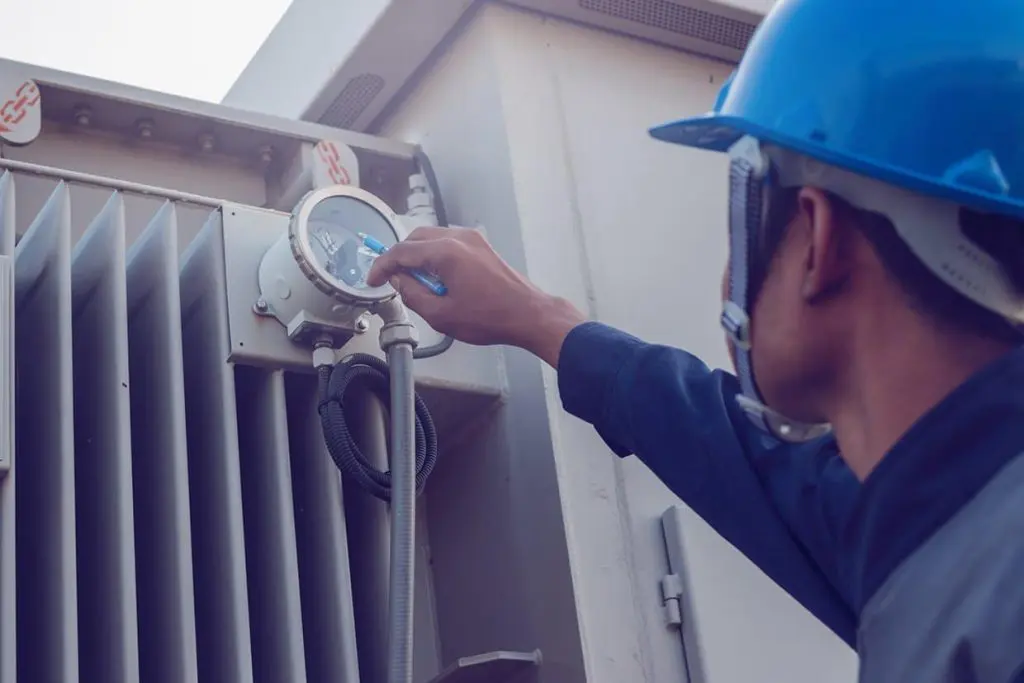
Last time, we shared Matt’s story about getting to a 100% preventive maintenance task completion rate. After he succeeded, however, Matt realized he need more information to get the full picture of his team’s productivity. When he looked at his reports, downtime had decreased, but not as much as he thought it would. With his new MPulse Preventive Maintenance Program, Matt started tracking other data so he could spot issues that may be affecting downtime. Preventive Maintenance Metric: PM Tasks Completed on Time Matt’s original metric simply measured whether or not a PM task was completed. But it didn’t show if that task was completed on time. If Matt’s team completed 50 PM tasks in a month, and 15 of those tasks were completed late (but within the same month), his PM completion rate would be 100%. But downtime could still be an issue. Maintenance benchmarks usually aim for PM tasks to be completed within 10% of the scheduled PM interval. So in Matt’s case, if a monthly PM task was completed within 3 days of the due date, it would be on time. A quarterly PM task should be completed within 9 days of the due date, etc. And you don’t get extra points for doing tasks too early either, because that can be just as problematic. This approach helps the maintenance team keep the scheduled PM intervals consistent, which in turn improves reliability. Calculating PM Completion Statistics Calculating the on time PM Completion metric is simply dividing the number of on-time PM tasks by the total number of PM tasks. So in Matt’s case, if 35 tasks out of 50 were completed on time, his PM Completed on Time rate would be 70%. And that metric does affect the rate of breakdowns. As a simple example, if Matt’s team added lubricate to assets late (or early) 30% of the time, that in turn means those assets may be running inefficiently 30% of the time, which calculates out to about 1.5 out of 5 unexpected breakdowns per month. By using the PM Completed on Time metric and comparing to unexpected breakdowns and costs, Matt could see he needed to make some more adjustments. “We had to prioritize our tasks differently,” he said. “For example, our inspections were typically performed late. Doing them on time would have helped us spot problems before they became more serious.” Matt wanted his PM Completed on Time rate to be closer to 80-90%. Using his MPulse reports, he found unexpected repairs trended downwards as his PM Completed on Time metric moved upwards. “It’s data I didn’t have before,” Matt said. “And I certainly wouldn’t have this information without our CMMS software.” What maintenance metrics do you find helpful? Contact us with questions.
Achieving 100% Preventative Maintenance Completion Rate

Preventive maintenance scheduling is one of the top reasons maintenance departments buy CMMS software. Everyone’s goal is to accomplish achieving 100% Preventative Maintenance completion rate. Many MPulse customers want a 100% preventive maintenance task completion rate. We asked a new MPulse customer, Matt, how his team achieved it. Matt’s goal when his organization purchased MPulse was to move from reactive approach to a more balanced proactive approach. With more than 1,200 assets at his company’s plant, however, his old method of spreadsheets and a homegrown database couldn’t get him there. CMMS software was clearly the way to go. But after buying the software, what’s next to have that success? Set Up PM Schedules Setting up his CMMS software properly was the first step. Matt had some asset information in his old spreadsheets, so that was easily imported into MPulse. He took the time to add new information as well—including warranties and parts information. Then for each asset, he set up a schedule of PM tasks—changing oil and filters, cleaning vents and screens, inspecting equipment, checking performance metrics, replacing parts, etc. Here’s the magic of CMMS software. Automated scheduling meant that every time a task was completed, MPulse simply used Matt’s parameters to determine when it needed to happen again in the future. Matt didn’t have to do a thing. The task popped up again at the appropriate time. “It’s tough to get much easier than that,” he said. PM scheduling helped in another way as well. Matt’s team spent less time on paperwork—entering information and updating spreadsheets—because everything was captured in one place at one time. “Not to mention, we had fewer complaints because paperwork is definitely one of the less popular parts of the job,” he said. “Reducing the data entry alone was enough to get the team’s buy-in.” Spot Issues After the PM schedules are set up, it was easier for Matt to spot problems with the workflows. Using his MPulse CMMS data, he changed a few things in his department, by… Redistributing some tasks to employees with stronger backgrounds in that skill set Training other employees so they could take on new and different tasks Hiring another tech to focus primarily on PMs for key assets Streamlining the inventory ordering process so his techs weren’t waiting for frequently used parts After a few months, Matt succeeded in his goal to get to 100% PM completion rate. But he also discovered that his metric didn’t give him the whole picture. Next time, we’ll share another PM performance metric that helped Matt—and can help you too.
Why Spreadsheets Don’t Cut It Anymore

Maintenance management in the past relied on pencil and paper and/or spreadsheets to track maintenance work. And it worked. But maintenance management has changed. Organizations have discovered maintenance affects the entire operation. And that means they’re paying attention in ways they weren’t in the past. You used to get phone calls when something broke. Now you’re getting phone calls asking for details about your maintenance operations: costs, productivity, inventory turnover, replacement forecasting, etc. That means you need a new approach. As one MPulse customer said, “Our spreadsheets just don’t cut it anymore.” Maintenance Management Has Changed As more organizations move from a reactive maintenance strategy to a proactive one, the focus of maintenance teams has changed too. It starts with preventive maintenance (PM). PM is one of the biggest reasons maintenance managers turn to CMMS software because it simplifies creating PM tasks, automating PM schedules, and building maintenance reports to find areas that need more attention as well as those that are working well. And that’s just the beginning. From inventory control to condition-based maintenance to the Industrial Internet of Things (IIoT), CMMS software helps maintenance managers improve reliability and take their operations to new levels. Technology Has Changed Once computer technology was scarce in the maintenance department. Those days are long over. Now even desktop computer systems are passé and mobile devices are commonly found on the shop floor, at the construction site, or in the plant. And it’s still changing. IIoT devices are opening up new opportunities for monitoring assets and automating data collection. That means maintenance work will shift even more from reactive to preventive… and towards predictive maintenance. CMMS software gives you the information you need to meet the challenges ahead. Workforce Has Changed It’s tough to find the right people with skills we need in the maintenance department. If that wasn’t hard enough, our aging workforce requires rethinking your recruitment strategies. Maintenance managers need to reach out to younger employees, who expect modern technology in the workplace. Emphasize the technical aspects of this career path, and create a professional growth/training program for your maintenance staff. These things are important to younger workers, and they’ll make your positions more appealing. The Future of Maintenance Management So, what does the future of maintenance management look like? It’s going to involve more technology and a stronger push towards data-driven decision making. So maintenance managers need to adapt. Starting now means you’ll be in a good position down the road. Ready to ditch the spreadsheets? Contact us.
Three Big Maintenance Management Mistakes—and How to Avoid Them
Hey, we all make mistakes. The point is not that we make them. It’s what we learned from those mistakes. If you can, however, it’s easier to learn from other people’s mistakes. To help, we’ve shared three of the most common mistakes in maintenance management and offered tips to help you avoid them. 1. Making Decisions Based on Assumptions While there was a time that maintenance managers needed to make assumptions about what worked for their operations, those days are gone. New technology (i.e., CMMS software) and tools make information available for data-driven decision making. Which means your decisions are backed up by hard data, not guesswork. This is particularly helpful when sharing maintenance information with other managers who don’t have hands-on maintenance experience. It’s hard to argue when they can see the facts—and the figures—right in front of them. 2. Skimping on Training No investment pays off as readily as training. Yet many maintenance managers feel they don’t have the time or the budget for training. These days, however, training is available in all kinds of formats that fit all kinds of budgets. While on-site or classroom training may not be realistic for your organization, you have plenty of other options—including online training and mentor programs. Some training programs are just an hour a week. And your investment in training pays off with every work order as your team becomes more efficient. 3. Refusing to Change with the Times Maintenance management has changed rapidly in a short time. And while you might feel like things worked just fine before, staying the course means missed opportunities. Technology has taken the maintenance professional by storm, and it’s not going away. In fact, it’s now a “must have” in maintenance departments. And the type of technology has changed too. Where just 5-10 years ago, you were probably tapping away at a desktop computer or implementing your first CMMS software, now you’ve got a mobile phone or tablet in your hand checking for information while you’re walking around the plant or facility. Take advantage of these technology advances to make your department more productive. Plus, your maintenance team has changed too. Your older employees are retiring. And finding replacements isn’t a simple task. You’ll need to make your maintenance positions appealing to a different generation with a different mindset, particularly because they’ve grown up with technology and are extremely comfortable with it. What maintenance management mistakes have you made? How did you fix them? Contact us.
Is the MPulse 0% Finance Program Right for Your CMMS Software Purchase?

If you’ve been researching your first CMMS software purchase (or an upgrade), you’ve realized most vendors want you to buy software as a service (SaaS) solutions. But here at MPulse, we believe SaaS isn’t for everyone. So if you’re looking for a way to purchase CMMS software outright, take a look at our new MPulse 0% Finance Program. Is SaaS Right for You? First, let’s look at SaaS. Simply stated, SaaS is just another method of paying for CMMS software. When you opt for a SaaS subscription you’re choosing to rent software for a specified period of time instead of buying a license to use it indefinitely. The licensed purchase price for a maintenance management software package is typically equal to two or three years of SaaS payments. If you’re on the fence about a new solution, SaaS may provide you a beneficial trial period to determine if the software meets your needs. You can change vendors at any time without abandoning a large investment—or you can purchase the software you’re using. It also may allow you to pay for software without going through a formal procurement process. If your company divides departmental funding into operational expenses (OPEX) and capital expenses (CAPEX), you may be able to spend OPEX money on your software without making a CAPEX request. SaaS has advantages, which is why MPulse offers our SaaS option to customers. In particular, those lower initial costs are attractive. But the disadvantage is you never really own the software—so you need to keep paying for your subscription. And if you stop paying, you lose access. Is MPulse 0% Finance Program Right for You? Here at MPulse, we believe our customers should have purchase options that fit their needs. So we launched a new program that allows our customers to enjoy the lower upfront costs of SaaS, but to own the software outright in just 36 months. MPulse provides financing through Marlin Business Services Corp.®, a nationwide provider of equipment and software financing. With the MPulse 0% Finance Program, you’ll have better payment terms than most SaaS contracts, and the software will be yours to keep. Benefits include… Finance 100% of your purchase 0% interest rate for 36 months No substantial cash outlay or down payment Finance training and support services too Monthly payments Instant financing approval process Easy electronic application Turns your CAPEX into OPEX for easier management approval in many organizations Significant tax advantages No effect on your bank lines of credit How Long Does It Take? With our expedited approval process, we can get most financing approved in less than one business day. Because our financing is lease-based, inquiries don’t impact your credit rating. We can finance many businesses who may not qualify for traditional bank loans. Contact us to learn more about the MPulse 0% Finance Program. We’re here to help.
Five Signs It’s Time to Buy CMMS Software

Have you reached that point where you know your maintenance department needs to do something different? Every maintenance manager does sooner or later. So, how do you know when to update CMMS software programs? To help, we’ve collected the top five signs it’s time to buy CMMS maintenance software. Whether you’re experiencing just one, or (like most of us) more than one, CMMS maintenance software is the answer. Your Needs Have Changed Many new CMMS maintenance customers start here. Whether they’ve used paper, a home-grown database, or Excel spreadsheets, it’s just not working. They need more. Typically work order management and preventive maintenance scheduling are the two biggest areas where your needs change. But it could be a combination of anything—vendor management, service request tracking, reporting capability, inventory control, software integration, etc. You need the right tool for the right job. And in today’s maintenance environment, the right tool is CMMS maintenance software. You Need More Data Maintenance used to fly under the radar, but not anymore. Expectations are changing, and now you’re getting requests for detailed information about your maintenance operations. To answer those questions, you need data—and you need it quickly. Pulling together reports from spreadsheets or (ugh) paperwork orders is time consuming, tedious, and inaccurate. With CMMS software, you’re collecting maintenance data with every work order. So, when it’s time to answer those questions about asset management or repair/replace decisions, you have what you need at your fingertips. You’re Ready to Go Mobile Whether it’s your younger employees who live with their devices or the availability of better Internet access on the road, it’s time to think about mobile CMMS software. Mobile technology allows your team to access information and record data on the spot—where maintenance happens, instead of in a plant or office. That means they have quick and easy access to critical information, making it easier to get the job done and capture historical data. You Need to Integrate with Other Software You need more maintenance data, but so do other departments. Wasting time re-entering and maintaining information in multiple systems is not only inefficient, it’s prone to problems and errors. Integrating your CMMS software and your financial application or accounting system is easier than ever. Data sharing technology (like MPulse DataLink) simplifies the process of sharing information, so everyone gets the data they need quickly and easily. You’re Growing What worked for a maintenance team of two or three techs doesn’t work as that organization grows to 5, 10, 20 or more maintenance employees. Communication is harder, and the old systems just aren’t efficient. Plus, as your organization grows, you’re likely maintaining larger numbers of assets with the same—or even fewer—resources. Older systems aren’t always scalable to adapt to the increase of the operation. But modern CMMS software can. Scalable CMMS software grows with you, so you can adapt quickly. What’s motivating you to buy CMMS software? Leave a comment or contact us.
How to Create Paperless Maintenance Without Errors

Maintenance teams have relied on paper work orders for decades. But times are changing, so you should learn the benefits of using a web based work order system. It’s already happened in other departments as more organizations have adopted software designed for financial and sales tasks. There’s less paperwork around the office because it’s stored—and shared—digitally. Now, the benefits of going paperless are becoming more common in the maintenance world, thanks to CMMS software and its ability to make digital storage easy and more convenient. It’s safe to say paperless maintenance without errors is the future of work orders. New Work Flows Going paperless wasn’t the main goal of Nancy’s maintenance department. But after integrating MPulse Software, Inc two years ago, she realized it was possible… and she was well on her way. Nancy’s CMMS software kept track of all the things that used to be stored on paper somewhere, like a filing cabinet or a bookshelf. This information included work orders, repair history, user manuals, reports, vendor documents, and other key data. “Our service requests are all submitted electronically now via MPulse,” she explained. “The approval process is done in the software. Our techs keep notes and links to manuals and repair guides in MPulse. That’s just the beginning.” Nancy’s team is also working towards mobile integration, something that’s within reality for other maintenance teams, too. “We’re getting closer,” she explained. “I think we’ll be fully mobile within the next year. It’s so much easier for our techs to access work order information, repair history, vendor details, and other information while they’re in the field. It’s been a natural progression.” New Technology One thing that has made this transition possible is the lower costs of digital storage. “We host our MPulse Software, Inc in the cloud,” Nancy said. “That makes it possible for our techs to access it in the field. Plus, our backups and system updates are automated, thanks to MPulse’s Application Hosting Services. I don’t have to worry about it.” Nancy see the benefits of moving towards a paperless maintenance department, including… Reduced need for storage space Less chance of lost or missing documents Lower printing and admin costs Better sharing capability Quicker access to important information Less time spent searching for documents “It was a very natural process after we implement MPulse,” Nancy explained. “We were able to gradually make changes in our workflows because it was more efficient. And a lot of that increased productivity was the result of storing data in one place—our CMMS software.” Are you thinking of going paperless, or moving in that direction? Have you already done it? Leave a comment below or contact us.