
7 Must-Have CMMS Features for Facility Maintenance

Facility maintenance managers have a lot on their plates with keeping buildings safe, systems running smoothly, and budgets under control. The tools used for maintenance have changed over the years. However, so has the technology behind them. That’s why more and more facility maintenance professionals are turning to cloud-based CMMS to simplify their daily tasks and gain better control over their operations. Cloud-Based CMMS for Facility Maintenance Cloud-based CMMS gives maintenance teams the ability to manage every aspect of their operations in one centralized platform. With a cloud CMMS, teams can create, assign, and track work orders, monitor asset performance, and access real-time maintenance data from any location. That means your team can stay up to date whether they’re in the office, on the production floor, or out in the field. This connectivity makes it easier to stay organized, respond quickly to issues, and make data-driven decisions that improve efficiency. Unlike older desktop systems that require manual updates and limit access to a single device, cloud CMMS software is faster, more flexible, and far more reliable. Users can log in from any internet-connected device, ensuring everyone always has the most current information. Modern facility maintenance software streamlines daily maintenance tasks, reduces downtime, and helps extend the lifespan of valuable assets. The result is a more productive team, lower operating costs, and a maintenance operation that runs smoothly and efficiently. Best of all, all your maintenance data is backed by the cloud. CMMS Features for Facility Maintenance If you’re thinking about upgrading, look for these seven must-have CMMS features for facility maintenance. 1. Mobile Work Order Management Paper work orders and clipboards are a thing of the past. With mobile maintenance tools, technicians can receive, update, and close work orders directly from their smartphones or tablets. A good cloud CMMS should allow your team to: Mobile work order management helps keep everyone on the same page, no matter where they are in the facility. It also cuts down on errors caused by lost paperwork or outdated information. 2. Asset Tracking & Barcode Scanning Keeping track of every piece of equipment across multiple buildings can be challenging. That’s where asset tracking comes in. Modern CMMS platforms include tools that let you record and monitor every asset, from HVAC systems to lighting controls and elevators. Barcode or QR code scanning makes this even easier. By scanning a code with a mobile device, technicians can instantly pull up the asset’s full history, including past repairs, manuals, and warranty details. This instant access to maintenance data saves time and reduces mistakes. With accurate asset tracking, facility managers can make better decisions about when to repair or replace equipment, helping extend asset life and reduce costs. 3. Preventive Maintenance Scheduling One of the biggest advantages of a CMMS is scheduling preventive maintenance to stop problems before they happen. A strong preventive maintenance feature automatically schedules inspections, filter changes, lubrication, and other routine tasks based on time, usage, or meter readings. Preventive maintenance ensures nothing slips through the cracks and helps avoid costly breakdowns. It also keeps facilities in compliance with safety and quality standards. With cloud CMMS, all this scheduling happens automatically, and reminders are sent to technicians through mobile alerts. That means less guesswork and fewer unexpected failures. 4. IoT and Software Integration Today’s facilities are becoming smarter thanks to the Internet of Things (IoT) and software integration tools. When your CMMS can connect to these systems, it unlocks powerful capabilities. For example, sensors can send real-time data to CMMS, such temperature, humidity, or vibration readings. The software can then generate alerts or even create work orders automatically when equipment is operating outside of normal conditions. This integration allows facility teams to move from reactive to predictive maintenance, reducing downtime and extending the life of equipment. It also helps optimize energy use and supports sustainability goals. 5. Reporting and Dashboards Data is only valuable when you can see and understand it. Modern facility maintenance software includes reporting tools and dashboards that turn maintenance data into actionable insights. With customizable dashboards, you can monitor key performance indicators (KPIs) such as: These reports help facility managers identify trends, measure team performance, and justify budgets with solid data. In a cloud CMMS, dashboards update in real time, so you always know what’s happening in your buildings. 6. Offline Access and Data Sync Facilities don’t always have perfect Wi-Fi or cell service, particularly in remote sites. That’s why offline access is a critical CMMS feature. The best cloud CMMS solutions allow technicians to keep working even when they’re offline. Your team can update work orders, record notes, and capture photos while disconnected. Once the device reconnects to the internet, all data syncs automatically. Offline functionality ensures maintenance work never stops, no matter where your team is or what the network conditions are like. 7. Scalability and Security Finally, your CMMS should be built to grow with your organization. Whether you manage one building or a portfolio of properties, scalability ensures your system can handle more users, assets, and data without slowing down. At the same time, security must be top priority. Look for a provider that offers encrypted data storage, secure user logins, and regular system backups. Cloud vendors typically provide stronger security than most on-site servers, along with automatic software updates and uptime guarantees. By choosing a cloud CMMS that’s both scalable and secure, you protect your investment and ensure your system stays reliable for years to come. Smart CMMS Features for Facility Maintenance Managers Upgrading to a modern cloud CMMS is one of the smartest moves a facility maintenance manager can make. The right CMMS features can transform how your maintenance team operates. With the right system in place, you’ll reduce downtime, extend asset life, and make data-driven decisions that keep your facilities running efficiently. Ready to explore a cloud CMMS for your facility management needs? Start by listing the features that matter most to your team and look for a platform that helps you grow,
Top 5 Industries That Need CMMS Software

If your organization produces goods or provides a service, or if it operates out of a building, managing maintenance should be one of your top priorities. CMMS software provides tools that help many different types of industries keep everything working properly. Whether it’s machines, equipment, vehicles, buildings, or multiple facilities, CMMS software helps companies organize, plan, and keep track of all their maintenance work. CMMS can save companies time, cut down on costs, and prevent unexpected breakdowns that can cause problems. These five industries rank at the top for CMMS software benefits. Industry #1: Manufacturing In manufacturing, every minute of downtime can translate into thousands of dollars lost. To keep production on schedule and operations efficient, machines must be maintained in peak condition. Strategic maintenance planning not only prevents unexpected breakdowns but also extends the lifespan of equipment, reducing costly repairs and replacements. Quick responses to emerging issues help avoid delays that could disrupt delivery timelines, while well-trained staff ensure safety and consistency on the factory floor. CMMS helps manufacturers with the following. With strong maintenance practices in place, manufacturers can protect their bottom line while ensuring smooth, reliable production. Industry #2: Construction In construction, heavy equipment is the backbone of progress, moving between job sites and powering each phase of a project. But without a solid maintenance strategy, tracking repairs manually can become chaotic and expensive. Scheduled upkeep and regular inspections help prevent equipment failures, ensure safety compliance, and keep timelines intact. Detailed service records support smarter budgeting and repair planning, while well-maintained machinery improves worker safety and reduces costly delays. CMMS also helps with the following. By organizing maintenance across all vehicles and machines, construction teams can reduce downtime, control costs, and keep every job site running smoothly. Industry #3: Healthcare Hospitals and healthcare facilities depend on a wide range of complex equipment to deliver safe, timely, and effective care. When systems fail, whether medical devices or building infrastructure, the consequences can include treatment delays, safety risks, and compliance issues. Regular maintenance ensures reliability, supports regulatory inspections, and helps prevent infections. Fast work order assignment and mobile access to maintenance data allow staff to respond quickly and stay informed across departments and locations. CMMS also helps healthcare organizations with the following. By proactively managing maintenance, healthcare organizations create safer environments and maintain the continuity and quality of patient care. Industry #4: Education Educational institutions from K-12 schools to sprawling university campuses are responsible for maintaining a wide range of facilities, including classrooms, labs, dormitories, and athletic centers. Without a reliable system in place, keeping everything running smoothly can be a major challenge. Regularly scheduled maintenance for HVAC, lighting, and other infrastructure helps prevent unexpected breakdowns. Fast issue reporting enables facility teams to resolve problems before they escalate, while centralized management tools streamline operations across multiple buildings. Maintenance reports also support smarter budgeting and long-term planning. CMMS also helps educational institutions with the following. By staying organized with maintenance, schools and universities can reduce downtime, control costs, and focus more fully on delivering quality education and student support. Industry #5: Government and Public Works Government agencies oversee a wide range of public assets from roads and parks to utilities and buildings, which makes maintenance a complex and critical responsibility. Relying on paper records can slow down operations and create confusion, especially when coordinating across departments. Digital tools in CMMS software streamline the process by enabling clear documentation of repairs, faster response to emergencies, and better visibility into ongoing maintenance. These systems also support transparency, improve budgeting decisions, and help agencies maintain safe, functional public spaces. By adopting modern maintenance systems, public agencies can reduce costs, prevent equipment failures, and deliver more reliable services to the communities they serve. Every Industry Needs CMMS Software Across every industry, good maintenance management helps teams stay organized, work efficiently, and be proactive. It replaces paper logs and spreadsheets with a digital system that tracks assets, schedules tasks, and sends alerts in real time. Whether managing construction equipment, maintaining school buildings, or ensuring hospital safety, good maintenance routines are essential. They help reduce costs, prevent delays, and keep operations running smoothly. Effective maintenance management software isn’t just a tool; it’s a smart solution that makes managing maintenance easier and better for every industry. Have questions? We have answers. Contact us.
How to Choose the Right Work Order Management Software for Your Business
If your business relies on equipment, facilities, or other assets that need maintenance, it’s essential to keep them running smoothly. When machines break down or jobs fall through the cracks, it can cost time, money, and trust. That’s where work order management software can help. CMMS helps track maintenance tasks, manage assets, schedule work, and keep detailed records in one place. But with so many options on the market, how do you choose the right one for your business? This simple guide will help you make a smart, confident choice. What Work Order Management Software Does Work order management software is designed to help you plan, track, and complete maintenance tasks efficiently. Whether you’re managing a manufacturing line, a fleet of vehicles, or a public facility, work order management software ensures that nothing slips through the cracks. A good CMMS platform goes beyond tracking work orders. It also keeps a full history of repairs, tracks spare parts, manages schedules, and even generates reports that help you spot problems early. Instead of relying on paper forms or spreadsheets, everything is stored digitally. As a result, your team can find and update data easily. Seven Steps to Choose the Right Work Order Management Software Step 1: Identify Your Biggest Challenges Before shopping for software, think about your current pain points. Ask yourself: The right CMMS should solve your specific problems. For example, if downtime is your biggest issue, look for a system with strong preventive maintenance tools and automated reminders. If communication is a problem, find one with mobile access and real-time updates. Step 2: Look for the Must-Have Features Not every CMMS offers the same tools. When comparing options, make sure the work order management software includes the following key features: Step 3: Think About Ease of Use Even the most powerful CMMS won’t help if your team finds it confusing. Look for a system with a clean, intuitive interface. Many vendors offer free demos or trials. Take advantage of them. During your trial, test how easy it is to: If your technicians and managers can learn the basics quickly, that’s a great sign. Step 4: Consider Scalability and Support Your needs today may not be the same in a year or two. Choose a CMMS that can grow with your business. Scalable software should allow you to add more users, assets, or sites without major costs or downtime. Also, make sure the vendor offers strong customer support and training resources. Look for flexible help options, online tutorials, and quick response times. Good support can make a huge difference during setup and beyond. Step 5: Compare Pricing and Value Pricing for work order management software can vary widely. Some systems charge per user per month, while others charge a flat fee for unlimited users. There may also be extra costs for setup, training, or advanced features. When comparing prices, don’t just look for the cheapest option. Instead, think about value. How much time, money, and effort will the system save in the long run? A slightly higher cost may be worth it if it improves uptime, reduces waste, and helps your team work smarter. Step 6: Read Reviews and Ask for References Before making a final decision, read user reviews and ask the software vendor for customer references. Find out how other companies in your industry are using the system and what results they’ve seen. Reviews can reveal useful details about real-world performance, such as how reliable the mobile app is or how fast customer support responds. Step 7: Start Small, Then Expand Once you’ve chosen your CMMS, start with a pilot program. Test it in one department or location before rolling it out company-wide. This implementation process helps identify any issues early and gives your team time to adjust. Gather feedback from your technicians, managers, and administrators. Use what you learn to fine-tune your setup before expanding. Choose the Work Order Management Software that Fits Your Business Choosing the right work order management software is an investment in your business’s efficiency and reliability. A well-chosen CMMS can help you prevent breakdowns, lower costs, and keep your operations running smoothly. By taking time to understand your needs, compare features, and test your options, you’ll find a solution that fits your business perfectly. As a result, you can keep your equipment working, your team organized, and your customers happy. Get started today. Contact us.
Best CMMS Software in 2025
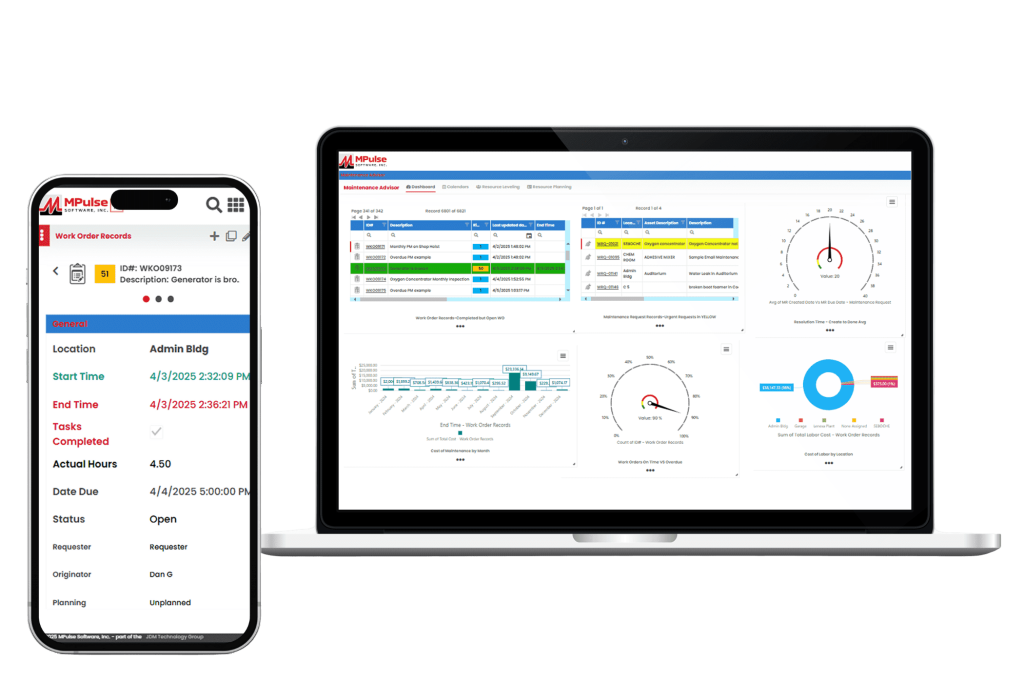
CMMS helps maintenance teams plan, track, and improve their operations. It handles everything from preventive maintenance scheduling and work orders to inventory tracking and performance reporting. As a result, your maintenance operations can get tasks done efficiently and easily measure the results. Most quality CMMS platforms include core features like work order management, maintenance scheduling, asset tracking, inventory control, reporting, and mobile access. These tools help teams prevent breakdowns, eliminate backlogs, manage parts, and control costs. The ultimate goal is to streamline operations and reduce downtime. Whether you’re transitioning from spreadsheets or replacing your current system, this in-depth comparison will help you choose the right solution. 1. MPulse CMMS Top Features Biggest Benefits MPulse CMMS is designed to help organizations of all sizes streamline their maintenance operations, improve asset reliability, and reduce downtime. What Do Users Like About MPulse? Users highlight MPulse’s balance between functionality and user-friendliness. The system’s adaptability to different industries and strong reporting tools make it a favorite for organizations seeking both flexibility and depth in their CMMS solution. Many recommend purchasing one of MPulse’s affordable implementation services to streamline the process even further. “MPulse has been instrumental in helping us transition from reactive maintenance to a proactive approach. The scheduling and tracking tools are excellent, and the reporting gives us clear visibility into our maintenance costs.” – James K. on Capterra “What I appreciate most is that MPulse can grow with your organization. It’s easy to start small and add modules or integrations as your needs expand. The support team is also responsive and knowledgeable.” – Verified User in Manufacturing on G2 “MPulse makes it easy to organize maintenance work and asset data. The ability to customize fields and workflows means we can tailor the software to fit how we operate instead of the other way around.” – Sarah M. on G2 Pricing MPulse offers flexible pricing tiers depending on deployment type (cloud or on-premises), number of users, and selected modules. Plans generally start around $49 per user per month, with additional costs for advanced features like predictive maintenance, API access, and enterprise reporting. A free demo and custom quote are available upon request. 2. Limble CMMS Limble CMMS is a cloud-based platform that helps organizations manage and improve their maintenance operations. With an solid interface and a range of practical features, it supports teams across industries in organizing workflows, reducing downtime, and maintaining asset performance. Top Features Why Users Like Limble CMMS Companies like G2, Capterra, Reddit, Software Advice, and more make it easy to hear from software users about their experience. Here are some of the most useful reviews. What Do Users Dislike About Limble CMMS? 3. Fiix CMMS Fiix CMMS is a cloud-based maintenance management platform that integrates AI and machine learning for maintenance efficiency and asset performance. Its interface and scalable design make it a strong choice for small to mid-sized businesses with distributed assets. Top Features What Do Users Like About Fiix? Users report that overall, Fiix is a useful tool for helping organize and execute maintenance and equipment servicing. They also report a good relationship with customer service and overall improved work order coordination across teams. What Do Users Dislike About Fiix? Reviewers note that there is room for improvement in the way the system facilitates communications with work requestors who don’t have user licenses. They also comment on the lack of customizability for some features. Pricing Fiix CMMS uses a tiered pricing structure, beginning with a free plan that covers essential maintenance functions, then expanding to paid tiers with more advanced capabilities. The Basic plan costs $45 per user per month, and the Professional plan is $75, both adding tools such as advanced scheduling, analytics, and reporting. For larger organizations with specialized needs, the Enterprise plan provides customized solutions with pricing available upon request. 4. UpKeep UpKeep positions itself as a mobile-first CMMS built to simplify maintenance and operations management for businesses of all sizes. Its interface and features enable users to manage work orders, track assets, and streamline maintenance activities from both mobile devices and desktops. Top Features What Do Users Like About UpKeep? UpKeep customers report it to be a significant upgrade from paper and manual processes, especially for the cost. They also appreciate its useability and visual appeal. What Do Users Dislike About UpKeep? While UpKeep is rated highly overall, some users report a lack of customizability, bugginess, and technical difficulties with some features. Pricing UpKeep offers a tiered pricing structure based on the number of users and the level of features needed. They do not offer a long-term free plan but do provide a 14-day free trial. Plans range from a “lite” level that includes basic maintenance management tools at $20 per user per month. Advanced options that include predictive maintenance, reporting analytics, and integrations can cost as much as $120 with additional products and add-ons like IoT connectivity for additional fees. 5. MaintainX MaintainX is a mobile-first CMMS that emphasizes the advantages of managing maintenance through its mobile app. It offers an interface and tools for handling work orders, performing inspections, and tracking assets from smartphones or tablets. The platform is geared toward organizations with distributed teams and frontline workers who need real-time access to information and tasks while on the move. Top Features What Do Users Like About MaintainX? MaintainX delivers the basics for its users, including an intuitive interface, real-time communication, and efficient work order management. Many report having a more organized and more mobile operation as a result of using the system. What Do Users Dislike About MaintainX? Smaller teams or startups may find that MaintainX’s pricing is higher for the features offered than some other solutions. Some users report occasional bugs or limited options for customization and integration with other tools. Pricing MaintainX provides four pricing tiers, starting with a free basic plan that includes unlimited work orders and messaging. The Essential plan, priced at $16 per user per month, adds features like recurring work orders and reporting. The Premium plan costs $49 per
Why Investing in Facility Maintenance Services Pays Off

For organizations that own or manage buildings, investing in facility maintenance is often seen as a necessary expense. In reality, however, it’s a powerful long-term investment. When done strategically, maintaining your facilities can significantly reduce costs, extend asset life, and increase overall operational efficiency. The return on investment (ROI) from professional facility maintenance services goes far beyond avoiding breakdowns. It also contributes directly to safety, sustainability, and profitability. In this post, we’ll explore why investing in facility maintenance services pays off, how to measure ROI, and how tools like CMMS software make maintenance operations smarter and more cost effective. How Facility Maintenance Pays Off Facility maintenance keeps a building and its assets in peak working condition. These maintenance tasks include preventive maintenance, routine inspections, equipment repairs, and strategic asset management. The purpose of a facility maintenance program is to ensure safety, compliance, and efficiency while minimizing downtime and extending the life of valuable equipment. Improving facility maintenance services can transform daily operations and strengthen long-term ROI. The True Cost of Neglecting Building Maintenance It’s tempting to delay maintenance to save money in the short term. However, this approach almost always costs more later. Reactive maintenance can result in unplanned downtime, expensive emergency repairs, and even safety issues. Consider an HVAC system that receives no preventive care. A neglected air filter might lead to overworked motors, poor air quality, and higher energy bills. What could have been a simple, low-cost fix becomes a major repair or full system replacement. Studies consistently show that preventive facility maintenance costs far less than emergency repairs. According to industry benchmarks, every dollar spent on preventive maintenance can save up to five dollars in future repair and replacement costs. That’s a substantial ROI that directly impacts an organization’s bottom line. How Facility Maintenance Services Improve ROI Facility maintenance services deliver measurable financial benefits when executed strategically with CMMS software. Here’s how they increase ROI: The Long-Term Benefits of Proactive Facility Maintenance Investing in facility maintenance services is an investment in your organization’s future. By using CMMS software tools, organizations shift from a reactive approach to a proactive, data-driven facility maintenance strategy. As a result, you not only reduce downtime but also get the transparency needed to justify maintenance budgets and demonstrate ROI to stakeholders. A proactive maintenance strategy delivers lasting value by: When maintenance is planned and managed effectively, every dollar spent contributes to long-term performance, safety, and savings. Measuring ROI in Facility Maintenance To measure the ROI of facility maintenance, consider both direct and indirect benefits. Direct ROI includes measurable savings from reduced repair costs, extended equipment life, and lower energy use. Indirect ROI comes from improved uptime, fewer safety incidents, and enhanced tenant or employee satisfaction. By tracking metrics like work order completion times, maintenance costs per asset, and downtime hours, facility managers can clearly demonstrate how their maintenance programs contribute to the organization’s overall financial performance. Investing in Facility Maintenance = Strategic Advantage Too often, facility maintenance is treated as a background function rather than a strategic advantage. But when managed correctly, it becomes a key driver of efficiency, safety, and profitability. The ROI from investing in facility maintenance services is undeniable: fewer breakdowns, lower costs, longer-lasting assets, and improved compliance. Whether you manage a single building or an entire portfolio, prioritizing maintenance today means protecting your assets, your people, and your bottom line for years to come. Get started today. Contact us.
Building Maintenance Mistakes That Cost You Time and Money
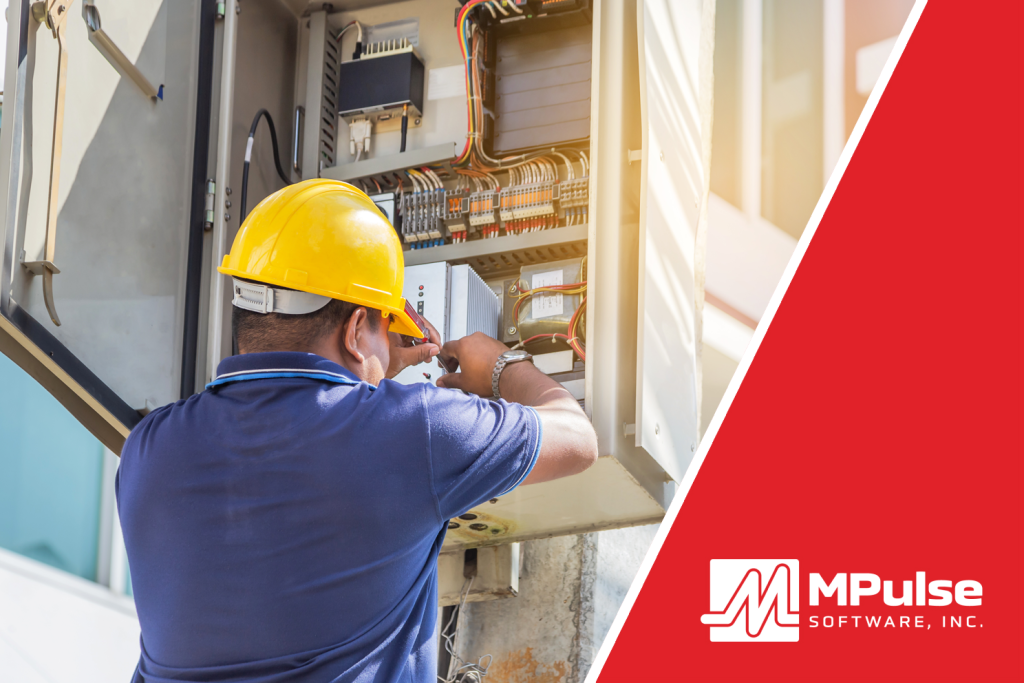
Building maintenance mistakes can cost a lot of time and money. If you don’t take care of systems like heating, air conditioning, plumbing, lights, and elevators, small problems can turn into big ones. And big problems cost a lot of time and money. Let’s look at some common building maintenance mistakes, and how to avoid them so everything runs smoothly and safely. Mistake #1: Waiting Until Something Breaks One of the most common building maintenance mistakes is waiting until something stops working before fixing it. We call this approach reactive maintenance. The problem? Waiting can lead to bigger damage. For example, if you wait to fix a leaking pipe, it could burst and flood a room. That’s a lot more expensive than just replacing a small part early. How to Avoid It:Do preventive maintenance by checking equipment regularly and fixing small problems before they become big ones. Use a schedule to make sure things like filters, belts, and fans get cleaned or replaced on time. Mistake #2: Not Keeping Records If you don’t keep track of when maintenance was done, you might forget important jobs. You could end up fixing the same problem more than once or missing something that needs attention. How to Avoid It:Document maintenance tasks in CMMS software like MPulse to record all work that gets done. Record the date, what was fixed, and who did the job. Keeping records helps you stay organized and gives you a history of each piece of equipment. Mistake #3: Ignoring Small Issues Sometimes, small issues like a strange noise in the air conditioner or a flickering light are ignored. But small problems often turn into bigger ones. A weird sound could mean a motor is wearing out. A flickering light might mean bad wiring. How to Avoid It:Pay attention to the small signs. Have workers or building users to report anything unusual via service requests. Fixing problems early is always cheaper and faster than waiting. Mistake #4: Using the Wrong Tools or Parts Trying to save money by using cheap or incorrect parts can cause damage later. The wrong part might not fit right or could wear out quickly. That leads to more repairs and more downtime. How to Avoid It:Always use the right tools and high-quality parts that match the equipment. It might cost a little more now, but it saves money in the long run by lasting longer and working better. Mistake #5: Skipping Regular Inspections If you don’t check systems regularly, you might miss warning signs. Things like dirty air filters, clogged drains, or loose wires can be spotted during an inspection before they cause trouble. How to Avoid It:Create a checklist and do regular inspections, maybe every week or month. Walk around the building and look at major systems. Check for leaks, odd smells, strange sounds, or signs of wear and tear. Mistake #6: Not Training Maintenance Staff If your maintenance team doesn’t have the right training, they might not know how to fix problems correctly. Not investing in your people could lead to poor repairs, more breakdowns, or even safety hazards. How to Avoid It:Make sure your team gets training on all the systems they’re responsible for. Send them to workshops, give them manuals, or use online videos to help them learn. A skilled team makes all the difference. Mistake #7: Poor Communication If no one knows who’s doing what or when, it can lead to confusion. Tasks get missed, jobs get repeated, or the wrong things get fixed. How to Avoid It:Use a system like CMMS software. Make sure everyone knows their tasks and reports back when they’re done. Why These Mistakes Matter Fixing broken equipment takes time. It can also interrupt daily activities, especially in places like schools or hospitals. Repairs often cost more than regular maintenance, especially if you have to bring in outside help or replace major systems. Even worse, poor maintenance can be dangerous. Broken lights, slippery floors, or faulty wires can cause accidents or fires. That’s why it’s important to avoid these mistakes before they lead to trouble. Avoid Building Maintenance Mistakes By Being Proactive Being proactive means solving problems before they start. Here are a few simple tips: Taking these steps will save you money, protect your building, and help everything run more smoothly. Maintenance might not always be exciting, but it’s super important. When you take care of a building the right way, everything lasts longer, works better, and stays safer. Building maintenance mistakes like waiting too long, skipping inspections, or using the wrong parts can cost time and money. But you can avoid them. By preparing and paying attention, you can keep your building in great shape for years to come. Get started today. Contact us.
What Does Preventive Maintenance Mean?

Preventive maintenance means taking care of equipment, systems, and facilities before problems happen. If you’ve ever had something break unexpectedly, you know the stress that comes with reactive repairs. Planned upkeep now helps you avoid big, unplanned expenses later. The Definition of Preventive Maintenance Preventive maintenance (PM) is the practice of performing regular, scheduled inspections and service on assets to keep them running efficiently and to prevent breakdowns. PM could mean lubricating machinery, replacing air filters, checking electrical connections, inspecting safety equipment, or testing alarms. The exact tasks and schedules depend on your organization, its assets, and operating conditions. Why Does Preventive Maintenance Matter? Preventive maintenance offers several benefits: The Role of CMMS For many organizations, the challenge is staying on top of when and how to do PM. That’s where CMMS software comes in. CMMS helps businesses plan, track, and manage their maintenance activities. With a CMMS, you can: Why Is Preventive Maintenance Important? Preventive maintenance is an investment in reliability, safety, and efficiency. It makes it easier to keep maintenance on schedule and your operations running smoothly. When paired with the right CMMS software, it’s easier to plan, track, and prove the value of your efforts. Instead of chasing problems, you can focus on keeping your operations running with fewer emergencies. MPulse can help. Get started today. Contact us.
How Scheduled Maintenance and CMMS Can Reduce Your Backlog

Backlogs are stressful. They slow your operations down, make your workers feel overwhelmed, and can lead to much bigger problems. But there’s a smart way to deal with it: scheduled maintenance. If you’ve worked on a maintenance team, you’ve probably heard someone say, “We’ll fix it when we get to it.” Over time, however, these small tasks can pile up. A broken light here, a leaky faucet there, or an HVAC system that’s not working well. These tasks become a backlog and cause more stress. But scheduled maintenance can actually help shrink your backlog, and maybe even prevent one in the future. What Is Scheduled Maintenance? Scheduled maintenance is when you plan ahead to take care of equipment, machines, or a building before things break. It includes things like: In contrast, many teams focus on reactive maintenance, where you wait until something breaks to fix it. Scheduled maintenance keeps things running smoothly and can stop your to-do list from growing out of control. How Backlogs Get Out of Hand Backlogs happen for a lot of reasons. Maybe your team is short-staffed. Maybe you don’t have a great system to track tasks. Or maybe you’ve been dealing with emergencies and haven’t had time for smaller jobs. But here’s the problem: when small tasks sit unfinished, they often turn into big repairs. A loose doorknob becomes a broken door. A dirty air filter causes the air conditioner to stop working. These larger repairs take more time, cost more money, and push everything else further down the list. How Scheduled Maintenance and CMMS Help Your Backlog 1. It Prevents New Problems from Piling Up The most effective way to prevent a backlog from growing is to minimize the number of new tasks coming in. Scheduled maintenance does just that. If you regularly check and clean equipment, fewer things break—and you have fewer new work orders coming in. For example, if you clean roof gutters every fall, you won’t have to deal with flooding or roof damage in the winter. That’s one less emergency to add to your already long list. 2. It Helps You Prioritize When you use a schedule, you know which tasks are coming and when, so your team can focus on what’s most important. Instead of jumping from one emergency to the next, you can plan and divide the work more evenly. Some scheduled maintenance tasks can even be done during slow times, like school holidays or weekends, so they don’t interfere with daily operations. 3. It Makes Time Management Easier A huge backlog can make your team feel like they’re always behind. But when tasks are spread out on a calendar with clear deadlines, the work feels more doable. Scheduled maintenance breaks big jobs into smaller steps. Instead of trying to fix everything at once, you chip away at the list a little at a time. Over time, you start to see real progress. 4. It Gives You Better Records CMMS tracks all work orders, equipment, and schedules. Using scheduled maintenance tools in CMMS helps you stay organized and shows you what’s already been done. When you can see your maintenance history, it’s easier to find repeat problems, plan your budget, and avoid doing the same work twice. That saves time and keeps the backlog from growing. 5. It Improves Communication A backlog often grows when no one knows who is supposed to do what. Scheduled maintenance and CMMS can clear up miscommunications. Tasks can be assigned ahead of time to the right people. Everyone knows their responsibilities, and there’s less confusion. Plus, with CMMS, everyone on your team can see what’s planned and what’s still left to do. 6. It Builds a Maintenance Routine When scheduled maintenance becomes a habit, your team gets into a routine. People start to expect certain tasks and plan for them. They may even catch problems before they’re added to the backlog at all. Good routines create a culture of responsibility. Workers begin to notice small issues and take care of them before they get worse. Stop Problems Before They Start Let’s say your team has 100 open work orders. If you do reactive maintenance only, that number might grow every week. But if you start scheduling regular tasks, like monthly HVAC checks, quarterly plumbing inspections, and bi-weekly filter changes, you’ll stop many problems before they even start. You’ll also get fewer emergency calls, which gives your team more time to focus on clearing out the old tasks. Over time, the backlog shrinks instead of grows. Scheduled Maintenance and CMMS Keep Backlogs Under Control A backlog doesn’t have to be permanent. With smart planning and regular upkeep, you can turn that long list of tasks into a manageable schedule. Scheduled maintenance and CMMS help stop new problems, reduce emergencies, and make your team’s work easier and more effective. Instead of falling behind, you stay ahead. And that helps everyone. So don’t wait for things to break. Make a schedule, stick to it, and take control of your building’s maintenance. Get started today. MPulse can help. Contact us.
Five Common Concerns Defense Contractors Have About Switching to a CMMS

Switching to a CMMS can offer numerous benefits in terms of improving maintenance efficiency and reducing costs. However, military and defense contractors often encounter some common concerns with this type of change. Putting a CMMS solution in place can seem like a daunting task. Defense contractors need to carefully plan the process. Understanding common concerns early on can help to minimize disruptions and streamline the transition. Common Concerns about Switching to a CMMS Consider these potential roadblocks when planning your switch to CMMS software. Integration with Existing Systems It’s likely your organization uses an assortment of systems to capture, store, and report on activities and transactions across the enterprise. One major concern is how well the CMMS will integrate with existing software and systems. Defense contractors often have complex IT infrastructures, and seamless integration with other systems, software, and tools is critical. Remember that while CMMS software holds clear advantages for the maintenance team, other departments can benefit as well. New data integration tools make integrating software across departments possible for a CMMS to share and receive data with other applications. Now you can easily link CMMS with other systems, such as ERP and accounting software, predictive maintenance monitors, building automation systems, and more. For example, MPulse DataLink Integration Adapter can meet virtually any data integration need, because it’s compatible with a wide array of file and data exchange formats. For example, you might want to integrate MPulse with spreadsheets, other databases, ERP systems, accounting systems, PLCs, electronic meters, and more. Data Security Security is a paramount concern for defense contractors, given the sensitive nature of their operations. You may worry about the security of data stored in maintenance software, as well as potential vulnerabilities in the software itself that could be exploited by malicious threats. For contractors working on classified projects, the CMMS needs to have the capability to handle and protect classified information appropriately. CMMS data is an organizational asset, and it needs to be protected like any other asset. You don’t hand the keys to your office over to just anyone—and you don’t want unauthorized access to your software either. That’s why MPulse supports SAML SSO, enabling its cloud-based CMMS software to integrate with security directories that determine who gets access to what computers, networks, applications, and services. No other third parties are required. Additionally, MPulse Role-Based Access Control helps you prevent unauthorized users from viewing or editing data, gain tighter control over data access, and eliminate unnecessary information. Compliance and Regulations Defense contractors are subject to strict regulations and compliance requirements. They need to ensure that the CMMS they choose complies with these regulations, including International Traffic in Arms Regulations (ITAR) and Export Administration Regulations (EAR) for export-controlled items. Customization of defense contractor maintenance software is the best way to match your organization’s workflows with your maintenance software. Defense contracts and regulations can change over time. Contractors need a CMMS that can adapt to these changes and stay compliant. The data you gather in your CMMS software should match what your organization wants to know. For example, if your organization uses special codes or tracks internal data, you need the appropriate tabs and fields in your CMMS database to collect that information. Make sure your software can be customized to meet your specific needs. Training and User Adoption Implementing a new CMMS involves training personnel to use the system effectively. A successful maintenance management program requires well-trained people and a solution set up right to work with your organization’s needs. Resistance to change and the time required for training can be concerns, as can ensuring that all employees are comfortable using the new software. CMMS training helps individuals and organizations adapt to change more effectively. Training provides individuals with the opportunity to acquire new skills and improve existing ones, whether that’s technical skills, soft skills, or specialized knowledge relevant to their field or industry. Proper training can enhance an individual’s ability to perform tasks efficiently and effectively, leading to increased productivity. Address any concerns by identifying training options that meet your organization’s goals and budget. Scalability and Customization Defense contractors need a system that can scale as your operations grow or change. Any fluctuations in the number of locations, employees, or service requesters can directly impact your existing systems, which need to scale appropriately. Additionally, military asset management often requires customization of the CMMS to fit specific processes. To address these concerns effectively, conduct a thorough evaluation of potential CMMS solutions. Involve key stakeholders in the decision-making process. Finally, develop a robust implementation plan that takes into account the unique needs and challenges of their operations. Ask questions about what you anticipate they’ll need in the future, as well as what they need today. Anticipating these common concerns can help you accelerate your software implementation and reduce your ramp-up time. Additionally, you can minimize disruptions and achieve a faster return on investment. Additionally, consulting with experts in IT security and compliance can help ensure a smooth transition to a CMMS. Have questions about switching to a CMMS? We have answers. Contact us for more information. Or get your free trial.