Parts Checkout That Works Like Everyone Already Shops
Everyone on your team already knows how a shopping cart works. MPACT CMMS by MPulse Software uses that instinct for parts: add items to a cart, check them out against the work, and keep inventory honest without a clipboard in sight.
What Is an Inventory Shopping Cart in a CMMS?
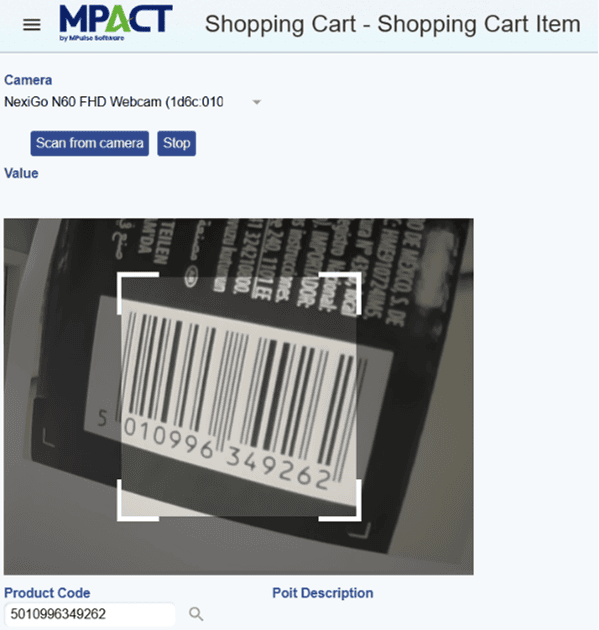
An inventory shopping cart lets users select the parts and supplies they need from stock and check them in or out through a cart workflow, the same pattern as any online store. Every checkout updates inventory and connects consumption to the work and assets that used it.
How Parts Move in MPACT
Fill the cart
Technicians and parts managers add items from inventory to a cart, with quantities, instead of writing lists or walking requests to the cage.
Check out against the work
Checkouts tie consumption to work orders and assets, so usage history and cost attribution build automatically.
Receive in batches
When orders arrive, batch receiving updates stock in one pass, keeping quantities accurate without line-by-line entry.
Why Carts Beat Clipboards
Handwritten parts lists get transcribed, and transcription is where inventory accuracy dies. A cart workflow records the transaction at the moment it happens, by the person doing it, against the job that needed it. The count stays right because nobody had to copy anything.
Frequently Asked Questions
Yes. Cart checkouts and batch receipts post to inventory in real time, so stock levels reflect what actually moved.
Yes. Parts checked out against a work order become part of its cost and the asset’s usage history.
The inventory shopping cart and batch receiving are available as Enterprise Add-Ons. See the pricing page for the current edition structure.
Put the Cage on Rails
See the cart, checkout, and batch receiving flow with your own parts categories.