
TL;DR:
- A multi-client maintenance scheduling system manages preventive and reactive tasks across multiple accounts from a centralized platform. It relies on features like role-based access, automated scheduling, and real-time reporting to ensure efficiency and data security. Proper implementation and daily monitoring improve maintenance outcomes and protect client trust.
A multi-client maintenance scheduling system is defined as a centralized platform that coordinates preventive and reactive maintenance tasks across multiple client accounts from a single interface. Facility managers overseeing several sites or service contracts know the cost of fragmented scheduling: missed work orders, SLA breaches, and technician conflicts. The industry shift from reactive fire-fighting to planned, proactive upkeep is the primary driver behind adoption of these systems. MPulse Software is among the platforms purpose-built to address this exact challenge, serving over 3,500 customers globally with documented efficiency gains of up to 40%. This guide covers what these systems must do, how to implement them, and how to get the most from their reporting capabilities.
What features define a multi-client maintenance scheduling system?

Modern maintenance software consolidates preventive maintenance scheduling, work order tracking, and equipment history into a single interface for multi-location operators. That consolidation is the foundation every other feature builds on.
The most effective client maintenance software includes these core capabilities:
- Automated preventive maintenance scheduling. The system automatically generates work orders at defined intervals, eliminating manual triggers and maintaining unbroken maintenance chains across every client account.
- Multi-client data partitioning. Distinct partitioned client views with hierarchical data structures allow both site-level and portfolio-wide management without data bleeding between accounts.
- Role-based access control (RBAC). Role-based access control prevents technicians from viewing records outside their assigned clients. This is not optional. It is the primary safeguard against operational errors in shared environments.
- Asset and contract management linked to client records. The client record must serve as the primary anchor for all assets, contracts, and work orders. This structure ensures accurate SLA performance tracking and billing.
- Single dashboard with dual views. Central operations teams need a portfolio-wide overview. Individual clients or site managers need a filtered, client-specific view. Both must exist simultaneously.
- Technician skill and availability matching. Effective scheduling integrates asset health, contract agreements, and technician skill sets to allocate resources without overloading any individual or team.
- SLA and compliance monitoring. The system must flag approaching SLA deadlines and compliance gaps before they become violations, not after.
Pro Tip: When evaluating a scheduling system for maintenance, test whether the RBAC settings can be configured at the individual work order level, not just at the client account level. Granular control at that depth prevents the most common data access errors in multi-client environments.
How to implement a multi-client maintenance scheduling system successfully
Implementation fails most often when teams skip the assessment phase and jump straight to data entry. A structured approach prevents that mistake.
-
Assess current workflows and maintenance needs. Map every existing maintenance task, frequency, and responsible technician. Identify which tasks are reactive and which are already planned. This baseline determines your scheduling configuration.
-
Define user roles and access levels. Decide who sees what before you import any data. Assign roles for central administrators, client-facing managers, field technicians, and read-only stakeholders. Document these decisions in writing before system setup.
-
Import client asset and contract data. Structure your data with the client record at the top of the hierarchy. Every asset, contract, and work order links back to a specific client account. This structure is what makes accurate SLA and billing management possible at scale.
-
Configure preventive maintenance schedules. Set recurring work orders for each asset based on manufacturer recommendations, contract requirements, or regulatory standards. Use time-based, meter-based, or condition-based triggers depending on the asset type.
-
Assign technicians based on skills and geography. Routing rules configured per site and technician skill set reduce travel time and ensure the right person handles each job. Priority escalation rules should be set at this stage as well.
-
Test workflows with real maintenance tasks. Run a pilot with two or three client accounts before full deployment. Verify that work orders route correctly, notifications fire on schedule, and client data stays isolated.
-
Train staff and enable mobile access. Field technicians need mobile access to receive, update, and close work orders in real time. Training should focus on the mobile workflow first, since that is where most daily activity occurs.
The table below shows how implementation complexity scales with client volume:
| Client volume | Recommended setup time | Key configuration focus |
|---|---|---|
| 1–10 clients | 2–4 weeks | Role definitions and asset import |
| 11–50 clients | 4–8 weeks | Data hierarchy and SLA rule configuration |
| 50+ clients | 8–16 weeks | Integration, automation rules, and pilot testing |
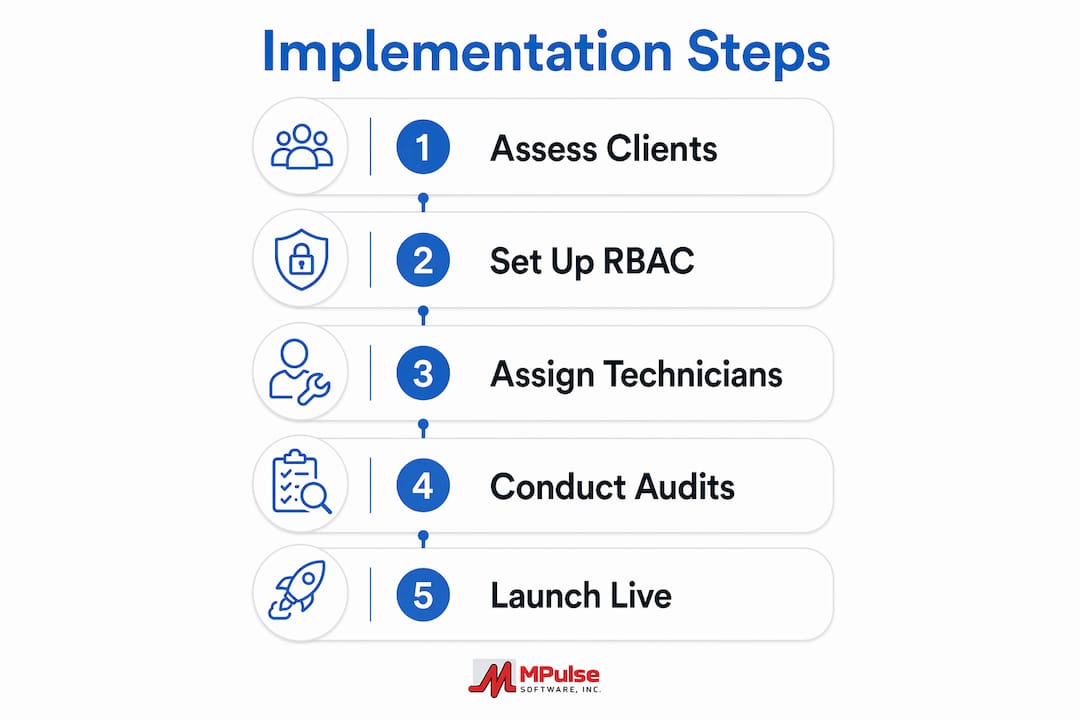
Pro Tip: Before going live, run a contractor scheduling audit to confirm that every technician’s assigned client list matches their access permissions. Mismatches at launch create cascading errors that are difficult to untangle after work orders start flowing.
What are common challenges in multi-client scheduling systems?
The most frequent failure point in multi-client environments is data cross-contamination. When access controls are configured incorrectly, technicians can view or modify records belonging to the wrong client. This creates compliance exposure and erodes client trust immediately.
Other common challenges include:
- Schedule conflicts and technician overload. Without visibility into total workload across all clients, schedulers routinely assign more work than a technician can complete in a shift. The system must display aggregate workload, not just per-client queues.
- Late SLA notifications. Alerts that fire too close to a deadline leave no time to respond. Configure SLA warnings at 75% of the allowed response window, not at 90% or 100%.
- Stale asset and contract records. Asset data degrades quickly when updates are not mandatory at work order close. Make asset condition updates a required field before a technician can mark a job complete.
- Integration gaps. Many facilities rely on separate systems for fleet tracking, billing, or HR. When these systems do not connect to the scheduling platform, data must be entered twice. GPS and fleet data integration is one area where this gap is especially costly for teams managing mobile technicians across multiple sites.
- User resistance. Technicians accustomed to paper logs or group texts resist digital platforms. Adoption improves when mobile interfaces are simple and training is hands-on rather than classroom-based.
Pro Tip: Treat SLA tracking as a daily operational metric, not a monthly reporting exercise. Teams that review SLA status every morning catch at-risk work orders before they breach.
How do analytics and reporting improve multi-client scheduling?
Real-time visibility into all locations and assets enables proactive SLA compliance monitoring and resource planning across a client portfolio. Reporting is where that visibility becomes a decision-making tool.
The most useful reports in a multi-user scheduling environment fall into two categories: compliance reports and performance reports.
| Report type | What it measures | How it drives decisions |
|---|---|---|
| SLA compliance | On-time completion rate per client | Identifies clients at risk of contract breach |
| Preventive maintenance adherence | Scheduled vs. completed PM tasks | Reveals gaps in planned upkeep coverage |
| Work order aging | Time from creation to close | Flags bottlenecks in technician assignment or parts availability |
| Downtime analysis | Asset downtime frequency and duration | Prioritizes assets for replacement or increased PM frequency |
| Technician utilization | Hours worked vs. hours available | Prevents overload and identifies capacity for additional clients |
Customized dashboards let central operations teams see the full portfolio at a glance while client-specific views give individual account managers the detail they need. Alerts tied to high-priority assets or contracts notify the right person before a situation escalates. Teams that use CMMS reporting features consistently find that preventive maintenance adherence rates improve when managers can see the data in real time rather than waiting for end-of-month reports.
Key Takeaways
A multi-client maintenance scheduling system delivers measurable operational control only when data isolation, automated scheduling, and real-time reporting work together as a unified system.
| Point | Details |
|---|---|
| Client record as anchor | Link every asset, contract, and work order to a client record to maintain accurate SLA and billing data. |
| RBAC is non-negotiable | Configure role-based access at the work order level to prevent data cross-contamination between client accounts. |
| Automate preventive schedules | Set recurring work orders by time, meter, or condition to eliminate manual triggers and maintain maintenance continuity. |
| SLA alerts need lead time | Set warning thresholds at 75% of the response window so teams have time to act before a breach occurs. |
| Reporting drives improvement | Daily SLA and PM adherence reviews catch problems early and provide the data needed to justify resource decisions. |
What I’ve learned managing multi-client maintenance at scale
The most dangerous assumption facility managers make is that a scheduling system will fix disorganized processes on its own. It will not. The system reflects whatever structure you build into it. If your client records are incomplete at import, every work order, SLA calculation, and billing reconciliation downstream will be wrong.
The second thing I’ve seen teams consistently underestimate is the human side of access control. RBAC settings get configured at launch and then forgotten. Technicians change roles, clients get added, and nobody updates the permissions. Six months later, a technician is closing work orders on a client account they were never assigned to. Auditing access permissions quarterly is not bureaucratic overhead. It is basic operational hygiene.
On the analytics side, the teams that get the most value from these systems are the ones that treat reporting as a daily habit rather than a monthly obligation. A five-minute morning review of SLA status and open work orders catches more problems than any end-of-month report ever will.
The future of multi-client scheduling is tighter integration between asset health data, IoT sensors, and scheduling engines. When a sensor detects abnormal vibration in a motor, the system should automatically generate a priority work order and assign it to the nearest qualified technician. That capability exists today in enterprise-grade platforms. The gap is in adoption, not technology.
— Mark
How MPulse Software handles multi-client maintenance scheduling
MPulse Software gives facility managers a centralized maintenance management platform built for multi-client environments. The system includes automated preventive maintenance scheduling, role-based access control, and client-specific dashboards that give both central operations and individual account managers the visibility they need.

MPulse Software’s asset status board tracks equipment health across every client account in real time, and its SLA monitoring tools send alerts before deadlines are missed. The platform supports preventive maintenance automation across industries with compliance requirements, including healthcare, manufacturing, and facilities management. Over 3,500 organizations trust MPulse Software to reduce unplanned downtime and improve maintenance efficiency. Explore a free trial to see how the platform performs in your specific multi-client environment.
FAQ
What is a multi-client maintenance scheduling system?
A multi-client maintenance scheduling system is a centralized platform that manages preventive and reactive maintenance tasks across multiple client accounts from a single interface. It includes partitioned client data, role-based access control, and automated work order generation.
How does role-based access control protect client data?
Role-based access control restricts each technician or manager to only the client records and work orders they are authorized to view. This prevents data cross-contamination and reduces compliance risk in shared maintenance environments.
What is the biggest implementation mistake facility managers make?
The most common mistake is importing client data without first establishing a clear hierarchy that links assets, contracts, and work orders to individual client records. Without that structure, SLA tracking and billing reconciliation become unreliable.
How often should SLA alerts be reviewed?
SLA alerts should be reviewed daily, with warning thresholds configured at 75% of the allowed response window. Daily review gives teams enough lead time to reassign work orders before a breach occurs.
Can a scheduling system handle both preventive and reactive maintenance?
Yes. Effective maintenance task management systems handle both by automatically generating scheduled work orders for preventive tasks while also accepting and routing reactive work orders triggered by technician reports or sensor alerts.