
What We’ve Learned about the Industrial Internet of Things
What is the Industrial Internet of Things? The Industrial Internet of Things (IIoT) will change the way maintenance professionals collect asset information and exchange data with other systems. The IIoT describes systems that gather information directly from multiple devices. For example, these devices can include computers, vehicles, smartphones, appliances, building automation systems, production equipment, and almost anything else with a sensor. This valuable data will shape your maintenance team’s productivity and efficiency. It also means more real-time data to provide better insights into your assets, how they’re working, and what they’re really costing you. Growth of IIoT Mordor Intelligence anticipates growing opportunities in the Internet of Things. The global IoT market is expected to reach a value of USD 1,386.06 billion by 2026 from USD 761.4 billion in 2020 at a CAGR of 10.53%, during the period 2021-2026. Factors spurring that growth include… development of wireless networking technologies emergence of advanced data analytics reduction in the cost of connected devices an increase in cloud platform adoption While those are impressive numbers, adoption of the IIoT has been slower than many predicted five years ago. IIoT opportunities and impacts change as the physical and digital worlds of the organization merge. Here’s everything you need to know about the IIoT and the challenges for your organization. Common Challenges with IIoT Experience The skillsets needed for the IIoT will require retooling for your maintenance team. The implementation of the IIoT means more data (a great deal more) in real time, and maintenance personnel will need training to take advantage of the value these data streams deliver. “Big data” analytics provide a means of turning the ever-increasing stream of asset data into actionable information. Once your team gathered data on the floor at the machine. However, the IIoT means that data will appear on a computer screen. One of the essentials of the Industrial Internet of Things is the ability to use that data efficiently to make improvements to maintenance. Technology The software, sensors, and controls running today’s facilities and equipment are outdated and difficult to upgrade. Companies cannot readily incorporate new features and improvements. Limited integration between internal systems (managerial apps, plant data sources) and external partners creates data silos. Plus, limited embedded computing or intelligence control exists at the device, product, or plant level. However, network connectivity is rapidly improving across factories and other facilities, and a wider range of providers is offering higher-capacity, lower-cost cloud-based storage. Smaller, more reliable, and more intelligent sensors for virtually all types of assets and measures are becoming more readily available at affordable prices. Additionally, modern CMMS software supports data collection from IoT devices by analyzing real-time readings so maintenance teams can react faster. Security The number one challenge to IIoT implementation is concern about security. If your operations are exposed to the world via the Internet, how can they be protected? Of course, the anxiety is understandable. Aging operating systems and vulnerable operational technologies pose security risks because they cannot be easily retired or replaced. As technology evolves, however so does security. There are already best practices and a wide array of evolving technologies companies can employ to minimize risk. But it’s important to remember that organizations don’t necessarily need to expose metrics or controls to the Internet to move forward. While this doesn’t eliminate the threat altogether, it does lessen it considerably. While there is always some natural resistance to change, the manager’s job will be to help their team get past this resistance and stay ahead of the curve as technology continues to advance. We expect the IIoT will become increasingly important as younger employees, who are very comfortable with technology, enter the field. The IIoT is here, whether you are prepared or not. It’s time to get ready. Contact us for more information.
The Future of Maintenance Management: Mobile Technology
Mobile technology is the future of maintenance management. This software usage is growing rapidly across industries and organizations, and those of us in the maintenance, repair, and operations (MRO) profession are no exception to the mobile technology future. It’ll come as no surprise to anyone who’s spent time in a public setting that most Americans now own a smartphone. In fact, according to the Pew Research Center, 91% of American adults have a cell phone of some sort, and 56% of them have smartphones. Benefits of Mobile Technology for Maintenance Management The growing market for smartphones may seem “old hat,” though, compared to the latest and greatest device—the tablet. Pew reports it’s one of the fastest growing new technologies today, with 35% of Americans older than 16 owning at least one. That’s almost twice as many as 2012. Multiple Functions with One Device While smartphones and tablets started as consumer products, they’re quickly transforming the business world. The flexibility of these devices has changed the way we work. Both run on the concept of “the app”—a mobile-enabled software program that allows one device to provide multiple functions. With apps, a smartphone is able to replace a host of other technologies: Cell phone Desktop or laptop computer (for many functions) GPS device Camera Gaming console Pager Video camera, And much more. Tablets can do many of the same things as smartphones. And with their larger screen size, improved portability, and dead-simple ease of use, many people are beginning to use them exclusively instead of laptops. Intuitive Hardware and Software Mobile device designers have focused heavily on improving ease of use, so it’s likely your employees will need minimal training. Many will have already used smartphones and tablets in their personal lives, and increasingly standardized application interfaces mean that lessons learned navigating one app are easily transferable to new ones. You gain these benefits of mobile technology only if you choose devices that support the leading mobile operating systems. According to StatCounter, the two leaders, as of September 2024, were Google’s Android OS (72% market share) and Apple’s iOS (28%). Other manufacturers are far behind with less than 1% market share each. Improved Bandwidth, Better Access The explosive growth of mobile technology is being matched by growing bandwidth and better access to it. You can now connect to the Internet, and virtually any business application, from almost anywhere, via Wi-Fi or cellular connection. Improved security features also mean you can safely control access to your data, even when you aren’t in the office. More Usable Mobility Mobile technology is a natural fit for maintainers. With smartphones and tablets, you can capture information on the spot—instead of jotting it down on paper to be input later. With hardened cases by companies like Incipio and Otterbox/LifeProof, you can use devices in dirty, hazardous industrial environments. More choices of screen sizes, too, mean there are models that work well for larger hands—and older eyes. Using mobile technology software in business allows you to access critical information easily without calling back to the office or getting “plugged in.” Imagine your staff being able to do these activities from anywhere: Open, access, and complete work orders Send or upload photographs of failed components View available parts inventory Access historical data on assets Get up-to-the minute alerts and reports Update inventory using barcode scanning and online ordering systems Access maintenance and repair manuals Record locations automatically with a GPS-enabled device. What Can Mobile Technology Do for You? The potential and benefits of mobile technology software are huge for maintenance professionals. Imagine one application that works wherever you need it to, whether it’s on a desktop computer, a laptop, a smartphone, or a tablet. The future of mobile maintenance management starts with CMMS. The combination of mobile devices with CMMS makes for a powerful tool to help you get the job done where the maintenance actually happens. Learn how to use MPulse CMMS Software virtually on any device! Contact us!
CMMS Software and 21 CFR 11 Compliance, Part 2: The Tools You Need

My last post detailed CMMS software’s role in Title 21 CFR Part 11 compliance certification. In this blog, I’ll discuss why CMMS software is a great tool for companies looking to achieve 21 CFR 11 compliance certification, as well as other regulatory certifications like ISO, HIPAA, Sarbanes-Oxley, etc. If you recall, our friend Eric, a maintenance manager at a biotech company, was researching a maintenance software upgrade when his coworker brought up 21 CFR 11 compliance—a U.S. Food and Drug Administration (FDA) standard detailing how the agency will accept electronic records and electronic signatures as the equivalent to corresponding paper records. We learned about the three Title 21 CFR Part 11 compliance requirements (procedural, administrative, and technical controls) as well as the capability of CMMS software as a powerful tool for the technical controls of a compliant system. But what are those technical controls, and how does MPulse CMMS software support them? How Does CMMS Software Help with Title 21 CFR 11 Compliance? CMMS software excels at tracking the details of your increasingly complex maintenance operation. Because for regulatory agencies, if it’s not documented, it didn’t happen. MPulse Software, Inc helps promote and maintain CMMS compliance with the features your maintenance team needs, including… User-defined permissions, access, and login control that can integrate with your active directory Electronic signature support with limited access to a specific signature field to enter approval Preventive maintenance scheduling and documentation Corrective maintenance tracking and documentation Robust compliance reporting capabilities Automated data collection and archived work history Documentation of processes and procedures Hosting capability for third-party software that creates audit trails. It’s All About the Data CMMS software provides a reliable central repository for your maintenance and safety data. That’s why CMMS software is the right solution to help companies in the pharmaceutical, medical device, biotech, or related industries cope with complex requirements like 21 CFR 11. With MPulse Software, Inc, you’ll have a traceable history of completed maintenance tasks and documented policies to prove to the FDA that you’re acting in accordance with 21 CFR 11 requirements. And the best thing is, once you get your MPulse CMMS software set up correctly, the documentation takes care of itself, so you can focus on other important things—like maintenance. Learn more about how MPulse’s CMMS Media Management Feature can assist you with all your documents and files. We’re all in this together. What’s your experience with 21 CFR 11 compliance in the maintenance field? Leave a comment or contact me.
How to Roll Up Data From Your Multi-Location Business
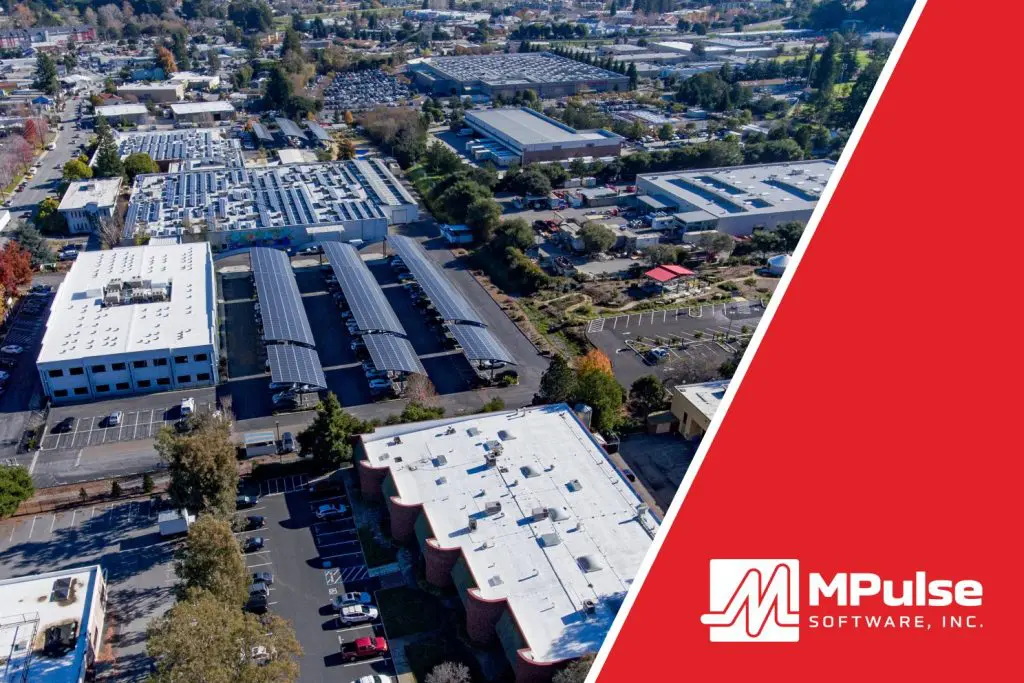
Managing maintenance across multiple locations holds unique challenges. Any organization with more than one location needs multi-site management strategies that actually work. CMMS software can help you standardize your workflow processes and reporting across locations. For example, these locations may include different storerooms, warehouses, offices, buildings, territories, regions, areas, etc. Here’s our how-to guide on how businesses with multiple locations/businesses can roll up their data to get a bird’s eye view of the business. How to Manage Multiple Business Locations The best way for multi-location brands to manage local business data is to connect all the locations across your distributed enterprise with the right software. As a result, you can have truly global settings, global reporting, and enterprise-wide inventory search and transfer. MPulse Multisite Connector provides a universal framework to connect all the locations across your distributed enterprise. Thus, you’ll know what’s going on at every site across the company with just a few clicks. With each work order or purchase request, MPulse collects the data you need for making cost-effective decisions. Data collection and reports are customizable, so you collect the information you need. Most importantly, when an emergency arises, Multisite Connector makes it easy to access this critical data when you need it most. How to Effectively Run a Multi-Location Management Strategy Multisite Connector ensures your maintenance processes, reporting needs, and data are the same at each location. Three major features are vital to any organization managing maintenance data in multiple sites. These features are… Enterprise Asset Status Board: Provides a single-screen graphical view that shows the health of assets across your enterprise. Enterprise Inventory Transfer Manager: Enables you to find inventory in storerooms across your enterprise, so your maintenance team can request, retrieve, and fulfill in a smooth transfer process. Enterprise Reporting: Create roll-up reporting across MPulse instances and across your entire enterprise, helping your organization make decisions based on hard data. Improve Location Management with MPulse’s Multisite Connector Tool Multisite Connector can provide a guide to managing data for multi-location brands. Therefore, you can save time and money at every site (and for the organization as a whole) by using MPulse Multisite Connector to… Track work orders, breakdowns, asset health, and other key metrics Streamline stocking, ordering, and other inventory processes Gather and report data You might think that only large organizations can afford a tool as powerful as Multisite Connector. However, MPulse has customers of all sizes who are reaping the benefits of standardizing maintenance across sites or locations. Learn about MPulse’s full range of available software features and how to reap the rewards of CMMS software across your entire enterprise. Contact us today to find out how MPulse can help with digital brand management strategies for multi-locations.
Three Reasons You Don’t Need Predictive Maintenance

Predictive maintenance (PdM) sounds like a maintenance manager’s dream. Want to know when your equipment starts to break down and fix it before it actually fails? Sign us up. Predictive maintenance is gaining more attention as organizations want sensors on key assets and use the power of the Internet of Things (IoT) to collect the data to feed into their CMMS software. CMMS combined with IoT is an excellent way to help maintenance teams to foresee asset failure and proactively perform maintenance. But predictive maintenance isn’t for everyone. Here are three predictive maintenance challenges to consider before you make the move. Top Obstacles to Overcome when Implementing Predictive Maintenance Expense and ROI One of the biggest problems with predictive maintenance—and the top obstacle to implementing it—is the cost. Predictive maintenance requires a combination of gauges, meters, or other measurement techniques like infrared thermography, vibration analysis, or lubrication analysis. Plus, you need to store the data in CMMS. All those things cost money. Like any business investment, you need to calculate the return on investment (ROI) to determine if the cost will pay off in the long run. Technical Knowledge When real-time data is added to the CMMS software, either remotely or manually, its true potential is realized. But that requires some technical knowledge to use it correctly. With CMMS software, you can capture, store, and organize data for reports and predictive analytical tools. You’ll get alarms and alerts for current conditions that indicate future problems, enabling you to take action before the equipment breaks. Additionally, the real-time data is logged in the CMMS system with the rest of the maintenance data, putting it in context, and giving you much more powerful information about your assets. This information increases in value over time because prior failure patterns can predict future failure patterns. But all the data in the world doesn’t do you any good if you don’t, or can’t, make it work for you. Time If there’s one thing that’s in short supply around the maintenance department, it’s time. Implementing predictive maintenance requires time to research solutions, convince management, overcome concerns and obstacles, buy equipment, set it up, test it, train employees, and much more. Again, if the ROI doesn’t pencil out, predictive maintenance isn’t for you. Are any of these problems with predictive maintenance preventing you from moving forward? That’s okay. A solid preventive maintenance program may be enough for you. If these don’t apply, however, learn more about how MPulse can help you. Contact us.
How to Measure Maintenance Productivity
Improving the productivity of your maintenance team is one of the top goals of MPulse customers. But what is maintenance productivity—and how do you measure it? Maintenance directly affects the productivity of organizations. After all, if an asset isn’t working, it’s not producing. But maintenance productivity will look different to different organizations. What is Maintenance Productivity? Productivity is the rate of output per unit of input. In other words, if you have XX number of employees and use XX supplies or resources, you can produce XX products or services. Measuring productivity—and specifically maintenance productivity—depends on what’s important to you and your organization. For example, MPulse customer Ari uses billable hours to measure productivity. In his case, his maintenance team is serving external customers who pay for the services they use. Maintenance techs aim for an 80 percent billable rate—which means 80 percent of their time is directly billed to customers, while 20 percent is breaks, vacation, training, etc. But productivity can be any number of things, including… Operating hours Equipment uptime Cost control Time or cost savings Asset life cycle Quality Reduction in risk, safety, or environmental impact Whatever maintenance productivity means to you, CMMS software can help you with maintenance productivity and performance measurements. How CMMS Software Measures Maintenance Productivity [related-content] Whatever you decide to measure, CMMS software gives you the tools you need to determine if your maintenance team is doing the right things to support or improve productivity—and if they’re doing those things correctly. This way you will be able to measure maintenance effectiveness. For example, Ari uses his CMMS data to identify if his team has what they need to do their jobs—such as the right training, the correct tools or equipment, the necessary time to complete their tasks, and the right materials to do the job. Ari also measures planned versus unplanned maintenance and number of “comebacks”—or work that needs to be redone because something wasn’t fixed completely the first time. He also looks at wrench time versus billable hours to see if his team is producing what they should be. And, finally, Ari compares the actual time his team members take to complete specific maintenance tasks, and then compares it to benchmarks using MPulse’s maintenance productivity software. Over time, he can see if his team is performing these tasks faster, indicating that maintenance productivity is improving. Related Article: How Are Your Maintenance Management Goals? How do you measure maintenance productivity, or how do you want to measure it? Leave a comment or contact us. We can help.
Maintenance Key Performance Indicators You Need to Know
If there’s one thing we love here at MPulse, it’s watching new customers discover what CMMS software can do to improve their maintenance operations. MPulse customer Ned described it as: “Using MPulse will tell a story that the others don’t even know is there to be told.” Your maintenance story is unique, and MPulse helps you find it via your key performance indicators (KPIs). KPIs evaluate your success in the areas you care about, giving you a new level of insight on what’s going on in your department. Knowing KPIs for application support and maintenance is crucial to reaching your teams goals. What Key Performance Indicators Should I Track? Maintenance managers should concentrate on the KPIs that measure their goals, whether that is… Reducing downtime Decreasing costs Preventing equipment failures Finding bottlenecks Expanding planned maintenance programs Tracking time or inventory Fine-tuning schedules Improving efficiency and productivity Six Important KPI’s For Maintenance CMMS software uses the data gathered in every work order to create meaningful KPIs that tell you about the effectiveness of your maintenance strategies. For example, six maintenance KPIs that most MPulse customers find handy include… Planned Maintenance Percentage: the percentage of the total hours spent on PM maintenance activities over a specific period Preventative Maintenance Compliance (PMC): the percentage of scheduled PM tasks that get done in a specific time interval Mean Time to Repair (MTTR): the average time to evaluate and repair failed equipment Mean Time Between Failures (MTBF): the predicted time between failures of an asset during normal operation Overall Equipment Effectiveness (OEE): the percentage of manufacturing time that is truly productive Maintenance Backlog: the percentage of uncompleted tasks Related Article: Five Steps to Help You Tackle Your Maintenance Backlog These maintenance KPIs are common, but you can track many more in MPulse Maintenance Software. Over time, MPulse helps you pinpoint trends and determine what areas need more attention. You also can create benchmarks to measure current performance against historic performance or goals. Your organization’s story is going to be different than anyone else’s story, and that’s true for the KPIs you want to track as well. Find your maintenance story. Contact us today.
Integrating Oracle into MPulse CMMS Software

Data sharing goes a long way in keeping your maintenance department running smoothly. While your CMMS software gathers and reports on maintenance data, sometimes you also need data from other departments, which use different software. And, other departments often need your maintenance data in their systems too. Software system integration can help you with both these situations. System Integration and CMMS Software integration brings different types of software together, therefore making it easier to gather and share data between different systems. Common business situations where software integration with CMMS software makes sense include integrating financial data from the finance department, or employee data from human resources. These days, every company relies on an assortment of systems to capture, store, and report on activities and transactions across the enterprise. Oracle is one common system used by many organizations, for instance. CMMS Integration with Oracle Oracle, from Oracle Corporation, is a relational database management system. For example, Oracle’s different product editions include several options like Standard Edition, Enterprise Edition, Express Edition, and Personal Edition, depending on the user’s need. This multi-model relational database management system is mainly designed for enterprise grid computing and data warehousing. Its database is also known as simply Oracle also. Software integration with Oracle and your CMMS software enables you or your IT team to quickly and easily move data in and out, depending on your needs. MPulse’s DataLink Integration Adapter feature easily integrates with Oracle, enabling users to do things like… Import data to the CMMS software from files, databases, or other applications Export data from the CMMS software to other applications, files, or databases Schedule imports and exports based on times or file changes Save “mapping profiles” to your data sources and targets Benefits of Integrating with Oracle Tight integration between CMMS software and your other business-critical applications and data stores like Oracle will do more than reduce hassle. You’ll also enjoy these benefits… Fewer errors due to manual data entry Reduced data input redundancy Faster response times to maintenance problems Near real-time monitoring of critical data The ability to grow with your company’s changing technologies Above all, MPulse DataLink Integration tools provide an easy way to connect your MPulse CMMS bi-directionally with Oracle, as well as accounting systems, meters and gauges, or other critical data sources. Note that data integration is different from one-time import/exports, which commonly occur when the CMMS software is first integrated. Have questions? We’re here to help. Contact us for more information about integrating Oracle and MPulse CMMS software.
Has COVID-19 Changed OSHA Regulations for Your Business?

Many businesses are on the front lines of the COVID-19 pandemic. A new OSHA guidance for industries related to COVID-19 can apply to obvious organizations like healthcare facilities and retail, and not-so-obvious ones like manufacturing, service providers, and offices. While states may have different guidelines, OSHA has issued temporary enforcement guidance related to COVID-19. New COVID-19 Workplace Safety Guidance from OSHA COVID-19 can be a recordable illness if a worker is infected as a result of performing their work-related duties. However, employers must record cases of COVID-19 only if all of the following are true: The case is a confirmed case of COVID-19. (Refer to the CDC for the latest information on persons under investigation and presumptive positive and laboratory-confirmed cases of COVID-19.) The case is work-related (as defined by 29 CFR 1904.5). The case involves one or more of the general recording criteria set forth in 29 CFR 1904.7 (e.g., medical treatment beyond first aid, days away from work). Guidance on Preparing Workplaces Preparing workplaces to new OSHA guidelines requires maintaining records in accordance with current standards. Using CMMS software to log employee incidents properly allows you to present the solid documentation that OSHA demands. OSHA recordkeeping requirements mandate employers must record certain work-related injuries and illnesses on their OSHA 300 log (29 CFR Part 1904). Employers should also consult OSHA’s latest enforcement memos for recording cases of COVID-19. Other Related OSHA Regulations Other OSHA requirements apply to preventing occupational exposure to COVID-19. Among the most relevant are: OSHA’s Personal Protective Equipment (PPE) standards (in general industry, 29 CFR 1910 Subpart I), and, in construction, 29 CFR 1926 Subpart E), which require using gloves, eye and face protection, and respiratory protection when job hazards warrant it. When respirators are necessary to protect workers, employers must implement a comprehensive respiratory protection program in accordance with the Respiratory Protection standard (29 CFR 1910.134). The General Duty Clause, Section 5(a)(1) of the Occupational Safety and Health (OSH) Act of 1970, 29 USC 654(a)(1), which requires employers to furnish to each worker “employment and a place of employment, which are free from recognized hazards that are causing or are likely to cause death or serious physical harm.” OSHA’s Bloodborne Pathogens standard (29 CFR 1910.1030) applies to occupational exposure to human blood and other potentially infectious materials that typically do not include respiratory secretions that may contain SARS-CoV-2 (unless visible blood is present). However, the provisions of the standard offer a framework that may help control some sources of the virus, including exposures to body fluids (e.g., respiratory secretions) not covered by the standard. States may have other standards and enforcement programs, which should be at least as effective as OSHA’s requirements. However, these state standards may have different or more stringent requirements. Check with your state to make sure you’re following the latest guidelines. Have questions? Contact us. We’re here for you.
Unlock The Most Advanced CMMS Features
Basic CMMS software won’t be enough for many maintenance organizations. Unlock advanced CMMS features to experience maximum benefit. You’ll often save money by purchasing a premium edition that includes advanced features instead of adding them to your software one at a time. Use this list to find a comprehensive CMMS solution with advanced features to meet your organization’s unique requirements. List of Advanced CMMS Features Implementing these features helps your organization reap all the advantages of CMMS software. They include… Advanced Reporting Advanced reporting supports customizable list view and graphical reporting. However, many basic CMMS packages only offer “canned” reports in tabular format. One of the biggest benefits of CMMS implementation is the ability to customize your reports or create graphical views. Cost Center Tracking Cost center tracking allows you to group assets and their associated maintenance costs into the cost center groupings you define. You can then create budgets for those cost centers to know how you’re performing against them for specific business or operational units. Lifecycle Cost Tracking Lifecycle cost tracking captures acquisition costs, as well as maintenance and repair costs over the life of an asset. Over time, this reflects the true cost of owning and operating an asset. Application Interface Customization Application interface customization allows you to tailor the navigation or layout of preventive maintenance software to meet your special needs. For instance, one of the most effective means is the ability to add custom tabs and fields to capture data that’s unique to your operation. Data Integration Data integration tools make it possible for a CMMS to share and receive data with other applications. Leading software vendors will offer a data integration toolkit that allows you to map and schedule data transfers and from numerous data sources outside the application. For example, these include spreadsheets, other databases, ERP systems, accounting systems, PLCs, electronic meters, and more. Purchasing Purchasing monitors work orders, reorder lists, and requisition records to automatically create new requisitions as needed. It also allows you to easily track orders and requisitions all the way through receiving and restocking. Key and Lock Management Key and lock management tracks when someone has accessed an asset or location. Also, use it to manage who is in possession of keys, smartcards, and electronic access badges. Mobile Mobile features use wireless technology, smartphones, tablets, and/or laptops to help you and your technicians manage, initiate, and complete work orders while you’re away from your desks or in the field. Vendor Management Vendor management provides one place to manage all your vendors and track their important information. Additionally, it should provide a direct link between vendors and work orders. Advanced Inventory Advanced inventory provides inventory management features beyond just tracking stocking levels. For example, typical features include min/max monitoring, reorder points, and advanced inventory reporting. Have questions about all the ways CMMS can benefit your organization? Talk to the MPulse experts. We’re here to help.