
Smart Maintenance Scheduling Reduces Downtime
Maintenance managers know smart maintenance scheduling reduces downtime. Properly maintained assets perform more efficiently, use less energy, and fail less often—while also extending their usable life. CMMS software automates PM schedules that contribute to the upkeep of assets. Naturally, that makes it simpler to follow the manufacturer’s guidelines. Regular PM schedules also ensure equipment is properly calibrated and lubricated when it needs to be. But that’s not all. CMMS software also helps by… Automating schedules: Work order management features can automate schedules for both employees and contract workers. Reducing confusion: Maintenance data recorded with every work order eliminates lost information between shifts, reducing confusion and errors. Balancing workloads: Employee performance tracking helps you determine which employees are most efficient at which tasks, enabling you to balance the workload. Creating benchmarks: By tracking repair times, you can create benchmarks for your organization. This proactive approach to smart maintenance scheduling helps sidestep serious problems that arise as a result of neglect, as well as delays more expensive maintenance. It also can cut down the time to respond to emergency repairs. CMMS Features: Smart Maintenance Scheduling Reduces Downtime MPulse CMMS software makes maintenance scheduling easy by collecting information and turning it into actionable data. These features include… Dashboards are highly configurable “command center consoles” that your most important data front and center, where you don’t have to dig for it. In addition to charts and graphs, you can link videos, photos, documents, and websites to Dashboards as well. Asset Status Board provides a single-screen view of the health of your entire production line, facilities footprint, or fleet of vehicles. Square boxes (“cells”) are color-coded according to criteria you’ve defined. Work requests can be processed directly from the ASB. Condition-Based Maintenance (CBM) keeps tabs on the actual state of your critical assets by recording the output of any meters and gauges on that asset. When an asset’s condition changes, MPulse lets you know immediately, so you can react before breakdowns happen. DataLink Integration Adapter enables your MPulse administrator or local IT team to quickly and easily move data in and out of MPulse using a familiar, intuitive interface. It also works with Industrial Internet of Things (IIoT) devices—collecting data faster and easier than ever before. Smart maintenance scheduling reduces downtime by spotting issues before they occur. Want to know more? See our previous post on advanced maintenance scheduling. Or, contact us. We’re here for you.
Are You Overdoing Preventive Maintenance?
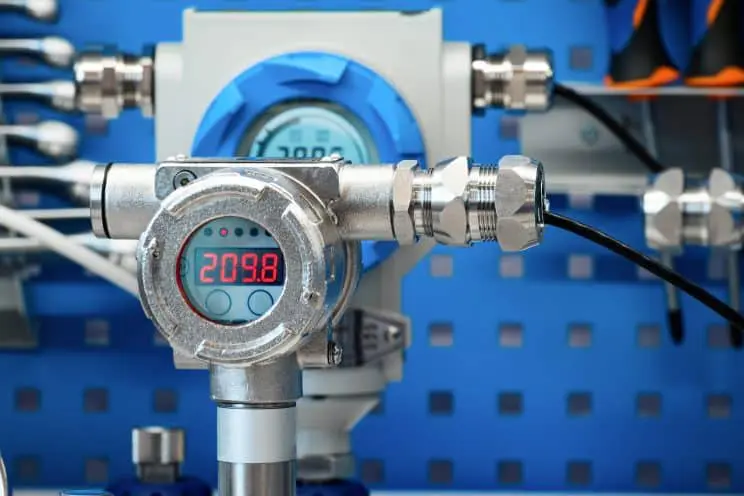
Generally, we assume that preventive maintenance (PM) is a good thing and it will prevent downtime. Of course, that’s true. But, like anything, sometimes it’s more complicated. The first step of a proactive maintenance program is scheduling PMs based on time or usage. Think of your car—change the oil every X months or X,000 miles. CMMS software excels at scheduling PMs. However, it also helps with something else—gathering data. That data also can help maintenance teams take the next step in proactive maintenance—condition-based maintenance. What is Condition-Based Maintenance? Condition-based maintenance is exactly what it sounds like. Maintenance is scheduled based on an asset’s condition. MPulse Condition-Based Maintenance (CBM) feature keeps tabs on the actual state of your critical assets by recording the output of any meters and gauges on that asset. When an asset’s condition changes outside of specified ranges, MPulse lets you know immediately, so you can react before breakdowns happen. Maintenance teams can use CBM information to proactively perform maintenance, as well as even predict asset failures. MPulse CBM includes… The ability to monitor multiple meters (e.g., revolutions, psi, hours) on a single asset The ability to specify multiple conditions, triggers, and responses Automatic work order generation based on specified triggers Data analysis tools to identify potential problems How Can Condition-Based Maintenance Help Me? MPulse’s Condition-Based Maintenance feature to keep tabs on critical assets by recording data from sensors on your assets. You can take manual readings and enter them in MPulse as frequently as you like to evaluate the condition over time or relative to a target level. But you can take it to the next level and connect your assets to a real-time data feed that eliminates manual input and dramatically improves results. (We can recommend low-cost meters and programmable logic controllers (PLCs) and help you connect them to MPulse.) MPulse CBM records all kinds of data, including… Temperature, including infrared readings and thermal imaging. Pressure on equipment with piping or water systems. Oil and lubricant viscosity That’ll make it easier to identify problems before they happen. And preventing outages is always a good thing in this profession. Maintenance based on the true conditions of assets can help save money in… Parts and material costs Labor costs Transportation costs Environmental impact Then you can reallocate those funds to other areas. Time-based preventive maintenance strategies are a standard in our field. But condition-based maintenance can reveal different—and sometimes better—ways to do things. Learn more. Contact us. [related-content]
Why You Don’t Want Free Maintenance Software

You know it’s time for a change. And free software from the Internet seems like an easy way to test things out. Many maintenance managers start their search for CMMS software by typing “free maintenance software” in a Google search box. But free maintenance software has hidden costs that can mean paying a higher price. Why Don’t I Want Free Maintenance Software? Trying pared-down software with limited functionality wastes time and energy—two things typically in short supply for maintenance managers. It’s hard to get a realistic perspective on the true capabilities of maintenance software with free maintenance software. As any maintenance manager knows, there’s a difference between cost and value. “Free” sounds like a great deal, until you consider… Limited tools and functionality Absence of security features to protect data Restricted user access Lack of scalability No training or support Inability to sync with other business systems You can’t get a full picture of what maintenance software can do for your organization if you’re limited to whatever is offered for free. So, after all that effort, you’re missing out on finding the right maintenance software for you. But I Just Want to Try It Out We get it. But there’s a better way—free software demos. When you test drive a car, you don’t just randomly take any car you found on the Internet out on the road. You don’t want to waste time test driving minivans when you really need a 4-wheel drive with a 6.0L, 8-cylinder engine. Your time is valuable, and it’s important that you spend it wisely. When you do your research on CMMS software, you’ll soon see the benefits of scalable CMMS software with an easy-to-use interface and advanced tools. And a little time spent finding the right software means you’re saving a lot of time (and money) in the future. That’s why MPulse offers free demos and great customer service to make sure your software purchase means your needs. So, you’re on the right path from the very beginning. [related-content] We know how to make your CMMS implementation a success—and we’re happy to share our experience with you. Contact us to learn more.
Nine Ways CMMS Cuts Operational Costs

The maintenance department doesn’t always get credit for how they save money. But the powerful combination of CMMS software and your maintenance team can cut operational costs, making your organization more efficient and productive. How CMMS Cuts Operational Costs Here are nine ways CMMS cuts operational costs. Preventive Maintenance CMMS software generates a schedule of preventive maintenance (PM) tasks. Therefore, it’s simpler to follow the manufacturer’s guidelines. Properly maintained assets perform more efficiently, use less energy, and fail less often—thereby, extending their usable life. When you use CMMS software to schedule and track PMs, you’ll reduce emergency maintenance issues and unexpected production stoppages. This also cuts overtime costs for emergency repairs and reduces production losses. You can also schedule maintenance for off hours by tracking equipment use time. Labor Management Work order management features in CMMS software can automate schedules for both employees and contract workers. Therefore, you get the highest priority work done, while making sure lower priority work doesn’t slip through the cracks. This information also eliminates lost information between shifts, reducing confusion and errors. CMMS software helps you accurately estimate labor hours for PM tasks, making sure your staffing levels match the workload, and decreasing overtime costs. This type of labor cost analysis also can determine when it’s more efficient to add more staff members instead of paying your current employees more overtime. Employee performance tracking helps you determine which employees are most efficient at which tasks, enabling managers to balance the workload. By tracking repair times, you can create benchmarks for your organization as well. Inventory & Parts Management CMMS software’s ability to manage your parts inventory prevents under-stocking and over-stocking and streamlines reordering. CMMS software can determine your current inventory levels and automatically generate purchase orders based on need, reducing purchasing overhead. You can take your inventory management to the next level and track parts to stock based on availability. For example, if a part has a three-week lead time, you can adjust stocking levels to make sure it is available when your staff needs it. Operations CMMS data helps organizations make effective replace-or-repair decisions. Maintenance software can track not only the age of the equipment, but the miles, hours, life-to-date repair dollars, and many other metrics. Therefore, it’s easier to when it becomes cheaper to replace an asset instead of repairing it. In manufacturing industries, CMMS software helps reduce scrap and rework by keeping equipment operating efficiently. That helps reduce emergency production breakdowns, and avoid catastrophic material losses. [related-content] Learn More Contact us to learn more about how CMMS software can cut operational costs for your organization.
JDM Technology Group Acquires CMMS Market Leader TeamWORKS Solutions

Raleigh, NC, USA – February 28, 2020. JDM Technology Group today announced the acquisition of TeamWORKS Solutions, a leading provider of maintenance management software based in Raleigh, NC. JDM is a global software business that has over 150,000 users in the construction and maintenance vertical markets. With this acquisition, the company strengthens its footprint in the CMMS sector, as TeamWORKS becomes the fourth maintenance management software company in the JDM portfolio. TeamWORKS has been providing maintenance management software to school districts, universities, hospitals, convenience stores, local governments and commercial clients since 2002. Their intense customer focus has been a source of pride for the company for nearly 20 years, resulting in a highly customizable, user-friendly CMMS solution. “Joining JDM Technology Group was the right decision for us. Not only does it ensure the long-term stability of the TeamWORKS business, but it will also be a good home for our customers and our employees. That was very important to us,” said Craig Drouillard, founder of TeamWORKS. “It creates meaningful long-term benefits for the business, giving TeamWORKS access to JDM’s global resources and industry expertise.” JDM Technology Group is known for its customer focus and commitment to creating exceptional software solutions for the construction industry and built environment. A unique aspect of their strategy is to never end-of-life their software, so customers can always choose their preferred solution. “We have incredible respect and admiration for the success TeamWORKS has achieved thus far and we have structured this transaction to ensure that the business will have the right mix of independence and support to continue building on their success,” explains David McFarlane, Vice-President of Corporate Development at JDM. TeamWORKS will retain its unique brand and staff, so customers will continue working with the same people that they are used to. TeamWORKS will be combining with the resources of MPulse Software, a JDM Technology Group company based in Eugene, OR, with which TeamWORKS shares a similar customer and product focus. Randy Brous, President of MPulse Software, will lead TeamWORKS and oversee day-to-day operations of both TeamWORKS and MPulse. The business will fall under JDM’s maintenance software division, headed by Jason Johnson, VP of Maintenance Software. About TeamWORKS TeamWORKS is a leading provider of maintenance management software. Since 2002, they have been helping school districts, universities, hospitals, convenience stores, municipalities, local governments and commercial clients across the United States improve their maintenance management operations. For more information about TeamWORKS, visit https://teamworkslive.com/ About JDM Technology Group JDM Technology Group is a global software business focused on delivering business software systems for the architecture, engineering and construction industries with over 150,000 users served in 40 countries on 7 continents, employing over 500 staff. The JDM Technology Group’s core business philosophy is a long-term commitment to customer service coupled with providing the best possible solutions to customers. JDM Technology Group companies include Computer Guidance Corporation, ConEst Software, Explorer Software, IndustrySmarts, JOBPOWER, MicroMain Corporation, MPulse Software, EPAC, and Vision InfoSoft in North America; CSSP, CostCon, LEVESYS, Nimbus, and Plusfactor in Australasia; and Estimate, Integrity, RedSkyIT, and Rendra in the UK, Europe and the Middle East. For more information about the JDM Technology Group, visit: https://jdmtechnologygroup.com/
Are You Prepared for Emergency Management?

Emergency management is a huge part of maintenance. Whether it’s an equipment failure or a natural disaster—your team needs to be prepared. You never think an emergency is going to happen to you. But preparing for the unexpected not only helps during an emergency, it can likely prevent more damage. CMMS for Emergency Management Maintenance professionals are first responders when things go wrong. It’s easier to make good decisions under pressure when you can see how your operations are functioning and where you need to focus your attention. And that’s so much easier with CMMS software. Emergency management requires documentation and planning. CMMS software can help you with every aspect of your emergency management plan, such as… Creating an emergency plan with checklists Defining the roles and responsibilities of each staff person Ensuring safety measures are in place Managing resources, supplies, and personnel Storing documents and other information, including details for insurance purposes Identifying where things are located, including emergency supplies Accessing information remotely. Planning means your team knows what to do when an emergency happens, as well as prevent more damage. Information is power. With CMMS, you can act on the information you’ve gathered when you need it most. [related-content] CMMS for Emergency Recovery CMMS data also is vital during the recovery period—helping your team get things up and running much faster. That includes… Safe storage of critical information Emergency inspection checklists Vendors and contacts Asset and part information The combination of CMMS software and an emergency plan is the best way to prepare for when things go wrong. Don’t wait for a disaster to strike. CMMS software can help you reduce your risk when speed is of the essence. How can you use CMMS software to create an emergency management plan? Contact us. We’re happy to share the secrets we’ve learned over the years.
Preventive Maintenance vs. Predictive Maintenance: What’s the Difference?

When maintenance teams adopt proactive approaches to maintenance, two of the most common are preventive maintenance and predictive maintenance. But, what’s the difference? What is Preventive Maintenance? Preventive maintenance is triggered by time, meter, or event. This type of maintenance is based on average or expected life statistics (usually determined by the equipment manufacturer or vendor). The most common example is changing the oil in a car every X,000 miles or every X months. Preventive maintenance is one of the first steps to reduce run-to-failure maintenance in favor of a more proactive maintenance plan. Additionally, CMMS excels at helping maintenance shops schedule preventive maintenance tasks, preventing failure and prolonging asset life cycles. What is Predictive Maintenance? Predictive maintenance means different things to different people. Usually, maintenance professionals define it as gathering data on the actual condition of equipment to determine when maintenance is needed—sometimes called condition-based maintenance (CBM). CBM allows you to track meters and gauges on assets, and to trigger work orders at specific points. You can gather the data manually or automatically, and your CMMS software stores the data and alerts maintenance staff to take action. For example, condition-monitoring tools and CMMS software can analyze how the asset is working—maybe by measuring operating temperature or oil viscosity, etc. This data helps spot signs of potential problems. Then CMMS software sends alerts before breakdowns occur. CBM monitors an asset’s real-time condition. So, there’s a predictive element to it. But more advanced predictive maintenance analyzes how long an asset will last using one or many types of measurement. A classic example is electrical transmission grids. Engineers analyze detailed information about equipment failure rates, so they can program software to predict when similar assets will fail in the future. Long-Term Goals The long-term goal of predictive maintenance prevents both reactive maintenance and unplanned breakdowns, while at the same time reducing the costs of unnecessary preventive maintenance. MPulse CMMS software can capture, store, and organize data for reports and predictive analytical tools. Predictive maintenance is gaining more attention as organizations want sensors on key assets and use the power of the Internet of Things (IoT) to collect the data to feed into their CMMS software. CMMS combined with IoT is an excellent way to help maintenance teams to foresee asset failure and proactively perform maintenance. Have questions? We have answers. Contact us to see how we can help you improve your maintenance operations.
Improve Maintenance Management Program Efficiency

How do you make your maintenance management program more efficient? Maintenance professionals know that CMMS software is a tool. And while a successful maintenance management requires great software, you also need to well-trained people who know how to use it right—just like any other tool. Implementation services when you implement new software or upgrade are the best way to get off and running quickly. But what if you want to improve efficiency out of an already successful maintenance operation? Make Your Maintenance Management More Efficient It’s always important to start at the beginning. So, the first step should be a needs assessment of your current state. (Read our series on conducting a Needs Assessment.) Then, compare what’s happening now to what you want in the future. That tells you where you want your maintenance department to go. A good place to start is think about the information you don’t have, or you don’t have easily accessible. A few examples from MPulse customers… What are we spending on Asset X? How much time are my techs are spending on specific jobs? Does my team need to have faster access to information? How can I reduce our excess inventory? How long has Equipment Y been out of service during a given time period? Finally, determine what tools you need to go from where you are to where you want to be. By tools, we mean anything your team needs to do their jobs, which may include… Tools and equipment Informational resources Software Training You Don’t Have to Do It Alone If you’re feeling overwhelmed at this point, remember, you don’t have to do it alone. We developed the MPulse Assess, Adjust, and Implement (AAI) program to help you make your maintenance management program more efficient. It includes onsite implementation and training services, giving you hands-on support from our MPulse experts. AAI is for MPulse customers who want to get more out of their implementation. It’s an ideal option for “rebooting” a waning program or finding ways to squeeze more efficiency out of an already successful one. MPulse customers have found the following benefits with AAI… Improved results Optimized processes Renewed focus on maintenance management discipline Identifying new ways to use the full range of MPulse’s robust feature set Expand use of MPulse throughout the enterprise Make your maintenance management program more efficient with implementation and training services to get you where you want to go. Contact us today. We’re here to help.
Why You Need CMMS Maintenance and Support

If you’ve ever worked with outdated software, then you know the feeling of dread when there’s a glitch. Without access to technical and usability support, you end up paying for updates and services as you go. It’s inefficient—and also expensive. CMMS software needs its own preventive maintenance to keep it functioning properly—just like any asset. Service updates, software maintenance, and support programs are far more cost efficient when they’re part of a CMMS maintenance and support program. CMMS Maintenance and Support So, not all software support is equal. Here at MPulse, we want to keep the customers whose business we’ve worked so hard to earn. That’s why we’ll be here for you tomorrow, just like we are today. A subscription to the MPulse Maintenance and Support Program (MSP) partners you with our professional support team. Additionally, it gives you the latest tools, free training, and software updates to keep your software optimized, and your organization on track to reach its CMMS goals. The MPulse MSP is an annual subscription service that provides continued support, training, and updates. As a program subscriber, you’ll have access to a host of important features… In-house MPulse employees provide technical and training support via toll free phone number and email Exclusive access to new software versions as they’re released Hosting provided via our Application Hosting Service Online training through the MPulse Support Portal, including educational videos and informative articles One seat per year at the MPulse Training Center at our corporate office in Eugene, Oregon Better pricing on major software upgrades and modification options Exclusive invitations to monthly webinars on MPulse usage and maintenance best practices Special sale offers for MPulse products and services Advance email notification of new product introductions Timely, automated software updates Free assistance with software installation Software Preventive Maintenance The MPulse MSP offers extensive advantages over a fee-per-service model… Peace of mind—our goal is your success with our product Considerable cost savings Instant access to industry expertise Knowledge of current maintenance software developments Trained and prepared users Product flexibility Maintenance professionals get the call when things go wrong. So, they know the importance of getting the right person on the phone at the right time. [related-content] Take advantage of our expertise. We provide reliable, first-class support for your MPulse implementation, and the updates to keep it running at peak performance. With the MPulse MSP, you’re not just a customer—you’re our partner in CMMS success.
Five Signs your CMMS Program Needs a Reboot

Busy maintenance managers have a lot of their plate—and reviewing CMMS workflows usually isn’t at the top. But without taking a closer look, your team may be spending more time and wasting more money than you realize. Is It Time for a CMMS Reboot? You know it’s time for a CMMS reboot when you see one or more of these signs. Your team is doing too much data entry, or data reentry.Improved integration with external data sources means CMMS software can collect data from building automation systems as well as from meters, PLCs, and gauges on the factory floor. In fact, a modern CMMS, properly integrated, can use data from virtually any source to feed its alerts, alarms, and reports. You team is spending more time working around the software than working with the software.Maintenance techs usually excel at finding ways to work around problems—it’s a skill that comes in handy when making repairs. But it’s not good when they’re working around problems with your CMMS software Your CMMS software doesn’t collect the right data.Today’s maintenance managers are getting requests from senior managers, CFOs, COOs, and even CEOs who want detailed, accurate information from the maintenance department on what’s impacting productivity, profitability, and corporate progress. CMMS is the best tool you have for gathering, analyzing, and reporting data about your equipment and your team. You need reports that your software can’t provide.Your CMMS should be set up to answer the questions that matter to you—and to your boss. Those reports help you make decisions based on hard evidence, instead of perceptions or assumptions. Best of all, the cumulative nature of CMMS data means you can ask different questions in the future—ones you might not even think about today. Your maintenance team doesn’t have easy access to your software.Back in the day, it was common to limit software access to a few people. Today cloud computing helps organizations get applications up and running faster (often immediately) while reducing onsite implementation and management costs. It also virtually eliminates the need for highly skilled, expensive internal IT teams. [related-content] It’s time for CMMS reboot when your current system isn’t meeting your needs. A little time and energy spent now means your maintenance team can focus on what is really important—getting the job done. Contact us to learn more.