
How an Account Manager Can Help Your Team

Maintenance managers know expert advice can save a lot of time and money, two things in short supply. That’s why MPulse created the Dedicated Account Manager service. It helps us continue to meet your long-term needs. What’s a Dedicated Account Manager? A Dedicated Account Manager is your personal MPulse consultant. Their detailed knowledge about your organization combined with their MPulse expertise ensures your ongoing success. Antonio’s team saw the benefits of the program right away. His medium-sized building maintenance team needed to make the most of their time and their budget. Their MPulse Dedicated Account Manager helped with both. “They understand our business,” he said. “As a result, they know exactly how to help when things change around here. That includes simple things like revising work order fields and data, as well as complicated things like new requests for functionality.” Participating customers like Antonio have reoccurring, scheduled phone meetings with their MPulse Account Manager. Antonio shares any challenges in his shop, while also learning about new ways MPulse can support his team. “For instance, the recent MPulse upgrade included a new feature that we needed,” Antonio said. “They helped us configure this tool, so it was live in a very short period of time. It would have taken a lot longer if we had tried to do it ourselves. It also would have taken my team away from their work. With budgets the way they are, I need them to focus on maintenance tasks—not software.” What Does the Service Include? MPulse Dedicated Account Manager services include… Custom contact and case creation Dedicated support email Direct number (during business hours) A Service Level Agreement (SLA) for managed response times 4-hour response upon submission of open ticket 24-hour resolution or plan for resolution upon ticket submission Regular status meetings to monitor ongoing priorities Resolution of post‐implementation issues such as problems, changes, enhancements, and questions Consulting and help with specifications for new functionality requests Communication between your team and MPulse engineers when requests, issues, or questions arise Notification of software enhancements or repair [related-content] “Our MPulse Dedicated Account Manager has made a huge difference for our operations,” Antonio said. “Our shop is running better than ever. Having a resource like that is worth far more than money.” Contact us today to find out how we can help you achieve maintenance success!
What Kind of CMMS Training Should You Choose?

Training is the secret to CMMS success. But, which training is right for you? Above all, it depends on your organization’s goals, schedule, and budget. As a result, MPulse offers three types of CMMS training courses: on-site, instructor-led, and recorded. On-site With on-site training, an experienced trainer visits your location. It’s designed to cover specifics to get your users up and running. As a result, on-site training minimizes disruptions and helps you achieve a faster return on investment. For example, MPulse’s Assured Implementation Program (AIP) gets you through planning, data migration, installation, training, and “go-live” day. Pros Individual attention to meet your unique needs Stakeholders receive hands-on instruction Simulates real scenarios using your own data Ensures your key players are up and running Minimal disruptions Cons Not suitable for every budget Key users need to be available on training days Instructor-Led Instructor-led training includes live, interactive online sessions designed to help users get quickly up to speed. It also provides basic instruction on skills necessary to successfully navigate, configure, and use your software. For example, MPulse’s Fundamentals online training includes a course orientation and six recorded training sessions. It also incorporates a live recap where you and your team can ask questions. Pros Live, virtual classroom environment Focused instruction away from day-to-day operational demands Highly interactive Real-world scenario discussions Small class size No travel costs Great value Cons Key users need to be available on training days Recorded Recording training uses a one-to-many setup that allows you to train teams small and large, regardless of location. It’s also the most flexible and affordable option. Pros Easier to accommodate large groups and different scheduling needs. Limited time commitment Very affordable No travel Cons Need to contact software support to ask specific questions Like MPulse’s software packages, we also bundle our training and implementation options. As a result, we can serve a wide range of experience levels, asset inventories, and operational models. [related-content] Whether you’ve got an experienced team spread across numerous locations or a small maintenance operation with a few employees, MPulse has a program for you. As a result, you can get the training you need at a price that meets your budget. Contact us for more information. We’re here for you.
Mastering the Planned Maintenance Percentage Formula

The planned maintenance percentage (PMP) is a key indicator that compares the number of planned maintenance tasks (i.e., scheduled maintenance) to all maintenance tasks. Any maintenance task that is scheduled or planned before asset failure is considered planned maintenance. PMP is expressed as the percentage of planned maintenance hours out of the total maintenance hours during a specific period. [Planned Maintenance Hours / Total Maintenance Hours] x 100 = PMP Together, CMMS software and PMP will give you the picture you need to accurately assess how your department is functioning. How Does Knowing My Planned Maintenance Percentage Help? Maintenance managers use PMP to measure progress towards becoming a proactive organization rather than a reactive one. You can benefit from knowing your PMP by using it to… Identify ways to reduce reactive maintenance Track the success of preventive or predictive maintenance strategies The goal is to keep assets running and unplanned maintenance to a minimum by finding areas where changes can be made to reduce inefficiencies and equipment failure. That can lead to other benefits for the entire organization, such as… Reducing asset downtime Improving productivity Maintaining compliance with organizational policies and industry regulations Optimizing personnel costs Controlling the cost of maintenance What’s the Right PMP for My Organization? Your PMP will look different than another organization’s PMP. It also will vary by industry. First, use your CMMS software to gather data on planned versus unplanned maintenance tasks. You can see where you are now. Then, after you make changes, compare your new PMP to your old one. For example, MPulse customer Tony’s department averages about 1200 hours of billable maintenance activity per month. Last month, Tony’s team spent about 700 hours on planned maintenance, giving a PMP of just over 58%. His long-term goal is 70-75% planned maintenance, which is a best practice for his industry. “But where it’s really helpful is when we compare last month to the same month a year ago,” he explained. “Our PMP for this same time period was closer to 30% last year. So, we know the changes we’ve made are starting to pay off.” Data-Driven Decision Management PMP is one step towards data-driven management, which simply means making management decisions backed by reliable data. With good data to work from, your organization can make good decisions, which will improve its ability to compete effectively and efficiently. Instead of constantly putting out fires, modern maintenance operations can use CMMS data and PMP to forecast, manage, and monitor maintenance activities. Learn more about PMP and how it can help you. Contact us. We’re just a phone call away.
Streamline Your Work Order Management System

Work order management is the heart of your maintenance operations. As a result, streamlining the work order workflow is one of the best ways to improve your team’s productivity and efficiency. Here’s some advice from MPulse customers on easy ways to evaluate—and improve—your work order management system. Service Requesting and Work Order Management All work orders start with service requests. CMMS makes service requesting easier, saving you time. You can receive requests from internal staff or external customers, enter requests manually, or automate work orders via your preventive maintenance program. Streamlining this process pays off in efficiency. For example, use your CMMS software to approve, assign, schedule, and manage maintenance requests for your staff members or vendors. You can also automate the approval and assignment of work order requests. Best of all, save time (and hassle) with automated confirmations, which you can customize and send to requesters, managers, and technicians. Customization of Work Orders The data you gather on work orders should match what your organization wants to know. For example, if your organization uses special codes or tracks internal data, you need the appropriate tabs and fields in your CMMS database to collect that information. Customizing work orders in CMMS makes it easy for the people who create and complete them, as well as the people who need data from those work orders. Best of all, you can track the data you need. And, just as importantly, then you can run your own custom reports on the information you and your managers need to know. Parts & Inventory Inventory management helps you prevent time- and money-wasting problems like running out of parts, searching for lost parts, or duplicating inventory you didn’t know you had. Moreover, CMMS software can help quickly identify what you need for which piece of equipment. When an emergency arises, this information provides critical data for making cost-efficient decisions and helps your organization save time and money by improving tracking, stocking, ordering, and inventory processes. Resources and Historical Data You can access valuable information resources from your CMMS software. Your team can add links to maintenance manuals, internal documents, vendor websites, videos, photos and much more. All the information is stored with the record, so it’s easily accessible the next time around. Reporting Reporting provides details about how your department is functioning and where you might make changes to improve. With solid data and easy-to-read reports, your organization can make good decisions based on hard evidence. Work order management is the heart of MPulse Software’s CMMS solutions. We help you get the highest priority work done, while making sure lower priority work doesn’t slip through the cracks. Find out how. Contact us.
Maintenance in a COVID-19 World

COVID-19 has put maintenance in the spotlight. Suddenly, our job is at the top of everyone’s mind. Organizations are newly focused on everything from cleanliness and safety to supplies and documentation. That means tools like CMMS software are more important than ever before. Our customers are using MPulse to tackle these new challenges in a COVID-19 world. Here’s how. Documentation Maintenance departments strive to meet the growing demands of government and industry standards and regulatory bodies—OSHA, FDA guidelines, ISO certification, etc. Every industry has its mountain of rules to climb. With COVID-19, those mountains are growing. These days you absolutely must have a CMMS solution to track the details of your increasingly complex maintenance operation. Now it’s vital to document completed tasks and inspections to prevent legal action, as well as support changing requirements for insurance companies. Preventing just one lawsuit more than makes up for the price of CMMS software. Accessibility More than one business had its paper records become inaccessible during the pandemic as facilities closed. That’s why MPulse customers turned to their CMMS software to Back up all data to a secure, off-site location Set up secure methods to access data off-site as necessary Maintain a list of equipment and assets Record information about manufacturers, warranties, and insurance policies Keep track of contact information for employees, vendors, emergency response personnel, etc. Support employees on shift during an event Access to this information is vital when you’re suddenly faced with a pressing need to assess what’s needed to reopen buildings and structures. Additionally, identifying which work orders are related to reopening in your CMMS software will help you quickly create the documentation you need when time is of the essence. Inventory & Supplies COVID-19 disrupted supply chains on a huge number of products. Suddenly, everyday cleaning items are difficult to obtain, and shipping is delayed. CMMS software prevents these problems by… Quickly identifying what you need for which piece of equipment, providing critical data when an emergency arises Showing where parts or materials are stored, making it quicker and easier for staff members to find them and preventing duplicate ordering because someone didn’t look in the right place Enabling techs to reserve certain parts, ensuring the parts are available Tracking issue quantities to prevent situations where there’s one part on hand when the job takes two Controlling stock based on need and availability to avoid both under-stocking and over-stocking Tracking slow-moving parts that might be surplus and returned to the vendor Streamlining reordering by determining current inventory levels and automatically generating purchase orders based on need Setting reorder points that calculate your average daily usage rate by the part’s lead time in days Tracking shipments, vendor performance, and warranty information. Automating cyclical inventory counts and monitoring your inventory turn levels Tracking inventory loss or shrinkage. Using barcodes to make it easy to scan parts in or out Maintenance teams are busier than ever in a COVID-19 world. Contact us to find out how MPulse CMMS software can help you during a pandemic—and every day.
What is Reliability Centered Maintenance?

Reliability Centered Maintenance (RCM): Defining Maintenance for Optimal Asset Performance Reliability Centered Maintenance (RCM) defines maintenance as the means to maintain an asset’s functions in a defined operating context. In other words, RCM outlines the safe minimum levels of maintenance. Therefore, you can focus company resources on equipment that would cause the most disruption if it failed. An integral part of this process is implementing routine maintenance, which helps ensure assets are consistently operating within their defined parameters. Evaluation Criteria for Reliability Centered Maintenance RCM uses the technical standard SAE JA1011, Evaluation Criteria for RCM Processes. To implement RCM effectively, you need to answer these seven questions in order: What is the item supposed to do and its associated performance standards? In what ways can it fail to provide the required functions? What are the events that cause each failure? What happens when each failure occurs? In what way does each failure matter? What systematic task can be performed proactively to prevent, or to diminish to a satisfactory degree, the consequences of the failure? What must be done if a suitable preventive task cannot be found? Consequently, start with the stakeholders who understand their physical assets and how they work. The first questions above identify the operating context of the machinery. These stakeholders then write a Failure Mode Effects and Criticality Analysis (FMECA). (Click here for examples of FMECA.) Routine maintenance becomes critical at this stage, as it includes performing systematic tasks identified in the FMECA to address potential failure modes before they occur. This ensures the continued reliability and performance of your assets while minimizing downtime. Developing a Routine Maintenance Program The second part of RCM determines the appropriate maintenance tasks for the identified failure modes in the FMECA. From here, you create a routine maintenance program composed of cost-effective tasks that preserve important functions. These tasks should be scheduled regularly to ensure assets operate efficiently and failures are mitigated. Lastly, your RCM program should be reviewed constantly and adjusted to improve cost-effectiveness, decrease asset downtime, and provide insight into organizational risk. Routine maintenance plays a central role in this review process, offering a foundation for proactive and predictive adjustments. RCM and CMMS Software CMMS software is a vital component of the RCM process, particularly in managing routine maintenance tasks. As CMMS gathers data with every work order, it becomes easier to see what’s working, and what needs more attention. Reporting can help you quickly produce status reports and documents giving details or summaries of your team’s maintenance work, like: Who’s doing what and how long it takes them to do it How much that asset really costs, and when it’s more cost effective to replace it Which parts are overstocked or understocked, and which parts need longer lead times What’s the inventory turn rate How much the department is spending and on what Which assets are pulling their weight, and which ones aren’t How much a breakdown really costs What routine maintenance tasks can prevent breakdowns before they happen In other words, we call that data-driven decision-making. This type of maintenance management helps organizations compete in increasingly complicated and competitive markets. By emphasizing routine maintenance throughout the RCM process, you create a proactive framework for asset management that maximizes performance and reliability. Contact us to see how to get started.
Smart Maintenance Scheduling Reduces Downtime
Maintenance managers know smart maintenance scheduling reduces downtime. Properly maintained assets perform more efficiently, use less energy, and fail less often—while also extending their usable life. CMMS software automates PM schedules that contribute to the upkeep of assets. Naturally, that makes it simpler to follow the manufacturer’s guidelines. Regular PM schedules also ensure equipment is properly calibrated and lubricated when it needs to be. But that’s not all. CMMS software also helps by… Automating schedules: Work order management features can automate schedules for both employees and contract workers. Reducing confusion: Maintenance data recorded with every work order eliminates lost information between shifts, reducing confusion and errors. Balancing workloads: Employee performance tracking helps you determine which employees are most efficient at which tasks, enabling you to balance the workload. Creating benchmarks: By tracking repair times, you can create benchmarks for your organization. This proactive approach to smart maintenance scheduling helps sidestep serious problems that arise as a result of neglect, as well as delays more expensive maintenance. It also can cut down the time to respond to emergency repairs. CMMS Features: Smart Maintenance Scheduling Reduces Downtime MPulse CMMS software makes maintenance scheduling easy by collecting information and turning it into actionable data. These features include… Dashboards are highly configurable “command center consoles” that your most important data front and center, where you don’t have to dig for it. In addition to charts and graphs, you can link videos, photos, documents, and websites to Dashboards as well. Asset Status Board provides a single-screen view of the health of your entire production line, facilities footprint, or fleet of vehicles. Square boxes (“cells”) are color-coded according to criteria you’ve defined. Work requests can be processed directly from the ASB. Condition-Based Maintenance (CBM) keeps tabs on the actual state of your critical assets by recording the output of any meters and gauges on that asset. When an asset’s condition changes, MPulse lets you know immediately, so you can react before breakdowns happen. DataLink Integration Adapter enables your MPulse administrator or local IT team to quickly and easily move data in and out of MPulse using a familiar, intuitive interface. It also works with Industrial Internet of Things (IIoT) devices—collecting data faster and easier than ever before. Smart maintenance scheduling reduces downtime by spotting issues before they occur. Want to know more? See our previous post on advanced maintenance scheduling. Or, contact us. We’re here for you.
Are You Overdoing Preventive Maintenance?
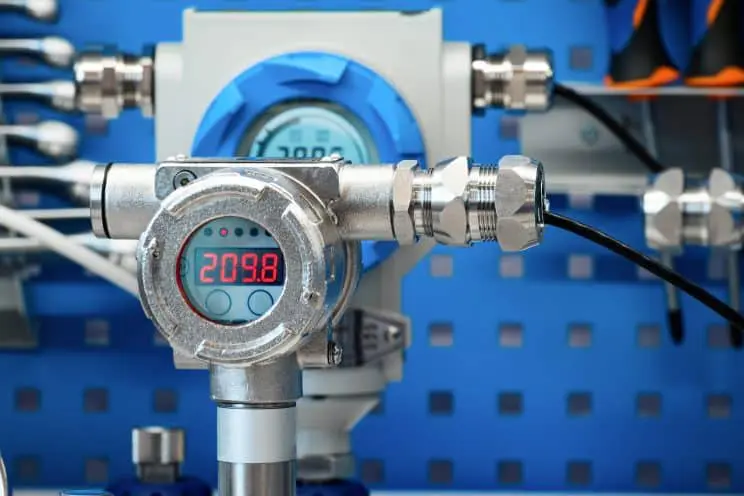
Generally, we assume that preventive maintenance (PM) is a good thing and it will prevent downtime. Of course, that’s true. But, like anything, sometimes it’s more complicated. The first step of a proactive maintenance program is scheduling PMs based on time or usage. Think of your car—change the oil every X months or X,000 miles. CMMS software excels at scheduling PMs. However, it also helps with something else—gathering data. That data also can help maintenance teams take the next step in proactive maintenance—condition-based maintenance. What is Condition-Based Maintenance? Condition-based maintenance is exactly what it sounds like. Maintenance is scheduled based on an asset’s condition. MPulse Condition-Based Maintenance (CBM) feature keeps tabs on the actual state of your critical assets by recording the output of any meters and gauges on that asset. When an asset’s condition changes outside of specified ranges, MPulse lets you know immediately, so you can react before breakdowns happen. Maintenance teams can use CBM information to proactively perform maintenance, as well as even predict asset failures. MPulse CBM includes… The ability to monitor multiple meters (e.g., revolutions, psi, hours) on a single asset The ability to specify multiple conditions, triggers, and responses Automatic work order generation based on specified triggers Data analysis tools to identify potential problems How Can Condition-Based Maintenance Help Me? MPulse’s Condition-Based Maintenance feature to keep tabs on critical assets by recording data from sensors on your assets. You can take manual readings and enter them in MPulse as frequently as you like to evaluate the condition over time or relative to a target level. But you can take it to the next level and connect your assets to a real-time data feed that eliminates manual input and dramatically improves results. (We can recommend low-cost meters and programmable logic controllers (PLCs) and help you connect them to MPulse.) MPulse CBM records all kinds of data, including… Temperature, including infrared readings and thermal imaging. Pressure on equipment with piping or water systems. Oil and lubricant viscosity That’ll make it easier to identify problems before they happen. And preventing outages is always a good thing in this profession. Maintenance based on the true conditions of assets can help save money in… Parts and material costs Labor costs Transportation costs Environmental impact Then you can reallocate those funds to other areas. Time-based preventive maintenance strategies are a standard in our field. But condition-based maintenance can reveal different—and sometimes better—ways to do things. Learn more. Contact us. [related-content]
Why You Don’t Want Free Maintenance Software

You know it’s time for a change. And free software from the Internet seems like an easy way to test things out. Many maintenance managers start their search for CMMS software by typing “free maintenance software” in a Google search box. But free maintenance software has hidden costs that can mean paying a higher price. Why Don’t I Want Free Maintenance Software? Trying pared-down software with limited functionality wastes time and energy—two things typically in short supply for maintenance managers. It’s hard to get a realistic perspective on the true capabilities of maintenance software with free maintenance software. As any maintenance manager knows, there’s a difference between cost and value. “Free” sounds like a great deal, until you consider… Limited tools and functionality Absence of security features to protect data Restricted user access Lack of scalability No training or support Inability to sync with other business systems You can’t get a full picture of what maintenance software can do for your organization if you’re limited to whatever is offered for free. So, after all that effort, you’re missing out on finding the right maintenance software for you. But I Just Want to Try It Out We get it. But there’s a better way—free software demos. When you test drive a car, you don’t just randomly take any car you found on the Internet out on the road. You don’t want to waste time test driving minivans when you really need a 4-wheel drive with a 6.0L, 8-cylinder engine. Your time is valuable, and it’s important that you spend it wisely. When you do your research on CMMS software, you’ll soon see the benefits of scalable CMMS software with an easy-to-use interface and advanced tools. And a little time spent finding the right software means you’re saving a lot of time (and money) in the future. That’s why MPulse offers free demos and great customer service to make sure your software purchase means your needs. So, you’re on the right path from the very beginning. [related-content] We know how to make your CMMS implementation a success—and we’re happy to share our experience with you. Contact us to learn more.
Nine Ways CMMS Cuts Operational Costs

The maintenance department doesn’t always get credit for how they save money. But the powerful combination of CMMS software and your maintenance team can cut operational costs, making your organization more efficient and productive. How CMMS Cuts Operational Costs Here are nine ways CMMS cuts operational costs. Preventive Maintenance CMMS software generates a schedule of preventive maintenance (PM) tasks. Therefore, it’s simpler to follow the manufacturer’s guidelines. Properly maintained assets perform more efficiently, use less energy, and fail less often—thereby, extending their usable life. When you use CMMS software to schedule and track PMs, you’ll reduce emergency maintenance issues and unexpected production stoppages. This also cuts overtime costs for emergency repairs and reduces production losses. You can also schedule maintenance for off hours by tracking equipment use time. Labor Management Work order management features in CMMS software can automate schedules for both employees and contract workers. Therefore, you get the highest priority work done, while making sure lower priority work doesn’t slip through the cracks. This information also eliminates lost information between shifts, reducing confusion and errors. CMMS software helps you accurately estimate labor hours for PM tasks, making sure your staffing levels match the workload, and decreasing overtime costs. This type of labor cost analysis also can determine when it’s more efficient to add more staff members instead of paying your current employees more overtime. Employee performance tracking helps you determine which employees are most efficient at which tasks, enabling managers to balance the workload. By tracking repair times, you can create benchmarks for your organization as well. Inventory & Parts Management CMMS software’s ability to manage your parts inventory prevents under-stocking and over-stocking and streamlines reordering. CMMS software can determine your current inventory levels and automatically generate purchase orders based on need, reducing purchasing overhead. You can take your inventory management to the next level and track parts to stock based on availability. For example, if a part has a three-week lead time, you can adjust stocking levels to make sure it is available when your staff needs it. Operations CMMS data helps organizations make effective replace-or-repair decisions. Maintenance software can track not only the age of the equipment, but the miles, hours, life-to-date repair dollars, and many other metrics. Therefore, it’s easier to when it becomes cheaper to replace an asset instead of repairing it. In manufacturing industries, CMMS software helps reduce scrap and rework by keeping equipment operating efficiently. That helps reduce emergency production breakdowns, and avoid catastrophic material losses. [related-content] Learn More Contact us to learn more about how CMMS software can cut operational costs for your organization.