
How Tablets Can Improve Your Maintenance Team’s Productivity

Mobile technology has improved my productivity—specifically my smartphone has made it easier to work while I’m away from my desk. But another type of mobile technology also has made a huge impact on my work life—the tablet. I’m not alone. Maintenance technicians have discovered the value of tablets for maintenance work, with more adopting this technology every day. A recent Software Advice study found 44 percent of those surveyed report using a tablet, versus 34 percent who use a smartphone. Another 21 percent use both. Ease of Use These findings parallel my own experience. I don’t go anywhere without my smartphone. But my tablet’s larger screen size is much easier on my eyes when I need to access documents or other detailed text. It’s also much easier for my fingers to work with buttons and drop-down menus on a tablet. A sturdy, waterproof case protects my tablet when I’m in dirty environments or inclement weather. Improved WiFi access and cellular service means I can use our mobile maintenance software almost anywhere. Plus, security features safely control access to my data, even when I’m not in the office. All my work is synced between my tablet, my smartphone, and the computer network at the office—thanks to cloud computing. Best of all, it took me no time at all to learn to use my tablet. Standardized application interfaces meant that I knew how it worked as soon as I picked it up. All in One The combination of mobile devices with mobile maintenance software makes a powerful tool to help you get the job done. A tablet replaces a lot of equipment that maintenance managers used to need, including… Video conference system Desktop or laptop computer (for many functions) GPS device Camera Pager Video camera And much more. Mobile technology is a natural fit for maintainers. With smartphones and tablets, you can capture information on the spot—instead of jotting it down on paper to input later. Mobile devices allow you to access critical information easily without calling back to the office or getting “plugged in.” The potential to improve your maintenance team’s productivity is huge. Don’t get left behind. Have questions about mobile maintenance software? Need advice? Call us. We’re here to help.
How to Improve Productivity with Custom Software Development Services

Guest Blog by Amarnath Raja, InApp, Inc. It’s very common for companies to choose software solutions for a specific purpose, like QuickBooks for accounting, Google for email, or MPulse for maintenance. In the industry, we call these “best-of-breed” applications—which simply means the software is the best solution of its type for the purpose. Sometimes, however, no best-of-breed application is available or you discover technology gaps that are hindering your organization’s efficiency. Your best-of-breed application has become an island of automation. When your best-of-breed applications don’t interact with each other, what should you do? You could buy standard off-the-shelf software that is sort of what you want, but would require customization to make it work. Oftentimes, however, customization is expensive and the costs outweigh the benefits. Another option is to use internal resources to develop custom software. However, this kind of project takes your IT team’s focus away from other important tasks, or it may take longer than expected because of the different skill sets needed to do the project. So what’s the solution? Consider custom software development. Custom software development is an application design service to address specific needs. Typically this type of software is created for a specific client by a contract developer and is not packaged for resale. Contract software developers design software to provide features that can enhance off-the-shelf software. While that may sound expensive, a custom software program specifically designed to increase your organization’s efficiency or productivity can pay big dividends in the long run and often has a quick payback. For example, our long-time client, MPulse Software, Inc, recently launched a new website using the Drupal web platform, a best-of-breed application for this purpose. They also invested in Salesforce, another best-in-breed CRM application used by both their sales and support teams. MPulse needed to fill in a technology gap to make the process of adding customer leads from the Drupal website to the Salesforce database faster and more efficient. So they turned to their trusted partner, InApp. InApp created a custom application, using MPulse design specifications, to automate the data transfer between their website and Salesforce. As a result, MPulse personnel now can access the information faster, provide better customer service, reduce data input errors, and focus on more important—and profitable—tasks. Custom software is a bridge that connects islands of special purpose software. If your organization needs technology to fill in the gaps of your operations, consider custom application development. It’s an investment with the potential to improve your organization’s productivity—and its bottom line. Since 2000, InApp has been delivering full cycle software development services to customers worldwide. InApp has offices in the United States, India, and Japan as well as a 200+ team of software engineers. Their software engineering services include application services, product engineering, mobility solutions, programming services, testing service, UI design services, and games & multimedia. Amarnath Raja is the CEO of InApp. Mr. Raja worked for IBM before founding InApp. He lead the IBM technical team at JP Morgan, Tokyo. He is also the recipient of the 2015 IEEE MGA Larry K. Wilson Transnational Award for his contributions to global IEEE humanitarian activities.
Find Labor Cost Savings with CMMS Data
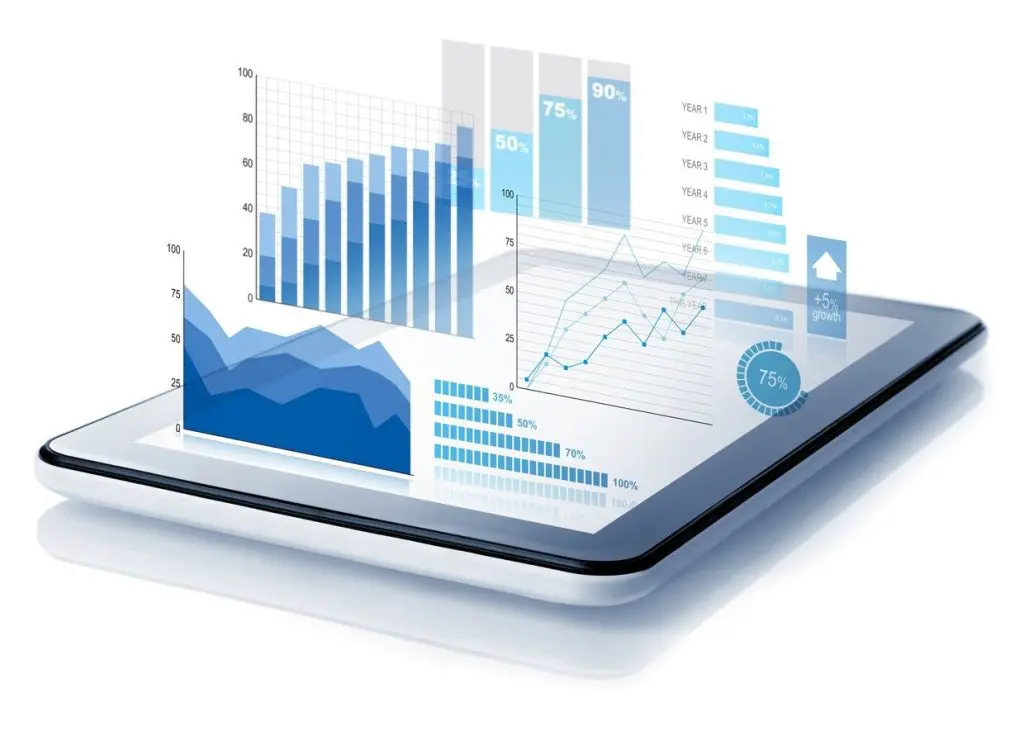
Maintenance managers know unexpected tasks pop up. These days, those unexpected tasks come not just from the plant floor or the field, but from the management team. A long-time MPulse customer, Glen, experienced this phenomenon when his managers asked him to analyze the labor costs for his maintenance team of ten people. His company’s accounting folks had noticed the maintenance team’s overtime costs were steadily increasing over time. “I was surprised when they showed me the numbers,” Glen told me. “Overtime pay was increasing so slowly, I didn’t notice how much extra time my team was putting in. It simply became part of our work week because it had to get done.” CMMS Software Has the Answers One of CMMS data’s most powerful benefits is maintenance managers can answer questions they never dreamed they’d need to ask when they starting using the software. That flexibility is invaluable in our ever-changing, modern maintenance world. CMMS software helps maintenance managers accurately estimate labor hours for both repair and preventive maintenance (PM) tasks, so they can balance staffing levels and the workload as well as reduce overtime costs. CMMS reports also can determine when it’s more efficient to add more staff members instead of paying current employees more overtime. Using his CMMS data, Glen charted out the time his maintenance techs spent on jobs. The data was clear—each team member was averaging 3‒4 overtime hours per week. With a little information from human resources, he calculated his company could save about 40% of their current overtime costs by hiring another full-time maintenance technician. Gold Mine of Maintenance Data Glen never imagined he would need this kind of data when he implemented his MPulse Software, Inc. But the steady collection of maintenance data over time meant it was available when he needed it. And his data’s value will keep growing with every work order or parts purchase. Interestingly, Glen didn’t stop with that first analysis. He also used his CMMS data to determine which employees were most efficient at which tasks, enabling him to balance the workload. By tracking repair times, he also created benchmarks for the team. Then he identified areas where his team needed more training or when it might be more efficient to outsource the repair. “I was sitting on a gold mine,” Glen told me. “All this fantastic information was in my maintenance software, and all I needed to do was ask the right questions.” Start mining your own CMMS gold. Contact us to get started.
How to Decide Whether to Repair or Replace an Asset

Recently I toured a customer’s manufacturing facility—one of my favorite things to do. Seeing MPulse users working with our CMMS software for real-world maintenance tasks always gives me a clearer perspective on our work and why it’s so valuable. Our tour guide, Dan, was proud of his maintenance team’s achievements. I had to ask, of course: “What’s the biggest benefit you’ve experienced from your MPulse Software, Inc so far?” Dan didn’t hesitate. “Now we know when it’s better to repair or replace an asset,” he said. “Our CMMS data helps us make good decisions, and we’re more efficient as a result.” Data-Driven Management I’ve heard similar responses a lot lately. Maintenance managers have discovered the importance of data-driven management, where their decisions are backed by reliable data. It’s easy for upper management and other departments to see the value and efficiency of your team and their work when they can see the data—and the dollars—right in front of their eyes. And nothing is better at gathering and analyzing maintenance data than CMMS software. With each purchase and every work order, Dan’s maintenance team uses their MPulse Software, Inc to document: Labor costs Parts costs Energy costs Purchase price and date Life expectancy Warranty information Replacement costs Other custom data So when it’s time to decide whether to repair or replace an asset, Dan isn’t just guessing. He’s using his MPulse CMMS data to make a decision based on hard numbers. By running a few simple reports, Dan knows which assets cost the least amount of money to maintain and repair. He also can calculate when the increased efficiencies of newer models will pay off in the long run. Asset Life Cycle These decisions affect more than the replacement budget. Analyzing the life cycle of assets also helps Dan reduce downtime and prevent unexpected repairs. And when he does decide it’s time for new equipment, he also can estimate any training costs as employees get up to speed on the technology. When you have the hard data about the age of the equipment and the miles, hours, life-to-date repair dollars, and other metrics—it easier to decide when it’s time to replace an asset instead of repair it. CMMS data changes the way you make decisions because you have all the information at your fingertips to determine the total cost of ownership. If you are interested in learning more about how our asset management systems can help you with data-driven management, we are here to help. Contact us today.
Three Common Applications for Condition-Based Maintenance
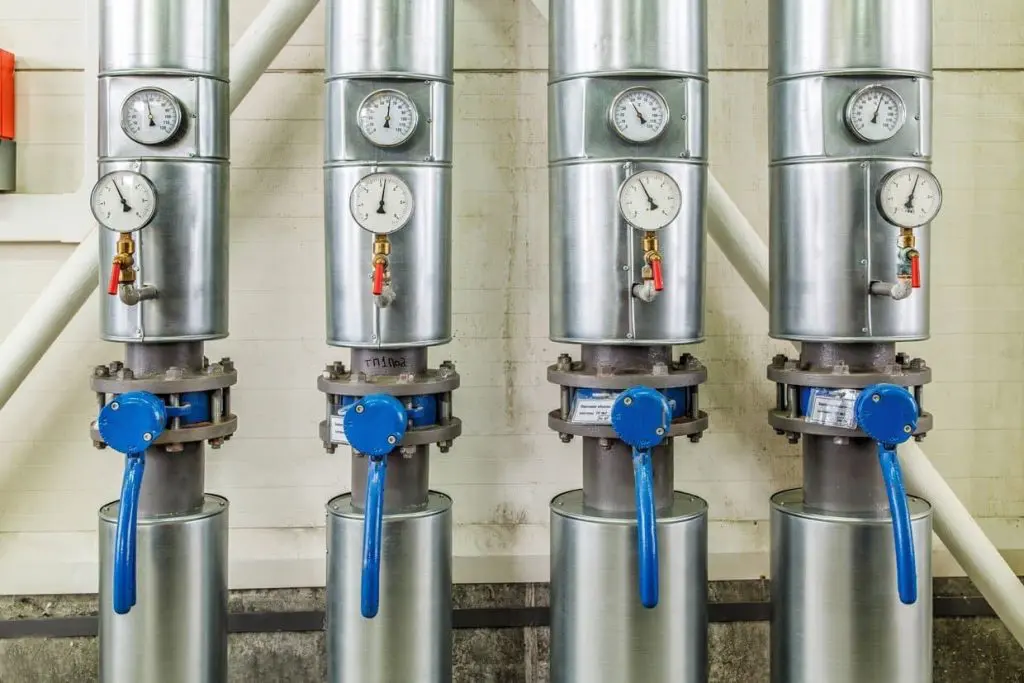
Guest blog from Better Buys Condition-based maintenance (CBM) is a CMMS software add-on that keeps tabs on the actual state of your critical assets by recording the output of any meters and gauges on that asset, making it easier to diagnose problems and prevent asset failure. Today’s maintenance teams are using CBM to improve their efficiency and their organization’s bottom line. The three most common applications of condition-based maintenance measure temperature, pressure, and oil viscosity. Common Applications for Condition-Based Maintenance 1. Temperature Readings Temperature readings help monitor and control an asset’s environment. Many assets can or do include sensors to gather temperature data, including infrared readings and thermal imaging. Also organizations are using “smart” technology to help facility managers measure and control building temperature. Who depends on temperature readings? Many universities, hotels, and hospitals are upgrading HVAC units to better monitor temperature. Windows and doors also can be outfitted with sensors. With these real-time readings, the HVAC can adjust for humidity and temperature, and alert staff to any issues. Machinery also can overheat, and computers must be continually cooled. Monitoring the temperature of these assets allows staff to prevent emergency shutdowns or even fire damage. 2. Pressure States Sensors can monitor pressure on equipment with piping or water systems. Monitoring pressure over time allows maintenance staff to predict when a pipe could fail and replace it beforehand. Instead of tracking down a leak after it happens, monitoring pressure indicates when and where a leak will likely happen before it does. Who depends on pressure states? Machinery in food and beverage production as well as product manufacturing rely on pipe or liquid systems. As competitive businesses are pushed to increase production while maintaining reliable operations, tracking pressure saves time on diagnosing problems. Maintenance staff also can keep parts at proper inventory levels for scheduled fixes. 3. Oil Viscosity A classic example of preventive maintenance (PM) is changing the oil in your car, either based on a calendar schedule (e.g., every three months) or based on mileage (e.g., every 5,000 miles). By adding condition-based maintenance to your preventive maintenance schedule, your maintenance team can monitor the oil particles to tell when to change the oil. Instead of 5,000 miles, the oil could last 8,000 miles. Who depends on oil viscosity? For construction or fleet vehicles, using CBM allows staff to schedule equipment maintenance and work more efficiently. In the long term, it also saves on oil and other parts. The Impact of Condition-Based Maintenance Condition-based maintenance offers organizations a competitive edge. Instead of performing failure-based maintenance, you can use CBM data to prevent problems before they happen and minimize overtime for technicians, cutting down on labor costs. Make your preventive strategies more accurate and reliable with CMMS and CBM. Contact MPulse with questions about how CBM can help your maintenance operations. Author Bio: Julia Scavicchio is a writer with Better Buys, a trusted source on enterprise software news and research.
Top Three Ways Property Management Companies Can Keep Costs Down
Guest blog from Premiere Works Property and facility managers know profit margins are tight. It’s important to keep your fees competitive, however, you also need to keep your business financially viable. Controlling your costs helps strengthen your budget. Consider how these three areas could help you streamline your operations to make them more profitable and productive. Invest in Energy Efficiency Energy efficiency can help your profitability, and it can also appeal to potential renters who appreciate your efforts to be “green.” The two main categories of energy efficiency are passive and active efficiency. You can improve passive efficiency by purchasing energy-efficient appliances and implementing low-flow toilets and showers. While these items may cost more upfront, the energy savings can be substantial over time. Active efficiency means using less water and power during maintenance procedures and choosing reusable products instead of disposable. These methods may include changing HVAC filters, cleaning the condenser more frequently, and landscaping with plants that do not require frequent watering. Implement CMMS Software Computerized maintenance management system (CMMS) software organizes all of your property or facility maintenance work orders and service requests. CMMS software provides scheduling, tracking, and reporting tools, so you can improve your organization’s efficiency and productivity. For property or facility managers, CMMS software also enables tenants to request maintenance service electronically, and the system will automate communication between your maintenance team and your service requestors. Implementing CMMS software helps you stay on top of scheduled tasks, plus tenants will feel more confident in your ability to address issues. Establish a Preventive Maintenance Program While implementing a CMMS is the best way to organize maintenance needs, an even better way to save money is to take care of maintenance tasks before they become a problem. CMMS software helps managers establish a preventive maintenance (PM) program, so you can schedule of maintenance tasks and prepare your managed properties for the months ahead. These tasks might include maintaining HVAC systems, scheduling vendor visits, cleaning the gutters in autumn, installing storm windows before the rainy season, and cleaning the roof. By controlling your costs, it’s easier to keep your fees competitive and provide the management services that your customers want and need. Take the time now to plan ahead. You can make your job easier—and more profitable. Steve Fountaine is the Owner of Premiere Works, general contractors providing commercial property management in Maryland, Northern Virginia, and Washington D.C. Premiere Works’ other services include commercial painting, construction, contracting, build outs, office renovations, and more.
Give Your Organization a Competitive Edge with Maintenance Management Software

Recently I had a meeting with Ted, a long-time MPulse user and maintenance manager for a medium-sized manufacturing company. Like so many others, Ted’s organization recently found itself fighting for market share as the competition lowered their prices—forcing his company to do the same. Ted’s bosses started looking at every expense to keep the company competitive. Maintenance teams get a lot of questions when company officials look at costs because they keep the organization’s major assets running—production equipment in Ted’s case—which is a big line item on a balance sheet. As they looked for ways to save money, Ted’s bosses wanted hard data on maintenance costs and asset productivity. Management Asks Tough Questions While Ted’s managers understood that cutting back on maintenance can be counterproductive, they also needed to see the dollars were spent wisely. Ted’s management team began looking closely at maintenance staffing levels and overtime costs. They wanted to know when it was more cost effective to repair an asset or replace it. They asked questions about the biggest repair parts expenditures and wanted ideas to improve inventory control management. This phenomenon is increasingly common in the maintenance world. It’s called data-driven management, which means decisions are made based on reliable data, instead of perceptions or assumptions. CMMS Provides Solid Answers CMMS software is the best tool for gathering, analyzing, and reporting on maintenance data. In just minutes, Ted created reports using his MPulse CMMS data to show how his department was functioning and where they might make changes to improve. Because Ted’s managers could see the numbers in front of them, the changes they made helped the maintenance team become more efficient—and the company more competitive. They invested in the areas where the savings were clear, and it paid off. Ted’s company is stronger than ever. Maintenance Contributes to the Bottom Line When Ted shared his experience with me, he mentioned something else that I found interesting. After reviewing Ted’s reports, his management team began to see the maintenance department in a different light. Company executives could clearly see the value his maintenance team brought to the organization, and respect for his department grew. That made it easier for Ted later when he needed to get approval or support for his projects and ideas. It’s likely your maintenance team is experiencing a similar situation, or it will be soon. With solid CMMS data and easy-to-read reports, your organization can make good decisions based on hard evidence, which will improve its ability to compete effectively and efficiently. And that’s something that works to everyone’s benefit. Contact us for more information.
How HVAC Maintenance Can Save Money and Energy

Guest blog from the BP Group One of a facility manager’s most important assets is the heating, ventilation, and air conditioning (HVAC) systems that regulate temperatures and maintain air quality for comfort, safety, and healthy working environments. If you aren’t proactively maintaining your HVAC system, you’re likely wasting both money and energy that can be put to better use. Regular maintenance ensures your HVAC system is running efficiently. Typically, the maintenance technician will… clean the filters clean the ducts clean the coils lubricate moving pieces calibrate thermostat settings inspect pipes and drains check electrical connections perform other tasks as outlined by the manufacturer. With CMMS software, facility managers can easily keep track of everything that needs to be done—scheduling maintenance jobs, recording maintenance history, prioritizing tasks, and more. What’s at Risk if You Don’t Schedule Regular Maintenance Checkups? If you choose to ignore HVAC system maintenance, you’ll end up purchasing a new one sooner rather than later. An HVAC system usually has a lifespan of 15‒20 years, but if it’s not cared for properly, it could fail sooner. Scheduling regular maintenance checkups will prolong the life of your HVAC system and save you money. If there is a business inside the building—such as a movie theatre or hotel—sales also are at risk. When an HVAC system starts to fail, the building’s temperature will likely be too cold or too hot. If customers aren’t comfortable inside the building, they may choose not to return. Depending on location, HVAC maintenance also should include winterizing. For example, failure to insulate HVAC pipes properly can result in frozen pipes and leaks, another costly repair. How Does HVAC Maintenance Save Energy? According to FacilitiesNet, HVAC maintenance results in 15‒20 percent savings in energy. Below are some ways regular maintenance helps save energy. Regular maintenance allows the HVAC system to run smoother, so the moving parts need less energy to keep it going. Maintenance for outside air dampers, which let in outside air for cooling, ensures the dampers are not allowing more air in than needed, thereby using more energy to condition that extra air. Replacing an old system with an energy-efficient system, such as one with an ENERGY STAR rating, will use less energy over time. Facility managers shouldn’t wait for HVACs to fail; they should be taking preventative measures to avoid problems. Guest-blogger Bio: The BP Group is a leader in the HVAC Maintenance, HVAC Mechanical, Service and Building Technology Industry located in Glendale, NY.
Five Ways CMMS Can Make a Facility Manager’s Job Easier
I recently had coffee with my long-time friend and customer, Teresa, who’s a facility manager for a major university. Talking to Teresa reminded me how facility managers are constantly pulled in different directions, and prioritizing is complicated. “How do you keep on top of everything?” I asked her. “The biggest challenge is we’ve had to really tighten our security measures in the past 15 years,” she said. “That means a lot more paperwork. Honestly, I don’t know how we’d do it without our MPulse CMMS software. It makes all the difference.” I blushed a little here, but I asked her: “How does CMMS software make your job easier?” Teresa listed off these five ways… 1. Systems Integration: Teresa’s organization is a large, state-run institution, so she needs to share information all the time. Her MPulse CMMS software easily shares data with departments from purchasing to human resources to executive administration. Plus, it works both ways, so her CMMS software collects key data too. That means Teresa spends less time on paperwork and more time on her important tasks. 2. Flexibility: Teresa’s department has been an MPulse customer for years, so we’ve been there whenever they needed to upgrade, add licenses, or train new employees. Plus as the university has grown by adding buildings and assets, MPulse’s flexibility has enabled their CMMS software to grow with them—no matter how much the maintenance team’s workload has increased. 3. User Management: Teresa uses MPulse’s Role-Based Access Control (RBAC) extension module to manage her team and customers. That means her staff members or service requestors only see the records that are relevant for them. RBAC also helps Teresa with data security, making sure private information remains private. 4. Security: As Teresa mentioned, security has really ramped up in facility management. Teresa’s team uses MPulse Key and Lock Management to manage and track keys as well as authorized users, reducing the problem of lost or misplaced keys. At a glance, her team knows who has which keys out and when they are scheduled to be returned, so they spend less time searching for keys or following up with staff members. 5. Mobility: Maintenance doesn’t happen in the office. Teresa’s team uses MPulse’s adaptive interface and smart devices to report problems as they find them and capture data when they are working on the job. Best of all, her team members don’t need to come back to the office to get the next work order—they can see their work assignments wherever they are. I was pleased to hear how MPulse Software, Inc is making a difference for Teresa and her team. This business is about more than the bottom line. Helping people like Teresa do their jobs faster and more efficiently is a big part of what makes it satisfying to come to the MPulse offices every day. And the coffee’s not bad either.
MPulse Partners With Rivers of Recovery to Support Combat Veterans

In May of 2013, as part of its focus on giving back, MPulse Software, Inc began working with Rivers of Recovery, a national non-profit organization providing outdoor recreational rehabilitation programs to combat veterans. To date, MPulse has contributed over $2100 and more than 100 hours of volunteer time to help bring these valuable programs to veterans in Oregon and around the country. During September 2015, we were proud to once again support their efforts by helping host a veterans trip near Eugene, OR. This year’s trip, September 18-20, provided the opportunity for 5 veterans to enjoy 2 full days of fly fishing on Oregon’s famed McKenzie River, with guiding and accommodations provided by Eugene’s Caddis Fly Shop. All involved agreed it was a great experience. “I’m not even much of a fisherman,” said Vietnam-era Marine Corps veteran Marc Waszkiewicz, “and I really enjoyed it. It was good to be around other veterans and spend two full days in the sunshine listening to the symphony of waters around me. Really therapeutic.” Waszkiewicz, author of the recently published photo book 1000 Yard Stare, has long suffered from post-traumatic stress disorder (PTSD) and says he’s made it his mission to “learn all I can about therapies that can help veterans like me find relief from PTSD’s devastating effects. I’m impressed with what Rivers of Recovery is doing.” MPulse CEO Steve Brous weighed in, saying, “Giving back by working with groups like Rivers of Recovery is one of the most important things we do as a corporate citizen. MPulse supports a range of deserving non-profits through donations, and we grant our employees paid time off to volunteer, as well. I’m so glad we’ve gotten this opportunity to support our nation’s heroes through this terrific organization, and I’m looking forward to continuing and deepening our relationship with Rivers of Recovery.” Rivers of Recovery was formed in 2008 by Executive Director, Dan T. Cook, as a means to help combat veterans overcome the invisible scars of war. They employ medically-designed curriculum coupled with outdoor recreational activities to treat combat veterans suffering from PTSD, minor traumatic brain injury (TBI), stress, anxiety, and depression. To learn more about Rivers of Recovery or to make a donation, we encourage you to visit their website at www.riversofrecovery.org.