
How CMMS Software Helps You Document Maintenance Activities
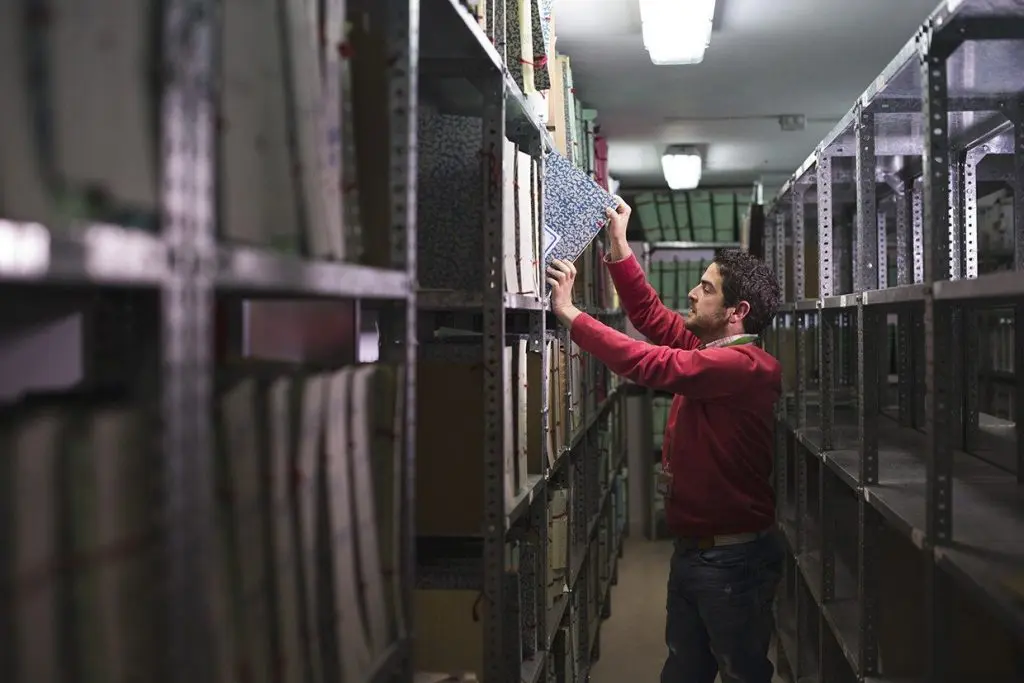
If you are a maintenance veteran who has watched our field change over the years, you likely remember a time when the maintenance department was largely invisible. Your phone number was on speed dial, but what your team did seemed somewhat mysterious to other departments. That’s no longer the case for many maintenance managers. Our modern maintenance environment brings new challenges, including the need to consistently document maintenance activities and be more transparent to our end users. As my friend and MPulse customer, Andy, said, “Today’s maintenance team works in a culture of accountability. Now our maintenance tasks are tracked, and every department is expected to demonstrate their value.” From accounting to compliance and from human resources to purchasing, your phone now rings with more than repair requests. Those calls are asking for detailed, accurate information about what’s impacting productivity, profitability, performance, and operations. Automate Maintenance Documentation Today’s maintenance manager must constantly gather and report on maintenance information for managers and other departments. That takes time. And time is usually in short supply around the maintenance department. The answer? Automate your maintenance documentation with CMMS software. [related-content] One of CMMS software’s biggest advantages is that you can document everything related to maintenance in one system. It starts with the work order, which automatically records labor time, parts and inventory costs, asset history, and other key information with each task your maintenance team completes. This CMMS data grows over time, offering a wealth of information at your fingertips. It doesn’t get easier than that. Create Maintenance Reports Once you’ve automated maintenance data collection, you can use that data in multiple ways. CMMS software reporting tools enable maintenance managers to quickly produce status reports and documents giving details, graphs, or summaries of maintenance work. Examples of the maintenance activities you can document and report on with CMMS software include… Labor costs, including overtime and/or outsourced work Inventory turnover and costs Inspection schedules Warranty documentation Purchasing and vendor information Compliance procedures Quality assurance tasks Regulatory audit support. “Our MPulse Software, Inc has changed the way I do my job,” Andy told me. “Instead of each information request making me feel like I’m responding to a fire drill, our CMMS software can create custom reports in minutes with a few keystrokes. No more pouring over Excel spreadsheets or searching through stacks of paperwork.” Just as CMMS software makes your maintenance team more efficient at their jobs, it helps maintenance managers report more effectively on what their team is doing. That’s increasingly helpful in today’s workplace where the maintenance team is often asked to do more with limited resources. How could you use CMMS software to document your team’s maintenance activities? Contact us.
Prevent Breakdowns from Impacting Your Production Line with CMMS Software
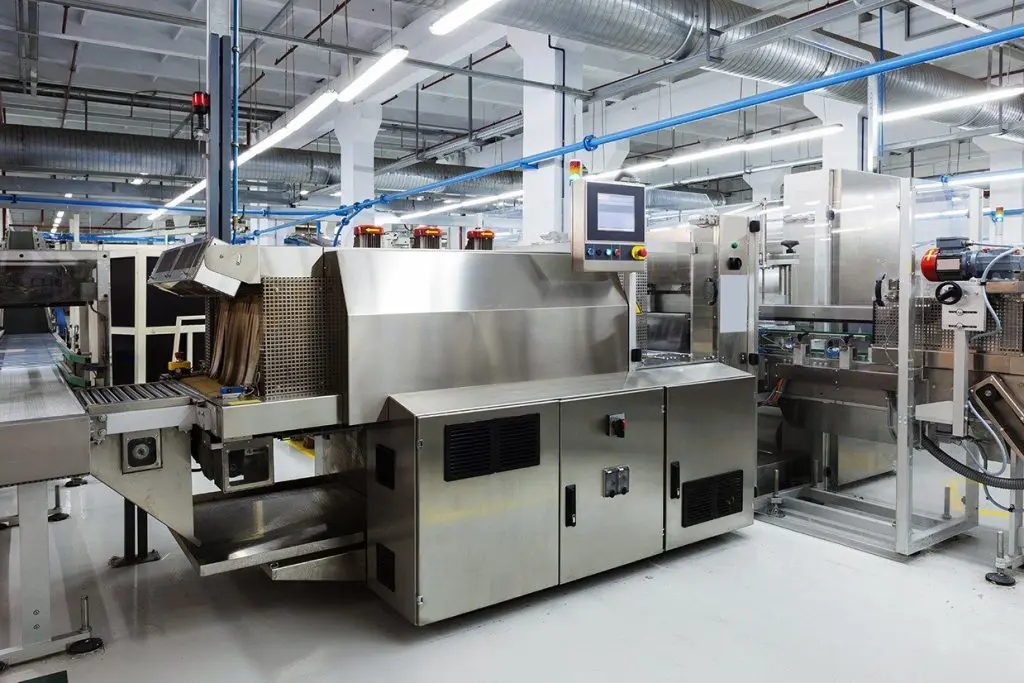
Those of us who have been around the maintenance profession for a decade or two have seen some interesting changes. Increased competition, new technology, changing expectations… it’s a brave new world for a modern maintenance operation. Breakdowns can impact your production line. Prevent breakdowns with CMMS. I recently visited a new MPulse customer, Wayne, who is a maintenance manager for a local manufacturing company. He’s worked his way up in his organization and now manages a team of 10 maintenance techs who keep the company’s 24/7 production line running smoothly. Wayne is on the younger end of middle age, and he’s seen his organization change a lot over the past decade or so. He told me, “Steve, maintenance used to be seen as an expense on balance sheet. But management recently realized that we influence our company’s profitability too.” What does that mean? Maintenance directly impacts a company’s ability to keep the production line running smoothly—and the income that comes with it. A manufacturer’s maintenance team affects production capacity and product quality, which are two of the most important aspects of a company’s profitability. The Role of Maintenance on the Production Line Maintenance can improve the productivity of a manufacturing company in three major ways: Minimizing downtime and emergency repairs Improving equipment life cycle and replacement forecasting Reducing manufacturing scrap and rework. The key to realizing these benefits? Investing in your maintenance crew and in tools like CMMS software to keep your equipment running smoothly. “Our maintenance team doesn’t just fix broken equipment,” Wayne explained. “We provide support and service that is the basis for our entire operation.” The Benefits of CMMS Software for Production Line Maintenance As Wayne’s managers realized the importance of maintenance, they started focusing on key areas where they could improve. The biggest one was investing in CMMS software. Preventing breakdowns with CMMS saves time and frustration later on. Today Wayne’s maintenance team uses MPulse CMMS software to generate maintenance and inspection schedules. With this information, technicians can spot issues before they occur. Regular services also ensure equipment is properly calibrated or lubricated. The benefits don’t stop there. Properly maintained assets perform more efficiently, use less energy, and fail less often—extending their usable life. CMMS software also helps reduce scrap and rework by reducing emergency production breakdowns and avoiding catastrophic material losses. “Now our managers understand maintenance is essential in our competitive business environment to control production losses, product defects, and equipment downtime,” Wayne explained. “And this attitude has trickled down to my team, who now are feeling a greater sense of pride in their contributions to the company.” Personally, I’m excited that Wayne’s company—and so many other manufacturers—are realizing how important their maintenance team is. This type of recognition is long overdue. How has your organization used CMMS software to manage a production line? Leave a comment or contact us.
CMMS Software and 21 CFR 11 Compliance, Part 1: What You Need to Know

Today I got a phone call from an MPulse customer, Eric, who is a maintenance manager at a biotech company. He’s planning a maintenance software upgrade, and he had a good question: “Steve, I’ve got a coworker telling me our CMMS solution needs to be 21 CFR 11 compliant. Is MPulse Software certified for 21 CFR 11?” That’s a great question, but the answer isn’t simply “Yes” or “No.” What is Title 21 CFR, Part 11? If you work in the pharmaceutical, medical device, biotech, or related industry, Title 21 CFR Part 11 is a major part of your operations. The name refers to the part of Title 21 of the Code of Federal Regulations that establishes the U.S. Food and Drug Administration (FDA) regulations on electronic records and electronic signatures—defining the criteria under which electronic records and electronic signatures are considered trustworthy, reliable, and equivalent to paper records. Naturally, 21 CFR 11 compliance is closely tied to software. And in the maintenance department, that software is—of course—CMMS software. Can CMMS Software Be 21 CFR 11 Certified? Eric’s question, however, relates to a common misconception about software and compliance. To be Title 21 CFR 11 compliant, Eric’s organization must show it has… Procedural controls Administrative controls Technical controls. Now a software vendor can provide the technical elements of a 21 CFR 11 compliant system, which MPulse Software factors—procedural and administrative controls—relate to the organization’s process, not the tool. So the answer to Eric’s question is MPulse Software provides the technical elements of a compliant system. However, we do not claim compliance as the bulk of compliance is related to the use of the tools, not the tools themselves. As such, there is no recognized certification process for software developers. Just like you cannot buy a 21 CFR 11 compliant socket wrench, you cannot buy 21 CFR 11 compliant software. It’s an important distinction that is sometimes not fully understood. However, CMMS software is the best tool for maintenance departments to achieve the technical controls for 21 CFR 11 compliance as well as other regulatory certifications like ISO or HIPAA or Sarbanes-Oxley. Learn more about the tools you need for CMMS and CFR 11 compliance. Or contact MPulse with questions. We have the answers you need.
Infographic: How to Calculate the Return on Your CMMS Investment

When our MPulse team talks with maintenance managers who are researching CMMS software, we get a lot of similar questions, such as… How can we use CMMS to reduce our company’s equipment downtime? How can CMMS help me control my costs of maintenance? How does CMMS save us money? How can we use CMMS to make our maintenance team more productive? How can CMMS software help us manage our parts and inventory? Although the questions are different, these maintenance managers are looking for the same thing—their return on investment (ROI) for purchasing CMMS software. CMMS Software is an Investment ROI measures the amount of return on an investment relative to the investment’s cost. And I believe CMMS software is an investment. Organizations want to see the return on their money. Also, like most successful investments, CMMS benefits compound over time. As your maintenance data becomes more comprehensive, your organization becomes more efficient and the return on investment climbs. Use Your Maintenance Data Effectively CMMS software helps your employees use maintenance data more effectively. Organizations can improve their maintenance processes and reduce costs through these five major areas: Labor costs through improved efficiencies Parts and inventory management Equipment downtime and emergency repairs Equipment life cycle and replacement forecasting Manufacturing scrap and rework It’s a great way to see the different components of CMMS ROI and how they can affect your maintenance operation. This quote from H. James Harrington on the infographic sums it up nicely: “Measurement is the first step that leads to control and eventually to improvement. If you can’t measure something, you can’t understand it. If you can’t understand it, you can’t control it. If you can’t control it, you can’t improve it.” That’s maintenance software in a nutshell. CMMS software helps you measure the productivity of your operations, which gives you a deeper understanding of your maintenance processes, and therefore the ability to improve them where necessary. Have questions? Want to talk about the ROI of MPulse Software, Inc? We’re here. Give us a call.
What Maintenance Teams Need to Know about the Internet of Things (IoT)

Guest blog from Better Buys The Internet of Things (IoT) is changing the way maintenance professionals collect asset information and exchange data with other systems. As things all around us are outfitted with sensors to communicate what’s happening within and around them, this valuable data has the potential to shape your maintenance team’s productivity and efficiency. Gartner reports that by 2020, approximately 26 billion of these connected devices will be in place. This rapid integration is partially driven by the affordability of the IoT. “By 2020, component costs will have come down to the point that connectivity will become a standard feature, even for processors costing less than $1. This opens up the possibility of connecting just about anything, from the very simple to the very complex, to offer remote control, monitoring, and sensing,” said Peter Middleton, research director at Gartner. What Maintenance Teams Should Know Computerized maintenance management system (CMMS) software supports data collection from IoT devices by analyzing real-time readings so maintenance teams can react faster. The combination of the IoT and CMMS helps maintenance technicians spot issues and prevent more serious breakdowns and repairs. Data from the IoT helps with… Improved scheduling and less unplanned overtime Accurate tracking of spare parts and inventory More accessible information on asset conditions Clearly defined benchmarks The IoT will become increasingly important to maintenance teams as younger employees, who are very comfortable with technology, enter the field. CMMS software can take the IoT a step farther by enabling the maintenance team to use mobile devices to check on the status of assets in real time, rather than running between a computer and the shop floor. What Maintenance Managers Should Know From a manager’s or supervisor’s perspective, the IoT offers benefits that can translate into operational improvements. Asset data collected by the IoT devices and analyzed by CMMS software can help managers cut costs and find the best way to manage workloads and prevent emergency breakdowns. These benefits include: A greater return on investment (ROI) for high-capital assets Fewer sudden and costly emergency expenses Minimal unscheduled downtime Opportunities to offer employees performance incentives A more holistic view for strategic planning The combination of the IoT and CMMS software can help bridge data communication, so the maintenance team can make a positive impact on their organization. The IoT is coming, whether you are ready or not. It’s time to get ready. Author Bio: Julia Scavicchio is a writer with Better Buys, a trusted source on enterprise software news and research. Follow her @JuliaScavicchio for more updates on how our workforce is changing.
How Tablets Can Improve Your Maintenance Team’s Productivity

Mobile technology has improved my productivity—specifically my smartphone has made it easier to work while I’m away from my desk. But another type of mobile technology also has made a huge impact on my work life—the tablet. I’m not alone. Maintenance technicians have discovered the value of tablets for maintenance work, with more adopting this technology every day. A recent Software Advice study found 44 percent of those surveyed report using a tablet, versus 34 percent who use a smartphone. Another 21 percent use both. Ease of Use These findings parallel my own experience. I don’t go anywhere without my smartphone. But my tablet’s larger screen size is much easier on my eyes when I need to access documents or other detailed text. It’s also much easier for my fingers to work with buttons and drop-down menus on a tablet. A sturdy, waterproof case protects my tablet when I’m in dirty environments or inclement weather. Improved WiFi access and cellular service means I can use our mobile maintenance software almost anywhere. Plus, security features safely control access to my data, even when I’m not in the office. All my work is synced between my tablet, my smartphone, and the computer network at the office—thanks to cloud computing. Best of all, it took me no time at all to learn to use my tablet. Standardized application interfaces meant that I knew how it worked as soon as I picked it up. All in One The combination of mobile devices with mobile maintenance software makes a powerful tool to help you get the job done. A tablet replaces a lot of equipment that maintenance managers used to need, including… Video conference system Desktop or laptop computer (for many functions) GPS device Camera Pager Video camera And much more. Mobile technology is a natural fit for maintainers. With smartphones and tablets, you can capture information on the spot—instead of jotting it down on paper to input later. Mobile devices allow you to access critical information easily without calling back to the office or getting “plugged in.” The potential to improve your maintenance team’s productivity is huge. Don’t get left behind. Have questions about mobile maintenance software? Need advice? Call us. We’re here to help.
How to Improve Productivity with Custom Software Development Services

Guest Blog by Amarnath Raja, InApp, Inc. It’s very common for companies to choose software solutions for a specific purpose, like QuickBooks for accounting, Google for email, or MPulse for maintenance. In the industry, we call these “best-of-breed” applications—which simply means the software is the best solution of its type for the purpose. Sometimes, however, no best-of-breed application is available or you discover technology gaps that are hindering your organization’s efficiency. Your best-of-breed application has become an island of automation. When your best-of-breed applications don’t interact with each other, what should you do? You could buy standard off-the-shelf software that is sort of what you want, but would require customization to make it work. Oftentimes, however, customization is expensive and the costs outweigh the benefits. Another option is to use internal resources to develop custom software. However, this kind of project takes your IT team’s focus away from other important tasks, or it may take longer than expected because of the different skill sets needed to do the project. So what’s the solution? Consider custom software development. Custom software development is an application design service to address specific needs. Typically this type of software is created for a specific client by a contract developer and is not packaged for resale. Contract software developers design software to provide features that can enhance off-the-shelf software. While that may sound expensive, a custom software program specifically designed to increase your organization’s efficiency or productivity can pay big dividends in the long run and often has a quick payback. For example, our long-time client, MPulse Software, Inc, recently launched a new website using the Drupal web platform, a best-of-breed application for this purpose. They also invested in Salesforce, another best-in-breed CRM application used by both their sales and support teams. MPulse needed to fill in a technology gap to make the process of adding customer leads from the Drupal website to the Salesforce database faster and more efficient. So they turned to their trusted partner, InApp. InApp created a custom application, using MPulse design specifications, to automate the data transfer between their website and Salesforce. As a result, MPulse personnel now can access the information faster, provide better customer service, reduce data input errors, and focus on more important—and profitable—tasks. Custom software is a bridge that connects islands of special purpose software. If your organization needs technology to fill in the gaps of your operations, consider custom application development. It’s an investment with the potential to improve your organization’s productivity—and its bottom line. Since 2000, InApp has been delivering full cycle software development services to customers worldwide. InApp has offices in the United States, India, and Japan as well as a 200+ team of software engineers. Their software engineering services include application services, product engineering, mobility solutions, programming services, testing service, UI design services, and games & multimedia. Amarnath Raja is the CEO of InApp. Mr. Raja worked for IBM before founding InApp. He lead the IBM technical team at JP Morgan, Tokyo. He is also the recipient of the 2015 IEEE MGA Larry K. Wilson Transnational Award for his contributions to global IEEE humanitarian activities.
Find Labor Cost Savings with CMMS Data

Maintenance managers know unexpected tasks pop up. These days, those unexpected tasks come not just from the plant floor or the field, but from the management team. A long-time MPulse customer, Glen, experienced this phenomenon when his managers asked him to analyze the labor costs for his maintenance team of ten people. His company’s accounting folks had noticed the maintenance team’s overtime costs were steadily increasing over time. “I was surprised when they showed me the numbers,” Glen told me. “Overtime pay was increasing so slowly, I didn’t notice how much extra time my team was putting in. It simply became part of our work week because it had to get done.” CMMS Software Has the Answers One of CMMS data’s most powerful benefits is maintenance managers can answer questions they never dreamed they’d need to ask when they starting using the software. That flexibility is invaluable in our ever-changing, modern maintenance world. CMMS software helps maintenance managers accurately estimate labor hours for both repair and preventive maintenance (PM) tasks, so they can balance staffing levels and the workload as well as reduce overtime costs. CMMS reports also can determine when it’s more efficient to add more staff members instead of paying current employees more overtime. Using his CMMS data, Glen charted out the time his maintenance techs spent on jobs. The data was clear—each team member was averaging 3‒4 overtime hours per week. With a little information from human resources, he calculated his company could save about 40% of their current overtime costs by hiring another full-time maintenance technician. Gold Mine of Maintenance Data Glen never imagined he would need this kind of data when he implemented his MPulse Software, Inc. But the steady collection of maintenance data over time meant it was available when he needed it. And his data’s value will keep growing with every work order or parts purchase. Interestingly, Glen didn’t stop with that first analysis. He also used his CMMS data to determine which employees were most efficient at which tasks, enabling him to balance the workload. By tracking repair times, he also created benchmarks for the team. Then he identified areas where his team needed more training or when it might be more efficient to outsource the repair. “I was sitting on a gold mine,” Glen told me. “All this fantastic information was in my maintenance software, and all I needed to do was ask the right questions.” Start mining your own CMMS gold. Contact us to get started.
How to Decide Whether to Repair or Replace an Asset

Recently I toured a customer’s manufacturing facility—one of my favorite things to do. Seeing MPulse users working with our CMMS software for real-world maintenance tasks always gives me a clearer perspective on our work and why it’s so valuable. Our tour guide, Dan, was proud of his maintenance team’s achievements. I had to ask, of course: “What’s the biggest benefit you’ve experienced from your MPulse Software, Inc so far?” Dan didn’t hesitate. “Now we know when it’s better to repair or replace an asset,” he said. “Our CMMS data helps us make good decisions, and we’re more efficient as a result.” Data-Driven Management I’ve heard similar responses a lot lately. Maintenance managers have discovered the importance of data-driven management, where their decisions are backed by reliable data. It’s easy for upper management and other departments to see the value and efficiency of your team and their work when they can see the data—and the dollars—right in front of their eyes. And nothing is better at gathering and analyzing maintenance data than CMMS software. With each purchase and every work order, Dan’s maintenance team uses their MPulse Software, Inc to document: Labor costs Parts costs Energy costs Purchase price and date Life expectancy Warranty information Replacement costs Other custom data So when it’s time to decide whether to repair or replace an asset, Dan isn’t just guessing. He’s using his MPulse CMMS data to make a decision based on hard numbers. By running a few simple reports, Dan knows which assets cost the least amount of money to maintain and repair. He also can calculate when the increased efficiencies of newer models will pay off in the long run. Asset Life Cycle These decisions affect more than the replacement budget. Analyzing the life cycle of assets also helps Dan reduce downtime and prevent unexpected repairs. And when he does decide it’s time for new equipment, he also can estimate any training costs as employees get up to speed on the technology. When you have the hard data about the age of the equipment and the miles, hours, life-to-date repair dollars, and other metrics—it easier to decide when it’s time to replace an asset instead of repair it. CMMS data changes the way you make decisions because you have all the information at your fingertips to determine the total cost of ownership. If you are interested in learning more about how our asset management systems can help you with data-driven management, we are here to help. Contact us today.
Three Common Applications for Condition-Based Maintenance

Guest blog from Better Buys Condition-based maintenance (CBM) is a CMMS software add-on that keeps tabs on the actual state of your critical assets by recording the output of any meters and gauges on that asset, making it easier to diagnose problems and prevent asset failure. Today’s maintenance teams are using CBM to improve their efficiency and their organization’s bottom line. The three most common applications of condition-based maintenance measure temperature, pressure, and oil viscosity. Common Applications for Condition-Based Maintenance 1. Temperature Readings Temperature readings help monitor and control an asset’s environment. Many assets can or do include sensors to gather temperature data, including infrared readings and thermal imaging. Also organizations are using “smart” technology to help facility managers measure and control building temperature. Who depends on temperature readings? Many universities, hotels, and hospitals are upgrading HVAC units to better monitor temperature. Windows and doors also can be outfitted with sensors. With these real-time readings, the HVAC can adjust for humidity and temperature, and alert staff to any issues. Machinery also can overheat, and computers must be continually cooled. Monitoring the temperature of these assets allows staff to prevent emergency shutdowns or even fire damage. 2. Pressure States Sensors can monitor pressure on equipment with piping or water systems. Monitoring pressure over time allows maintenance staff to predict when a pipe could fail and replace it beforehand. Instead of tracking down a leak after it happens, monitoring pressure indicates when and where a leak will likely happen before it does. Who depends on pressure states? Machinery in food and beverage production as well as product manufacturing rely on pipe or liquid systems. As competitive businesses are pushed to increase production while maintaining reliable operations, tracking pressure saves time on diagnosing problems. Maintenance staff also can keep parts at proper inventory levels for scheduled fixes. 3. Oil Viscosity A classic example of preventive maintenance (PM) is changing the oil in your car, either based on a calendar schedule (e.g., every three months) or based on mileage (e.g., every 5,000 miles). By adding condition-based maintenance to your preventive maintenance schedule, your maintenance team can monitor the oil particles to tell when to change the oil. Instead of 5,000 miles, the oil could last 8,000 miles. Who depends on oil viscosity? For construction or fleet vehicles, using CBM allows staff to schedule equipment maintenance and work more efficiently. In the long term, it also saves on oil and other parts. The Impact of Condition-Based Maintenance Condition-based maintenance offers organizations a competitive edge. Instead of performing failure-based maintenance, you can use CBM data to prevent problems before they happen and minimize overtime for technicians, cutting down on labor costs. Make your preventive strategies more accurate and reliable with CMMS and CBM. Contact MPulse with questions about how CBM can help your maintenance operations. Author Bio: Julia Scavicchio is a writer with Better Buys, a trusted source on enterprise software news and research.