
How to Roll Up Data From Your Multi-Location Business
Managing maintenance across multiple locations holds unique challenges. Any organization with more than one location needs multi-site management strategies that actually work. CMMS software can help you standardize your workflow processes and reporting across locations. For example, these locations may include different storerooms, warehouses, offices, buildings, territories, regions, areas, etc. Here’s our how-to guide on how businesses with multiple locations/businesses can roll up their data to get a bird’s eye view of the business. How to Manage Multiple Business Locations The best way for multi-location brands to manage local business data is to connect all the locations across your distributed enterprise with the right software. As a result, you can have truly global settings, global reporting, and enterprise-wide inventory search and transfer. MPulse Multisite Connector provides a universal framework to connect all the locations across your distributed enterprise. Thus, you’ll know what’s going on at every site across the company with just a few clicks. With each work order or purchase request, MPulse collects the data you need for making cost-effective decisions. Data collection and reports are customizable, so you collect the information you need. Most importantly, when an emergency arises, Multisite Connector makes it easy to access this critical data when you need it most. How to Effectively Run a Multi-Location Management Strategy Multisite Connector ensures your maintenance processes, reporting needs, and data are the same at each location. Three major features are vital to any organization managing maintenance data in multiple sites. These features are… Enterprise Asset Status Board: Provides a single-screen graphical view that shows the health of assets across your enterprise. Enterprise Inventory Transfer Manager: Enables you to find inventory in storerooms across your enterprise, so your maintenance team can request, retrieve, and fulfill in a smooth transfer process. Enterprise Reporting: Create roll-up reporting across MPulse instances and across your entire enterprise, helping your organization make decisions based on hard data. Improve Location Management with MPulse’s Multisite Connector Tool Multisite Connector can provide a guide to managing data for multi-location brands. Therefore, you can save time and money at every site (and for the organization as a whole) by using MPulse Multisite Connector to… Track work orders, breakdowns, asset health, and other key metrics Streamline stocking, ordering, and other inventory processes Gather and report data You might think that only large organizations can afford a tool as powerful as Multisite Connector. However, MPulse has customers of all sizes who are reaping the benefits of standardizing maintenance across sites or locations. Learn about MPulse’s full range of available software features and how to reap the rewards of CMMS software across your entire enterprise. Contact us today to find out how MPulse can help with digital brand management strategies for multi-locations.
Three Reasons You Don’t Need Predictive Maintenance

Predictive maintenance (PdM) sounds like a maintenance manager’s dream. Want to know when your equipment starts to break down and fix it before it actually fails? Sign us up. Predictive maintenance is gaining more attention as organizations want sensors on key assets and use the power of the Internet of Things (IoT) to collect the data to feed into their CMMS software. CMMS combined with IoT is an excellent way to help maintenance teams to foresee asset failure and proactively perform maintenance. But predictive maintenance isn’t for everyone. Here are three predictive maintenance challenges to consider before you make the move. Top Obstacles to Overcome when Implementing Predictive Maintenance Expense and ROI One of the biggest problems with predictive maintenance—and the top obstacle to implementing it—is the cost. Predictive maintenance requires a combination of gauges, meters, or other measurement techniques like infrared thermography, vibration analysis, or lubrication analysis. Plus, you need to store the data in CMMS. All those things cost money. Like any business investment, you need to calculate the return on investment (ROI) to determine if the cost will pay off in the long run. Technical Knowledge When real-time data is added to the CMMS software, either remotely or manually, its true potential is realized. But that requires some technical knowledge to use it correctly. With CMMS software, you can capture, store, and organize data for reports and predictive analytical tools. You’ll get alarms and alerts for current conditions that indicate future problems, enabling you to take action before the equipment breaks. Additionally, the real-time data is logged in the CMMS system with the rest of the maintenance data, putting it in context, and giving you much more powerful information about your assets. This information increases in value over time because prior failure patterns can predict future failure patterns. But all the data in the world doesn’t do you any good if you don’t, or can’t, make it work for you. Time If there’s one thing that’s in short supply around the maintenance department, it’s time. Implementing predictive maintenance requires time to research solutions, convince management, overcome concerns and obstacles, buy equipment, set it up, test it, train employees, and much more. Again, if the ROI doesn’t pencil out, predictive maintenance isn’t for you. Are any of these problems with predictive maintenance preventing you from moving forward? That’s okay. A solid preventive maintenance program may be enough for you. If these don’t apply, however, learn more about how MPulse can help you. Contact us.
How to Measure Maintenance Productivity
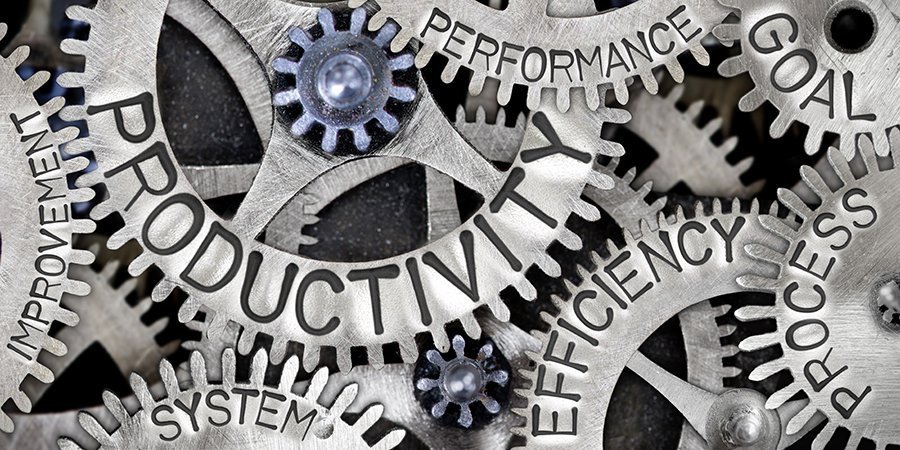
Improving the productivity of your maintenance team is one of the top goals of MPulse customers. But what is maintenance productivity—and how do you measure it? Maintenance directly affects the productivity of organizations. After all, if an asset isn’t working, it’s not producing. But maintenance productivity will look different to different organizations. What is Maintenance Productivity? Productivity is the rate of output per unit of input. In other words, if you have XX number of employees and use XX supplies or resources, you can produce XX products or services. Measuring productivity—and specifically maintenance productivity—depends on what’s important to you and your organization. For example, MPulse customer Ari uses billable hours to measure productivity. In his case, his maintenance team is serving external customers who pay for the services they use. Maintenance techs aim for an 80 percent billable rate—which means 80 percent of their time is directly billed to customers, while 20 percent is breaks, vacation, training, etc. But productivity can be any number of things, including… Operating hours Equipment uptime Cost control Time or cost savings Asset life cycle Quality Reduction in risk, safety, or environmental impact Whatever maintenance productivity means to you, CMMS software can help you with maintenance productivity and performance measurements. How CMMS Software Measures Maintenance Productivity [related-content] Whatever you decide to measure, CMMS software gives you the tools you need to determine if your maintenance team is doing the right things to support or improve productivity—and if they’re doing those things correctly. This way you will be able to measure maintenance effectiveness. For example, Ari uses his CMMS data to identify if his team has what they need to do their jobs—such as the right training, the correct tools or equipment, the necessary time to complete their tasks, and the right materials to do the job. Ari also measures planned versus unplanned maintenance and number of “comebacks”—or work that needs to be redone because something wasn’t fixed completely the first time. He also looks at wrench time versus billable hours to see if his team is producing what they should be. And, finally, Ari compares the actual time his team members take to complete specific maintenance tasks, and then compares it to benchmarks using MPulse’s maintenance productivity software. Over time, he can see if his team is performing these tasks faster, indicating that maintenance productivity is improving. Related Article: How Are Your Maintenance Management Goals? How do you measure maintenance productivity, or how do you want to measure it? Leave a comment or contact us. We can help.
Maintenance Key Performance Indicators You Need to Know
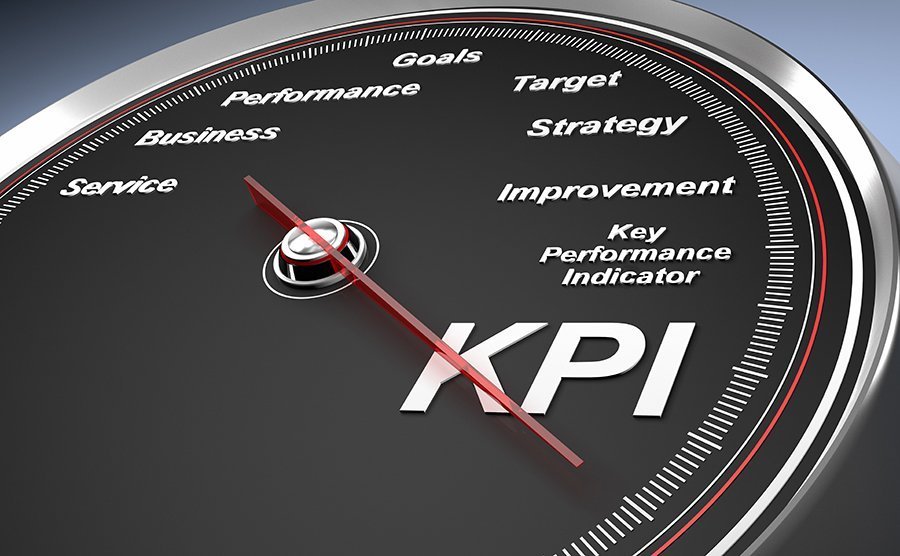
If there’s one thing we love here at MPulse, it’s watching new customers discover what CMMS software can do to improve their maintenance operations. MPulse customer Ned described it as: “Using MPulse will tell a story that the others don’t even know is there to be told.” Your maintenance story is unique, and MPulse helps you find it via your key performance indicators (KPIs). KPIs evaluate your success in the areas you care about, giving you a new level of insight on what’s going on in your department. Knowing KPIs for application support and maintenance is crucial to reaching your teams goals. What Key Performance Indicators Should I Track? Maintenance managers should concentrate on the KPIs that measure their goals, whether that is… Reducing downtime Decreasing costs Preventing equipment failures Finding bottlenecks Expanding planned maintenance programs Tracking time or inventory Fine-tuning schedules Improving efficiency and productivity Six Important KPI’s For Maintenance CMMS software uses the data gathered in every work order to create meaningful KPIs that tell you about the effectiveness of your maintenance strategies. For example, six maintenance KPIs that most MPulse customers find handy include… Planned Maintenance Percentage: the percentage of the total hours spent on PM maintenance activities over a specific period Preventative Maintenance Compliance (PMC): the percentage of scheduled PM tasks that get done in a specific time interval Mean Time to Repair (MTTR): the average time to evaluate and repair failed equipment Mean Time Between Failures (MTBF): the predicted time between failures of an asset during normal operation Overall Equipment Effectiveness (OEE): the percentage of manufacturing time that is truly productive Maintenance Backlog: the percentage of uncompleted tasks Related Article: Five Steps to Help You Tackle Your Maintenance Backlog These maintenance KPIs are common, but you can track many more in MPulse Maintenance Software. Over time, MPulse helps you pinpoint trends and determine what areas need more attention. You also can create benchmarks to measure current performance against historic performance or goals. Your organization’s story is going to be different than anyone else’s story, and that’s true for the KPIs you want to track as well. Find your maintenance story. Contact us today.
Has COVID-19 Changed OSHA Regulations for Your Business?

Many businesses are on the front lines of the COVID-19 pandemic. A new OSHA guidance for industries related to COVID-19 can apply to obvious organizations like healthcare facilities and retail, and not-so-obvious ones like manufacturing, service providers, and offices. While states may have different guidelines, OSHA has issued temporary enforcement guidance related to COVID-19. New COVID-19 Workplace Safety Guidance from OSHA COVID-19 can be a recordable illness if a worker is infected as a result of performing their work-related duties. However, employers must record cases of COVID-19 only if all of the following are true: The case is a confirmed case of COVID-19. (Refer to the CDC for the latest information on persons under investigation and presumptive positive and laboratory-confirmed cases of COVID-19.) The case is work-related (as defined by 29 CFR 1904.5). The case involves one or more of the general recording criteria set forth in 29 CFR 1904.7 (e.g., medical treatment beyond first aid, days away from work). Guidance on Preparing Workplaces Preparing workplaces to new OSHA guidelines requires maintaining records in accordance with current standards. Using CMMS software to log employee incidents properly allows you to present the solid documentation that OSHA demands. OSHA recordkeeping requirements mandate employers must record certain work-related injuries and illnesses on their OSHA 300 log (29 CFR Part 1904). Employers should also consult OSHA’s latest enforcement memos for recording cases of COVID-19. Other Related OSHA Regulations Other OSHA requirements apply to preventing occupational exposure to COVID-19. Among the most relevant are: OSHA’s Personal Protective Equipment (PPE) standards (in general industry, 29 CFR 1910 Subpart I), and, in construction, 29 CFR 1926 Subpart E), which require using gloves, eye and face protection, and respiratory protection when job hazards warrant it. When respirators are necessary to protect workers, employers must implement a comprehensive respiratory protection program in accordance with the Respiratory Protection standard (29 CFR 1910.134). The General Duty Clause, Section 5(a)(1) of the Occupational Safety and Health (OSH) Act of 1970, 29 USC 654(a)(1), which requires employers to furnish to each worker “employment and a place of employment, which are free from recognized hazards that are causing or are likely to cause death or serious physical harm.” OSHA’s Bloodborne Pathogens standard (29 CFR 1910.1030) applies to occupational exposure to human blood and other potentially infectious materials that typically do not include respiratory secretions that may contain SARS-CoV-2 (unless visible blood is present). However, the provisions of the standard offer a framework that may help control some sources of the virus, including exposures to body fluids (e.g., respiratory secretions) not covered by the standard. States may have other standards and enforcement programs, which should be at least as effective as OSHA’s requirements. However, these state standards may have different or more stringent requirements. Check with your state to make sure you’re following the latest guidelines. Have questions? Contact us. We’re here for you.
OSHA Regulations For Healthcare Facilities and Providers

Maintenance plays a major role in keeping medical equipment running smoothly and ensuring hospitals or clinic facilities are operating efficiently. That includes continuously striving to meet the growing demands of the U.S. Department of Labor’s Occupational Safety and Health Administration (OSHA) regulations. Luckily, they have help. CMMS software helps improve workplace safety and implement worker protections to reduce and eliminate hazards in healthcare facilities, thereby preventing future workplace injuries and illnesses. With a properly implemented CMMS solution, your organization can pass inspections and audits, and avoid OSHA violations in healthcare facilities. And you won’t have to scramble at the last minute to set things in order. Here’s how. OSHA Regulations for Healthcare Facilities MPulse customers use CMMS software to comply with OSHA standards by… Documenting safety training Publishing safety data as a reminder to employees Standardizing checklists for scheduled inspections Creating a paper trail showing preventive measures Updating safety procedures Detailing emergency procedures in case of a natural disaster or other incident Proactive action provides long-term benefits when it comes to health and safety. Here are the top OSHA violations in health facilities and how to avoid them. COVID-19 Healthcare facilities and providers are on the front line of the COVID-19 pandemic. OSHA has issued temporary enforcement guidance related to COVID-19, which is a recordable illness if a worker is infected as a result of performing their work-related duties. Using CMMS software to log employee incidents properly and to maintain records in accordance with OSHA’s current standards allows you to present the solid documentation that OSHA demands. Hazards In addition to COVID-19, risks to healthcare workers include hazardous chemicals or drugs, as well as bloodborne pathogens such as HIV, Hepatitis B, and C. Employers must make information about the identities of these hazards available and understandable to workers. For example, drug manufacturers and importers are required to evaluate the hazards of the substances they produce or import, and prepare labels and safety data sheets to convey the hazard information. Additionally, employers must ensure hazardous materials are labeled, provide safety data sheets for their exposed workers, and train them to handle them appropriately. Safety Training OSHA requires organizations to record and track safety training for employees. CMMS software helps you track health and safety data and resolve potential risks before outside auditors do, such as who’s had what training. Additionally, automated alerts notify maintenance managers when certifications will expire. Documentation Inconsistent record-keeping procedures are a common cause of OSHA citations and fines. CMMS data provides both the big picture and the little details, so your maintenance tasks are both visible and verifiable. Much of that documentation is also automated. And best of all, you can access the information in minutes, instead of spending hours or even days sorting through a paper filing system. Failure to Report OSHA requires most employers with more than 10 employees to keep a record of serious work-related injuries and illnesses. (Certain low-risk industries are exempt, and minor injuries requiring first aid only do not need to be recorded.) Employers must report any worker fatality within 8 hours and any amputation, loss of an eye, or hospitalization of a worker within 24 hours. Failure to report serious injuries is a significant OSHA violation. OSHA regulations for healthcare providers require documentation, particularly for creating procedures and recording maintenance activities. And there’s nothing better at documenting those tasks than CMMS software. [related-content] When you have solid data on your side, it makes it much easier to support your maintenance team and avoid OSHA violations. It’s in everyone’s best interest to be proactive about your employees’ health and safety. Have questions? Contact us.
Maintenance Triggers in University Facilities

University facilities require a great deal of communication between departments and teams, as well as a lot of (literal) ground to cover. As a result, university facility managers often feel constantly pulled in different directions. How are software maintenance tasks triggered at schools and university facilities? Here are five common maintenance issues, and how CMMS can help. Types of Maintenance Triggers Safety University facility maintenance teams are responsible for the safety of students, faculty, staff members, as well as their own safety. Additionally, maintenance professionals must quickly respond in an emergency, such as bad weather; unplanned breakdowns to a major facility asset, like an HVAC system; and smaller unplanned events. Safety requires a comprehensive preventive maintenance plan for schools to ensure manufacturers’ recommended maintenance tasks happen on time. All these safety issues require a lot of documentation, particularly for creating procedures and recording maintenance activities. Our customers use MPulse CMMS software to… Update safety procedures Document safety training Publish safety data as a reminder to employees Standardize checklists for scheduled inspections Create a paper trail showing preventive measures Detail emergency procedures in case of a natural disaster or other incident. Security University maintenance teams often are responsible for the security of the buildings and grounds they manage. MPulse creates a pass-down of information, so people know who has done what, as well as what needs to happen next when they come on shift. For example, MPulse Key and Lock Management helps maintenance teams manage and track keys as well as authorized users, reducing the problem of lost or misplaced keys. Additionally, you know who has which keys out and when they are scheduled to be returned, so your team spends less time searching for keys or following up with staff members. Vendors Facility teams often work with multiple vendors on maintaining school facilities. One of the biggest challenges is booking vendors to visit the site and complete PM tasks or repairs. MPulse’s scheduling capabilities give managers the ability to see which maintenance tasks are due and when, as well as keep track of the right vendor to call when the time comes. Additionally, MPulse’s work order management features made it easier to approve, assign, schedule, and manage maintenance done by both vendors and internal teams. Your team can also access maintenance manuals, internal documents, vendor websites, and more. All the information is stored within the asset record, so it’s easily accessible the next time around. Inventory University assets require parts and supplies to keep them operating in prime condition. MPulse’s asset management and tracking features keep tabs on everything from computers to security cameras to biometric readers and HVAC systems—and many of those assets require inventory. MPulse makes it easier to create an inventory control program. That includes monitoring inventory consumption by simply linking part usage to work orders. Your team also can easily check stock levels of any part or supply, as well as track and store vendor information. With MPulse, you know which parts are more beneficial to order on an as-needed basis, which ones you should keep on hand, and which ones need longer lead times. COVID-19 Preventive maintenance in schools has changed under COVID-19. Now maintenance teams must document completed tasks and inspections to prevent legal action, as well as support changing requirements for insurance companies. Preventing just one lawsuit more than makes up for the price of CMMS software. More than one university had its paper records become inaccessible during the pandemic as facilities closed. That’s why MPulse customers turned to their CMMS software to… Backup all data to a secure, off-site location Set up secure methods to access data off-site as necessary Maintain a list of equipment and assets Record information about manufacturers, warranties, and insurance policies Keep track of contact information for employees, vendors, emergency response personnel, etc. Support employees on shift during an event Access to this information is vital when you’re suddenly faced with a pressing need to assess what’s needed to reopen buildings and structures. Additionally, identifying which work orders are related to reopening in your CMMS software will help you quickly create the documentation you need when time is of the essence. Have questions? Contact us. We’re here for you.
Six Ways to Level Up Your CMMS Implementation
Once you’re up and running with MPulse’s basic features, it’s important to keep going to make the most of your CMMS investment. Take these six CMMS implementation steps to level up and streamline your company’s maintenance operations with MPulse. CMMS Implementation Guide 1. Automate Schedules Work order management features in CMMS software can automate schedules for both employees and contract workers. This information also eliminates lost information between shifts, reducing confusion and errors. 2. Employee Records MPulse Labor Resource Management can track all facets of your employee records: status, skill level, billing rate, contact information, and more. You can easily match employees or vendors to the assets they maintain and assign tasks accordingly. 3. Employee Performance Employee performance tracking helps you determine which employees are most efficient at which tasks. As a result, managers can balance the workload. By tracking repair times, you also can create benchmarks for your organization. 4. Labor Costs MPulse can help you accurately estimate labor hours for preventive maintenance (PM) tasks, making sure your staffing levels match the workload, and decreasing overtime costs. This type of labor cost analysis can determine when it’s more efficient to add more staff members, instead of paying more overtime. 5. Purchase Orders CMMS software can determine your current inventory levels and automatically generate purchase orders based on need, reducing purchasing overhead. You also can track parts to stock based on availability. For example, if a part has a three-week lead time, you can adjust stocking levels to make sure it is available when your staff needs it. 6. Equipment Life Cycle and Replacement Forecasting CMMS data helps organizations make effective replace-or-repair decisions. Maintenance software can track not only the age of the equipment, but the miles, hours, life-to-date repair dollars, and many other metrics—helping you decide when it becomes cheaper to replace an asset instead of repairing it. Like most successful investments, CMMS software benefits compound over time. As your data becomes more comprehensive, your organization becomes more efficient and the return on investment climbs. Following our CMMS implementation process helps you to capture key data and turn it into reliable information to help make cost-effective choices about asset management. With our easy-to-use CMMS software, MPulse customers reduce maintenance expenses, minimize downtime, extend equipment life and boost productivity throughout their organizations. Want more information? Contact us and put our experience to work for you.
OSHA Considerations For Auto Manufacturing

Automotive manufacturing companies must follow the U.S. Department of Labor’s Occupational Safety and Health Administration (OSHA) regulations that apply to their facilities and workforce. But OSHA doesn’t just protect your organization in an audit or inspection. It’s also in everyone’s best interest to be proactive about your employees’ health and safety. Here are common OSHA violations and regulations for auto manufacturers, and how MPulse can help. Equipment inspection and repair Automotive manufacturing facilities use a lot of equipment—including both common and industry-specific assets. Safety regulations for all this equipment requires documentation, particularly for creating inspection procedures and recording maintenance activities and repairs. The only way to prepare for OSHA inspections and audits is a proactive safety initiative supported by consistent documentation. That’s where CMMS software can help. For example, OSHA’s Control of Hazardous Energy standard, otherwise known as the “Lockout/Tagout” standard, is a common one for equipment found in auto manufacturing facilities. This standard outlines how to safely depower dangerous machines, including locking the machine in the “off” position and adding a tag with the name of the person who carries the key to the lock. Including these steps in an inspection checklist in MPulse is one way to make sure all procedures are followed correctly. Hazards Auto manufacturing uses a variety of hazardous materials. OSHA requires employers to make information about the identities and hazards of chemicals available and understandable to workers. Chemical manufacturers and importers are required to evaluate the hazards of the chemicals they produce or import, and prepare labels and safety data sheets to convey the hazard information. Additionally, employers must label hazardous chemicals, provide safety data sheets for their exposed workers, and train them to handle the chemicals appropriately. There’s nothing better at documenting those tasks than CMMS software. Documenting the materials, training and proactive steps taken in MPulse helps you avoid OSHA violations related to hazardous materials. Training OSHA requires organizations to record and track safety training for employees—something that requires a lot of administrative support. CMMS software helps you track health and safety data and resolve potential risks before outside auditors do, such as who’s had what training. CMMS software also helps with automated alerts that notify managers when certifications will expire. MPulse Labor Resource Management can track all facets of your employee records: training records, status, skill level, billing rate, contact information, and more. Plus, you can easily match employees or vendors to the assets they maintain, and determine the right training accordingly. Ergonomics Many tasks in auto manufacturing require training or proper equipment to avoid injuries related to ergonomics. Employees use power tools, bend and lift boxes or products, push carts or dollies, turn or bend hand tools, and reach overhead. If done incorrectly, serious injuries can result. CMMS software can help with checklists that detail safety codes. Plus, reminders to use extra equipment—like back braces or safety goggles—can help workers prevent mistakes and any related injuries. CMMS data from MPulse provides both the big picture and the little details, so your maintenance tasks are both visible and verifiable. And best of all, you can access the information in minutes, instead of spending hours or even days sorting through a paper filing system. Have questions? We have answers. Contact us.
Why Inventory Management For Parts & Supplies Is Crucial For Your Business
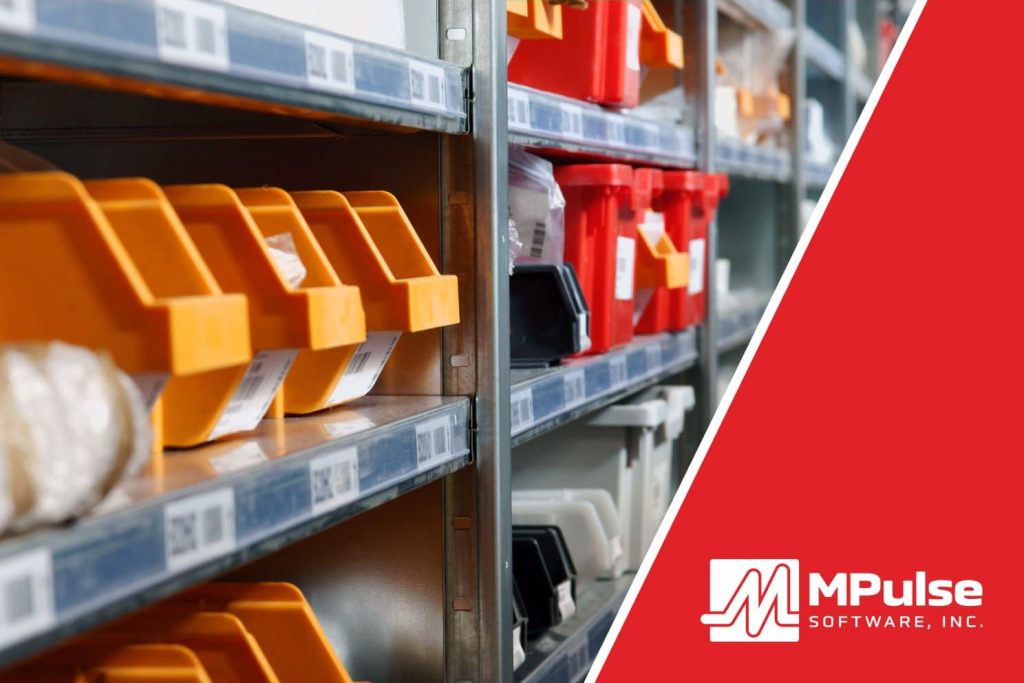
A lot of capital sits in your stockroom. Yet inventory management is consistently one of the most overlooked parts of maintenance management. Many organizations still simply order the parts they need when they need them. Maybe they even buy an extra one, which usually sits on the shelf, forgotten and unused. But, many organizations realized the importance of inventory management when COVID-19 hit in 2020. Suddenly shipping delays and limited supplies made it hard to get basic cleaning supplies, not to mention vital parts. Inventory management can help you prevent time- and money-wasting problems like running out of parts, searching for lost parts, or duplicating inventory you didn’t know you had. And CMMS can help. How Inventory Management Saves Time & Money Inventory Management can help quickly identify what you need for which piece of equipment. It helps your organization save time and money by improving tracking, stocking, ordering, and inventory processes. When an emergency arises, this information also provides critical data for making cost-efficient decisions. With CMMS software, you’ll know stocking levels, reorder points, storage locations, and supplier information with just a click. You can also track various units of measure for a single inventory item. For example, you might purchase oil by the barrel, but use it by the quart. Benefits of Using Inventory Management Software The biggest benefit of Parts and Supplies Inventory Management is controlling your cost of maintenance. Inventory Management Software gives you the ability to… Identify where parts or materials are stored, making it quicker and easier for staff members to find them and preventing duplicate orders because someone didn’t look in the right place. Enable coworkers to reserve certain parts, ensuring the right parts are available for a particular job. You can also track issue quantities for situations where you only have one part on hand when the job takes two. Control your stock based on need and availability, so the right parts are on the shelf, yet you can minimize other parts that are used less frequently. For example, if a critical part has a three-week lead time, you can adjust stocking levels to make sure it is available when your staff needs it. Track shipments, vendor performance and warranty information, including slow-moving parts to return to the vendor. That helps you control capital outlays on unused or underused parts and materials. Automate cyclical inventory counts, reducing the man hours needed and ensuring the parts or materials in the system are actually sitting on the shelf or in the parts bin. [related-content] Your organization can save time and money by improving tracking, stocking, ordering, and inventory processes. CMMS is the best tool you have for gathering, analyzing, and reporting data about your maintenance operations. Contact us to learn more.