Poorly managed maintenance requests cost facilities more than time. Missed work orders, duplicate tickets, and technicians dispatched to the wrong location all translate directly into higher labor costs, frustrated tenants, and equipment that fails before its time. Applying maintenance request workflow best practices gives facility and maintenance managers a structured path to reduce those losses. This article covers ten specific practices, the criteria that define an effective workflow, a practical comparison of benefits, and a step-by-step guide to getting started without disrupting your current operations.
Table of Contents
- Key takeaways
- What defines an effective maintenance request workflow
- 10 maintenance request workflow best practices
- Comparing the benefits and trade-offs of each practice
- How to start optimizing your maintenance request workflow
- My take on what actually separates good workflows from great ones
- How MPulse helps you put these practices into action
- FAQ
Key takeaways
| Point | Details |
|---|---|
| Centralize all intake | A single digital intake channel eliminates lost requests and cuts administrative overhead immediately. |
| Standardize categories and severities | Shared taxonomies across facilities allow consistent comparisons and earlier detection of recurring asset issues. |
| Automate dispatch with feedback loops | Automated routing that learns from technician performance data improves assignment accuracy over time. |
| Document every step with photos and timestamps | Complete audit trails protect against disputes and support compliance reviews. |
| Iterate using performance metrics | Tracking response times, closure rates, and SLA compliance turns workflow data into continuous improvement. |
What defines an effective maintenance request workflow
Before applying any specific practice, you need a clear picture of what a well-functioning workflow actually looks like. Not every facility has the same constraints, but the criteria below apply across industries.
A high-performing workflow shares these characteristics:
- Single intake channel. Accepting requests through multiple informal channels is a primary driver of inefficiency. One mandatory digital portal removes the need to consolidate emails, phone calls, and paper forms.
- Clear categorization and prioritization. Every request should be assigned a type and severity at the point of submission, not after the fact.
- Full audit trail. Every status change, assignment, and resolution should be logged with timestamps and supporting documentation.
- Integration with dispatch and communication systems. Requests should flow directly into technician scheduling without manual re-entry.
- Consistency across locations. If you manage multiple properties or facilities, the same taxonomy and process should apply everywhere.
Pro Tip: Before selecting any software, map your current workflow on paper first. Identify where requests go silent, where handoffs happen informally, and where documentation gets skipped. Those three points are your highest-priority fixes.
Consistency, not just speed, defines high-performing maintenance teams. Standardized taxonomies and severities enable better detection of systemic asset issues before they escalate into failures.
10 maintenance request workflow best practices
1. Centralize intake through a single digital portal
Every channel you add beyond one creates a gap where requests can fall through. A mobile app, a web portal, or a dedicated CMMS intake form all work. The key is that one channel is mandatory. Using a single intake channel drastically reduces administrative overhead and eliminates the lost requests that come from consolidating multiple sources.
2. Standardize request categories and severity levels
Without a shared taxonomy, one technician’s “urgent” is another’s “routine.” Define your categories (electrical, plumbing, HVAC, structural, safety) and severity levels (emergency, high, medium, low) in writing. Apply them consistently. Standardized taxonomies across properties enable consistent comparisons and help you identify systemic asset problems before they become failures.
3. Apply service level agreements to every priority tier
An SLA without teeth is just a suggestion. Assign specific response and resolution time targets to each severity level, and make those targets visible to both the requesting party and the assigned technician. When SLA breaches trigger automatic escalation alerts, managers can intervene before a minor delay becomes a major complaint.
4. Use automated dispatch and technician assignment
Manual assignment is slow and prone to favoritism or guesswork. Automated dispatch tools route requests based on technician availability, skill set, and location. Choice Home Warranty processes 1.3 to 1.4 million service calls annually using data-driven dispatch algorithms that continuously improve routing precision through post-job technician ratings. That feedback loop is the part most facilities overlook.
5. Document work with photos and timestamps at every stage
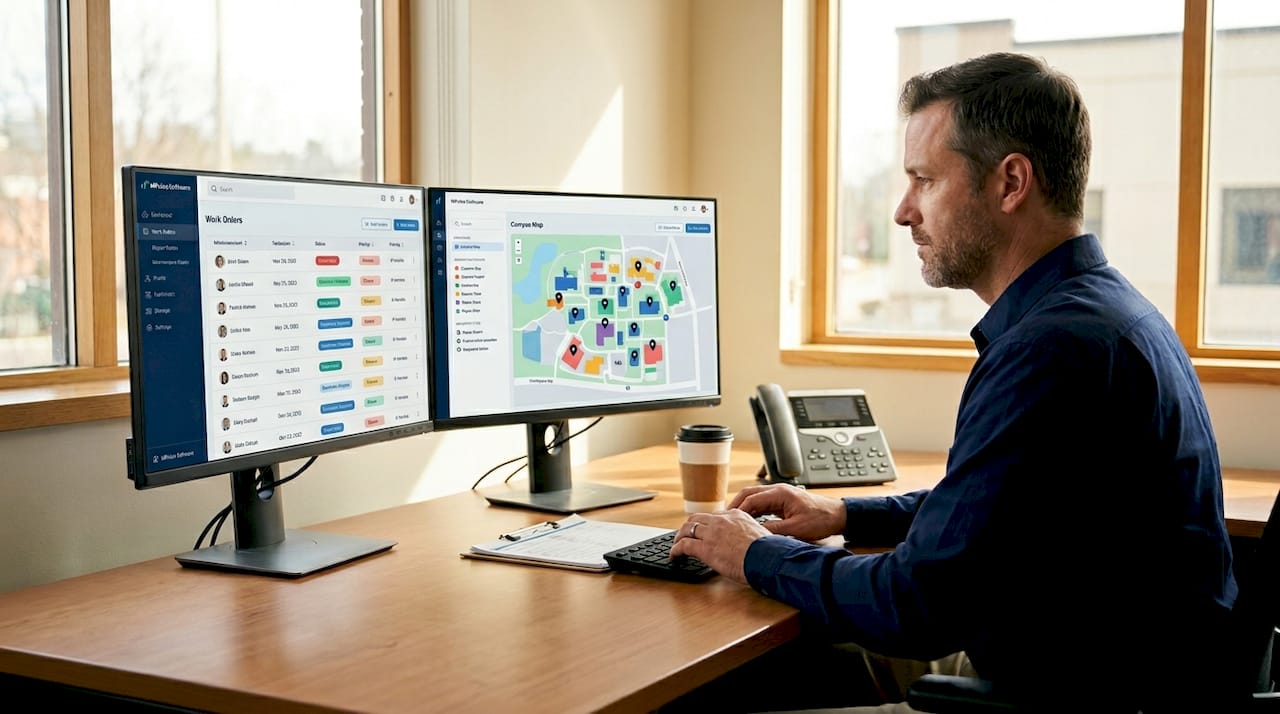
Documentation is not just a compliance formality. Maintaining a complete audit trail including photos, timestamps, and detailed descriptions protects against disputes, supports regulatory compliance, and gives managers the data they need to make informed decisions about aging equipment. Require technicians to upload before-and-after photos as a condition of closing any work order.
6. Perform verification and quality checks before closure
Closing a work order does not mean the work was done correctly. A structured verification step, whether a supervisor sign-off, a tenant confirmation, or a photo review, catches incomplete repairs before they generate a repeat request. Skipped verification is one of the most frequently cited causes of maintenance workflow failures and tenant dissatisfaction.
7. Send proactive status updates to tenants and stakeholders
Most tenant complaints about maintenance are not about the repair itself. They are about not knowing what is happening. Automated status updates at key milestones (request received, technician assigned, work in progress, work completed) reduce inbound inquiries and build trust. Real-time status updates and verification transform operational discipline and stakeholder experience simultaneously.
8. Apply AI-assisted triage and routing with human oversight
AI tools can classify urgency, flag duplicate requests, and suggest routing based on historical patterns. They are genuinely useful for high-volume operations. However, AI and structured workflows must be reviewed by humans for quality control. Automated triage handles volume; human judgment handles exceptions. Build that oversight into your process from the start.
Pro Tip: If you are evaluating AI-assisted tools, start with triage classification only. It is the lowest-risk entry point and delivers measurable accuracy improvements without requiring full workflow automation.
9. Track metrics and use data for continuous improvement
You cannot improve what you do not measure. The core metrics for any effective maintenance workflow include mean time to respond, mean time to repair, SLA compliance rate, first-time fix rate, and repeat request rate by asset. Linking each request to asset lifecycle history creates feedback for long-term capital planning that goes well beyond day-to-day operations.
10. Build a separate emergency workflow with clear escalation paths
Emergencies should never compete with routine requests for attention. A dedicated emergency workflow with its own intake trigger, automatic escalation to on-call staff, and a defined response protocol keeps critical situations from getting buried in a general queue. Test this workflow at least quarterly to confirm it functions as designed.
Comparing the benefits and trade-offs of each practice
Not every practice delivers equal value at equal cost. The table below helps you prioritize based on impact and implementation effort.
| Practice | Primary benefit | Implementation effort |
|---|---|---|
| Single intake channel | Eliminates lost requests | Low. Requires policy change and staff training. |
| Standardized categories | Enables cross-facility comparison | Low. Requires taxonomy definition and documentation. |
| SLA assignment | Reduces response time variance | Medium. Requires SLA design and escalation configuration. |
| Automated dispatch | Improves assignment accuracy | Medium to high. Requires software integration. |
| Photo and timestamp documentation | Supports compliance and dispute resolution | Low. Requires technician habit change. |
| Verification before closure | Reduces repeat requests | Low. Requires process change and manager oversight. |
| Proactive status updates | Increases tenant satisfaction | Medium. Requires communication automation setup. |
| AI-assisted triage | Handles high-volume classification | High. Requires tool selection, training data, and oversight. |
| Metrics tracking | Drives continuous improvement | Medium. Requires dashboard setup and review cadence. |
| Emergency workflow | Protects critical response times | Medium. Requires protocol design and testing. |
The practices with the highest ratio of impact to effort are the single intake channel, documentation requirements, and verification before closure. These three alone address the most common causes of delayed triage, incomplete assignment documentation, and skipped verification that drive workflow failures. Start there before investing in automation.
How to start optimizing your maintenance request workflow
Knowing the best practices is one thing. Putting them into motion without disrupting your team’s daily operations is another. The following steps give you a practical sequence.
- Audit your current workflow first. Map painful handoffs and identify where requests go silent, where documentation gets skipped, and where assignments are made informally. This audit takes a day and saves months of misdirected effort.
- Select one intake platform and define your taxonomy. Choose a CMMS or digital portal that your team will actually use. Define your request categories and severity levels before going live, not after.
- Train staff and set clear expectations. Workflow changes fail when staff revert to old habits under pressure. Run a short training session, document the new process, and designate a point person for questions during the transition.
- Pilot automated triage or dispatch on a subset of requests. Start with one facility or one request category. Measure accuracy and gather technician feedback before expanding.
- Set up your metrics dashboard from day one. Even a basic spreadsheet tracking response times and SLA compliance gives you a baseline. You cannot identify improvement without a starting point.
- Review data monthly and adjust. Schedule a recurring review with your team leads. Use the data to identify bottlenecks and refine your process incrementally.
Pro Tip: Fragmented and invisible handoffs cause more maintenance failures than any other single factor. Targeting those specific transitions with digital fixes yields better results than attempting a full system overhaul at once.
My take on what actually separates good workflows from great ones
I have seen facilities invest in expensive CMMS platforms and still struggle because the underlying process was never fixed. The software did not cause the problem, and it could not fix it either.
The most common failure I observe is fragmented intake. Teams accept requests by phone, text, email, and sticky note simultaneously, then wonder why things get lost. The fix is not technical. It is cultural. Someone with authority has to say “this is the only channel” and hold the line when people push back.
The second failure is documentation that exists only on paper. Photos and timestamps stored in a technician’s phone or a paper binder are useless for compliance, disputes, or capital planning. The moment that documentation lives in a searchable, time-stamped digital record, it starts generating value beyond the individual work order.
What I have found genuinely moves the needle is incremental integration. Mapping workflow transitions and fixing the most painful handoffs first produces faster, more durable results than replacing your entire system at once. Teams adapt better, errors surface sooner, and you maintain operational continuity throughout the change.
Finally, communication is underrated as a workflow metric. Teams that send proactive updates see fewer inbound calls, fewer escalations, and higher satisfaction scores. It costs almost nothing to automate a status message. The return on that investment is disproportionate.
— Mark
How MPulse helps you put these practices into action
Knowing what to fix is only part of the challenge. Having the right tools to execute and sustain those changes is what produces lasting results.
Mpulsesoftware is built specifically for facility and maintenance teams that need to move from reactive, fragmented workflows to structured, data-driven operations. The platform centralizes request intake, automates work order dispatch, and tracks every status change with timestamps and photo documentation. Its real-time reporting gives managers the metrics they need to monitor SLA compliance and identify recurring asset issues before they escalate.
With CMMS implementation services designed to match your facility’s specific workflows, Mpulsesoftware reduces the friction of adoption. The platform also supports equipment inventory tracking integrated directly with your maintenance history, giving you the asset lifecycle data that informs smarter capital planning. Over 3,500 customers globally have used Mpulsesoftware to achieve up to 40% efficiency improvements. Explore what the platform can do for your operation at mpulsesoftware.com.
FAQ
What is the most important maintenance request workflow best practice?
Centralizing all requests through a single digital intake channel is the highest-impact starting point. It eliminates lost requests and removes the administrative burden of consolidating multiple informal channels.
How do SLAs improve maintenance request management?
SLAs assign specific response and resolution time targets to each priority level, creating accountability and triggering automatic escalation when deadlines are missed. This reduces response time variance and keeps critical issues from being delayed.
When should AI be used in maintenance triage?
AI is most useful for classifying request urgency and flagging duplicates in high-volume environments. Human oversight remains necessary to handle exceptions and verify accuracy, particularly for safety-critical or compliance-related requests.
How do you measure maintenance workflow performance?
The core metrics are mean time to respond, mean time to repair, SLA compliance rate, first-time fix rate, and repeat request rate by asset. Tracking these consistently over time reveals bottlenecks and confirms whether process changes are producing results.
What causes most maintenance workflow failures?
Delayed or fragmented triage, incomplete assignment documentation, and skipped verification steps are the most frequently cited causes of workflow failures and tenant dissatisfaction. Addressing these three areas produces the fastest measurable improvement.