I planned my whole schedule today—a list of tasks and plenty of time to complete them all.
Guess how many I finished?
Yep. Zero.
It wasn’t because I didn’t do anything. It was because my phone started ringing.
Maintenance managers know what I’m talking about. Stuff happens. Emergencies come up. And we’ve all re-prioritized tasks based on who’s yelling the loudest.
But as more maintenance departments move from a reactive to a proactive maintenance strategy (thanks to CMMS software), there’s less yelling because preventive maintenance means fewer emergencies and breakdowns.
However, prioritizing your maintenance tasks becomes even more important. You want to get the important stuff done first, of course. However, you don’t want other things to slip through the cracks.
So how do you prioritize your maintenance tasks?
Table of Contents
The Four Levels of Maintenance Tasks Priorities
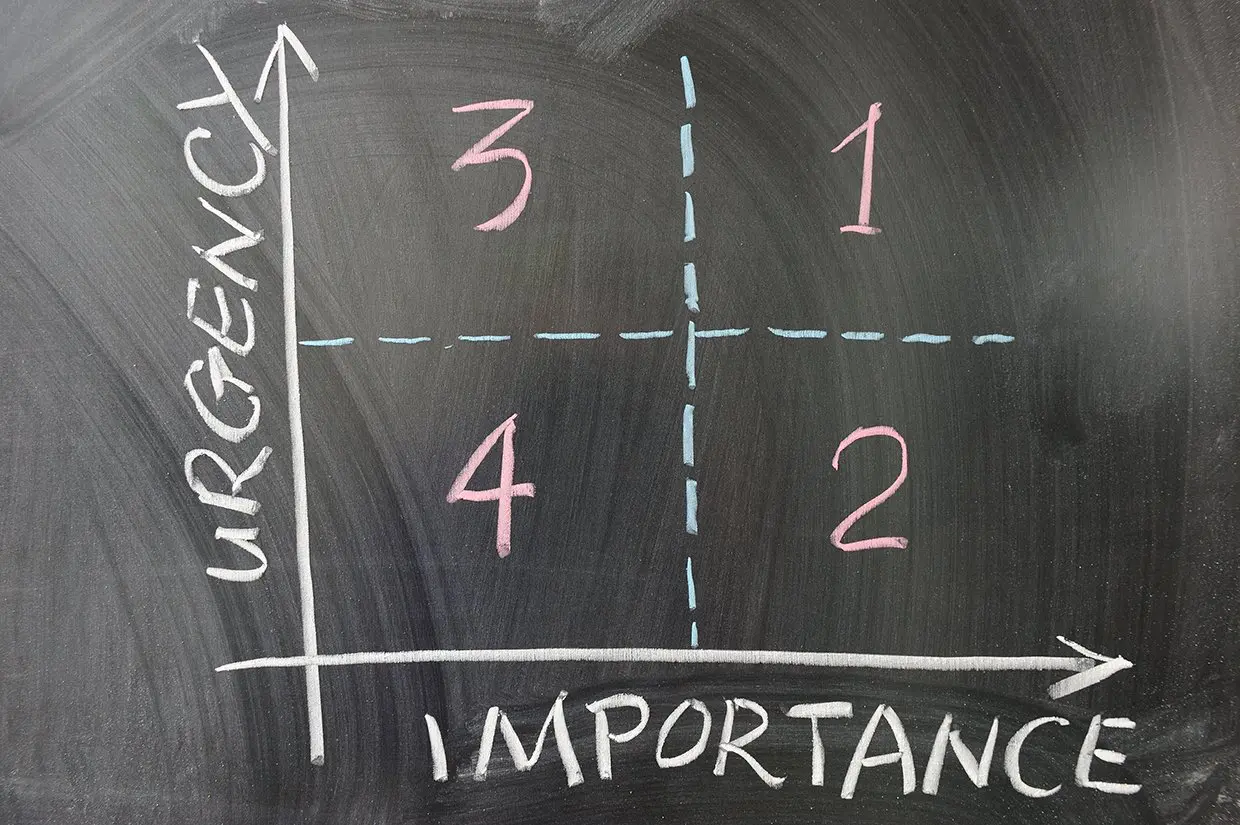
I start by categorizing maintenance tasks into one of four categories:
- Emergency tasks are urgent health/safety problems or operational disruptions. Some examples include loss of power or water supplies, HVAC failure, natural disasters, fire, key asset breakdowns, and major security problems. Obviously, those immediately go to the top of the list, no matter how long that list is.
- Next, you have high-priority tasks that will directly affect operations in the near future. These might include leaking roofs, high-use equipment that is not performing well, repairs to key assets, and safety inspections.
- Then comes the medium priority tasks, which typically include preventive maintenance schedules. These tasks will affect operations eventually and need to be performed to maintain optimum production. Examples include replacing filters, changing oil, checking belts, scheduling vendor services, etc.
- Last but not least, maintenance teams always have low-priority requests or tasks that need to be done as fill-in work but are not vital to day-to-day operations. These tasks might include non-critical repairs, furniture installation or replacement, decorative painting, etc.
| Priority Level | Definition | Typical Examples | When It Should Be Done |
|---|---|---|---|
| Priority 1: Emergency / Critical | Tasks that pose immediate safety risks, cause production stoppage, or threaten asset failure. | Safety hazards, equipment breakdowns, leaks, electrical faults. | Immediately on same shift, often before anything else. |
| Priority 2: High Priority | Tasks that significantly impact operations or asset health but aren’t emergencies. | Overdue PMs, issues that could become failures, compliance-related tasks. | Within 24–72 hours, depending on risk and resources. |
| Priority 3: Medium Priority | Tasks that improve performance or reliability but have low operational impact. | Minor repairs, adjustments, non-urgent PMs, cosmetic issues. | Scheduled during normal workload or next available window. |
| Priority 4: Low Priority / Nice-to-Have | Tasks that don’t affect safety or operations and can be delayed without consequence. | Painting, labeling, minor housekeeping, low-impact upgrades. | As time allows, often grouped with other tasks. |
Calculate the Value of Maintenance
Obviously, emergencies and breakdowns take precedence. But what about the rest?
It’s not as simple as going down the list in order from high to low. Maintenance operations are far more complicated than that. Maintenance managers can start by understanding the value of each maintenance task.
When I prioritize tasks, I’m looking at four things…
- Value to my organization
- Time to complete
- Proximity and/or location
- Potential loss if not completed.
I use these four things as a proportional tool to figure out what needs to happen when.
Obviously, value to the organization is a big part of the equation. You want to prioritize tasks on key assets that directly affect your operations.
Next, estimate how much time each task will take. CMMS software provides historical information about time and costs, which will give you the information you need to make data-driven decisions. But if you’re new to the CMMS world, make an educated guess.
Then, consider the proximity and/or location where the tasks take place. This factor is particularly important for organizations with large facilities, multiple locations, or off-site assets.
Finally, consider the potential impact if not done. For example, what happens if you don’t change a component on time and the failure disrupts maintenance operations.
You want to keep those lower-priority tasks from becoming high-priority or emergency situations. So how do you decide what to tackle first?
I use a prioritization matrix. This simple scoring tool also helps maintenance teams rank work orders using consistent criteria. Instead of relying on gut instinct, the matrix provides a numerical score that shows which tasks should rise to the top.
How the Matrix Works
I evaluate each task across several factors. For each factor, you assign a:
- Score (typically 1–5)
- Weight (how important that factor is relative to the others).
You multiply the score by the weight to get a weighted score. Next, add all weighted scores together to get the task’s total priority score. Higher scores indicate higher priority.
Common Factors in a Maintenance Prioritization Matrix
You also want to consider the following factors when prioritizing maintenance tasks:
- Asset Criticality: How essential the asset is to safety or operations
- Risk of Delay: What happens if the task is postponed
- Time to Complete: Short tasks may be bumped up as quick wins
- Proximity / Efficiency: Whether the technician is already near the asset
- Safety or Compliance Impact: Whether the task reduces risk or meets regulatory requirements.
Example of a Prioritization Matrix
This example shows how a prioritization matrix works.
| Factor | Score (1–5) | Weight | Weighted Score |
|---|---|---|---|
| Asset criticality | 5 | 0.4 | 2.0 |
| Time to complete | 3 | 0.2 | 0.6 |
| Proximity | 4 | 0.1 | 0.4 |
| Risk of delay | 5 | 0.3 | 1.5 |
| Total | — | — | 4.5 |
A total score of 4.5 indicates a high-priority task. It’s not an emergency, but it should be scheduled soon to prevent operational or safety issues.
This approach reduces arguments about what teams should do first, helps planners justify decisions to leadership, keeps technicians focused on the highest‑value work, and prevents low‑impact tasks from clogging the schedule. It also works effectively inside a CMMS, especially when automated.
How Do I Prioritize Maintenance Tasks?
Let’s look at some real-world scenarios.
Combining Tasks. A key asset needs a major repair. Your tech is working on the same components that have a PM scheduled for next week. The equipment is disassembled, meaning it’s easier to access areas for lower priority tasks that don’t take a lot of time. It makes sense to do those other repairs or PMs at the same time, even though those tasks might be farther down on the list.
Off-Site Visits. Your techs visit an off-site facility infrequently. A high-priority task appears on the schedule, and your crew will travel to this site. It makes sense to take the extra time to perform maintenance on other equipment at the site, saving another trip later.
Waiting for Parts. Your tech needs a part. There’s an hour to kill before the part is delivered. He checks his work order assignments, and he sees he doesn’t have enough time to dig into another high priority task before he’ll get pulled back to his original task. But while he waits, he knocks off a few quick work orders that don’t take a lot of time.
It’s a lot to track.
But CMMS software can help.
How Can CMMS Software Help?
Once, you probably kept a written list on your desk, or maybe a spreadsheet on your computer. I sure did.
But those old methods take up a lot of time and certainly don’t help you or your team work efficiently, much less keep everyone on the same page.
And that’s where CMMS software can help.
Let me use a very simple example from my own experience. I used to keep detailed maintenance schedules written down on paper. It was a complicated, but thorough system. It also took a lot of time to keep updated. It took even more time to share it with my colleagues who needed to know what was going on.
CMMS software freed up my time and my mind. Reminders popped up when I needed them. Continuous schedules were easy to create. And if I had questions, my maintenance data had answers—answers for questions like…
- How much am I spending to repair that asset?
- Is it more cost effective to repair or replace it?
- Is my team behind on scheduled tasks?
- Should I hire another staff member?
- Where is the money going?
Best of all, my CMMS software created a repository of maintenance information. That means I can ask different questions in the future, including ones I didn’t think about earlier.
You Don’t Know What You Don’t Know
Maintenance reporting software makes asset information, historical data, vendor information, media files, and other details easily accessible to the people who need it. (Even better, if you’ve made the move to mobile, your team can easily find this information while they’re in the field or on the shop floor.)
With good data to work from, my crew could make good decisions. And I know it improved my company’s ability to compete.
Maintenance software helps you stay on top of your growing to-do list. Because the less time you spend making lists, the more time you can dedicate to more important things, like getting those tasks done.
Combine Maintenance Tasks When It Makes Sense
Combining tasks works well to save time and reduce travel. However, grouping work also may increase risk or cost. Avoid combining tasks when:
- Safety or compliance rules require a specific sequence such as lockout/tagout steps, inspections that must be performed alone, or warranty-protected procedures.
- One task requires the asset to be shut down while another requires it to be running, creating scheduling conflicts or unsafe conditions.
- A high-priority or emergency task would be delayed by waiting to bundle it with other work.
- The tasks require different skill sets or certifications, which can slow down completion or introduce errors.
- The combined workload exceeds the planned downtime window, leading to rushed work or incomplete tasks.
Next Steps
Have questions about how to prioritize maintenance tasks? Contact us. We’re here for you. Or get a free trial of MPulse CMMS software.
Frequently Asked Questions
How do you prioritize maintenance tasks in CMMS?
Most CMMS platforms let you assign priority levels, automate PM schedules, and sort work orders by asset criticality, due date, or risk. This approach ensures the most important tasks rise to the top.
What factors determine maintenance task priority?
Common factors include asset criticality, safety risk, operational impact, time to complete, technician availability, and the potential cost of delaying the task.
How do you prevent low‑priority tasks from becoming emergencies?
Use preventive maintenance schedules, monitor asset condition, and review backlog reports regularly to catch issues before they escalate.
What’s the difference between urgent and high‑priority tasks?
Urgent tasks require immediate action due to safety or operational risk. High‑priority tasks are important but may not require same‑day attention.