
How to Choose the Right Work Order Management Software for Your Business
If your business relies on equipment, facilities, or other assets that need maintenance, it’s essential to keep them running smoothly. When machines break down or jobs fall through the cracks, it can cost time, money, and trust. That’s where work order management software can help. CMMS helps track maintenance tasks, manage assets, schedule work, and keep detailed records in one place. But with so many options on the market, how do you choose the right one for your business? This simple guide will help you make a smart, confident choice. What Work Order Management Software Does Work order management software is designed to help you plan, track, and complete maintenance tasks efficiently. Whether you’re managing a manufacturing line, a fleet of vehicles, or a public facility, work order management software ensures that nothing slips through the cracks. A good CMMS platform goes beyond tracking work orders. It also keeps a full history of repairs, tracks spare parts, manages schedules, and even generates reports that help you spot problems early. Instead of relying on paper forms or spreadsheets, everything is stored digitally. As a result, your team can find and update data easily. Seven Steps to Choose the Right Work Order Management Software Step 1: Identify Your Biggest Challenges Before shopping for software, think about your current pain points. Ask yourself: The right CMMS should solve your specific problems. For example, if downtime is your biggest issue, look for a system with strong preventive maintenance tools and automated reminders. If communication is a problem, find one with mobile access and real-time updates. Step 2: Look for the Must-Have Features Not every CMMS offers the same tools. When comparing options, make sure the work order management software includes the following key features: Step 3: Think About Ease of Use Even the most powerful CMMS won’t help if your team finds it confusing. Look for a system with a clean, intuitive interface. Many vendors offer free demos or trials. Take advantage of them. During your trial, test how easy it is to: If your technicians and managers can learn the basics quickly, that’s a great sign. Step 4: Consider Scalability and Support Your needs today may not be the same in a year or two. Choose a CMMS that can grow with your business. Scalable software should allow you to add more users, assets, or sites without major costs or downtime. Also, make sure the vendor offers strong customer support and training resources. Look for flexible help options, online tutorials, and quick response times. Good support can make a huge difference during setup and beyond. Step 5: Compare Pricing and Value Pricing for work order management software can vary widely. Some systems charge per user per month, while others charge a flat fee for unlimited users. There may also be extra costs for setup, training, or advanced features. When comparing prices, don’t just look for the cheapest option. Instead, think about value. How much time, money, and effort will the system save in the long run? A slightly higher cost may be worth it if it improves uptime, reduces waste, and helps your team work smarter. Step 6: Read Reviews and Ask for References Before making a final decision, read user reviews and ask the software vendor for customer references. Find out how other companies in your industry are using the system and what results they’ve seen. Reviews can reveal useful details about real-world performance, such as how reliable the mobile app is or how fast customer support responds. Step 7: Start Small, Then Expand Once you’ve chosen your CMMS, start with a pilot program. Test it in one department or location before rolling it out company-wide. This implementation process helps identify any issues early and gives your team time to adjust. Gather feedback from your technicians, managers, and administrators. Use what you learn to fine-tune your setup before expanding. Choose the Work Order Management Software that Fits Your Business Choosing the right work order management software is an investment in your business’s efficiency and reliability. A well-chosen CMMS can help you prevent breakdowns, lower costs, and keep your operations running smoothly. By taking time to understand your needs, compare features, and test your options, you’ll find a solution that fits your business perfectly. As a result, you can keep your equipment working, your team organized, and your customers happy. Get started today. Contact us.
Best CMMS Software in 2025
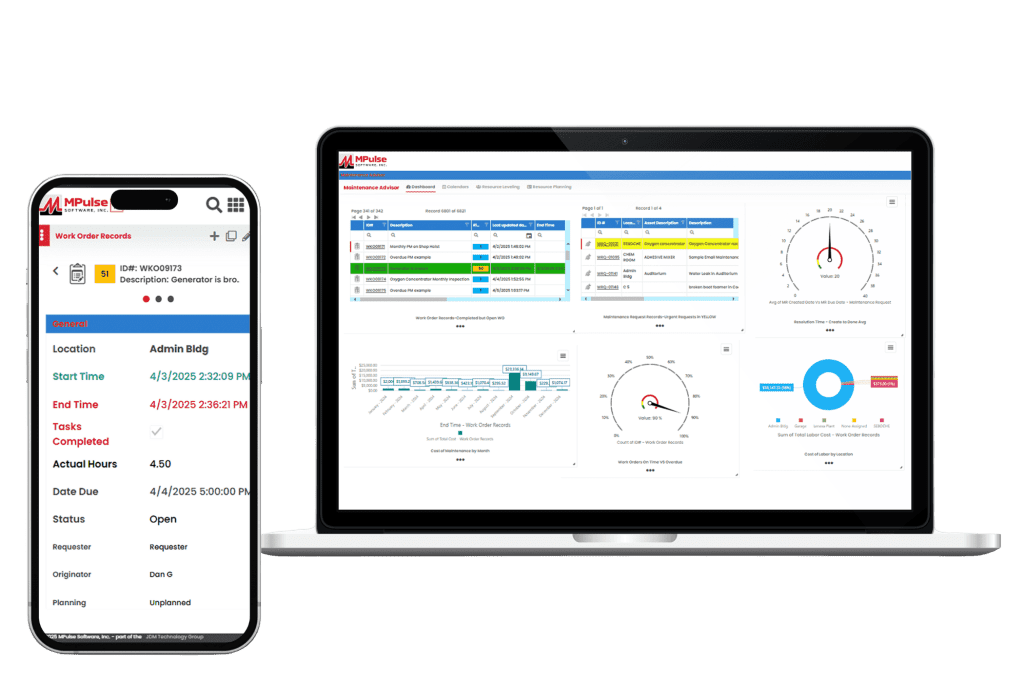
CMMS helps maintenance teams plan, track, and improve their operations. It handles everything from preventive maintenance scheduling and work orders to inventory tracking and performance reporting. As a result, your maintenance operations can get tasks done efficiently and easily measure the results. Most quality CMMS platforms include core features like work order management, maintenance scheduling, asset tracking, inventory control, reporting, and mobile access. These tools help teams prevent breakdowns, eliminate backlogs, manage parts, and control costs. The ultimate goal is to streamline operations and reduce downtime. Whether you’re transitioning from spreadsheets or replacing your current system, this in-depth comparison will help you choose the right solution. 1. MPulse CMMS Top Features Biggest Benefits MPulse CMMS is designed to help organizations of all sizes streamline their maintenance operations, improve asset reliability, and reduce downtime. What Do Users Like About MPulse? Users highlight MPulse’s balance between functionality and user-friendliness. The system’s adaptability to different industries and strong reporting tools make it a favorite for organizations seeking both flexibility and depth in their CMMS solution. Many recommend purchasing one of MPulse’s affordable implementation services to streamline the process even further. “MPulse has been instrumental in helping us transition from reactive maintenance to a proactive approach. The scheduling and tracking tools are excellent, and the reporting gives us clear visibility into our maintenance costs.” – James K. on Capterra “What I appreciate most is that MPulse can grow with your organization. It’s easy to start small and add modules or integrations as your needs expand. The support team is also responsive and knowledgeable.” – Verified User in Manufacturing on G2 “MPulse makes it easy to organize maintenance work and asset data. The ability to customize fields and workflows means we can tailor the software to fit how we operate instead of the other way around.” – Sarah M. on G2 Pricing MPulse offers flexible pricing tiers depending on deployment type (cloud or on-premises), number of users, and selected modules. Plans generally start around $49 per user per month, with additional costs for advanced features like predictive maintenance, API access, and enterprise reporting. A free demo and custom quote are available upon request. 2. Limble CMMS Limble CMMS is a cloud-based platform that helps organizations manage and improve their maintenance operations. With an solid interface and a range of practical features, it supports teams across industries in organizing workflows, reducing downtime, and maintaining asset performance. Top Features Why Users Like Limble CMMS Companies like G2, Capterra, Reddit, Software Advice, and more make it easy to hear from software users about their experience. Here are some of the most useful reviews. What Do Users Dislike About Limble CMMS? 3. Fiix CMMS Fiix CMMS is a cloud-based maintenance management platform that integrates AI and machine learning for maintenance efficiency and asset performance. Its interface and scalable design make it a strong choice for small to mid-sized businesses with distributed assets. Top Features What Do Users Like About Fiix? Users report that overall, Fiix is a useful tool for helping organize and execute maintenance and equipment servicing. They also report a good relationship with customer service and overall improved work order coordination across teams. What Do Users Dislike About Fiix? Reviewers note that there is room for improvement in the way the system facilitates communications with work requestors who don’t have user licenses. They also comment on the lack of customizability for some features. Pricing Fiix CMMS uses a tiered pricing structure, beginning with a free plan that covers essential maintenance functions, then expanding to paid tiers with more advanced capabilities. The Basic plan costs $45 per user per month, and the Professional plan is $75, both adding tools such as advanced scheduling, analytics, and reporting. For larger organizations with specialized needs, the Enterprise plan provides customized solutions with pricing available upon request. 4. UpKeep UpKeep positions itself as a mobile-first CMMS built to simplify maintenance and operations management for businesses of all sizes. Its interface and features enable users to manage work orders, track assets, and streamline maintenance activities from both mobile devices and desktops. Top Features What Do Users Like About UpKeep? UpKeep customers report it to be a significant upgrade from paper and manual processes, especially for the cost. They also appreciate its useability and visual appeal. What Do Users Dislike About UpKeep? While UpKeep is rated highly overall, some users report a lack of customizability, bugginess, and technical difficulties with some features. Pricing UpKeep offers a tiered pricing structure based on the number of users and the level of features needed. They do not offer a long-term free plan but do provide a 14-day free trial. Plans range from a “lite” level that includes basic maintenance management tools at $20 per user per month. Advanced options that include predictive maintenance, reporting analytics, and integrations can cost as much as $120 with additional products and add-ons like IoT connectivity for additional fees. 5. MaintainX MaintainX is a mobile-first CMMS that emphasizes the advantages of managing maintenance through its mobile app. It offers an interface and tools for handling work orders, performing inspections, and tracking assets from smartphones or tablets. The platform is geared toward organizations with distributed teams and frontline workers who need real-time access to information and tasks while on the move. Top Features What Do Users Like About MaintainX? MaintainX delivers the basics for its users, including an intuitive interface, real-time communication, and efficient work order management. Many report having a more organized and more mobile operation as a result of using the system. What Do Users Dislike About MaintainX? Smaller teams or startups may find that MaintainX’s pricing is higher for the features offered than some other solutions. Some users report occasional bugs or limited options for customization and integration with other tools. Pricing MaintainX provides four pricing tiers, starting with a free basic plan that includes unlimited work orders and messaging. The Essential plan, priced at $16 per user per month, adds features like recurring work orders and reporting. The Premium plan costs $49 per
Boost Profitability Through Smarter Facility Maintenance Strategies

Facility managers and building maintenance professionals know that one of the most effective ways to improve profitability is by controlling operational costs without compromising service quality. That’s where strategic facility maintenance planning comes into play. Whether you manage a single building or a portfolio of properties, streamlining your operations can lead to significant savings and improved tenant satisfaction. Here are three powerful ways to make your building maintenance more productive, cost-effective, and future-proof. Invest in Energy Efficiency By reducing energy and water consumption, you can lower utility bills and appeal to environmentally conscious tenants. Energy-efficient buildings often command higher rents and longer lease terms, making them a smart investment for property owners and managers. There are two key categories of energy efficiency to consider. Passive Efficiency Passive energy efficiency focuses on infrastructure upgrades that reduce consumption without requiring ongoing effort. Examples include: While these improvements may involve upfront costs, the long-term savings can be substantial. Plus, many regions offer rebates or incentives for green upgrades, further improving your ROI. Active Efficiency Active efficiency involves changing how maintenance tasks are performed. Examples include: These practices not only reduce resource consumption but also extend the life of your equipment. Down the road that saves money on repairs and replacements. Implement CMMS Software CMMS software centralizes all your maintenance activities, from work orders to service requests, into a single digital platform. Here’s how CMMS software can elevate your facility maintenance operations: By implementing CMMS software, property managers gain greater control over their operations, reduce administrative overhead, and improve service delivery. Tenants benefit too, with faster response times and more transparent communication. Establish a Preventive Maintenance Program Fixing things when they break is a costly and inefficient approach. Instead, preventive maintenance (PM) helps you stay ahead of problems before they escalate into expensive emergencies. A well-designed PM program, powered by CMMS software, allows you to: Preventive maintenance reduces downtime, minimizes tenant complaints, and lowers the risk of major repairs. It also helps you forecast expenses more accurately, making it easier to maintain a healthy budget. Smarter Facility Maintenance Strategies Facility maintenance isn’t just about fixing leaks and replacing light bulbs. It’s a strategic function that directly impacts your profitability. By investing in energy efficiency, implementing CMMS software, and establishing a preventive maintenance program, you can control costs, improve service quality, and stay competitive. In a market where tenants expect responsiveness and sustainability, these strategies position your business as a forward-thinking, reliable partner. The time you spend planning today will pay off in smoother operations, happier tenants, and a stronger bottom line tomorrow. Want help getting started? Contact MPulse. Our experience can help you boost your profitability.
Why Investing in Facility Maintenance Services Pays Off
For organizations that own or manage buildings, investing in facility maintenance is often seen as a necessary expense. In reality, however, it’s a powerful long-term investment. When done strategically, maintaining your facilities can significantly reduce costs, extend asset life, and increase overall operational efficiency. The return on investment (ROI) from professional facility maintenance services goes far beyond avoiding breakdowns. It also contributes directly to safety, sustainability, and profitability. In this post, we’ll explore why investing in facility maintenance services pays off, how to measure ROI, and how tools like CMMS software make maintenance operations smarter and more cost effective. How Facility Maintenance Pays Off Facility maintenance keeps a building and its assets in peak working condition. These maintenance tasks include preventive maintenance, routine inspections, equipment repairs, and strategic asset management. The purpose of a facility maintenance program is to ensure safety, compliance, and efficiency while minimizing downtime and extending the life of valuable equipment. Improving facility maintenance services can transform daily operations and strengthen long-term ROI. The True Cost of Neglecting Building Maintenance It’s tempting to delay maintenance to save money in the short term. However, this approach almost always costs more later. Reactive maintenance can result in unplanned downtime, expensive emergency repairs, and even safety issues. Consider an HVAC system that receives no preventive care. A neglected air filter might lead to overworked motors, poor air quality, and higher energy bills. What could have been a simple, low-cost fix becomes a major repair or full system replacement. Studies consistently show that preventive facility maintenance costs far less than emergency repairs. According to industry benchmarks, every dollar spent on preventive maintenance can save up to five dollars in future repair and replacement costs. That’s a substantial ROI that directly impacts an organization’s bottom line. How Facility Maintenance Services Improve ROI Facility maintenance services deliver measurable financial benefits when executed strategically with CMMS software. Here’s how they increase ROI: The Long-Term Benefits of Proactive Facility Maintenance Investing in facility maintenance services is an investment in your organization’s future. By using CMMS software tools, organizations shift from a reactive approach to a proactive, data-driven facility maintenance strategy. As a result, you not only reduce downtime but also get the transparency needed to justify maintenance budgets and demonstrate ROI to stakeholders. A proactive maintenance strategy delivers lasting value by: When maintenance is planned and managed effectively, every dollar spent contributes to long-term performance, safety, and savings. Measuring ROI in Facility Maintenance To measure the ROI of facility maintenance, consider both direct and indirect benefits. Direct ROI includes measurable savings from reduced repair costs, extended equipment life, and lower energy use. Indirect ROI comes from improved uptime, fewer safety incidents, and enhanced tenant or employee satisfaction. By tracking metrics like work order completion times, maintenance costs per asset, and downtime hours, facility managers can clearly demonstrate how their maintenance programs contribute to the organization’s overall financial performance. Investing in Facility Maintenance = Strategic Advantage Too often, facility maintenance is treated as a background function rather than a strategic advantage. But when managed correctly, it becomes a key driver of efficiency, safety, and profitability. The ROI from investing in facility maintenance services is undeniable: fewer breakdowns, lower costs, longer-lasting assets, and improved compliance. Whether you manage a single building or an entire portfolio, prioritizing maintenance today means protecting your assets, your people, and your bottom line for years to come. Get started today. Contact us.
How CMMS in Facility Maintenance Improves Safety and Compliance

Keeping a building safe and up to code is one of the most important jobs for any facility manager. Whether it’s a school, hospital, office, or factory, people rely on these spaces to be safe, clean, and in good working order. But with so many schedules, inspections, and regulations, it can be tough to stay on top of everything. CMMS helps facility maintenance teams plan, track, and manage maintenance work. It doesn’t just save time. It also makes a big difference when it comes to safety and compliance. Let’s break down how. CMMS Helps Make Facility Safety a Priority Accidents often happen when small issues go unnoticed. Using CMMS in facility maintenance helps prevent issues by keeping track of maintenance tasks and scheduling reminders for maintenance teams. For example, if air conditioning unit in a school isn’t cleaned and serviced on time, it could spread dust, mold, or even break down in the middle of a heatwave. With CMMS, the system automatically creates a work order for routine cleaning and alerts the maintenance staff before the problem grows. By keeping equipment in good shape, facilities reduce risks like: When everything functions properly, the whole building becomes a safer place for the people inside. Staying Ahead of Compliance Every building has rules to follow. These regulations and compliance standards come from government agencies, safety boards, and industry groups. They might include fire safety codes, health inspections, or workplace safety standards from the Occupational Safety and Health Administration (OSHA). Failing to meet these standards can lead to big problems, like fines, lawsuits, or even being shut down. More importantly, it can put lives at risk. But CMMS can help. CMMS stores inspection dates and makes sure nothing is missed. Instead of relying on sticky notes, paper calendars, or memory, CMMS keeps all inspection dates in one place. It automatically schedules the next due date so teams don’t forget important tasks like fire alarm tests, elevator inspections, or water quality checks. You can keep records of all maintenance work for proof during audits. When inspectors ask for evidence, a CMMS makes it easy to pull up detailed reports. Every work order includes the date, technician’s name, and notes on the task. This process creates a digital paper trail that shows the facility followed the rules. Maintenance software sends alerts when compliance checks are due. CMMS doesn’t wait for someone to remember. It sends notifications ahead of time. That way, safety checks, certifications, and license renewals are never a surprise. Your team can track safety equipment tests. Items like fire extinguishers, sprinklers, and emergency lighting all have strict testing schedules. CMMS tracks when each test was last done and when it’s due again, making sure nothing slips through the cracks. Your organization can standardize procedures. With CMMS, managers can create step-by-step instructions for compliance tasks. As a result, every technician follows the same process, reducing mistakes and keeping work consistent across the whole team. CMMS provides digital access to regulations. Some CMMS platforms allow teams to upload compliance checklists or manuals directly into the system. That way, staff have the correct guidelines on hand while doing inspections. You can create easy-to-share reports. When leadership or inspectors need updates, CMMS can generate reports with a few clicks. These reports show proof of compliance and highlight areas that need improvement. Better Organization = Fewer Mistakes CMMS keeps everything in one central system. Work orders, inspection results, safety checks, and equipment manuals are all stored digitally. Everyone on the team can see what needs to be done and when. This ability reduces confusion and mistakes. For example, instead of three different people thinking someone else handled a fire extinguisher inspection, the CMMS shows exactly who did it, when it was done, and whether it passed or failed. Quick Response to Emergencies Even with great preventive maintenance, emergencies sometimes happen. When they do, a fast response makes all the difference. CMMS helps teams react quickly by allowing staff to submit emergency work orders from their phones, showing technicians where equipment is located and how to fix it, and tracking response times so managers can see how quickly problems are resolved. For example, if a water pipe bursts in an office, staff can immediately log it in the CMMS. The system alerts the right technician, who can see the repair history and get the job done faster. That prevents bigger damage and keeps the workplace safe. Creating a Culture of Accountability One of the biggest benefits of using a CMMS is accountability. When safety and compliance tasks are logged, tracked, and reported, everyone knows what they are responsible for. Managers can see which tasks are overdue, which ones are complete, and who handled them. Instead of rushing through jobs or skipping steps, technicians know their work matters to the bigger picture. Over time, this creates a culture where safety is not just a checklist, it’s part of daily operations. Long-Term Benefits of CMMS in Facility Maintenance Using a CMMS for safety and compliance isn’t just about avoiding accidents and fines today. It also builds long-term benefits for facilities. Benefit #1: Lower costs from fewer emergency repairs and legal issues. Emergency breakdowns are expensive. Not only do they require urgent labor and parts, but they often cause downtime that disrupts daily operations. On top of that, failing inspections or breaking safety rules can lead to fines or lawsuits. CMMS helps prevent these costs by scheduling preventive maintenance and keeping facilities in compliance, saving money over the long run. Benefit #2: Stronger reputation with staff, customers, and inspectors. People notice when a building is safe, clean, and well-maintained. Employees feel valued when they work in a safe environment, customers trust businesses that care about safety, and inspectors appreciate when a facility is organized and compliant. A good reputation builds confidence and strengthens relationships with everyone who interacts with the facility. Benefit #3: More reliable equipment that lasts longer and works better. Every piece of equipment has a lifespan, but proper