
Maintenance Work Order Software: What It Is and Why It Matters

When something breaks in a building, maintenance techs need to figure out what needs fixing, where to find it, and when to repair it. Today, many businesses, schools, hospitals, and property managers use maintenance work order software to make this process easier, faster, and more reliable. Let’s explore what maintenance work order software is, how it works, and why it’s such an important tool. What Is a Work Order? A work order is a job request that explains what needs to be done, like… In the past, people wrote work orders on paper. A manager would write the request, hand it to a technician, and then wait for the job to be finished. The problem? Teams misplace paper, skip details, and find it hard to track completed work. That’s why more organizations now use CMMS to create maintenance work orders. How Maintenance Work Order Software Works Maintenance work order software is a computer program or app that organizes repair and upkeep tasks in one place. Instead of using sticky notes, phone calls, or spreadsheets, everything is logged into the system. Here’s how it works: Maintenance work order software turns a confusing pile of papers into a neat, digital list that everyone can see and use. Why Is Maintenance Work Order Software Helpful? Maintenance work order software saves time, money, and stress. Some of the biggest benefits include: Features to Look for in Maintenance Work Order Software If an organization is thinking about getting maintenance work order software, here are some features that are especially useful: Together, these tools make maintenance smarter, not harder. They also reduce downtime, save money, and extend the life of buildings and equipment. Why Maintenance Matters More Than Ever At the end of the day, maintenance isn’t just about fixing things. It’s also about keeping spaces safe, comfortable, and functional for the people who use them. Whether it’s a student in a classroom, a patient in a hospital, or a family in an apartment, maintenance work order software helps make sure everything runs smoothly behind the scenes. As buildings and machines become more advanced, keeping track of maintenance tasks by hand is almost impossible. However, work order software takes away the guesswork and helps teams stay on top of everything. By moving away from paper and embracing CMMS tools, organizations can stay organized, fix problems faster, and even prevent them before they happen. In today’s world, where time and money matter, that victory means a lot. Have questions? MPulse can help. Contact us.
Building Maintenance Mistakes That Cost You Time and Money
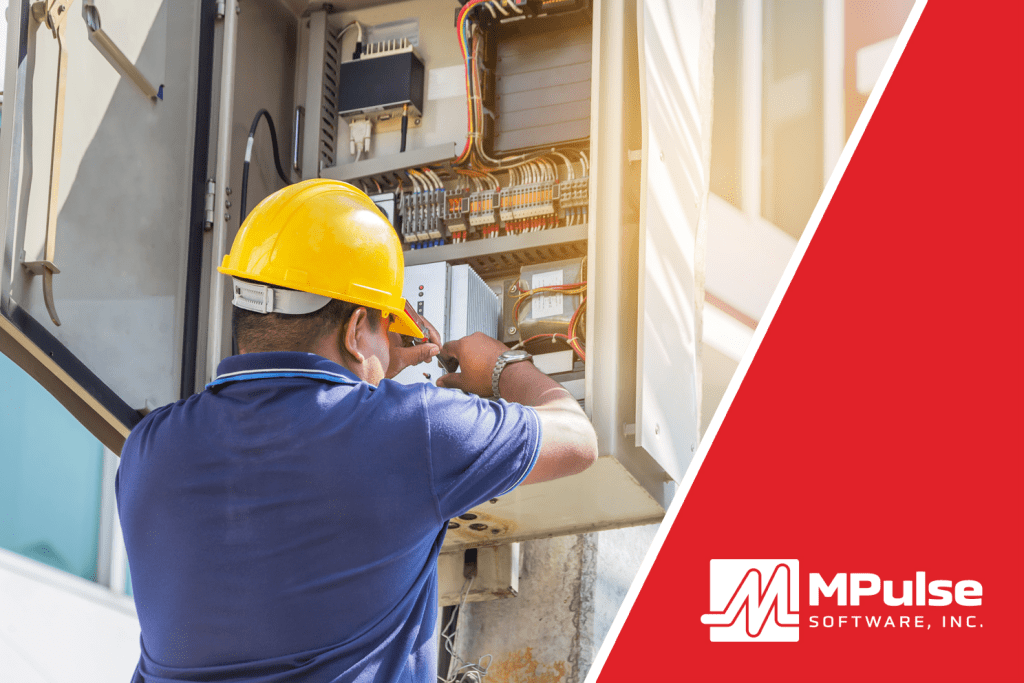
Building maintenance mistakes can cost a lot of time and money. If you don’t take care of systems like heating, air conditioning, plumbing, lights, and elevators, small problems can turn into big ones. And big problems cost a lot of time and money. Let’s look at some common building maintenance mistakes, and how to avoid them so everything runs smoothly and safely. Mistake #1: Waiting Until Something Breaks One of the most common building maintenance mistakes is waiting until something stops working before fixing it. We call this approach reactive maintenance. The problem? Waiting can lead to bigger damage. For example, if you wait to fix a leaking pipe, it could burst and flood a room. That’s a lot more expensive than just replacing a small part early. How to Avoid It:Do preventive maintenance by checking equipment regularly and fixing small problems before they become big ones. Use a schedule to make sure things like filters, belts, and fans get cleaned or replaced on time. Mistake #2: Not Keeping Records If you don’t keep track of when maintenance was done, you might forget important jobs. You could end up fixing the same problem more than once or missing something that needs attention. How to Avoid It:Document maintenance tasks in CMMS software like MPulse to record all work that gets done. Record the date, what was fixed, and who did the job. Keeping records helps you stay organized and gives you a history of each piece of equipment. Mistake #3: Ignoring Small Issues Sometimes, small issues like a strange noise in the air conditioner or a flickering light are ignored. But small problems often turn into bigger ones. A weird sound could mean a motor is wearing out. A flickering light might mean bad wiring. How to Avoid It:Pay attention to the small signs. Have workers or building users to report anything unusual via service requests. Fixing problems early is always cheaper and faster than waiting. Mistake #4: Using the Wrong Tools or Parts Trying to save money by using cheap or incorrect parts can cause damage later. The wrong part might not fit right or could wear out quickly. That leads to more repairs and more downtime. How to Avoid It:Always use the right tools and high-quality parts that match the equipment. It might cost a little more now, but it saves money in the long run by lasting longer and working better. Mistake #5: Skipping Regular Inspections If you don’t check systems regularly, you might miss warning signs. Things like dirty air filters, clogged drains, or loose wires can be spotted during an inspection before they cause trouble. How to Avoid It:Create a checklist and do regular inspections, maybe every week or month. Walk around the building and look at major systems. Check for leaks, odd smells, strange sounds, or signs of wear and tear. Mistake #6: Not Training Maintenance Staff If your maintenance team doesn’t have the right training, they might not know how to fix problems correctly. Not investing in your people could lead to poor repairs, more breakdowns, or even safety hazards. How to Avoid It:Make sure your team gets training on all the systems they’re responsible for. Send them to workshops, give them manuals, or use online videos to help them learn. A skilled team makes all the difference. Mistake #7: Poor Communication If no one knows who’s doing what or when, it can lead to confusion. Tasks get missed, jobs get repeated, or the wrong things get fixed. How to Avoid It:Use a system like CMMS software. Make sure everyone knows their tasks and reports back when they’re done. Why These Mistakes Matter Fixing broken equipment takes time. It can also interrupt daily activities, especially in places like schools or hospitals. Repairs often cost more than regular maintenance, especially if you have to bring in outside help or replace major systems. Even worse, poor maintenance can be dangerous. Broken lights, slippery floors, or faulty wires can cause accidents or fires. That’s why it’s important to avoid these mistakes before they lead to trouble. Avoid Building Maintenance Mistakes By Being Proactive Being proactive means solving problems before they start. Here are a few simple tips: Taking these steps will save you money, protect your building, and help everything run more smoothly. Maintenance might not always be exciting, but it’s super important. When you take care of a building the right way, everything lasts longer, works better, and stays safer. Building maintenance mistakes like waiting too long, skipping inspections, or using the wrong parts can cost time and money. But you can avoid them. By preparing and paying attention, you can keep your building in great shape for years to come. Get started today. Contact us.