
What Are Your CMMS Reports Telling You?

With CMMS software, every work order builds up a treasure trove of maintenance data in your CMMS database. The next step? Turning your maintenance data reports into actionable insight. That’s the real value of CMMS software. Read on for this CMMS solution. Find Out What’s Working… and What’s Not CMMS reports help you see your maintenance operations in a new light. It’s easier to see what’s working… and what needs more attention. That was Miguel’s experience. Once his MPulse Software, Inc was working, it didn’t take long before he saw his operations in a new light. CMMS maintenance data reports helped Miguel understand… What work is getting done. And what’s falling through the cracks. Who’s doing what and how long it takes them to do it. How much that asset really costs, and when it’s more cost effective to replace it. Which parts are overstocked, which parts are understocked, and which parts need longer lead times. What’s the inventory turn rate. How much the department is spending and on what. Which assets are pulling their weight, and which ones aren’t. How much a breakdown really costs. What to do to prevent those breakdowns before they happen. Make Good Decisions Based on Hard Data CMMS reports aren’t just about the numbers, however. It’s what those numbers mean. “I knew MPulse would help us manage work flows and track inventory,” Miguel said. “But the data showed me things I didn’t anticipate, like which asset was costing us more than it’s giving back.” Here’s where the real value lies. Armed with solid data and strong reporting features, CMMS software enables you to make good decisions based on hard evidence. No assumptions. No guesswork. Just data. That means you’ll know what’s working well in your maintenance department—and where you should focus your efforts to make improvements. We call that data-driven decision making. In modern maintenance organizations, it’s this type of maintenance management that helps organizations compete in increasingly complicated and competitive markets. Set Up Your CMMS Software for Success It takes more than just buying software, however. Miguel set up his team for success with our CMMS solutions by defining what he wanted to know from his CMMS software, so the work orders collected the data he needed. For example, “we knew we needed to get our inventory costs under control,” Miguel explained. “So we made sure our work orders including parts and supplies information. That extra effort paid off later when we got deeper into inventory management.” You don’t know what you don’t know. Maintenance data reports can help you see what you’ve been missing. What do you want to know? Contact us to see how CMMS software can help you find the answers.
How to Build a Solid Working Relationship with Your Purchasing Department

Building strong relationships with the purchasing department is essential for streamlining procurement processes and improving collaboration across teams. Most maintenance managers have their purchasing department on speed dial. Your maintenance crew is constantly ordering parts and supplies—not to mention working on large asset acquisitions. This close contact means these two departments can make each other’s lives easier… or much more complicated. So how can you help your team with relationship building with purchasing department? CMMS software can help you—making maintenance teams and companies more efficient while also following purchasing rules. Let’s see how. First, let’s talk about what each department needs—and wants—from the other. Follow the Rules Purchasing has rules. It’s your purchasing team’s job to make sure those rules are followed. The maintenance team needs to understand those rules, so they can follow them correctly. Let’s look at a typical scenario, courtesy of MPulse customer Anne. Anne’s organization follows the following purchasing rules… Purchases under $200 can be made with petty cash or submitted for employee reimbursement. Purchases over $200 require a purchase order or a company credit card via an authorized employee. Major asset repairs via vendors or purchases over $10,000 require an RFP or competitive solicitation process, unless a cooperative contract has already been established. If a contract is established, the terms of that contract should be followed. Knowing—and following—these rules makes your purchasing folks happier because it makes their job easier. And it makes your maintenance team’s job easier too. Because any delay in the purchasing process means there’s a delay in something getting repaired. And let’s face it—when the pressure’s on, the maintenance department feels the heat. Let Your CMMS Software Help with Relationship Building with Purchasing Department Anne uses her MPulse Software, Inc to make her maintenance team more efficient while also following the rules. CMMS software enables Anne’s team to… Identify supplies and parts that need to be restocked Issue purchase requests Identify parts that have long lead times and reorder as necessary Create custom reports Customize work orders to include purchasing department codes Using MPulse DataLink, Anne’s company integrated MPulse with the purchasing department’s financial software. This extra investment automates the exchange of important information, making both departments more efficient. MPulse DataLink enables Anne’s maintenance department to share data with the purchasing department on… Inventory items (parts, supply items, and/or tools) Purchase requisitioning Purchase receiving Vendor management With MPulse DataLink, both software applications contain the most current and accurate data, making it easier for everyone in CMMS companies to do their jobs. Maintenance and finance are mission-critical business functions for organizations of all sizes, from small business to enterprise. Have questions about how CMMS software can help your maintenance team? Contact us or get a free trial of MPulse Software.
What You Need to Know about Total Productive Maintenance
If you haven’t heard about total productive maintenance (TPM maintenance), the definition probably sounds familiar… “A system of maintaining and improving the integrity of production and quality systems through the machines, equipment, processes, and employees that add business value to an organization.” The long-term goals of TPM are to reduce breakdowns, slowdowns, and defects while improving safety. It’s not a coincidence that those are also the benefits of CMMS software. So how does TPM work? The Eight Pillars of Total Productive Maintenance TPM focuses on proactive and preventative techniques for improving equipment reliability. The eight pillars of TPM are… Focused improvement Autonomous maintenance Planned maintenance Quality maintenance Cost deployment Early equipment management Training and education Safety, health, environment The overall goal of TPM maintenance is, of course, to increase productivity. Sound familiar? That’s the biggest benefit of CMMS software too. CMMS Software and the Industrial Internet of Things (IIoT) Facilitate TPM If you’ve been using CMMS software, you’re likely already on the road to TPM (whether you call it that or not). CMMS software facilitates TPM. One of the biggest pushes in this direction is the Industrial Internet of Things (IIoT). IIoT devices gather information directly from multiple sources—including computers, vehicles, smartphones, appliances, building automation systems, and production equipment. With the combination of the IIoT and CMMS software, maintenance teams can monitor multiple meters (e.g., revolutions, psi, hours) on a single asset; specify multiple conditions, triggers, and responses; and automate work order generation based on specified triggers. The benefits include faster response times with automated alerts, reduced staffing and overtime, fewer errors due to manual data entry, time-series charting to spot trends, and the ability to grow with changing technologies. All of those benefits fit nicely in the TPM maintenance tenets above. It’s likely your team is already working on similar goals, if not all of them. That’s the biggest reason so many maintenance teams implement CMMS software in the first place. Plus, once you focus on one or two of these goals—like planned maintenance (aka preventive maintenance or predictive maintenance)—the others come easier. TPM may sound familiar because it shares elements of other management philosophies like total productive manufacturing or lean manufacturing. It’s also closely related to one of our favorites around here—data-driven decision making. You’ve likely already experienced TPM in one way or another because modern maintenance organizations are employing the same philosophies in their maintenance strategies. What’s your experience with TPM? How is your organization changing the way it does maintenance? Leave a comment or contact us. We’re all in this together.
Avoid Risky MRO Processes with CMMS
Every business decision involves risks. And while risk is part of change, in today’s global economy, not taking risks is… well, risky. Many companies may not even be aware of how risky MRO maintenance repair and operations processes can be. That’s Han’s story. A brand-new MPulse customer, Han convinced his management team that not using software for work order management or CMMS software was simply a risk they couldn’t afford to take. “Managers want to reduce risk,” Han explained. “And they see risk when you want to change things. But there’s risk in not doing anything as well. When I showed them how we could reduce risk with CMMS software, they could see what was really at stake.” What’s at Risk? Just a few months ago, Han’s company used Excel spreadsheets and an Outlook calendar to manage maintenance tasks. “It wasn’t a reliable system,” he said. “And it put our operations at risk.” These risks included… More breakdowns because of inconsistent or nonexistent preventive maintenance scheduling processes Miscommunication and missing information among team members and internal departments Supply interruptions or delays for parts and inventory Greater potential for losses from theft or vandalism Lack of documentation for regulatory inspections and audits Inability to foresee problems and find ways to prevent them Lost opportunity to find cost savings and other financial benefits to improve productivity and efficiency Increased chance of injuries or accidents for employees and customers (not to mention the related legal issues) How Can CMMS Software Reduce Risk? Here’s a simple example. Han’s company owns heavy construction equipment. Some of these assets are used a lot. Some, not so much. And some assets can make or break a project—because if the mobile crane is down, nothing else can take its place. That means expensive delays happen. CMMS software, including software for work order management, helps maintenance teams prioritize high-use assets so the chance of failure is reduced. And that reduces the risk of failure that affects operations. With their MPulse Software, Han and his managers now have information that reduces risk because they can find trends and see their operations more clearly. By streamlining MRO maintenance repair and operations, MPulse Software helps companies eliminate inefficiencies, improve workflows, and strengthen preventive maintenance programs, all while reducing risks. When you consider what you risk by not doing anything, suddenly the risk of investing in new CMMS software is put into perspective. Ready to see how CMMS software, including software for work order management, can optimize your MRO maintenance repair and operations? Contact us.
MPulse Software Acquired by JDM Technology Group

[related-content] MPulse Software, Inc.,announced today that it has been acquired by JDM Technology Group, a leading provider of software solutions for the global construction industry. As of April 1, 2017, MPulse Software, Inc became MPulse Software, Inc., a JDM Technology Group company. The acquisition will position the companies to lead the maintenance management software industry in providing reliable scheduling, tracking, and reporting tools for equipment and facilities maintenance organizations. The transaction closed on March 31, 2017, after approval by the SpecTech board of directors and stockholders. GT Securities acted as financial advisor to SpecTech on the deal. MPulse will continue to operate under its own brand with its existing headquarters staff based in Eugene, Ore., and additional sales offices in Colorado, Delaware, Indiana, Pennsylvania, and Texas. The company will also continue to provide products and services through its reseller network in Dubai, Indonesia, Malaysia and Saudi Arabia. MPulse founders Steve Brous and Gil Achterhof will retire, and MPulse President Jason Johnson and CTO Randall Brous will remain in their current roles to lead the organization. “Our new relationship with JDM carries on the legacy of MPulse founders Steve Brous and Gil Achterhof,” Johnson said. “Our choice to partner with JDM was based on a mutual commitment and connection to the industries and customers we both serve. Our strong presence in the maintenance software industry, coupled with JDM’s expertise in the construction industry, will further expand our ability to make maintenance operations more productive and efficient for customers around the world.” “This acquisition strengthens and extends MPulse’s ability to provide industry-leading CMMS software products and services to our customers worldwide,” said Randall Brous. “We look forward to leveraging JDM’s global scale to expand well beyond the 24 countries we currently serve. JDM is a company that shares our commitment to developing the best possible solutions on the most robust technology available, including our emerging Internet of Things (IoT) solutions.” Founded by Steve Brous and Gil Achterhof in 1995 as a division of SpecTech, Inc., MPulse is a provider of maintenance management software developed by experts in maintenance, repair, and operations (MRO) and facility management. For the past 22 years, MPulse’s world-class solutions have provided reliable planning, scheduling, tracking, and reporting tools for thousands of equipment and facilities maintenance teams in over 100 industries. Having acquired numerous companies since 2004, JDM Technology Group has established a proven strategy for integrating acquired companies into its existing infrastructure. “Our Buy and Build strategy ensures that customers continue to have access to the best technology globally,” said JDM CEO Jim McFarlane. “And by retaining the MPulse staff and organization, customers will continue to receive service and support from the people they know by name. At JDM, we do not end-of-life any products, allowing customers to continue with their preferred software. This strategy creates strong growth and enables the JDM Group to continue to be an excellent home for leading software companies.”
The Maintenance Maven Reflects on 21+ Years in the Maintenance Field
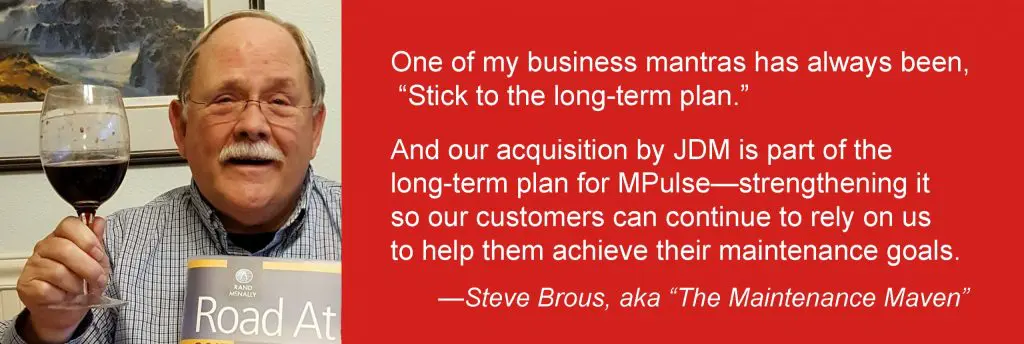
Back in the late 1990s, we were having a tough financial quarter. It was frustrating and causing me a fair amount of angst. Taking a short break from the stress, my wife and I went to the Mt. Hood Jazz Festival. It was August, and the Pacific Northwest was in the middle of a drought. We met an artist there selling posters of majestic Mt. Hood overlooking the Columbia River. And as I studied that image, I realized that even though the water level was much lower than normal, the mighty river was still flowing. I understood profoundly in that moment that the Columbia River had been flowing long before I was there, and it would still be flowing long after I was gone. Just like that great river, well-run companies experience ebbs and flows, but they continue on through times of scarcity and abundance alike. That idea sustained me during my decades in the maintenance software business—especially during some of those tougher times. But the metaphor seems even more meaningful today as MPulse continues a period of exceptional abundance and growth, and I officially announce my retirement. MPulse Will Continue as Usual Even as I step out of the picture, MPulse, like the Columbia River, will continue to thrive and grow and, most importantly, to serve and delight our customers with great software and terrific service. The company we’ve built and grown over the past 22 years was acquired on April 1, 2017, by JDM Technology Group, a leading provider of software solutions for facility, industrial, and construction customers worldwide. MPulse President Jason Johnson and CTO Randall Brous will take the reins from me to guide the company forward. One of my business mantras has always been, “Stick to the long-term plan.” And our acquisition by JDM is part of the long-term plan for MPulse—strengthening it so our customers can continue to rely on us to help them achieve their maintenance goals. The same dedicated MPulse employees will be sitting in the same offices—ready to help you navigate the shifting currents of an increasingly complex and technical maintenance world. The Future of Maintenance The maintenance field has experienced its own ebbs and flows over the years, and much has changed since my early days leading MPulse. Back then, many maintenance techs were none too excited about computers. Often times, our sales reps had to explain why a computer even belonged in the maintenance department. Today, maintenance professionals have fully accepted information technology and the role CMMS software plays in their jobs. Everyone is now looking ahead to understand where technology will take us, as Computerized Maintenance Management Systems transform for into more broadly capable and comprehensive Asset Performance Management (APM) solutions. From mobile devices to cloud-based maintenance software to the Industrial Internet of Things (IIoT), the maintenance world has a lot to be excited about. On the Road Again I have some exciting things ahead of me as well. My wife and I plan on heading out on our next adventure—an RV trip that will take us wherever we feel like going, hopefully with little maintenance and repair involved. As I look back, I’m grateful for our customers. Thank you for your business, your passion, your loyalty, your feedback, your wisdom, your friendship, and so much more. And I’m also grateful for our dedicated MPulse employees, who have truly been responsible for our company’s success. I’ve also been lucky to work with our outstanding vendors, who have help us achieve the great things MPulse is known for today. It’s been a fantastic ride, and I’m looking forward to seeing where the journey takes me next. Who knows, maybe we’ll meet again somewhere down the road. Sincerely, Steve Brous, aka “The Maintenance Maven”
Time for a Parts Room Audit? CMMS Software to the Rescue!

It’s common for public agencies to have their parts inventory audited on a regular basis. Typically, these audits occur annually by taking a random selection of items and comparing the inventory numbers in the computer to the actual items on a shelf. The purpose isn’t really to find problems or assign blame. Instead, the goal is to use our software audit tools to determine if an agency’s inventory audit procedures are in place and effective, so you can make changes to improve. An audit also can reduce overstocking and understocking because of inaccurate data, plus it helps reduce the opportunity for theft. CMMS Software Helps You Prepare Inventory has a reputation for being “a can of worms” in our field. And that’s not without reason. The key? Finding the type of inventory audit procedure that works for your organization and using the power of your CMMS software audit tools to implement it. CMMS software is the best way for maintenance and facility management teams to prepare for inventory audits. CMMS software helps in several ways… Preparation Time: Scheduled audits require gathering paperwork beforehand, which can be tedious and time-consuming when it involves sifting through stacks of paperwork. With CMMS software, accurate reports are easy to pull together in just minutes—saving a lot of time and frustration. Verifiable Data: CMMS software records all your parts tracking, stocking, ordering, and inventory processes with every work order. When it’s time for an audit, the data is easier and faster for auditors to verify. Easy Access: Instead of pulling out binders of paperwork, auditors can sit down at a computer to find the information they need. With CMMS software, the answers are at their fingertips. CMMS Software Improves Inventory Management Here at MPulse, we recommend making inventory as easy as possible with barcodes, scanners, and our new smartphone camera barcode scanning feature. Scan the part. Scan the asset. That’s all you need to do to link inventory to a new or existing work order record. Plus, your team can enter inventory items as they arrive and automatically track who is performing work. Often, I hear customers worry about the effort involved in implementing an inventory control management system. Setting up the system does take time, but the gain far outweighs the initial pain. Let the power of CMMS do the hard work, and you’ll see the rewards when it’s audit time. As with most things, being prepared makes the experience easier and a positive outcome more likely. How can CMMS software help your maintenance department improve inventory management? Leave a comment below or contact us.
Maintenance Strategy: Invest in Your People

During my years in the maintenance management field, I’ve learn a lot from watching the management strategies of our MPulse customers. Nick is one of those customers. He has a knack for finding—and keeping—good maintenance employees. Recently I asked him about his secret. “It’s hard to find good people these days,” Nick said. “So when you do, you want to make sure you don’t give them a reason to leave you.” Nick’s strategy for keeping good maintenance techs once he finds them? “My maintenance strategy? Invest in your people” he said. Invest in Maintenance Employees, Invest in Your Bottom Line Nick admits he doesn’t hire based on skill level. Instead, he looks for aptitude and a willingness to learn. “You can teach skills,” he said. “But it’s hard to work with someone who’s not interested in learning.” Once he hires the right people, however, his job has just begun. “Over the years, I’ve learned employees don’t leave jobs, they leave managers,” he said. “It’s my job to help them understand the value of their contributions. I share our big picture goals. I ask for their opinions and their concerns. Cultivating a connection to our company and its mission creates a sense of pride that makes it much more than a job.” Position Your Employees for Success with the Right Tools Part of investing in your maintenance team is making sure they have the right tools to do their jobs. And CMMS software is the best tool you’ve got to keep your maintenance team productive and efficient. Over the years, Nick has watched as CMMS software shifted from a “nice to have” to a “must have” in their maintenance department. “Our younger employees come in assuming this type of technology is part of the job,” he said. “We’ve moved away from technology resistance in the older generations to the expectation that we’ll keep our technology updated.” Nick also believes training is a tool. When he sends team members to off-site trainings, he has them share their experience with other team members, like an in-house apprentice program. “It takes time,” Nick said. “But it pays big dividends in the long run.” Nick is very aware of his team’s ability to affect the financial performance of his organization. He sees professional development as an investment in the future of the entire organization. “Our organization’s success depends on our people,” he said. “Investing in our employees is a strategy to improve everyone’s future.” What’s your strategy for finding and keeping good maintenance employees? Leave a comment below or contact me.
CMMS Implementation Services: What Maintenance Managers Should Know

Maintenance managers know it’s critical to have the right tools—and the right skills—for the job. The same is true when it comes to CMMS implementation services. That’s what Nick told me. As the maintenance director for a large, multi-site corporation, Nick knows his maintenance strategy is only as good as his people and the tools they use. “I don’t send my plumbing guy with a pipe wrench when I need to replace a circuit breaker,” he joked. Nick isn’t new to CMMS software. But when it was time to upgrade recently, he wanted his team to focus on their jobs, not configuring software. So, Nick decided to let the MPulse experts do what they do best—set up his CMMS software exactly how his team needed it. Which means his techs could do what they do best—maintenance. Smooth Transition, Strong Foundation MPulse has different levels of CMMS software implementation, and each customer’s needs are unique. Nick went for turn-key implementation, so our MPulse team helped him with everything from planning, data migration, and installation to training and “go-live” day. “It made financial and operational sense,” Nick explained. “Our CMMS software was set up correctly from the beginning, which reduced frustration during the transition. We also had the support we needed if we ran into any problems.” I’ve shared my perspective before about the value of CMMS software training and implementation services. It’s something that, honestly, you can’t afford to not do. Nick agrees. “It was more than just setting up software,” he said. “MPulse helped us set up measurable goals and create reports to track our progress. Now I know at a glance where we’re meeting expectations and what we need to focus on.” Compounding Benefits While reducing disruptions during the upgrade was a major advantage, there’s another one. The value of Nick’s investment grows every day. Nick describes it as “compounding benefits,” like compounding interest. “We started strong by investing in CMMS implementation, and we add to the value of our CMMS data with every work order,” he said. “Now our crew has a solid foundation that we’re still building on today, just like interest earned in a bank account.” CMMS software is a tool. And just like a wrench or a hammer, it only works when the right person is using it for the right job. Give your organization the best chance to make the most from maintenance software. Explore MPulse’s implementation services and see how we can make your maintenance team the most productive they’ve ever been.
Prioritize Maintenance Tasks & Get Stuff Done

In this series, I’ve been sharing my tips for prioritizing maintenance tasks so you can get stuff done! Once, you probably kept a written list on your desk, or maybe a spreadsheet on your computer. I sure did. But those old methods take up a lot of time and certainly don’t help you or your team work efficiently, much less keep everyone on the same page. And that’s where CMMS software can help. What Do You Have to Gain? Let me use a very simple example from my own experience. I used to keep detailed maintenance schedules written down on paper. It was a complicated, but thorough system. But it took a lot of time to keep it updated. It took even more time to share it with my colleagues who needed to know what was going on. CMMS software freed up my time and my mind. Reminders popped up when I needed them. Continuous schedules were easy to create. And if I had questions, my maintenance data had answers—answers for questions like… How much am I spending to repair that asset? Is it more cost effective to repair or replace it? Is my team behind on scheduled tasks? Should I hire another staff member? Where is the money going? Best of all, my CMMS software created a repository of maintenance information. That means I can ask different questions in the future—ones I didn’t think about earlier. Again, getting stuff done! You Don’t Know What You Don’t Know Maintenance reporting software makes asset information, historical data, vendor information, media files, and other details easily accessible by the people who need it. (Even better, if you’ve made the move to mobile, your team can easily find this information while they’re in the field or on the shop floor.) With good data to work from, my crew could make good decisions. And I know it improved my company’s ability to compete. Maintenance software helps you stay on top of your growing to do list. Because the less time you spend making lists, the more time you can dedicate to more important things, like getting those tasks done. What’s your experience using CMMS software to prioritize maintenance tasks? Any suggestions for other maintenance managers? Leave a comment or contact us.