
CMMS a “Must Have” for Distribution Centers

From automated storage & retrieval systems to conveyors & sorters, modern distribution centers focus on throughput, equipment reliability, and uptime—just like any other production-oriented business. And just like other organizations, more distribution centers are turning to CMMS software for help. “In our environment, maintenance is all about keeping the company assets in like-new condition while minimizing the impact to our operation,” explained Randall, MPulse customer and facility manager for an international online retailer. More Automation, More Assets to Maintain Distribution center employees face more pressure than ever to get orders out the door, thanks in part to a surge in online sales over the past decade and high expectations for quick deliveries. Randall’s company has invested heavily in automated material handling systems to meet the growing demand—but more equipment also means more maintenance work for his team. Most distribution centers need CMMS software like MPulse to manage a wide range of equipment, from modern materials handling systems to more typical facility assets such as HVAC systems, dock doors, lighting, and plumbing. “Maintenance teams in distribution centers require diversity in their skillsets, however, some co-workers are becoming more specialized,” Randall explained. “MPulse allows you to assign a person to an asset, and so once the asset is set up, it automatically gets assigned to the proper individual with the right skill set.” And like any maintenance manager, Randall needs to track costs—particularly labor costs—as well as set benchmarks and KPIs. “It is impossible to cut costs if you don’t know where the money goes,” he said. “Uptime, extended life expectancies, and minimal operational impact is what all maintenance department should be striving for—at the lowest cost to the business.” Data Integration Distribution center maintenance teams also have discovered the benefits of CMMS software coupled with Industrial Internet of Things (IIoT) technology. The combination enables maintenance teams to gather information directly from multiple devices, which can be almost anything with a sensor—including computers, vehicles, smartphones, appliances, building automation systems, and production equipment. Maintenance teams can use that information to proactively perform maintenance and even predict asset failures—saving both time and money. The rapidly changing technology found in distribution centers means that maintenance software is no longer optional. Contact us to learn how MPulse can improve your maintenance team’s productivity and efficiency.
How to Write a Request for Proposals for CMMS Software

Last time, we talked about why you might want to consider writing a Request for Proposal (RFP) for your CMMS software purchase. If you’ve decided that’s the right option for you, we’ve listed some tips on how to get the most out of the process. An RFP outlines your requirements, so you can find the right software for your organization. You’ll send it to potential vendors, who will respond with documentation on how their software meets those needs. Important Details We recommend providing background information about your organization. These details help vendors respond appropriately. For example, your RFP should include… A description of your organization and its market Size of your organization and maintenance team Number of assets Main objectives for CMMS software Timelines Existing software and hardware Available internal resources (i.e., IT personnel, support staff, etc.) IT Infrastructure Describe your existing IT infrastructure. If you know now, specify if you’re looking for local or cloud-based solutions. If you don’t, be sure to mention you’re looking at both options. Specific Requirements The biggest part of your RFP will be your CMMS software requirements. It’s important to be specific in an RFP, but not so specific that you eliminate viable options. We recommend… Identifying requirements that every proposal must meet Identifying the requirements that are optional or “wish list” items Separating your list of requirements by function, such as IT requirements, reporting, software integration, etc. Prioritizing requirements, if necessary Including an area for vendors to respond to these requirements and identify what’s part of their basic package and what requires customization, a feature extension, or an upgrade Including a section for vendors to outline the price—include optional features or additional charges Training, Implementation & Support Options Include information about your training, implementation, and support requirements. Provide an area for vendors to outline exactly what services they offer, and how much they cost. Once you’ve written an RFP, you’ll send it out to vendors. Give them ample time to respond—at least two weeks, preferably three. It takes time and effort to write an RFP, but the payoff is worth it if you save yourself the pain that comes with making the wrong decision. Questions? We have answers. Contact us. We’re here to help.
Give the Maintenance Department Some Credit

The maintenance department hasn’t always gotten the respect it deserves. In the past organizations were more likely to ignore the maintenance department—until something went wrong. Once overlooked, it’s time to give the maintenance department some credit! Our customers have seen it happen—like Henry, the vice president of operations for a manufacturing company. Henry has a vision for his organization. It’s simple—make high-quality products to sell at reasonable prices, and back it all up with strong customer service. Henry realized, much faster than many, that this vision rested on the shoulders of people who often don’t get the credit they deserve—the maintenance team. Maintenance Makes It Happen Henry’s factory has invested in a lot of high-tech equipment. His employees are focused, monitoring the equipment from computer screens throughout the building. His production and maintenance departments work closely together. “Most manufacturers focus on production workers—the people who are turning out the products on the line,” he said. “Not as many see that maintenance is the center of the hub, the place where everything connects. Because your production team is only as efficient as their equipment. And the maintenance crew makes it happen.” Maintenance Makes a Difference Henry’s also invested in his people to keep that equipment running smoothly. He’s had to think outside the box, he explained. “It’s hard to find good people,” Henry said. “We’ve invested in attracting younger people through our in-house training program. We’re creative about how we recruit new employees. We work closely with local high schools and colleges to find people with the right aptitude, even if they don’t have the skills right away.” And he works hard to make his company a place where people feel valued. “It’s not all about the paycheck. Today’s employees are looking for meaningful work where they feel like they make a difference,” he said. So Henry has emphasized the contributions of his maintenance team, making sure everyone understands the important role they play in the company. He believes it has helped his organization survive—and prosper—while others have struggled. Henry was an early adapter. But his perspective about maintenance is spreading—and it will continue to do so as more organizations see the light. “Maintenance keeps our organization moving forward,” he said. “A successful maintenance department contributes to our success as a company.” What’s your experience? Has your organization realized the value of investing in maintenance? Leave a comment or contact us.
CMMS Success: Porocel Goes From Zero to 60
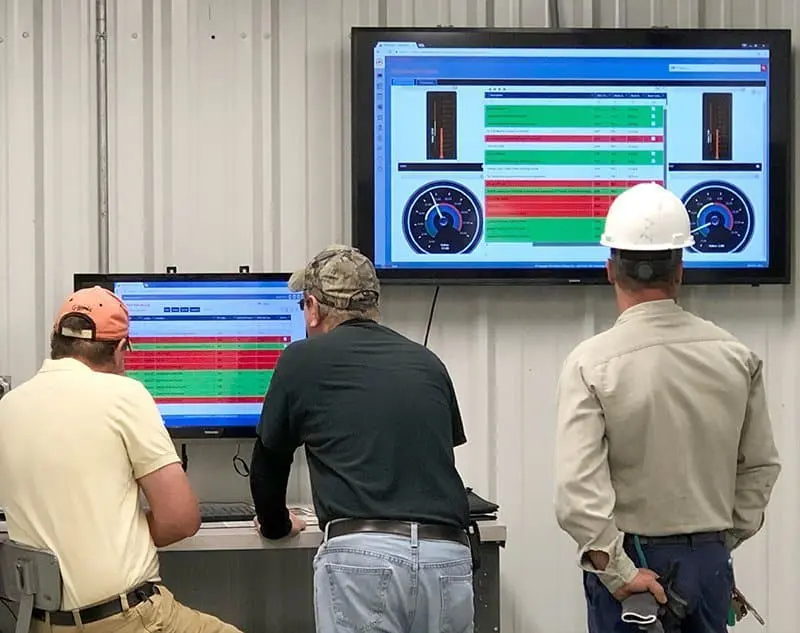
Today, we bring you a CMMS success story. Maintenance professionals often need to hit the ground running. That was certainly the case when Mike Goldman, Porocel maintenance planner, started his job with the company in late 2017. Mike quickly realized maintenance processes at his location hadn’t kept pace with the company’s rapid growth. Porocel’s 16-person maintenance team at the company’s Little Rock, Arkansas, site was primarily reactive—and it wasn’t working for the techs or the company. “They were like Indiana Jones running in front of that stone,” Mike explained. “If you’re small company, you can run maintenance off someone’s clipboard. That doesn’t work as things get bigger. They didn’t know what they didn’t know.” Mike was hired to help Porocel figure what they needed to know. His former work with a high-tech defense contractor meant he understood how to create a more structured maintenance environment. His first step was assessing how the maintenance department was currently run—the who, what, when, where, and why. His next step was finding the way forward. In what he describes as “divine intervention,” he discovered the solution on the company’s server: MPulse Gold. And in the next 60 days, he got the Little Rock plant on and using MPulse to effectively and efficiently manage their maintenance workload. Solution Porocel bought MPulse 7 Gold in 2011, and it was used by some of the company’s other sites. But the Little Rock plant had never fully implemented it, and it was left mostly unused on the local servers. Mike started experimenting with MPulse to see what it could do. He soon realized it made more sense to upgrade for free to the faster, more full-featured MPulse 8. He also decided to take advantage of MPulse’s free cloud hosting, where the software would run in a dedicated, professionally managed environment and he didn’t have to worry about hardware. After getting buy-in from other Porocel sites and his IT team, Mike made the changes. “I called MPulse and asked them how quickly we could make it happen,” said Mike. “When I came in the next morning, it was done. I put in my login and password—and it worked.” But Mike wasn’t done yet. He also needed buy-in from his techs, about a quarter of whom were uncomfortable with computers. Using MPulse 8’s Advanced Customization features, Mike designed his MPulse work orders so it took techs just a few clicks to enter information, thanks to the custom fields, nested fields, and custom prompts. “I created form view and record view layouts that had everything the guys need to see—and nothing they don’t need to see,” Mike said. “The latter is as just important, or more so.” Benefits Using resources from MPulse’s support portal and a few calls to MPulse phone support, Mike got MPulse working the way he wanted. After working through some internal training with his techs, he saw immediate benefits: Work Order Management Work order management is the heart of Mike’s new strategy. Before, the company’s work assignments were physically handed out after morning meetings, which delayed the maintenance team’s ability to start work as soon as possible. Now Porocel’s operators create work orders directly in MPulse, and they’re assigned electronically. Mike estimates each tech gains about 30-60 minutes of work time each day using this process. Preventive Maintenance Schedules Mike also wanted to move his team from 100% reactive to a more balanced reactive/proactive strategy. With help from Porocel’s operators and maintenance techs, Mike set up PM schedules in MPulse for key assets. “Our first automatically generated work orders occurred last weekend,” he said. “I checked MPulse on my phone and could track them through from issued to completed and closed.” ISO Certification Porocel is ISO 9000 certified, and Mike knew from experience that he needed to track the details of the manufacturer’s increasingly complex maintenance operation to maintain that certification. He’s started the process with MPulse by setting up a PM program that will help the company pass inspections and audits—and avoid a last-minute rush to set things in order. Inventory Another big item in Mike’s plan is inventory management for consumables—filters, belts, etc. Mike plans to manage inventory and assign locations in MPulse. “We’ll be able to use MPulse to see if we have filters and where they are,” he said. “And it’s more likely that filters will actually be on the shelf when we go look.” From Zero to 60 Mike and Porocel have come a long way in just 60 days. Mike believes more companies need help from a CMMS analyst like him, but they don’t know it—and some don’t even know it’s possible. “It’s the art of marrying the tool with the process,” he explained. “In the end, you need documentable and repeatable processes to use tools most effectively to support the assets you want to maintain.” Want to know how MPulse can jump start your maintenance operations? Contact us.
CMMS Software Checklist

When you’re researching CMMS software, a demo from the vendor is a great way to get direct answers to your questions about how their software works—and how it would work for your maintenance team. Take advantage of this opportunity. Below are five questions you should ask in every CMMS demo. 1. Will the Software Meet Our Needs? Before you’ve made it to the demo process, you’ve probably made a list of your pain points and “must have” features. Here’s your chance to get specific with vendors. Have them walk you through a sample workflow so you can see the steps firsthand. Ask what can be customized to meet your needs, and if the software is scalable as your maintenance operations change. 2. Can Our Users Work with It Comfortably? CMMS software that is never used is wasted money and time. Involve all the stakeholders early in the process and include key users in the demos so they can see it firsthand. Encourage them ask questions that relate to how they’ll use the software. 3. What Are the Specifications? Find out what hardware and system requirements are required. This process will likely involve your IT department or technology support staff. Go through each requirement and make sure it works for you. If you’re moving towards mobile maintenance, don’t forget to include the type of devices—such as desktops, tablets and smartphones. Also, ask questions about how the CMMS software integrates with other organizational software, like accounting or financial software. 4. What Implementation, Support and Training Options Are Available? It takes a lot more than installing software to get your CMMS software up and running. The best way to make your CMMS software a success is investing in the right resources to get you to “Go Live” day. Ask for specifics about a vendor’s services—including implementation, training and support. Determine what you will be responsible for versus the vendor. 5. What Does It Cost? You’ve probably already gotten a ballpark number to determine if the software is in the realm of possibility. Now it’s time to get specific about your needs, so vendors can be accurate with their price quote. You may realize you need to refine some of your requirements… and that’s okay. Use your CMMS demo time wisely, and you’ll be that much farther along in getting the right software for you. More questions? We have answers. Contact us.
Carbon Neutrality for the Maintenance Team

Carbon neutrality is a hot topic, and many organizations are working towards becoming carbon neutral certified. Can carbon neutrality for the maintenance team be a realistic goal? While many consider carbon neutrality an environmental issue, increasing energy efficiency also helps reduce operating costs—an appealing goal for any organization. Achieving carbon neutrality requires… Measuring current energy emissions Finding ways to reduce energy emissions Investing in carbon offsets to counterbalance the emissions that remain Conducting emissions audits annually and adjusting as necessary Given the maintenance team’s responsibilities, you may be asked to help with one or more of these tasks. Let’s talk about what you might expect. Measure Your Carbon Footprint Every organization has a carbon footprint—which is an organization’s energy consumption and the resulting emissions from that consumption. To begin, every organization needs a baseline by gathering energy consumption data on … Utilities Transportation systems Material and inventory usage Waste Here’s where CMMS software comes in handy. All the data you’ve been gathering in your CMMS can help you track and analyze this information, which will become part of the baseline for your organization’s carbon footprint. Reduce Your Carbon Footprint Armed with this data, maintenance managers can help identify areas where organizations can reduce energy consumption or replace fossil fuels with renewable energy where feasible. That may include everything from installing energy efficient lights to replacing key equipment with more energy efficient models to switching to bio or renewable fuels. Invest in Carbon Offsets But, of course, it’s next to impossible to reduce an organization’s carbon footprint to zero by reducing energy emissions. So, organizations balance their remaining carbon emissions by purchasing carbon offsets to achieve a net zero carbon footprint. Carbon offsets are investments in projects outside the organization that reduce emissions, such as forestry, renewable energy, etc. Organizations make up for their emission by investing in programs designed to reduce or reverse carbon emissions elsewhere. It’s a simple math equation: Remaining Carbon Emissions – Carbon Offsets = 0 Repeat Annually Once you’ve achieved carbon neutrality, you’re not done. Things change, so annual audits repeat this process to make sure your organization remains carbon neutral by adjusting as necessary. Here again, your CMMS software is a great resource for measuring key performance indicators and gathering data—making it easier when it’s audit time. Contact us to see how CMMS software can help your maintenance department improve energy efficiency.
Is It Time to Expand Your Maintenance Operations with CMMS?

When you’re using maintenance software on a daily basis, it’s easy to learn to work within the parameters of your current system without realizing what else you might be missing. That’s what happened to Lisa, an MPulse administrator for a utility district. While things were running smoothly with their older version of MPulse, as she started researching an upgrade to the newest release, Lisa realized her organization’s needs had changed over time. “We’re not just looking for the newest release,” she explained. “We need to implement new functionality. We’re looking to capture and track additional data, increase our reporting capabilities, and add more complex features.” Scaling Up CMMS Software In the software business, we call this scalability—which simply means your CMMS software can accommodate changes in size or volume as your needs change. So, Lisa needs not only the newest version of MPulse, but a more robust version. The good news is that MPulse is easy to scale. We designed our software that way on purpose because we know how things change in the maintenance field. It’s not uncommon for organizations like Lisa’s to start with simpler versions of our software, and then once they are up and running, see the benefits of more advanced features or enterprise management capabilities with global settings, global reporting, and enterprise-wide inventory search and transfer. That’s because when your organization grows, maintenance feels the impact. Suddenly you’ve got more equipment to maintain, additional production to support, new staff members to manage, extra inventory to store, and different safety procedures to perform. Scalability is Cost Effective From a customer’s standpoint, software scalability is cost effective because you can buy what you need when you need it. Whether it’s adding user licenses or expanding functionality, it’s more affordable to scale up your CMMS software instead of starting from scratch every time. Scalable CMMS software keeps you on top of the increased workload—whether it’s more equipment, additional production, new staff members, extra inventory, different safety procedures, etc. Things change. You can’t predict these changes, yet CMMS software scalability ensures you are prepared when they happen. Have questions? Leave a comment or contact us. We’re here to help.
How to Calculate the Total Cost of Ownership for Your Assets
When it’s time to buy or replace an asset, it’s easy to focus purely on the initial purchase price. But digging deeper could save your organization a lot of time and money in the long run. The key is to calculate both the direct and indirect costs, which is called Total Cost of Ownership (TCO). TCO is the full cost of an asset over its life cycle or “cradle to grave”—a number that might look very different from the initial purchase amount. Calculating Total Cost of Ownership Total cost of ownership is a simple equation. TCO = [Initial Cost] + [Operating Expenses] + [Maintenance Costs] + [Downtime Costs] + [Production Costs] – [Resale Value] Initial Cost: The amount of the initial purchase. Operating Expenses: Cost of installation, testing, and training, plus energy usage and insurance (if applicable). Maintenance Costs: Cost of repairs and maintenance, including both PMs and unexpected repairs. Downtime Costs: Labor costs of delayed work, lost production, lost revenue, etc. Production Costs: Output levels or production levels as well as environmental costs. Resale Value: The amount that could be recouped by selling the equipment after a certain timeframe. Finding TCO Data Let’s look at an example. Kai needed to buy his maintenance shop a new generator. He looked at three—and the price of one was about 20% higher than the others. It should be an easy decision, right? Pick the least expensive one. But Kai knew he had to dig deeper by looking closer at the TCO for each one. While the TCO equation seems easy, getting that information isn’t always simple. Kai had a good start within his MPulse Maintenance Software. First, he found the existing data for his current compressor. Then he could compare that information against the new compressors and estimate the operating expenses, projected downtime costs, and production costs by pulling some key reports. The maintenance costs and resale value took a little more research. After comparing the manufacturer’s recommendations, he discovered the more expensive generator required less maintenance. Additionally, its resale value was significantly higher—making its TCO lower than the others. Kai knows it would be hard to calculate the TCO without his CMMS software. His numbers would be based more on assumptions than hard data. It’s likely your purchasing or accounting department is familiar with TCO, so tap into that resource if it’s available to you. Have you found a surprising result from your TCO calculations? Contact us to learn how MPulse can help.
Get Seasonal Assets Up and Running in Time

If you needed a reminder to get seasonal assets up and running in time, here it is! It was a typical Monday morning, until Dawn sat down at her desk. She had a surprise waiting for her—a big pile of outstanding work orders. Dawn quickly realized these work orders had one thing in common—they were all PMs for assets that were unused during the winter but were in high demand as the weather warmed up. “Suddenly everyone needed their equipment up and running quickly,” she said. “We missed an opportunity to schedule this preventive maintenance work before the equipment was needed. It added to the stress of a hectic week for our technicians—and for me.” Spot Issues Before They Occur CMMS software helps prevent problems like this one. Maintenance and inspection schedules generated from CMMS can schedule the work when the equipment is not in use and the maintenance team has more time. Maintenance intervals can be scheduled based on asset or part condition, which triggers a work order just before the point when system inefficiencies or failures begin to occur. Regular preventive maintenance for seasonal equipment means getting the work done before it’s needed. With CMMS software, maintenance professionals like Dawn can… Generate a schedule of PM tasks, making it simpler to follow the manufacturer’s guidelines Create automatic work orders to ensure equipment is properly calibrated and lubricated Estimate labor hours for PM tasks, making sure staffing levels match the workload and decreasing overtime costs Help determine when it’s more efficient to add more staff members instead of paying current employees more overtime Schedule maintenance and repairs during off hours or during seasonal slowdowns by tracking equipment use time Benefits of PM Scheduling When your organization’s equipment hasn’t been maintained properly, you’re going to experience more breakdowns. That translates into lost dollars and intense pressure on the maintenance team to get production running again—adding more stress to the workday for people like Dawn. When a maintenance team establishes and regularly performs PM tasks that contribute to the upkeep of assets, an organization may be able to sidestep serious problems that arise because of neglect as well as delay more expensive maintenance. When you use CMMS software for maintenance scheduling, you’ll reduce emergency maintenance issues and unexpected production stoppages. This, in turn, cuts overtime costs for emergency repairs and reduces production losses. How do you streamline your PM schedules? Leave a comment or contact us.
Your Maintenance Department is a Profit Center

Traditionally maintenance was thought of a cost center—an area that does not directly add to profit, but still costs money to operate. Not anymore. Today’s organizations have discovered maintenance has a direct effect on their profitability. Your Maintenance Department is a Profit Center How? Modern maintenance technology has shown managers and accountants how maintenance generates revenue for the organization. The objective of a cost center is to minimize costs. However, a profit center’s goal is to maximize profit. It’s a subtle but important shift in perception, and it’s changing the way organizations of all sizes think about their maintenance operations. What Changed? This change started with the rapid adoption of data-driven management, which simply means making management decisions backed by reliable data instead of assumptions or perceptions. As technology has advanced, more detailed, relevant data is now available. And that data reveals some interesting things, including how the maintenance team makes major contributions to the organization’s financial viability. These contributions include… Safer operations (because accidents cost money) Higher quality product (because rework costs money) Better production efficiency (because you can produce more output in less time) Reduced downtime (because equipment that isn’t working isn’t producing) Better asset use (because increased capacity means more production capability) In other words, if your organization’s success depends on uptime, reliability, production capacity, or any other quantifiable measurement, your maintenance strategy contributes to much larger goals. How Does Maintenance Contribute to the Bottom Line? Every dollar saved by maintenance is a dollar that goes to the bottom line. Think of maintenance in its simplest form—a production line producing widgets. If the production line goes down, no widgets are made. Which means there are no widgets to sell, and your organization isn’t making money. It’s your maintenance team’s job to fix the problem—and look for ways to prevent it from happening again. Now expand that to your organization. Do you produce goods? Provide services? Rent space? Make deliveries? Every industry relies on maintenance in some form, from buildings to vehicles to production equipment. If you have assets of any kind, you need maintenance. In the past, the maintenance profession was often undervalued and sometimes unappreciated. If that’s the case in your organization, it’s time to re-evaluate how maintenance influences your operation’s productivity and profitability. We’re here to help you get started. Contact us.