
Get the Most Out of Your CMMS Customization

Customizing a CMMS ensures your maintenance software aligns with your unique workflows and requirements. By tailoring the software, you streamline the processes for both the employees who manage work orders and those who rely on the data generated, so it is both accessible and relevant. How Does CMMS Customization Help? CMMS customization allows users to capture the specific data they need and to generate custom reports on the metrics that matter most to your team and organization. As a result, your CMMS software should gather data in a way that reflects the details and codes your organization tracks, such as unique identifiers or internal classifications. Customizing fields, layouts, and reports ensures that this critical information is readily available and organized to suit your needs. Advanced Customization Feature At MPulse, we understand the importance of customizing CMMS software. That’s why our MPulse Advanced Customization feature offers flexible options for users to tailor their software quickly and effectively. Key customization features include: MPulse users can make these adjustments independently within the software, creating nearly limitless customization possibilities. This adaptability can enhance the functionality and relevance of your CMMS, helping build buy-in from key stakeholders who see its immediate benefit in capturing and reporting data. Seamless Implementation Successful CMMS implementation often hinges on customization, as stakeholders and team members are more likely to embrace software that fits seamlessly into their work processes. For instance, MPulse customer Mike saw the benefits of customization first-hand. He recognized that some technicians were not comfortable with computers. However, he used MPulse’s Advanced Customization features to simplify the data entry process. Mike created specific work order layouts with only the essential fields. That made it easy for his team to use the system without being overwhelmed by unnecessary details. As Mike puts it, “I created form view and record view layouts that had everything the guys need to see—and nothing they don’t need to see. The latter is just as important, if not more so.” Customized CMMS software can mean the difference between successful, engaged use of your investment and expensive, underutilized software. To learn more about leveraging CMMS customization to meet your organization’s goals, contact MPulse. We’re here to help you get the most out of your software.
How CMMS Supports PFMEA Implementation
CMMS supports PFMEA by centralizing information, including data, real-time monitoring, and efficient maintenance processes. Because CMMS helps track equipment performance, spot patterns, and predict potential failures before they happen, PFMEA can identify and reduce risks more efficiently. CMMS sends real-time alerts when equipment is not performing as expected, allowing maintenance teams to address issues early and prevent larger problems. It also keeps a record of equipment usage, repairs, and inspections, which helps refine PFMEA assessments and prioritize critical maintenance tasks. By using CMMS with PFMEA, organizations can prevent failures, improve equipment reliability, ensure safety, and maintain smooth operations, reducing downtime and repair costs. This combination creates a strong system for managing maintenance and minimizing risks. What is PFMEA? Why Manufacturers Use PFMEA The Role of Maintenance in PFMEA Key Elements of PFMEA How CMMS Supports PFMEA The Benefits of PFMEA What Is PFMEA? Process Failure Modes and Effects Analysis (PFMEA) looks at each step of a process to determine possible failure points (failure modes), their causes, and their effects on the process or product. Next, manufacturers can assess the risks associated with failures and prioritize actions to reduce or eliminate them. The goal is to minimize the risk of failures and improve process reliability and quality. See how MPulse CMMS helped Siemens Building Technologies Group improve their lean manufacturing philosophy. Back to Top In short, combining CMMS with PFMEA helps manufacturers improve processes, predict and prevent equipment failures, and strengthen preventive maintenance. This approach optimizes resources, supports data-driven decisions, ensures safety, and boosts compliance, leading to a more efficient, reliable, and cost-effective operation. Back to Top
Tips for Winterizing Your HVAC System
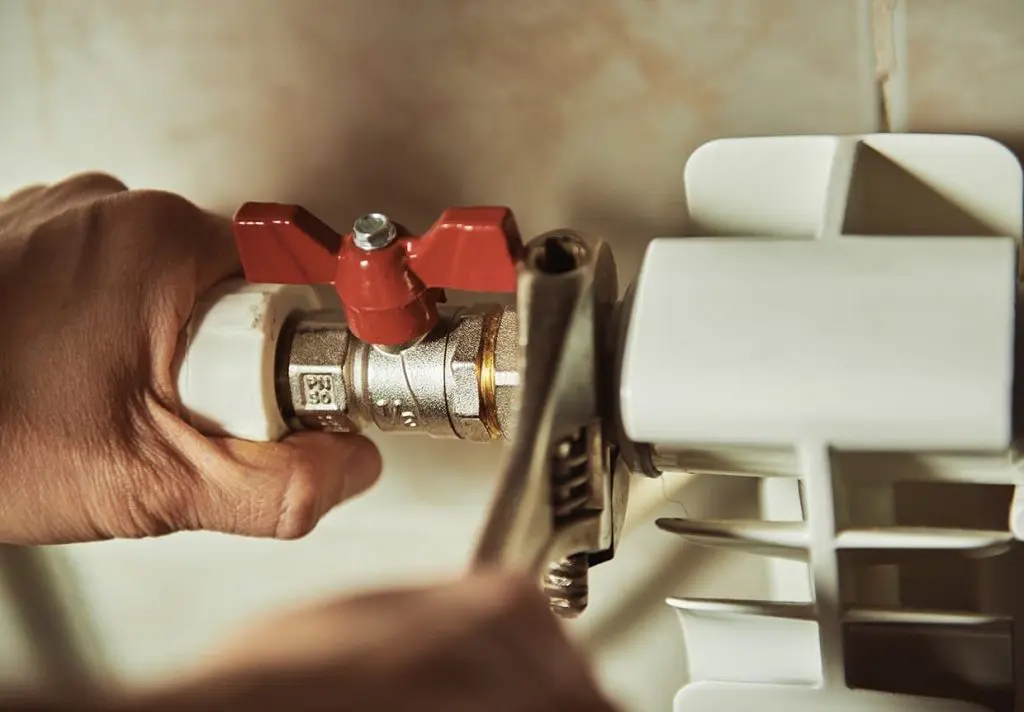
HVAC systems affect every part of your operations—from your asset health to employee safety to your ability to serve customers. One of the most common assets MPulse customers maintain is an HVAC system. There’s a good reason for that. The BP Group estimates 40-55% of a utility bill is for heating/cooling. That’s why waiting for your HVAC system to break before you fix it is far more expensive than the actual cost of the repair. Winterizing Your HVAC System Before the cold weather hits, HVAC maintenance should include preventive winterizing tasks to reduce breakdowns. You can save money on energy and other services by using HVAC preventive maintenance software. For example, failure to insulate HVAC pipes properly can result in frozen pipes and leaks, a costly repair. But that’s not all. According to FacilitiesNet, HVAC maintenance results in 15‒20 percent savings in energy. That’s why keeping your HVAC system in tiptop shape is in everyone’s best interest. The BP Group shared the following infographic with some important ways to save both electricity and money when the temperatures dip. These tips include… Replacing incandescent bulbs with compact fluorescent or LED lights, which use less energy and last longer Adjusting building temperatures with programmable thermostats based on building usage Pushing warm air down with ceiling fans Opening blinds to let in sunlight, which will heat the room Closing blinds when the sun goes down to keep heat in CMMS Software for HVAC Maintenance Staying on top of winterizing your HVAC system is important. And nothing is better at managing maintenance work than CMMS software. Preventive maintenance can help your organization optimize the performance and life cycle of your important assets—including HVAC systems. Below are some ways regular maintenance helps save energy, no matter what the temperature is. Regular maintenance allows the HVAC system to run smoother, so the moving parts need less energy to keep it going. Maintenance for outside air dampers, which let in outside air for cooling, ensures the dampers are not allowing more air in than needed, thereby using more energy to heat or cool that extra air. Replacing an old system with an energy-efficient system, such as one with an ENERGY STAR rating, will use less energy over time. Do you have questions about how CMMS software can help with winterizing your HVAC system and other important assets? We’re here for you. Contact us to learn more.
Seven Reasons Why Food and Beverage Maintenance Is Shifting to CMMS
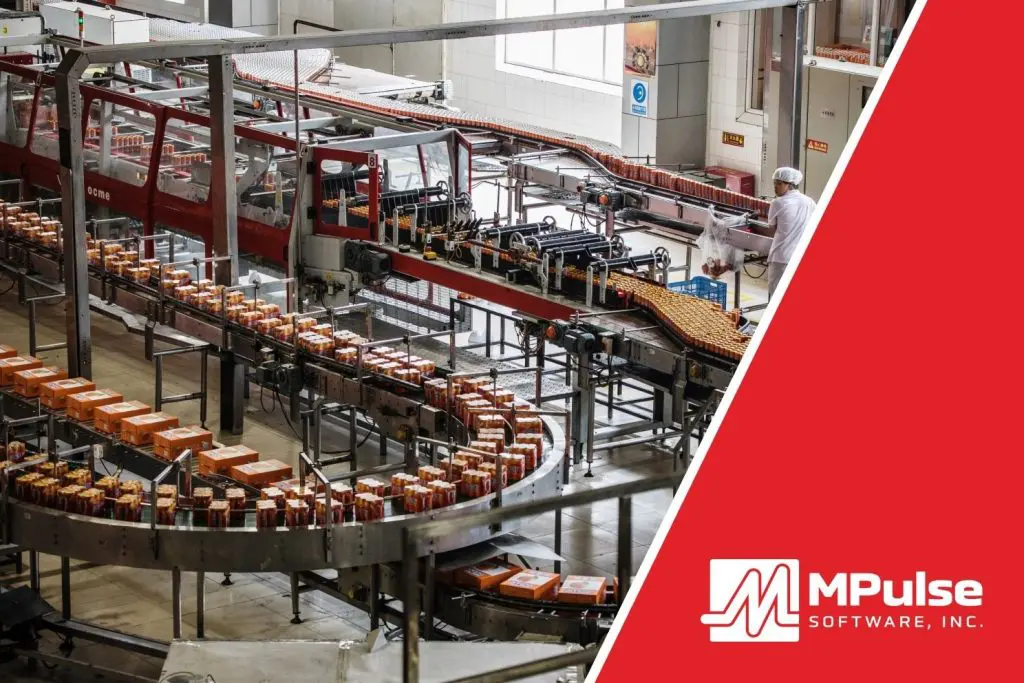
CMMS software for food and beverage maintenance teams automates essential tasks, providing data-driven insights to enhance asset management and boost productivity. This specialized software also monitors equipment performance, reduces costs, and ensures compliance with strict regulatory requirements in the food and beverage industry. How CMMS Helps with Food & Beverage Manufacturing Maintenance The food and beverage (F&B) industry often faces challenges such as inconsistent maintenance performance reporting, emergency breakdowns, unpredictable costs, and time-consuming audits. CMMS addresses these by centralizing maintenance data—tracking maintenance history, equipment specifications, and spare parts inventory. Many MPulse customers cite the following seven reasons for switching to CMMS in their F&B facilities. Reason #1: Asset Management CMMS enables better management of assets by providing detailed information about asset performance and maintenance history. In food and beverage manufacturing, tracking equipment is crucial for identifying potential problems early. This data allows food and beverage maintenance teams to make informed decisions, increasing asset lifespan, reducing breakdowns, and optimizing resource use. Reason #2: Reduced Downtime In F&B production and service, unplanned downtime can severely impact operations. CMMS software reduces this risk by automating preventive maintenance tasks, ensuring that equipment is regularly serviced to avoid unexpected failures. By analyzing asset performance, CMMS helps detect patterns that allow maintenance teams to address issues before they lead to costly downtime. Reason #3: Inventory and Supplies Management Efficient inventory management is vital in the F&B industry, where running out of parts can halt production. CMMS tracks spare parts inventory in real-time, ensuring that necessary components are always available when needed. This feature reduces the likelihood of downtime due to part shortages and optimizes inventory levels, cutting costs by avoiding excess or obsolete stock. Reason #4: Regulatory Compliance for Food & Beverage Maintenance F&B facilities must comply with multiple regulations across various levels. CMMS software streamlines compliance by maintaining digital records of maintenance activities, schedules, and reports. These records are invaluable during audits, providing clear evidence of adherence to industry standards and regulations. By automating this process, CMMS helps F&B facilities stay compliant with less manual effort. Reason #5: Preventive Maintenance Preventive maintenance is key to avoiding equipment failure in food and beverage operations. CMMS allows companies to create maintenance schedules based on time, usage, or part condition, ensuring tasks are completed in line with manufacturer recommendations. Regular inspections help detect minor issues before they escalate, improving efficiency, reducing energy consumption, and extending the life of critical assets. Reason #6: Data-Driven CMMS turns maintenance data into actionable insights. As a result, food and beverage maintenance teams can make decisions based on facts rather than relying on intuition. By collecting data from every work order, CMMS helps the maintenance team analyze trends. That makes it easier to determine when it’s more cost-effective to repair or replace equipment, and optimize operational strategies over time. Reason #7: Food & Beverage Maintenance Cost Control A well-implemented CMMS can significantly reduce food and beverage maintenance costs by reducing emergency repairs and production interruptions. By scheduling preventive tasks and understanding asset performance trends, F&B facilities can reduce overtime expenses for urgent repairs and avoid unplanned production losses. Additionally, CMMS helps schedule maintenance during off-hours, further reducing disruptions. The Benefits of CMMS for Food and Beverage Maintenance In summary, using CMMS in food and beverage manufacturing optimizes maintenance processes. That results in improved asset management and enhanced decision-making through data-driven insights. The right CMMS system can improve operations, reduce costs, and ensure smooth compliance with regulatory requirements. Contact MPulse to explore how CMMS can transform your maintenance operations.
CMMS Implementation: Best Practices for Success

CMMS implementation best practices can streamline maintenance processes, improve asset management, and enhance operational efficiency, making it a crucial step for organizations looking to optimize their maintenance practices. Maintenance managers know it’s critical to have the right tools—and the right skills—for the job. The same is also true for implementing your CMMS software. These tips and strategies can help you plan for a successful CMMS implementation, particularly how to choose the right solution, plan and execute the implementation, and measure the results. How to Choose the Right Solution With many capable software vendors in the CMMS market, finding the right solution can seem overwhelming. Your search doesn’t have to be complicated, however. Start by understanding why you’re looking for CMMS software in the first place. Step 1: Identify Your Pain Points Identify why your original system (whether computer- or paper-based) is failing to meet your needs. Typically, the limiting factor is a key function where the old system isn’t performing well. We call this a primary pain point. Of course, you may have more than one pain point—especially with older systems—but determining your top one, two, or three will help focus your selection process, and ensure you communicate your needs to potential vendors. Ultimately, it’ll get you the software that best heals your pain. Pain points tend to fall into four categories: functional, technological, organizational, and scalability. Functional A functional pain point occurs when an existing system isn’t delivering on a core maintenance-related function. Common functional issues relate to work order management, preventive maintenance (PM) scheduling, or service request management and tracking. Other functional pain points include vendor management, detailed reporting, or inventory control. Whatever it is, your existing system isn’t doing it well. Technological A technological pain point occurs when the system you’re currently using is no longer a match for the way you need to conduct the management, execution, and tracking of maintenance. The shoe no longer fits, as it were. The pace of business often seems to be forging ahead without consideration for the time it takes us to maintain the critical infrastructure that drives it. Organizational Sometimes a pain point originates elsewhere in the organization, but the fulfillment of that need falls to the maintenance manager. Organizational pain points roll downhill to you from elsewhere in the company. Sometimes these pain points arise from a corporate merger or acquisition, new regulations or compliance requirements, or a new senior manager. Regardless of where they come from, you likely learned about them from your boss. Scalability Scalability is the capacity to grow as an organization grows. It’s typically tied to organizational and technological changes. Maybe changes in an organization are driving growth in business and employee headcount. Sometimes better network connections are increasing the ability of a company to work across multiple geographies. Or perhaps an expanded facilities footprint is drastically increasing the number of service requests. Before you begin talking to maintenance software vendors, capture your pain on paper. Brainstorm a list of your top three pain points in clear and concise bullets. You might start by writing down as many as you can think of. Then do your best to whittle the longer list down to no more than three. Once you’ve bulleted out your top three pain points, you’ll be able to articulate clearly to vendors the functions and features important to you. Step 2: Decide Which Features You Need There’s a short list of features no CMMS should be without. It’s likely any competitive solution you’re considering will have these features. It’s not uncommon, however, to find non-CMMS vendors trying to compete in the space. They don’t always have all the features you’ll need for successful maintenance management, so be sure the solution you’re considering has these basics. Basic CMMS Features Asset Records are the heart of any maintenance or asset management solution. Specifically, assets records are where you’ll store the details about the equipment, buildings, vehicles, or other assets you’ll be maintaining. Often these records include asset name, purchase date, purchase price, serial number, location, and other important descriptive details. Employee Records store information about your employees who will do the work: names, contact information, certifications, and anything else you want to track about your organization’s people. Inventory Records hold the details about spare parts and consumables you have on hand: type, model, serial number, manufacturer, supplier name, location name, item number, item state, unit of measure, and other critical information your department needs to have about its parts and consumables. Work Orders are the “digital documents” that track management of repairs and PMs. Specifically, these are the forms inside the software that link all the elements of repair and maintenance work in one place. They generally answer these questions: What was repaired? Who did the work? What parts were used? When was the work assigned, initiated, and completed? What was the outcome? Where was the work done? What was the problem or preventive activity? Inventory Management helps you keep up with spares and consumables you have on hand. It provides you with immediate visibility into item quantities to help you prevent outages of critical parts and materials. Reporting tools help you create meaningful information from the data recorded for assets, employees, inventory, schedules, and work orders. Most vendors’ basic editions provide list-view reports, but not all basic packages include charts or graphical reporting. Be sure to ask. Preventive Maintenance Scheduling enables you to establish, monitor, and execute preventive maintenance schedules. Be sure to ask vendors if they include both time- and meter-based scheduling. Step 3: Decide If You Need Service Requesting Tools If you have people or departments that submit repair requests, make sure the CMMS product you’re evaluating supports service requests. This capability allows users to enter and initiate service requests and lets them monitor the progress of the requests as your team completes repairs. Service requesting is often the first function beyond the basics that maintenance organizations need, particularly for maintenance teams who have internal customers. Many times, teams
Mobile CMMS Is a Must for Facility Maintenance

Facility maintenance employees are always on the go—whether it’s on the other side of the building or in a completely different location. That’s why CMMS software, a key component of software for facility maintenance, designed for mobile access is more than just a nicety—it’s a necessity. Mobile devices have transformed the workplace, and the facility maintenance department is no exception. Thanks to growing bandwidth and better access, you can now connect to the Internet—and virtually any business application—from almost anywhere, via Wi-Fi or cellular connection. Improved security features also mean you can safely control access to your data, even when you aren’t in the office. And that means more organizations are discovering that mobile technology, coupled with mobile CMMS software, is a natural fit for facility maintenance workflows. This integration highlights the growing role of software for facility maintenance in streamlining daily operations. Access Information Where Maintenance Happens The combination of mobile devices and CMMS software allows your team to access information and record data on the spot. That means they’re doing their job where they’re doing their job—instead of taking notes to input later or going back to an office to get more detail (or the next work order). That’s why mobile technology is such a great fit for maintenance. Your team no longer needs to run back to the office to pick up paperwork or make a phone call. You don’t see piles of paper sitting on a desk waiting to be entered. No one needs to search a bookshelf for manuals or a filing cabinet for warranty information. No one is writing things down on a paper calendar. It’s all right there on the screen, wherever you are. This improves efficiency, which makes a big difference when working in a busy facilities office. Incorporating software for facility maintenance ensures that mobile CMMS systems work seamlessly to meet these demands. What Can Mobile Technology Do for My Facility Maintenance Team? If you’re looking for mobile CMMS software, consider the benefits of an adaptive interface—which simply means the software works on any size display or device—desktop computer, tablet, or mobile phone. That means your maintenance team will experience the same familiar interface and the same easy access no matter what device they’re using. With mobile CMMS software and your mobile device of choice, you can… Get up-to-the minute alerts and reports Open, access, and complete work orders on the go Access historical data on assets while you work on them Send or upload photographs of failed components View available parts inventory Update inventory using barcode scanning and online ordering systems Access maintenance and repair manuals electronically Mobile devices have huge potential to change the way maintainers track data. Mobile CMMS, as a cornerstone of software for facility maintenance, can help your team spend less time on the computer and more time doing what you hired them for—maintenance. Not sure if your CMMS has mobile capabilities? Create a CMMS comparison chart and make sure your CMMS software is keeping up with the changing workplace. How does your facility maintenance team use mobile software—or how could they use it? Contact us to learn more.
Maintenance Management in the Real World: Stories from the Food Processing Industry

Food processing maintenance management is cost sensitive. Fluctuations in raw material costs coupled with strict compliance regulations mean that maintenance teams must consider quality control and budget constraints along with standard maintenance tasks. It’s enough to make even the most senior maintenance manager pause to consider how his team did their jobs without CMMS software. “Our MPulse CMMS software opened our eyes,” explained Mike Wosniak, maintenance engineer with Echo Lake Foods in Wisconsin. “Suddenly we could see the holes in our maintenance strategy.” Cost Control for Food Processing Maintenance Management Profit margins on food processing fluctuate, so cost management is a huge part of the maintenance team’s job. A dollar saved on maintenance is a dollar that goes to straight the bottom line. Mike found the biggest cost savings in his CMMS software’s inventory management features. “We streamlined our ordering process with our purchasing department,” he said. “Now we can track it better. We aren’t wasting money in unused parts sitting on the shelf, and we know when something is out or low.” Communication for Maintenance Teams It’s not just interdepartmental communication that improves with CMMS software. Like many maintenance departments, Beaverton Foods in Oregon has seen older techs retire—and their experience leaves with them. Pete Johnson, Beaverton Foods operations manager, has found media integration tools to be a big help as he trains new maintenance workers. “It helps a lot with information and knowledge transfer,” he said. “We’re using MPulse to capture media and other information about equipment to make it easier for techs to find and access resources.” Regulatory Compliance in Food Processing Maintenance Management When you talk to food processing maintenance management professionals, one major topic comes up every time—compliance. Food processing is heavily regulated by federal, state, and international regulations, from the U.S. FDA to SQF to the Global Food Safety Initiative. Compliance is all about visibility. Pete also credits his MPulse CMMS software with keeping his team—and his company—on top of regulatory compliance paperwork. “MPulse helps us track when maintenance activities have happened,” he said. “Plus, I can see which tasks are due in the month ahead.” Customer Audits And it’s not just regulatory agencies who audit food processors. Customers also schedule plant visits to make sure the company is performing to their standards. Echo Lake Foods makes breakfast foods for big-name customers—Walmart, Burger King, and Dunkin Donuts, to name a few—and the companies frequently inspect the plants. “Now we can sit them down in front of a computer, and they can see all the data right on the screen,” Mike said. “It’s so much better than pulling out binders of information.” Food Production Downtime Production downtime is a big problem in any manufacturing industry. From preventive maintenance (PM) schedules to inventory management, CMMS software automates maintenance management and reduces asset downtime. That’s particularly important in food processing maintenance management. CMMS software helps maintenance techs track equipment data and quickly find information when they’re crunched for time. “A lot of PMs are performed annually, so people don’t remember what they did last time,” said Jason Slanagan, maintenance manager, New Seasons Foods. “MPulse saves us a lot of time looking for information.” All of these benefits have one major advantage in common—visibility. Jason summed up his MPulse CMMS software experience with a statement maintenance managers certainly can agree on: “It’s so much easier when you can remember everything.”
OSHA Standards for Food Manufacturing

As food manufacturing maintenance teams know, compliance is all about visibility. Staying on top of regulations is crucial for maintaining operations and avoiding costly penalties. Food processing is one of the most regulated industries globally, governed by a variety of federal, state, and international guidelines. Key regulatory bodies include OSHA, the U.S. FDA, and the Global Food Safety Initiative, all of which set stringent standards for safety and sanitation. On top of these regulations, customers may also conduct plant visits to ensure companies meet their own standards of quality and safety. MPulse CMMS software simplifies compliance management by organizing and tracking the required paperwork. As a result, your food manufacturing maintenance team stays compliant with minimal effort. Food Manufacturing Maintenance Professional’s Guide to OSHA Standards Like many other sectors, food manufacturing must adhere to OSHA 1910, which sets general industry standards, and OSHA 1928, which specifically applies to agriculture. Some of the most frequently cited OSHA standards in food manufacturing include: OSHA 1910.22: Housekeeping In food production, cleanliness is paramount for both food safety and worker safety. OSHA 1910.22, a housekeeping standard that applies to all industries, requires facilities to maintain clean, orderly, and sanitary conditions. It mandates that workroom floors remain clean and dry whenever possible, and that all areas are kept free of hazards to facilitate safe, effective cleaning. OSHA 1910.263: Bakery Equipment This standard focuses on the design, installation, operation, and maintenance of bakery equipment, with a special emphasis on managing risks related to combustible dust. OSHA classifies many common bakery ingredients, including flour, sugar, spices, and cornstarch, as combustible agriculture dusts. Standard 1910.263 outlines strategies for reducing these risks by controlling exposure to hazardous ingredients such as wheat, rice, oat, potato, and rye flours. OSHA 1910.272: Grain Handling Facilities Grain handling is classified as a “high hazard industry” due to the risk of combustible grain dust. To prevent explosions, OSHA requires strict controls on grain dust. That includes implementing a preventive maintenance program, minimizing ignition sources, and properly installing dust collection systems. Grain handling facilities must follow these regulations carefully to avoid significant hazards. OSHA 1910.307: Hazardous (Classified) Locations Any area where flammable substances or combustible dusts are present is classified as a hazardous location. OSHA 1910.307 specifies which equipment is approved for use in these environments to minimize the risk of fire or explosion. Additional OSHA Standards in for Food Manufacturing OSHA also publishes industry-specific food manufacturing standards, including those for meatpacking, poultry processing, and the manufacture of certain food flavorings. These standards complement general regulations by addressing unique hazards and safety requirements within specific food production sectors. Balancing Compliance with Quality Control and Budget Constraints in Food Manufacturing In addition to adhering to OSHA regulations, food manufacturing maintenance teams must manage a delicate balance between compliance, quality control, and budget limitations. Routine maintenance tasks, combined with the need to meet regulatory requirements, can place significant strain on resources. However, failing to comply with OSHA standards can result in costly violations that impact both the budget and the reputation of the company. That’s why proactive compliance management is critical. MPulse CMMS software streamlines this process by providing a centralized platform for tracking regulatory requirements, maintenance schedules, and audit-ready reports, ensuring your team stays ahead of compliance challenges. Food processing is a cost-sensitive industry, and any violation of OSHA regulations can lead to expensive consequences. Let MPulse help you manage compliance more efficiently. Contact us to learn how our CMMS software can assist in maintaining regulatory standards while optimizing your maintenance operations.
The Future of Maintenance Management: Sustainability and Environmental Impact

Sustainability. Going green. Earth friendly. Carbon footprint. Carbon Neutral. You hear these buzzwords about the environment all the time, and you know your organization wants to reduce waste and save money. But what does maintenance sustainability really mean for the maintenance team? Environmental Impact of Sustainable Maintenance The maintenance department is often the focus of environmental policies because maintenance itself is a key part of sustainability, as it improves operations and contributes to longer asset life. After all, the best way to reduce waste is by preventing assets from becoming inefficient and from breaking too soon in the first place. So organizational sustainable maintenance policies have a big impact on how the maintenance team does their jobs. Measuring environmental impact is about calculating what is saved instead of what was spent: fuel that wasn’t burned, water that wasn’t used, and waste that never happened. You know computerized maintenance management system (CMMS) solutions can help you track what you’ve already done and what still needs to be done. But CMMS can also help you quantify how those tasks turn into savings—in time, money, and other resources. CMMS is an environmental impact software can help you meet sustainability maintenance goals in six major ways. 1. Reduced Energy and Water Consumption CMMS can help your team collect and track data on water and energy usage. By recording gauge readings over a period of time, you can compare current to historical usage, calling attention to spikes, trends, or major changes. Such condition-based monitoring (CBM) allows you to automatically generate corrective work orders when assets become less efficient because they need maintenance. 2. Reduced Material Consumption and Waste You can reduce material waste by improving the tracking of purchase orders and inventory. Knowing exactly what you have on hand prevents over-ordering and stocking unneeded parts or materials. Not only do you prevent waste of inventory, but you also save the energy needed to transport and store unnecessary stock. Additionally, when you start using electronic records and mobile devices to track work orders and inventory management, you reduce the use of office supplies like paper and ink. 3. Optimized Equipment Lifecycle Perhaps the simplest way CMMS contributes to sustainable maintenance goals is by efficiently scheduling and tracking preventive maintenance (PM) tasks on your critical assets. Your CMMS system notifies you in a timely manner when these services are due, so your team is on top of it. Staying current on your PM services helps your assets work better and more efficiently for longer—saving money and energy as well as reducing emissions along the way. 4. Certification Support It’s one thing to say your operations are sustainable; it’s another to prove it through a certification process. The Leadership in Energy and Environmental Design (LEED) program for facility management, the ISO certification process for manufacturers, and other regional certification programs require organizations to show how their business processes are saving environmental resources. Hard data is the proof to obtain these certifications, and nothing does maintenance data better than CMMS. 5. Community Relations Environmental policies affect more than just business operations. Proving your organization’s good stewardship is an important part of community and public relations. With CMMS data to back up any environmental success stories, your organization can promote its environmental policies both internally and externally. In turn, recognition and promotion of an organization’s efforts for sustainability can result in improving the organization’s image and attracting new clientele. 6. Risk Management CMMS systems store critical safety instructions and enforce adherence to important industrial practices, preventing spills and other accidents dangerous to both people and the environment. Organizations are always looking for ways to minimize risk. Social responsibility is part of that equation. Strong environmental policies can minimize the potential for damage caused by the organization’s actions—things like toxic spills, improper disposal methods, or destruction of natural resources. Your maintenance team can be a key proponent of improving energy efficiency and reducing your organization’s carbon footprint, resulting in lower energy use and maintenance costs. Best of all, your CMMS software can serve as a way to record and report on your team’s efforts—making sure your hard work is documented in a Labor Resource Management Feature. As a result, your organization can stay ahead of the environmental curve with a proactive approach to reduce waste, save energy, and improve operations. Having an environmental impact software will allow you to show off your sustainable maintenance practices.
6 Common Healthcare Concerns with Switching to a CMMS

Implementing CMMS in a healthcare facility, while immensely beneficial, can feel like a difficult undertaking. Making the necessary adjustments often introduce challenges and concerns that require careful planning and thoughtful responses. However, healthcare CMMS drawbacks can be easily addressed with the right tools and resources. Here’s how. Concerns with Switching to a CMMS in Healthcare Maintenance customers commonly cite the following six challenges of implementing CMMS in healthcare settings, including hospitals, laboratories, dental and eye care offices, pharmacies, and other organizations. Taking proactive steps to address each one can help you prevent complications that delay your CMMS implementation success. #1: Data Migration and Integration Successfully transitioning to CMMS relies on seamless data transfer and compatibility. However, migrating data from your existing systems and integrating the CMMS with other healthcare software can be complex and time-consuming. Plus, transitioning to a new system can temporarily disrupt workflows, causing more concerns about downtime and data access. Thoughtful planning and effective execution are essential to mitigate these complexities and to ensure a seamless transition that ultimately enhances healthcare maintenance management. Luckily, CMMS data integration tools have opened up new possibilities for connecting software across various departments. As a result, healthcare organizations can now easily integrate CMMS with other systems, including accounting software, predictive maintenance monitors, building automation systems, and many others. For example, the MPulse DataLink Integration Adapter boasts compatibility with an extensive range of file and data exchange formats. With this capability, CMMS integration with spreadsheets, databases, ERP systems, accounting systems, PLCs, electronic meters, and more becomes both feasible and efficient. #2: User Training CMMS adoption issues in healthcare commonly stem from users who need to learn a new system or adapt to new workflows. Staff members need time to adapt to new processes and technologies, potentially affecting productivity. Technical proficiency among users can vary widely. Additionally, training personnel to effectively use your CMMS can present logistical challenges. Some employees also may resist the change, viewing it as an additional burden or fearing job displacement. Overcoming resistance and gaining user acceptance is crucial for successful implementation. CMMS training helps individuals and organizations adapt to change more effectively. Formal training programs allow individuals to learn new skills and improve existing ones, whether they’re technical, soft skills, or specific to the industry. Proper training also helps your people perform better, which boosts productivity over time. #3: Data Security and HIPAA Compliance Healthcare facilities are subject to strict regulatory requirements. Organizations must ensure that patient data remains secure and compliant with regulations like the Health Insurance Portability and Accountability Act (HIPAA). Ensuring that any new software or workflows comply with these regulations is essential, particularly when it comes to maintaining audit trails and data reporting. As a result, a CMMS must be configured and managed with strict security measures. That’s why MPulse supports SAML SSO, enabling its cloud-based CMMS software to integrate with security directories that determine who gets access to what computers, networks, applications, and services. No other third parties are required. Additionally, MPulse Role-Based Access Control helps you prevent unauthorized users from viewing or editing data, gain tighter control over data access, and eliminate unnecessary information. #4: Customization Challenges with CMMS in Healthcare Healthcare facilities have unique needs and workflows. Adapting software to meet these specific requirements typically requires customization, which can be costly and time intensive. To optimize efficiency and productivity, it’s crucial to have software customization options that allow you to tailor workflows, fields, and forms, thereby ensuring a seamless fit with your business processes. Your CMMS should enable customizable workflow steps, statuses, and approval processes to align with your unique workflows and ensure seamless task management. The ability to add, modify, or remove fields to match your specific data requirements can improve data accuracy and completeness. Also customized forms will capture information specific to your workflows, making data entry more efficient and intuitive. #5: Data Backup and Recovery Healthcare facilities rely on continuous operation. Any downtime or system failures can disrupt business activities, potentially impacting patient care. In particular, losing digital records can be disastrous. Access to this information is vital when you’re suddenly faced with a crisis. As a result, adequate data backup and recovery measures should be in place to protect against data loss. Set up your CMMS software to securely store all critical data in an off-site location, ensuring the safety and accessibility of vital information. Establishing secure methods enables your team to retrieve essential information as needed, even in situations where on-site access is limited or compromised. This data should include contact information for your employees, vendors, emergency response personnel, and other relevant stakeholders. This data is the cornerstone of effective communication and collaboration during emergencies or unexpected downtime. #6: Scalability Healthcare organizations grow and change over time. Any business software must be able to scale and adapt to new requirements without causing disruptions. Changes in the number of locations, employees, or service requesters can affect your current systems, which should adapt accordingly. Software scalability is cost effective because you can buy what you need when you need it. You can’t predict these changes, yet CMMS software scalability ensures you are prepared when they happen. Whether it’s adding user licenses or expanding functionality, it’s more affordable to scale up your CMMS software instead of starting from scratch every time. Scalable CMMS software keeps you on top of the increased workload—whether it’s more equipment, additional production, new staff members, extra inventory, different safety procedures, etc. Overcoming Resistance to CMMS in Healthcare To address these common concerns, healthcare organizations should conduct thorough research, engage in comprehensive planning, involve key stakeholders, and work closely with their chosen CMMS vendor. Adequate training and support for staff during and after implementation are also crucial for a successful transition to a CMMS in healthcare environments. Have questions? We have answers. Contact us. Or get your free trial of MPulse CMMS software.