
How to Create a Fire Safety Maintenance Plan

Fire safety is a critical part of property maintenance, ensuring the safety of occupants and the protection of property assets. Regular inspections and repairs are key to preventing fires and minimizing risks. Here’s a guide to essential fire safety maintenance tasks to keep your property safe and compliant. Why Fire Safety Maintenance Matters Fire safety maintenance is not just about compliance with local laws and regulations—it’s about saving lives and reducing property damage. Regular maintenance ensures that fire prevention systems work when needed, helping to avoid catastrophic consequences. Neglecting these systems can lead to severe penalties, costly repairs, and, most importantly, increased danger for occupants. CMMS for Fire Safety Maintenance Investing in CMMS can greatly streamline fire safety tasks, improving both efficiency and compliance. CMMS software offers a centralized platform to manage all aspects of maintenance, helping ensure fire safety standards are met consistently and effectively. With CMMS, you can: By adopting CMMS, you can enhance the efficiency of your fire safety program, reduce administrative burdens, and increase the safety and reliability of your property. Key Inspections for Fire Safety Maintenance Using this list of fire safety inspections, property maintenance teams can create a safer environment by protecting the property from fire-related risks. Regular Maintenance Tasks Repairs and Upgrades Benefits of Proactive Fire Safety Maintenance A well-thought-out and consistently implemented proactive fire safety plan provides many advantages, ensuring the safety of occupants, preserving property, and streamlining operations. Key benefits include: By prioritizing a proactive fire safety plan, you can ensure a safer environment for everyone involved while protecting your investment and reputation. Conclusion Fire safety maintenance is an ongoing responsibility that requires attention to detail and a commitment to regular inspections and repairs. Prioritizing fire safety not only ensures compliance but also provides peace of mind, knowing that you’ve taken all possible measures to prevent disaster. Have questions? Contact us. We’re here to help.
How to Create a Proactive Property Maintenance Plan

A proactive property maintenance plan reduces repair costs while also ensuring the space remains safe, energy-efficient, and hassle-free to oversee. Instead of waiting for things to break, a solid property maintenance plan helps you fix small problems before they turn into big ones. It also helps you keep the property looking nice and running smoothly. Here’s how you can create an effective and proactive maintenance plan. Why You Need Proactive Property Maintenance Plan Proactive maintenance, also called preventive maintenance, means taking care of things before they break. This strategy works much better than waiting for something to go wrong. A proactive property maintenance plans helps you: Decide What Proactive Property Maintenance Tasks You Need Every property is different, so start by looking closely at yours. Check: Schedule Maintenance Tasks with CMMS A schedule helps you stay organized. CMMS software can help you: With CMMS software, you can stay organized and save time, especially if you manage multiple properties or a large building. Plan tasks based on how often they need to be done. For example, use CMMS to schedule: Other Ways CMMS Can Help Proactive maintenance costs money upfront, but it saves more in the long run. Why a Proactive Property Maintenance Plan Pays Off Having a proactive maintenance plan takes time and money, but it pays off. A well-cared-for property attracts good tenants, saves on repairs, and stays valuable. Over time, you’ll spend less and enjoy a property that’s safe, efficient, and easy to manage. By staying on top of maintenance, you’ll keep your property in great shape and avoid many problems down the road. Need to create a proactive property maintenance plan? Contact us. We’re here to help.
Calculate Your CMMS Return on Investment

Calculate your CMMS ROI by measuring the financial benefits of its use against its implementation and operational costs.
How CMMS Supports FDA Compliance
CMMS supports FDA compliance for manufacturers by streamlining maintenance processes, ensuring accurate record-keeping, and facilitating traceability throughout the production lifecycle. CMMS Supports FDA Compliance for Manufacturers The FDA creates rules to make sure food and drinks are safe, clean, and labeled correctly. These rules help keep the public healthy by preventing contamination, harmful ingredients, and misleading labels. They also help build trust between manufacturers and customers by ensuring that products meet high standards for quality and safety. Here’s how CMMS can help manufacturers with compliance. Accurate Records The FDA requires food manufacturers to keep detailed records, especially under laws like the Food Safety Modernization Act (FSMA). CMMS supports FDA compliance by automatically recording tasks like equipment maintenance, cleaning schedules, and inspections. As a result, maintenance teams can make sure no important steps are skipped or recorded incorrectly. Regular Maintenance Keeping machines clean and working properly is essential in food production. For example, dirty or broken equipment can lead to contamination from things like bacteria or leftover materials. CMMS supports FDA compliance by scheduling regular maintenance to ensure timely cleaning and inspection of equipment. By doing this, manufacturers avoid problems like product recalls, fines, or delays. It also keeps production quality consistent and ensures every batch of food or drink meets safety standards. Automated alerts from the CMMS make it easier to stay on top of these tasks. Tracking and Reporting CMMS also supports FDA compliance by recording details about every maintenance job: who did it, when, and what was done. These records create a clear trail that helps identify and fix problems quickly. If the FDA inspects the facility, manufacturers can easily provide reports to show they are following the rules. As a result, manufacturers save time and can easily prove compliance. Managing Parts and Supplies FDA rules require the use of specific parts and supplies, like food-safe lubricants, in manufacturing equipment. CMMS supports FDA compliance by tracking these supplies to make sure only approved items are used. It can also reorder supplies automatically when they run low, helping avoid downtime and keeping production safe. Storing Documents Many CMMS platforms let manufacturers store important documents, like maintenance logs, employee training records, and operating procedures, in one secure place. This makes it easy to find and update documents when needed, especially during inspections. Training Employees CMMS platforms can track employee training and certifications, sending reminders when needed. This ensures only properly trained workers handle critical equipment, reducing errors and supporting compliance with FDA rules. CMMS Supports FDA Compliance CMMS helps food and beverage manufacturers follow FDA rules by organizing records, scheduling regular maintenance, and ensuring employees receive proper training. As a result, manufacturers can reduce risks, protect consumers, and ensure products are safe and high-quality. Have questions about how CMMS supports FDA compliance? Contact us. We’re here to help.
How Work Orders in CMMS Can Streamline Your Maintenance Processes
Using work orders in a CMMS simplifies maintenance processes by organizing tasks, improving communication, and ensuring efficiency. Organizations must keep operations running smoothly to succeed. When maintenance gets delayed or mixed up, it can cause downtime and cost money. Old ways of handling maintenance, like using paper or spreadsheets, can be confusing and slow. That’s where work order software comes in—it’s a tool that helps make maintenance easier and faster. Work Orders in CMMS Keeps Everything in One Place Work order software puts everything you need for maintenance in one spot. As a result… Teams stay organized and get work done more easily when they can see everything in one place. Better Team Communication Additionally, good communication is key to fixing problems fast. Managing work orders in CMMS software helps teams stay connected with features like notifications, mobile access, and in-app messaging. For example, a worker can get instructions or updates on their phone, so jobs get done quicker. Easy Scheduling and Prioritizing It’s hard to keep track of what needs fixing first. Work order software also can schedule tasks automatically and make sure the most important ones get done first. This capability helps teams focus on what matters most and avoid missing deadlines. Helpful Reports and Data Additionally, work order software also creates reports to show how well things are working. As a result, these reports can: With this information, companies also can fix problems faster and plan smarter. Save Money and Time with Work Order Software Using work order software can save money by cutting downtime and keeping equipment working longer. It also shows where businesses spend money, making it easier to budget and plan. Work Orders in CMMS on the Go Many work order systems have mobile apps. With mobile devices, workers can: As a result, mobile apps make it easier for teams to stay on top of things and keep records accurate. Work Orders in CMMS Streamlines Maintenance Processes Work order software is a great way to make maintenance smoother and faster. It helps teams stay organized, improves communication, and saves money. Whether you’re running a factory, managing a fleet of vehicles, or taking care of a building, this tool can help you stay ahead. Ready to upgrade your maintenance process? Contact MPulse to find out how work orders in CMMS can help your organization.
A Look Ahead: 6 Manufacturing Trends Set to Dominate in 2025

The Future of Manufacturing in 2025: Key Trends and Insights The past few years have been turbulent for manufacturers, marked by rapid changes that often left the industry scrambling to adapt. Despite the challenges, manufacturing has emerged resilient. Job growth in the sector has slowed in the past year yet remains above pre-pandemic levels with 12,873,000 manufacturing employees in October 2024. The sector averaged 12,648,000 employees before the pandemic (2017–2019), according to the National Association of Manufacturers (NAM). Looking ahead to 2025, several key trends are set to shape the future of manufacturing: Trend #1: Addressing the Labor Shortage The persistent labor shortage remains a critical challenge. NAM estimates that 4 million manufacturing jobs will need to be filled over the next decade, with 2.1 million positions potentially remaining vacant without increased interest in modern manufacturing careers. Coupled with an aging workforce, these issues demand urgent attention. To attract and retain talent, manufacturers must offer competitive pay and benefits while fostering a workplace culture that resonates with younger generations. Investments in workforce development, training programs, and outreach to underrepresented groups will also be vital. Trend #2: Strengthening Supply Chain Resilience The supply chain disruptions triggered by the COVID-19 pandemic exposed vulnerabilities that many manufacturers are still addressing. From material shortages to delayed shipping, the ripple effects have been significant. In 2025, manufacturers are expected to prioritize supply chain visibility and inventory management, leveraging tools like CMMS software. These systems enhance tracking, stocking, and procurement processes, ensuring timely availability of critical components and minimizing downtime. Trend #3: Navigating Regulatory Compliance Regulatory landscapes continue to evolve, with stricter standards emerging in response to global challenges. Industries must adapt to updated OSHA regulations, FDA guidelines, and ISO certifications, among others. Modern solutions like CMMS software streamline compliance by centralizing documentation and automating reporting. These tools simplify inspections and audits, mitigating the risks of non-compliance and potential legal ramifications. Trend #4: Harnessing IoT for Smart Manufacturing The Internet of Things (IoT) has revolutionized manufacturing by enabling seamless data exchange between connected devices. IoT applications in manufacturing range from asset monitoring to predictive analytics. By integrating IoT with AI and cloud computing, manufacturers can optimize production, improve asset performance, and gain real-time insights. This convergence of technologies drives operational efficiency and empowers data-driven decision-making. Trend #5: Embracing Proactive Maintenance Proactive maintenance strategies are increasingly critical as supply chain disruptions persist. Whether through preventive maintenance schedules, condition-based monitoring, or IoT-enabled insights, manufacturers are reducing asset downtime and extending equipment lifespans. Investing in proactive maintenance not only enhances efficiency but also minimizes energy consumption and prevents costly emergencies. Organizations that adopt these strategies are better positioned to sustain operations without disruption. Trend #6: Prioritizing Mobility Fieldwork remains integral to maintenance operations, and mobile solutions are transforming how technicians perform their roles. Mobile CMMS platforms enable access to work orders, real-time updates, and secure data management from anywhere. With user-friendly interfaces and adaptive technology, technicians can report issues, update assignments, and capture job data on the go. This flexibility improves productivity and ensures that maintenance workflows remain uninterrupted. What’s Next? Manufacturing in 2025 will be defined by its ability to innovate and adapt. From addressing labor shortages to leveraging advanced technologies, manufacturers have opportunities to drive growth while overcoming challenges. What trends do you foresee shaping the industry this year? Share your thoughts or reach out to us for more insights.
Get the Most Out of Your CMMS Customization

Customizing a CMMS ensures your maintenance software aligns with your unique workflows and requirements. By tailoring the software, you streamline the processes for both the employees who manage work orders and those who rely on the data generated, so it is both accessible and relevant. How Does CMMS Customization Help? CMMS customization allows users to capture the specific data they need and to generate custom reports on the metrics that matter most to your team and organization. As a result, your CMMS software should gather data in a way that reflects the details and codes your organization tracks, such as unique identifiers or internal classifications. Customizing fields, layouts, and reports ensures that this critical information is readily available and organized to suit your needs. Advanced Customization Feature At MPulse, we understand the importance of customizing CMMS software. That’s why our MPulse Advanced Customization feature offers flexible options for users to tailor their software quickly and effectively. Key customization features include: MPulse users can make these adjustments independently within the software, creating nearly limitless customization possibilities. This adaptability can enhance the functionality and relevance of your CMMS, helping build buy-in from key stakeholders who see its immediate benefit in capturing and reporting data. Seamless Implementation Successful CMMS implementation often hinges on customization, as stakeholders and team members are more likely to embrace software that fits seamlessly into their work processes. For instance, MPulse customer Mike saw the benefits of customization first-hand. He recognized that some technicians were not comfortable with computers. However, he used MPulse’s Advanced Customization features to simplify the data entry process. Mike created specific work order layouts with only the essential fields. That made it easy for his team to use the system without being overwhelmed by unnecessary details. As Mike puts it, “I created form view and record view layouts that had everything the guys need to see—and nothing they don’t need to see. The latter is just as important, if not more so.” Customized CMMS software can mean the difference between successful, engaged use of your investment and expensive, underutilized software. To learn more about leveraging CMMS customization to meet your organization’s goals, contact MPulse. We’re here to help you get the most out of your software.
How CMMS Supports PFMEA Implementation
CMMS supports PFMEA by centralizing information, including data, real-time monitoring, and efficient maintenance processes. Because CMMS helps track equipment performance, spot patterns, and predict potential failures before they happen, PFMEA can identify and reduce risks more efficiently. CMMS sends real-time alerts when equipment is not performing as expected, allowing maintenance teams to address issues early and prevent larger problems. It also keeps a record of equipment usage, repairs, and inspections, which helps refine PFMEA assessments and prioritize critical maintenance tasks. By using CMMS with PFMEA, organizations can prevent failures, improve equipment reliability, ensure safety, and maintain smooth operations, reducing downtime and repair costs. This combination creates a strong system for managing maintenance and minimizing risks. What is PFMEA? Why Manufacturers Use PFMEA The Role of Maintenance in PFMEA Key Elements of PFMEA How CMMS Supports PFMEA The Benefits of PFMEA What Is PFMEA? Process Failure Modes and Effects Analysis (PFMEA) looks at each step of a process to determine possible failure points (failure modes), their causes, and their effects on the process or product. Next, manufacturers can assess the risks associated with failures and prioritize actions to reduce or eliminate them. The goal is to minimize the risk of failures and improve process reliability and quality. See how MPulse CMMS helped Siemens Building Technologies Group improve their lean manufacturing philosophy. Back to Top In short, combining CMMS with PFMEA helps manufacturers improve processes, predict and prevent equipment failures, and strengthen preventive maintenance. This approach optimizes resources, supports data-driven decisions, ensures safety, and boosts compliance, leading to a more efficient, reliable, and cost-effective operation. Back to Top
Tips for Winterizing Your HVAC System
HVAC systems affect every part of your operations—from your asset health to employee safety to your ability to serve customers. One of the most common assets MPulse customers maintain is an HVAC system. There’s a good reason for that. The BP Group estimates 40-55% of a utility bill is for heating/cooling. That’s why waiting for your HVAC system to break before you fix it is far more expensive than the actual cost of the repair. Winterizing Your HVAC System Before the cold weather hits, HVAC maintenance should include preventive winterizing tasks to reduce breakdowns. You can save money on energy and other services by using HVAC preventive maintenance software. For example, failure to insulate HVAC pipes properly can result in frozen pipes and leaks, a costly repair. But that’s not all. According to FacilitiesNet, HVAC maintenance results in 15‒20 percent savings in energy. That’s why keeping your HVAC system in tiptop shape is in everyone’s best interest. The BP Group shared the following infographic with some important ways to save both electricity and money when the temperatures dip. These tips include… Replacing incandescent bulbs with compact fluorescent or LED lights, which use less energy and last longer Adjusting building temperatures with programmable thermostats based on building usage Pushing warm air down with ceiling fans Opening blinds to let in sunlight, which will heat the room Closing blinds when the sun goes down to keep heat in CMMS Software for HVAC Maintenance Staying on top of winterizing your HVAC system is important. And nothing is better at managing maintenance work than CMMS software. Preventive maintenance can help your organization optimize the performance and life cycle of your important assets—including HVAC systems. Below are some ways regular maintenance helps save energy, no matter what the temperature is. Regular maintenance allows the HVAC system to run smoother, so the moving parts need less energy to keep it going. Maintenance for outside air dampers, which let in outside air for cooling, ensures the dampers are not allowing more air in than needed, thereby using more energy to heat or cool that extra air. Replacing an old system with an energy-efficient system, such as one with an ENERGY STAR rating, will use less energy over time. Do you have questions about how CMMS software can help with winterizing your HVAC system and other important assets? We’re here for you. Contact us to learn more.
Seven Reasons Why Food and Beverage Maintenance Is Shifting to CMMS
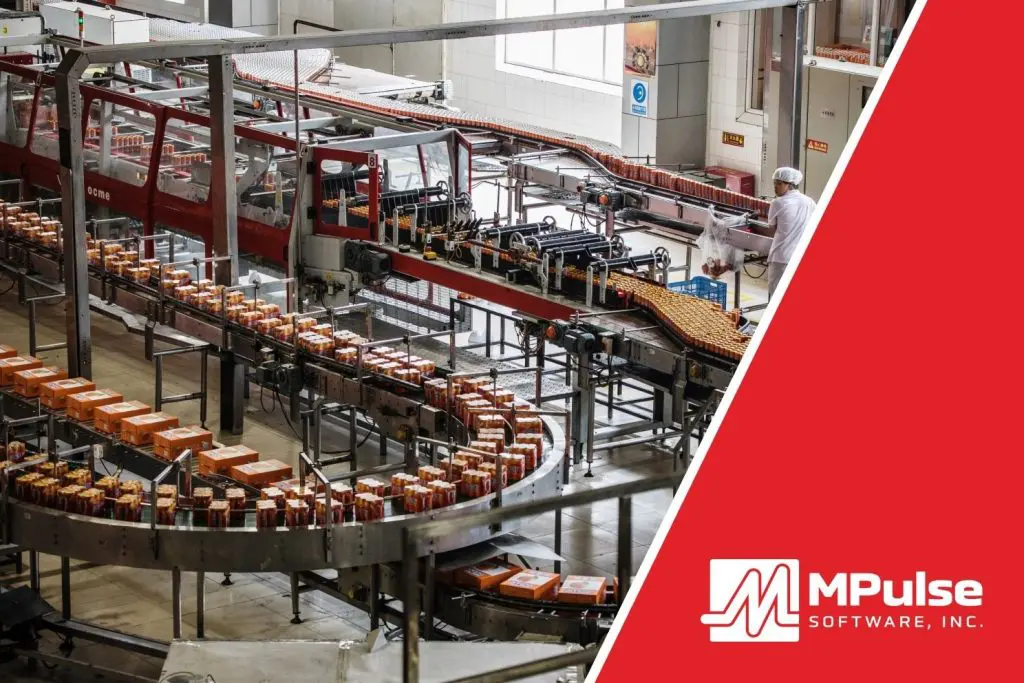
CMMS software for food and beverage maintenance teams automates essential tasks, providing data-driven insights to enhance asset management and boost productivity. This specialized software also monitors equipment performance, reduces costs, and ensures compliance with strict regulatory requirements in the food and beverage industry. How CMMS Helps with Food & Beverage Manufacturing Maintenance The food and beverage (F&B) industry often faces challenges such as inconsistent maintenance performance reporting, emergency breakdowns, unpredictable costs, and time-consuming audits. CMMS addresses these by centralizing maintenance data—tracking maintenance history, equipment specifications, and spare parts inventory. Many MPulse customers cite the following seven reasons for switching to CMMS in their F&B facilities. Reason #1: Asset Management CMMS enables better management of assets by providing detailed information about asset performance and maintenance history. In food and beverage manufacturing, tracking equipment is crucial for identifying potential problems early. This data allows food and beverage maintenance teams to make informed decisions, increasing asset lifespan, reducing breakdowns, and optimizing resource use. Reason #2: Reduced Downtime In F&B production and service, unplanned downtime can severely impact operations. CMMS software reduces this risk by automating preventive maintenance tasks, ensuring that equipment is regularly serviced to avoid unexpected failures. By analyzing asset performance, CMMS helps detect patterns that allow maintenance teams to address issues before they lead to costly downtime. Reason #3: Inventory and Supplies Management Efficient inventory management is vital in the F&B industry, where running out of parts can halt production. CMMS tracks spare parts inventory in real-time, ensuring that necessary components are always available when needed. This feature reduces the likelihood of downtime due to part shortages and optimizes inventory levels, cutting costs by avoiding excess or obsolete stock. Reason #4: Regulatory Compliance for Food & Beverage Maintenance F&B facilities must comply with multiple regulations across various levels. CMMS software streamlines compliance by maintaining digital records of maintenance activities, schedules, and reports. These records are invaluable during audits, providing clear evidence of adherence to industry standards and regulations. By automating this process, CMMS helps F&B facilities stay compliant with less manual effort. Reason #5: Preventive Maintenance Preventive maintenance is key to avoiding equipment failure in food and beverage operations. CMMS allows companies to create maintenance schedules based on time, usage, or part condition, ensuring tasks are completed in line with manufacturer recommendations. Regular inspections help detect minor issues before they escalate, improving efficiency, reducing energy consumption, and extending the life of critical assets. Reason #6: Data-Driven CMMS turns maintenance data into actionable insights. As a result, food and beverage maintenance teams can make decisions based on facts rather than relying on intuition. By collecting data from every work order, CMMS helps the maintenance team analyze trends. That makes it easier to determine when it’s more cost-effective to repair or replace equipment, and optimize operational strategies over time. Reason #7: Food & Beverage Maintenance Cost Control A well-implemented CMMS can significantly reduce food and beverage maintenance costs by reducing emergency repairs and production interruptions. By scheduling preventive tasks and understanding asset performance trends, F&B facilities can reduce overtime expenses for urgent repairs and avoid unplanned production losses. Additionally, CMMS helps schedule maintenance during off-hours, further reducing disruptions. The Benefits of CMMS for Food and Beverage Maintenance In summary, using CMMS in food and beverage manufacturing optimizes maintenance processes. That results in improved asset management and enhanced decision-making through data-driven insights. The right CMMS system can improve operations, reduce costs, and ensure smooth compliance with regulatory requirements. Contact MPulse to explore how CMMS can transform your maintenance operations.