
7 Reasons Why Military and Defense Contractors Are Switching to CMMS

Military and defense contractors work with highly complex and sophisticated equipment, ranging from aircraft and vehicles to advanced weapon systems. Maintaining and repairing these assets requires specialized knowledge, technical expertise, and access to specific tools and resources. The intricacy of these systems also presents challenges in terms of troubleshooting, diagnosing issues, and performing repairs effectively. Military and defense contractors must develop maintenance procedures that can withstand and mitigate the effects of these challenges. As a result, companies often turn to CMMS software for one of the following reasons. Reason #1: Preventive Maintenance Military equipment is often exposed to extreme operating conditions, including combat zones, harsh climates, and rugged terrains. These challenging environments can accelerate wear and tear on equipment, leading to increased maintenance requirements. CMMS software allows organizations to schedule and track preventive maintenance tasks for equipment and machinery. Regular maintenance helps identify and address potential safety issues before they lead to accidents or failures that could harm employees. By ensuring equipment is properly maintained, CMMS software reduces the risk of workplace accidents. Reason #2: Work Order Management Military operations often have tight schedules and strict operational timelines. Maintenance activities must be carefully planned and executed to minimize downtime and ensure that equipment is available when needed. As a result, military and defense contractors need tools for efficient coordination and proactive maintenance strategies to prioritize critical repairs and meet operational requirements. CMMS enables efficient management of work orders and service requests. The software also streamlines the process of reporting and addressing safety-related issues or hazards. Employees can easily report safety concerns, and the software ensures that these issues are quickly assigned to the appropriate personnel for resolution, minimizing the time between identification and resolution. Reason #3: Asset Management Military operations often require contractors to operate in remote locations where resources may be limited. Contractors must consider logistical challenges to ensure that maintenance personnel have access to the resources and tools to perform their duties effectively. That may require establishing supply chains, deploying mobile maintenance units, or implementing innovative maintenance strategies tailored to remote environments. CMMS software helps track and manage assets across an organization. It provides a centralized database that includes information about each piece of equipment and its history. By accurately tracking asset conditions and maintenance tasks, organizations can identify potential safety risks, such as faulty equipment or components, and take appropriate actions to address them. Reason #4: Documentation and Compliance The military and defense industry operates within a stringent regulatory framework. Contractors must comply with various regulations, safety standards, and quality management systems to ensure equipment reliability, operational safety, and mission success. Meeting these compliance requirements adds complexity to maintenance operations and requires documentation and adherence to established protocols. CMMS software excels at the creation and maintenance of detailed documentation related to safety protocols, standard operating procedures, and regulatory compliance. It also allows organizations to store safety manuals, guidelines, and relevant documents in a centralized location, ensuring easy access for employees. By promoting compliance with safety standards, CMMS also helps mitigate risks and minimize accidents. Reason #5: Training and Certification Management The military and defense industry continuously evolves with advancements in technology and the introduction of new systems. Contractors must stay updated on rapidly changing technology to maintain and support modern equipment effectively. Keeping pace with evolving technologies and managing the complexity of integrating new systems into existing infrastructure can be a significant challenge. CMMS can ensure that employees have received the necessary training and certifications for their specific roles. The software can track employee training records and certifications. It also sends reminders for refresher training to ensure employees stay updated on safety protocols and regulations. Reason #6: Real-time Alerts and Notifications The cost of maintenance is a crucial factor for military and defense contractors. Like any industry, balancing maintenance costs while ensuring equipment reliability and availability can be challenging. Contractors must optimize maintenance strategies to maximize the lifespan of equipment, minimize downtime, and control costs without compromising operational readiness. CMMS software helps by generating real-time alerts and notifications for safety-related issues. For example, CMMS can send automated alerts when equipment is due for maintenance or if a safety inspection is overdue. These proactive notifications help prevent accidents, ensure timely maintenance, and maintain a safe working environment. Reason #7: Data Security Military and defense contractors often work with sensitive and classified data. This data can be used to manage and improve military operations by reducing costs, improving outcomes, and optimizing equipment availability. Contractors must implement robust security measures to protect classified information, while still enabling efficient maintenance activities and access to necessary resources. MPulse provides solutions that combine certified production deployments with fully tested disaster recovery services to provide the highest levels of availability, security, responsiveness, and recovery. Additionally, MPulse includes features like Role-Based Access Control (RBAC), a data filtering utility that provides record-level access control. With RBAC, users can adjust settings in MPulse so the right people—and only the right people—have the right access to the right records. With CMMS software, military and defense contractors can ensure the reliability, safety, and effectiveness of critical equipment and systems. Contact us to learn more about how MPulse can help.
Keep Your Team Safe: Enhancing Safety with CMMS

Enhancing safety with CMMS helps keep your team safe by streamlining safety protocols, tracking maintenance tasks, and ensuring compliance with safety regulations. Maintenance and safety go hand in hand, and prioritizing maintenance creates safer work environments. Proactive maintenance helps your organization keep equipment reliable, reduce risks, follow regulations, improve performance, and extend equipment life. But perhaps most importantly, a solid maintenance strategy boosts your employees’ confidence that their safety is your priority. Organizations can enhance safety by implementing a CMMS software as part of a comprehensive maintenance program. How to Enhance Safety with CMMS CMMS helps keep your team safe in multiple ways. Equipment Reliability Regular maintenance ensures that equipment, machinery, and systems are in good working condition. Faulty or malfunctioning equipment can pose significant safety risks, leading to accidents, injuries, or even fatalities. By using CMMS software to streamline preventive maintenance, potential issues can be identified and addressed before they escalate. Lockout/Tagout Procedures Lockout/tagout (LOTO) procedures ensure the safety of workers when servicing or maintaining equipment or machinery. The process prevents the unexpected startup or release of hazardous energy that could cause injury or accidents. CMMS software can help ensure procedures are standardized and clear, so equipment cannot be operated while maintenance or repair work is being performed. Reporting Systems CMMS software can support an effective system for reporting safety incidents, near misses, and potential hazards. Employees can report any safety concerns promptly, and the information is easily accessible to the maintenance team. Managers also can regularly analyze and investigate reported incidents to identify root causes and take corrective actions. Risk Mitigation Maintenance activities help identify and address potential hazards associated with equipment or infrastructure. CMMS can help with standardized checklists and scheduled inspections to test for worn-out components, loose connections, leaks, or any other signs of deterioration that could compromise safety. Timely maintenance reduces the likelihood of equipment failure, which could result in accidents or unsafe conditions. Regulatory Compliance Many industries are subject to regulatory requirements regarding equipment maintenance and safety. CMMS makes compliance easy by documenting maintenance tasks with every work order. Compliance with regulations is not only a legal obligation but also crucial for safeguarding the well-being of workers and the general public. Asset Performance Regular maintenance helps equipment operate at its optimal performance levels. Well-maintained machinery is more likely to function efficiently, reducing the likelihood of unexpected failures or breakdowns that can compromise safety. Equipment that is properly calibrated, lubricated, and maintained is less prone to errors, providing a safer working environment. Extended Equipment Lifespan Proper maintenance can extend the lifespan of equipment, minimizing the need for premature replacements. Replacing equipment can be both costly and disruptive. By implementing regular maintenance practices with CMMS, organizations can ensure that equipment remains in serviceable condition for longer periods, reducing the risk of accidents associated with older or outdated equipment. Employee Confidence Regular maintenance and software tools like CMMS can contribute to a sense of safety and well-being among employees. Knowing that equipment is well-maintained and in good working order instills confidence in the working environment. It also fosters a positive safety culture where employees feel their safety is a priority, leading to increased job satisfaction and morale. Improve Safety with CMMS By prioritizing maintenance practices, organizations can create safer work environments and reduce the likelihood of accidents or incidents. Have questions about using CMMS to strengthen safety in your organization? Contact us. We can help.
Why a CMMS is Crucial for Maintaining Medical Equipment and Ensuring Patient Safety
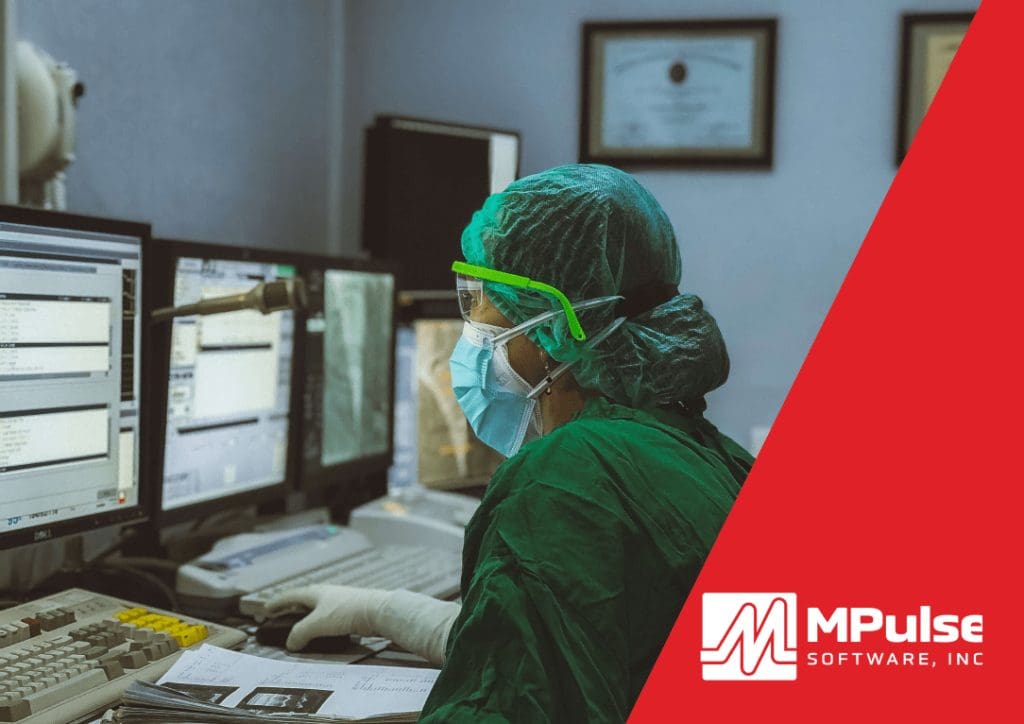
Maintaining medical equipment is crucial for ensuring patient safety, as regular upkeep and timely repairs help prevent equipment failures and ensure reliable, accurate performance in healthcare settings. Diagnostic and therapeutic healthcare assets require documentation of all tests, repairs, and maintenance tasks. CMMS helps to automate this documentation, including preventive maintenance, repairs, inventory management, vendor information, life cycle costs, and manufacturer recalls. Then, using data analytics, the maintenance team can use this CMMS data for technology management, quality assurance, work order control, and budgeting. CMMS for Maintaining Medical Equipment Healthcare organizations often rely on CMMS software for maintaining medical equipment and ensuring patient safety for one or more of these five reasons. Reason #1: Regulatory Compliance Medical equipment must comply with strict regulatory requirements to ensure patient safety. CMMS software can help healthcare organizations maintain detailed records of equipment maintenance and repair activities, making it easier to demonstrate compliance with regulatory requirements. Reporting features in CMMS also will help you gather complete and accurate data with every work order to support the documentation needed for inspections and audits. Reason #2: Equipment Reliability CMMS software can help healthcare organizations manage preventive maintenance activities and track equipment performance, reducing the risk of equipment failure and ensuring that equipment operates as intended. Maintenance teams also can use CMMS data to generate reports that can monitor asset health, improve productivity, and accurately assess how your department is functioning and where you might make changes to improve. Reason #3: Reduced Downtime Downtime can have a significant impact on patient care, leading to delays and disruptions in treatment. CMMS software can help healthcare organizations manage maintenance activities and reduce the risk of unexpected equipment failures, minimizing downtime and ensuring that equipment is available when needed. CMMS data also helps you make important decisions about the condition of your assets, like whether you should repair or replace it. Reason #4: Enhanced Safety Medical equipment must be safe for patients and healthcare workers to use. CMMS software can help healthcare organizations identify potential safety issues and take proactive steps to address them, reducing the risk of accidents and injuries. CMMS can also document safety information, including completed inspections, preventive maintenance, employee training, etc. Most importantly, when an emergency arises, you can use this critical data for making decisions. Reason #5: Inventory Management Medical equipment requires specialized parts and supplies that must be managed carefully. CMMS software can help healthcare organizations track inventory levels and automate the reordering process, ensuring that the right parts and supplies are available when needed. You also can identify where parts or materials are stored, making it quicker and easier to find them, as well as preventing duplicate orders because someone didn’t look in the right place. Maintaining Medical Equipment and Ensuring Patient Safety CMMS can help improve patient care by supporting the maintenance of medical equipment to ensure that it functions reliably. Learn how MPulse can help your maintenance team promote and maintain compliance, while also reducing emergency maintenance issues and unexpected downtime. Contact us for more information. We’re here for you.
7 Reasons Why Manufacturing Facilities Are Switching to CMMS Software

Implementing CMMS in manufacturing enhances equipment maintenance, reduces downtime, and improves overall operational efficiency, leading to increased productivity and cost savings. Manufacturers face multiple challenges in today’s global marketplace, and these market conditions can squeeze tight profit margins. At the same time, advances in automation, robotics, artificial intelligence, and other technologies are transforming the manufacturing landscape, requiring companies to continually adapt to stay competitive. Successful manufacturers understand the need for innovation to adapt to these changes. These businesses continually look at new technologies and different approaches to find better ways of doing things. Reasons to Implement CMMS in Manufacturing CMMS software offers solutions for manufacturers, and companies are making the switch for one or more of the following reasons. Reason #1: Equipment Reliability and Availability CMMS software can improve the way manufacturers manage their maintenance activities, leading to more reliable equipment and reduced downtime. It starts with the adoption of data-driven management, backed by CMMS, which simply means making decisions backed by reliable data instead of assumptions or perceptions. As CMMS technology has advanced, more detailed, relevant data on manufacturing assets is now available. And that data reveals some interesting things, including how the maintenance team can improve operations and streamline workflows. By tracking equipment performance and maintenance activities with CMMS software, manufacturers can identify potential issues and take proactive steps to address them. Reason #2: Increased Efficiency Customers increasingly expect customized products and fast delivery times, requiring manufacturers to be more flexible and responsive to changing market demands. By automating maintenance processes and tracking equipment performance, CMMS software can help manufacturers optimize their maintenance schedules, reduce costs, and improve efficiency. CMMS software can generate detailed reports on equipment performance, maintenance activities, and other key metrics, allowing manufacturers to identify trends and make data-driven decisions. Maintenance software also provides quick and easy access to information, including historical data on assets, documents, videos, photos, supplier websites, intranets, and more. That saves your team time when they need to respond quickly. Reason #3: Supply Chain Fluctuations Natural disasters, geopolitical events, and other events can disrupt supply chains, causing delays, shortages, and other challenges for manufacturers. For example, COVID-19 disrupted the supply of a huge number of products, including many required for manufacturing. Those issues become self-sustaining when manufacturers experience delays in shipping their own products because of problems with obtaining raw materials or other key components. With its inventory control and parts management features, CMMS software helps you prevent time- and money-wasting problems like running out of parts, searching for lost parts or duplicating inventory you didn’t know you had. Better management of parts and supplies also helps your organization save time and money by improving tracking, stocking, ordering, and inventory processes. That gives your team an edge when timing is critical. Reason #4: Regulatory Compliance Manufacturing companies strive to meet the growing demands of government and industry standards and regulatory bodies—OSHA, FDA guidelines, ISO certification, etc. Every industry has its mountain of rules to climb. Additionally, regulatory compliance continues to evolve and tighten for many industries after COVID and supply chain disruptions. CMMS software provides the right tools to document important compliance information, as well as features to make reporting on that data quick and easy when inspections or audits occur. Organizations use CMMS to link all the elements of repair and maintenance in one place. The data recorded for assets, employees, inventory, schedules, and work orders provides the basis for your compliance documentation. Preventing just one lawsuit more than makes up for the price of CMMS software. Reason #5: The Internet of Things (IoT) More companies are using smart manufacturing to optimize the production process, which combines IoT, artificial intelligence, and cloud computing. The IoT also has changed the way maintenance professionals collect asset information and exchange data with other systems. IoT systems gather information directly from multiple devices such as computers, vehicles, smartphones, appliances, building automation systems, production equipment, and almost anything else with a sensor. The combination of the IoT and CMMS helps maintenance technicians spot issues and prevent more serious breakdowns and repairs. Data from the IoT helps with improved scheduling, reduced unplanned overtime, accurate tracking of spare parts and inventory, more accessible information on asset conditions, and clearly defined benchmarks. This valuable data will enhance your maintenance team’s productivity and efficiency. Reason #6: Proactive Maintenance A proactive maintenance strategy lessens the possibility of equipment or asset failure. Preventive maintenance software will generate a schedule of PM tasks, making it simpler to follow the manufacturer’s guidelines. Or a condition-based maintenance approach keeps tabs on the actual state of your critical assets by recording the output of any meters and gauges on that asset. Whichever proactive strategy you choose, properly maintained assets perform more efficiently, use less energy, and fail less often—extending their usable life. When a maintenance team establishes and regularly performs tasks that contribute to the upkeep of assets, a manufacturer may be able to sidestep serious problems that arise as a result of neglect, as well as delay more expensive maintenance. Reason #7: Mobility Maintenance happens in the field, so techs benefit from technology that makes it easy to access work orders and make updates wherever they are, without stopping by the office or finding a computer. Mobile CMMS makes it possible to access vital maintenance data anywhere, via Wi-Fi or cellular connection. Improved security features mean you can safely control access to your data, even when you aren’t in the office. Using an adaptive interface and smart devices, maintenance techs can report problems as they find them and capture data when they are working on the job. Best of all, your team members don’t need to come back to the office to get the next work order—they can see their assignments wherever they are. Integrate CMMS in Manufacturing Operations Have questions? MPulse has answers. Contact us. We’ve worked with our customers, both large and small, to integrate CMMS software in their maintenance operations. We’ll get you where you need to be at a
The Role of CMMS in Preventive Maintenance for Public Works
The last few years of the global pandemic have stretched public resources to the breaking point. So, it’s never been more important for maintenance teams to make the most of their public assets. Managing these increasing demands with shrinking budgets poses an ongoing challenge. That’s where CMMS for public works can help. Moving from reactive to proactive maintenance can make better use of your maintenance team’s time and resources. Preventive maintenance is cost-effective and beneficial for public works departments of all sizes—lowering costs, improving reliability, and extending equipment life cycles. CMMS can help your team gather the data you need about your assets, as well as help your organization get the most out of its investments. Let’s talk about how it can help you. Preventive Maintenance Planning in Public Works By establishing and regularly performing preventive maintenance, public works departments may be able to sidestep serious problems that arise as a result of neglect as well as delay more expensive maintenance. For example, automated PM schedules and inspections help spot issues before they occur. Maintenance intervals can be scheduled based on asset or part condition, which triggers a work order just before the point when system inefficiencies or failures begin to occur. Preventive maintenance supports public works departments in multiple ways. Asset Management Asset management tools in CMMS software track your assets over their entire life cycle to maximize value. Preventive maintenance can impact the uptime and total life of key assets. Assets can easily cost more than they’re worth, particularly as they age. Your oldest equipment might be costing you the least amount of money in repairs—or the most—but you’ll only know if the data is there. CMMS can capture a wealth of data with every work order or scheduled preventive maintenance task. It can not only track the age of the equipment, but the miles, hours, life-to-date repair dollars, and many other metrics—helping you decide when it becomes cheaper to replace an asset instead of repairing it. You can keep tabs on all asset types, including equipment, buildings, grounds, rooms, and vehicles. Equipment Maintenance Scheduling Preventive maintenance planning in public works can extend equipment service life and help control costs. CMMS software will generate a schedule of PM tasks, making it simpler to follow the manufacturer’s guidelines. Maintenance intervals can be scheduled based on asset or part condition, which triggers a work order just before the point when system inefficiencies or failures begin to occur. CMMS software can automate the tedious stuff (data entry, email, request approval), so you can focus on more important things. Also, you won’t waste time looking for stuff because your CMMS database keeps the things your team needs (historical records, part information, vendor contact details, manuals, etc.) in easy-to-find places. Control Costs Government agencies are always accountable to the public. So, controlling the cost of maintenance is always a major goal for maintenance teams. CMMS helps you capture key data and turns it into reliable information to help make cost-effective choices. You can use that data to budget appropriately for repairs and maintenance, as well as create replacement plans. The ability to provide detailed reports also can make maintenance costs more transparent to stakeholders. When you use CMMS to schedule and track PMs, you’ll reduce emergency maintenance issues and unexpected production stoppages. This, in turn, cuts overtime costs for emergency repairs and reduces production losses. If you know when and why an asset tends to break down, you can take steps to improve uptime. You can also schedule maintenance for off hours by tracking equipment use time. Documentation and Compliance Public works departments need to follow all related laws, policies, and regulations. CMMS helps your team follow the rules. It could be documentation about safety protocols for OSHA, compliance regulations, or simply paperwork to support any liability issues. This type of documentation lies near and dear to your agency’s legal and compliance departments. Maintaining compliance requires increasingly complex recordkeeping. That’s where CMMS shines. Your software can keep the necessary audit trail for inspectors. Plus, a huge benefit of CMMS is the ability to drastically reduce that prep time. Rather than your team taking extra time to assemble all necessary documents, the software can generate detailed information in seconds. Parts and Inventory Management For most public agencies, a lot of capital sits in the stockroom. With its maintenance inventory control and parts management features, CMMS helps you prevent time- and money-wasting problems like running out of parts, searching for lost parts, or duplicating inventory you didn’t know you had. CMMS can help quickly identify what you need for which piece of equipment. When an emergency arises, this information provides critical data for making cost-efficient decisions. CMMS tracks stocking levels, reorder points, storage locations, and supplier information. You can also track various units of measure for a single inventory item. For example, you might purchase oil by the barrel but use it by the quart. Preventive Maintenance for Public Works Find out how MPulse CMMS software can help your public works department. Contact us.
5 Reasons Why Municipalities & Public Works Are Switching to CMMS Systems
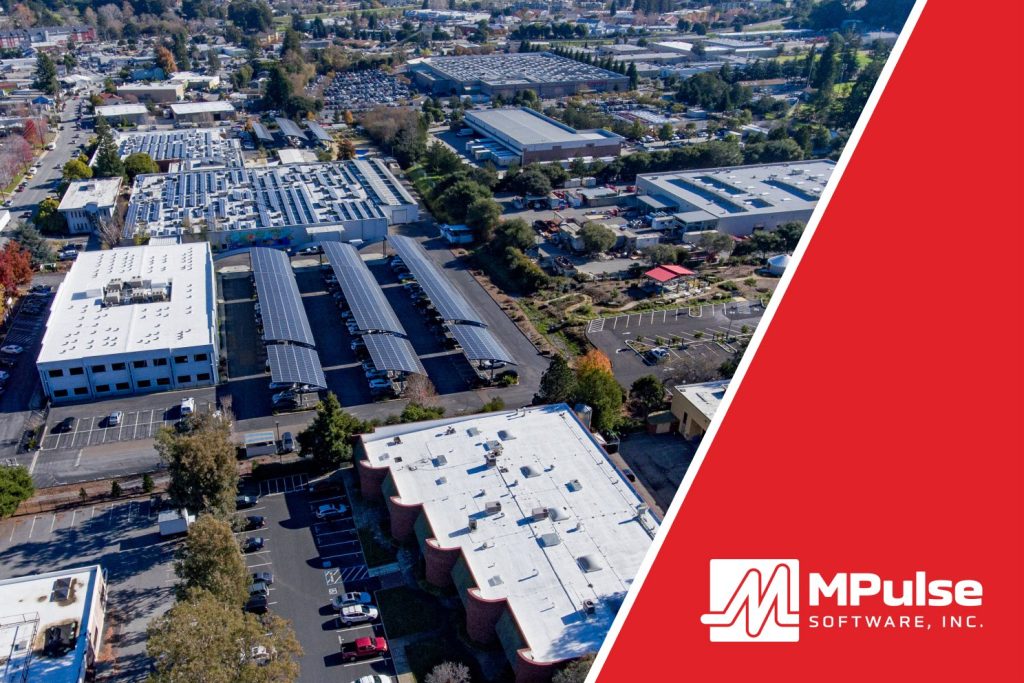
Municipalities and public works departments maintain critical components of infrastructure that support communities, such as parks, transportation networks, public fleets, health and safety resources, and public utilities, among many others. Proper maintenance of these assets can help facilitate quality of life, commerce, transportation, and communication, contributing to the economic growth and development of communities. Regular maintenance is a more cost-effective approach than repairing or replacing assets that have been neglected for a long time. To maximize these benefits and make the most of assets, municipalities and public works are turning to CMMS systems. Timely maintenance can help identify and address issues before they become major problems that are more difficult and expensive to fix. Why Municipalities & Public Works Are Switching to CMMS Systems Municipalities and public works often identify one or more of the following reasons they switched to CMMS. Reason #1: Easy Access to Data CMMS software allows you to collect and report on data across your entire asset inventory, providing numerous measures to help you make better decisions and answer business-critical questions. That includes data on emergency maintenance, preventive maintenance, labor hours, parts and inventory, employee productivity, and more. Even simple data from work order records can provide powerful insights. At a glance, you’ll know exactly how much money each work order type is costing your department in maintenance for a specified timeframe. And best of all, you can access the information in minutes, instead of spending hours or even days sorting through a paper filing system. Reason #2: Better Asset Management Asset management tools in CMMS software track your assets over their entire life cycle to maximize value. You can keep tabs on all asset types, including equipment, buildings, grounds, rooms, and vehicles. Using CMMS, you can capture a wealth of data with every work order or scheduled preventive maintenance task. CMMS can help your team gather the right data, as well as help your organization get the most out of its investments. This data helps you make informed decisions about the condition of every asset, and whether it’s better to repair or replace it when the time comes. Reason #3: Improved Accountability CMMS software can help create accountability. That means all employees are responsible for their actions, behaviors, performance, and decisions. Often, accountability can increase commitment to work and employee morale, which leads to higher performance. For example, you can use CMMS to build inspections and checklists into your workflows. That includes tracking employee health and safety information, documenting efforts to keep equipment safe and reliable, and ensuring all safety inspections and tests are done properly and on schedule. Reason #4: Streamlined Maintenance Workflows Work orders are the backbone of your operations, and CMMS makes scheduling, tracking, and documenting maintenance tasks easy. You can use CMMS to link all the elements of repair and maintenance work in one place. As a result, your team is recording work history with every work order. This information improves response times and completion rates with better access to historical data and other important details, like documenting preventive maintenance tasks on key assets. The data recorded for assets, employees, inventory, schedules, and work orders also provides the basis for your compliance documentation. Reason #5: Enhanced Budgeting and Cost Estimates CMMS reports can transform your data into meaningful insights, helping you make data-driven decisions by analyzing historical costs and trends. Every work order or scheduled preventive maintenance task provides the data you need to track the associated maintenance costs of specific assets, so you know exactly what they’re costing you. This data can be applied directly to purchasing or other important organizational decisions. You’ll be able to purchase, operate, maintain, upgrade, or dispose of assets in the most cost-effective manner. Contact us for more information on how CMMS software can help municipalities and public works departments. We’re here to help.
7 Reasons Why Healthcare Facilities are Switching to CMMS Systems

Maintenance plays a major role in keeping healthcare facilities running smoothly. It’s a challenging task. These organizations juggle the needs of patients and providers, while complying with related legislation and regulations. Typical maintenance needs can range from facility HVAC systems and generators to equipment to electrical and plumbing repair to cleaning supplies. Additionally, the type of assets found in healthcare facilities is vast. From clinics to hospitals to laboratories to residential care, these organizations use specialized assets and facilities that require ongoing maintenance services—including life-saving equipment, offices, residential units, and outdoor space. As a result, organizations need the right tools to manage maintenance for all these assets, whether it’s repairing a critical piece of equipment or replacing a light bulb. CMMS software for healthcare excels at tracking the details of your increasingly complex healthcare operations. Healthcare facilities often identify at least one of these seven reasons for implementing a CMMS. Reason #1: Compliance Healthcare facilities must maintain compliance with numerous regulatory agencies. CMMS software can help by providing a reliable central repository for your maintenance and safety data. It collates all the vital information and generates accurate reports for audits. Healthcare CMMS software is designed specifically for maintenance, thereby enabling you to safely store all the required PM schedules, equipment records, and asset data. That information provides the basis for any reporting needed for regulatory audits or inspections. Yet since CMMS solutions don’t track patient information, they aren’t held to the same level of security as other software used by healthcare facilities, such as CRM or ERP programs. Reason #2: Preventive Maintenance When a maintenance team establishes and regularly performs PM tasks that contribute to the upkeep of assets, an organization may be able to sidestep serious problems that arise as a result of neglect, as well as delay more expensive maintenance. For example, medical equipment requires periodic inspections to ensure that it’s working correctly. Healthcare CMMS programs ensure equipment is properly calibrated and lubricated, and maintenance tasks are performed in a timely manner. Automating preventive maintenance with CMMS software helps maintenance teams schedule PM tasks, making it simpler to follow the manufacturer’s guidelines. Maintenance intervals can be scheduled based on time, operating hours, or part condition—triggering a work order just before the point when system inefficiencies or failures begin to occur. Over time CMMS creates historical data for the asset, which maintenance managers can use to determine if repairs were successful or if they need to adjust the PM schedule based on performance. Reason #3: Condition-Based Maintenance Condition-based maintenance (CBM) keeps tabs on the actual state of your critical assets by recording the output of any meters and gauges on that asset. When an asset’s condition changes outside of specified ranges, a trigger lets you know immediately so you can react to prevent breakdowns before they happen. CBM may apply to the maintenance of high-risk medical equipment. That includes all life support equipment and any other device for which there is a risk of serious injury or death to a patient or staff member should it fail. Maintenance activities and frequencies should follow manufacturers’ instructions and recommendations for maintaining, inspecting, and testing all medical equipment. Reason #4: Fewer Breakdowns CMMS software can help you reduce emergency maintenance issues and unexpected downtime. This, in turn, cuts overtime costs for emergency repairs. For example, inspections need to occur at specific time intervals to help maintenance teams spot issues before they occur. Common time triggers include items like fire alarms, elevators, and seasonal facility equipment (i.e., HVAC units). You also can use CMMS to trigger maintenance tasks using a specific meter. You can choose meters like mileage, usage time, production volume, pressure, flow rate, etc. Over time these repairs create historical data for the asset. Then, maintenance managers can determine if repairs were successful or if they should adjust the PM schedule based on performance. For example, if an asset breaks roughly every 1,000 hours of usage time, set your trigger for 900 hours. Reason #5: Documentation Healthcare facility maintenance requires documentation, which CMMS can automate. Once it’s set up, your maintenance team is ready to go. Your maintenance technicians have custom checklists, resources like repair and preventative maintenance manuals, asset history, and safety procedures right there with the work order. Inconsistent record-keeping procedures are a common cause of regulatory agency citations and fines. CMMS data provides both the big picture and the little details, so your maintenance tasks are both visible and verifiable. Much of that documentation is also automated with each completed work order. And best of all, you can access the information in minutes, instead of spending hours or even days sorting through a paper filing system. Reason #6: Safety Safety in the workplace affects everyone. CMMS helps healthcare organizations improve safety policies with updated safety procedures, documented safety training, employee reminders, standardized checklists for scheduled inspections, paper trails showing preventive measures, and detailed emergency procedures in case of a natural disaster or other incidents. A proactive safety initiative supported by consistent documentation particularly serves its purpose during an emergency. Such an event can trigger related tasks such as conducting inspections; implementing safety measures; managing resources, supplies, and personnel; gathering data for insurance purposes, etc. Reason #7: Key Performance Indicators CMMS software uses the data gathered in every work order to create meaningful KPIs that tell you about the effectiveness of your maintenance strategies. While every organization is different, maintenance KPIs that most MPulse customers find helpful to monitor include… Planned Maintenance Percentage: the percentage of the total hours spent on PM maintenance activities over a specific period. Preventative Maintenance Compliance (PMC): the percentage of scheduled PM tasks that get done in a specific time interval. Mean Time to Repair (MTTR): the average time to evaluate and repair failed equipment. Mean Time Between Failures (MTBF): the predicted time between failures of an asset during normal operation. Overall Equipment Effectiveness (OEE): the percentage of time that an asset is truly productive. Maintenance Backlog: the percentage of uncompleted tasks. Annual
How CMMS Software Can Help You Make Data-Driven Decisions

CMMS data can be one of the most valuable tools in your maintenance department. Making decisions based on hard data makes maintenance more effective because it can serve as the foundation of every decision your organization makes about its assets. CMMS software gathers data with every completed work order or preventive maintenance task. You can glean a lot of insights into your operations from that data. That information really comes into play when it’s time to make important decisions about the condition of your assets, like whether you should repair, replace it, or extend its lifecycle. You’ll be able to purchase, operate, maintain, upgrade, or dispose of assets in the most cost-effective manner. Maintenance Software for Data-Driven Decision Making Data-driven decision at its core means making informed choices based on data. CMMS software allows you to collect and report on data across your entire asset inventory, providing numerous measures to help you make better decisions and answer business-critical questions. That includes data on… Labor costs Parts costs Parts stocking recommendations Inventory lead times Energy costs Purchase price and date Life expectancy Warranty information Replacement costs Other custom data Additionally, many contemporary CMMS solutions like MPulse allow you to connect to meters and gauges directly, eliminating the need for meter readings and manual data entry ensuring its accuracy and timely capture. Data-Driven Decisions vs. Intuition, Observation, or Guesswork You’ve likely made decisions based on intuition, experience, or guesswork. We’ve all done it. While sometimes your intuition is correct, making decisions based on data is defendable, makes it easier to show others (like your boss), and why it’s the right decision. Downtime Let’s say you have a compressor that seems to break down every 6 weeks. Your tech suggests that replacing it makes more sense than constantly repairing it. They might be right. But it’s hard to know unless you can look at the data. Your CMMS software reveals that your team has fixed that compressor every 6 weeks for the past 12 months. Parts cost $500 each time, plus another hour of your tech’s time that averages about $80/hour. So the direct cost of one repair to that compressor is about $580. However, each time it needs to be fixed, your operations team experiences about an hour of downtime. Let’s conservatively estimate that downtime costs your organization about $532,000 per hour. The cost of a new compressor is $70,000. Now, that decision is easy to make—and justify—because the numbers work out. While the direct repair costs aren’t bad, the downtime is significant. It’s time to replace that compressor, and you have the data to back up your decision. Total Cost of Ownership CMMS data changes the way you make decisions because you have all the information at your fingertips to determine the total cost of ownership. In another example, you have a generator that’s about 10 years old. This asset has been working hard for you, with only minimal preventive maintenance and two breakdowns during that entire time. It’s still working, but it looks old and outdated. In this case, you’ll look at the generator’s initial cost, maintenance costs over 5 years, and the remaining value after 5 years of depreciation. Maintenance costs should include repairs, preventive maintenance, parts and supplies, and electricity usage. Initial cost + Maintenance cost – Remaining value = Total Cost Of Ownership You use your CMMS data to calculate the cost of ownership, it works out to less than $4,000/year. A new generator is $50,000. Even though that old generator doesn’t look pretty, and a new one may be more efficient, the numbers support not replacing it—yet. Use CMMS Data to Determine Whether to Repair or Replace Assets When it’s time to decide whether to repair or replace an asset, use CMMS data to make your decision based on hard numbers. By running a few simple reports, you know which assets cost the least amount of money to maintain and repair. Additionally, you can calculate when the increased efficiencies of newer models will pay off in the long run. These decisions affect more than the replacement budget. Analyzing the life cycle of assets also helps reduce downtime and prevent unexpected repairs. When you have the hard data about the age of the equipment and the miles, hours, life-to-date repair dollars, and other metrics—it is easier to decide when it’s time to replace an asset instead of repair it. What does CMMS data tell me? Even simple data from work order records can provide powerful insights. At a glance, you’ll know exactly how much money each work order type is costing your business in maintenance for a specified timeframe. You can quickly answer questions like… What type of maintenance do I spend the most on? How does the cost of preventive maintenance compare to repair costs? If I run this report for a different time period, like last year, are there significant changes by category? Beyond general questions, you can ask precise questions that’ll lead to a more informed decision-making process… Why are my machining maintenance costs so high? What new equipment needs to be purchased, if any? How much will the new equipment cost compared to the current maintenance expense? Will I save money over time by purchasing new equipment? How much? Moving Beyond Assumptions A CMMS gives you accurate, complete data, and this data can be applied directly to purchasing or other important organizational decisions. Don’t rely on intuiting the right answers for your critical business decisions. Begin to ask yourself whether it’s possible to support your decisions with numbers. Then identify opportunities where these numbers can inform your decision-making process. To learn more about data-driven maintenance and some of the powerful, affordable tools that make it easy, contact us.
State of The Industry: CMMS Review & Trends

The start of a new year always brings a fresh perspective. With that in mind, we wanted to share the CMMS trends that could impact your maintenance operations in 2023. The last few years have shed light on who the essential workers really are, as well as the vital role of maintenance. Companies continue to rethink employee safety in the wake of COVID-19, with a careful eye on other challenges like an aging workforce and limited labor resources. As we look towards 2023, we can apply these lessons and make our organizations better prepared for the future. Proactive Maintenance As global supply chain issues continue, a proactive maintenance strategy lessens the possibility of equipment or asset failure. That may include preventive maintenance software that will generate a schedule of PM tasks, making it simpler to follow the manufacturer’s guidelines. Or a condition-based maintenance (CBM) approach to keep tabs on the actual state of your critical assets by recording the output of any meters and gauges on that asset. Or data collected by the Internet of Things (IoT) devices and analyzed by CMMS software to help managers cut costs and find the best way to manage workloads and prevent emergency breakdowns. Whichever proactive strategy you choose, properly maintained assets perform more efficiently, use less energy, and fail less often—extending their usable life. When a maintenance team establishes and regularly performs tasks that contribute to the upkeep of assets, an organization may be able to sidestep serious problems that arise as a result of neglect, as well as delay more expensive maintenance. Compliance Regulatory compliance continues to evolve and tighten for many industries after COVID and supply chain disruptions. CMMS software provides the right tools to document important compliance information, as well as features to make reporting on that data quick and easy when inspections or audits occur. Organizations use CMMS to link all the elements of repair and maintenance work in one place. The data recorded for assets, employees, inventory, schedules, and work orders provides the basis for your compliance documentation. This information improves response times and completion rates with better access to historical data and other important details, like documenting preventive maintenance tasks on key assets. Asset Performance Management As the name suggests, the main purpose of asset performance management (APM) is to improve the performance of assets. As a result, they can continue to work in their intended function. It’s taking maintenance to the next level, where it’s easier to spot problems before they occur or identify ways to make your operations more productive. APM maximizes the predictability and profitability of equipment or facilities with CMMS software and real-time data, analytics, reporting, and life cycle analysis to optimize asset performance and reliability. Additionally, you can use APM to minimize unplanned repair work, manage risk, reduce equipment failure, and extend asset life without unnecessary costs. CMMS enables organizations to access real-time information about their assets. With this information, companies can determine the efficiency of their equipment and whether or not it should be repaired or replaced. It provides valuable data to help them decide how to run their operations effectively and efficiently. Mobile Maintenance happens in the field, so techs benefit from an adaptive interface that makes it easy to access work orders and make updates wherever they are, without stopping by the office or finding a computer. Mobile CMMS makes it possible to access vital maintenance data anywhere, via Wi-Fi or cellular connection. Improved security features mean you can safely control access to your data, even when you aren’t in the office. Using an adaptive interface and smart devices, maintenance techs can report problems as they find them and capture data when they are working on the job. Best of all, your team members don’t need to come back to the office to get the next work order—they can see their assignments wherever they are. Inventory Management The biggest benefit of parts and supplies management is controlling your cost of maintenance. You can get your fastest return on investment (ROI) by implementing inventory management. That’s because for most organizations, a lot of capital sits in the stockroom. Better management of parts and supplies helps your organization save time and money by improving tracking, stocking, ordering, and inventory processes. That’s more important during challenging times, like the current state of the supply chain. With its inventory control and parts management features, CMMS software helps you prevent time- and money-wasting problems like running out of parts, searching for lost parts or duplicating inventory you didn’t know you had. Control your stock based on need and availability, so the right parts are on the shelf, yet you can minimize other parts that are used less frequently. For example, if a critical part has a three-week lead time, you can adjust stocking levels to make sure it is available when your staff needs it. Most importantly, when an emergency arises, this information provides critical data for making cost-efficient decisions. Data Integration Technological advances continue to make more and more detailed, relevant data available. And with that increased capability comes increased opportunity to improve organizational performance at all levels, and in all departments—including the maintenance team. The maintenance department is in the unique position of interacting with most, if not all, other departments. So, tight integration between CMMS and other business-critical applications and data stores will do more than reduce hassle. You’ll also experience fewer errors due to manual data entry, reduced data input redundancy, faster response times to maintenance problems, near real-time monitoring of critical data, and the ability to grow with your company’s changing technologies Expanding software across departments enables your entire organization to benefit from the ability to collaborate. As a result, everyone can benefit from easy access to data to make decisions. Large businesses have been using data-driven management for decades, but now it’s easy for smaller organizations to jump on the data train with software integration tools. Organizations in all industries are currently faced with a multitude of
CMMS & Compliance: Merging Software & Practice

Using CMMS doesn’t automatically make you compliant with regulatory guidelines. Your maintenance software provides vital tools to help your organization maintain compliance, but you need to set it up correctly to follow the standards outlined by regulatory agencies. To support all compliance-related documentation, align your CMMS software with your team’s workflows to streamline the documentation process. Your goal should be to automate the completion of compliance tasks as much as possible and record each and every one. For how a CMMS keeps records audit-ready across regulations, see maintenance compliance. Track Asset History With every work order in CMMS software, you’ll build a traceable history for your assets. When it comes to compliance, that documentation serves as the foundation for proving to regulatory agencies that your organization is doing what it needs to for compliance. Ensure you are gathering all key data that an auditor would want, including the task, status, due date, completion date, and asset condition. This data serves as the foundation for reports that outline exactly what your team has done and when. Manage Parts & Inventory Inventory management tools in CMMS software can help quickly identify what you need for which piece of equipment. When an emergency arises, this information provides critical data for making cost-efficient decisions. It also helps your organization save time and money by improving tracking, stocking, ordering, and inventory processes. Using CMMS to manage and control inventory and parts not only helps streamline operations, but also will prove to regulatory auditors that you’ve taken steps to enable the timely completion of work orders and related worker safety. You’ll have the documentation you need to answer any questions during an audit or inspection. Automate Preventive Maintenance Tasks When a maintenance team establishes and regularly performs preventive maintenance tasks that contribute to the upkeep of assets, an organization may be able to sidestep serious problems that arise as a result of neglect, as well as delay more expensive maintenance. CMMS software will generate a schedule of PM tasks, making it simpler to follow the manufacturer’s guidelines. These schedules and inspections help spot issues before they occur. As each PM task is completed, you’re documenting your efforts to ensure your assets are properly calibrated and lubricated when they need to be. Create Inspection Checklists You can use CMMS to build inspections and checklists into your workflows. That includes tracking employee health and safety information, documenting efforts to keep equipment safe and reliable, and ensuring all safety inspections and tests are done correctly and on schedule. CMMS encourages safety when you integrate all compliance codes and maintenance manuals to on-site equipment records. As a result, you can use maintenance software to resolve potential risks before outside auditors do. However, these safety measures aren’t just about protecting your organization in an audit or inspection. It’s in everyone’s best interest to be proactive about your employees’ health and safety. Customize CMMS Dashboard A configurable dashboard reduces the need to search for frequently used features or data by placing them all in a single location. End-users with the appropriate permission are able to create their personal dashboards. These “command center consoles” will allow you to customize the content that you can view. That means you can put your most important data related to compliance front and center, where you don’t have to dig for it. CMMS software makes regulatory compliance so much easier for maintenance operations. The savings in time and effort alone pay off quickly, not to mention the reduced stress associated with inspections or audits. Contact us to learn more about how MPulse can help.