
Seven Reasons Why Food and Beverage Maintenance Is Shifting to CMMS
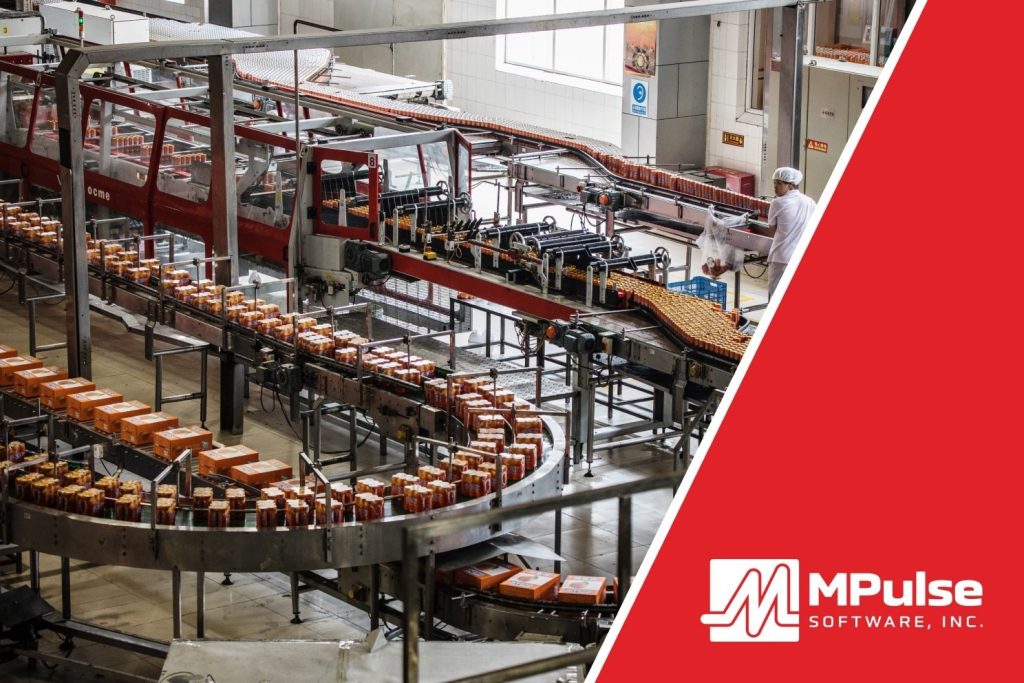
CMMS software for food and beverage maintenance teams automates essential tasks, providing data-driven insights to enhance asset management and boost productivity. This specialized software also monitors equipment performance, reduces costs, and ensures compliance with strict regulatory requirements in the food and beverage industry. How CMMS Helps with Food & Beverage Manufacturing Maintenance The food and beverage (F&B) industry often faces challenges such as inconsistent maintenance performance reporting, emergency breakdowns, unpredictable costs, and time-consuming audits. CMMS addresses these by centralizing maintenance data—tracking maintenance history, equipment specifications, and spare parts inventory. Many MPulse customers cite the following seven reasons for switching to CMMS in their F&B facilities. Reason #1: Asset Management CMMS enables better management of assets by providing detailed information about asset performance and maintenance history. In food and beverage manufacturing, tracking equipment is crucial for identifying potential problems early. This data allows food and beverage maintenance teams to make informed decisions, increasing asset lifespan, reducing breakdowns, and optimizing resource use. Reason #2: Reduced Downtime In F&B production and service, unplanned downtime can severely impact operations. CMMS software reduces this risk by automating preventive maintenance tasks, ensuring that equipment is regularly serviced to avoid unexpected failures. By analyzing asset performance, CMMS helps detect patterns that allow maintenance teams to address issues before they lead to costly downtime. Reason #3: Inventory and Supplies Management Efficient inventory management is vital in the F&B industry, where running out of parts can halt production. CMMS tracks spare parts inventory in real-time, ensuring that necessary components are always available when needed. This feature reduces the likelihood of downtime due to part shortages and optimizes inventory levels, cutting costs by avoiding excess or obsolete stock. Reason #4: Regulatory Compliance for Food & Beverage Maintenance F&B facilities must comply with multiple regulations across various levels. CMMS software streamlines compliance by maintaining digital records of maintenance activities, schedules, and reports. These records are invaluable during audits, providing clear evidence of adherence to industry standards and regulations. By automating this process, CMMS helps F&B facilities stay compliant with less manual effort. Reason #5: Preventive Maintenance Preventive maintenance is key to avoiding equipment failure in food and beverage operations. CMMS allows companies to create maintenance schedules based on time, usage, or part condition, ensuring tasks are completed in line with manufacturer recommendations. Regular inspections help detect minor issues before they escalate, improving efficiency, reducing energy consumption, and extending the life of critical assets. Reason #6: Data-Driven CMMS turns maintenance data into actionable insights. As a result, food and beverage maintenance teams can make decisions based on facts rather than relying on intuition. By collecting data from every work order, CMMS helps the maintenance team analyze trends. That makes it easier to determine when it’s more cost-effective to repair or replace equipment, and optimize operational strategies over time. Reason #7: Food & Beverage Maintenance Cost Control A well-implemented CMMS can significantly reduce food and beverage maintenance costs by reducing emergency repairs and production interruptions. By scheduling preventive tasks and understanding asset performance trends, F&B facilities can reduce overtime expenses for urgent repairs and avoid unplanned production losses. Additionally, CMMS helps schedule maintenance during off-hours, further reducing disruptions. The Benefits of CMMS for Food and Beverage Maintenance In summary, using CMMS in food and beverage manufacturing optimizes maintenance processes. That results in improved asset management and enhanced decision-making through data-driven insights. The right CMMS system can improve operations, reduce costs, and ensure smooth compliance with regulatory requirements. Contact MPulse to explore how CMMS can transform your maintenance operations.
CMMS Implementation: Best Practices for Success

CMMS implementation best practices can streamline maintenance processes, improve asset management, and enhance operational efficiency, making it a crucial step for organizations looking to optimize their maintenance practices. Maintenance managers know it’s critical to have the right tools—and the right skills—for the job. The same is also true for implementing your CMMS software. These tips and strategies can help you plan for a successful CMMS implementation, particularly how to choose the right solution, plan and execute the implementation, and measure the results. How to Choose the Right Solution With many capable software vendors in the CMMS market, finding the right solution can seem overwhelming. Your search doesn’t have to be complicated, however. Start by understanding why you’re looking for CMMS software in the first place. Step 1: Identify Your Pain Points Identify why your original system (whether computer- or paper-based) is failing to meet your needs. Typically, the limiting factor is a key function where the old system isn’t performing well. We call this a primary pain point. Of course, you may have more than one pain point—especially with older systems—but determining your top one, two, or three will help focus your selection process, and ensure you communicate your needs to potential vendors. Ultimately, it’ll get you the software that best heals your pain. Pain points tend to fall into four categories: functional, technological, organizational, and scalability. Functional A functional pain point occurs when an existing system isn’t delivering on a core maintenance-related function. Common functional issues relate to work order management, preventive maintenance (PM) scheduling, or service request management and tracking. Other functional pain points include vendor management, detailed reporting, or inventory control. Whatever it is, your existing system isn’t doing it well. Technological A technological pain point occurs when the system you’re currently using is no longer a match for the way you need to conduct the management, execution, and tracking of maintenance. The shoe no longer fits, as it were. The pace of business often seems to be forging ahead without consideration for the time it takes us to maintain the critical infrastructure that drives it. Organizational Sometimes a pain point originates elsewhere in the organization, but the fulfillment of that need falls to the maintenance manager. Organizational pain points roll downhill to you from elsewhere in the company. Sometimes these pain points arise from a corporate merger or acquisition, new regulations or compliance requirements, or a new senior manager. Regardless of where they come from, you likely learned about them from your boss. Scalability Scalability is the capacity to grow as an organization grows. It’s typically tied to organizational and technological changes. Maybe changes in an organization are driving growth in business and employee headcount. Sometimes better network connections are increasing the ability of a company to work across multiple geographies. Or perhaps an expanded facilities footprint is drastically increasing the number of service requests. Before you begin talking to maintenance software vendors, capture your pain on paper. Brainstorm a list of your top three pain points in clear and concise bullets. You might start by writing down as many as you can think of. Then do your best to whittle the longer list down to no more than three. Once you’ve bulleted out your top three pain points, you’ll be able to articulate clearly to vendors the functions and features important to you. Step 2: Decide Which Features You Need There’s a short list of features no CMMS should be without. It’s likely any competitive solution you’re considering will have these features. It’s not uncommon, however, to find non-CMMS vendors trying to compete in the space. They don’t always have all the features you’ll need for successful maintenance management, so be sure the solution you’re considering has these basics. Basic CMMS Features Asset Records are the heart of any maintenance or asset management solution. Specifically, assets records are where you’ll store the details about the equipment, buildings, vehicles, or other assets you’ll be maintaining. Often these records include asset name, purchase date, purchase price, serial number, location, and other important descriptive details. Employee Records store information about your employees who will do the work: names, contact information, certifications, and anything else you want to track about your organization’s people. Inventory Records hold the details about spare parts and consumables you have on hand: type, model, serial number, manufacturer, supplier name, location name, item number, item state, unit of measure, and other critical information your department needs to have about its parts and consumables. Work Orders are the “digital documents” that track management of repairs and PMs. Specifically, these are the forms inside the software that link all the elements of repair and maintenance work in one place. They generally answer these questions: What was repaired? Who did the work? What parts were used? When was the work assigned, initiated, and completed? What was the outcome? Where was the work done? What was the problem or preventive activity? Inventory Management helps you keep up with spares and consumables you have on hand. It provides you with immediate visibility into item quantities to help you prevent outages of critical parts and materials. Reporting tools help you create meaningful information from the data recorded for assets, employees, inventory, schedules, and work orders. Most vendors’ basic editions provide list-view reports, but not all basic packages include charts or graphical reporting. Be sure to ask. Preventive Maintenance Scheduling enables you to establish, monitor, and execute preventive maintenance schedules. Be sure to ask vendors if they include both time- and meter-based scheduling. Step 3: Decide If You Need Service Requesting Tools If you have people or departments that submit repair requests, make sure the CMMS product you’re evaluating supports service requests. This capability allows users to enter and initiate service requests and lets them monitor the progress of the requests as your team completes repairs. Service requesting is often the first function beyond the basics that maintenance organizations need, particularly for maintenance teams who have internal customers. Many times, teams
6 Common Healthcare Concerns with Switching to a CMMS

Implementing CMMS in a healthcare facility, while immensely beneficial, can feel like a difficult undertaking. Making the necessary adjustments often introduce challenges and concerns that require careful planning and thoughtful responses. However, healthcare CMMS drawbacks can be easily addressed with the right tools and resources. Here’s how. Concerns with Switching to a CMMS in Healthcare Maintenance customers commonly cite the following six challenges of implementing CMMS in healthcare settings, including hospitals, laboratories, dental and eye care offices, pharmacies, and other organizations. Taking proactive steps to address each one can help you prevent complications that delay your CMMS implementation success. #1: Data Migration and Integration Successfully transitioning to CMMS relies on seamless data transfer and compatibility. However, migrating data from your existing systems and integrating the CMMS with other healthcare software can be complex and time-consuming. Plus, transitioning to a new system can temporarily disrupt workflows, causing more concerns about downtime and data access. Thoughtful planning and effective execution are essential to mitigate these complexities and to ensure a seamless transition that ultimately enhances healthcare maintenance management. Luckily, CMMS data integration tools have opened up new possibilities for connecting software across various departments. As a result, healthcare organizations can now easily integrate CMMS with other systems, including accounting software, predictive maintenance monitors, building automation systems, and many others. For example, the MPulse DataLink Integration Adapter boasts compatibility with an extensive range of file and data exchange formats. With this capability, CMMS integration with spreadsheets, databases, ERP systems, accounting systems, PLCs, electronic meters, and more becomes both feasible and efficient. #2: User Training CMMS adoption issues in healthcare commonly stem from users who need to learn a new system or adapt to new workflows. Staff members need time to adapt to new processes and technologies, potentially affecting productivity. Technical proficiency among users can vary widely. Additionally, training personnel to effectively use your CMMS can present logistical challenges. Some employees also may resist the change, viewing it as an additional burden or fearing job displacement. Overcoming resistance and gaining user acceptance is crucial for successful implementation. CMMS training helps individuals and organizations adapt to change more effectively. Formal training programs allow individuals to learn new skills and improve existing ones, whether they’re technical, soft skills, or specific to the industry. Proper training also helps your people perform better, which boosts productivity over time. #3: Data Security and HIPAA Compliance Healthcare facilities are subject to strict regulatory requirements. Organizations must ensure that patient data remains secure and compliant with regulations like the Health Insurance Portability and Accountability Act (HIPAA). Ensuring that any new software or workflows comply with these regulations is essential, particularly when it comes to maintaining audit trails and data reporting. As a result, a CMMS must be configured and managed with strict security measures. That’s why MPulse supports SAML SSO, enabling its cloud-based CMMS software to integrate with security directories that determine who gets access to what computers, networks, applications, and services. No other third parties are required. Additionally, MPulse Role-Based Access Control helps you prevent unauthorized users from viewing or editing data, gain tighter control over data access, and eliminate unnecessary information. #4: Customization Challenges with CMMS in Healthcare Healthcare facilities have unique needs and workflows. Adapting software to meet these specific requirements typically requires customization, which can be costly and time intensive. To optimize efficiency and productivity, it’s crucial to have software customization options that allow you to tailor workflows, fields, and forms, thereby ensuring a seamless fit with your business processes. Your CMMS should enable customizable workflow steps, statuses, and approval processes to align with your unique workflows and ensure seamless task management. The ability to add, modify, or remove fields to match your specific data requirements can improve data accuracy and completeness. Also customized forms will capture information specific to your workflows, making data entry more efficient and intuitive. #5: Data Backup and Recovery Healthcare facilities rely on continuous operation. Any downtime or system failures can disrupt business activities, potentially impacting patient care. In particular, losing digital records can be disastrous. Access to this information is vital when you’re suddenly faced with a crisis. As a result, adequate data backup and recovery measures should be in place to protect against data loss. Set up your CMMS software to securely store all critical data in an off-site location, ensuring the safety and accessibility of vital information. Establishing secure methods enables your team to retrieve essential information as needed, even in situations where on-site access is limited or compromised. This data should include contact information for your employees, vendors, emergency response personnel, and other relevant stakeholders. This data is the cornerstone of effective communication and collaboration during emergencies or unexpected downtime. #6: Scalability Healthcare organizations grow and change over time. Any business software must be able to scale and adapt to new requirements without causing disruptions. Changes in the number of locations, employees, or service requesters can affect your current systems, which should adapt accordingly. Software scalability is cost effective because you can buy what you need when you need it. You can’t predict these changes, yet CMMS software scalability ensures you are prepared when they happen. Whether it’s adding user licenses or expanding functionality, it’s more affordable to scale up your CMMS software instead of starting from scratch every time. Scalable CMMS software keeps you on top of the increased workload—whether it’s more equipment, additional production, new staff members, extra inventory, different safety procedures, etc. Overcoming Resistance to CMMS in Healthcare To address these common concerns, healthcare organizations should conduct thorough research, engage in comprehensive planning, involve key stakeholders, and work closely with their chosen CMMS vendor. Adequate training and support for staff during and after implementation are also crucial for a successful transition to a CMMS in healthcare environments. Have questions? We have answers. Contact us. Or get your free trial of MPulse CMMS software.
5 Ways a CMMS Can Lower F&B Operational Costs

Known for extremely tight competition and narrow margins, success in the food and beverage (F&B) industry requires constant effort to maintain market share. Companies must contend with new entrants, changing consumer tastes, complex regulatory standards, and economic fluctuations. Effectively managing F&B operational costs is crucial for maintaining profitability and optimizing the efficiency of operations. The inclusive F&B industry ranges from restaurants, cafeterias, cafés, fast-food joints, and catering businesses to food manufacturing operations and transportation services. Yet no matter the F&B category, all businesses can benefit from food and beverage maintenance software. As a result, F&B companies continue to embrace technology and digital transformation to meet common industry challenges and control operational costs. Here’s how. CMMS to Reduce F&B Operational Costs Cost-saving with CMMS in the F&B industry starts with gathering data, managing inventory, handling inspections, and keeping detailed records of compliance. F&B companies use CMMS tools to manage costs in five major ways. #1: Food Safety & Labeling Your brand’s reputation relies on the safety of your products. However, adhering to ever-changing food safety and labeling regulations presents constant challenges for F&B manufacturers. In an industry where the slightest oversight can lead to serious repercussions, staying abreast of these regulations is imperative. Agencies like the Food and Drug Administration (FDA) and United States Department of Agriculture (USDA) continuously adapt and refine their standards. As a result, keeping up with these changes can be a daunting task. CMMS can help track regulatory compliance requirements and safety inspections, reducing the risk of fines and legal issues associated with non-compliance. With an organized and automated approach to scheduling and conducting safety inspections, you can identify and fix potential issues before they lead to non-compliance. This proactive approach reduces the risk of fines and legal entanglements, thereby safeguarding a company’s reputation and financial stability. #2: Supply Chain Disruptions Transportation problems, weather-related challenges, and the COVID-19 pandemic brought attention to vulnerabilities in the supply chain. Securing a consistent and reliable supply of high-quality ingredients, especially for global products, can be difficult. International trade agreements and tariffs impact the cost and availability of your ingredients and products. These issues affect raw materials and food ingredients, as well as parts and supplies for equipment and assets. Additionally, when critical inventory or spare parts are not readily available, you may be forced to rely on expensive expedited purchases. CMMS can help F&B companies track data on stock levels and usage patterns, allowing you to forecast supplies or spare part requirements accurately. Inventory management in food service saves money by avoiding extra storage costs and rush orders. It also supports operational workflows and customer satisfaction. As a result, operations run smoothly even in the face of unexpected challenges, and customers can rely on the business for timely and dependable service. #3: Sustainability Meeting the demands of consumers for healthier, sustainable, and convenient food options presents many challenges for F&B companies. That includes the pressure to reduce your environmental impact, such as packaging waste and carbon emissions. Additionally, companies must continually adapt to the changing demand for products that align with health and wellness trends, such as organic, non-GMO, and clean label foods. CMMS can help with sustainability efforts by minimizing waste generation, optimizing production processes, and tracking and managing energy usage. As a result, F&B companies can implement cost- and energy-saving measures, such as optimizing equipment schedules, maintaining equipment for maximum efficiency, and reducing energy waste. This strategy not only reduces your operational costs but also contributes to a greener footprint. Additionally, regular maintenance of equipment and machinery ensures that they operate efficiently and last longer, helping to extend the lifespan of equipment. #4: Asset Management and Maintenance Manufacturing and restaurant asset management—associated with acquiring and maintaining kitchen equipment, refrigeration systems, ovens, stoves, and other machinery—constitutes a significant portion of the operational expenses for F&B companies. These expenses include not only the initial outlay but also your ongoing upkeep, repairs, and replacements necessary to ensure safe and efficient operations. Properly managed equipment helps companies provide high-quality products, adhere to safety regulations, and optimize operational efficiency. To keep assets in good working condition, ongoing maintenance is essential. CMMS helps schedule the routine inspections, cleaning, and repairs necessary to prevent equipment breakdowns and ensure the safety of employees and customers. Preventive maintenance also can help extend the lifespan of your equipment and reduce the likelihood of expensive emergency repairs. Over time, reducing the costs associated with fixing or replacing malfunctioning or obsolete machinery can improve operational efficiency. #5: Transportation and Delivery The charges associated with the transportation of goods make up a critical portion of your operational costs. These expenses encompass the costs incurred in the process of moving products to and from suppliers, distribution centers, and customers. Transportation and delivery also play a pivotal role in your supply chain, as it directly affects the timeliness, efficiency, and cost-effectiveness of F&B operations. CMMS software helps with the proper maintenance of the transportation fleet by preventing breakdowns, ensuring safety, and prolonging the lifespan of vehicles. That includes automating the schedules of your maintenance tasks such as regular oil changes, tire replacements, engine repairs, and other upkeep. Strategic decisions regarding the transportation of goods can also have a significant impact on customer satisfaction and the company’s overall competitiveness. Effectively Managing F&B Operational Costs Effective management strategies with CMMS can help F&B companies control costs while ensuring that products are delivered in a safe, timely, and reliable manner. MPulse can help you maximize F&B CMMS benefits, including streamlined maintenance processes, reduced operational costs, and improved productivity and profitability. Contact us to get started or get a free trial.
Five Common Concerns Defense Contractors Have About Switching to a CMMS

Switching to a CMMS can offer numerous benefits in terms of improving maintenance efficiency and reducing costs. However, military and defense contractors often encounter some common concerns with this type of change. Putting a CMMS solution in place can seem like a daunting task. Defense contractors need to carefully plan the process. Understanding common concerns early on can help to minimize disruptions and streamline the transition. Common Concerns about Switching to a CMMS Consider these potential roadblocks when planning your switch to CMMS software. Integration with Existing Systems It’s likely your organization uses an assortment of systems to capture, store, and report on activities and transactions across the enterprise. One major concern is how well the CMMS will integrate with existing software and systems. Defense contractors often have complex IT infrastructures, and seamless integration with other systems, software, and tools is critical. Remember that while CMMS software holds clear advantages for the maintenance team, other departments can benefit as well. New data integration tools make integrating software across departments possible for a CMMS to share and receive data with other applications. Now you can easily link CMMS with other systems, such as ERP and accounting software, predictive maintenance monitors, building automation systems, and more. For example, MPulse DataLink Integration Adapter can meet virtually any data integration need, because it’s compatible with a wide array of file and data exchange formats. For example, you might want to integrate MPulse with spreadsheets, other databases, ERP systems, accounting systems, PLCs, electronic meters, and more. Data Security Security is a paramount concern for defense contractors, given the sensitive nature of their operations. You may worry about the security of data stored in maintenance software, as well as potential vulnerabilities in the software itself that could be exploited by malicious threats. For contractors working on classified projects, the CMMS needs to have the capability to handle and protect classified information appropriately. CMMS data is an organizational asset, and it needs to be protected like any other asset. You don’t hand the keys to your office over to just anyone—and you don’t want unauthorized access to your software either. That’s why MPulse supports SAML SSO, enabling its cloud-based CMMS software to integrate with security directories that determine who gets access to what computers, networks, applications, and services. No other third parties are required. Additionally, MPulse Role-Based Access Control helps you prevent unauthorized users from viewing or editing data, gain tighter control over data access, and eliminate unnecessary information. Compliance and Regulations Defense contractors are subject to strict regulations and compliance requirements. They need to ensure that the CMMS they choose complies with these regulations, including International Traffic in Arms Regulations (ITAR) and Export Administration Regulations (EAR) for export-controlled items. Customization of defense contractor maintenance software is the best way to match your organization’s workflows with your maintenance software. Defense contracts and regulations can change over time. Contractors need a CMMS that can adapt to these changes and stay compliant. The data you gather in your CMMS software should match what your organization wants to know. For example, if your organization uses special codes or tracks internal data, you need the appropriate tabs and fields in your CMMS database to collect that information. Make sure your software can be customized to meet your specific needs. Training and User Adoption Implementing a new CMMS involves training personnel to use the system effectively. A successful maintenance management program requires well-trained people and a solution set up right to work with your organization’s needs. Resistance to change and the time required for training can be concerns, as can ensuring that all employees are comfortable using the new software. CMMS training helps individuals and organizations adapt to change more effectively. Training provides individuals with the opportunity to acquire new skills and improve existing ones, whether that’s technical skills, soft skills, or specialized knowledge relevant to their field or industry. Proper training can enhance an individual’s ability to perform tasks efficiently and effectively, leading to increased productivity. Address any concerns by identifying training options that meet your organization’s goals and budget. Scalability and Customization Defense contractors need a system that can scale as your operations grow or change. Any fluctuations in the number of locations, employees, or service requesters can directly impact your existing systems, which need to scale appropriately. Additionally, military asset management often requires customization of the CMMS to fit specific processes. To address these concerns effectively, conduct a thorough evaluation of potential CMMS solutions. Involve key stakeholders in the decision-making process. Finally, develop a robust implementation plan that takes into account the unique needs and challenges of their operations. Ask questions about what you anticipate they’ll need in the future, as well as what they need today. Anticipating these common concerns can help you accelerate your software implementation and reduce your ramp-up time. Additionally, you can minimize disruptions and achieve a faster return on investment. Additionally, consulting with experts in IT security and compliance can help ensure a smooth transition to a CMMS. Have questions about switching to a CMMS? We have answers. Contact us for more information. Or get your free trial.
10 Ways a CMMS Can Lower Manufacturing Costs

In the competitive manufacturing industry, cost control can make a big difference in the bottom line. But the bean counters often overlook simple solutions to save money. It’s no secret that many organizations undervalue the power of maintenance in both improving productivity and controlling costs. That leaves an opportunity for proactive manufacturers to reap the benefits of CMMS software and the benefits it offers. Implementing a maintenance strategy can help manufacturers forecast and control long-term maintenance costs. By planning and budgeting for maintenance activities, they can avoid sudden financial shocks due to key asset failures. CMMS for Manufacturing Costs The potential for cost saving with CMMS in manufacturing applies to both equipment and facility maintenance. Opportunities include improving maintenance processes, reducing downtime, optimizing equipment performance, boosting safety procedures, and enhancing overall operational efficiency. Let’s discuss the ten most common ways a CMMS can help you achieve these cost-saving benefits. #1: Preventive Maintenance Optimization Production equipment maintenance can prevent unexpected breakdowns and extend the lifespan of your assets. CMMS allows you to schedule and manage preventive maintenance tasks more effectively, which reduces the likelihood of costly emergency repairs and production interruptions. While manufacturers make an upfront investment in preventive maintenance activities, this proactive approach usually is much more cost-effective than dealing with the consequences of equipment breakdowns. Unplanned downtime, emergency repairs, and replacement costs can far outweigh the expenses of routine maintenance. #2: Reduced Downtime CMMS helps manufacturers track and manage maintenance schedules, parts inventory, and work orders more efficiently. As a result, your maintenance team can respond faster when equipment requires maintenance or repairs, minimizing production downtime. By collecting information and turning it into actionable data, CMMS software ensures your most important data is front and center, where you don’t have to dig for it. Plus, when things go wrong, your team has access to historical data, vendor information, videos, photos, documents, and websites at their fingertips. #3: Inventory Management Inventory management in manufacturing reduces storage costs and ensures that you’re not tying up excess capital in unnecessary inventory. CMMS helps by keeping track of spare parts and inventory levels. With accurate inventory data, you can implement just-in-time ordering, avoiding overstocking or understocking. CMMS also can automate the ordering and replenishment process. Suppliers can be integrated into the system, receiving automatic notifications when parts need to be restocked. By streamlining the procurement process, you can strengthen the relationship between your team and your vendors by fostering reliability and trust. #4: Workforce Efficiency Reliable equipment leads to smoother production processes, reducing frustration and stress among your employees who rely on the equipment to perform their tasks. A well-maintained workplace also demonstrates the company’s commitment to employee safety and well-being. CMMS streamlines work order management by helping you assign tasks to the right personnel and providing them with detailed instructions. You can also automate this process to enhance the productivity of your maintenance teams. Additionally, quick access to historical data can help your technicians decrease the time needed to diagnose and fix issues. #5: Data-Driven Decision Making Using a data-driven approach helps manufacturers make informed decisions about maintenance strategies and capital investments. CMMS collects and stores maintenance data, which you can use to identify patterns of equipment failures, maintenance costs, and overall equipment performance. This data changes the way you make decisions because you have all the information at your fingertips to determine the total cost of ownership. Your company can make informed decisions about repairs, replacements, and equipment upgrades based on historical data. #6: Energy Efficiency Well-maintained equipment tends to operate more efficiently, consuming less energy. Manufacturing facility maintenance software can help track energy consumption data and identify opportunities for optimizing energy usage, leading to cost savings in the long run. Regular maintenance also helps keep equipment operating at peak efficiency. This proactive approach translates to reduced energy consumption, optimized production processes, and ultimately, cost savings. #7: Regulatory Compliance Many industries have strict regulatory requirements for equipment maintenance and safety. CMMS ensures that maintenance tasks are performed according to regulations. Additionally, it documents every work order or scheduled maintenance task, helping you avoid potential fines or legal issues that could incur additional costs. Properly maintained equipment is less likely to malfunction, which reduces the risk of accidents and injuries in the workplace. Regular maintenance also ensures that safety features on equipment are functioning effectively. #8: Equipment Performance Monitoring Advanced maintenance strategies, such as predictive maintenance using sensors and data analytics, allow manufacturers to predict when equipment components are likely to fail. CMMS can provide real-time data on equipment performance, allowing you to identify trends that might indicate impending failures. By addressing issues before they escalate, you can avoid expensive repairs and unplanned downtime. Additionally, well-maintained equipment is more reliable and consistent in its performance, leading to consistent product quality, fewer defects, and improved customer satisfaction. #9: Vendor Relationships Maintenance software can store comprehensive information about vendors and contractors, including contact details, lead times, pricing agreements, and performance history. This information ensures that you have accurate and up-to-date data to facilitate communication and collaboration with suppliers. CMMS also can help you keep track of maintenance contracts, warranties, and service agreements with equipment suppliers. As a result, your company can get the maximum value from these contracts and maintain strong supplier relationships. #10: Long-Term Asset Management Maintaining a detailed record of maintenance activities and equipment performance can lead to better asset management. Regular maintenance helps identify and address minor issues before they escalate into major problems, which extends the lifespan of the assets, reduces the need for frequent replacements, and decreases capital expenditures. CMMS helps by tracking the complete lifecycle of equipment, from acquisition to retirement. This data allows you to make informed decisions about when to replace or upgrade equipment, thereby optimizing asset utilization and minimizing unnecessary spending. A well-implemented CMMS can lead to improved maintenance practices, which contribute to lowering manufacturing costs over time. MPulse can help you customize our solutions to your specific manufacturing environment, helping your organization maximize
9 Ways a CMMS Can Lower Public Works Operation Costs

Now more than ever, managing public works operations costs requires smart, proactive strategies to save money, prevent disasters, address citizens’ needs, and rebuild trust in government. Additionally, government agencies continue to face considerable challenges. In particular, maintenance managers need to balance aging infrastructure, budget constraints, shifting regulatory compliance, changing technology, and community demands. In the current landscape, public works operations must continue to prioritize effective management of community resources while controlling costs. CMMS software can help. Using CMMS for Public Works Operation Costs Governments are responsible for public infrastructure, such as transportation, roads, parks and recreation, fire and police services, building evaluations, and utilities. However, effectively maintaining these community resources presents multiple challenges for public agencies. CMMS can help by improving workflows, optimizing asset management, enhancing resource allocation, and facilitating data-driven decision-making. Many organizations are prioritizing cost reduction with CMMS in public works through the following methods. #1: Streamlined Inventory Management The fastest way to control the cost of maintenance in public works operations starts with managing parts and supplies. That’s because for most organizations, a large portion of capital sits in the stockroom. You can get your fastest return on investment (ROI) by implementing inventory management to save time and money by improving tracking, stocking, ordering, and inventory processes. CMMS helps you manage parts and supplies by accurately tracking usage and reordering levels. As a result, you can prevent overstocking or stockouts, leading to efficient use of the budget allocated for parts procurement. Inventory management tools also can help your team quickly identify what they need for which piece of equipment. When an emergency arises, this information provides critical data for making cost-efficient decisions. #2: Data-Driven Decision Making Data-driven decision making at its core means making informed choices based on data. This approach makes maintenance more effective because it can serve as the foundation of every decision your organization makes about its assets. That data really comes into play when it’s time to make important decisions about the condition of your assets, like whether you should repair, replace it, or extend its life cycle. CMMS software allows you to collect and report on data across your entire asset inventory, providing information to help you make better decisions and answer business-critical questions. You can use data analytics and modeling to help identify patterns and trends that might indicate safety concerns, allowing for timely interventions. You’ll also be able to purchase, operate, maintain, upgrade, or dispose of assets in the most cost-effective manner. #3: Optimized Maintenance Planning When your public works assets haven’t been maintained properly, you’re going to experience more breakdowns. That translates into lost dollars and intense pressure on the maintenance team to get things up and running again. By implementing preventive maintenance strategies, equipment and infrastructure issues can be addressed before they become major problems, reducing the need for costly emergency repairs. Preventive maintenance for public works enables your team to schedule and manage maintenance tasks more efficiently. Public works software will generate a schedule of tasks, making it simpler to follow the manufacturer’s guidelines. As a result, organizations can sidestep serious problems that arise as a result of neglect, as well as delay more expensive maintenance. #4: Reduced Downtime A proactive maintenance strategy minimizes downtime, ensuring that public services are not disrupted and saving on potential revenue losses. Properly maintained assets perform more efficiently, use less energy, and fail less often—extending their usable life. Regular monitoring and maintenance can reduce the need for premature replacements and save significant funds in the long run. Well-maintained assets also are more likely to withstand adverse conditions and recover faster. CMMS allows your team to schedule and track maintenance tasks, leading to faster responses when equipment needs attention. Regular inspections help catch problems early and ensure equipment is calibrated and lubricated on time. Maintenance can be scheduled based on time, usage, or condition, triggering work orders before system inefficiencies or failures happen. #5: Better Workforce Efficiency Maintenance professionals benefit from quick and easy access to key resources, particularly historical data, vendor contact information, documents, videos, photos, websites, intranets, and more. CMMS streamlines work order management, assigning tasks to the right personnel and providing them with detailed instructions. Best of all, all the information is stored with the work order or asset record, so it’s easily accessible the next time around. For public works operations that engage with contractors or service providers, CMMS also can help manage contracts, warranties, and service agreements. As a result, your team can ensure that services are delivered as promised and that contracts are maximized for value. That helps you improve the productivity of your maintenance team, reduce time spent on diagnostics, and allocate resources effectively. #6: Asset Performance Monitoring Infrastructure asset management allows agencies to track the condition of their equipment and assets in real-time. This strategy is often more cost-effective than reactive maintenance, as it prevents major failures that could result in higher repair or replacement costs. Effective asset monitoring and maintenance also demonstrate agencies’ commitment to providing safe and reliable services to the public, enhancing trust and confidence in government services. CMMS provides real-time data on asset performance, enabling early identification of potential issues. Well-maintained assets are less likely to fail, ensuring public services like water supply, sewage management, and transportation stay operational. Monitoring assets also helps agencies find ways to reduce energy or resource use, supporting sustainability and lowering environmental impact. #7: Resource Allocation Public works operations need to track resource utilization, including labor, materials, and equipment. Resource allocation tools enable agencies to prioritize projects based on factors like public safety, critical infrastructure needs, and community impact. As a result, agencies can efficiently allocate their limited resources, such as budget, manpower, equipment, and time, to various projects and tasks. CMMS software can help agencies track expenses, allocate funds to different projects, and avoid overspending, ensuring financial sustainability. These tools enhance transparency by providing a clear overview of how resources are distributed among projects. This approach fosters accountability, as agencies can demonstrate to
Six Ways a CMMS Can Lower Healthcare Operational Costs

Healthcare operational costs remain a primary concern for the industry, which already has felt the squeeze of economic and regulatory pressures. Organizations in healthcare spend a lot of time and money on maintenance, including outsourcing, parts, supplies, and internal labor. However, fragmented information and responsibilities in facility management can compound the challenges. Consolidating that data and centralizing the authority can help manage costs. Using CMMS for healthcare operational costs can help organizations proactively manage facility maintenance, including work orders, asset management, inventory and supplies, and labor costs. The use of healthcare CMMS benefits more than just the maintenance team, however. Proactive maintenance also promotes safety and patient care, which helps your entire organization. How CMMS Helps Lower Healthcare Operational Costs Healthcare facility maintenance software enables organizations to manage maintenance for critical assets, while also meeting government regulations and safety requirements. Many MPulse customers find cost reductions with CMMS in healthcare facilities, particularly through the following six features. #1: Preventive Maintenance Preventive maintenance (PM) is scheduled maintenance performed to reduce the risk of equipment or asset failure. CMMS generates a schedule of tasks based on time, operating hours, or part condition, making it easier to follow manufacturer guidelines. These scheduled inspections help identify issues before they become serious. With preventive maintenance for healthcare facilities, equipment is properly calibrated and lubricated when necessary, leading to better efficiency, lower energy consumption, and fewer failures, thus extending their lifespan. Regularly performing PM tasks ensures assets are well-maintained, helping organizations avoid serious problems caused by neglect and delaying more expensive maintenance. #2: Inventory and Supplies Control Implementing inventory management through CMMS offers the fastest return on investment (ROI) for your organization. It frees up a significant portion of your capital tied up in the stockroom and leads to substantial time and cost savings. CMMS enhances tracking, stocking, ordering, and inventory processes, preventing wasteful situations like parts shortages, lost items, or duplicate inventory. You can optimize stocking levels, reorder points, storage locations, and supplier information. Moreover, CMMS enables tracking different units of measure for a single inventory item, simplifying identification of needed parts for specific equipment during emergencies. By streamlining inventory management, CMMS helps save valuable time and money. It empowers your team to make cost-efficient decisions by ensuring critical data is readily available. #3: Work Order Management CMMS software streamlines maintenance management by allowing managers and technicians to create, update, and oversee service requests. It ensures high-priority tasks are prioritized while preventing lower-priority work from being overlooked. CMMS also enables your maintenance team to receive work orders from multiple sources, including service requests, manual entry, or automated schedules. It also can automate schedules for both employees and contract workers. By centralizing maintenance data, CMMS improves response times and completion rates, providing better access to historical information and critical details. It helps eliminate lost information between shifts, reduces confusion and errors, and links work order information to asset details and technician repair notes. Additionally, it tracks personnel and vendor costs, links external media files for easy management and accessibility, and allows you to check the status of work orders easily. #4: Data-Driven Decision Making Data-driven management means making decisions based on reliable data to improve hospital asset management. Advancements in technology have provided access to more detailed and relevant data, offering increased opportunities to enhance organizational performance at all levels and departments. CMMS serves as a powerful tool for gathering, analyzing, and reporting data about equipment and teams, enabling evidence-based decision-making instead of relying on perceptions or assumptions. The strength of CMMS data lies in the ability to answer important questions for your department and the entire organization. For instance, you can determine if it’s more cost-effective to repair or replace a forklift, assess the need for additional staff to reduce overtime costs, or identify the largest repair parts expenditures. Furthermore, CMMS data accumulates over time, allowing you to ask new questions that you may not have considered initially. #5: Regulatory and Safety Compliance CMMS software enhances workplace safety and worker protections in healthcare facilities by identifying and eliminating hazards, thereby preventing injuries and illnesses. It ensures compliance with inspections, audits, and regulations, avoiding last-minute scrambles. CMMS also helps organizations provide understandable hazard information to workers, including labels and safety data sheets. It also tracks safety training, ensuring compliance with OSHA requirements. With CMMS, you can easily track health and safety data, monitor employee training, and receive automated alerts for expiring certifications. As a result, your team can prevent potential risks from being overlooked before outside auditors intervene. CMMS data also provides comprehensive records, avoiding regulatory citations and fines. Moreover, the software automates much of the documentation process, saving time and allowing quick access to information. #6: Mobility Mobile CMMS can help healthcare facilities save time by providing information about the maintenance professional’s location, offer real-time work requests to save time, and eliminate the need for paper-based work orders. Mobile CMMS technologies also increase labor productivity since techs can access work orders, documents, and photos straight from their mobile device. Maintenance happens in the field, so techs benefit from an adaptive interface that makes it easy to access work orders and make updates wherever they are, without stopping by the office or needing to find a computer. Look for an application that works wherever you need it to, whether it’s on a desktop computer, a laptop, a smartphone, or a tablet. CMMS Reduces Healthcare Operational Costs Using CMMS for healthcare operational costs provides a clear understanding of your organization’s performance and identifies areas for improvement. That saves your team time and money, while also keeping your facility running smoothly. Have questions? Contact us. We’re here to help.
5 Common Concerns with Switching to a CMMS in Education Facilities

Switching to a CMMS in education facilities streamlines maintenance operations, improves asset management, and reduces operational costs, enhancing the overall efficiency of school environments. As budgets tightened, many school districts and educational institutions have adopted a strategy of simply fixing what broke to work within financial restrictions. At the same time, aging infrastructure in school facilities often complicates maintenance issues. However, as many discovered, reactive maintenance wasn’t the best strategy to make the most of what they had. So, more education facilities are turning to CMMS for the benefits it offers, including improved maintenance efficiency, increased asset reliability, and better decision-making. Like any software implementation, it’s important to avoid or work through common issues when implementing a new system. Education facilities may experience one or more of these commonly cited challenges when switching to CMMS software. Here’s how to deal with them. Concern #1: Data Migration CMMS relies on accurate and up-to-date data. Inaccurate or incomplete information can undermine the effectiveness of the system. One of the primary challenges is migrating existing maintenance data into the new CMMS. This process involves transferring data from various sources, such as spreadsheets or paper-based records, and ensuring its accuracy and integrity in the new system. Establishing a culture of data accuracy and accountability will maximize the benefits of a CMMS. Start with data cleansing and standardization to ensure smooth migration. Additionally, leading software vendors will offer a data integration toolkit that allows you to map and schedule data transfers from numerous data sources outside the application. Typically, these include spreadsheets, other databases, enterprise resource planning (ERP) systems, accounting systems, PLCs, electronic meters, and more. Concern #2: CMMS Customization Every organization has unique maintenance processes and requirements. Customizing your CMMS to align with specific workflows and needs can be challenging. It may involve configuring the system, creating custom fields, defining user roles and permissions, and integrating with other software applications. Make sure your CMMS software offers the customization your team needs. Advanced customization tools will give you the flexibility to customize your CMMS software to track and view maintenance data, particularly special codes or internal data. Look for features where you can easily choose the language, themes, list layouts, form layouts, nesting, and prompts to suit your needs. If you can track the data that your users need, then you can report on the information you and your organization’s managers need to know about. Concern #3: User Adoption and Training A successful maintenance management program requires more than just great software. You need well-trained people who know how to use it, and you need a solution set up right to work with your company’s operations. Reluctance to change or to learn new technology can hinder user adoption, whether that resistance comes from management, maintenance requesters, or your maintenance team. Introducing a new system requires getting buy-in from employees and ensuring they are comfortable using the CMMS. No investment pays off as readily as training. These days training is available in all kinds of formats that fit all kinds of budgets. You have plenty of other options—including on-site, classroom, online and mentor programs. Plus, your investment in training pays off with every work order as your team becomes more efficient. Concern #4: System Integration Every organization relies on an assortment of systems to capture, store, and report on activities and transactions across the enterprise. Your facility likely has other software systems in place, such as ERP or accounting systems. Integrating the CMMS with these systems can be complex. Your vendor will need to address compatibility issues and the need for data exchange protocols. Data integration tools will ensure that applications remain synchronized, providing users with accurate and up-to-date information. Whenever a related record or transaction is changed in one application, those modifications should be mirrored in the other application. For example, your accounting team would continue to use their financial application for their tasks, while your CMMS receives the synchronized data for informational and reporting purposes. Concern #5: Scalability When your organization grows, maintenance feels the impact. Suddenly you’ve got more equipment to maintain, additional facilities to support, new staff members to manage, extra inventory to store, and different safety procedures to perform. Organizations evolve and expand over time, and your CMMS should be able to accommodate future growth and changing needs. Your CMMS should offer options to make it easy and cost effective to add on to the software without having to start from scratch. Planning for scalability and flexibility in system design and functionality is vital to avoid outgrowing the CMMS or requiring significant reconfiguration down the line. Identifying potential roadblocks is the first step to helping you find solutions that will lead to your success. By working through these challenges, education facilities can successfully implement a CMMS and reap its long-term benefits for maintenance management and overall operational efficiency. Have questions? Contact us. We’re here for you.
7 Reasons Why Education Facilities Are Switching to CMMS Software

Switching to CMMS software enables organizations to automate maintenance tasks, improve asset tracking, and enhance overall operational efficiency. Implementing CMMS software in educational institutions can strengthen maintenance practices, resulting in better equipment reliability and minimized downtime. The key lies in embracing data-driven management, where your team makes informed decisions based on accurate data rather than assumptions or perceptions. With the advancement of CMMS technology, facility managers now have access to more comprehensive and relevant data about their assets. This data unveils valuable insights, providing opportunities for your organization to optimize operations and streamline workflows. Many education facilities cite one or more of the following seven reasons as to why they’re switching to CMMS software. Reasons Why Education Facilities Are Switching to CMMS Software Reason #1: Streamlined Maintenance Management Preventive maintenance (PM) is the first line of defense for reducing the risk of equipment or asset failure. CMMS simplifies the process by generating a schedule of PM tasks based on manufacturer guidelines and then automating work orders for these tasks and inspections. As a result, your team can identify and address issues before they become major problems. You choose maintenance intervals based on time, operating hours, or the condition of specific parts. By scheduling maintenance just before system inefficiencies or failures are expected to occur, CMMS ensures that equipment is appropriately calibrated and lubricated as needed. Well-maintained assets operate more efficiently, consume less energy, and experience fewer failures, ultimately prolonging their useful life. This proactive approach helps education facilities avoid serious problems resulting from neglect. It also delays the need for more expensive maintenance. Reason #2: Cost Savings Successful CMMS implementations typically return 3 to 5 times the initial investment in less than three years. The average gross savings on maintenance expenditures range from 10% to 40%, according to MPulse’s internal research. Plus, like most successful investments, CMMS benefits compound over time. As your data becomes more comprehensive, your organization becomes more efficient and the return on investment climbs. CMMS helps you capture key data and turn it into reliable information to help make cost-effective choices about asset management. This data helps organizations make effective replace-or-repair decisions. Maintenance software can track not only the age of the equipment, but also miles, hours, life-to-date repair dollars, and many other metrics—helping you decide when it becomes cheaper to replace an asset instead of repairing it. Reason #3: Asset Lifecycle Management Schools, colleges, and universities have numerous assets that require regular maintenance and replacement. As assets age, they can easily cost more than they’re worth. CMMS software helps track the entire lifecycle of assets, from acquisition to disposal. PM scheduling and work order management in CMMS also helps ensure your assets are properly maintained to deliver the best possible ROI. You can capture a wealth of data with every work order or scheduled PM task in your CMMS. This data helps you make informed decisions about the condition of every asset. With accurate asset data and maintenance history, your education facility can make informed decisions about when to repair or replace assets, resulting in better resource allocation and budget planning. Reason #4: Compliance and Safety The maintenance department holds a lot of responsibility for the safety of your institution’s faculty, staff, students, and visitors. Compliance in the maintenance department requires documentation, specifically for creating procedures and recording maintenance activities. Luckily, CMMS software excels at compliance documentation. Your CMMS data provides both the big picture and the little details, so your maintenance tasks are both visible and verifiable. CMMS software provides the right tools to document important compliance information. You can quickly produce status reports and documents giving details or summaries of your team’s maintenance work. With solid data and easy-to-read reports, your organization can support compliance requirements based on hard evidence, which will improve your ability to respond to inspections and audits. You’ll also be able to identify issues long before your organization receives a visit. Reason #5: Improved Reporting and Analytics CMMS software generates comprehensive maintenance reports, offering insights into key performance indicators, maintenance costs, work order history, and asset performance. These reports help educational institutions analyze trends, identify areas for improvement, and make data-driven decisions to optimize maintenance strategies. By having access to concrete data, you not only gain better control over your facility operations, but you also can evaluate and utilize various key performance indicators. CMMS software uses comprehensive tracking tools for financial and business metrics. Some vendors even offer budgeting tools specifically designed for cost centers. You can swiftly generate status reports and documents that provide detailed or summarized information about your maintenance team’s work. With accurate metrics at your disposal, you can assess the cost-effectiveness of new equipment installations or facility improvements. Reason #6: Enhanced Communication and Collaboration The maintenance department is in the unique position of interacting with most, if not all, other departments. CMMS software fosters better communication and collaboration among your team, faculty, staff, and administrators. It starts with the submission of maintenance requests through an online portal, allowing users to report issues directly. The software also provides real-time updates on work order status, facilitating transparency and improving communication between different stakeholders. Additionally, historical data captured with each work order in CMMS helps technicians share information with each other. Everything your team needs is at their fingertips—repair history, asset details, vendor information, maintenance manuals, websites, and other important data. Most importantly, maintenance teams can streamline their workflow process in a single application. Mobile CMMS takes communication to the next level, with easy access to this information on a mobile device. Reason #7: Stakeholder Satisfaction Equipment breakdowns and downtime can affect students’ learning environment, teachers’ ability to deliver lessons, and the overall perception of the educational institution. Proactive maintenance strategies help maintain a reliable and well-functioning facility, leading to increased stakeholder satisfaction. CMMS software automates and streamlines maintenance workflows, ensuring that tasks are efficiently managed and executed. Stakeholders benefit from reduced wait times, faster resolution of issues, and improved service delivery. Direct, accessible communication is essential