
TL;DR:
- MPulse Software is a leading CMMS choice for contractors needing configurable reporting, subcontractor management, and compliance records. It offers deployment flexibility and addresses core contractor workflow needs like PM automation, work order tracking, and audit trails, with efficiency gains reported across its large user base. Selecting the right system depends on operation size, reporting depth, and integration requirements, with proper planning ensuring successful implementation.
For most contractors and facility managers, MPulse Software is the recommended CMMS for contractor maintenance reporting. It covers the full workflow from preventive maintenance scheduling and subcontractor work orders through compliance-ready audit trails and configurable reporting, without requiring developer skills to produce meaningful reports. MPulse serves a large customer base and reports significant efficiency improvements across its users. If your operation tracks PM compliance as a core contractor performance metric, or if OSHA recordkeeping is a factor in your contracts, MPulse belongs at the top of your shortlist.
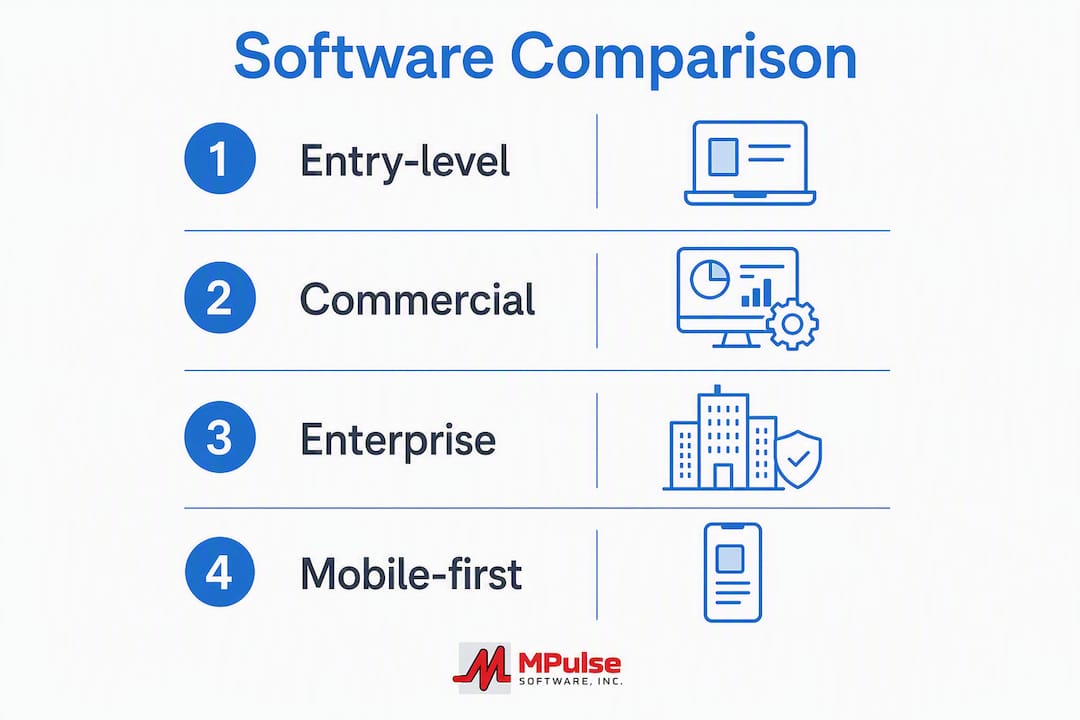
Here is a quick shortlist by use case:
- MPulse Software — best for contractors and facility managers who need configurable reporting, PM automation, subcontractor scorecards, and compliance-ready records without enterprise-level IT overhead
- Entry-level residential service platforms — best for small residential contractors who prioritize fast deployment (typically 30–60 days) and pricebook-driven dispatch over deep reporting
- Commercial multi-site platforms — best for facility managers running multiple commercial sites who need contract management and multi-location dashboards but can accept longer setup windows
- Enterprise ERP-integrated platforms — best for large organizations that already run SAP or Oracle and need CMMS data to flow directly into financial systems; expect 90–180-day implementations
- Mobile-first lightweight tools — best for field-heavy crews who need simple work order capture and photo documentation on a phone, with minimal back-office reporting
FacilitiesNet recommends that facility managers define measurable contractor performance metrics in the scope of work before contract award, citing PM compliance targets above 99% and schedule compliance targets above 95% as standard benchmarks. Unspecified metrics create failure modes that no software can fix after the fact.
Table of Contents
- How does contractor maintenance reporting software compare across categories?
- How do you choose the right contractor maintenance reporting software?
- What features actually matter for contractor reporting workflows?
- What should you expect from deployment, onboarding, and pricing?
- Why MPulse Software leads for contractor maintenance reporting
- Key Takeaways
- What most vendor selection processes get wrong
- MPulse Software: built for contractor maintenance reporting
- Useful sources and further reading
- FAQ
How does contractor maintenance reporting software compare across categories?
The table below maps MPulse and four generic vendor categories across the dimensions that matter most during procurement. Use it to eliminate categories that do not fit your operation before you spend time on demos.
| Dimension | MPulse Software | Entry-level residential | Commercial multi-site | Enterprise ERP-integrated | Mobile-first lightweight |
|---|---|---|---|---|---|
| Best for | Contractors & facility managers needing PM automation, configurable reporting, and compliance records | Small residential service contractors | Multi-site commercial facility teams | Large organizations with ERP dependencies | Field crews needing simple mobile work capture |
| Core features | PM scheduling, work orders, asset tracking, mobile app, barcode scanning, condition-based maintenance | Dispatch, pricebook, basic work orders | Multi-site work orders, contract management, dashboards | Full ERP integration, advanced asset lifecycle, multi-entity | Mobile work orders, photo capture, basic checklists |
| Reporting & compliance | Configurable graphical reports, audit trails, OSHA-ready recordkeeping, subcontractor scorecards | Basic job history, limited compliance records | Standard multi-site reports, some compliance fields | Deep BI-connected reporting, often requires SQL or developer access | Minimal reporting; exports to spreadsheet |
| Integrations | ERP, accounting, IoT/sensor, SCADA, Datalink adapter | Accounting basics, limited API | ERP-lite, accounting, some IoT | Full ERP (SAP, Oracle), BI tools, IoT | Limited; primarily mobile sync |
| Pricing model | Annual SaaS subscription or perpetual license; add-on support programs | Per-user/month, low entry cost | Per-site or blended seat license | Enterprise contract; high upfront implementation cost | Per-user/month, low cost |
| Deployment time | Configurable; cloud or on-premise | 30–60 days | 60–90 days | 90–180 days | Under 30 days |
| Support & training | Dedicated onboarding, customized service options | Self-serve documentation, email support | Account management, online training | Vendor-led implementation team, premium SLAs | Community forums, basic chat |
| Scalability | Single site to multi-site and enterprise portfolios | Single site; limited multi-site | Multi-site; limited enterprise | Enterprise-grade; high complexity | Single site; not designed for scale |
Entry-level residential service platforms
These tools deploy fast and work well for contractors whose primary job is residential dispatch and invoicing. The trade-off is shallow reporting. Most produce job history logs rather than true PM compliance reports, and subcontractor scorecard functionality is typically absent. If your contract requires documented audit trails or OSHA recordkeeping, you will outgrow these platforms quickly.
Commercial multi-site platforms
A reasonable fit for facility managers overseeing several commercial buildings under a single contract portfolio. They handle multi-location work order routing and offer dashboards that surface site-level performance trends. Custom reporting, however, usually requires vendor services or a BI connector, which adds to total cost of ownership. Implementation runs 60–90 days on average.

Enterprise ERP-integrated platforms
These platforms are built for organizations where maintenance data must feed directly into financial systems. The reporting depth is real, but independent comparisons note that implementations commonly run 90–180 days and that custom lifecycle reporting often requires SQL skills or a dedicated BI tool. For a contractor operation that does not already have that technical infrastructure, the ongoing cost and complexity rarely justify the investment.
Mobile-first lightweight tools
The fastest to deploy and the easiest to adopt in the field. They are genuinely useful for crews that need to capture work orders, photos, and signatures on a phone. What they cannot do is produce the kind of PM compliance reports, audit trails, or subcontractor scorecards that a facility manager needs to manage contractor performance at scale.
Pro Tip: Before shortlisting any platform, confirm whether its “reporting” means canned PDF exports or a configurable report builder. The difference determines whether your team can answer a client’s compliance question in five minutes or five days.
How do you choose the right contractor maintenance reporting software?
The right platform depends on four variables: the size and complexity of your contractor program, the reporting depth your clients or regulators require, your mobile and offline field requirements, and the integrations your existing systems demand. Work through these in order before you schedule a single demo.
Prioritized selection criteria
- Reporting depth and configurability — Can you build a custom PM compliance report without calling the vendor? Can you produce an audit-ready record on demand?
- Subcontractor workflow support — Does the platform issue work orders to subcontractors, track their completion, and feed results into a scorecard?
- Mobile and offline capability — Can field technicians complete work orders, attach photos, and scan barcodes without a live internet connection?
- Scalability — Will the platform handle your current site count and your projected growth over three years without a re-implementation?
- Integration readiness — Does it connect to your ERP, accounting system, or IoT sensors through a documented API or native adapter?
- Security and data privacy — Does the vendor offer role-based access controls, data encryption at rest and in transit, and a documented data residency policy?
- Total cost of ownership (TCO) — What does the platform cost over three years including implementation, integrations, custom reporting work, and premium support?
Questions to ask during a vendor demo
Ask these during a live demo, not after. Vendors who cannot answer them on the spot are telling you something important.
- Can you import a month of our real asset and work order data before we sign, and show us a custom PM compliance report from it?
- How does your mobile app behave when a technician loses connectivity in the field? Does it sync automatically when the connection returns?
- How do we issue a work order to a subcontractor, and how does their completion data flow back into our reporting?
- What does it take to build a new report template? Does it require SQL, a BI tool, or can a non-technical user do it?
- What is your standard SLA for critical support tickets, and what escalation path exists if that SLA is missed?
- Can you show us your role-based access controls and explain how we restrict subcontractor visibility to their own work orders only?
- What does your data migration process look like, and who owns the work?
Red flags to watch for
- Hidden fees on integrations — some vendors charge per-connector or per-API-call fees that do not appear in the base subscription quote
- Reporting that requires developer access — custom reporting that needs SQL or a BI tool is a recurring hidden cost in enterprise platforms; budget for it or eliminate those vendors
- No true offline mobile mode — a platform that only “works offline” by caching a read-only view is not offline-capable for field documentation
- Audit trails that cannot be exported — compliance records locked inside a proprietary format create problems during audits and contract disputes
- Pricing that scales by the number of work orders or assets — this model penalizes growth and makes three-year TCO unpredictable
SLA monitoring and reporting should be a standard capability, not an add-on. If a vendor cannot demonstrate SLA tracking in the base product during a demo, treat that as a disqualifying gap.
Typical onboarding timelines and cost ranges
| Platform category | Typical deployment window | Relative implementation cost | Primary complexity driver |
|---|---|---|---|
| Mobile-first lightweight | Under 30 days | Low | Mobile rollout only |
| Entry-level residential | 30–60 days | Low to moderate | Pricebook setup, basic data import |
| MPulse Software | Configurable; typically 30–90 days | Moderate | PM template build, integrations, contractor onboarding |
| Commercial multi-site | 60–90 days | Moderate to high | Multi-site data mapping, contract setup |
| Enterprise ERP-integrated | 90–180 days | High | ERP integration, custom reporting, change management |
What features actually matter for contractor reporting workflows?
The CMMS feature set that matters for contractor maintenance reporting is narrower than most vendor marketing suggests. Focus your evaluation on the capabilities that directly affect PM compliance, subcontractor accountability, and audit readiness.
| Feature | What it does | Contractor/facility outcome | How to test it |
|---|---|---|---|
| PM scheduling and templates | Automates recurring maintenance tasks with configurable intervals and checklists | Reduces backlog weeks; drives PM compliance above 95% | Import three real assets and build a 90-day PM schedule; verify auto-generation of work orders |
| Work order management | Creates, assigns, tracks, and closes work orders with full history | Eliminates paper-based gaps in contractor accountability records | Create a work order, assign it to a subcontractor login, close it, and pull the audit trail |
| Asset tracking | Maintains lifecycle records, maintenance history, and condition data per asset | Supports lifecycle cost analysis and warranty claim documentation | Add a real asset with its service history and run a lifecycle cost report |
| Mobile documentation and offline mode | Allows field technicians to complete work orders, attach photos, and scan barcodes without connectivity | Prevents data gaps from field locations with poor signal | Put a test device in airplane mode and complete a work order end-to-end |
| Subcontractor work order flows | Issues work orders to external contractors, tracks completion, and feeds data into scorecards | Centralizes contractor performance data for reviews and contract renewals | Issue a work order to a test subcontractor account and verify scorecard data populates |
| Configurable reporting | Builds custom reports without developer skills | Answers client compliance questions on demand | Ask a non-technical team member to build a PM compliance report from scratch |
| Compliance-ready audit trails | Logs every action on a work order with timestamps and user IDs | Supports OSHA recordkeeping and contract dispute resolution | Pull an audit trail for a closed work order and verify it includes all required fields |
| Condition-based maintenance | Triggers work orders from sensor or meter readings rather than fixed schedules | Reduces unnecessary PM labor while catching failures earlier | Connect a test sensor reading and verify a work order triggers at the defined threshold |
Preventive maintenance templates and scheduling are the foundation of a contractor maintenance program. A CMMS that automates PM generation and tracks completion against a target gives facility managers the data they need to hold contractors accountable at review time.
Subcontractor management workflows deserve particular attention during evaluation. The ability to issue work orders to subcontractors, restrict their system access to their own assignments, and automatically populate a performance scorecard from completion data is what separates a true contractor management platform from a basic work order tool.

Compliance tracking is a non-negotiable for contractors operating under OSHA-regulated environments or facility management contracts with documented recordkeeping requirements. The platform must produce exportable, timestamped records that can survive an audit without manual reconstruction.
Configurable reports are where many platforms fall short. Remire’s contractor performance tracking guidance recommends configurable scorecards, role-based dashboards, and reusable report templates as the baseline for audit-ready contractor reporting. If your platform requires a developer to produce a custom lifecycle analysis, that is a cost and a delay you will encounter every quarter.
Pro Tip: During your proof-of-concept, import one month of real work order data and ask a non-technical team member to build a PM compliance report without vendor assistance. The time it takes, and whether they succeed, tells you more about reporting usability than any demo script.
What should you expect from deployment, onboarding, and pricing?
Setting realistic expectations before you sign a contract prevents the most common implementation failures. The three variables that determine your actual experience are deployment model, onboarding complexity, and how hidden costs accumulate over time.
Deployment options and trade-offs
Cloud SaaS is the default for most contractor operations in 2026. It eliminates on-premise infrastructure costs, supports mobile field access without VPN configuration, and shifts update management to the vendor. On-premise deployment remains relevant for organizations with strict data residency requirements or facilities with limited or unreliable internet connectivity. MPulse Software supports both cloud and on-premise deployment, which matters for contractors serving government, healthcare, or industrial clients with data sovereignty requirements.
Hybrid deployments, where the core application runs in the cloud but field devices sync locally, are worth asking about if your crews regularly work in areas with no connectivity. Not every vendor supports this architecture.
Onboarding checklist
A realistic onboarding process for a mid-complexity contractor operation covers:
- Data mapping and migration (asset records, existing work order history, contractor contact data)
- PM template build (define recurring tasks, intervals, and checklists for each asset class)
- User account setup and role-based access configuration (separate permissions for internal staff, subcontractors, and clients)
- Mobile app rollout and field technician training
- Integration configuration (ERP, accounting, IoT sensors if applicable)
- Subcontractor onboarding (portal access, work order assignment testing, scorecard configuration)
- Reporting template build (PM compliance, backlog weeks, schedule compliance, response time)
- Pilot run with real data before full go-live
Residential-focused platforms typically deploy in 30–60 days while commercial and ERP-based solutions commonly run 90–180 days. The primary driver of timeline is not the software itself but the quality of your existing data and the number of integrations you need to configure.
Pricing models and hidden cost areas
Most platforms in this category use one of three pricing shapes: per-user per month, per-site flat fee, or a blended seat license with implementation services priced separately. Per-user models are predictable at low user counts but become expensive as field technician headcount grows. Per-site models favor operations with many users per location. Enterprise contracts typically bundle implementation, training, and support into a multi-year agreement.
Common hidden cost areas to budget for:
- Integration fees — connectors to ERP, accounting, or IoT systems are often priced separately from the base subscription
- Custom reporting work — if the platform cannot produce your required reports out of the box, vendor professional services fees apply
- Premium support tiers — standard SLAs may not cover after-hours critical incidents; premium support is usually an add-on
- Data migration services — vendors rarely include data cleaning and migration labor in the base price
- Additional storage or API call limits — some platforms cap data storage or API usage at the base tier
Budget for total cost of ownership over a three-year horizon, not just year-one subscription cost. For a mid-size contractor operation, the difference between a low-cost platform with high integration and reporting service fees and a moderately priced platform with those capabilities built in can be substantial over three years. Negotiate SLA terms, data export rights, and price escalation caps before signing.
Why MPulse Software leads for contractor maintenance reporting
MPulse Software addresses the specific gaps that matter most to contractors and facility managers: configurable reporting without developer dependencies, subcontractor workflow management, compliance-ready audit trails, and deployment flexibility across cloud and on-premise environments.
The platform’s core capabilities for contractor operations include:
- Preventive maintenance automation — calendar-based and condition-based PM scheduling with reusable templates, automatic work order generation, and completion tracking against compliance targets
- Work order management — full lifecycle tracking from creation through closure, with timestamped audit trails and subcontractor assignment capability
- Asset tracking — lifecycle records, maintenance history, barcode scanning, and condition data per asset, supporting warranty management and lifecycle cost analysis
- Configurable graphical reporting — report builder accessible to non-technical users, with role-based dashboards and reusable templates for PM compliance, backlog weeks, and schedule compliance
- Mobile app with offline capability — field technicians can complete work orders, attach photos, and scan barcodes without connectivity; data syncs automatically on reconnection
- ERP and IoT integrations — Datalink integration adapter supports connections to ERP, accounting, and sensor/SCADA systems without custom development
- Compliance recordkeeping — OSHA-ready records, exportable audit trails, and personal qualification tracking for regulated environments
MPulse reports notable efficiency improvements across its large customer base. For contractor programs specifically, the combination of subcontractor scorecards, configurable PM compliance reports, and compliance-ready audit trails addresses the three areas where facility managers most often find their current tools inadequate.
Maintenance service dashboards give operations teams real-time visibility into contractor performance trends without requiring manual data pulls. When a client asks for a PM compliance summary or a response time analysis, the answer is available in the platform, not in a spreadsheet someone has to build overnight.
Pro Tip: Bring a list of the five contractor performance metrics your clients currently ask you to report on, and ask MPulse to show you each one in a live demo using sample data. If the platform cannot produce all five without a professional services engagement, you have found a gap worth negotiating before you sign.
Key Takeaways
MPulse Software is the recommended CMMS for most contractors and facility managers who need configurable reporting, subcontractor scorecards, PM automation, and compliance-ready audit trails without enterprise-level IT overhead.
| Point | Details |
|---|---|
| Match platform to operation type | Residential contractors fit entry-level tools; commercial and multi-site operations need deeper reporting and subcontractor workflow support. |
| Test reporting before you sign | Ask a non-technical team member to build a PM compliance report during the proof-of-concept; platforms requiring developer access add ongoing cost. |
| Budget for three-year TCO | Integration fees, custom reporting services, and premium support tiers routinely exceed the base subscription cost over a three-year horizon. |
| Define metrics before contract award | FacilitiesNet recommends setting PM compliance targets above 99% and schedule compliance above 95% in the scope of work before signing a contractor agreement. |
| MPulse Software | Serves over 3,500 customers with reported efficiency gains; covers PM automation, subcontractor scorecards, offline mobile, and compliance records in one platform. |
What most vendor selection processes get wrong
The standard vendor selection process for maintenance reporting software spends too much time on feature checklists and not enough time on reporting usability and adoption reality. A platform with 200 features that requires a developer to produce a quarterly PM compliance report is a worse operational choice than a platform with 80 features where a maintenance supervisor can answer a client’s compliance question in under ten minutes.
The second mistake is treating scorecard configuration as a post-implementation task. Bidicontracting’s scorecard guidance makes a point that facility teams consistently underweight: scorecard categories should reflect the actual risk profile of the work, not a balanced generic template. A fast-track tenant improvement project should weight schedule heavily. A high-risk industrial maintenance contract should weight safety above everything else. If you configure your scorecards after the pilot, you will spend the first six months of live operation arguing about what the data means rather than acting on it.
The third mistake is underestimating the cost of poor mobile offline behavior. Field technicians who cannot complete work orders without connectivity will find workarounds, and those workarounds are almost always paper-based. Paper records do not feed your PM compliance reports. They do not produce audit trails. And they do not show up in the subcontractor scorecards your clients are asking for.
Build your scorecard weighting and your required report templates before you start the pilot. Run the offline mobile test on day one of the proof-of-concept. And ask the vendor to show you a real PM compliance report built by a non-technical user before you sign anything.
MPulse Software: built for contractor maintenance reporting
Contractors and facility managers who need configurable reporting, subcontractor accountability, and compliance-ready records without a six-month implementation or a developer on retainer have a direct option in MPulse Software. The platform covers PM automation, work order management, subcontractor scorecards, offline mobile documentation, and ERP integrations in a single system trusted by over 3,500 organizations.

What sets MPulse apart from lighter-weight alternatives is the combination of reporting configurability and deployment flexibility. You can run it in the cloud or on-premise, produce custom PM compliance and backlog reports without professional services, and connect it to your existing ERP or IoT systems through the Datalink integration adapter. For contractors managing subcontractor programs under compliance-sensitive contracts, that combination is difficult to find elsewhere at this price point.
To get the most from a demo, bring your five most-requested contractor performance metrics and a sample month of real work order data. Request a live report build during the session.
Request a demo or explore MPulse CMMS to see how it handles your specific contractor reporting requirements.
Useful sources and further reading
- How to Measure a Contractor’s Performance (FacilitiesNet) — defines measurable contractor performance metrics including PM compliance, schedule compliance, and backlog weeks, with target benchmarks
- Subcontractor Performance Scorecard: A 7-Step Setup Guide (Bidicontracting) — explains how to weight scorecard categories by project risk exposure, with example weightings for schedule and safety
- What is Preventive Maintenance? (MPulse Software) — explains PM templates, scheduling intervals, and how PM automation reduces unplanned downtime
- Compliance Tracking for Maintenance Contractors (MPulse Software) — practical walkthrough of CMMS features supporting contractor safety, COI tracking, and regulatory recordkeeping
- SLA Maintenance Tracking for Facility Managers (MPulse Software) — guidance on SLA monitoring and reporting for contractor agreements
- How Maintenance Subcontractor Management Works (MPulse Software) — explains subcontractor work order flows, scorecards, and corrective action tracking
- CMMS Software Can Help You Meet OSHA Requirements (MPulse Software) — details CMMS features that support OSHA recordkeeping and compliance for contractor programs
- Client Asset Management Tips for Contractors (MPulse Software) — advice on asset recordkeeping and lifecycle reporting tied to vendor trial evaluation
FAQ
What is the best maintenance management software for contractors?
MPulse Software is a leading option for contractors and facility managers who need PM automation, subcontractor scorecards, configurable reporting, and compliance-ready audit trails in a single platform. The right choice ultimately depends on operation size, reporting requirements, and integration needs.
What is the best contractor management software for multi-site facility teams?
Commercial multi-site platforms and MPulse Software both address multi-location work order management and contractor performance tracking. MPulse supports scalability from a single site to enterprise portfolios with configurable dashboards and role-based reporting.
What are the main types of software maintenance a CMMS should support?
A CMMS built for contractor programs should support preventive maintenance (scheduled recurring tasks), corrective maintenance (reactive repairs), condition-based maintenance (sensor-triggered work orders), and adaptive maintenance (updates to templates and workflows as asset conditions change).
What are the top CMMS platforms for contractor maintenance reporting?
MPulse Software, along with platforms in the commercial multi-site and enterprise ERP-integrated categories, covers the core requirements: PM scheduling, work order management, asset tracking, subcontractor workflows, and compliance reporting. The best fit depends on your deployment preference, reporting depth requirements, and budget for implementation.
How long does it take to implement contractor maintenance reporting software?
Implementation timelines range from under 30 days for mobile-first lightweight tools to 90–180 days for enterprise ERP-integrated platforms. A mid-complexity contractor operation using a platform like MPulse Software typically completes deployment in 30–90 days, depending on the number of integrations and the volume of historical data being migrated.