
Using Role-Based Access Control

With role-based access control, you can easily adjust settings in your MPulse implementation so the right people have the right access to the right records. So, you can give your employees access to what they need—and only what they need. What is Role-Based Access Control? Role-based access control puts record-level control in your hands. So, your maintenance personnel will only see the records relevant to their unique workloads. For example, one MPulse customer employs a variety of maintenance professionals with very specific job duties. With role-based access control, their plumbers only see plumbing work orders. Their electricians only see electrical work orders. Another customer with multiple facilities set up their role-based access control based on location. So the maintenance team at their Phoenix facility only sees work orders for that location, while the Denver facility team only sees the work orders for their location. Role-Based Access Control Best Practices Study after study shows that software that’s easier to use is used more often—and more effectively. Removing the “clutter” will significantly streamline data access for your teams. Using role-based best practices also can help your organization comply with legal or ethical requirements. Here’s how to implement role-based access control… Limit which records your employees see depending on their role in the organization Restrict sensitive information Filter according to departments, work order types, locations, or other fields Assign roles so people see the only their operating unit’s information Choose which data are global, and which are unique to a group Define an unlimited number of custom filters Automatically link data to a user’s area of expertise Advantages and Disadvantages of Role Based Access Control The biggest advantage of role-based access control is centralized control and enhanced security. As a result, with role-based access control in CMMS software, you’ll… Reduce errors in data entry Prevent unauthorized users from viewing or editing data Gain tighter control over data access Eliminate the “data clutter” of unnecessary information Keep your teams running smoothly While some maintenance teams may feel uncertain about setting up role-based access control in CMMS software, MPulse makes it easy with our easy-to-use interface. Or, our affordable training and implementation services can get you up and running with role-based access control quickly. Available in MPulse Advanced and Enterprise editions, role-based access control delivers the right level of access to your company’s valuable information. Contact us for more information.
MPulse Software Supports McKenzie River Trust’s Shire for the River Campaign 2020

We know investing in our local rivers keeps our employees, their families, and our community healthy and resilient. MPulse Software, Inc (www.mpulsesoftware.com) is proud to pledge support for McKenzie River Trust’s Shire for the River campaign 2020! From now until October 23rd, your gift will be matched dollar for dollar until we reach our goal of $34,000! Go to mckenzieriver.org/shire2020 now! We believe strongly in supporting our local community by giving back. As part of that tradition, MPulse and other Silicon Shire companies are launching a two-week campaign to raise money for the McKenzie River Trust (MRT). The money will support MRT’s efforts to conserve and restore critical habitat and scenic lands in the McKenzie basin of western Oregon. “We’re proud to be a part of the Silicon Shire and its efforts to continue to make Eugene a great place to live, work, and play,” explained Randy Brous, MPulse President. “We enjoy the outdoor activities and scenery of this special area, and we’re dedicated to preserving that experience for our current and future employees, their families, our customers, and the community we live in.” Located in the southern Willamette Valley, the Silicon Shire encompasses the Eugene-Springfield metropolitan area. Shire companies are technology businesses of all kinds that work together to expand the local infrastructure necessary to build and grow hi-tech business in the area, and to promote Eugene-Springfield as a hi-tech hot spot. “Projects like the Silicon Shire for the River campaign help us to maintain and improve the terrific quality of life we enjoy in this special region. That’s one of our biggest assets, and it truly helps attract great talent and great companies to the area,” Brous said. “Shire companies are dedicated to ensuring that what makes this place so extraordinary will always be here.” MPulse would like to invite everyone to participate in the Silicon Shire for the River campaign by… Spreading the word on social media with the hashtag #SiliconShireForTheRiver Learning more on social media at… Twitter: @McKenzRivrTrust Facebook: McKenzie River Trust Instagram: instagram.com/mckenzierivertrust/ Donating online via the Silicon Shire on the River fundraising page. Donating by mail: McKenzie River Trust at 1245 Pearl St, Eugene, OR 97401 Thanks to all the pledging companies: SheerID – $5,000 Concentric Sky – $3,500 MPulse Software – $2,500 McKeon Venture – $2,500 Emberex – $2,000 IDX – $1,000 Twenty Ideas – $500
What is Corrective Maintenance and When Should You Use It?
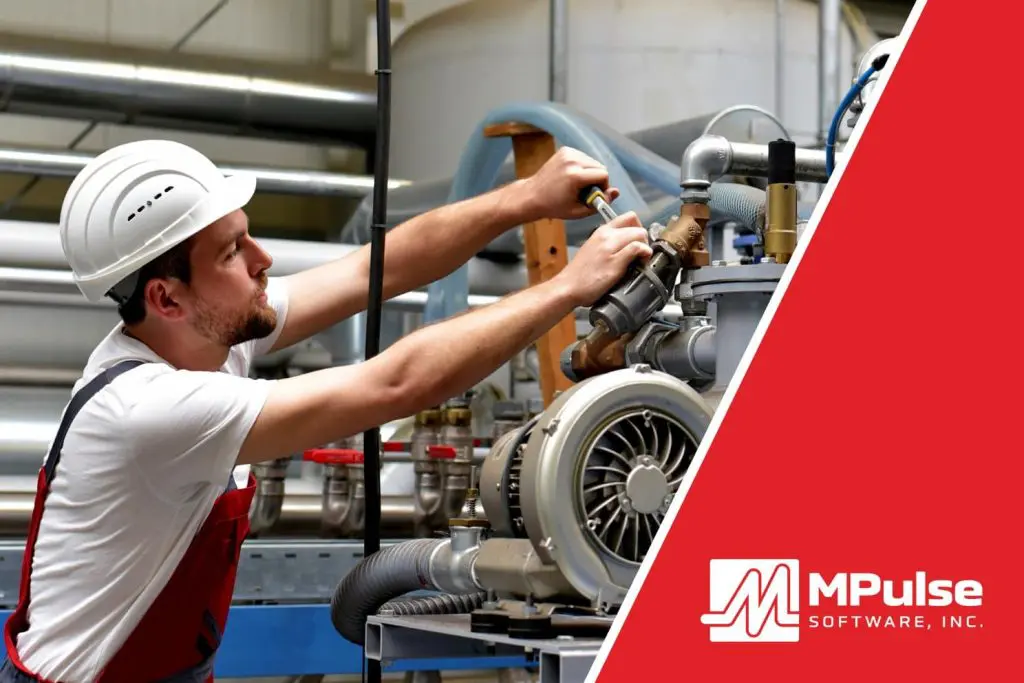
Corrective maintenance doesn’t always get the attention it deserves. It’s closely related to proactive strategies like preventive maintenance (PM) and predictive maintenance (PdM). But it offers additional benefits that can improve the productivity and efficiency of your maintenance team. What is Corrective Maintenance? Maintenance professionals perform corrective maintenance in order to rectify and repair faulty systems and equipment. The goal is to restore something that’s broken to full operation. Corrective maintenance occurs when a technician finds a problem during a scheduled PM or PdM task. If the issue is quick and easy to fix, the technician may repair it at the same time as part of the preventive maintenance task. However, if it’s more complicated, your tech will create a separate work order, and it becomes a corrective maintenance task. Some MPulse customers also call it “repair from PM.” What’s the Difference Between Preventive and Corrective Maintenance? PM is triggered by time, meter, or event. Preventive maintenance prevents breakdowns by performing maintenance based on average or expected life statistics (usually determined by the equipment manufacturer or vendor). The most common example is changing the oil in a car every X,000 miles or every X months. Maintenance shops use CMMS software to set up scheduled preventive maintenance tasks, preventing failure and prolonging asset life cycles. However, if you need to schedule a future repair, it becomes corrective maintenance. During this corrective maintenance task, the team will repair, restore, or replace the asset. When Do I Use Corrective Maintenance? Safety inspections are common PMs that can result in corrective maintenance. During the inspection, the technician will spot an issue that could cause a breakdown or fault in the equipment. The issue hasn’t caused any downtime yet — but it will if it’s not fixed. If not repaired and a breakdown occurs, your team will need to perform emergency maintenance. One MPulse customer experienced this recently when a scheduled inspection on the company’s HVAC system revealed the need for a new filter. Normally, replacing a filter occurred on a PM schedule. However, bad air quality from nearby wildfires significantly reduced the lifespan of the air filter, requiring an early replacement. The technician created a work order to fix it after a new air filter arrived. Benefits of Corrective Maintenance When a maintenance team establishes and regularly performs PM and corrective tasks that contribute to the upkeep of assets, an organization may be able to sidestep serious problems that arise as a result of neglect as well as delay more expensive maintenance. Preventive maintenance schedules and inspections generated from preventive maintenance software help spot issues before they occur. Taking the next step by scheduling corrective maintenance tasks improves employee safety and reduces emergency maintenance issues. CMMS software can help. Contact us to learn more about corrective maintenance strategies. We’re here to help.
Is Your CMMS Joint Commission-Compliant?

Healthcare maintenance teams need to ensure their facilities maintain compliance with all regulations related to the Joint Commission on Accreditation of Healthcare Organizations (JCAHO). It’s a challenging task, as these regulations are numerous. If that wasn’t enough, they also change relatively frequently. What is JCAHO and Why Is it Important? The Joint Commission developed JCAHO standards to help healthcare organizations measure, assess, and improve performance. The standards focus on important patient, individual, or resident care, as well as organizational functions that are essential to providing safe, high quality care. All healthcare personnel play a role in patient safety. JCAHO compliance affects each role. For the maintenance team, that includes requirements for joint commission equipment maintenance, as well as other policy and procedure requirements. How Can CMMS Software Help Meet JCAHO Medical Equipment Standards? CMMS provides a reliable central repository for your healthcare equipment maintenance and safety data. With a properly implemented CMMS solution optimized for the healthcare industry, your organization can more easily adhere to the changing JCAHO requirements. And you won’t have to scramble at the last minute to set things in order. For the Joint Commission, if it’s not documented, it didn’t happen. With CMMS, you have a traceable history of completed maintenance tasks and documented policies. As a result, you can prove that you’re acting in accordance with JCHCO regulations. Best of all, the documentation takes care of itself with CMMS. Here’s how. Inventory Management If your organization is using the Joint Commission accreditation process for deemed status purposes, then all medical equipment is required to be included in the written inventory. For organizations that do not use the Joint Commission accreditation process for deemed status purposes, then you may maintain a written inventory of either all medical equipment, or an inventory of selected equipment categorized by physical risk that includes all life-support equipment. In this case, new equipment is evaluated prior to initial use to determine if it will be included in the inventory. While hospitals may have equipment that is maintained or owned by a vendor or the manufacturer, JCAHO compliance requirements state the hospital is still responsible for listing this medical equipment on the written inventory. CMMS software offers asset management tools to purchase, operate, maintain, upgrade, or dispose of medical equipment in the most cost-effective manner. It also includes the ability to document storage locations and supplier information. High-Risk Medical Equipment Maintenance The written inventory also identifies high-risk devices. High-risk medical equipment includes all life support equipment and any other device for which there is a risk of serious injury or death to a patient or staff member should it fail. The term high-risk equipment is equivalent in scope and nature to the term critical equipment. Maintenance activities and frequencies should follow manufacturers’ instructions and recommendations for maintaining, inspecting, and testing all medical equipment in the inventory. These maintenance activities and frequencies—including an alternative equipment maintenance (AEM) strategy—are documented in writing. CMMS reporting features also can help you quickly produce reports and documents giving details or summaries of medical equipment, high-risk devices, maintenance work and more to meet Joint Commission equipment maintenance requirements. Alternative Equipment Maintenance Strategy With some exceptions, an AEM program allows a healthcare facility to “adjust its maintenance, inspection, and testing frequency and activities for facility and medical equipment from what is recommended by the manufacturer, based on a risk-based assessment by qualified personnel” (CMS 2013). This may include reduced or altered maintenance tasks, relaxed frequencies of maintenance, and run-to-fail strategies. However, the Joint Commission states that the “strategies of an AEM program must not reduce the safety of equipment and must be based on accepted standards of practice” (Joint Commission 2014). For example, an accepted standard of practice could be the American National Standards Institute/Association for the Advancement of Medical Instrumentation handbook ANSI/AAMI EQ56: 2013, Recommended Practice for a Medical Equipment Management Program. You may not use AEM for… Equipment subject to federal or state law or Medicare Conditions of Participation Imaging and radiologic equipment (diagnostic or therapeutic) Medical LASER devices New medical equipment with insufficient maintenance history to support the use of an AEM strategy Maintenance, Inspection, and Testing Documentation Regulatory bodies like the Joint Commission are requiring increasingly complex recordkeeping. With CMMS, you also have a traceable history of completed maintenance tasks and documented policies. Therefore, you can prove to external agencies that you’re acting in accordance with their regulations. CMMS helps maintenance teams stay organized and in compliance by… Tracking employee health and safety information Documenting work procedures Ensuring all safety inspections and tests are done properly and on schedule Determining when it’s time to repair or replace malfunctioning equipment Documenting preventive maintenance on key assets Creating reports for audits Archiving work history Storing employee trainings and certifications Tracking incidents Additionally, this documentation takes care of itself with CMMS. Have more questions about how CMMS software can help you with Joint Commission policy and procedure requirements? Contact us. We’re here for you. [related-content]
Should You Purchase or Subscribe to CMMS Software?

Typically, there are two ways to purchase CMMS software. You can subscribe annually or own the software outright. CMMS subscription pricing is also known as Software as a Service, or “SaaS.” When you opt for SaaS, you’re renting the software for a monthly or yearly fee. Or, you can choose to purchase a license to use the software (in practical terms, forever) for a one-time fee. Subscription vs. License for CMMS So, what are the advantages of a software subscription vs. a license? Let’s find out. CMMS Software Subscription When you opt for a SaaS subscription, you’re choosing to rent software for a specified period of time instead of buying a license to use it indefinitely. If you fail to renew your subscription, the software stops working. Advantages of SaaS Easier on cash flow up front and over the first 2-3 years May be able to purchase it without a formal procurement process (i.e., you’re just signing up for a service) You can try the product and the vendor without fully committing Disadvantages of SaaS Higher total cost over the long term Vulnerability to price increases You never own the software Stop paying and you lose access CMMS Licensed Purchase You’re probably more familiar with the licensed purchase option as the traditional way to buy software. You buy your CMMS licenses once and can use them indefinitely until it’s time to upgrade or replace the software. Advantages of Licensed Purchase Less expensive over the long run than the never-ending subscription. Usually it’s a 2-3 year break even vs. SaaS CMMS pricing. You own it. If your company’s budget gets tight one year and you don’t get your yearly allotment, you will still be able to use your software because you own the software license. Disadvantage of Licensed Purchase Higher upfront CMMS software costs Other Important Considerations Typically, you can also purchase or renew a yearly maintenance agreement with either option that includes software updates, tech support, hosting services, and access to training. [related-content] If you’re leaning toward an SaaS model, ask vendors if you can switch to a license purchase model if your situation changes. Also, make sure the method you choose works with your plans to host the application either in the cloud or locally. (Learn more about your deployment options and cloud-based CMMS software pricing.) CMMS system pricing can vary widely. Here at MPulse, we believe every customer should have an option that works for their situation. We also can help with financing options. If you’re looking for a way to purchase CMMS software outright, take a look at our new MPulse 0% Finance Program. Still have questions? Contact us. We’re here to help.
CMMS for Medical Equipment Management
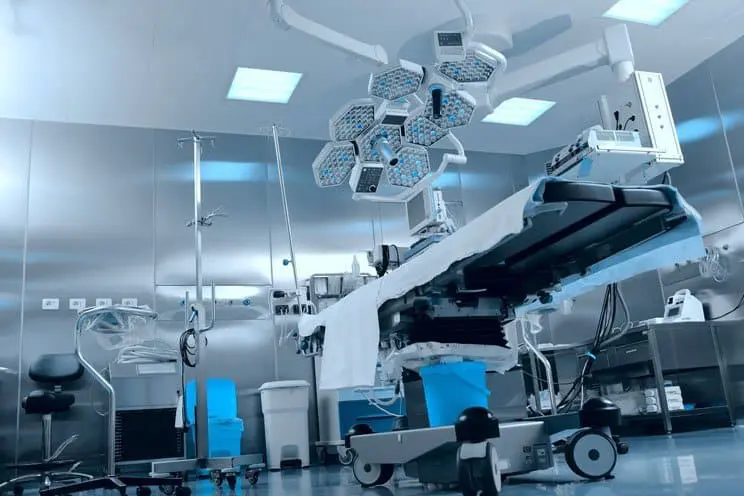
Healthcare CMMS software enables organizations to manage maintenance for critical assets, while also meeting government regulations and safety requirements. The type of equipment found in healthcare facilities is vast. For example, medical equipment maintenance needs can range from facility HVAC systems and generators to medical equipment to electrical and plumbing repair to cleaning supplies. Healthcare maintenance management systems provide the right tools to manage maintenance for all these assets, whether it’s a critical part or a light bulb. It provides a reliable central repository for your maintenance and safety data. Healthcare CMMS Software CMMS software and maintenance information systems for healthcare excel at tracking the details of your increasingly complex healthcare operations. Phelps County Regional Medical Center (PCRMC) experienced this firsthand. The organization’s old maintenance system was overwhelmed by requests, as well as difficult to navigate. With an average of over 500 work orders per month, PCRMC had to find a better way. Their priorities were… User friendly and adaptable interface Ability to handle a large work volume Paperless work orders and reports Simple ways to prioritize work orders Easy preventive maintenance scheduling tools To improve their maintenance management, PCRMC implemented MPulse. In addition to improving their workflow, the department has experienced numerous benefits. Asset History MPulse helped PCRMC better manage assets, reducing time spent managing and tracking assets by 20%. Historical asset data also improved budgeting and tracking expenses. Vehicle Expenses PCRMC uses MPulse to track vehicle expenses, as well as vehicle replacement projections. The organization spends about 10% less time on long-range budget planning with the information MPulse provides. Key and Lock Control PCRMC customized MPulse’s Key and Lock Management module to meet the organization’s specific needs. As a result, administrators now can quickly identify the areas a specific employee can access. Traceable Information Using CMMS for Medical Equipment Management MPulse meets the needs of hospitals and healthcare organizations of all sizes. We provide affordable solutions and exceptional customer support to help companies with the complex maintenance requirements in all healthcare-related industries—including hospitals, medical offices, pharmaceutical companies, medical device manufacturers, biotech developers, and more. With MPulse, you’ll also have a traceable history of completed maintenance tasks and documented policies to prove you’re acting in accordance with industry regulations. And the best thing is, this documentation takes care of itself, so you can focus on other important things—like maintenance. Learn how MPulse can help your maintenance team promote and maintain compliance, while also reducing emergency maintenance issues and unexpected downtime. Contact us for more information. We’re here for you.
How CMMS Software Can Help You Meet OSHA Requirements

Maintenance workers are usually very familiar with Occupational Safety and Health Administration (OSHA) regulations because maintenance work affects the entire organization—whether it’s on a production line, a construction site, or in a building. And while maintenance techs are responsible for their own safety on the job, they also contribute to the safety of building occupants and visitors. That’s a lot of responsibility. Safety in the workplace requires documentation, particularly for creating procedures and recording maintenance activities. The only way to prepare for the prospect of random inspections is with a proactive safety initiative supported by consistent documentation. And there’s nothing better at documenting those tasks than CMMS software. OSHA Maintenance Requirements Inconsistent record-keeping procedures are a common cause of OSHA citations and fines. CMMS data provides both the big picture and the little details, so your maintenance tasks are both visible and verifiable. And best of all, you can access the information in minutes, instead of spending hours or even days sorting through a paper filing system. Our customers use MPulse CMMS software to… Update safety procedures Document safety training Publish safety data as a reminder to employees Standardize checklists for scheduled inspections Create a paper trail showing preventive measures Detail emergency procedures in case of a natural disaster or other incidents And best of all, much of that documentation is automated. Once it’s set up, your maintenance team is ready to go. Your maintenance technicians have custom checklists, resources like repair and preventative maintenance manuals, asset history, and safety procedures right there with the work order. Health & Safety OSHA maintenance safety is not just about protecting your organization in an audit or inspection. It’s in everyone’s best interest to be proactive about your employees’ health and safety. CMMS helps maintenance teams stay organized and in compliance by… Tracking employee health and safety information Documenting work procedures to make sure they are being followed Keeping equipment safe and reliable Ensuring all safety inspections and tests are done properly and on schedule Determining when it’s time to repair or replace malfunctioning equipment Documenting preventive maintenance on key assets Creating reports for audits Archiving work history Storing employee training and certifications Tracking incidents Related Article: Top OSHA Violations You Should Avoid in 2021 You can use CMMS software to track healthy and safety data and resolve potential risks before outside auditors do. And that means your CMMS documentation can save your organization a lot of time, money, and worry. How does your organization use CMMS software to meet OSHA maintenance requirements? Contact us today to learn more about how MPulse Software can assist with OSHA safety regulations for maintenance workers. Or get for a free trial!
Five Reasons You Need a Barcode Scanner

A barcode scanner is one of the simplest, yet overlooked, methods for data input and gathering. Maintenance professionals are sometimes surprised at how many uses for a barcode reader fit easily with their workflows. How a Barcode Scanner Works Barcodes are everywhere. Barcode scanner system software reads the black and white patterns, and then translates it into data. That data can be almost anything: stock management, inventory and parts, assets, time calculations, and much more. This data is then retrieved via a computer database, like CMMS software. Why You Need a Barcode Scanner Barcodes have been around for decades because they are so useful. Here are five reasons you need a barcode scanner. Easy to use. Your CMMS software can print barcodes that are easily read by commonly available devices—including smartphones, tablets, and barcode scanners. You also can attach them to just about any surface. Then, your maintenance team scans a barcode to record or find data in your CMMS software. Variety of uses. You can use barcodes for any type of data collection. One of the most frequent is inventory or stock management. But your team can use barcodes for outgoing shipments, repair times, equipment, and much more. Easy to implement. You need a printer, software, and a scanner. Then it takes just minutes to train employees how to use them. Plus, barcode scanners easily transmit data wirelessly, so it’s ready immediately. Eliminates human error. Barcodes significantly reduce human error by removing data input mistakes. With accurate and easily accessible data, you’ll have the information you need to make the right decisions. Saves time. Scanning a barcode takes seconds. Scan the part. Scan the asset. That’s how long it takes to link inventory to a new or existing work order record. This system also lets you enter inventory items as they arrive and automatically track who is performing work. MPulse customers use our CMMS software and barcodes for a variety of things—from tracking employee time to managing the check in/check out process of tools, keys, and vehicles. [related-content] Maintenance data is one of your most important assets. It helps you see your maintenance operations in a new light. You’ll also understand what’s working, and what needs more attention. How could you benefit from barcode scanning? Leave a comment or contact us.
What to Expect from Instructor-Led Training & Recorded Training

Instructor-led training and recording training are two of the most affordable CMMS training options. As a result, you can get virtual training you need at a price that meets your budget. What to Expect from Instructor-Led CMMS Training Instructor-led training includes live, interactive online sessions designed to help users get quickly up to speed. It also provides basic instruction on skills necessary to successfully navigate, configure, and use your software. For example, MPulse Fundamentals focuses on the core functionality of MPulse, its application to data, and maintenance management concepts. This one-day course includes six, one-hour sessions, plus attendees can ask direct questions at the end of each day. Benefits of Instructor-Led Training: Live, virtual classroom environment Focused instruction away from day-to-day operational demands Highly interactive Real-world scenario discussions Small class size No travel costs Great value To get the most out of instructor-led training, make sure your key users are available on training days. Make sure they can focus on training, and limit potential interruptions. What to Expect from Recorded CMMS Training Recording training uses a one-to-many setup that allows you to train teams small and large, regardless of location. It’s also the most flexible and affordable option. Benefits of Recorded Training: Easier to accommodate large groups and different scheduling needs. Limited time commitment Very affordable No travel However, because recorded training is offered on-demand, you’ll need to contact software support to ask specific questions. Training is the secret to CMMS success. But which training is right for you? Above all, it depends on your organization’s goals, schedule, and budget. Check out our other article about the pros and cons of instructor-led and recorded training and how to choose the right one for you. MPulse bundles our training and implementation options to serve a wide range of experience levels, asset inventories, and operational models. Whether you’ve got an experienced team spread across numerous locations or a small maintenance operation with a few employees, MPulse has a program for you. Contact us for more information. We’re here to help you achieve CMMS success.
What to Expect from On-Site CMMS Software Training

On-site training for CMMS software is one of the most popular options. While it’s on the higher end of the budget, CMMS training offers significant benefits to balance out that cost to benefit ratio. What to Expect from On-Site CMMS Software Training With on-site CMMS software training, an experienced field trainer visits your location. It’s designed to cover specifics to get your users up and running. As a result, on-site education minimizes disruptions and helps you achieve a faster return on investment. Benefits of In-Person Training Include: Individual attention to meet your unique needs Stakeholders receive hands-on instruction Simulates real scenarios using your own data Ensures your key players are up and running Minimal disruptions To get the most out of on-site training, make sure your key users are available on those scheduled days. For example, MPulse’s Assured Implementation Program (AIP) gets you through planning, data migration, installation, training, and “go-live” day in five days. Make sure your team is available that week, and by the time your trainer leaves, you’re up and running. Why Training Pays Off Now let’s crunch some numbers. MPulse typically saves companies 10-15% of their pre-implementation total annual maintenance expenditures in the first 1-2 years, and a similar or greater amount every year after—if properly implemented and used. So if a company spends $200,000 per year on maintenance and repairs, they can save $20,000 to $30,000 the first year. For a company that spends $500,000 per year, they save $50,000 to $75,000 the first year. So, let’s say you buy MPulse for $10,000, and then invest another $6,000 in on-site training. Your key team members spend a week with an MPulse trainer setting up the system and learning to use it correctly in your shop. Because you invested the time and resources from the beginning, you’ll likely reap the full estimated savings from his new CMMS system, about $30,000 in the first year. Software: -$10,000 Training: -$6,000 Efficiency Savings: +$30,000 Net Gain: +$14,000 Investing in CMMS software without training is penny-wise and pound-foolish. CMMS training directly impacts your CMMS success—and your bottom line. It’s the real secret to CMMS success. Now, of course, not all training is created equal. Here at MPulse, we offer a wide variety of options, so it’s important to pick the right one for your organization. Learn about Angie’s success as an on-site trainer for MPulse. Have questions? We have answers. Contact us. We’re here for you.