
Investing in Maintenance Software Pays Off in the Long Run

Investing in maintenance software pays off in the long run. Several years ago, my town was struck hard by a recession. Businesses closed. Unemployment grew. You could see the effects in the business district—empty storefronts and office buildings. The town had a glut of business space. And, as demand fell, so did the prices. My friend and MPulse customer, Rebecca, owns several properties downtown. But Rebecca stayed afloat when many others did not. Over coffee recently, I asked Rebecca how she survived when others failed. Timing and sound business practices helped. But so did something else that was much simpler. “We kept up on our property maintenance,” she said. “It makes a difference when you need to attract and keep tenants.” Facility Maintenance is an Investment Buildings are assets, and nothing is better for managing assets than CMMS software. Rebecca invested in MPulse CMMS software about 10 years ago before the downturn hit. “But when things were tight, it became more important,” she said. “It was easier to see where we need to spend money to keep things up, and we also knew where to cut back to stay solvent.” Rebecca used MPulse Software, Inc for… Employee schedules Elevator inspections HVAC maintenance Security Landscape Vendor management Custodial services Repair cost history Documentation Service requests Keeping her properties in good condition helped Rebecca maintain the value of her investments. Her current tenants were happy and more likely to stay. And new tenants were attracted to the property. This strategy sounds simple, and it is. But it’s a business practice that not everyone follows—which gives property owners like Rebecca a competitive advantage. The proof lies in similar properties that weren’t maintained. When the market turned a few years ago, their owners had to spend more to make sure their facilities could compete. At least, those that survived. Plenty did not. CMMS Software Improves Service Request Management Rebecca’s facility management strategy included something else that often gets overlooked—good customer service. “Responsiveness is a big part of property management,” she said. “MPulse helped our maintenance manager track service requests and communicate with tenants. Our track record of good customer service kept us operating during a difficult time.” Rebecca’s investment in maintenance is paying off now as the market continues to expand. Her buildings are full, and she increased her rates as demand grew. It’s a position too many others failed to achieve. How could CMMS software help you stay competitive? Leave a comment or contact us.
Maintenance Management: What You Don’t Know Will Hurt You

Here at MPulse, we often talk about how maintenance management software helps with data-driven management and how CMMS data reveals where your operations are working well… and where they aren’t. But sometimes we don’t acknowledge that doing nothing is also a choice… and it has consequences. Because in the maintenance field, what you don’t know will hurt you. It’s likely you’ve experienced this issue too. The folks in my business group work in different industries—manufacturing, technology, retail, utility, government, and more. Almost everyone had a story about a time where what they didn’t know became a big problem. Ignorance is Not Bliss A few of the stories I heard… Ignoring inventory management resulted in a problem with an employee who took company parts for personal use Not tracking key and lock use caused security issues that put people in danger Overlooking rising labor costs put the maintenance department in the red and the financial viability of the organization in jeopardy Not following a preventive maintenance plan meant a vehicle that should have lasted 10 years had to be replaced in less than five Not upgrading software caused a shutdown that cost three days of productivity for 50 workers Sloppy documentation resulted in a OSHA investigation “We used to manage based on our perceptions of what was working and what needed to change,” said Jacob, a member of my group who works for a local utility. “Everyone did. Moving towards data-driven management wasn’t simple. But when we got there, we saw how much time and money we had wasted by concentrating on the wrong things.” The Value of Maintenance Data In all the cases above, the decision not to do something (track inventory, monitor costs, schedule preventive maintenance, etc.) ended up costing the organization time and money. But they learned from their mistakes. Jacob shared his company’s four-part process for data-driven management… Measure Analyze Plan Improve Each part builds on the previous one. So, Jacob’s team takes measurements (via work orders), and then analyzes that data to understand their performance (via reports). That understanding helps them plan, and hopefully improve. That’s what maintenance software does in a nutshell. When you measure the productivity of your operations, you get a deeper understanding of your maintenance processes and how to improve them where necessary. Contact us for more information.
The Hidden Costs of Free Maintenance Software

You’ve heard the saying, “There’s no such thing as a free lunch.” That’s what a new MPulse customer, James, said to me last week. James is researching maintenance software—his team still uses mostly paper and pencil. He knows it’s time for a change. So, he did what many maintenance managers before him have done. He typed “free maintenance software” in a Google search box. I get it. When you’re new to CMMS programs, you want to test them out. Take it for a test drive, so to speak. And free maintenance software from the Internet seems like an easy way to do that. But also like many maintenance managers before him, James discovered that free maintenance software isn’t always what it seems to be—and its hidden costs sometimes mean paying a higher price. Why Don’t I Want Free CMMS Software? It’s hard to get a realistic perspective on the true capabilities of maintenance software with free CMMS software. “Free” sounds like a great deal, until you consider… Limited tools and functionality Lack of scalability No training or support Absence of security features to protect data Inability to sync with other business systems So, after all that effort, you’re missing out on finding the right maintenance software for you. Not to mention, you’re wasting time and energy—two things typically in short supply for maintenance managers. That’s what James discovered. “I’m trying not to think about the time I’ve wasted testing out software that didn’t have the features we really needed,” he told me. “That was an expensive lesson.” But What If I Just Want to Try It Out? I understand why James wanted to try out free maintenance software. But there’s a better way—free software demos. When you test drive a car, you don’t just randomly take any car you found on the Internet out on the road. You don’t want to waste time test driving station wagons when you really need a 4-wheel drive with a 6.0L, 8-cylinder engine. Your time is valuable, and it’s important that you spend it wisely. When you do your research on CMMS software, you’ll soon see the benefits of scalable CMMS software with an easy-to-use interface and advanced tools. That’s why MPulse Software, Inc offers free trials and great customer service to make sure your software purchase means your needs. Because we know how to make your CMMS implementation a success—and we’re happy to share our experience with you, so you’re on the right path from the very beginning. And that’s something you can take to the bank.
Is It Time for a CMMS Software Upgrade?
Sometimes change feels risky. But not changing carries risk too—the risk of becoming uncompetitive because your business practices haven’t kept up with the times. We’ve experienced a lot of change lately with the release of our new MPulse 8 CMMS software, so change is a topic that’s on our minds. It’s on the minds of our customers too. [related-content] Our “early adopters” are already upgrading their MPulse CMMS software. But plenty of our customers are trying to decide when’s the right time to upgrade. These folks are the majority—they’re looking to see how new software fits in with their workflows, and they’d like to avoid as much disruption as possible. Me too. You Need More from Your CMMS Software Maintenance managers know better than anyone how new things (equipment, personnel, processes, or procedures) can affect your operations. Such is the case with Leo, a customer with an older version of MPulse that he’s waited to upgrade because of time and budget constraints. But Leo knows the time is near where he simply can’t wait anymore. Generally, CMMS software upgrades tend to happen when a need arises that can’t be met by the current version or an organization makes changes that the old software is not capable of handling. Whether that’s more capacity, new features, or faster connections—you need something more. Your Maintenance Operations Change Leo needs more because his maintenance department looks a lot different than it did when he first invested in CMMS software several years ago. When I asked him how things have change, he listed four things. Leo’s organization has expanded, which has increased his team’s workload. New IT and Internet infrastructure has improved his organization’s connectivity. His department has experienced a fair amount of staff turnover, and his younger techs are more comfortable doing things differently. His manager’s reporting needs are becoming more complex, and so are his requests for maintenance information from Leo. “We’ve made a lot of changes around here, especially in the past few years,” Leo explained. “We need to keep up with the growing demands on our crew.” So when did Leo reach the point where he knew it was time to upgrade his MPulse software? I’ll share more of his story next time. In the meantime, how has your maintenance operation changed? Leave a comment below or contact us.
Creating CMMS Software “Super Users”?

In a recent post, I shared Ken’s story about finding efficient ways to train his new maintenance employees. It’s a situation more maintenance managers are finding themselves in. If you haven’t yet, you will soon. We’re all dealing with staff turnover as older employees retire and new ones come on board. To recap if you missed it, one-third of Ken’s maintenance staff was new to his organization. And the usual hands-on, peer-to-peer training wasn’t as effective as he needed it to be to get everyone up to speed quickly. Formal classroom training ended up being the right choice for Ken to get his large group of new users up and running. But Ken had another problem. Among those retirees were three of Ken’s maintenance software “super users”—staff members who knew how to get the most out of their MPulse CMMS software. [related-content] These were Ken’s go-to people whenever he had questions or needed data for everything from replacement budgets to asset life cycle forecasts. In fact, they were the whole organization’s go-to people for anything related to maintenance. “They really pushed the limits of the software,” Ken said. “They knew it inside and out. Those are big shoes to fill.” What’s a CMMS Software “Super User”? Ken’s super users were what we call “MPulse champions”—they were directly involved in the original software implementation, they trained other users, they provided internal technical support when needed, and they “championed” the use of the software to others. Their enthusiasm for the software and its capabilities was catching. It helped Ken get his whole team on board with the initial implementation. And it helped the whole organization discover the value of CMMS data—and the decisions it helped make. Super users are the hardest ones to replace after they retire or move on. So it’s really important to train new ones. How Do I Create CMMS Software “Super Users”? Ken is already on the path to creating new CMMS software super users by investing in classroom training. Formal training is the first step to developing employees who are knowledgeable and enthusiastic about their job and the software tools they use. It’s also important to support people who are likely to become super users with time, continuous training, and hands-on experience. You know who they are—they are approachable, open to learning, responsible, and knowledgeable about their organization and how to contribute to its success. In general, maintenance managers should encourage employees who have… A strong understanding (or potentially strong understanding) of workflows A belief in the value of technology and data-driven management An enthusiastic attitude and strong communication skills Good problem-solving capabilities Flexibility and adaptability to change Desire for continued learning and skill development It takes time and experience to get there. But Ken can encourage the development of his new super users with training and opportunities for growth. Who are your CMMS software super users? How have you helped them become successful? Leave a comment or contact me.
Software Support and CMMS Success

I’ve helped thousands of maintenance teams implement CMMS software over the years, and I’ve answered more questions than I can count about software features and the implementation process. But there’s another part of the CMMS software buying process that is easily overlooked—vendor software support. We’re proud of our support services here at MPulse, and we’re thrilled Software Advice recognized our efforts in The 4 Best Vendors for CMMS Support. Not only is it great to be appreciated, but it’s also good to know industry experts agree with our philosophy that support services are an essential part of any software purchase. We’re Here for You At MPulse, you’re not just a customer—you’re our partner in CMMS success. We want to keep the customers whose business we’ve worked so hard to earn. So we’ll be here for you tomorrow, just like we are today. That’s why we offer… Live phone advice from a real human being when you have a question or a problem Email support requests if you don’t have time for a phone call A searchable knowledge base of helpful articles, a how-to video library, and access to software downloads if you prefer the do-it-yourself approach Talk to Our Customers Our goal is to go beyond answering questions to find real-world solutions. But don’t take my word for it. The best measure of our success is to talk to current MPulse customers. “When it comes to working with me, MPulse is very responsive. I can call the support guys and get someone right away. They are very helpful.” Vic Carrescia, Siemens Building Technologies Group “The support team is absolutely wonderful. They showed me a few things, and I was up and running.” Becky Newman, St. George Steel “They are extremely responsive and take the time to ensure we are happy with the solutions offered. They always sought to get to the bottom of our concerns and frustrations as quickly as possible.” Leslie Devonshire, DISH Network Manufacturing So when you’re looking for new CMMS software or researching a possible upgrade, remember to look beyond products and prices. CMMS software support is critical to your long-term success. What’s your experience with software vendor support services? Leave a comment below or contact me. I’m here for you.
Train New Staff Quickly

A long-time MPulse customer, Ken, stopped by the office this week. Ken is the maintenance manager for a government agency, and he’s got an increasingly common problem. Ken needs a solution to train new staff quickly and avoid disruptions in production. “Steve, a third of our maintenance staff have retired in the past two years,” he said. “Plus, we’ve added a new parts person and project administrator. Training our new staff quickly on our CMMS has been a real challenge.”I’ve heard similar stories before, so I wasn’t surprised when Ken continued, “We’re already short staffed, and taking key personnel away from their normal work to provide system training isn’t very efficient. I need to get these new folks up to speed faster. I’m also concerned there are gaps in our training as people try to multitask.” Ken’s story is becoming more common in the maintenance profession as our aging workforce retires. It’s always tough to lose the knowledge and experience of long-time personnel. It’s also an opportunity. Ken has hired some talented people who are ready to go. But he needs to get his new team trained quickly to keep the momentum he’s achieved with his MPulse CMMS software. Ken knows the facility maintenance management system is only as powerful as the person using it. When Is It Time to Invest in More In-Depth Training? Ken’s agency invested in onsite training when his MPulse Software, Inc was first implemented several years ago. “It worked well and provided a great foundation for our success,” he said. “Worth every penny.” But with more than a third of his team in transition, Ken needs to make sure his new employees have the same chance to pick up the skills they need to keep his agency on the right path. However, like most public entities, Ken has budget restrictions. Until now, he’s relied on hands-on training with his internal MPulse users. It’s pretty cost effective on the front end as it reduces capital outlay. However, the operational cost of reduced efficiency during the training period is significant. With this many new folks, Ken needs to invest in formal training to get his new team working at the same level of production. I asked Ken about his goals for training. He listed off six things he wanted his employees to learn… Benefits of CMMS software Software features and capabilities New skills New methods for old skills Safety documentation Regulatory compliance record keeping Pick the Right Training Option for Your Team Ken has several expert training options within his budget. Recorded video training is inexpensive and easy for employees who have complicated or conflicting schedules. Instructor-led webinars offer a combination of online and classroom training that provides a chance to customize the content without requiring travel. Instructor-led classroom training works well when presenting a lot of information to groups of employees in an environment that is free from other distractions. Onsite training provides personal, customized face-to-face training in your work environment. After going through his options, Ken decided on classroom training. “Everyone will get the same information at the same time,” he said. “Plus our shop is busy. Fewer distractions will help the team concentrate.” A successful maintenance management program requires more than just great software. You need well-trained people who know how to use it, and you need a solution set up right to work with your company’s asset and business processes. Ken found a good solution that works for his organization. But he’s not done yet. I’ll continue with Ken’s story next time. What’s your experience with training new employees? What’s worked? What hasn’t? Leave a comment or contact us.
Customize Your Maintenance Software

The ability to customize your maintenance software ensures that it aligns perfectly with your unique operational needs, enhancing efficiency and flexibility in managing maintenance tasks. Customization means different things to different people. Here at MPulse, we offer an advanced customization feature so you can modify your CMMS software in a way that matches your organization’s needs. Typically, our customers are interested in customization because they want to change or add layouts, fields, nested fields, and custom prompts. So, we designed our maintenance software to make these types of changes on the fly with just a few clicks. The Right Information Where You Want It The advanced customization feature of MPulse was a big plus for Amanda. When her state government organization first implemented CMMS software, she needed to modify certain things, such as field names and the work order layout, to make sure the techs could find pertinent information right where they thought it should be. “It sounds like a minor detail,” Amanda explained. “But those little things made a big difference to our users. It also made the implementation process easier because our new CMMS work orders looked very similar to our old paper work orders, so the technicians had an easier transition.” Customize Your Maintenance Software When Circumstances Change It’s very common for organizations to use special codes to track internal data, so the MPulse advanced customization feature includes the ability to easily create new tabs and fields. It’s a feature that comes in handy long after CMMS implementation. Even today, long after their first maintenance software purchase, Amanda continues to tweak her MPulse database—adding information as necessary. “We often get requests to track different data from upper administrators,” she explained. “We’ve added fields for internal accounting codes, warranty information, employee time, and more. It helps us stay flexible.” That flexibility has helped Amanda’s organization during several big changes. “We’ve had a lot of changes in management, and different people want different information,” she said. “The ability to customize our MPulse CMMS software meant these types of changes were a lot easier for everyone.” Faster Implementation and More Accurate Data The ability to customize your maintenance software when circumstances change also makes implementation faster with less resistance from users. “Our maintenance team is the key to collecting CMMS data, so it’s important they record accurate information,” Amanda said. “If your data isn’t accurate, neither are your reports. And in our organization, accuracy is a part of our greater goal—to spend taxpayer money wisely.” Every organization has its own unique processes and requirements, which is why advanced customization is key to getting the most out of your maintenance management software. With MPulse CMMS software, you can tailor features to fit your specific workflows, making maintenance operations more efficient and aligned with your business needs. Whether it’s adjusting dashboards, automating reports, or configuring asset tracking, the advanced customization options help you streamline tasks and improve productivity. Want to see how MPulse can be customized for your organization? Contact us today to learn more.
Simple Ways to Improve Your Maintenance Operations: User Interface
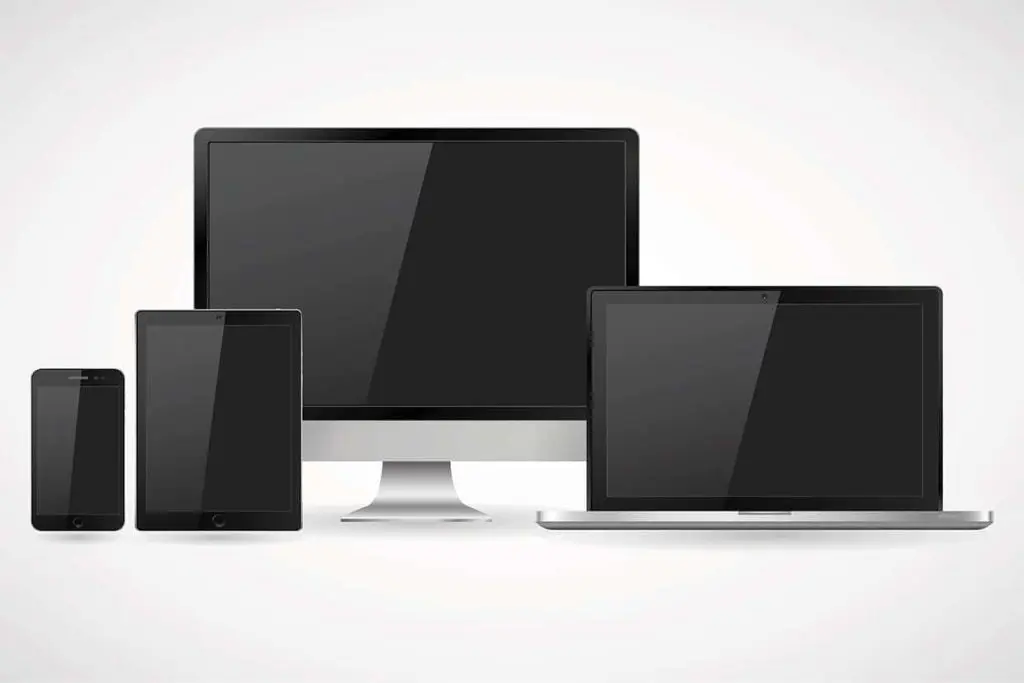
A well-designed CMMS user interface enhances usability and efficiency by providing intuitive navigation and streamlined access to maintenance management tools. What’s the CMMS User Interface? Just as the term implies, the user interface is the way the user (i.e., your maintenance tech) interacts with software (i.e., the computer or device). When CMMS software has a good user interface, you feel it. The strongest user interfaces makes using the software more intuitive and seamless. And a good user interface makes the difference between software that’s used… and software that’s not. How Does the User Interface Affect My Maintenance Team? User interfaces affect our lives in ways we don’t always understand. Have you ever tried to heat up food in an unfamiliar microwave? Or recorded a TV show on a different DVR with a different service provider? You have, and you probably didn’t think twice about it. Because the user interface was familiar enough that you could figure out what to do. Have you ever searched for a button or command in Word or Excel? Ever notice how Ctrl-S means Save in every computer program? Or how the File menu is always in the same place? Those little details make it easier to find things in a software program you’ve never used before. Why Do I Need an Adaptive User Interface? Back in the day, software developers designed the user interface for a desktop monitor—because that was the only place to use software. Today’s user interface is more complicated, thanks to mobile technology. Today’s maintenance managers need software that works on monitors, tablets, and smartphones—because it’s likely your maintenance is using more than one device (or you will be soon). At MPulse, we call this concept Adaptive “Any Device” Interface. That term means what it says—our CMMS software will work the same way across multiple devices. How Does the User Interface Help? When your CMMS software has an intuitive, adaptive interface, your maintenance team experiences some big benefits… Training will be faster and easier because your maintenance techs will already know the basics. You are more likely to experience a smooth software implementation with less help from expensive, outside consultants. Once it’s up and running, your team will be able to complete tasks faster because it’s easy to use. Your team is more likely to voluntarily keep using the software because it’s seamless and makes their work less complicated. For such an important component, the user interface gets very little thought from the actual users. That’s by design. A good user interface is instinctive, so you don’t need to think about it. Good user interface simply improves maintenance operations without trying. Have you ever struggled to learn new software because it just didn’t feel intuitive? With MPulse, that frustration becomes a thing of the past. Our user-friendly interface is designed to make learning and navigating maintenance management tools easier than ever, ensuring your team can quickly adapt and stay productive. Ready to simplify your software experience? Contact us today to learn how MPulse can transform your maintenance management process. Or give MPulse a try with our free software trial.
3 Simple Ways to Improve Your Maintenance Operations

Sometimes it’s the little things that make the biggest difference. I was reminded of this notion recently during coffee with a long-time friend and customer, Carl. Carl and I are old enough to remember a time before barcode scanning was as prevalent as it is today. I helped him install a barcode system back in the early 1980s. 1. Mobile Barcode Scanning Carl, the general manager of a local store for a national chain, was ahead of his time. He understood that information was his most important asset. Believe it or not, barcodes were relatively new back then. Carl saw the potential, so he invested in a barcode system to help his employees manage inventory. Simplifying Data Entry Carl’s operation stocked thousands of items, and they reordered constantly from multiple suppliers. Keeping track of that information was mind-boggling, and staff members would often go looking for an item only to discover it wasn’t there. The organization’s annual inventory count was a serious undertaking, with a dozen employees or more writing down numbers while Carl and his assistant typed in information on a spreadsheet from handwritten notes. The barcode system allowed them to automate the process. The time it took to physically do the inventory was cut by a third. The time it took to enter data and create the reports took minutes instead of days. And Carl’s employees knew what needed to be ordered when, streamlining the purchasing and receiving process. Carl’s corporate offices were so impressed, they ended up implementing a nation-wide system that closely resembled what Carl set up. “At the time, it felt like a huge undertaking,” he said. “But looking back, it was a relatively simple change that helped the company grow.” What’s Old is New Again Today, what Carl accomplished is simpler than ever because… Technology is cheaper Barcode label printing is widely available 2D barcodes (like QR codes) can store and track even more data Data is easily synced with CMMS software When we implemented Carl’s system, barcode scanners required wired connections. Downloading the data meant plugging in the device to the computer. Today barcode scanners easily transmit data wirelessly. What’s more, modern maintenance software includes mobile device barcode scanning capability so maintenance personnel can use a smartphone, tablet, or barcode scanner to input data into any CMMS field. Carl is still looking for ways to make his team’s workflows more efficient. He listed off a bunch of things he can track today with barcode technology—from tracking employee time to managing the check in/check out process of tools, keys, and vehicles. 2. The User Interface This time I’ll talk about one that you probably rarely—if ever—think about. Yet it is a key part of your maintenance management software. It’s the user interface. What’s the User Interface? Just as the term implies, the user interface is the way the user (i.e., your maintenance tech) interacts with software (i.e., the computer or device). When CMMS software has a good user interface, you feel it. The strongest user interfaces make using the software more intuitive and seamless. And a good user interface makes the difference between software that’s used… and software that’s not. How Does the User Interface Affect My Maintenance Team? User interfaces affect our lives in ways we don’t always understand. Have you ever tried to heat up food in an unfamiliar microwave? Or recorded a TV show on a different DVR with a different service provider? You have, and you probably didn’t think twice about it. Because the user interface was familiar enough that you could figure out what to do. Have you ever searched for a button or command in Word or Excel? Ever notice how Ctrl-S means Save in every computer program? Or how the File menu is always in the same place? Those little details make it easier to find things in a software program you’ve never used before. Why Do I Need an Adaptive User Interface? Back in the day, software developers designed the user interface for a desktop monitor—because that was the only place to use software. Today’s user interface is more complicated, thanks to mobile technology. Today’s maintenance managers need software that works on monitors, tablets, and smartphones—because it’s likely your maintenance is using more than one device (or you will be soon). At MPulse, we call this concept Adaptive “Any Device” Interface. That term means what it says—our CMMS software will work the same way across multiple devices. How Does the User Interface Help? When your CMMS software has an intuitive, adaptive interface, your maintenance team experiences some big benefits… Training will be faster and easier because your maintenance techs will already know the basics. You are more likely to experience a smooth software implementation with less help from expensive, outside consultants. Once it’s up and running, your team will be able to complete tasks faster because it’s easy to use. Your team is more likely to voluntarily keep using the software because it’s seamless and makes their work less complicated. For such an important component, the user interface gets very little thought from the actual users. That’s by design. A good user interface is instinctive, so you don’t need to think about it. 3. CMMS Customization Customization means different things to different people. Here at MPulse, we offer an advanced customization feature so you can modify your CMMS software in a way that matches your organization’s needs. Typically, our customers are interested in customization because they want to change or add layouts, fields, nested fields, and custom prompts. So we designed our maintenance software to make these types of changes on the fly with just a few clicks. The Right Information Where You Want It The advanced customization feature of MPulse was a big plus for Amanda. When her state government organization first implemented CMMS software, she needed to modify certain things, such as field names and the work order layout, to make sure the techs could find pertinent information right where they thought it should be. “It sounds like a minor