
The Maintenance Maven Reflects on 21+ Years in the Maintenance Field
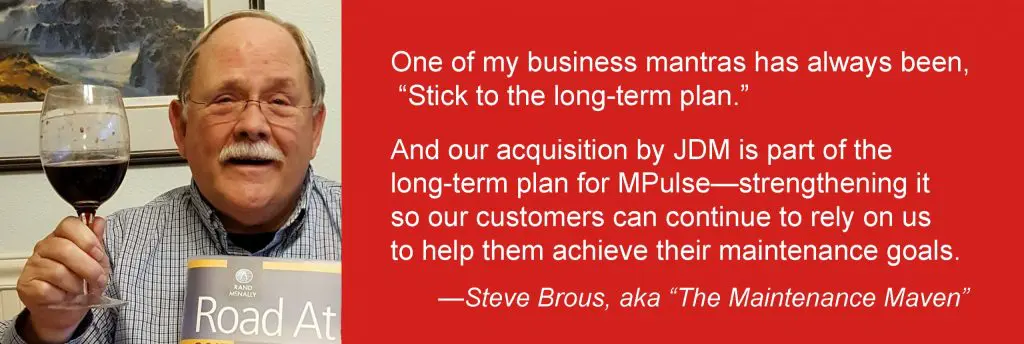
Back in the late 1990s, we were having a tough financial quarter. It was frustrating and causing me a fair amount of angst. Taking a short break from the stress, my wife and I went to the Mt. Hood Jazz Festival. It was August, and the Pacific Northwest was in the middle of a drought. We met an artist there selling posters of majestic Mt. Hood overlooking the Columbia River. And as I studied that image, I realized that even though the water level was much lower than normal, the mighty river was still flowing. I understood profoundly in that moment that the Columbia River had been flowing long before I was there, and it would still be flowing long after I was gone. Just like that great river, well-run companies experience ebbs and flows, but they continue on through times of scarcity and abundance alike. That idea sustained me during my decades in the maintenance software business—especially during some of those tougher times. But the metaphor seems even more meaningful today as MPulse continues a period of exceptional abundance and growth, and I officially announce my retirement. MPulse Will Continue as Usual Even as I step out of the picture, MPulse, like the Columbia River, will continue to thrive and grow and, most importantly, to serve and delight our customers with great software and terrific service. The company we’ve built and grown over the past 22 years was acquired on April 1, 2017, by JDM Technology Group, a leading provider of software solutions for facility, industrial, and construction customers worldwide. MPulse President Jason Johnson and CTO Randall Brous will take the reins from me to guide the company forward. One of my business mantras has always been, “Stick to the long-term plan.” And our acquisition by JDM is part of the long-term plan for MPulse—strengthening it so our customers can continue to rely on us to help them achieve their maintenance goals. The same dedicated MPulse employees will be sitting in the same offices—ready to help you navigate the shifting currents of an increasingly complex and technical maintenance world. The Future of Maintenance The maintenance field has experienced its own ebbs and flows over the years, and much has changed since my early days leading MPulse. Back then, many maintenance techs were none too excited about computers. Often times, our sales reps had to explain why a computer even belonged in the maintenance department. Today, maintenance professionals have fully accepted information technology and the role CMMS software plays in their jobs. Everyone is now looking ahead to understand where technology will take us, as Computerized Maintenance Management Systems transform for into more broadly capable and comprehensive Asset Performance Management (APM) solutions. From mobile devices to cloud-based maintenance software to the Industrial Internet of Things (IIoT), the maintenance world has a lot to be excited about. On the Road Again I have some exciting things ahead of me as well. My wife and I plan on heading out on our next adventure—an RV trip that will take us wherever we feel like going, hopefully with little maintenance and repair involved. As I look back, I’m grateful for our customers. Thank you for your business, your passion, your loyalty, your feedback, your wisdom, your friendship, and so much more. And I’m also grateful for our dedicated MPulse employees, who have truly been responsible for our company’s success. I’ve also been lucky to work with our outstanding vendors, who have help us achieve the great things MPulse is known for today. It’s been a fantastic ride, and I’m looking forward to seeing where the journey takes me next. Who knows, maybe we’ll meet again somewhere down the road. Sincerely, Steve Brous, aka “The Maintenance Maven”
Time for a Parts Room Audit? CMMS Software to the Rescue!

It’s common for public agencies to have their parts inventory audited on a regular basis. Typically, these audits occur annually by taking a random selection of items and comparing the inventory numbers in the computer to the actual items on a shelf. The purpose isn’t really to find problems or assign blame. Instead, the goal is to use our software audit tools to determine if an agency’s inventory audit procedures are in place and effective, so you can make changes to improve. An audit also can reduce overstocking and understocking because of inaccurate data, plus it helps reduce the opportunity for theft. CMMS Software Helps You Prepare Inventory has a reputation for being “a can of worms” in our field. And that’s not without reason. The key? Finding the type of inventory audit procedure that works for your organization and using the power of your CMMS software audit tools to implement it. CMMS software is the best way for maintenance and facility management teams to prepare for inventory audits. CMMS software helps in several ways… Preparation Time: Scheduled audits require gathering paperwork beforehand, which can be tedious and time-consuming when it involves sifting through stacks of paperwork. With CMMS software, accurate reports are easy to pull together in just minutes—saving a lot of time and frustration. Verifiable Data: CMMS software records all your parts tracking, stocking, ordering, and inventory processes with every work order. When it’s time for an audit, the data is easier and faster for auditors to verify. Easy Access: Instead of pulling out binders of paperwork, auditors can sit down at a computer to find the information they need. With CMMS software, the answers are at their fingertips. CMMS Software Improves Inventory Management Here at MPulse, we recommend making inventory as easy as possible with barcodes, scanners, and our new smartphone camera barcode scanning feature. Scan the part. Scan the asset. That’s all you need to do to link inventory to a new or existing work order record. Plus, your team can enter inventory items as they arrive and automatically track who is performing work. Often, I hear customers worry about the effort involved in implementing an inventory control management system. Setting up the system does take time, but the gain far outweighs the initial pain. Let the power of CMMS do the hard work, and you’ll see the rewards when it’s audit time. As with most things, being prepared makes the experience easier and a positive outcome more likely. How can CMMS software help your maintenance department improve inventory management? Leave a comment below or contact us.
Maintenance Strategy: Invest in Your People

During my years in the maintenance management field, I’ve learn a lot from watching the management strategies of our MPulse customers. Nick is one of those customers. He has a knack for finding—and keeping—good maintenance employees. Recently I asked him about his secret. “It’s hard to find good people these days,” Nick said. “So when you do, you want to make sure you don’t give them a reason to leave you.” Nick’s strategy for keeping good maintenance techs once he finds them? “My maintenance strategy? Invest in your people” he said. Invest in Maintenance Employees, Invest in Your Bottom Line Nick admits he doesn’t hire based on skill level. Instead, he looks for aptitude and a willingness to learn. “You can teach skills,” he said. “But it’s hard to work with someone who’s not interested in learning.” Once he hires the right people, however, his job has just begun. “Over the years, I’ve learned employees don’t leave jobs, they leave managers,” he said. “It’s my job to help them understand the value of their contributions. I share our big picture goals. I ask for their opinions and their concerns. Cultivating a connection to our company and its mission creates a sense of pride that makes it much more than a job.” Position Your Employees for Success with the Right Tools Part of investing in your maintenance team is making sure they have the right tools to do their jobs. And CMMS software is the best tool you’ve got to keep your maintenance team productive and efficient. Over the years, Nick has watched as CMMS software shifted from a “nice to have” to a “must have” in their maintenance department. “Our younger employees come in assuming this type of technology is part of the job,” he said. “We’ve moved away from technology resistance in the older generations to the expectation that we’ll keep our technology updated.” Nick also believes training is a tool. When he sends team members to off-site trainings, he has them share their experience with other team members, like an in-house apprentice program. “It takes time,” Nick said. “But it pays big dividends in the long run.” Nick is very aware of his team’s ability to affect the financial performance of his organization. He sees professional development as an investment in the future of the entire organization. “Our organization’s success depends on our people,” he said. “Investing in our employees is a strategy to improve everyone’s future.” What’s your strategy for finding and keeping good maintenance employees? Leave a comment below or contact me.
CMMS Implementation Services: What Maintenance Managers Should Know

Maintenance managers know it’s critical to have the right tools—and the right skills—for the job. The same is true when it comes to CMMS implementation services. That’s what Nick told me. As the maintenance director for a large, multi-site corporation, Nick knows his maintenance strategy is only as good as his people and the tools they use. “I don’t send my plumbing guy with a pipe wrench when I need to replace a circuit breaker,” he joked. Nick isn’t new to CMMS software. But when it was time to upgrade recently, he wanted his team to focus on their jobs, not configuring software. So, Nick decided to let the MPulse experts do what they do best—set up his CMMS software exactly how his team needed it. Which means his techs could do what they do best—maintenance. Smooth Transition, Strong Foundation MPulse has different levels of CMMS software implementation, and each customer’s needs are unique. Nick went for turn-key implementation, so our MPulse team helped him with everything from planning, data migration, and installation to training and “go-live” day. “It made financial and operational sense,” Nick explained. “Our CMMS software was set up correctly from the beginning, which reduced frustration during the transition. We also had the support we needed if we ran into any problems.” I’ve shared my perspective before about the value of CMMS software training and implementation services. It’s something that, honestly, you can’t afford to not do. Nick agrees. “It was more than just setting up software,” he said. “MPulse helped us set up measurable goals and create reports to track our progress. Now I know at a glance where we’re meeting expectations and what we need to focus on.” Compounding Benefits While reducing disruptions during the upgrade was a major advantage, there’s another one. The value of Nick’s investment grows every day. Nick describes it as “compounding benefits,” like compounding interest. “We started strong by investing in CMMS implementation, and we add to the value of our CMMS data with every work order,” he said. “Now our crew has a solid foundation that we’re still building on today, just like interest earned in a bank account.” CMMS software is a tool. And just like a wrench or a hammer, it only works when the right person is using it for the right job. Give your organization the best chance to make the most from maintenance software. Explore MPulse’s implementation services and see how we can make your maintenance team the most productive they’ve ever been.
Prioritize Maintenance Tasks & Get Stuff Done

In this series, I’ve been sharing my tips for prioritizing maintenance tasks so you can get stuff done! Once, you probably kept a written list on your desk, or maybe a spreadsheet on your computer. I sure did. But those old methods take up a lot of time and certainly don’t help you or your team work efficiently, much less keep everyone on the same page. And that’s where CMMS software can help. What Do You Have to Gain? Let me use a very simple example from my own experience. I used to keep detailed maintenance schedules written down on paper. It was a complicated, but thorough system. But it took a lot of time to keep it updated. It took even more time to share it with my colleagues who needed to know what was going on. CMMS software freed up my time and my mind. Reminders popped up when I needed them. Continuous schedules were easy to create. And if I had questions, my maintenance data had answers—answers for questions like… How much am I spending to repair that asset? Is it more cost effective to repair or replace it? Is my team behind on scheduled tasks? Should I hire another staff member? Where is the money going? Best of all, my CMMS software created a repository of maintenance information. That means I can ask different questions in the future—ones I didn’t think about earlier. Again, getting stuff done! You Don’t Know What You Don’t Know Maintenance reporting software makes asset information, historical data, vendor information, media files, and other details easily accessible by the people who need it. (Even better, if you’ve made the move to mobile, your team can easily find this information while they’re in the field or on the shop floor.) With good data to work from, my crew could make good decisions. And I know it improved my company’s ability to compete. Maintenance software helps you stay on top of your growing to do list. Because the less time you spend making lists, the more time you can dedicate to more important things, like getting those tasks done. What’s your experience using CMMS software to prioritize maintenance tasks? Any suggestions for other maintenance managers? Leave a comment or contact us.
Investing in Maintenance Software Pays Off in the Long Run

Investing in maintenance software pays off in the long run. Several years ago, my town was struck hard by a recession. Businesses closed. Unemployment grew. You could see the effects in the business district—empty storefronts and office buildings. The town had a glut of business space. And, as demand fell, so did the prices. My friend and MPulse customer, Rebecca, owns several properties downtown. But Rebecca stayed afloat when many others did not. Over coffee recently, I asked Rebecca how she survived when others failed. Timing and sound business practices helped. But so did something else that was much simpler. “We kept up on our property maintenance,” she said. “It makes a difference when you need to attract and keep tenants.” Facility Maintenance is an Investment Buildings are assets, and nothing is better for managing assets than CMMS software. Rebecca invested in MPulse CMMS software about 10 years ago before the downturn hit. “But when things were tight, it became more important,” she said. “It was easier to see where we need to spend money to keep things up, and we also knew where to cut back to stay solvent.” Rebecca used MPulse Software, Inc for… Employee schedules Elevator inspections HVAC maintenance Security Landscape Vendor management Custodial services Repair cost history Documentation Service requests Keeping her properties in good condition helped Rebecca maintain the value of her investments. Her current tenants were happy and more likely to stay. And new tenants were attracted to the property. This strategy sounds simple, and it is. But it’s a business practice that not everyone follows—which gives property owners like Rebecca a competitive advantage. The proof lies in similar properties that weren’t maintained. When the market turned a few years ago, their owners had to spend more to make sure their facilities could compete. At least, those that survived. Plenty did not. CMMS Software Improves Service Request Management Rebecca’s facility management strategy included something else that often gets overlooked—good customer service. “Responsiveness is a big part of property management,” she said. “MPulse helped our maintenance manager track service requests and communicate with tenants. Our track record of good customer service kept us operating during a difficult time.” Rebecca’s investment in maintenance is paying off now as the market continues to expand. Her buildings are full, and she increased her rates as demand grew. It’s a position too many others failed to achieve. How could CMMS software help you stay competitive? Leave a comment or contact us.
Maintenance Management: What You Don’t Know Will Hurt You

Here at MPulse, we often talk about how maintenance management software helps with data-driven management and how CMMS data reveals where your operations are working well… and where they aren’t. But sometimes we don’t acknowledge that doing nothing is also a choice… and it has consequences. Because in the maintenance field, what you don’t know will hurt you. It’s likely you’ve experienced this issue too. The folks in my business group work in different industries—manufacturing, technology, retail, utility, government, and more. Almost everyone had a story about a time where what they didn’t know became a big problem. Ignorance is Not Bliss A few of the stories I heard… Ignoring inventory management resulted in a problem with an employee who took company parts for personal use Not tracking key and lock use caused security issues that put people in danger Overlooking rising labor costs put the maintenance department in the red and the financial viability of the organization in jeopardy Not following a preventive maintenance plan meant a vehicle that should have lasted 10 years had to be replaced in less than five Not upgrading software caused a shutdown that cost three days of productivity for 50 workers Sloppy documentation resulted in a OSHA investigation “We used to manage based on our perceptions of what was working and what needed to change,” said Jacob, a member of my group who works for a local utility. “Everyone did. Moving towards data-driven management wasn’t simple. But when we got there, we saw how much time and money we had wasted by concentrating on the wrong things.” The Value of Maintenance Data In all the cases above, the decision not to do something (track inventory, monitor costs, schedule preventive maintenance, etc.) ended up costing the organization time and money. But they learned from their mistakes. Jacob shared his company’s four-part process for data-driven management… Measure Analyze Plan Improve Each part builds on the previous one. So, Jacob’s team takes measurements (via work orders), and then analyzes that data to understand their performance (via reports). That understanding helps them plan, and hopefully improve. That’s what maintenance software does in a nutshell. When you measure the productivity of your operations, you get a deeper understanding of your maintenance processes and how to improve them where necessary. Contact us for more information.
The Hidden Costs of Free Maintenance Software

You’ve heard the saying, “There’s no such thing as a free lunch.” That’s what a new MPulse customer, James, said to me last week. James is researching maintenance software—his team still uses mostly paper and pencil. He knows it’s time for a change. So, he did what many maintenance managers before him have done. He typed “free maintenance software” in a Google search box. I get it. When you’re new to CMMS programs, you want to test them out. Take it for a test drive, so to speak. And free maintenance software from the Internet seems like an easy way to do that. But also like many maintenance managers before him, James discovered that free maintenance software isn’t always what it seems to be—and its hidden costs sometimes mean paying a higher price. Why Don’t I Want Free CMMS Software? It’s hard to get a realistic perspective on the true capabilities of maintenance software with free CMMS software. “Free” sounds like a great deal, until you consider… Limited tools and functionality Lack of scalability No training or support Absence of security features to protect data Inability to sync with other business systems So, after all that effort, you’re missing out on finding the right maintenance software for you. Not to mention, you’re wasting time and energy—two things typically in short supply for maintenance managers. That’s what James discovered. “I’m trying not to think about the time I’ve wasted testing out software that didn’t have the features we really needed,” he told me. “That was an expensive lesson.” But What If I Just Want to Try It Out? I understand why James wanted to try out free maintenance software. But there’s a better way—free software demos. When you test drive a car, you don’t just randomly take any car you found on the Internet out on the road. You don’t want to waste time test driving station wagons when you really need a 4-wheel drive with a 6.0L, 8-cylinder engine. Your time is valuable, and it’s important that you spend it wisely. When you do your research on CMMS software, you’ll soon see the benefits of scalable CMMS software with an easy-to-use interface and advanced tools. That’s why MPulse Software, Inc offers free trials and great customer service to make sure your software purchase means your needs. Because we know how to make your CMMS implementation a success—and we’re happy to share our experience with you, so you’re on the right path from the very beginning. And that’s something you can take to the bank.
Is It Time for a CMMS Software Upgrade?
Sometimes change feels risky. But not changing carries risk too—the risk of becoming uncompetitive because your business practices haven’t kept up with the times. We’ve experienced a lot of change lately with the release of our new MPulse 8 CMMS software, so change is a topic that’s on our minds. It’s on the minds of our customers too. [related-content] Our “early adopters” are already upgrading their MPulse CMMS software. But plenty of our customers are trying to decide when’s the right time to upgrade. These folks are the majority—they’re looking to see how new software fits in with their workflows, and they’d like to avoid as much disruption as possible. Me too. You Need More from Your CMMS Software Maintenance managers know better than anyone how new things (equipment, personnel, processes, or procedures) can affect your operations. Such is the case with Leo, a customer with an older version of MPulse that he’s waited to upgrade because of time and budget constraints. But Leo knows the time is near where he simply can’t wait anymore. Generally, CMMS software upgrades tend to happen when a need arises that can’t be met by the current version or an organization makes changes that the old software is not capable of handling. Whether that’s more capacity, new features, or faster connections—you need something more. Your Maintenance Operations Change Leo needs more because his maintenance department looks a lot different than it did when he first invested in CMMS software several years ago. When I asked him how things have change, he listed four things. Leo’s organization has expanded, which has increased his team’s workload. New IT and Internet infrastructure has improved his organization’s connectivity. His department has experienced a fair amount of staff turnover, and his younger techs are more comfortable doing things differently. His manager’s reporting needs are becoming more complex, and so are his requests for maintenance information from Leo. “We’ve made a lot of changes around here, especially in the past few years,” Leo explained. “We need to keep up with the growing demands on our crew.” So when did Leo reach the point where he knew it was time to upgrade his MPulse software? I’ll share more of his story next time. In the meantime, how has your maintenance operation changed? Leave a comment below or contact us.
Creating CMMS Software “Super Users”?

In a recent post, I shared Ken’s story about finding efficient ways to train his new maintenance employees. It’s a situation more maintenance managers are finding themselves in. If you haven’t yet, you will soon. We’re all dealing with staff turnover as older employees retire and new ones come on board. To recap if you missed it, one-third of Ken’s maintenance staff was new to his organization. And the usual hands-on, peer-to-peer training wasn’t as effective as he needed it to be to get everyone up to speed quickly. Formal classroom training ended up being the right choice for Ken to get his large group of new users up and running. But Ken had another problem. Among those retirees were three of Ken’s maintenance software “super users”—staff members who knew how to get the most out of their MPulse CMMS software. [related-content] These were Ken’s go-to people whenever he had questions or needed data for everything from replacement budgets to asset life cycle forecasts. In fact, they were the whole organization’s go-to people for anything related to maintenance. “They really pushed the limits of the software,” Ken said. “They knew it inside and out. Those are big shoes to fill.” What’s a CMMS Software “Super User”? Ken’s super users were what we call “MPulse champions”—they were directly involved in the original software implementation, they trained other users, they provided internal technical support when needed, and they “championed” the use of the software to others. Their enthusiasm for the software and its capabilities was catching. It helped Ken get his whole team on board with the initial implementation. And it helped the whole organization discover the value of CMMS data—and the decisions it helped make. Super users are the hardest ones to replace after they retire or move on. So it’s really important to train new ones. How Do I Create CMMS Software “Super Users”? Ken is already on the path to creating new CMMS software super users by investing in classroom training. Formal training is the first step to developing employees who are knowledgeable and enthusiastic about their job and the software tools they use. It’s also important to support people who are likely to become super users with time, continuous training, and hands-on experience. You know who they are—they are approachable, open to learning, responsible, and knowledgeable about their organization and how to contribute to its success. In general, maintenance managers should encourage employees who have… A strong understanding (or potentially strong understanding) of workflows A belief in the value of technology and data-driven management An enthusiastic attitude and strong communication skills Good problem-solving capabilities Flexibility and adaptability to change Desire for continued learning and skill development It takes time and experience to get there. But Ken can encourage the development of his new super users with training and opportunities for growth. Who are your CMMS software super users? How have you helped them become successful? Leave a comment or contact me.