
Tracking the True Cost of Maintenance
How To Track Maintenance Cost Maintenance Managers are asked to make two fundamental decisions when presented with a maintenance-related problem: Should we repair or replace the malfunctioning item? Should we do the work internally or should we outsource it to a supplier or vendor? Of course, there are many factors in making these decisions. However, there is one factor that stands out above all else and that is the cost. Translated simply, it is dollars (insert your country’s currency here). “What will it cost to alleviate the problem and prevent it from returning?” When figuring the cost of a job you must include all the costs, including internal labor costs. Related: MPulse’s Preventative Maintenace Feature The Need for Labor Management Software I have worked with many maintenance departments and maintenance managers over the years setting up CMMS and EAM systems. During initial planning, a discussion point that is often contentious is whether to enter labor hours and labor charge rates. This is especially true when it comes to tracking and reporting on the cost of internal labor on work orders. Most department managers are more than willing to track the direct cost of parts, supplies, and outside labor consumed to complete a job. The argument against entering internal labor costs is “internal labor is on the payroll anyhow, so there is no additional cost.” While the statement may be correct, the action is incorrect. Tracking only the additional cost of a job really has no value other than possibly matching up invoices for your Accounts Payable department. There is certainly no value in reporting on, and making decisions based on, cost information that only includes an additional cost. There is not a maintenance manager in the universe who has not come under fire for keeping maintenance costs down. This directive is not to keep the additional cost down, it is for the total cost. The cost of labor in a maintenance department can run as high as 80% of the total cost. How can you manage costs if you are not tracking them? Remember, if you are not tracking costs, then someone above your pay grade is! So what rate should be used as the multiplier for labor hours to calculate the labor cost of a job? Here are some thoughts: Individual employee wage—this is probably the least desirable option as it severely understates the true cost of labor. Also, using employee wages in your CMMS is a real security breach and may be against the internal HR policies for your organization. Another problem with using actual employee wages is sorting out which hours are at straight time and which are at one or more overtime rates. This can be a real bookkeeping nightmare. Individual loaded labor rates—the loaded labor rate usually includes things such as wages, taxes, benefits, overtime, and other direct costs to employee the person. Using the loaded labor rate is much closer to the reality of the true cost of labor. Loaded labor rates are typically computed by multiplying an employee’s salary by a department-wide factor of typically around 1.5 – 3.0. Your finance department can most likely provide you with this factor. Shop rate—this is used in many industries and can be used quite successfully by a maintenance department. When you enter an automotive repair facility, the shop rate is generally posted as their labor charge rate. I recommend the use of ‘shop rate’ as the multiplier for determining the cost of labor on a job. Using shop rate masks individual compensation from visibility; it includes administrative overhead, and it typically includes the entire cost of doing business. You can find many articles on the internet for methods to determine your shop rate. Using shop rate is the best way to compare what a job costs you to do internally versus what it cost by contracting it out. By tracking internal labor costs, along with all additional charges, on all your work orders you are providing yourself with meaningful comparative data. Remember, the CMMS is not a bookkeeping system, it is a maintenance tracking system for you to use to make data-driven decisions. This is why you need the whole picture. How do you calculate the total cost of a job, especially internal labor? Contact us for more information today!
Unleashing Team Productivity with CMMS: A Guide on Performance Management

Performance management is a long-established approach to measure employee efficiency and productivity. But the maintenance team has historically flown under the radar, and many maintenance managers haven’t focused on performance management. But the emergence of data-driven management (i.e., making management decisions backed by reliable data) has changed that. Technological advances—like CMMS software—have continued to make more and more detailed, relevant data available. And with that increased capability comes increased opportunity to improve organizational performance at all levels, and in all departments—including the maintenance team. Performance Management in the Maintenance Department For your organization’s executive and management team, performance management is a process where the organization identifies its goals and objectives, determines available resources (including labor, inventory, materials, etc.), and sets priorities. For the maintenance manager and technicians, it’s an opportunity to clarify the department’s goals and the competency, skills, and knowledge required to meet those goals. Performance management in the maintenance department achieves five things. Communication: CMMS software helps maintenance managers communicate with employees about their goals, job responsibilities, key deliverables, and performance standards. Development & Training: With solid performance management data from CMMS software, maintenance managers can identify areas to improve employee performance through formal training, mentoring, coaching, etc. Administrative & Human Resources: Performance management systems are often the basis for human resources and administrators to determine an employee’s promotion, demotion, salary increment, transfer, or termination. Goal Setting: Performance management reviews provide maintenance managers with the information needed to plan for the future—including setting new benchmarks, designing training programs, and creating goals for both employees and the department as a whole. Documentation: The performance management process enables maintenance managers to track safety training records, certifications, attendance, overtime, and productivity. This information also helps organizations follow standards for regulatory agencies like the Occupational Safety and Health Administration (OSHA). Beyond these practical purposes, a performance management system also can help maintenance managers show people in positions of authority what your maintenance program does and the value you bring to the organization. It’s another way to share your projects, goals, accomplishments, and results for both the department and for your team members. And that comes in handy when you need approval for pay increases, new equipment, or special projects. How could your organization use performance management? Contact us!
EPAC Software Technologies Acquired by the JDM Technology Group

MPulse Software announced its parent company, JDM Technology Group, has acquired East Greenwich, RI–based EPAC Software Technologies, provider of award-winning CMMS and EAM software. The transaction closed as of June 28, 2019, after approval by EPAC’s founders and owners, C. Paul Oberg and Robert B. Lane. EPAC Software Technologies has been providing maintenance software since 1999. The EPAC team has collectively been involved in the maintenance business for 75 years working in plants, facilities, or government. With these deep-roots in the maintenance business, the EPAC team knows and understands the complex requirements of today’s maintenance technicians. The acquisition strengthens the JDM Technology Group with a broader offering of maintenance management software solutions to its global customer base. “We are pleased to have found a good home for the EPAC business moving forward,” said C. Paul Oberg, co-founder of EPAC. “EPAC has been committed to serving our customers with the best software solutions for maintenance since 1999. Joining the JDM Group represents a great opportunity for our customers and employees, with access to additional resources, technology, and expanded global footprint to ensure the continued growth and longevity of the business.” Having acquired numerous companies since 2004, the JDM Technology Group has established a proven strategy for integrating acquired companies into its existing infrastructure. EPAC will continue to operate as a separate brand with its existing staff, while combining with the resources of MPulse Software, a JDM Technology Group company based in Eugene, OR, with which EPAC shares a similar customer and product focus. Jason Johnson, President of MPulse Software, will lead EPAC and oversee day-to-day operations of both EPAC and MPulse. C. Paul Oberg will continue with the company during the transition period in a consulting and advisory capacity. “Our strategy to Buy and Build great software businesses ensures that customers will have access to the best technology globally. In addition, by retaining the EPAC staff and organization, customers will continue to receive service and support from the same people they are used to,” said David McFarlane, Vice-President of Corporate Development of the JDM Technology Group. “We do not end-of-life products, allowing customers to continue use of their preferred software. The JDM Group’s long-term focus in conjunction with our Buy and Build strategy continues to make us a great home for vertical market software companies focused on the construction industry and built environment.” MPulse Software welcomes EPAC to the JDM family.
Building a Sense of Ownership with Your Maintenance Employees

When your employees are invested in your organization’s success—and their own—they have to build a sense of ownership in their work that provides a solid foundation for your work group. While you can work on building a sense of ownership anywhere, let’s focus on the maintenance team and their needs. Your maintenance employees need to feel like they have a stake in their work—and the workflows, tools, and software they use to get that work done. Here’s some advice from current MPulse customers, who’ve worked to create a sense of ownership in their employees. Listen.Rich, MPulse customer: “You may not be able to do everything your employees want. But you can listen and understand their concerns. I incorporate their suggestions when I can—even on the little things. People want to feel like they’re heard, even on small things like where the tools are kept or the names of our customized fields in MPulse.” Train.Jan, MPulse customer: “Training is constant. That includes both formal training—like classes and workshops, and internal training like peer mentoring in the shop. Be sure to invest in good training and let your team know they’ll be getting it. It’s a long-term investment.” Foster a positive perception of maintenance work.Luis, MPulse customer: “Maintenance suffers from a perception problem, so it’s our job to change that. We start in our own department by emphasizing our team’s contributions, and we work hard to do the same thing with our management team. It’s almost an internal PR campaign. It’s particularly important to our younger employees who want to feel like they’re making a difference.” Show the results.Juan, MPulse customer: “Maintenance doesn’t get a lot of recognition for their work—we often feel undervalued and unappreciated. So, it’s important to show your team how their jobs impact the entire company. We emphasize the results of the work they put in and share MPulse reports that show reductions in downtime, labor hours, inventory costs—anything and everything.” Communicate.Jack, MPulse customer: “Everyone talks about communication, so sometimes it feels like a cliché. But it’s the foundation. Ask probing questions to understand your team’s perspective, particularly when there’s a lot of change happening. Sometimes establishing the right expectations is half the battle.” How have you worked towards building a sense of ownership with your maintenance team? Leave a comment or contact us.
IIoT Solution Drives Vehicle Maintenance Improvement | NexTraq
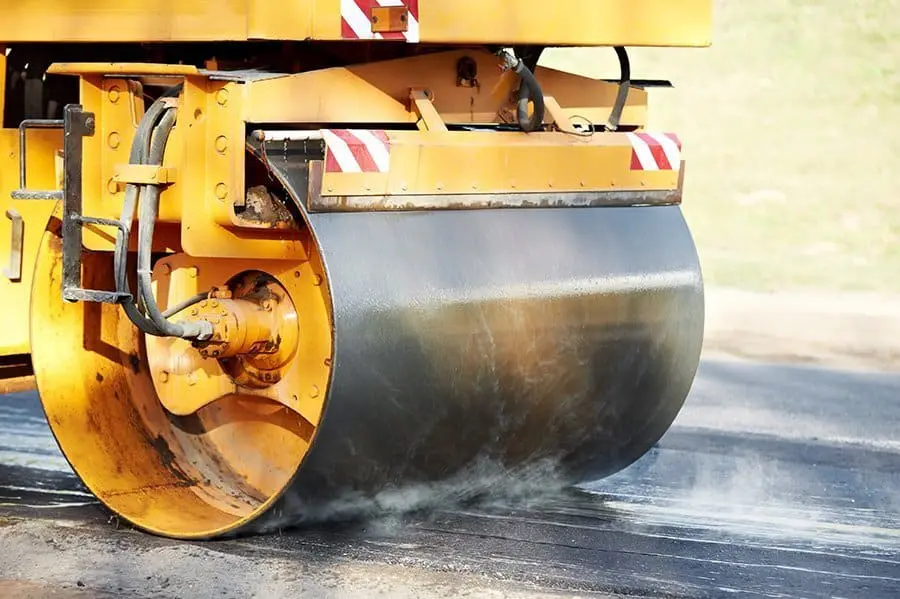
Busy construction companies need reliable equipment to deliver quality work on budget and on schedule. Paul Battista, founder and CEO of Brothers Paving and Concrete, knows firsthand that staying on top of planned maintenance. Performing repairs quickly on critical assets is key for any company that wants to compete effectively. In March 2018, Brothers implemented MPulse to streamline maintenance operations. At the same time, Brothers invested in NexTraq vehicle and asset tracking software, and IIoT that drives vehicle maintenance improvement. This software uses GPS technology in vehicles to help fleet managers track mobile assets and monitor driver behavior. IIoT Software Integration Both software platforms offered big advantages to Brothers. However, the company realized it could get even more value by integrating the two solutions. By doing so, the maintenance team could trigger work orders automatically. As a result, they could get trucks in from the field for maintenance on a more reliable schedule—one driven by actual mileage, not driver-reported mileage or time intervals. The MPulse-NexTraq Industrial Internet of Things (IIoT) integration enables tire rotations, oil changes, lubrication, and other critical maintenance activities to get done when they should. As a result, the company reduced its breakdowns due to overdue maintenance. It also keeps low-mileage equipment in the field and working, instead of sitting in the shop for maintenance that isn’t yet necessary. Brothers was able to use MPulse DataLink Integration Adapter to easily map to NexTraq mileage data to the mileage fields in MPulse. And with that data coming in automatically, MPulse could trigger work orders and notify drivers when vehicles needed to come in for scheduled maintenance. “It just took a phone call to MPulse,” said Dorthy Battista, Brothers fleet manager. “It was such a smooth process, which kind of surprised me. I’d heard so many integration horror stories, but this was really easy.” Benefits for the Maintenance Team MPulse CMMS software helps maintenance managers organize and make sense of what to do with large volume of data gathered by IIoT devices. That enables maintenance teams to take action when conditions on assets show problems or when the assets need routine maintenance. “The biggest benefit for us is not having to worry about the mileage because the data is automatically updated,” Dorthy Battista said. “I don’t have to trust the driver to tell me when a vehicle needs an oil change. I can sleep at night knowing my trucks are going to be maintained.” Learn more about how MPulse integrates with other software. Contact us.
How CMMS Changes the Culture of Your Organization

You know how CMMS software streamlines workflows and improves productivity. But there’s another, more subtle change that happens to MPulse customers after they implement CMMS software. “After our first year with MPulse, I could see our team was communicating better and collaborating more,” said Heidi, a maintenance coordinator with a property management company in the Midwest. “MPulse changed the culture of our department—and our whole organization.” Small Changes Add Up Heidi is describing the result of many small changes that affect the way a maintenance team and service requesters work together, such as… Preventive maintenance schedules that update automatically, so nothing is missed because someone didn’t update a spreadsheet or logbook Automatic work order generation based on specified triggers Easily accessible information about what parts and inventory are available (and where), as well as what needs to be ordered Recorded details about previous work and repairs on assets, so everyone knows who did what when Configurable dashboards with the most important data front and center, so you know what you need to know at a glance Easy access to the reports and numbers needed to make important decisions Customized calendars, so your team can see what needs to happen when The ability to monitor multiple meters (e.g., revolutions, psi, hours) on a single asset Automated email responses to service requests keep requesters happy, and off the phone asking for updates Updates to work orders from a smartphone or tablet in the field, so no one needs to run back to the office to input information into a computer Automated routing and notification when work orders are assigned and completed Historical asset information about previous repairs and services, so no need to rely on other people’s memories or track down old work orders in the filing cabinet Documented workflows that are easily accessible, rather than stored in someone else’s brain Information about who checked out what keys as well as authorized users, reducing the problem of lost or misplaced keys Over time, these little things add up—and your maintenance team is working together better than ever. “We’re less stressed, and we’re doing fewer emergency repairs,” Heidi said. “MPulse has completely changed our workplace dynamic.” Want to know more about how CMMS software can help your organization? Contact us. We’re here for you.
Six CMMS Features Your Techs Want
Maintenance managers know how CMMS software can capture critical data for making good decisions, while helping you save time and money. But your maintenance techs have different needs—and wants. [related-content] Your technicians will use CMMS software in their day-to-day jobs. So, it’s vital that the software you choose is easy for your team to learn and navigate. Here are six important features that your techs want in CMMS software. Work order management: Your technician’s day revolves around work orders. Make sure the CMMS software you choose streamlines the way your techs will receive, update, and close work orders, making their workflows more efficient. Also electronic work orders don’t get lost or ruined like paper work orders do, saving time and hassle for everyone. Custom fields: Probably one of the most undervalued features is the ability to customize what information your techs see, and what they don’t. The latter is as important as the first, and maybe more. Custom fields and drop downs can help your techs fill in important details quickly, helping to significantly reduce time spent on data entry—which is everyone’s least favorite task. Historical information: CMMS captures key information with every work order, and that comes in handy for the next tech who works on that asset or has a similar issue. No more lost information between shifts or tracking down a coworker to ask questions. Media and resources: Manuals, warranty information, websites and vendor information right on the screen? That’s a huge time saver when your techs are looking for important information and resources. Mobility: Maintenance happens in the field, so techs benefit from an adaptive interface that make it easy to access work orders and make updates wherever they are, without stopping by the office or needing to find a computer. Automated communication: No reason for your techs or admin staff to constantly make calls or send emails to provide updates. Your service requesters can check the status of their requests themselves and received automated emails when work orders are completed. Remember if your techs don’t use the software the way it’s intended, you’ll never get the results you need. So, when it’s time to buy or upgrade your CMMS software, think like your techs and prioritize the features they want too. Your investment will pay greater dividends faster. Contact us to find out more.
10 Ways CMMS Helps You Control the Cost of Maintenance

Controlling the cost of maintenance is a major goal for maintenance teams. Here are 10 ways CMMS software can help. Repair or Replace Maintenance software can not only track the age of the equipment, but the miles, hours, life-to-date repair dollars, and many other metrics—helping you decide when it becomes cheaper to replace an asset instead of repairing it. Reduce Downtime When you use CMMS to schedule and track PMs, you’ll reduce emergency maintenance issues and unexpected production stoppages. This, in turn, cuts overtime costs for emergency repairs and reduces production losses. You can also schedule maintenance for off hours by tracking equipment use time. Extend Lifecycle CMMS software generates a schedule of preventive maintenance tasks, making it simpler to follow the manufacturer’s guidelines. Properly maintained assets perform more efficiently, use less energy, and fail less often—extending their usable life. Inventory Management CMMS software can prevent under-stocking and over-stocking, streamline reordering, and automate cyclical inventory counts. You can also track parts to stock based on availability and automatically generate purchase orders based on need, reducing purchasing overhead. Historic Information Each work order in CMMS automatically records labor time, parts and inventory costs, asset history, and other key information. This information also eliminates lost information between shifts, reducing confusion and errors. Better Communication CMMS software’s automated communication tools streamline the approval and assignment process with confirmations sent to requesters, managers, and technicians. In turn, status updates are automatically emailed to the appropriate people as the technician updates the work order. Vendor/Manufacturer Contact Information Access You can have detailed records of each vendor’s contact information, rates, and personnel in your CMMS database. You can track which vendors provide which goods and services as well as find out who is available for work. Automated Scheduling Automated PM schedules and inspections help spot issues before they occur. Maintenance intervals can be scheduled based on asset or part condition, which triggers a work order just before the point when system inefficiencies or failures begin to occur. Employee Performance By tracking repair times in CMMS, you can measure employee performance and create benchmarks. You’ll also see which employees are most efficient at which tasks, helping to balance the workload. Automated Routing CMMS software can automatically filter maintenance requests based on your predetermined criteria, then quickly route them to the appropriate people for review and approval. CMMS helps you capture key data and turns it into reliable information to help make cost-effective choices about asset management. Contact us to learn how it can help your maintenance team.
How to Monitor Equipment Health

The health of your equipment directly affects your maintenance workload. Unanticipated breakdowns mean a loss of productivity—and more work for the maintenance team. Do you know how to monitor equipment health? Monitoring equipment health is the next step up from scheduled preventive maintenance, helping you prevent those breakdowns and reduce stress levels in your department. So how healthy is your equipment? A quick review of work orders will give you a big clue. What assets are breaking down and halting production? If you’ve already invested in CMMS software, a simple report can show you which assets you spend the most time and money on. Start with this list to make the biggest impact as soon as possible. Automated Data Integration You may already be gathering equipment data manually—things like usage hours, mileage, pressure, vibration readings, etc. But your goal should be to reduce or eliminate as much manual data collection as possible by getting real-time information about how your equipment is performing. [related-content] Technology is your best resource here. For example, the MPulse Datalink Integration Adapter collects data from building automation systems (BAS), pressure gauges, heat sensors, vibration monitors, and virtually any digital measurement devices throughout your environment, and sends that data to your MPulse CMMS database. (Learn how MPulse customers are using DataLink here.) You might have heard of this system called the Industrial Internet of Things (IIoT), or the Building Internet of Things (BIoT) in the facilities world, which describes systems that gather information directly from multiple devices. Using that data, you can implement condition-based monitoring—one of the best ways to measure the health of your equipment. Condition-Based Monitoring MPulse Condition-Based Monitoring (CBM) allows you to track unlimited gauges and meters on every asset, and to set upper and lower threshold alerts and alarms. CBM also enables you to trend that data in reports so you can monitor asset performance over time. Staying on top of the health of your equipment with condition-based monitoring helps your maintenance department by enabling… Faster response times with automated alerts Reduced staffing and overtime Fewer errors due to manual data entry Time-series charting to spot trends Reduced data input redundancy The ability to grow with your company’s changing technologies Equipment health affects your organization’s quality, productivity, availability, capacity, risk, costs, and safety. Those are good reasons to start monitoring the health of your equipment. We can help. Contact us to learn more about how easy it is to monitor equipment health with MPulse Maintenance Software.
What Mean Time Between Failures Means for Your Maintenance Team

The most valuable part of CMMS software is all the great information you get out of it. Mean time between failures (MTBF) is a common metric that’s very useful for managing maintenance operations. MTBF predicts the elapsed time between failures of an asset based on normal operation. In this case, “failure” is used to describe when the equipment is out of service and in an unrepaired condition. MTBF is predicting uptime for the equipment. Your organization can use this metric as an indicator of expected availability, as well as reliability. How Do You Calculate MTBF? The higher the MTBF, the more reliable the asset should be before failing. It’s calculated as the sum of start of downtime minus start of uptime, then divided by the number of failures: MTBF = ∑ (Start of Downtime – Start of Uptime) ÷ (Number of Failures) Most maintenance teams measure MTBF in usage hours, but you could use mileage or similar data. MTBF doesn’t include downtime for preventive maintenance tasks, and it assumes PMs can be planned for a time when the asset is not in use. It also assumes the asset is within its useful life cycle. How Does MTBF Help Your Maintenance Team? Most of the time maintenance managers use MTBF to project the likeliness of an asset failing during a certain period. Often maintenance teams can use MTBF to adjust inspections schedules or preventive maintenance tasks. For example, if the asset fails multiple times for the same reasons, you might not have found the root cause, or it’s time to add some PMs to prevent such failures. Some maintenance operations factor in MTBF when determining how much to charge, based on how likely the equipment is to fail. As a simple example, MPulse customer Felipe uses MTBF to create asset performance benchmarks. If his CMMS data shows a belt is likely to fail after 700 hours of usage, he sets up a new PM schedule where the belt is replaced before that time, such as around 650 hours of usage. MTBF is a good of example of how maintenance teams can use CMMS data to prevent failures before they happen. If you’re not using MTBF as a metric to measure your maintenance operations, contact us to learn how it can help your organization. We’re here to help.