
TL;DR:
- A CMMS must meet three specific conditions to be part 11 compliant, including holding records required by FDA rules and providing technical controls.
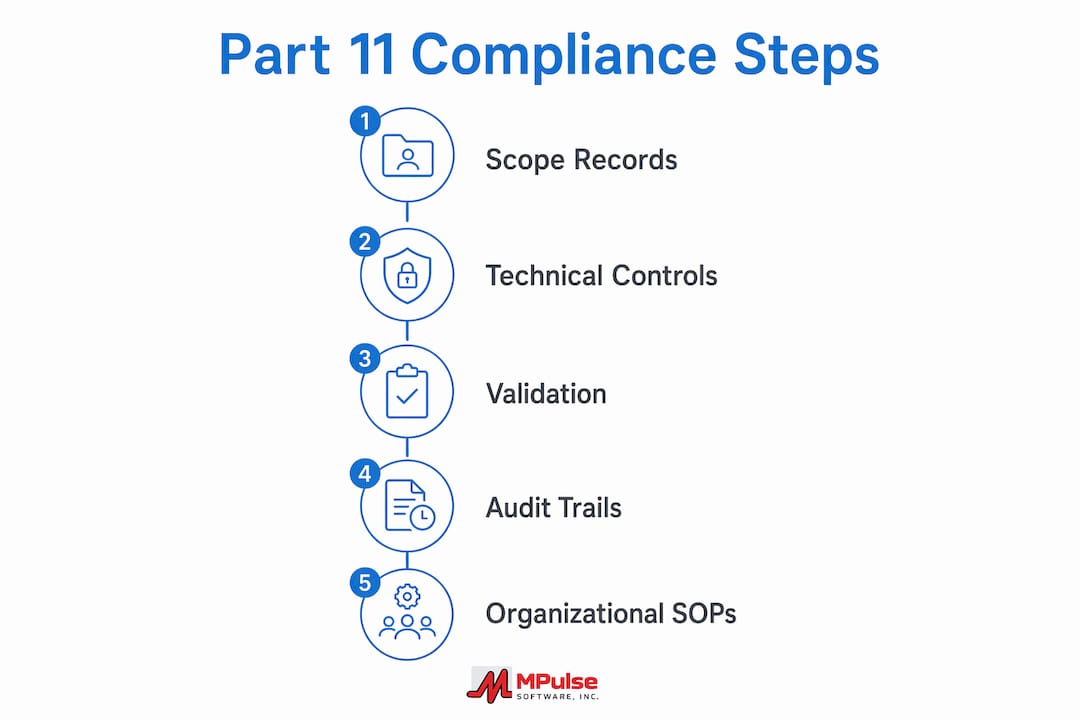
- Most facilities need to map record types to predicate rules, implement secure audit trails, and validate the system with documented SOPs and training before deployment.
A CMMS can be part of a 21 CFR Part 11–compliant solution, but only when three conditions are met: the records it holds are required by an FDA predicate rule or submitted to the agency, the software provides the required technical controls, and your organization validates the system and documents its procedures. Meeting any two of those three conditions is not enough.
Here is what you need to confirm before purchasing or configuring a CMMS for a regulated facility:
- The electronic records your CMMS will store are required by a predicate rule (e.g., 21 CFR Part 211, Part 820) or submitted to the FDA.
- The system provides secure, time-stamped audit trails, unique user IDs, role-based access controls, and configurable electronic signature manifestations.
- Your organization performs risk-based validation, documents SOPs, and trains personnel before go-live.
This guide covers scope and applicability, signature and record requirements, technical controls, validation responsibilities, a vendor-evaluation checklist, implementation timelines, and how MPulse Software addresses these requirements.
Table of Contents
- When does 21 CFR Part 11 actually apply to your CMMS records?
- What Part 11 requires for electronic records and signatures
- Technical controls a Part 11–ready CMMS must provide
- Who owns validation, SOPs, and compliance evidence?
- How to evaluate a CMMS for Part 11 readiness
- Implementation steps, realistic timelines, and cost drivers
- How MPulse Software addresses Part 11 needs for facility teams
- Key Takeaways
- What most facilities get wrong about Part 11 compliance
- MPulse Software is built for compliance-driven facility teams
- Useful sources and further reading
- FAQ
When does 21 CFR Part 11 actually apply to your CMMS records?
Part 11 applies only when electronic records are required under predicate rules or submitted to the FDA. A work order you keep electronically for internal convenience is not a Part 11 record. A calibration log required by 21 CFR Part 211.68 or an equipment qualification record supporting a drug manufacturing submission is.
Common predicate-rule triggers in facility and maintenance settings:
- Equipment qualification and calibration logs required under 21 CFR Part 211 (pharmaceutical manufacturing) or Part 820 (medical devices).
- Preventive maintenance records tied to GMP compliance for drug or device production areas.
- Personnel qualification and training records linked to regulated activities.
- Environmental monitoring and utility system logs required by applicable predicate rules.
The FDA’s enforcement discretion means the agency interprets Part 11 narrowly and takes a risk-based approach to certain technical requirements. That does not eliminate your validation obligation. Predicate-rule compliance remains fully enforceable, and you still need documented evidence that protected records meet those rules.
Pro Tip: Map every CMMS data field you plan to use for regulated records to a specific predicate rule before procurement. This prevents over-scoping your validation effort and keeps costs predictable.
What Part 11 requires for electronic records and signatures
Signed electronic records must include the signer’s printed name, the date and time of signing, and the meaning of the signature (such as review, approval, or authorship). These elements must appear in any human-readable form of the record. Signatures must also be uniquely linked to their records so they cannot be excised, copied, or transferred to falsify another document (§11.50 and §11.70).
Signature component requirements under §11.200 and §11.300 include:
- Two-component signatures for non-biometric systems: typically a unique user ID combined with a password.
- Biometric alternatives that uniquely identify the individual based on a measurable physical feature.
- Password controls: unique issuance, aging and periodic changes, and documented loss-management procedures for compromised credentials.
- Accountability policies: written procedures holding individuals responsible for actions taken under their electronic signatures.
On a compliant CMMS work order, a completed signature block should display the technician’s full name, timestamp (date and time), and a labeled field showing the signature meaning, for example: “Approved — Preventive Maintenance Completed.” That same information must appear on any printed or exported copy.
Technical controls a Part 11–ready CMMS must provide
For records subject to Part 11, the CMMS must provide secure, computer-generated, time-stamped audit trails and controls that ensure the authenticity, integrity, and confidentiality of electronic records (§11.10). The table below maps the most critical controls to their Part 11 citations and serves as a demo checklist.

| Technical Control | Part 11 Citation | What to Verify |
|---|---|---|
| Secure, time-stamped audit trail | §11.10(e) | Captures create/modify/delete with user ID and timestamp; non-editable |
| Unique user IDs and role-based access | §11.10(d), §11.300 | No shared accounts; permissions tied to job function |
| Signature manifestation fields | §11.50 | Printed name, date/time, and meaning on screen and exports |
| Inspection-ready record copies | §11.10(b) | Human-readable and electronic exports available on demand |
| Operational and authority checks | §11.10(f), §11.10(g) | System enforces workflow sequencing and signing authority |
| Validation-ready design | §11.10(a) | Vendor supplies IQ artifacts; system supports scripted test execution |
Audit-trail specifics matter. The log must capture every creation, modification, and deletion event, record the user identity and timestamp, preserve the original value alongside any change, and be non-editable by any user including administrators. Incomplete validation of audit-trail functionality is one of the most frequent findings during CMMS compliance reviews.
Additional features to verify during demos: configurable signature manifestation fields, automatic session timeouts, credential deauthorization procedures, and exportable inspection-ready copies in both human-readable and electronic formats.
Pro Tip: Require a live audit-trail demonstration, not screenshots. Ask the vendor to create a record, modify it, and show you the resulting log entry in real time during the demo.
Who owns validation, SOPs, and compliance evidence?
Vendors supply capabilities and documentation. Your organization is ultimately responsible for validation, SOPs, and demonstrating that the system works for its intended regulated use. That split is non-negotiable under Part 11 and confirmed by institutional guidance.
What vendors typically supply:
- System design and architecture documentation
- Installation qualification (IQ) artifacts and configuration guides
- User manuals and access-control configuration instructions
- Vendor attestations and, where available, SOC or ISO certifications
What your organization must produce:
- Operational qualification (OQ) test scripts and executed results
- Performance qualification (PQ) evidence tied to your specific workflows
- User acceptance testing documentation
- Operational SOPs linking system features to predicate-rule requirements
- Change control records for any post-validation configuration changes
- Certified training records for all personnel using the system for regulated records
Vendor attestations are a useful starting point, but they are not a substitute for site-specific validation. A CMMS organizational system that integrates SOPs with system configuration is what turns vendor capabilities into defensible compliance evidence.
How to evaluate a CMMS for Part 11 readiness
Treat vendor “Part 11 compliant” claims as feature descriptions, not certifications. Require demonstrable evidence before you accept any attestation.
Mandatory verifications for RFPs and demos:
- Live audit-trail demo showing create, modify, and delete events with user identity and timestamps.
- Signature manifestation demonstration: printed name, date/time, and meaning on screen and in exports.
- Export of a human-readable record copy suitable for FDA inspection.
- Role-based permission matrix showing how access is restricted by job function.
- Password controls: uniqueness, aging policy, and credential revocation procedure.
- Backup and restore procedure documentation with tested recovery times.
- Integration architecture for ERP, LIMS, or building automation connections.
Documents to request from vendors:
- Validation documentation templates (IQ/OQ/PQ or equivalent)
- System architecture diagrams and data-flow maps
- Encryption details for data in transit and at rest
- Sample audit-trail log exports
- References from regulated-industry customers
Watch for red flags: vague claims of compliance without supporting artifacts, inability to demonstrate audit trails live, or resistance to providing architecture documentation. Vendor-packaged compliance features are only as useful as the evidence behind them.
Implementation steps, realistic timelines, and cost drivers
Implementation combines software configuration, validation testing, and SOP and staff training. Expect 8–20 weeks for a typical medium-complexity deployment, depending on scope and the number of integrations involved.
Step sequence:
- Predicate-rule mapping and scope definition with QA
- Vendor selection and contract execution (include validation support commitments)
- System installation and configuration
- IQ execution and documentation
- OQ and PQ scripted testing with sign-off records
- SOP creation and personnel training
- Go-live with monitoring period
- Change control process activation for ongoing configuration changes
Small-scope deployments with no custom integrations typically land in the 8–12 week range. Enterprise deployments with ERP or LIMS interfaces can extend to 20 weeks or beyond. The major cost drivers are custom integration development, validation test scripting, third-party certification (if pursued), and staff training time.
Integration considerations deserve specific attention. Each interface between the CMMS and an external system (ERP, LIMS, building automation) expands the validation scope because data flows across system boundaries must be tested and documented. Prioritize validation effort on records that feed regulatory submissions or directly support predicate-rule compliance. Getting started with a new CMMS in a regulated environment requires that integration scope be defined before validation planning begins, not after.
How MPulse Software addresses Part 11 needs for facility teams
MPulse Software provides the technical features facility teams need to build a Part 11–ready environment: digital work order signatures with configurable manifest fields, time-stamped audit trails, role-based user permissions, exportable human-readable records, personnel qualification tracking, and integration options for ERP and sensor systems.
Features to verify in an MPulse demo:
- Digital work order signatures displaying printed name, timestamp, and signature meaning
- Audit-trail logs capturing record creation, modification, and deletion with user identity
- Role-based access controls restricting system functions by job role
- Export of human-readable records in formats suitable for FDA inspection
- Backup and restore procedures with documented recovery steps
- Personnel qualification and training record tracking linked to regulated activities
Validation artifacts to request from MPulse sales:
- Validation plan templates and IQ documentation
- Sample audit-trail log exports
- SOP templates for common regulated workflows
- Customer references from pharmaceutical, medical device, or other FDA-regulated facilities
MPulse serves a large global customer base and has documented significant efficiency improvements for maintenance operations. For regulated facilities, the combination of CMMS compliance features and implementation support makes MPulse a practical starting point for Part 11 readiness. Request a compliance-focused demo and ask specifically for audit-trail and signature manifestation demonstrations.
Key Takeaways
A CMMS becomes Part 11–compliant only when the right records, technical controls, and organizational validation work together — no single element substitutes for the others.
| Point | Details |
|---|---|
| Scope first | Part 11 applies only to records required by predicate rules or submitted to FDA; map your records before buying. |
| Required technical controls | Audit trails, unique user IDs, role-based access, and signature manifestation fields are non-negotiable for covered records. |
| Organizational responsibility | Vendors supply capabilities; your team must produce OQ/PQ test results, SOPs, and training records. |
| Implementation timeline | Typical medium-complexity deployments run 8–20 weeks; integrations with ERP or LIMS extend that range. |
| MPulse Software | MPulse provides audit trails, configurable signatures, personnel qualification tracking, and validation templates for regulated facilities. |
What most facilities get wrong about Part 11 compliance
The most common failures in Part 11 implementations are procedural, not technical. A CMMS can have every required feature and still produce an audit finding if SOPs are incomplete, change control is skipped after go-live, or training records are not tied to personnel qualification entries in the system.
Three mistakes facility managers make repeatedly: accepting a vendor’s written attestation without requesting live evidence, under-scoping the validation by missing predicate-rule triggers during procurement, and skipping scripted audit-trail tests in favor of informal walkthroughs. Each of these creates a gap that an FDA inspector will find.
The practical correction is straightforward. Script audit-trail reviews into your weekly or monthly QA checks so problems surface before an inspection. Version-control your SOPs and link each version change to a change control record in the CMMS. Tie every training completion to a personnel qualification entry so you can produce a traceable record on demand. Compliance is sustained through daily operating discipline, not just a successful go-live.
MPulse Software is built for compliance-driven facility teams
Facilities operating under FDA oversight need a CMMS that does more than manage work orders. MPulse Software delivers the audit trails, electronic signature controls, personnel qualification tracking, and integration capabilities that regulated operations require, backed by validation templates and implementation support to help your team build defensible compliance documentation.

When you contact MPulse for a compliance-focused demo, ask for a live audit-trail demonstration, a sample signature manifestation on a work order export, and copies of available validation templates. These three items tell you quickly whether the system can support your Part 11 program. MPulse’s facility maintenance software is designed for exactly this kind of regulated environment. Schedule your demo today and request the compliance documentation package from the MPulse sales team.
Useful sources and further reading
Every facility team building a Part 11 program should save copies of these primary sources in its validation documentation package.
- 21 CFR Part 11 — Electronic Code of Federal Regulations: The legal text itself, maintained by the Legal Information Institute at Cornell. Use this as the authoritative reference for every clause cited in your validation plan and SOPs.
- FDA Guidance — Part 11 Scope and Application: Interpretive guidance explaining enforcement discretion and the risk-based approach. Use this to calibrate your validation scope and justify decisions about which records require full Part 11 treatment.
- Yale University — 21 CFR Part 11 Guidance: Institutional procurement and validation guidance that translates regulatory requirements into practical steps. Particularly useful for vendor evaluation and understanding the organization-versus-vendor responsibility split.
- eCFR — 21 CFR Part 11 (current edition): The current, continuously updated version of the regulation. Check this for any amendments before finalizing your validation plan.
“Persons who use closed systems to create, modify, maintain, or transmit electronic records shall employ procedures and controls designed to ensure the authenticity, integrity, and, when appropriate, the confidentiality of electronic records.” — 21 CFR §11.10
Save vendor-provided architecture diagrams, sample audit logs, and technical controls documentation alongside these regulatory texts. Together, they form the evidentiary foundation of a defensible validation package.
FAQ
What records in a CMMS are subject to 21 CFR Part 11?
Only records required by an FDA predicate rule or submitted to the FDA fall under Part 11. Calibration logs, equipment qualification records, and maintenance records tied to GMP compliance are common examples in facility settings.
What electronic signature components does Part 11 require?
Under §11.50, every signed electronic record must display the signer’s printed name, the date and time of signing, and the meaning of the signature. Non-biometric signatures also require a unique user ID and password combination under §11.200 and §11.300.
Who is responsible for validating a CMMS under Part 11?
The regulated organization bears primary responsibility for validation. Vendors supply system capabilities and documentation, but your team must produce OQ/PQ test results, operational SOPs, and training records.
How long does a Part 11 CMMS implementation typically take?
Medium-complexity deployments generally run 8–20 weeks, covering configuration, IQ/OQ/PQ testing, SOP creation, and training. Integrations with ERP or LIMS systems extend that timeline.
Does MPulse Software support 21 CFR Part 11 compliance?
MPulse Software provides audit trails, configurable electronic signature fields, role-based access controls, personnel qualification tracking, and validation templates that support Part 11 readiness for regulated facility operations.