
TL;DR:
- Asset tagging links physical campus assets to digital records, enabling scheduled maintenance and audits. Kansas City University saved $53,000 annually by integrating QR codes with their CMMS, improving maintenance efficiency. Proper tag selection, careful planning, and staff training are crucial for a successful implementation.
Asset tagging makes every campus asset locatable, maintained on schedule, and auditable by linking a physical label to a digital CMMS record. For facility and maintenance managers in educational institutions, that connection is the difference between reactive scrambling and a scheduled, documented operation. The role of asset tagging in campus maintenance extends well beyond labeling: it creates a single source of truth that drives preventive maintenance, supports compliance audits, and reduces unnecessary replacement spending.
Start here in the next 30–90 days:
- Run a 30-day pilot in one building or one asset class (HVAC units, IT equipment, or AV systems work well for first pilots).
- Choose durable tag materials matched to each environment before ordering anything.
- Map your data model (asset ID, location, serial number, warranty, maintenance schedule) before physical tagging begins.
- Integrate tags with your CMMS so scans open work orders and maintenance histories automatically.
- Train technicians to scan at point of work, not back at the office.
Kansas City University logged over 2,300 assets, raised scheduled recurring work to 74% of all work orders, and saved approximately $53,000 annually in soft-dollar labor costs after integrating QR codes with its CMMS. That outcome is achievable, but only when the tag program is built correctly from the start.
Table of Contents
- What does an asset tag actually do in a campus CMMS?
- Why asset tagging matters for campus maintenance teams
- Which tag types and materials work best for campus assets?
- How do you implement an asset tagging program on campus?
- What are the most common pitfalls in campus tagging programs?
- How MPulse CMMS supports campus tagging programs
- Key Takeaways
- The tradeoffs no one talks about in campus tagging
- MPulse Software helps campus teams capture real tagging ROI
- Useful sources
- FAQ
What does an asset tag actually do in a campus CMMS?
An asset tag is a unique identifier physically attached to an asset and linked to a digital record in a computerized maintenance management system. When a technician scans the tag, the CMMS immediately surfaces the asset’s maintenance history, OEM specifications, warranty status, and any open or scheduled work orders. The tag itself does nothing in isolation; its value comes entirely from the CMMS record it points to.
Common tag formats and their campus use cases:
- Barcode labels: Low cost, widely supported by scanners and mobile apps. Best for indoor assets with low abrasion exposure, such as classroom furniture and office equipment.
- QR codes: Scannable with any smartphone camera, no dedicated scanner required. Ideal for HVAC units, AV equipment, and any asset where staff or the public might submit a service request on the spot.
- Passive RFID: No line-of-sight required; readable through cabinets and at short range. Suited to server rooms, IT closets, and high-density equipment areas.
- Active RFID / GPS: Continuously broadcasts location. Best for high-value mobile assets like portable lab equipment, medical training simulators, or fleet vehicles.
- NFC: Near-field tap-to-scan. Useful for access-controlled spaces where a quick tap is faster than a camera scan.
The format you choose determines how technicians interact with assets in the field, so matching the technology to the workflow matters as much as matching it to the asset category.

Why asset tagging matters for campus maintenance teams
The core operational shift that asset tagging supports is moving maintenance from reactive to proactive. When every asset carries a scannable link to its maintenance schedule and history, technicians can verify what was done, when, and by whom, without hunting through paper logs or calling the office. That accessibility is what makes preventive maintenance schedules stick.
Beyond scheduling, tagging delivers measurable operational outcomes:
- Faster troubleshooting: Technicians arrive at an asset with full context, not a blank work order.
- Fewer duplicate purchases: Accurate inventory records prevent ordering parts or equipment that already exist on campus.
- Warranty and depreciation tracking: Tagged assets with complete records make it straightforward to claim warranty service and calculate remaining useful life.
- Audit readiness: Tagged assets can be physically verified against financial records, satisfying GASB 34 reporting requirements and internal controls without a last-minute scramble.
- Theft and loss reduction: Assets with unique identifiers are harder to remove undetected and easier to recover.
Kansas City University’s QR-plus-CMMS integration saved approximately $53,000 annually in soft-dollar labor costs, with scheduled work rising to 74% of all work orders — a direct result of making maintenance history and schedules accessible at the point of work.
The benefits of asset tagging extend into capital planning as well. Accurate condition and maintenance records let facility managers make data-backed arguments for equipment replacement or deferred maintenance funding, which matters significantly in budget-constrained educational environments.
Which tag types and materials work best for campus assets?
Choosing the wrong tag material is the most common and most expensive mistake in campus tagging programs. Durability mismatches between the tag and its environment cause fading, delamination, and unscannable barcodes, forcing costly re-tagging projects that could have been avoided with better upfront specification.

| Asset Category | Environment | Recommended Tag Type | Recommended Material |
|---|---|---|---|
| HVAC / mechanical equipment | Outdoor / high heat | QR or barcode | UV-resistant polyester or anodized aluminum |
| IT equipment (servers, switches) | Indoor / climate-controlled | Barcode or passive RFID | Tamper-evident polyester |
| Laboratory equipment | Chemical exposure | QR or barcode | Chemical-resistant polyester or stainless steel |
| Classroom / office furniture | Indoor / low stress | Barcode or QR | Standard polyester label |
| Portable / mobile assets | Variable / outdoor | Active RFID or GPS | Ruggedized enclosure |
| AV equipment | Indoor / moderate handling | QR or NFC | Tamper-resistant polyester |
Material and adhesive guidance by environment:
- UV-resistant polyester: Required for any asset stored or used outdoors. Standard labels fade within months under direct sunlight.
- Chemical-resistant tags: Labs that use solvents, disinfectants, or cleaning agents need tags rated for chemical exposure; standard adhesives fail and leave residue.
- Metal nameplates or anodized aluminum: Best for high-heat mechanical rooms or assets that are pressure-washed during cleaning.
- Tamper-evident labels: Appropriate for IT equipment and any asset where unauthorized removal is a security concern.
The adhesive matters as much as the face material. An aggressive permanent adhesive is correct for powder-coated metal equipment but wrong for painted surfaces that maintenance crews repaint periodically. Specify both the face material and the adhesive class when ordering tags.
How do you implement an asset tagging program on campus?
A phased rollout reduces risk and lets you validate the data model and scanning workflow before committing to campus-wide tagging. Targeting high-value or high-risk asset classes first and using a pilot to prove the process is the most reliable path to a successful program.
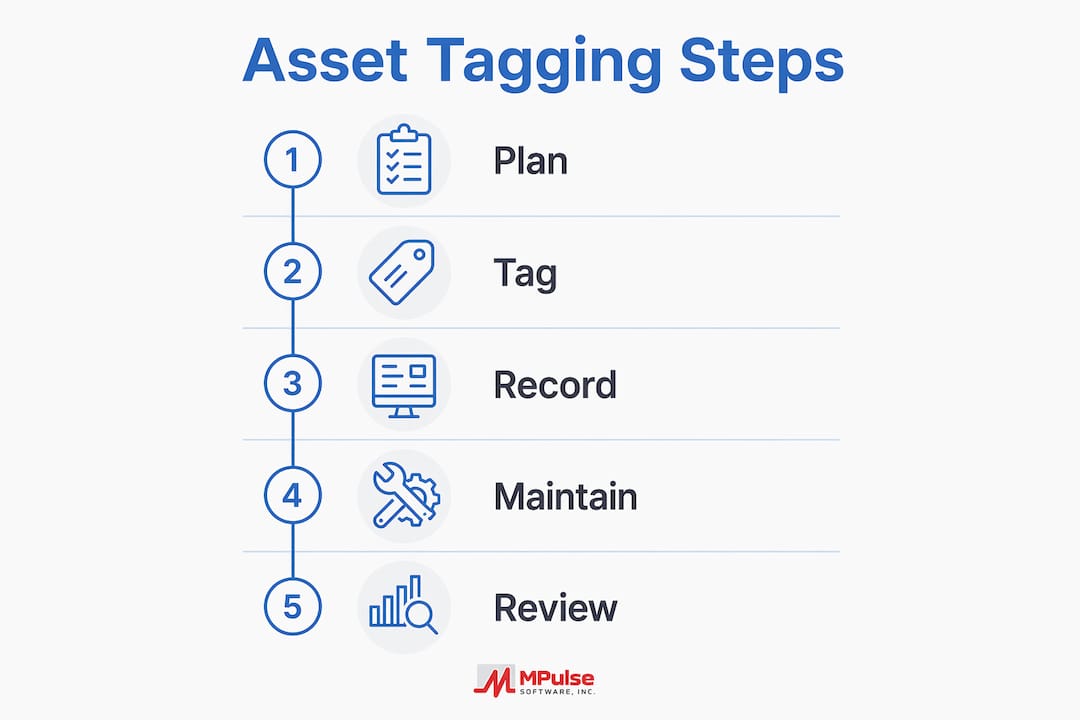
- Define scope and pilot selection. Choose one building or one asset class for the pilot. HVAC systems or IT equipment work well because they have clear maintenance schedules and high replacement costs.
- Build the data model. Before ordering tags, define the fields every asset record must carry: asset ID, location hierarchy (building, floor, room), manufacturer, model, serial number, warranty expiration, and maintenance schedule. Standardized fields prevent duplicate records and support CMMS automation.
- Specify and procure tags. Match tag type and material to each asset category using the decision grid above. Order a small quantity for the pilot before committing to bulk.
- Physical inventory and verification. Walk the pilot area and verify every asset against existing records. Correct discrepancies before tagging; tagging inaccurate data locks in the errors.
- Apply tags and scan into CMMS. Attach tags, scan each one with a mobile device, and link the scan to the asset record. Capture a photo, condition grade, and location confirmation at the same time.
- QA scan pass. A second technician scans every tag independently to confirm readability and record accuracy. Any failed scan is a go/no-go gate before expanding.
- CMMS integration verification. Confirm that scans open the correct asset record, that work orders can be created from the tag scan, and that preventive maintenance schedules are firing correctly.
- Train maintenance staff. Technicians need to understand why scanning at point of work matters, not just how to do it. Connect the behavior to outcomes they care about: fewer callbacks, faster job completion, and accurate parts histories.
- Campus-wide rollout. Expand by building or asset class, applying lessons from the pilot. Assign ownership for each asset category so someone is accountable for tag condition and record accuracy.
CMMS integration checklist before go-live:
- Mobile scanning supported on iOS and Android
- Asset record fields match the agreed data model
- Work orders linkable directly from a tag scan
- Preventive maintenance schedules automated by asset
- Reporting and dashboards configured for facility managers
- API or data export available for ERP or financial system sync
- Authentication and role-based access configured for technicians vs. managers
Sample timeline:
| Phase | Duration | Key Milestone |
|---|---|---|
| Pilot planning and data model | Weeks 1–3 | Data model approved, tags specified |
| Pilot tagging and CMMS setup | Weeks 4–6 | Pilot assets tagged and scanned |
| QA and training | Weeks 7–8 | QA pass complete, staff trained |
| Campus rollout (Phase 1) | Weeks 9–12 | First building or asset class complete |
| Full campus rollout | Weeks 17–26 | All priority assets tagged |
Cost ranges vary by campus size and tag type. Barcode labels run roughly $0.10–$0.50 per tag; passive RFID tags typically cost $0.50–$5.00 each; active RFID or GPS tags can reach $20–$100 per unit. Factor in mobile scanning hardware, CMMS configuration time, and labor for physical tagging and data entry when building your budget.
What are the most common pitfalls in campus tagging programs?
The single most damaging decision in a tagging program is choosing the lowest-cost label. Cheap labels fail under UV exposure, chemical cleaning, and routine abrasion, producing unscannable barcodes and missing asset records. The re-tagging cost, including labor, data correction, and downtime, consistently exceeds the savings from buying cheaper labels upfront.
Best practices that protect the program long-term:
- Standardize asset ID naming conventions before tagging begins; inconsistent naming creates duplicate records.
- Link every tag to a CMMS record before the tag goes on the asset, not after.
- Schedule annual tag audits to identify faded, damaged, or missing tags and replace them before they cause record gaps.
- Assign a named owner for each asset category who is responsible for tag condition and record accuracy.
- Use work order software that supports mobile scanning so technicians can act on tag data in the field, not just read it.
Common pitfalls to avoid:
- Skipping data verification before physical tagging (errors get locked in permanently).
- No QA scan pass after tagging (undetected failures surface during audits, not before).
- Insufficient technician training on why scanning matters, not just how.
- Ignoring environmental factors when specifying adhesive and face material.
- No defined replacement cycle for tags in high-wear environments.
Pro Tip: Work with your purchasing department to evaluate total lifecycle cost when specifying tags, not just unit price. A tag that costs three times more but lasts ten years is cheaper than a label that fails in eighteen months and requires a full re-tagging project.
How MPulse CMMS supports campus tagging programs
MPulse Software’s CMMS is built to make tagged assets operationally useful, not just labeled. Mobile scanning opens a complete asset record, including maintenance history, OEM data, and open work orders, directly from a QR or barcode scan. Preventive maintenance schedules are automated by asset, so the system generates work orders on the correct interval without manual intervention.
Integrated QR and CMMS workflows can save technicians 15–30 minutes per large job and substantially increase the share of scheduled preventive work, as Kansas City University’s results demonstrate.
MPulse capabilities that directly support a campus tagging program:
- Asset status board: Real-time visibility into asset condition, open work orders, and maintenance status across the campus.
- Preventive maintenance automation: Schedules trigger automatically based on asset records, reducing the manual effort of managing recurring tasks.
- IIoT integration: Sensor data from tagged assets can trigger condition-based maintenance events, moving beyond time-based schedules to actual asset condition.
- Reporting and dashboards: Facility managers can track preventive maintenance compliance, asset downtime, and work order completion rates by building or asset class.
- Personnel qualification tracking: Assign work orders only to technicians certified for specific asset types, which matters for lab equipment and high-voltage systems.
Durability and integration readiness checklist for IT and facilities:
- Confirm mobile device OS compatibility with the CMMS scanning app.
- Verify API availability for ERP or financial system integration.
- Define data governance: who can edit asset records, and what approval is required for disposals.
- Test authentication (SSO or MFA) before campus-wide rollout.
- Specify tag material and adhesive in writing before procurement; document the environmental criteria used.
Pro Tip: Match your tag adhesive and face material to the cleaning regime, not just the asset type. A chemistry lab that uses isopropyl alcohol for surface cleaning will destroy a standard polyester label in weeks. Specify chemical-resistant tags for any space with regular solvent or disinfectant use.
Key Takeaways
Asset tagging delivers measurable ROI in campus maintenance only when durable tags, a clean data model, and CMMS integration are in place from the start.
| Point | Details |
|---|---|
| Pilot before scaling | Start with one building or asset class to validate the data model and scanning workflow before campus-wide rollout. |
| Specify durable materials | Match tag face material and adhesive to the environment: UV-resistant for outdoors, chemical-resistant for labs, tamper-evident for IT. |
| Map data to CMMS first | Define asset ID, location hierarchy, serial, warranty, and maintenance schedule fields before any physical tagging begins. |
| Train technicians on why | Staff who understand the connection between scanning and faster job completion adopt the workflow; those who only know how to scan often skip it. |
| MPulse CMMS integration | MPulse Software’s mobile scanning, preventive maintenance automation, and asset status board convert tagged assets into a fully operational maintenance interface. |
The tradeoffs no one talks about in campus tagging
The conventional wisdom on asset tagging programs is that the technology is the hard part. It is not. The hard part is change management: getting maintenance technicians to scan at point of work, every time, even when they are busy and the asset is familiar. A tag program with perfect materials and a well-configured CMMS will still underperform if scanning is treated as optional.
The other underappreciated tradeoff is between speed and data quality during the initial inventory. Rushing the physical tagging phase to hit a deadline is the most reliable way to lock in bad data. A record with the wrong location hierarchy or a missing serial number is worse than no record, because it creates false confidence. The QA scan pass is not optional; it is the only gate between a tagging project and a tagging program.
Procurement constraints are real, and the pressure to choose cheaper labels is constant in educational institutions. The Facilities Dive reporting on tag failures makes the financial case plainly: re-tagging projects cost far more than the savings from buying the lowest-cost label. Bring that data to the purchasing conversation before the order is placed, not after the labels start failing.
Finally, measure time saved per work order from the first day of the pilot. That number is your ROI story for the next budget cycle, and it is the most persuasive argument for expanding the program.
MPulse Software helps campus teams capture real tagging ROI
Campus facility teams that have tagged assets but lack a CMMS to connect them to are doing half the job. MPulse Software closes that gap with mobile scanning, automated preventive maintenance scheduling, and an asset status board that gives facility managers real-time visibility across every building on campus.

MPulse’s preventive maintenance automation means that once an asset is tagged and its schedule is configured, the system generates work orders automatically, no manual tracking required. The IIoT integration layer connects sensor data from tagged assets to condition-based triggers, so maintenance happens when assets need it, not just when the calendar says so. For campus teams managing hundreds or thousands of assets across distributed buildings, that combination of tagging, scheduling, and real-time monitoring is what turns a labeling project into a measurable efficiency program.
MPulse Software serves over 3,500 customers and has documented efficiency improvements of up to 40%. Request a demo to see how the platform supports a campus tagging rollout from pilot to full deployment.
Useful sources
The following sources informed this article and provide further reading for facility managers building or evaluating a campus asset tagging program.
- What Is Asset Tagging? Benefits, Types, and Best Practices — CYBRA: Definition, tag formats, and lifecycle management overview.
- How bad asset tags undermine facilities management — Facilities Dive: Material selection failures and re-tagging cost analysis.
- Revolutionizing asset management: University saves $53,000 annually with QR Code integration — FMLink: Kansas City University case study with labor savings and preventive maintenance metrics.
- Why is Asset Tagging Important to a Business? — RGIS: Audit readiness, lifecycle tracking, and reactive-to-proactive maintenance shift.
- Asset Tagging Benefits: Why It’s More Than Just Audit Compliance — TagMyAssets: Warranty tracking, capital planning, and maintenance workflow benefits.
- Campus Asset Management Best Practices for Facilities Teams — MPulse Software: Pilot scoping, prioritization, and preventive maintenance schedule guidance.
- Create CMMS Asset Records with Ease — MPulse Software: Data model and bulk upload guidance for CMMS asset records.
- Asset Lifecycle Tracking Guide for Facility Managers — MPulse Software: Acquisition through disposal lifecycle tracking for campus assets.
Structured data note: This article is suitable for FAQ and HowTo JSON-LD schema. The FAQ section maps directly to FAQPage schema; the implementation steps in Section 5 map to HowToStep schema. Add JSON-LD blocks in the page <head> referencing the canonical URL of this article.
FAQ
What is the purpose of asset tagging in campus maintenance?
Asset tagging assigns a unique identifier to each physical asset and links it to a digital CMMS record, making assets locatable, schedulable for preventive maintenance, and auditable. The tag converts a physical object into an actionable data point that technicians can access at point of work.
What is an example of asset tagging on a campus?
Kansas City University applied QR codes to thousands of assets and integrated them with its CMMS, enabling technicians to scan a tag and immediately access maintenance history and open work orders. That program increased scheduled recurring work substantially and saved significant soft-dollar labor costs annually.
Why is it important to tag fixed assets?
Tagged fixed assets can be physically verified against financial records one-to-one, which is required for accurate depreciation tracking, GASB 34 compliance, and internal audits. Without unique tags, identical assets like laptops or projectors cannot be reliably distinguished, and ghost assets go undetected.
What are the main benefits of asset tagging for facility managers?
The primary benefits include faster troubleshooting at point of work, accurate preventive maintenance scheduling, reduced duplicate purchases, warranty and depreciation tracking, and audit-ready records. MPulse Software’s CMMS connects all of these outcomes to a single tagged asset record accessible from a mobile device.
How long does a campus asset tagging program take to implement?
A well-structured pilot covering one building or asset class typically takes 6–8 weeks from data model definition to QA completion. Full campus rollout across all priority assets generally runs 17–26 weeks, depending on asset volume, tag type, and CMMS configuration complexity.