
7 Must-Have CMMS Features for Facility Maintenance

Facility maintenance managers have a lot on their plates with keeping buildings safe, systems running smoothly, and budgets under control. The tools used for maintenance have changed over the years. However, so has the technology behind them. That’s why more and more facility maintenance professionals are turning to cloud-based CMMS to simplify their daily tasks and gain better control over their operations. Cloud-Based CMMS for Facility Maintenance Cloud-based CMMS gives maintenance teams the ability to manage every aspect of their operations in one centralized platform. With a cloud CMMS, teams can create, assign, and track work orders, monitor asset performance, and access real-time maintenance data from any location. That means your team can stay up to date whether they’re in the office, on the production floor, or out in the field. This connectivity makes it easier to stay organized, respond quickly to issues, and make data-driven decisions that improve efficiency. Unlike older desktop systems that require manual updates and limit access to a single device, cloud CMMS software is faster, more flexible, and far more reliable. Users can log in from any internet-connected device, ensuring everyone always has the most current information. Modern facility maintenance software streamlines daily maintenance tasks, reduces downtime, and helps extend the lifespan of valuable assets. The result is a more productive team, lower operating costs, and a maintenance operation that runs smoothly and efficiently. Best of all, all your maintenance data is backed by the cloud. CMMS Features for Facility Maintenance If you’re thinking about upgrading, look for these seven must-have CMMS features for facility maintenance. 1. Mobile Work Order Management Paper work orders and clipboards are a thing of the past. With mobile maintenance tools, technicians can receive, update, and close work orders directly from their smartphones or tablets. A good cloud CMMS should allow your team to: Mobile work order management helps keep everyone on the same page, no matter where they are in the facility. It also cuts down on errors caused by lost paperwork or outdated information. 2. Asset Tracking & Barcode Scanning Keeping track of every piece of equipment across multiple buildings can be challenging. That’s where asset tracking comes in. Modern CMMS platforms include tools that let you record and monitor every asset, from HVAC systems to lighting controls and elevators. Barcode or QR code scanning makes this even easier. By scanning a code with a mobile device, technicians can instantly pull up the asset’s full history, including past repairs, manuals, and warranty details. This instant access to maintenance data saves time and reduces mistakes. With accurate asset tracking, facility managers can make better decisions about when to repair or replace equipment, helping extend asset life and reduce costs. 3. Preventive Maintenance Scheduling One of the biggest advantages of a CMMS is scheduling preventive maintenance to stop problems before they happen. A strong preventive maintenance feature automatically schedules inspections, filter changes, lubrication, and other routine tasks based on time, usage, or meter readings. Preventive maintenance ensures nothing slips through the cracks and helps avoid costly breakdowns. It also keeps facilities in compliance with safety and quality standards. With cloud CMMS, all this scheduling happens automatically, and reminders are sent to technicians through mobile alerts. That means less guesswork and fewer unexpected failures. 4. IoT and Software Integration Today’s facilities are becoming smarter thanks to the Internet of Things (IoT) and software integration tools. When your CMMS can connect to these systems, it unlocks powerful capabilities. For example, sensors can send real-time data to CMMS, such temperature, humidity, or vibration readings. The software can then generate alerts or even create work orders automatically when equipment is operating outside of normal conditions. This integration allows facility teams to move from reactive to predictive maintenance, reducing downtime and extending the life of equipment. It also helps optimize energy use and supports sustainability goals. 5. Reporting and Dashboards Data is only valuable when you can see and understand it. Modern facility maintenance software includes reporting tools and dashboards that turn maintenance data into actionable insights. With customizable dashboards, you can monitor key performance indicators (KPIs) such as: These reports help facility managers identify trends, measure team performance, and justify budgets with solid data. In a cloud CMMS, dashboards update in real time, so you always know what’s happening in your buildings. 6. Offline Access and Data Sync Facilities don’t always have perfect Wi-Fi or cell service, particularly in remote sites. That’s why offline access is a critical CMMS feature. The best cloud CMMS solutions allow technicians to keep working even when they’re offline. Your team can update work orders, record notes, and capture photos while disconnected. Once the device reconnects to the internet, all data syncs automatically. Offline functionality ensures maintenance work never stops, no matter where your team is or what the network conditions are like. 7. Scalability and Security Finally, your CMMS should be built to grow with your organization. Whether you manage one building or a portfolio of properties, scalability ensures your system can handle more users, assets, and data without slowing down. At the same time, security must be top priority. Look for a provider that offers encrypted data storage, secure user logins, and regular system backups. Cloud vendors typically provide stronger security than most on-site servers, along with automatic software updates and uptime guarantees. By choosing a cloud CMMS that’s both scalable and secure, you protect your investment and ensure your system stays reliable for years to come. Smart CMMS Features for Facility Maintenance Managers Upgrading to a modern cloud CMMS is one of the smartest moves a facility maintenance manager can make. The right CMMS features can transform how your maintenance team operates. With the right system in place, you’ll reduce downtime, extend asset life, and make data-driven decisions that keep your facilities running efficiently. Ready to explore a cloud CMMS for your facility management needs? Start by listing the features that matter most to your team and look for a platform that helps you grow,
Best CMMS Software in 2025
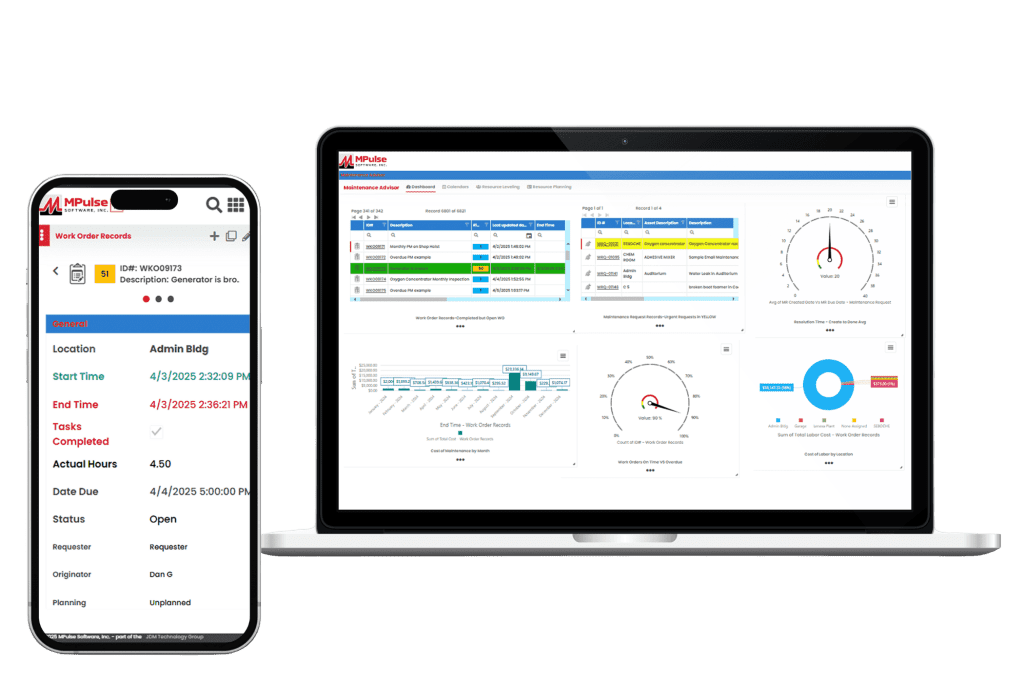
CMMS helps maintenance teams plan, track, and improve their operations. It handles everything from preventive maintenance scheduling and work orders to inventory tracking and performance reporting. As a result, your maintenance operations can get tasks done efficiently and easily measure the results. Most quality CMMS platforms include core features like work order management, maintenance scheduling, asset tracking, inventory control, reporting, and mobile access. These tools help teams prevent breakdowns, eliminate backlogs, manage parts, and control costs. The ultimate goal is to streamline operations and reduce downtime. Whether you’re transitioning from spreadsheets or replacing your current system, this in-depth comparison will help you choose the right solution. 1. MPulse CMMS Top Features Biggest Benefits MPulse CMMS is designed to help organizations of all sizes streamline their maintenance operations, improve asset reliability, and reduce downtime. What Do Users Like About MPulse? Users highlight MPulse’s balance between functionality and user-friendliness. The system’s adaptability to different industries and strong reporting tools make it a favorite for organizations seeking both flexibility and depth in their CMMS solution. Many recommend purchasing one of MPulse’s affordable implementation services to streamline the process even further. “MPulse has been instrumental in helping us transition from reactive maintenance to a proactive approach. The scheduling and tracking tools are excellent, and the reporting gives us clear visibility into our maintenance costs.” – James K. on Capterra “What I appreciate most is that MPulse can grow with your organization. It’s easy to start small and add modules or integrations as your needs expand. The support team is also responsive and knowledgeable.” – Verified User in Manufacturing on G2 “MPulse makes it easy to organize maintenance work and asset data. The ability to customize fields and workflows means we can tailor the software to fit how we operate instead of the other way around.” – Sarah M. on G2 Pricing MPulse offers flexible pricing tiers depending on deployment type (cloud or on-premises), number of users, and selected modules. Plans generally start around $49 per user per month, with additional costs for advanced features like predictive maintenance, API access, and enterprise reporting. A free demo and custom quote are available upon request. 2. Limble CMMS Limble CMMS is a cloud-based platform that helps organizations manage and improve their maintenance operations. With an solid interface and a range of practical features, it supports teams across industries in organizing workflows, reducing downtime, and maintaining asset performance. Top Features Why Users Like Limble CMMS Companies like G2, Capterra, Reddit, Software Advice, and more make it easy to hear from software users about their experience. Here are some of the most useful reviews. What Do Users Dislike About Limble CMMS? 3. Fiix CMMS Fiix CMMS is a cloud-based maintenance management platform that integrates AI and machine learning for maintenance efficiency and asset performance. Its interface and scalable design make it a strong choice for small to mid-sized businesses with distributed assets. Top Features What Do Users Like About Fiix? Users report that overall, Fiix is a useful tool for helping organize and execute maintenance and equipment servicing. They also report a good relationship with customer service and overall improved work order coordination across teams. What Do Users Dislike About Fiix? Reviewers note that there is room for improvement in the way the system facilitates communications with work requestors who don’t have user licenses. They also comment on the lack of customizability for some features. Pricing Fiix CMMS uses a tiered pricing structure, beginning with a free plan that covers essential maintenance functions, then expanding to paid tiers with more advanced capabilities. The Basic plan costs $45 per user per month, and the Professional plan is $75, both adding tools such as advanced scheduling, analytics, and reporting. For larger organizations with specialized needs, the Enterprise plan provides customized solutions with pricing available upon request. 4. UpKeep UpKeep positions itself as a mobile-first CMMS built to simplify maintenance and operations management for businesses of all sizes. Its interface and features enable users to manage work orders, track assets, and streamline maintenance activities from both mobile devices and desktops. Top Features What Do Users Like About UpKeep? UpKeep customers report it to be a significant upgrade from paper and manual processes, especially for the cost. They also appreciate its useability and visual appeal. What Do Users Dislike About UpKeep? While UpKeep is rated highly overall, some users report a lack of customizability, bugginess, and technical difficulties with some features. Pricing UpKeep offers a tiered pricing structure based on the number of users and the level of features needed. They do not offer a long-term free plan but do provide a 14-day free trial. Plans range from a “lite” level that includes basic maintenance management tools at $20 per user per month. Advanced options that include predictive maintenance, reporting analytics, and integrations can cost as much as $120 with additional products and add-ons like IoT connectivity for additional fees. 5. MaintainX MaintainX is a mobile-first CMMS that emphasizes the advantages of managing maintenance through its mobile app. It offers an interface and tools for handling work orders, performing inspections, and tracking assets from smartphones or tablets. The platform is geared toward organizations with distributed teams and frontline workers who need real-time access to information and tasks while on the move. Top Features What Do Users Like About MaintainX? MaintainX delivers the basics for its users, including an intuitive interface, real-time communication, and efficient work order management. Many report having a more organized and more mobile operation as a result of using the system. What Do Users Dislike About MaintainX? Smaller teams or startups may find that MaintainX’s pricing is higher for the features offered than some other solutions. Some users report occasional bugs or limited options for customization and integration with other tools. Pricing MaintainX provides four pricing tiers, starting with a free basic plan that includes unlimited work orders and messaging. The Essential plan, priced at $16 per user per month, adds features like recurring work orders and reporting. The Premium plan costs $49 per