Your MPulse Data. Your Workflows. A Better Platform to Run Them On.
If your team runs on MPulse or EPAC today, moving to MPACT isn’t a fresh start. It’s an upgrade. Your assets, your PM schedules, your work order history, and your team’s know-how all come with you.
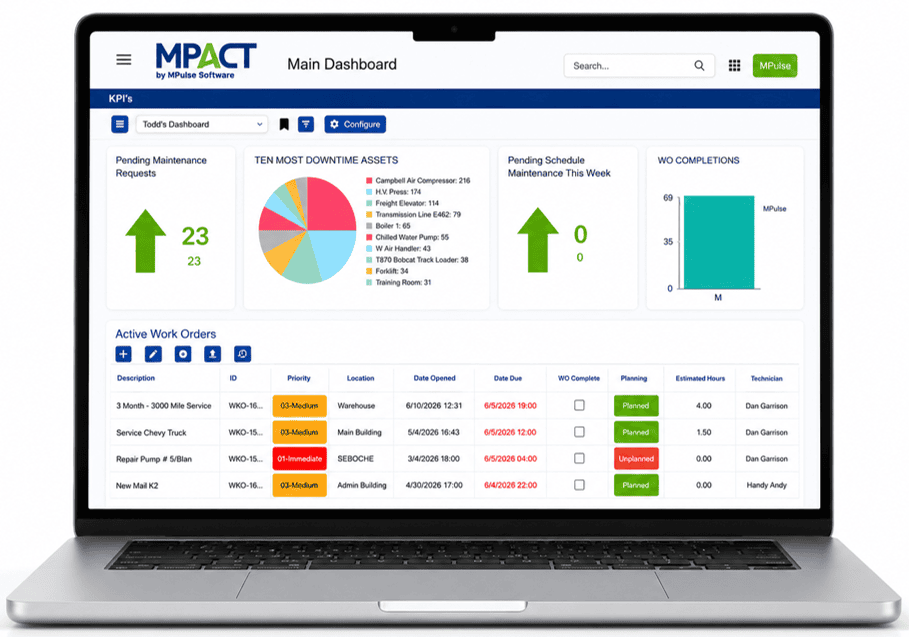
This is a Platform Upgrade,
Not a System Replacement
Every organization we talk to about migrating asks some version of the same three questions: What happens to our data? Will this interrupt operations? How hard is it for my team to learn? Fair questions. Here’s the direct answer to all three: your data moves with you, we build the migration around your schedule, and if your team can run MPulse today, they’ll be running MPACT within the first day of onsite training.
What’s changing: the interface, the navigation, the underlying platform, how you log in.
What’s not: your asset records, your PM schedules, your work order history, your parts data, your user permissions, and the core workflow — request, assign, complete, close.
The Upgrade to MPACT Process
Comprehensive Data Migration
Data integrity is the concern we hear most, and it's the one we take most seriously. Here's exactly what happens: we extract your data from MPulse or EPAC, our migration team maps and transforms it, your team validates a sample dataset before anything goes live, we load the full data into your MPACT environment, we verify everything against your source records, and you sign off before it's official. Nothing goes live until you say it's ready.
Online System Configuration
This is the core of a successful MPACT launch. An MPulse implementation consultant works alongside your team performing live system configurations with your actual data. Your workflows, permissions, and reports are developed during this service and all that is left to do is train the end users.
Onsite Training
Your team gets two days of hands-on, on-site training. Day one covers system orientation and the full work order lifecycle from creation to close. Day two moves into scheduled maintenance, maintenance requesting, and mobile device use, with your team functionally operational by the end. It's focused, practical training built around how your team actually works.
Ongoing Support
Your team gets phone, email, and chat support whenever questions come up, a how-to video library for self-serve answers, and monthly webinars to keep building on what they learned. And you've got an account manager in your corner, checking in to make sure MPACT is actually working for you, not just running.
Who Does What
Knowing the roles, responsibilities, and timing is key to a successful MPACT Upgrade. Having a dedicated Project Lead at your site to carry the transition forward internally eliminates delays and ensures a smooth migration.
Your Project Lead
Every successful migration comes down to one person: your internal champion or Project Lead. This is usually the maintenance manager or system admin running point on your end. They’re the ones making configuration calls, keeping the rest of the team looped in, and translating “how we’ve always done it” into how it’ll work in MPACT. The project Lead also continues to drive adoption after we leave. The organizations that hit their 30/60/90-day milestones cleanly are almost always the ones where this person was engaged from kickoff through go-live, not just parachuted in for the onsite.

MPulse Services Director
From kickoff through go-live, the Services Director is the one keeping the project on track by coordinating timelines, scheduling data mapping and consulting services, and making sure nothing moves to the next phase until you’re ready. They’re your main point of contact for anything related to the upgrade project, so you’re never chasing down different people for different answers.

Data Migration Consultant
The Data Migration Consultant knows both MPulse and MPACT inside and out, which is exactly why nothing gets lost in the move. From the initial data extract through mapping, validation, and final load, your Data Migration Consultant is the one making sure every asset record, work order, and PM schedule lands where it should. Their mission is a clean transition with zero data loss, start to finish.

MPulse Implementation Consultant
With years of experience across CMMS implementations, your MPulse Implementation Consultant leads the online system configuration before your onsite even begins, then comes on-site to deliver hands-on training with your team. They’re not walking you through a blank system or a slide deck — by the time they arrive, MPACT is already configured to your workflows, and the onsite is spent making sure your team is ready to run it.

Technicians, Planners, and Maintenance Requesters
Your team gets two days of hands-on onsite training. They’re the most important part of this whole process, because they’re the ones collecting the data every day. A migration only works long-term if the people building maintenance schedules, entering and completing work orders, and submitting requests actually know the system. Because they get properly trained, MPACT runs the way it’s supposed to from day one..