Global Search That Lands You on the Record

Nobody should have to learn your menu structure to find a work order. MPACT CMMS by MPulse Software puts global search and drill-through at the center of the interface, so getting to a record takes one field and one click, not a tour of the system.

What Is Global Search in a CMMS?

Global search in a CMMS lets you find a record by typing what you already know about it instead of navigating to where it lives. In MPACT, search runs against live records and every result is drillable, so you land on the record itself and keep moving from there.

The Menu Is Not the Point

Search that lands on the record

Type what you know. A work order number, an asset name, a part. You get the record, not a results page you still have to interpret. From there you are already working.

Everything drills

Every record in MPACT connects to the records around it. Work order to asset. Asset to parts. Part to the work orders that consumed it. You are never more than a click from the next thing you need, and you never went back to the menu to get there.

Save the view you live in

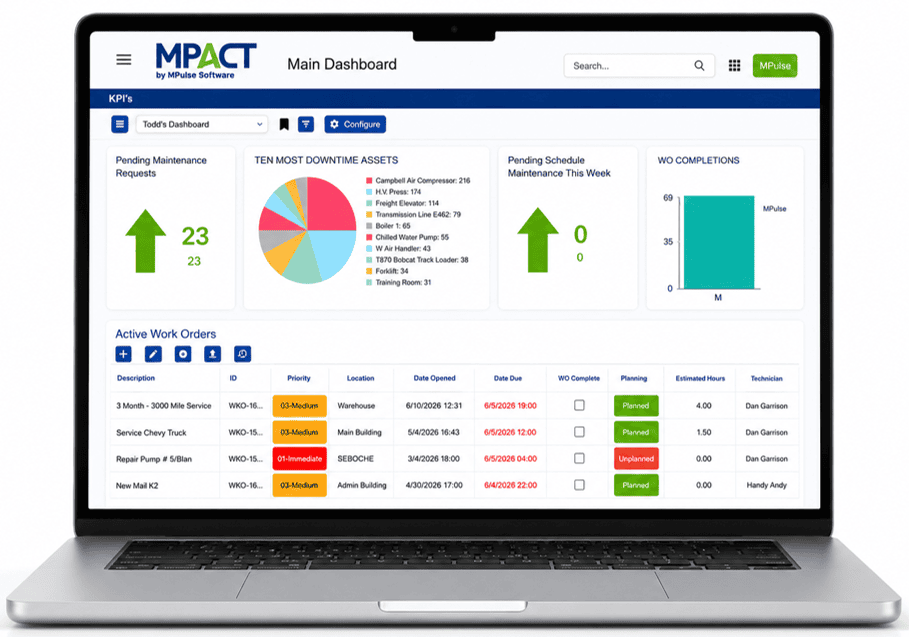
Grid views and card views are configurable, and the query you run every morning can be saved as its own view. Build it once. Open it every day. Permissions apply, so each person sees the records they are cleared to see.

Fast at full volume

MPACT runs on a modern platform built for large data volumes. Thousands of rows load without paging. Fast is a feature. It is the difference between a system your technicians use and one they work around.

Three People, Three Ways In

The technician knows the asset. They pull up the tag and read its history before they pick up a wrench. The planner knows the list. They open a saved view and work it top to bottom. The manager knows the number. They start at a dashboard tile and drill until they find out why it moved. Same records, three doors, no training on where things live.

Frequently Asked Questions About Global Search Navigation

Do I have to know where a record lives to find it?

No. Search by what you know about the record and drill from there. New users get productive before they have learned the menu structure, which in most systems is the whole first day.

Can I save a search I run every day?

Yes. Grid and card views are configurable and saved, so the list you build once is the list you open every morning. Permissions carry through, so a site or team sees its own records.

Can I scan a QR code to pull up an asset?

MPACT generates QR codes for assets. Scanning one opens a maintenance request with that asset already identified, so the person reporting the problem does not have to know what the equipment is called. Scan to file the request, then search or drill to work the record.

MPulse Means Happy Customers

Find It in the Demo

Bring the record you spent ten minutes looking for last week. We will pull it up in front of you.