







What is CMMS Software?
Explore how CMMS software can revolutionize your maintenance operations. From streamlining work order management to optimizing asset performance, MPulse Software empowers your team to proactively address maintenance needs, reducing downtime and increasing efficiency. Discover how CMMS software helps you cut costs, boost reliability, and take control of your maintenance strategy. See also: CMMS Software Blog. See also: Roadmap to Choosing a CMMS in 2022.
Table of Contents
Start your FREE TRIAL today and experience for yourself why MPulse CMMS is the preferred preventive maintenance software for over 3,000 manufacturers and facility managers
What is a CMMS?
Short for a computerized maintenance management system , CMMS is the best tool for maintenance teams to manage all of their maintenance activities in one place. This means being able to plan, track, and optimize work orders, maintenance schedules, inventory, and reporting so that critical work gets done and the results get measured.
CMMS software is a platform to mange your maintenance operations, including Reactive Maintenance, Preventive Maintenance, and Predictive Maintenance. A CMMS solution centralizes facility and equipment maintenance and can automate and enforce any maintenance task.
CMMS reports can provide insights to guide your maintenance and inspection schedules and help spot issues before they occur.
CMMS software can help with…
- Tracking work orders
- Scheduling preventive and corrective maintenance tasks
- Capturing and analyzing data
- Managing service requests
- Documenting asset information and history
- Managing inventory and parts
- Controlling the costs of maintenance
- Automating safety and regulatory compliance reporting
What features should a CMMS have?
When purchasing a CMMS, you’ll find that any high-quality computerized maintenance management system includes essential features such as work order management, scheduled maintenance planning, asset management, inventory control, maintenance reporting, and a mobile app. Leveraging these features can help resolve nearly all of your maintenance challenges. Consider the everyday obstacles your maintenance team encounters—breakdowns, backlogs, missing parts, and cost overruns, to name a few. A CMMS provides a powerful solution to tackle these issues effectively. See also: Essential Consumer Questions to Ask When Choosing a CMMS.
- Work Order Management: At the heart of any CMMS software is the work order. Whether it’s for scheduled maintenance, inspections, or unexpected repairs, maintenance managers can efficiently assign work orders to technicians or teams. Technicians with active accounts receive notifications when tasks are assigned to them. Work orders can include details such as locations, assets, parts, labor hours, costs, and other relevant data. Once completed, these orders provide valuable data to the CMMS for future reporting and analysis.
- Work Requests: A work request allows operators, technicians, janitors, staff, and others to inform maintenance management about potential issues. Through an online work request or an email, anyone can easily submit requests using their mobile device. The process is simple—just provide a brief description, specify the location or asset, maybe snap a photo of the issue, and hit submit. Once a request is created, management receives instant notifications via email and push alerts.
- Scheduled Maintenance Automation: Maximize asset lifespan, reduce downtime, and streamline maintenance processes with a powerful preventive maintenance program. Proactively address potential issues, ensure equipment reliability, and keep your operations running smoothly with ease and efficiency.
- Comprehensive Inventory Management: Robust inventory management empowers you to optimize inventory levels and prevent out of stocks. With real-time tracking and automated alerts for low stock levels, you can proactively reorder parts and supplies, ensuring they are readily available when needed. This reduces downtime and eliminates the need for emergency purchases or rush deliveries.
- Robust Reporting: A CMMS enables you to collect, analyze, and act on maintenance data by providing tools to build dashboards for real-time KPIs, create maintenance and audit logs, and generate reports on your operations. With one-click reporting, you can make informed decisions that help demonstrate the ROI of maintenance by linking better upkeep to increased production and reduced costs.
Interactive CMMS Feature Demos
Automate & Enforce Planned Maintenance
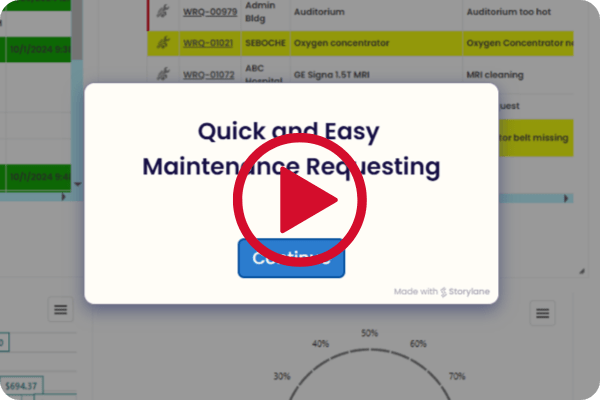
Robust planned maintenance scheduling and monitoring ensures critical maintenance is performed on time, every time. MPulse CMMS provides simplified maintenance. You can click through these workflows yourself in the MPACT product tour.
What are the benefits of a CMMS?
A CMMS provides specific benefits that enhance your operations, including cost control, reduced downtime, improved efficiency, centralized information, enhanced health and safety, and robust reporting and analytics. Below are a few ways a cloud-based CMMS can support your maintenance team.
- Reduce Equipment Downtime: When implementing a CMMS, businesses can expect a significant reduction in downtime, often around 30% or more. A CMMS can significantly reduce downtime by enabling more efficient and proactive maintenance practices, leading to higher productivity and fewer disruptions to operations.
- Control Costs: Reduce unnecessary inventory expenses, minimize waste, boost uptime, and gain better control over spending. A recent IDC report shows that CMMS users achieve a 10% decrease in production-related costs.
- Increase Efficiency: CMMS users automate tasks, standardize preventive maintenance, and enhance resource accessibility to work more efficiently, safely, and boost production capacity which increases the productivity for facilities and maintenance teams. See also: What Does CMMS Stand For?. See also: What Does CMMS Stand for in Maintenance.
- Centralize Information: CMMS records and tracks all maintenance activities in a centralized system. This allows you to access metrics, reports, real-time work order updates, and asset histories anytime, from anywhere.
- Improve safety: Excessive reliance on reactive maintenance is a leading cause of accidents in many production environments. A CMMS allows you to define safety requirements for each task, streamline audits, and make safety procedures easily accessible.
- Powerful Analytics: Generate real-time KPIs, create informative dashboards, and make data-driven decisions without sorting through overwhelming amounts of data.
Who uses a CMMS?
Facilities vary significantly across industries, so the individuals who require access to your CMMS will depend largely on the type of facility you’re managing. However, there are certain key roles that should generally have access to the CMMS system:
Maintenance Managers: A maintenance manager plays a key role in selecting and implementing a CMMS. Once the system is in place, maintenance managers can use it to create, schedule, and prioritize work orders, generate reports, purchase parts, and much more.
Facility Managers: Facility and operations managers use a CMMS to access maintenance data, schedules, metrics, and performance across facilities. This helps them plan production, create budgets, prepare for audits, and manage inventory purchases.
Reliability Engineers: Reliability engineers utilize the data gathered to assess asset performance and any activities that may have influenced it. They can generate reports and establish processes within the CMMS to minimize downtime, enhance efficiency, and reduce costs.
Inventory Managers: Inventory managers use a CMMS to ensure the maintenance team has the right parts, available when needed. They achieve this by tracking spare parts, setting minimum stock levels, and submitting purchase requests through the software.
Maintenance Technicians: Technicians are the primary users of the CMMS. They can access work orders, receive notifications, update asset profiles, and perform other critical tasks required for repairs and inspections.
Health and Safety Personnel: Maintenance software assists your health and safety team in gathering data for audits, accident reports, risk assessments, and more. It allows them to quickly organize and access certifications, policies, checklists, and audit results in just seconds.
Machine Operators: Machine operators use CMMS software to submit work requests and provide details for work orders, helping identify and address issues early.
Executives and Senior Managers: Business leaders utilize a CMMS to gain insights into the performance and impact of maintenance throughout the organization, enabling them to make informed decisions regarding resources and capital expenditures.
IT Department: With access to a CMMS, the IT team can oversee integrations, manage software updates, and handle data storage and security tasks carried out by the software provider.
Will CMMS help your business?
Now that you’re aware of the benefits of a CMMS, the next step is determining whether it’s the right solution for your business. While maintenance management systems were once limited to manufacturing plants, their use has now extended across various industries, including oil, gas, mining, energy, food and beverage, pharmaceuticals, chemicals, and agriculture, to name just a few.
To evaluate whether your maintenance team could benefit from a CMMS, consider these questions:
Do you manage a lot of equipment? A CMMS helps you maintain high-value assets and manage all the data from your equipment. It also assists in organizing and streamlining a large storeroom.
Do you produce a lot of goods? A CMMS is ideal for aligning maintenance with production schedules, even when they frequently change. It helps eliminate conflicts between maintenance and production teams, allowing both to focus on combating downtime, poor quality, and safety risks.
Do you aim to improve reliability? If your organization is striving for operational excellence and meeting KPI targets, a CMMS can support that goal. It enables you to move away from reactive maintenance, follow established processes, and transform inaccurate data into reliable information, ensuring smooth operations. See also: 30+ Questions To Ask a CMMS Vendor.
Why maintenance and repair teams prefer MPulse
In business for nearly 30 years, MPulse serves more than 3,000 customers around the world. MPACT, our cloud CMMS, gives equipment and facilities maintenance teams reliable scheduling, tracking, and reporting tools that grow with the organization. The current product from MPulse Software is MPACT CMMS by MPulse Software, sold in Professional and Advanced editions with Enterprise add-ons. For every module in one place, see the MPACT feature list. MPACT publishes per-user pricing for each edition; see published CMMS pricing. When you are ready to compare vendors, see a comparison of CMMS platforms.
Built for Teams of Every Size
From a single technician to a global enterprise with dozens of sites, MPACT CMMS scales with your operation. Add users, sites, and assets as you grow without re-implementing the system.
Licensing That Matches How People Work
MPACT uses role-based, per-user licensing. You pay for the technicians, planners, and managers who run maintenance, while requesters submit work requests at no cost, with no limit on how many you add. See MPACT pricing for current plans.
Cloud Delivery, No Servers to Maintain
MPACT is delivered as a cloud subscription. It runs in the cloud, so there are no servers to buy, patch, or upgrade, and your team always works on the latest release.
Maintenance and Support Program
Our Maintenance and Support Program gives you expert support from 5 a.m. to 5 p.m. Pacific Time every work day, training resources, and ongoing product updates to keep your organization on track to reach its CMMS goals.
Integrations That Connect Your Data
MPACT integrations connect your CMMS to ERP, accounting, IIoT sensors, and other business systems so work orders, parts, and asset data stay in sync. And because maintenance does not happen at a desk, the mobile CMMS works on any phone or tablet.
Goal-Oriented Implementation
Our implementation services fit your budget and requirements, from guided online onboarding to the hands-on Assured Implementation Program (AIP). 97% of MPulse training grads say they expect it to improve the way they do maintenance.
A Powerful CMMS for Any Industry
MPulse Software provides solutions for all types of industries. From manufacturing to education, learn how MPulse can help you address your business’ challenges.
MPulse Means Happy Customers