Manufacturing Maintenance Software For Plant And Production Teams
Manufacturing maintenance software is a CMMS built to keep production equipment running by automating preventive maintenance schedules, work orders, parts inventory, and asset history. MPulse gives maintenance managers and plant supervisors a single system to track every machine, every PM, and every repair across one site or twenty.
It’s Tuesday morning. A motor on Line 3 starts running hot, the night-shift tech wrote the PM on a clipboard that’s now under a coffee cup in the break room, and the parts you need are either in the cage or they aren’t. Your production manager wants an answer in ten minutes. This is the problem MPulse exists to solve.
Common Maintenance Challenges In Manufacturing
Five problems show up in nearly every plant. A CMMS handles all of them.
Unplanned downtime
Equipment fails when nobody’s watching it. PM intervals slip, condition data lives in spreadsheets, and the first sign of a problem is the machine stopping. Preventive maintenance scheduling tied to runtime, meter readings, or calendar triggers fixes this. Not memory.
Paper work orders and lost history
Clipboards, emails, and group chats don’t survive turnover. When a senior tech retires, decades of asset knowledge walks out the door. A CMMS keeps the full work history attached to the asset itself, searchable by anyone on shift.
Parts you can’t find or didn’t know you needed
Spare-parts inventory is one of the largest hidden costs in manufacturing maintenance. Stockouts cause downtime. Overstocking ties up cash. Linking parts directly to assets and work orders gives you usage data that drives reorder points.
Compliance documentation that takes weeks to assemble
ISO 9001, FDA, EPA, OSHA, and customer audits all need maintenance records. Pulling that data from paper, spreadsheets, and three different folders is a job in itself. Automated audit reports turn it into an export.
No visibility into what’s actually happening
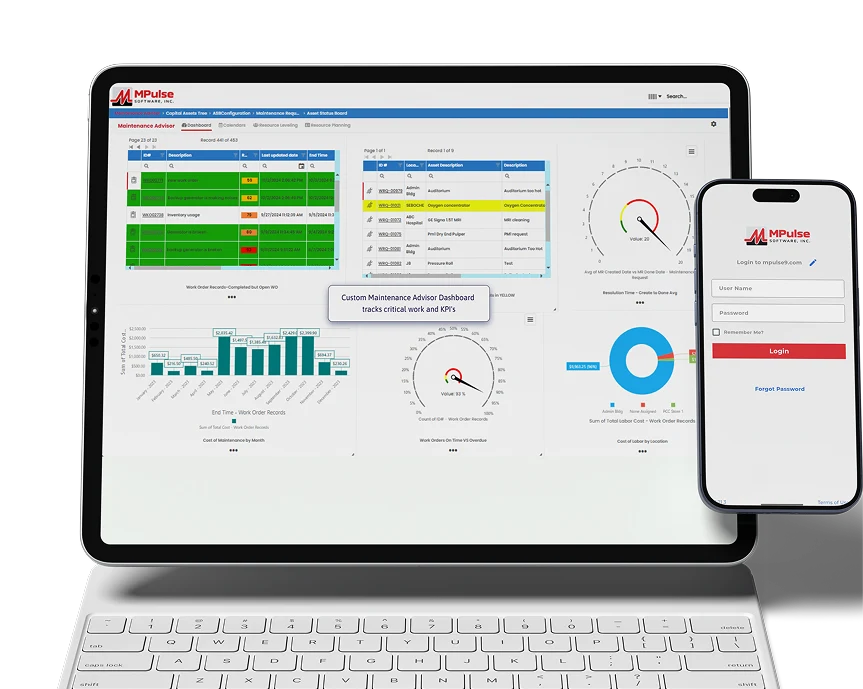
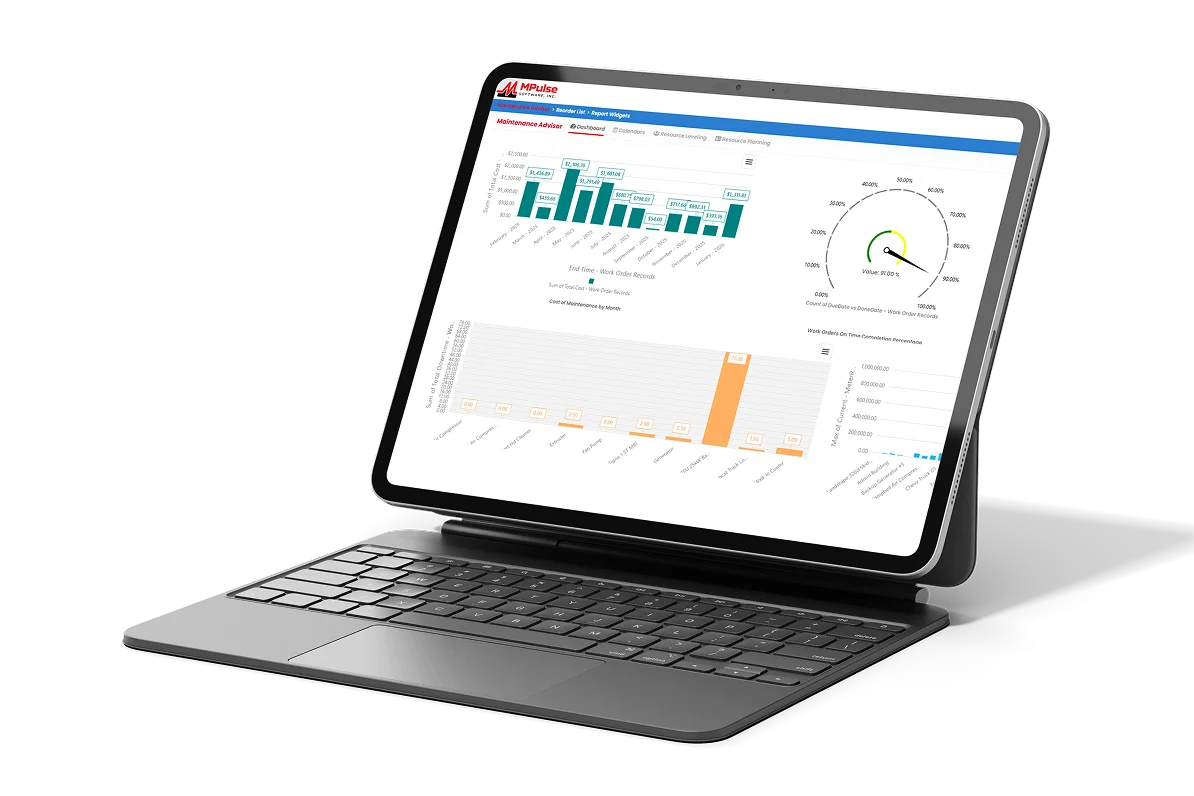
Without KPIs, managers can’t tell whether the maintenance team is improving, treading water, or falling behind. Mean time between failures, work order completion rate, PM compliance, and labor utilization need to live in dashboards, not memory.
CMMS Software For Manufacturing: what to look for
When manufacturers evaluate CMMS platforms, these are the capabilities that actually matter on a plant floor
What's Inside MPulse For Manufacturing
Work Order Management
Open, assign, and close work orders from the floor or the office. Priority queues keep urgent jobs at the top without losing the routine work.
Asset Management
Build the asset tree once. Add machines, components, and locations in the structure that matches your plant. Import from Excel or CSV in minutes.
PM Scheduling
Schedule PMs by calendar, runtime hours, meter reading, or condition trigger. Stop reacting to failures and start preventing them.
Calendar View
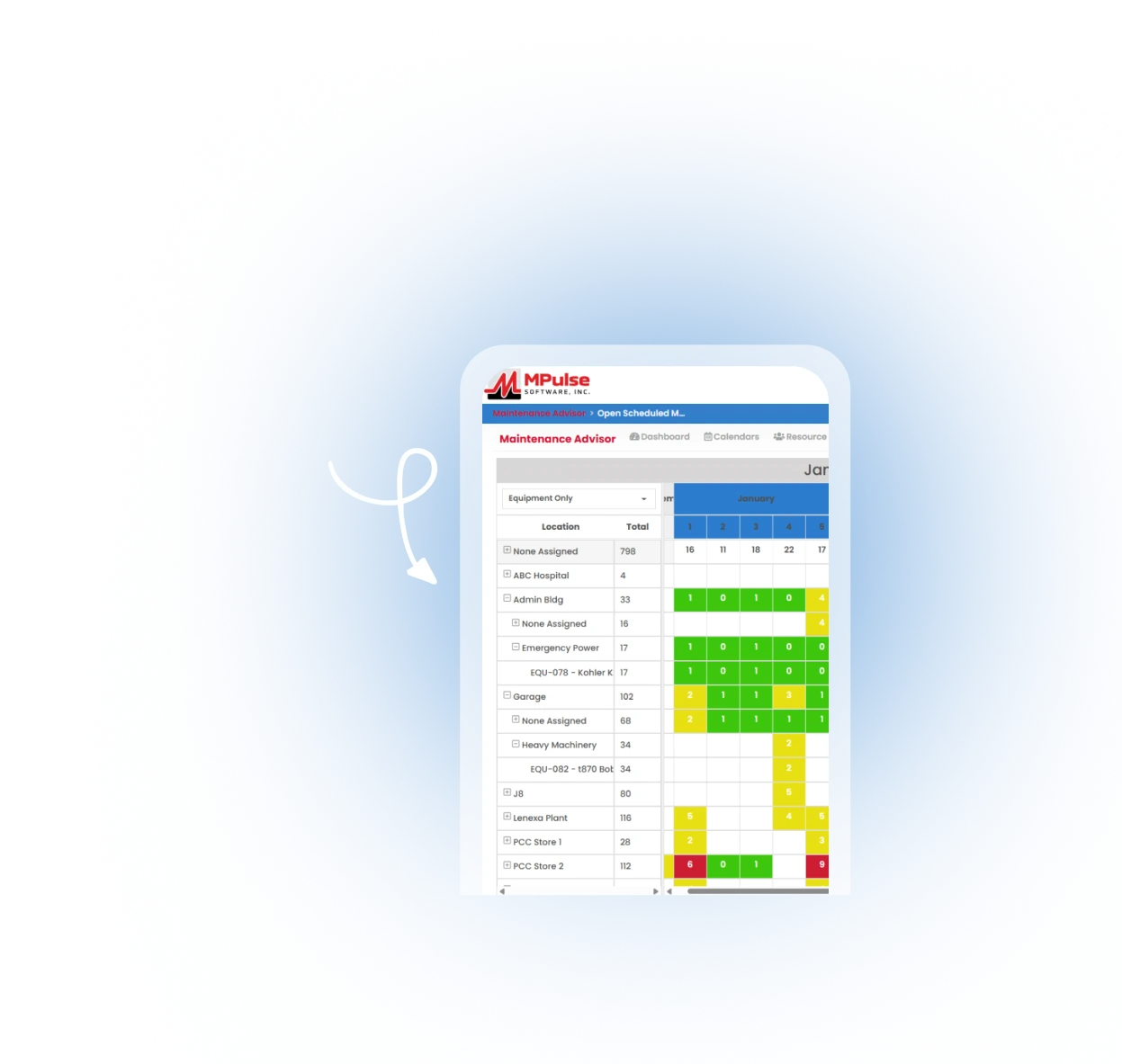
Visualize scheduled and completed work in custom calendar views. See conflicts before they happen.
Parts and Supplies Inventory
Track stock levels, link parts to assets and work orders, and set reorder points based on real usage data.
Graphical Reporting
Build KPI dashboards for MTBF, MTTR, PM compliance, and labor utilization. Export to PDF or Excel for management reviews.
Labor Resource Management
Manage employee and vendor records, skills, certifications, labor costs, and work history in one place.
Barcode Scanning
Scan an asset tag with a phone, tablet, or barcode scanner and pull up its full history in seconds.

Preventive Maintenance Scheduling For Manufacturing Operations
Manufacturing PMs aren’t all the same. A bearing on a high-speed packaging line needs greasing every 250 runtime hours. A safety valve on a boiler needs annual inspection. A CNC needs daily checks, weekly cleans, and quarterly calibration. Trying to manage all of that on a single calendar is what causes things to slip.
MPulse handles each trigger type natively. PMs can fire on a fixed date, a recurring interval, runtime hours pulled from a meter, a cycle count from a PLC, or a condition reading from a sensor through the DataLink Integration Adapter. When the trigger hits, the work order generates itself and lands in the right tech’s queue.
Reactive repairs drop. Overtime drops. PM compliance becomes something you can hand to an auditor without a week of prep.
Compliance And Reporting For Manufacturing Teams
Manufacturing audits don’t care about effort. They care about documentation.
MPulse maintains a complete, timestamped history for every asset, every work order,
every part transaction, and every signature.
That history supports:
ISO 9001 maintenance records and corrective action tracking.

FDA 21 CFR Part 11 electronic records and signatures for regulated manufacturing.

EPA and OSHA equipment inspection and safety
DOT fleet and equipment maintenance logs.

Customer audits with exportable PM compliance and work history reports.
User permissions and role-based access control keep audit trails clean. Reports run in seconds instead of days.
Why Manufacturers Choose MPulse
MPulse has been building CMMS software for one industry since 1995. More than 3,500 maintenance teams run on it today, from single-site machine shops to multi-plant manufacturers across food and beverage, automotive parts, metals, plastics, and industrial equipment.
DataLink Integration Adapter ships with the product
Real-time data from PLCs, SCADA systems, ERP, and IIoT sensors flows in without custom development. Condition-based maintenance becomes a setting, not a project.
Deployment fits your IT, not the other way around
Cloud-hosted, on-premise behind your firewall, or hybrid. Plants with air-gapped production networks aren't forced into a SaaS-only model.
Licensing matches how your team actually works
Concurrent-user licensing means a 50-tech operation running three shifts doesn't pay for 50 named seats. You pay for who's logged in at the same time. US-based support with people who know maintenance. Phone and email support, free software updates, and a training program out of our Eugene, Oregon facility. No tier-one script readers.

Latest Blogs
Your Source for CMMS Knowledge & Industry Expertise
MPulse Means Happy Customers
The implementation was seamless and the support team was incredibly responsive. We've seen a 40% improvement in efficiency.
Facilities Manager
IKEA US West Inc.
Outstanding platform that transformed our workflow. The analytics dashboard alone has saved us countless hours.
Facilities Manager
IKEA US West Inc.
A game-changer for retail operations. Real-time inventory tracking has reduced our stockouts by 60%.
Facilities Manager
IKEA US West Inc.
"I started using MPulse in March of 2006 using v6. The upgrade to v7 has been a smooth and easy transition offering more of the features that are needed by my sites."
Facilities Manager
IKEA US West Inc.
Frequently Asked Questions About Facility
Maintenance Software
What is manufacturing maintenance software?
Manufacturing maintenance software is a computerized maintenance management system (CMMS) built for production environments. It automates preventive maintenance scheduling, work order management, parts inventory, asset history, and compliance reporting so plant teams can reduce downtime and extend equipment life.
How does a CMMS reduce manufacturing downtime?
A CMMS reduces downtime by replacing reactive repairs with scheduled preventive maintenance, surfacing equipment problems before they cause failures, and giving technicians instant access to asset history, parts, and procedures from the floor.
What's the difference between a generic CMMS and manufacturing CMMS software?
Manufacturing CMMS software adds capabilities a generic CMMS lacks: runtime and meter-based PM triggers, integration with PLCs and SCADA systems, production-line asset hierarchies, FDA and ISO 9001 compliance reporting, and licensing models that fit multi-shift operations.
Can MPulse integrate with our ERP and IoT sensors?
Yes. MPulse ships with the DataLink Integration Adapter, which connects to ERP systems, PLCs, SCADA, and IIoT sensors out of the box. Condition data, production counts, and purchase orders flow between systems without custom development.
Is MPulse available on mobile devices?
Yes. MPulse runs on smartphones, tablets, and dedicated barcode scanners. Technicians can open work orders, scan asset tags, check parts, and complete PMs from anywhere in the plant.
Can we host MPulse on our own servers?
Yes. MPulse offers cloud hosting, on-premise deployment, and hybrid options. Plants with air-gapped production networks or strict data-residency requirements can run MPulse entirely behind their own firewall.
How does MPulse handle audit and compliance documentation?
MPulse maintains a complete timestamped history for every asset, work order, part transaction, and signature. Audit reports for ISO 9001, FDA 21 CFR Part 11, EPA, OSHA, and DOT export in seconds with role-based permissions controlling who can edit what.
How is MPulse priced?
MPulse uses concurrent-user licensing, so you pay for how many people are logged in at once, not how many people you employ. This fits multi-shift manufacturing operations far better than per-seat pricing. See Full Pricing
How long does implementation take?
Most manufacturing implementations go live within 30 to 90 days, depending on the size of the asset base and the number of integrations. MPulse provides implementation services, data import support, and live training to compress that timeline.
Ready to Get Started?
See why teams trust MPulse CMMS to
manage maintenance smarter.
Try it free or book a demo today.