
Streamline Your Work Order Management System

Work order management is the heart of your maintenance operations. As a result, streamlining the work order workflow is one of the best ways to improve your team’s productivity and efficiency. Here’s some advice from MPulse customers on easy ways to evaluate—and improve—your work order management system. Service Requesting and Work Order Management All work orders start with service requests. CMMS makes service requesting easier, saving you time. You can receive requests from internal staff or external customers, enter requests manually, or automate work orders via your preventive maintenance program. Streamlining this process pays off in efficiency. For example, use your CMMS software to approve, assign, schedule, and manage maintenance requests for your staff members or vendors. You can also automate the approval and assignment of work order requests. Best of all, save time (and hassle) with automated confirmations, which you can customize and send to requesters, managers, and technicians. Customization of Work Orders The data you gather on work orders should match what your organization wants to know. For example, if your organization uses special codes or tracks internal data, you need the appropriate tabs and fields in your CMMS database to collect that information. Customizing work orders in CMMS makes it easy for the people who create and complete them, as well as the people who need data from those work orders. Best of all, you can track the data you need. And, just as importantly, then you can run your own custom reports on the information you and your managers need to know. Parts & Inventory Inventory management helps you prevent time- and money-wasting problems like running out of parts, searching for lost parts, or duplicating inventory you didn’t know you had. Moreover, CMMS software can help quickly identify what you need for which piece of equipment. When an emergency arises, this information provides critical data for making cost-efficient decisions and helps your organization save time and money by improving tracking, stocking, ordering, and inventory processes. Resources and Historical Data You can access valuable information resources from your CMMS software. Your team can add links to maintenance manuals, internal documents, vendor websites, videos, photos and much more. All the information is stored with the record, so it’s easily accessible the next time around. Reporting Reporting provides details about how your department is functioning and where you might make changes to improve. With solid data and easy-to-read reports, your organization can make good decisions based on hard evidence. Work order management is the heart of MPulse Software’s CMMS solutions. We help you get the highest priority work done, while making sure lower priority work doesn’t slip through the cracks. Find out how. Contact us.
Maintenance in a COVID-19 World

COVID-19 has put maintenance in the spotlight. Suddenly, our job is at the top of everyone’s mind. Organizations are newly focused on everything from cleanliness and safety to supplies and documentation. That means tools like CMMS software are more important than ever before. Our customers are using MPulse to tackle these new challenges in a COVID-19 world. Here’s how. For the full landscape of strategies, see choosing the right mix of maintenance types. Documentation Maintenance departments strive to meet the growing demands of government and industry standards and regulatory bodies—OSHA, FDA guidelines, ISO certification, etc. Every industry has its mountain of rules to climb. With COVID-19, those mountains are growing. These days you absolutely must have a CMMS solution to track the details of your increasingly complex maintenance operation. Now it’s vital to document completed tasks and inspections to prevent legal action, as well as support changing requirements for insurance companies. Preventing just one lawsuit more than makes up for the price of CMMS software. Accessibility More than one business had its paper records become inaccessible during the pandemic as facilities closed. That’s why MPulse customers turned to their CMMS software to Back up all data to a secure, off-site location Set up secure methods to access data off-site as necessary Maintain a list of equipment and assets Record information about manufacturers, warranties, and insurance policies Keep track of contact information for employees, vendors, emergency response personnel, etc. Support employees on shift during an event Access to this information is vital when you’re suddenly faced with a pressing need to assess what’s needed to reopen buildings and structures. Additionally, identifying which work orders are related to reopening in your CMMS software will help you quickly create the documentation you need when time is of the essence. Inventory & Supplies COVID-19 disrupted supply chains on a huge number of products. Suddenly, everyday cleaning items are difficult to obtain, and shipping is delayed. CMMS software prevents these problems by… Quickly identifying what you need for which piece of equipment, providing critical data when an emergency arises Showing where parts or materials are stored, making it quicker and easier for staff members to find them and preventing duplicate ordering because someone didn’t look in the right place Enabling techs to reserve certain parts, ensuring the parts are available Tracking issue quantities to prevent situations where there’s one part on hand when the job takes two Controlling stock based on need and availability to avoid both under-stocking and over-stocking Tracking slow-moving parts that might be surplus and returned to the vendor Streamlining reordering by determining current inventory levels and automatically generating purchase orders based on need Setting reorder points that calculate your average daily usage rate by the part’s lead time in days Tracking shipments, vendor performance, and warranty information. Automating cyclical inventory counts and monitoring your inventory turn levels Tracking inventory loss or shrinkage. Using barcodes to make it easy to scan parts in or out Maintenance teams are busier than ever in a COVID-19 world. Contact us to find out how MPulse CMMS software can help you during a pandemic—and every day.
What is Reliability Centered Maintenance?

Reliability Centered Maintenance (RCM): Defining Maintenance for Optimal Asset Performance Reliability Centered Maintenance (RCM) defines maintenance as the means to maintain an asset’s functions in a defined operating context. In other words, RCM outlines the safe minimum levels of maintenance. Therefore, you can focus company resources on equipment that would cause the most disruption if it failed. An integral part of this process is implementing routine maintenance, which helps ensure assets are consistently operating within their defined parameters. Evaluation Criteria for Reliability Centered Maintenance RCM uses the technical standard SAE JA1011, Evaluation Criteria for RCM Processes. To implement RCM effectively, you need to answer these seven questions in order: What is the item supposed to do and its associated performance standards? In what ways can it fail to provide the required functions? What are the events that cause each failure? What happens when each failure occurs? In what way does each failure matter? What systematic task can be performed proactively to prevent, or to diminish to a satisfactory degree, the consequences of the failure? What must be done if a suitable preventive task cannot be found? Consequently, start with the stakeholders who understand their physical assets and how they work. The first questions above identify the operating context of the machinery. These stakeholders then write a Failure Mode Effects and Criticality Analysis (FMECA). (Click here for examples of FMECA.) Routine maintenance becomes critical at this stage, as it includes performing systematic tasks identified in the FMECA to address potential failure modes before they occur. This ensures the continued reliability and performance of your assets while minimizing downtime. Developing a Routine Maintenance Program The second part of RCM determines the appropriate maintenance tasks for the identified failure modes in the FMECA. From here, you create a routine maintenance program composed of cost-effective tasks that preserve important functions. These tasks should be scheduled regularly to ensure assets operate efficiently and failures are mitigated. Lastly, your RCM program should be reviewed constantly and adjusted to improve cost-effectiveness, decrease asset downtime, and provide insight into organizational risk. Routine maintenance plays a central role in this review process, offering a foundation for proactive and predictive adjustments. RCM and CMMS Software CMMS software is a vital component of the RCM process, particularly in managing routine maintenance tasks. As CMMS gathers data with every work order, it becomes easier to see what’s working, and what needs more attention. Reporting can help you quickly produce status reports and documents giving details or summaries of your team’s maintenance work, like: Who’s doing what and how long it takes them to do it How much that asset really costs, and when it’s more cost effective to replace it Which parts are overstocked or understocked, and which parts need longer lead times What’s the inventory turn rate How much the department is spending and on what Which assets are pulling their weight, and which ones aren’t How much a breakdown really costs What routine maintenance tasks can prevent breakdowns before they happen In other words, we call that data-driven decision-making. This type of maintenance management helps organizations compete in increasingly complicated and competitive markets. By emphasizing routine maintenance throughout the RCM process, you create a proactive framework for asset management that maximizes performance and reliability. For the full landscape of strategies, see the guide to reactive, preventive, predictive, and condition-based maintenance. Contact us to see how to get started.
Smart Maintenance Scheduling Reduces Downtime
Maintenance managers know smart maintenance scheduling reduces downtime. Properly maintained assets perform more efficiently, use less energy, and fail less often—while also extending their usable life. CMMS software automates PM schedules that contribute to the upkeep of assets. Naturally, that makes it simpler to follow the manufacturer’s guidelines. Regular PM schedules also ensure equipment is properly calibrated and lubricated when it needs to be. But that’s not all. CMMS software also helps by… Automating schedules: Work order management features can automate schedules for both employees and contract workers. Reducing confusion: Maintenance data recorded with every work order eliminates lost information between shifts, reducing confusion and errors. Balancing workloads: Employee performance tracking helps you determine which employees are most efficient at which tasks, enabling you to balance the workload. Creating benchmarks: By tracking repair times, you can create benchmarks for your organization. This proactive approach to smart maintenance scheduling helps sidestep serious problems that arise as a result of neglect, as well as delays more expensive maintenance. It also can cut down the time to respond to emergency repairs. CMMS Features: Smart Maintenance Scheduling Reduces Downtime MPulse CMMS software makes maintenance scheduling easy by collecting information and turning it into actionable data. These features include… Dashboards are highly configurable “command center consoles” that your most important data front and center, where you don’t have to dig for it. In addition to charts and graphs, you can link videos, photos, documents, and websites to Dashboards as well. Asset Status Board provides a single-screen view of the health of your entire production line, facilities footprint, or fleet of vehicles. Square boxes (“cells”) are color-coded according to criteria you’ve defined. Work requests can be processed directly from the ASB. Condition-Based Maintenance (CBM) keeps tabs on the actual state of your critical assets by recording the output of any meters and gauges on that asset. When an asset’s condition changes, MPulse lets you know immediately, so you can react before breakdowns happen. DataLink Integration Adapter enables your MPulse administrator or local IT team to quickly and easily move data in and out of MPulse using a familiar, intuitive interface. It also works with Industrial Internet of Things (IIoT) devices—collecting data faster and easier than ever before. Smart maintenance scheduling reduces downtime by spotting issues before they occur. Want to know more? See our previous post on advanced maintenance scheduling. Or, contact us. We’re here for you.
Are You Overdoing Preventive Maintenance?
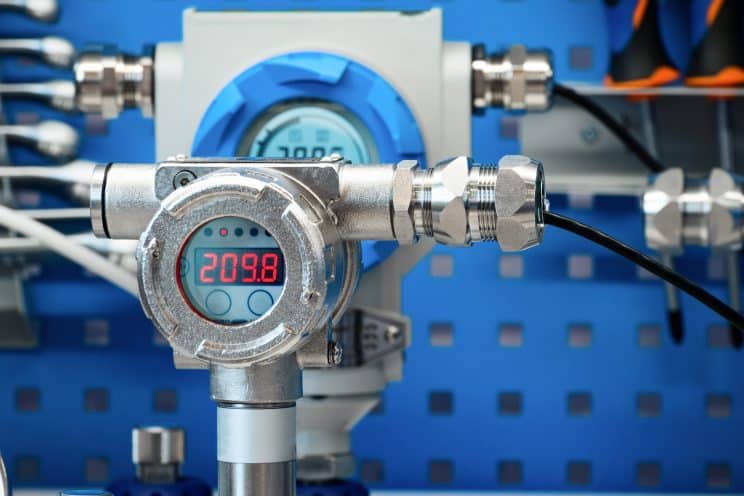
Generally, we assume that preventive maintenance (PM) is a good thing and it will prevent downtime. Of course, that’s true. But, like anything, sometimes it’s more complicated. The first step of a proactive maintenance program is scheduling PMs based on time or usage. Think of your car—change the oil every X months or X,000 miles. CMMS software excels at scheduling PMs. However, it also helps with something else—gathering data. That data also can help maintenance teams take the next step in proactive maintenance—condition-based maintenance. What is Condition-Based Maintenance? Condition-based maintenance is exactly what it sounds like. Maintenance is scheduled based on an asset’s condition. MPulse Condition-Based Maintenance (CBM) feature keeps tabs on the actual state of your critical assets by recording the output of any meters and gauges on that asset. When an asset’s condition changes outside of specified ranges, MPulse lets you know immediately, so you can react before breakdowns happen. Maintenance teams can use CBM information to proactively perform maintenance, as well as even predict asset failures. MPulse CBM includes… The ability to monitor multiple meters (e.g., revolutions, psi, hours) on a single asset The ability to specify multiple conditions, triggers, and responses Automatic work order generation based on specified triggers Data analysis tools to identify potential problems How Can Condition-Based Maintenance Help Me? MPulse’s Condition-Based Maintenance feature to keep tabs on critical assets by recording data from sensors on your assets. You can take manual readings and enter them in MPulse as frequently as you like to evaluate the condition over time or relative to a target level. But you can take it to the next level and connect your assets to a real-time data feed that eliminates manual input and dramatically improves results. (We can recommend low-cost meters and programmable logic controllers (PLCs) and help you connect them to MPulse.) MPulse CBM records all kinds of data, including… Temperature, including infrared readings and thermal imaging. Pressure on equipment with piping or water systems. Oil and lubricant viscosity That’ll make it easier to identify problems before they happen. And preventing outages is always a good thing in this profession. Maintenance based on the true conditions of assets can help save money in… Parts and material costs Labor costs Transportation costs Environmental impact Then you can reallocate those funds to other areas. See the differences between time-based, usage-based, predictive, and condition-based maintenance. Time-based preventive maintenance strategies are a standard in our field. But condition-based maintenance can reveal different—and sometimes better—ways to do things. Learn more. Contact us. [related-content]
Why You Don’t Want Free Maintenance Software

You know it’s time for a change. And free software from the Internet seems like an easy way to test things out. Many maintenance managers start their search for CMMS software by typing “free maintenance software” in a Google search box. But free maintenance software has hidden costs that can mean paying a higher price. For the business case and the numbers leadership will ask for, see CMMS business case. Why Don’t I Want Free Maintenance Software? Trying pared-down software with limited functionality wastes time and energy—two things typically in short supply for maintenance managers. It’s hard to get a realistic perspective on the true capabilities of maintenance software with free maintenance software. As any maintenance manager knows, there’s a difference between cost and value. “Free” sounds like a great deal, until you consider… Limited tools and functionality Absence of security features to protect data Restricted user access Lack of scalability No training or support Inability to sync with other business systems You can’t get a full picture of what maintenance software can do for your organization if you’re limited to whatever is offered for free. So, after all that effort, you’re missing out on finding the right maintenance software for you. But I Just Want to Try It Out We get it. But there’s a better way—free software demos. When you test drive a car, you don’t just randomly take any car you found on the Internet out on the road. You don’t want to waste time test driving minivans when you really need a 4-wheel drive with a 6.0L, 8-cylinder engine. Your time is valuable, and it’s important that you spend it wisely. When you do your research on CMMS software, you’ll soon see the benefits of scalable CMMS software with an easy-to-use interface and advanced tools. And a little time spent finding the right software means you’re saving a lot of time (and money) in the future. That’s why MPulse offers free demos and great customer service to make sure your software purchase means your needs. So, you’re on the right path from the very beginning. [related-content] We know how to make your CMMS implementation a success—and we’re happy to share our experience with you. Contact us to learn more.
Nine Ways CMMS Cuts Operational Costs

The maintenance department doesn’t always get credit for how they save money. But the powerful combination of CMMS software and your maintenance team can cut operational costs, making your organization more efficient and productive. For the business case and the numbers leadership will ask for, see getting CMMS budget approved. How CMMS Cuts Operational Costs Here are nine ways CMMS cuts operational costs. Preventive Maintenance CMMS software generates a schedule of preventive maintenance (PM) tasks. Therefore, it’s simpler to follow the manufacturer’s guidelines. Properly maintained assets perform more efficiently, use less energy, and fail less often—thereby, extending their usable life. When you use CMMS software to schedule and track PMs, you’ll reduce emergency maintenance issues and unexpected production stoppages. This also cuts overtime costs for emergency repairs and reduces production losses. You can also schedule maintenance for off hours by tracking equipment use time. Labor Management Work order management features in CMMS software can automate schedules for both employees and contract workers. Therefore, you get the highest priority work done, while making sure lower priority work doesn’t slip through the cracks. This information also eliminates lost information between shifts, reducing confusion and errors. CMMS software helps you accurately estimate labor hours for PM tasks, making sure your staffing levels match the workload, and decreasing overtime costs. This type of labor cost analysis also can determine when it’s more efficient to add more staff members instead of paying your current employees more overtime. Employee performance tracking helps you determine which employees are most efficient at which tasks, enabling managers to balance the workload. By tracking repair times, you can create benchmarks for your organization as well. Inventory & Parts Management CMMS software’s ability to manage your parts inventory prevents under-stocking and over-stocking and streamlines reordering. CMMS software can determine your current inventory levels and automatically generate purchase orders based on need, reducing purchasing overhead. You can take your inventory management to the next level and track parts to stock based on availability. For example, if a part has a three-week lead time, you can adjust stocking levels to make sure it is available when your staff needs it. Operations CMMS data helps organizations make effective replace-or-repair decisions. Maintenance software can track not only the age of the equipment, but the miles, hours, life-to-date repair dollars, and many other metrics. Therefore, it’s easier to when it becomes cheaper to replace an asset instead of repairing it. In manufacturing industries, CMMS software helps reduce scrap and rework by keeping equipment operating efficiently. That helps reduce emergency production breakdowns, and avoid catastrophic material losses. [related-content] Learn More Contact us to learn more about how CMMS software can cut operational costs for your organization.
JDM Technology Group Acquires CMMS Market Leader TeamWORKS Solutions

Raleigh, NC, USA – February 28, 2020. JDM Technology Group today announced the acquisition of TeamWORKS Solutions, a leading provider of maintenance management software based in Raleigh, NC. JDM is a global software business that has over 150,000 users in the construction and maintenance vertical markets. With this acquisition, the company strengthens its footprint in the CMMS sector, as TeamWORKS becomes the fourth maintenance management software company in the JDM portfolio. TeamWORKS has been providing maintenance management software to school districts, universities, hospitals, convenience stores, local governments and commercial clients since 2002. Their intense customer focus has been a source of pride for the company for nearly 20 years, resulting in a highly customizable, user-friendly CMMS solution. “Joining JDM Technology Group was the right decision for us. Not only does it ensure the long-term stability of the TeamWORKS business, but it will also be a good home for our customers and our employees. That was very important to us,” said Craig Drouillard, founder of TeamWORKS. “It creates meaningful long-term benefits for the business, giving TeamWORKS access to JDM’s global resources and industry expertise.” JDM Technology Group is known for its customer focus and commitment to creating exceptional software solutions for the construction industry and built environment. A unique aspect of their strategy is to never end-of-life their software, so customers can always choose their preferred solution. “We have incredible respect and admiration for the success TeamWORKS has achieved thus far and we have structured this transaction to ensure that the business will have the right mix of independence and support to continue building on their success,” explains David McFarlane, Vice-President of Corporate Development at JDM. TeamWORKS will retain its unique brand and staff, so customers will continue working with the same people that they are used to. TeamWORKS will be combining with the resources of MPulse Software, a JDM Technology Group company based in Eugene, OR, with which TeamWORKS shares a similar customer and product focus. Randy Brous, President of MPulse Software, will lead TeamWORKS and oversee day-to-day operations of both TeamWORKS and MPulse. The business will fall under JDM’s maintenance software division, headed by Jason Johnson, VP of Maintenance Software. About TeamWORKS TeamWORKS is a leading provider of maintenance management software. Since 2002, they have been helping school districts, universities, hospitals, convenience stores, municipalities, local governments and commercial clients across the United States improve their maintenance management operations. For more information about TeamWORKS, visit https://teamworkslive.com/ About JDM Technology Group JDM Technology Group is a global software business focused on delivering business software systems for the architecture, engineering and construction industries with over 150,000 users served in 40 countries on 7 continents, employing over 500 staff. The JDM Technology Group’s core business philosophy is a long-term commitment to customer service coupled with providing the best possible solutions to customers. JDM Technology Group companies include Computer Guidance Corporation, ConEst Software, Explorer Software, IndustrySmarts, JOBPOWER, MicroMain Corporation, MPulse Software, EPAC, and Vision InfoSoft in North America; CSSP, CostCon, LEVESYS, Nimbus, and Plusfactor in Australasia; and Estimate, Integrity, RedSkyIT, and Rendra in the UK, Europe and the Middle East. For more information about the JDM Technology Group, visit: https://jdmtechnologygroup.com/
Are You Prepared for Emergency Management?
Emergency management is a huge part of maintenance. Whether it’s an equipment failure or a natural disaster—your team needs to be prepared. You never think an emergency is going to happen to you. But preparing for the unexpected not only helps during an emergency, it can likely prevent more damage. For the fundamentals, see the fundamentals of facility maintenance. CMMS for Emergency Management Maintenance professionals are first responders when things go wrong. It’s easier to make good decisions under pressure when you can see how your operations are functioning and where you need to focus your attention. And that’s so much easier with CMMS software. Emergency management requires documentation and planning. CMMS software can help you with every aspect of your emergency management plan, such as… Creating an emergency plan with checklists Defining the roles and responsibilities of each staff person Ensuring safety measures are in place Managing resources, supplies, and personnel Storing documents and other information, including details for insurance purposes Identifying where things are located, including emergency supplies Accessing information remotely. Planning means your team knows what to do when an emergency happens, as well as prevent more damage. Information is power. With CMMS, you can act on the information you’ve gathered when you need it most. [related-content] CMMS for Emergency Recovery CMMS data also is vital during the recovery period—helping your team get things up and running much faster. That includes… Safe storage of critical information Emergency inspection checklists Vendors and contacts Asset and part information The combination of CMMS software and an emergency plan is the best way to prepare for when things go wrong. Don’t wait for a disaster to strike. CMMS software can help you reduce your risk when speed is of the essence. How can you use CMMS software to create an emergency management plan? Contact us. We’re happy to share the secrets we’ve learned over the years.
Preventive Maintenance vs. Predictive Maintenance: What’s the Difference?

When maintenance teams adopt proactive approaches to maintenance, two of the most common are preventive maintenance and predictive maintenance. But, what’s the difference? What is Preventive Maintenance? Preventive maintenance is triggered by time, meter, or event. This type of maintenance is based on average or expected life statistics (usually determined by the equipment manufacturer or vendor). The most common example is changing the oil in a car every X,000 miles or every X months. Preventive maintenance is one of the first steps to reduce run-to-failure maintenance in favor of a more proactive maintenance plan. Additionally, CMMS excels at helping maintenance shops schedule preventive maintenance tasks, preventing failure and prolonging asset life cycles. What is Predictive Maintenance? Predictive maintenance means different things to different people. Usually, maintenance professionals define it as gathering data on the actual condition of equipment to determine when maintenance is needed—sometimes called condition-based maintenance (CBM). CBM allows you to track meters and gauges on assets, and to trigger work orders at specific points. You can gather the data manually or automatically, and your CMMS software stores the data and alerts maintenance staff to take action. For example, condition-monitoring tools and CMMS software can analyze how the asset is working—maybe by measuring operating temperature or oil viscosity, etc. This data helps spot signs of potential problems. Then CMMS software sends alerts before breakdowns occur. CBM monitors an asset’s real-time condition. So, there’s a predictive element to it. But more advanced predictive maintenance analyzes how long an asset will last using one or many types of measurement. A classic example is electrical transmission grids. Engineers analyze detailed information about equipment failure rates, so they can program software to predict when similar assets will fail in the future. Long-Term Goals The long-term goal of predictive maintenance prevents both reactive maintenance and unplanned breakdowns, while at the same time reducing the costs of unnecessary preventive maintenance. MPulse CMMS software can capture, store, and organize data for reports and predictive analytical tools. Predictive maintenance is gaining more attention as organizations want sensors on key assets and use the power of the Internet of Things (IoT) to collect the data to feed into their CMMS software. CMMS combined with IoT is an excellent way to help maintenance teams to foresee asset failure and proactively perform maintenance. Have questions? We have answers. Contact us to see how we can help you improve your maintenance operations.