
How To Use MPulse’s DataLink Integration Adapter

If you’re looking to get the most out of your CMMS investment, software integration tools like MPulse’s DataLink Integration Adapter makes it easy. As a result, you can connect with accounting systems, meters and gauges, or other critical data sources. Best of all, you don’t need a lot of expensive IT help to do it. How to Integrate MPulse with Other Software or Data Sources Our DataLink Integration Adapter enables your MPulse administrator or local IT team to quickly and easily move data in and out of MPulse using a familiar, intuitive interface. You can integrate MPulse with other software in four different ways… Import data to MPulse from files, databases, or other applications Export data from MPulse to other applications, files, or databases Schedule imports and exports based on times or file changes Save unlimited “mapping profiles” to your data sources and targets Step 1: Identify the Type of Data You Need DataLink Integration Adapter can meet virtually any data integration need, because it’s compatible with a wide array of file and data exchange formats. For instance, the most common formats are… Microsoft SQL Server Oracle Microsoft Excel Text files CSV files XML Web Services Step 2: Use MPulse’s Intuitive User Interface to Set Up Your Integrations MPulse’s intuitive user interface makes it easy to set up data integrations between your MPulse CMMS and accounting, ERP, building automation, PLCs, or other electronic systems. Use MPulse DataLink Integration Adapter’s simple, intuitive layout to… Choose and map the data you want Schedule imports and/or exports as desired Step 3: Reap the Benefits of Software Integration Tight integration between MPulse Maintenance Software and your other business-critical applications and data stores will do more than reduce hassle. You’ll also enjoy these benefits… Fewer errors due to manual data entry Reduced data input redundancy Faster response times to maintenance problems Near real-time monitoring of critical data The ability to grow with your company’s changing technologies Additionally, how much time, money, and aggravation could your company save if your CMMS could easily exchange data with any Excel, .txt, .csv, SQL Server, or XML Web Services data store? Take the initiative and follow the three simple steps outlined above. Then, sit back and let your CMMS system work—really work, for you and your company. Need more help? Contact us. We’re here for you.
Maintenance Triggers in University Facilities

University facilities require a great deal of communication between departments and teams, as well as a lot of (literal) ground to cover. As a result, university facility managers often feel constantly pulled in different directions. How are software maintenance tasks triggered at schools and university facilities? Here are five common maintenance issues, and how CMMS can help. Types of Maintenance Triggers Safety University facility maintenance teams are responsible for the safety of students, faculty, staff members, as well as their own safety. Additionally, maintenance professionals must quickly respond in an emergency, such as bad weather; unplanned breakdowns to a major facility asset, like an HVAC system; and smaller unplanned events. Safety requires a comprehensive preventive maintenance plan for schools to ensure manufacturers’ recommended maintenance tasks happen on time. All these safety issues require a lot of documentation, particularly for creating procedures and recording maintenance activities. Our customers use MPulse CMMS software to… Update safety procedures Document safety training Publish safety data as a reminder to employees Standardize checklists for scheduled inspections Create a paper trail showing preventive measures Detail emergency procedures in case of a natural disaster or other incident. Security University maintenance teams often are responsible for the security of the buildings and grounds they manage. MPulse creates a pass-down of information, so people know who has done what, as well as what needs to happen next when they come on shift. For example, MPulse Key and Lock Management helps maintenance teams manage and track keys as well as authorized users, reducing the problem of lost or misplaced keys. Additionally, you know who has which keys out and when they are scheduled to be returned, so your team spends less time searching for keys or following up with staff members. Vendors Facility teams often work with multiple vendors on maintaining school facilities. One of the biggest challenges is booking vendors to visit the site and complete PM tasks or repairs. MPulse’s scheduling capabilities give managers the ability to see which maintenance tasks are due and when, as well as keep track of the right vendor to call when the time comes. Additionally, MPulse’s work order management features made it easier to approve, assign, schedule, and manage maintenance done by both vendors and internal teams. Your team can also access maintenance manuals, internal documents, vendor websites, and more. All the information is stored within the asset record, so it’s easily accessible the next time around. Inventory University assets require parts and supplies to keep them operating in prime condition. MPulse’s asset management and tracking features keep tabs on everything from computers to security cameras to biometric readers and HVAC systems—and many of those assets require inventory. MPulse makes it easier to create an inventory control program. That includes monitoring inventory consumption by simply linking part usage to work orders. Your team also can easily check stock levels of any part or supply, as well as track and store vendor information. With MPulse, you know which parts are more beneficial to order on an as-needed basis, which ones you should keep on hand, and which ones need longer lead times. COVID-19 Preventive maintenance in schools has changed under COVID-19. Now maintenance teams must document completed tasks and inspections to prevent legal action, as well as support changing requirements for insurance companies. Preventing just one lawsuit more than makes up for the price of CMMS software. More than one university had its paper records become inaccessible during the pandemic as facilities closed. That’s why MPulse customers turned to their CMMS software to… Backup all data to a secure, off-site location Set up secure methods to access data off-site as necessary Maintain a list of equipment and assets Record information about manufacturers, warranties, and insurance policies Keep track of contact information for employees, vendors, emergency response personnel, etc. Support employees on shift during an event Access to this information is vital when you’re suddenly faced with a pressing need to assess what’s needed to reopen buildings and structures. Additionally, identifying which work orders are related to reopening in your CMMS software will help you quickly create the documentation you need when time is of the essence. Have questions? Contact us. We’re here for you.
Six Ways to Level Up Your CMMS Implementation

Once you’re up and running with MPulse’s basic features, it’s important to keep going to make the most of your CMMS investment. Take these six CMMS implementation steps to level up and streamline your company’s maintenance operations with MPulse. CMMS Implementation Guide 1. Automate Schedules Work order management features in CMMS software can automate schedules for both employees and contract workers. This information also eliminates lost information between shifts, reducing confusion and errors. 2. Employee Records MPulse Labor Resource Management can track all facets of your employee records: status, skill level, billing rate, contact information, and more. You can easily match employees or vendors to the assets they maintain and assign tasks accordingly. 3. Employee Performance Employee performance tracking helps you determine which employees are most efficient at which tasks. As a result, managers can balance the workload. By tracking repair times, you also can create benchmarks for your organization. 4. Labor Costs MPulse can help you accurately estimate labor hours for preventive maintenance (PM) tasks, making sure your staffing levels match the workload, and decreasing overtime costs. This type of labor cost analysis can determine when it’s more efficient to add more staff members, instead of paying more overtime. 5. Purchase Orders CMMS software can determine your current inventory levels and automatically generate purchase orders based on need, reducing purchasing overhead. You also can track parts to stock based on availability. For example, if a part has a three-week lead time, you can adjust stocking levels to make sure it is available when your staff needs it. 6. Equipment Life Cycle and Replacement Forecasting CMMS data helps organizations make effective replace-or-repair decisions. Maintenance software can track not only the age of the equipment, but the miles, hours, life-to-date repair dollars, and many other metrics—helping you decide when it becomes cheaper to replace an asset instead of repairing it. Like most successful investments, CMMS software benefits compound over time. As your data becomes more comprehensive, your organization becomes more efficient and the return on investment climbs. Following our CMMS implementation process helps you to capture key data and turn it into reliable information to help make cost-effective choices about asset management. With our easy-to-use CMMS software, MPulse customers reduce maintenance expenses, minimize downtime, extend equipment life and boost productivity throughout their organizations. Want more information? Contact us and put our experience to work for you.
Who Should Manage Your CMMS System?

Managing A CMMS System I’m often asked who in an organization should have primary responsibility for managing its Computerized Maintenance Management System (CMMS). There’s not one answer that fits every organization, but there are several things every organization should consider before making the decision. Any CMMS worth its salt performs four basic functions: Preventive Maintenance (PM) Scheduling: Reminds maintenance engineers when to perform preventive checks and services on assets. Service Request Management: A way for your customers to submit repair requests, and for you to track them and provide updates. Work Logging: A way to document what planned (PMs) or unplanned (repairs) maintenance has occurred. Inventory Tracking: A means for tracking the use of repair parts or consumables, like lubricants or filters. What ties all these functions together? In virtually every CMMS, the “document of record” is the Work Order. PMs generate planned work orders. Service requests generate unplanned work orders. Work completed is logged on the work order. Inventory consumption is documented on the work order. Components of a Work Order Regardless of how the work order is initiated, it must have data drawn from (or written to) various data tables in the CMMS database. A well-prepared work order will contain the following data: Dates: created, due, started, finished, closed Work Classifications: priority, type, group, and planning category Asset Identification: name and/or ID number Personnel: initiator, planners, and executors (technicians and engineers) Instructions: work and safety Hours: estimated, actual, and machine downtime Inventory: items consumed and associated costs And once a work order is complete, then what good does all this data do us? Well, at that point, the work order becomes the source of actionable information. It feeds the reporting and analysis that drives decision-making to improve your maintenance operation. Often the person making those decisions—the user or “consumer” of that information—is a likely candidate for CMMS owner. Different CMMS Management Roles The CMMS owner is the person with primary day-to-day operational responsibility for the system. It is his or her job to ensure the system is used to the greatest benefit of the organization to promote the effectiveness of action, the economy of resources, and the integrity of information. The ideal owner… Must be detail-oriented. Must be tenacious, resolute, persistent, insistent, dogged, and determined to drive correct adoption and usage. Cares that the data in the database is complete—including records of all maintenance work performed. Cares that the data in the database is accurate. Appreciates that multiple stakeholders use the CMMS data to make decisions. An owner of a CMMS software implementation does not (necessarily)… Create policy and procedures for all departments—but should be intimately involved in the process to develop them. Set KPIs for departments, other than his or her own. So how does each of our roles stack up as a potential CMMS owner? The Maintenance Manager/Supervisor/Lead This person is typically the top manager in a group. Because of the various titles used, we’ll call this position the Head Person in Change or the HPIC. The HPIC participates in strategic planning for the entire group, division, or company, depending on the size. They must ensure the department is functioning at a high level and contributing properly to the overall strategies and goals of the broader organization by utilizing CMMS software. Being a CMMS owner requires a great deal of focused time on task, and necessitates attention to minutiae. Because of this, a high-level manager is not often a good candidate. While HPICs understanding of policy and process can be an asset, their need to keep an eye on the big picture can actually run counter to the demands of the CMMS-owner role to pay attention to the details. The Maintenance Planner Planners are responsible for ensuring jobs have all the resources they need to be completed on time and on budget. They’re very task-driven. Planners are heavy users of CMMS software and should demand that inventory and vendor records in the system be complete and well maintained. By the nature of their job, they must be detail-oriented. If planners don’t have too much of a planning workload, they can be solid CMMS owners. However, if they’re overloaded, they’ll often revert to stealing time from CMMS administration and focusing on planning responsibilities. The results of bad planning show up much faster than the results of incomplete and inaccurate data in a CMMS system. The Inventory Control Manager Implementing a rigorous inventory control system in your maintenance department will typically provide you with a significant, and speedy, return on investment (ROI). Organizations waste thousands of dollars annually due to poor inventory and purchasing controls. An inventory management module is built into most CMMS software packages. Inventory management is typically the last module to be implemented – if implemented at all. Why? Primarily because organizations have not computed the cost-benefit ratio of investing in the personnel and processes to make it happen. Also, tight inventory control demands discipline and attention to detail. Getting the right person(s) with the necessary skills is mandatory—not unlike finding the necessary skills for owning a CMMS software. Related Articles: Six Ways to Level Up Your CMMS Implementation Inventory control manager as CMMS software owner makes sense to me. They have to live in the CMMS software to set and monitor stock levels, manage the purchasing, receive inventory items, create kits for planned jobs, and issue inventory out against work orders. Their attention to detail and drive for accuracy are closely tied to work being done on the shop floor or throughout the facility—which means their inventory management objectives will be easily married to the overall effective use of a CMMS. Maintenance Secretary/Administrator/Clerk Some would say this is the busiest person in the maintenance department. Maintenance secretaries are responsible for starting and completing every job. They receive requests for services and file paperwork from completed jobs. Why not do all that in your CMMS software? Problems arise, though, because maintenance secretaries have so many other responsibilities. From part planner, to purchasing agent, to
Why Inventory Management For Parts & Supplies Is Crucial For Your Business
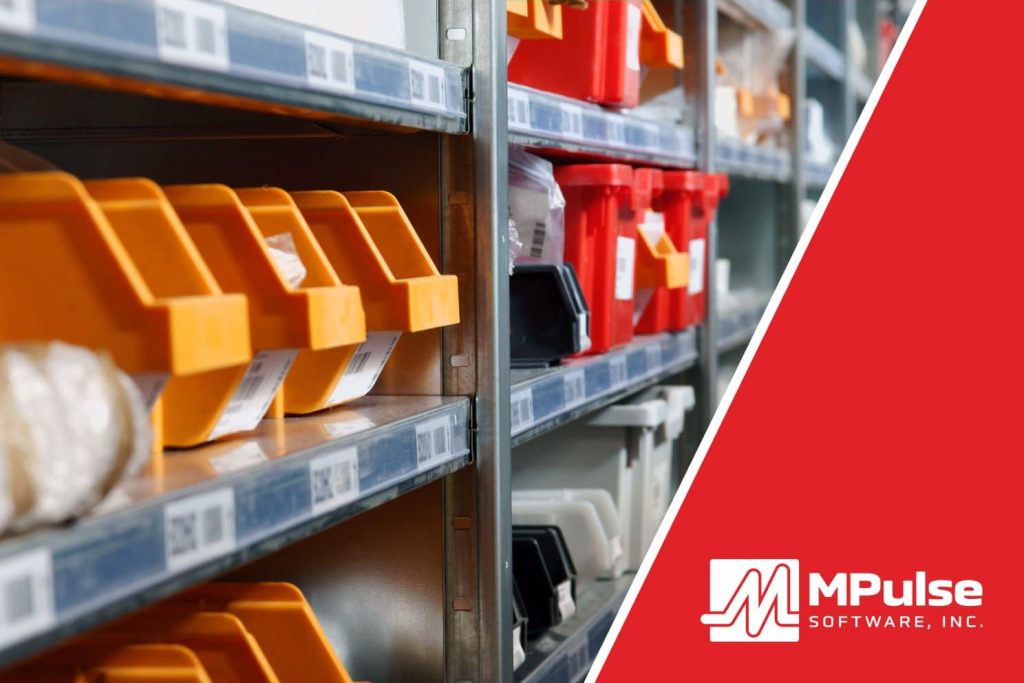
A lot of capital sits in your stockroom. Yet inventory management is consistently one of the most overlooked parts of maintenance management. Many organizations still simply order the parts they need when they need them. Maybe they even buy an extra one, which usually sits on the shelf, forgotten and unused. But, many organizations realized the importance of inventory management when COVID-19 hit in 2020. Suddenly shipping delays and limited supplies made it hard to get basic cleaning supplies, not to mention vital parts. Inventory management can help you prevent time- and money-wasting problems like running out of parts, searching for lost parts, or duplicating inventory you didn’t know you had. And CMMS can help. How Inventory Management Saves Time & Money Inventory Management can help quickly identify what you need for which piece of equipment. It helps your organization save time and money by improving tracking, stocking, ordering, and inventory processes. When an emergency arises, this information also provides critical data for making cost-efficient decisions. With CMMS software, you’ll know stocking levels, reorder points, storage locations, and supplier information with just a click. You can also track various units of measure for a single inventory item. For example, you might purchase oil by the barrel, but use it by the quart. Benefits of Using Inventory Management Software The biggest benefit of Parts and Supplies Inventory Management is controlling your cost of maintenance. Inventory Management Software gives you the ability to… Identify where parts or materials are stored, making it quicker and easier for staff members to find them and preventing duplicate orders because someone didn’t look in the right place. Enable coworkers to reserve certain parts, ensuring the right parts are available for a particular job. You can also track issue quantities for situations where you only have one part on hand when the job takes two. Control your stock based on need and availability, so the right parts are on the shelf, yet you can minimize other parts that are used less frequently. For example, if a critical part has a three-week lead time, you can adjust stocking levels to make sure it is available when your staff needs it. Track shipments, vendor performance and warranty information, including slow-moving parts to return to the vendor. That helps you control capital outlays on unused or underused parts and materials. Automate cyclical inventory counts, reducing the man hours needed and ensuring the parts or materials in the system are actually sitting on the shelf or in the parts bin. [related-content] Your organization can save time and money by improving tracking, stocking, ordering, and inventory processes. CMMS is the best tool you have for gathering, analyzing, and reporting data about your maintenance operations. Contact us to learn more.
Common Maintenance Triggers In The Healthcare Industry

The type of assets found in healthcare facilities is vast. Maintenance needs can range from facility HVAC systems and generators to medical equipment to electrical and plumbing repair to cleaning supplies. As a result, healthcare organizations need the right tools to manage maintenance for all these assets, whether it’s a critical piece of equipment or a light bulb. CMMS software for the healthcare industry can help by providing a reliable central repository for your maintenance and safety data. Here are common maintenance triggers in the healthcare industry. Preventative Maintenance Software for Healthcare Here are common maintenance triggers for healthcare organizations. Breakdowns While healthcare organizations seek to reduce breakdowns whenever possible, sometimes it’s inevitable. Healthcare organizations use a run-to-failure maintenance strategy when an item isn’t crucial, it can be repaired or replaced quickly, the failure is immediately obvious, and the parts and supplies are inexpensive. Typical examples include light bulbs in non-emergency equipment or facilities, and batteries for simple equipment like remote controls or wireless computer keyboards and/or mice. Time Triggers for maintenance based on time are common for seasonal equipment or assets that must be maintained no matter how much they have been used. Time-based triggers should give time to acquire any necessary parts and supplies, as well as to make the repair. Timed preventive maintenance is simply based on the time between PM tasks—such as days, weeks, months, etc. For example, inspections need to occur at specific time intervals to help maintenance teams spot issues before they occur. Common time triggers include items like fire alarms, elevators, and seasonal facility equipment (i.e., HVAC units). Usage Usage triggers maintenance tasks using a specific meter. You can choose meters like mileage, usage time, production volume, pressure, flow rate, etc. Over time these repairs create historical data for the asset. Then, maintenance managers can determine if repairs were successful or if they should adjust the PM schedule based on performance. For example, if an asset breaks roughly every 1,000 hours of usage time, set your trigger for 900 hours. Events Event triggers happen after specific events. For example, if it snows, the facility’s walkways, parking lots, driveways, entrances, etc., need to be clear of ice and snow for accessibility. Emergencies are also event triggers. Emergency management triggers tasks such as conducting inspections; implementing safety measures; managing resources, supplies, and personnel; gathering data for insurance purposes, etc. Condition Condition-based maintenance (CBM) keeps tabs on the actual state of your critical assets by recording the output of any meters and gauges on that asset. When an asset’s condition changes outside of specified ranges, a trigger lets you know immediately so you can react to prevent breakdowns before they happen. CBM may apply to the maintenance of high-risk medical equipment. That includes all life support equipment and any other device for which there is a risk of serious injury or death to a patient or staff member should it fail. Maintenance activities and frequencies should follow manufacturers’ instructions and recommendations for maintaining, inspecting, and testing all medical equipment. CMMS software enables healthcare organizations to manage maintenance for critical assets, while also meeting government regulations and safety requirements. Contact us to learn more.
Preventive Maintenance Program In Six Steps

Maintenance teams often work the same way they always have—answer the phone, and then fix whatever broke. This reactive system serves a purpose, but has significant consequences. When you establish and regularly perform preventive maintenance, your organization may be able to sidestep serious problems that arise as a result of neglect as well as delay more expensive maintenance. But, it can feel challenging—almost impossible—to start a proactive maintenance program while you’re putting out fires all the time. That’s where CMMS software can help. Moving from reactive to proactive maintenance can keep those phone calls at bay while making better use of the maintenance team’s time and resources. Six Steps Involved in Preventive Maintenance Take the time to set up a preventive maintenance program by following these six steps. Document Maintenance Tasks: Recording maintenance tasks, activities, repairs, and information in CMMS software is the first step when you are just starting out. You can’t measure anything until you have something to measure. Create Schedules: CMMS software will generate a schedule of PM tasks, making it simpler to follow the manufacturer’s guidelines. Maintenance intervals can be scheduled based on asset or part condition, which triggers a work order just before the point when system inefficiencies or failures begin to occur. Automate: Put your available tools to work for you. Use your CMMS software to automate the tedious stuff (data entry, email, request approval), so you can focus on more important things. Link Parts: Inventory is hard, but the first step is simple. Use CMMS to link parts with your work orders (and your assets), and you are on your way to big goals like controlling the cost of maintenance. Make Resources Easily Accessible: Don’t waste time looking for stuff. Keep the things your team needs (historical records, part information, vendor contact details, manuals, etc.) in easy-to-find places, like your CMMS database. Train. Training is the fastest way to improve your maintenance team’s efficiency and get the best return on investment (ROI). And don’t forget about training yourself as well. The payoff is far greater than the cost. Properly maintained assets perform more efficiently, use less energy, and fail less often—extending their usable life. When you use CMMS software for preventive maintenance, you’ll reduce emergency maintenance issues and unexpected production stoppages. This, in turn, cuts overtime costs for emergency repairs and reduces production losses. Preventive maintenance is cost effective and beneficial for organizations of all sizes—lowering costs, improving reliability, and helping with compliance reporting. Find out how MPulse CMMS software can help you create a preventive maintenance program. Leave a comment or contact us.
What You Need to Know About Asset Management

Asset management helps your organization get the maximum value from the assets it owns. It’s common for large organizations to have a formal CMMS asset management plan. But, it’s just as important for small and medium-sized businesses. Creating a strategic plan can impact the uptime and total life of key assets. Fortunately, CMMS makes it easy. Create a CMMS Asset Management Plan Setting up your CMMS for facility and asset management helps your organization get the most out of its investments. While creating an asset management plan might sound complicated, it actually boils down to making a few proactive decisions about your MPulse data. Identify critical assets Pick the ones that would take a significant investment to replace, and the ones that most directly impacted production capacity. Capture purchase information For each critical asset, gather information on each asset’s purchase date, purchase price, startup date, and warranty expiration date. Choose the data Identify the data you want to collect, track, and report on. Let the power of CMMS do the hard work Every job entered into the work management system created a historical record that calculates the labor costs and links the cost of the parts and inventory used for the job. Benefits of CMMS Asset Management The advantages of asset management really come into play when it’s time to make important decisions. One of the most frequent is the classic, “Do we repair it or replace it?” question. Using your CMMS data, you can determine… What was the purchase price of the asset? When did we acquire it? How much has it cost to maintain it, especially in the past year? How much downtime is the asset experiencing lately? With a little more information about operations, you can also calculate the opportunity cost due to downtime. Comparing that to the estimated cost (and potential added productivity) of a new asset would give you the answer. Additionally, you’ll have the data to back it up. If you’re thinking in terms of maximum uptime and total lifecycle cost, you’ll move beyond using your CMMS as a simple work order tracker and PM scheduler. CMMS can help you create a wealth of asset information—helping your organization make more informed decisions, and potentially saving it a lot of money. Contact us for more information on facility maintenance and asset management software. We’re here to help.
Manage Inventory: Reordering and Balancing

Managing parts and supplies is always one of the biggest challenges of running a maintenance department. But the good news is CMMS software has the tools you need to streamline reordering, make sure the right parts are on the shelf, and minimize other parts that are used less frequently. Manage inventory by reordering and balancing with CMMS. Reduce Purchasing Overhead MPulse Purchase Requisitions is a comprehensive tool for managing parts and supplies requisitioning and ordering. MPulse can help by monitoring work orders, reorder lists, and requisition records, then producing requisitions as needed. As a result, you can easily track orders and requisitions all the way through receiving and restocking. This helps you determine your current inventory levels and automatically generate purchase requisitions based on need, reducing purchasing overhead. You can set reorder points, which calculate your average daily usage rate by the part’s lead time in days. This function helps you ensure a constant restocking of high-need parts. It makes it easier to identity parts that have long lead times as well. Purchase Requisitions also can help you track shipments, vendor performance, and warranty information. Data Integration Tools However, the biggest benefit of MPulse is business data integration, providing financial visibility throughout the organization and eliminating error-prone, manual data entry. Organizations can integrate transactional data between MPulse and the accounting system. To support this effort, MPulse can help by integrating master data records, most notably Inventory Records and Purchase Requisition Records. The business data integration will keep both applications in sync so users can be confident they are working with accurate and current information. As your team enters new Inventory Items and Purchase Requisitions in MPulse, that information will flow automatically to the accounting system in a timely fashion. On the accounting side, MPulse syncs any transactions by the accounting team related to those records. The system updates relevant information and provides financial history for the Inventory Item or Purchase Requisition in MPulse. In general, whenever a related record or transaction is modified in one application, those changes should be synced to the other application. As a result, you leave the accounting to the financial application and synchronize the results back to MPulse for informational and reporting purposes. MPulse is ready to help you manage inventory by reordering and balancing with CMMS. Have questions? We have answers. Contact us.
Getting Started With A New CMMS

Getting started with a new CMMS can feel overwhelming. New software requires a lot more work after the decision is made. But, you can make it as painless as possible. These five steps outline how to implement a cmms system. How Is a CMMS System Implemented? Use this checklist to make your CMMS system implementation a success. Step 1: Determine How to Export Current Data Older software was not designed to get data out as easily as it was to get in. More current programs can export data in various file types, typically a CSV file. Often you can do this task yourself or enlist the help of a power user or an internal IT specialist. Or, if it makes more sense, you can hire some help. Step 2: Decide What Data You Want to Keep If you’ve decided to migrate to new software, there’s usually a reason. And often it’s because key needs aren’t being met by your current system and your legacy data. Now is the time to review your data and make decisions about what you really need to keep. Another option is to simply start fresh. We’ve had customers do this—their legacy data remained where it was. They simply added assets, parts, and preventive maintenance schedules to the new CMMS system. Old work orders are left behind. Step 3: Map Out the Fields Data fields aren’t necessarily the same from one system to another. So you need to map field names, sizes, types from one system to the other. We recommend using your vendor’s services to help with this process. They know their software best. Use them. Step 4: Clean Up Your Old Data Don’t underestimate the time it takes to clean up the data. You may do this step before mapping fields, but sometimes customers need to understand what the data looks like in the new system before they find issues. Take a close look at your data. Things will pop up—outdated information, incorrectly formatted data, missing data. Now is the time to get your data in good shape. Clean data pays off in accurate reporting later. Step 5: Import and Test Once your data is complete and clean, your CMMS software vendor will import it into your software. After that process is finished, it’s time to run some tests to make sure the right data is in the right place before “go live” day. We recommend testing to ensure… All field names are correct The correct data is in the correct fields Assets lists are complete Parts and inventory lists are complete Scheduled tasks have transferred correctly Key historical data is available [related-content] MPulse can help. Start by downloading our free cmms implementation guide. Make the most of our experience and knowledgeable staff. We’re not just a software vendor. We’re your partner in CMMS success. Have questions? Contact us. We’re here for you.