A maintenance trigger workflow is the automated or manual event that launches a repeatable maintenance process, taking work from request through triage, scheduling, execution, and closeout, with a documented owner at every stage. The immediate payoff is fewer missed preventive tasks, less duplicate work, and measurable downtime reduction.
- Runs on defined events: calendar intervals, runtime hours, sensor conditions, or manual reports
- Enforced by a CMMS, which standardizes the work order lifecycle from trigger to closeout
- Ties directly to preventive maintenance compliance, one of the metrics facility teams track most closely
Key Takeaways
A maintenance trigger workflow reduces downtime by pairing a defined event, calendar, runtime, condition, or manual, with mandatory triage and documented closeout.
| Point | Details |
|---|---|
| Define the trigger types first | Match calendar, runtime, condition, and manual triggers to specific asset categories before building templates. |
| Triage before dispatch | Route every trigger through human or automated review to prevent duplicate and false-alarm work orders. |
| Track closeout as a separate step | A finished job isn’t a closed work order until required data and verification are complete. |
| Pilot narrow, measure two KPIs | Run new workflows on one asset group for several cycles, tracking MTTR and preventive maintenance compliance. |
| MPulse CMMS automates the setup | MPulse’s calendar/runtime triggers, templates, and permissions help scale trigger workflows with efficiency gains reported up to 40% among its 3,500+ customers. |
Table of Contents
- What a Maintenance Trigger Workflow Is and Why It Matters
- What Are the Common Types of Maintenance Triggers?
- What Are the Stages of a Maintenance Trigger Workflow?
- How Does CMMS Software Automate Maintenance Triggers?
- How Do You Build an Implementation Checklist for Trigger Workflows?
- What Metrics Matter, and What Pitfalls Should You Avoid?
- How Have Trigger Workflows Reduced Downtime in Practice?
- Where Should Facility Managers Start With This?
- How MPulse CMMS Puts Trigger Workflows Into Practice
- Sources
- FAQ
What a Maintenance Trigger Workflow Is and Why It Matters
The maintenance workflow definition is simple in theory: a trigger fires, a request gets created, and a defined sequence of people and steps carries that request to completion. In practice, most facilities run this process informally. Someone notices a leak, texts a supervisor, and hopes it gets logged somewhere. That gap between “noticed” and “recorded” is where accountability disappears.
A formal trigger workflow closes that gap. It assigns ownership at each phase, captures the data needed for audits and warranty claims, and turns maintenance from a reactive scramble into a predictable operation. CMMS platforms exist largely to enforce this discipline instead of leaving it to memory and sticky notes.
- Standardized statuses (Waiting on Approval, In Progress, Waiting on Review, Completed, Closed) keep every job accountable to a stage, a pattern documented in Army Corps of Engineers workflow guidance
- Consistent data capture at each stage feeds the metrics that justify budget and staffing decisions
- Predictable scheduling reduces the scramble that drives overtime and rush parts orders
Pro Tip: If you can’t name who owns a work order at every single stage, from request to review, you don’t have a workflow yet. You have a to-do list with extra steps.
What Are the Common Types of Maintenance Triggers?
A workflow trigger is simply the event or condition that starts an automation, a concept that applies as much to maintenance software as it does to general workflow automation tools. Facility teams typically configure four categories.
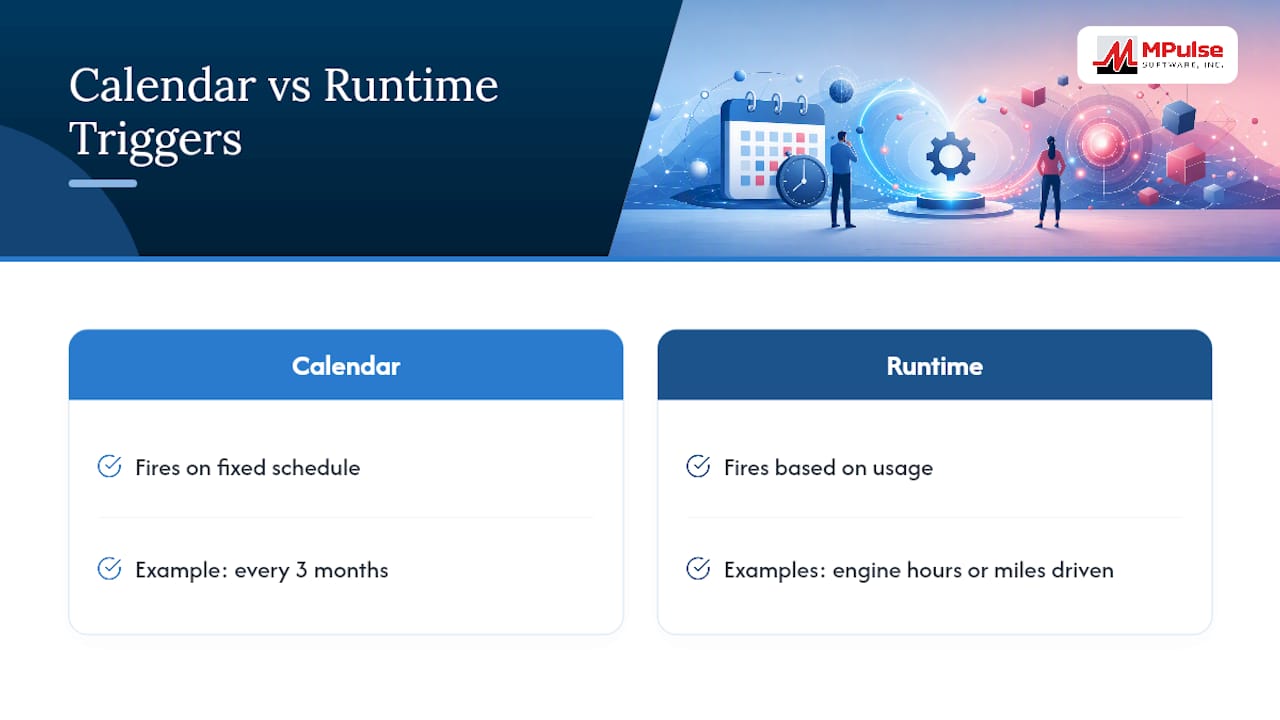
- Calendar interval triggers. Time-based and predictable, like inspecting fire extinguishers every 3 months regardless of usage.
- Runtime or usage-based triggers. Fire based on hours run, miles driven, or gallons pumped, common for engines, pumps, and fleet assets.
- Condition or sensor-based triggers. Launch a work order when vibration, temperature, or pressure crosses a defined threshold, tying directly into condition-based maintenance programs.
- Event or manual triggers. Started by a person, whether that’s a safety incident report or an operator flagging unusual noise.
Most CMMS platforms also let you configure calendar triggers as either location-specific, which auto-attaches asset and location data, or general, which applies more broadly and reforecasts from actual service history. A related setting, “allow multiple in-process activities,” determines whether the same asset can have two open work orders of the same type at once.
Pro Tip: Set location-specific calendar triggers for anything with regulatory inspection requirements. It removes the manual step of confirming which building or unit the task belongs to.
What Are the Stages of a Maintenance Trigger Workflow?
Once a trigger fires, the request needs to move through a lifecycle that everyone in the building understands the same way. A typical maintenance process overview breaks into six stages.
- Request. The trigger generates a request with a description, asset ID, and priority flag.
- Triage. A planner or supervisor reviews the request, confirms it’s valid, and rules out duplicates.
- Assign and plan. Work gets scheduled to a technician or crew, parts get reserved, and a due date gets set.
- Execute. The technician performs the work and logs labor hours, parts used, and any findings.
- Inspect and close. A supervisor verifies the work meets standard before marking the work order closed.
- Review. Closed data gets analyzed periodically to catch recurring failures.
- Request: owned by whoever reports the issue or the automated trigger itself; requires asset ID, location, and description.
- Triage: owned by a planner; requires validation against duplicate open orders and priority scoring.
- Execute: owned by the technician; requires labor time, parts consumed, and completion notes.
- Review: owned by a maintenance supervisor or reliability engineer; requires periodic analysis of closed work orders.
Triage matters more than most teams realize. Skip it, and every trigger auto-generates a full work order, flooding technicians with noise and duplicate jobs. There’s also a distinction worth remembering: a “finished job” means the technician stopped working, but a “closed work order” means a supervisor verified the documentation is complete. Treating those as the same thing is how closeout data quality quietly erodes.
How Does CMMS Software Automate Maintenance Triggers?
This is what “what is workflow automation” actually looks like on the shop floor.

A sensor detecting a vibration spike can push a condition-based trigger straight into a request queue, similar to how cloud-based systems can trigger a workflow from an external event source like a spreadsheet update or a message queue. That request then lands with a planner for triage before it becomes an active job.
Settings worth checking before you go live:
- Interval type. Calendar-based versus runtime-based, and whether reforecasting uses the completion date or the last runtime reading of the prior job.
- Batching and scheduling. Whether the system batches recurring work orders and assigns them to crew shifts automatically.
- Allow multiple in-process activities. Prevents (or permits) duplicate open jobs on the same asset and activity type.
- Template work orders. Pre-filled fields, safety steps, and required parts tied to a specific trigger type.
- Cycle Now permissions. Who is allowed to manually force a preventive cycle outside its normal schedule.
Pro Tip: Never let a trigger auto-generate a full work order without a triage step in between. Route it to a request queue first, or you’ll bury your crew in false alarms every time a sensor hiccups.
How Do You Build an Implementation Checklist for Trigger Workflows?
Rolling out a maintenance trigger workflow works best as a phased project, not a company-wide switch flipped overnight.
- Define scope. Pick your highest-impact assets first, the ones where downtime hurts most.
- Map current process. Write down how work actually gets reported and handled today, informal steps included.
- Choose trigger types. Match calendar, runtime, condition, or manual triggers to each asset category.
- Build templates. Create work order templates with required fields, so technicians aren’t guessing what to log.
- Assign triage owners. Name specific people responsible for reviewing incoming requests, and set their permission levels.
- Pilot and measure. Run the new workflow on a limited asset group for several maintenance cycles.
- Train and communicate. Walk requesters and technicians through the new process before wide release.
- Keep the pilot narrow: one facility area or asset class, run over multiple cycles rather than a single week
- Test escalation paths and “Cycle Now” overrides before technicians need them in a real emergency
- Confirm required data fields actually get filled out, not just marked as required in the software
A tight pilot focused on one or two KPIs, like mean time to repair and preventive maintenance compliance, tells you far more than a broad rollout you can’t measure cleanly.
What Metrics Matter, and What Pitfalls Should You Avoid?
Trigger workflows only prove their worth if you’re tracking the right numbers. Watch mean time to acknowledge, mean time to repair, the percentage of work orders closed with a documented cause, preventive maintenance compliance rate, backlog age, and unplanned downtime hours.
The most common pitfall is letting triggers auto-generate work orders with zero human review, which floods technicians with false positives and erodes trust in the system fast. Vague request fields are a close second. If “issue” is a single free-text box, your data will be useless for pattern analysis in six months.
- Auto-creation without triage: fix it with a mandatory review queue between trigger and dispatch.
- Vague request fields: fix it with structured dropdowns for asset, symptom, and urgency.
- Missing parts at assignment: fix it with an inventory check built into the planning stage.
- Skipped closeout documentation: fix it by making the “close” status conditional on required fields being filled.
- Unreviewed closed data: fix it with a scheduled monthly review, since regularly examining completed work orders exposes recurring failure modes before they become bigger problems.
How Have Trigger Workflows Reduced Downtime in Practice?
A mid-size facility running mostly manual, verbal maintenance requests typically shows the same symptoms: missed preventive intervals, duplicate work orders on the same asset, and no reliable record of what actually caused a failure. Introducing calendar and runtime triggers, paired with mandatory triage and standardized closeout templates, tends to change that picture within a handful of maintenance cycles.
Two configuration choices usually drive the biggest shift: a required triage step before any request becomes a scheduled job, and closeout templates that won’t let a work order close without a documented cause. MPulse Software’s own customer base, which spans more than 3,500 organizations globally, has reported efficiency gains of up to 40% after standardizing workflows this way.
The gap between reporting a problem and fixing it is where work gets lost. A workflow that forces triage and ownership at every stage is what actually closes that gap, not the trigger alone.
- Triage rules cut duplicate work orders on the same asset
- Closeout templates made root-cause data usable for the first time
- Calendar and runtime triggers together caught intervals that pure calendar scheduling had been missing
Where Should Facility Managers Start With This?
Start with your highest-impact assets and pair calendar or runtime triggers with a mandatory triage step. Don’t skip governance: assign a named triage owner and require closeout data before any work order can be marked closed.
How MPulse CMMS Puts Trigger Workflows Into Practice
MPulse Software is the practical next step once you’ve mapped out your trigger types and lifecycle stages by hand. Instead of managing calendar and runtime intervals across spreadsheets, MPulse automates the work: preventive maintenance triggers generate work orders on schedule, template jobs pre-fill required fields, and configurable permissions control who can approve, triage, or force a “Cycle Now” override.

Real-time monitoring integrations let condition-based triggers, like a vibration or temperature threshold, feed straight into your request queue for triage instead of bypassing it. MPulse serves a wide customer base with organizations reporting significant efficiency gains after standardizing their trigger workflows on the platform.
If you’re ready to see how it fits your facility’s asset mix, start a free trial of MPulse CMMS or explore the full feature set to map it against your current process.
Sources
- Maintenance Triggers
- What is Maintenance Workflow? | Accendo Reliability
- What is a workflow trigger? | Softr blog
- Triggering a workflow from Sheets | Google Cloud Workflows tutorial
FAQ
What Is a Maintenance Trigger Workflow?
A maintenance trigger workflow is the automated or manual event that starts a standardized process, taking a maintenance request through triage, scheduling, execution, and closeout with a clear owner at each stage.
What Is a Workflow Trigger in Maintenance Software?
A workflow trigger is the specific condition, calendar interval, runtime hours, sensor reading, or manual report, that a CMMS watches for to automatically generate a maintenance request.
What’s the Difference Between a Calendar Trigger and a Runtime Trigger?
A calendar trigger fires on a fixed schedule, like every 3 months, while a runtime trigger fires based on actual usage, such as engine hours or miles driven.
How Do I Avoid Work Order Noise From Automated Triggers?
Route every trigger through a mandatory triage step before it becomes a full work order, so a planner can confirm the request is valid and not a duplicate.
Can CMMS Software Like MPulse Automate Trigger Workflows?
Yes. MPulse Software automates calendar and runtime triggers, batches recurring work orders to crew schedules, and applies template work orders with required fields for each trigger type.