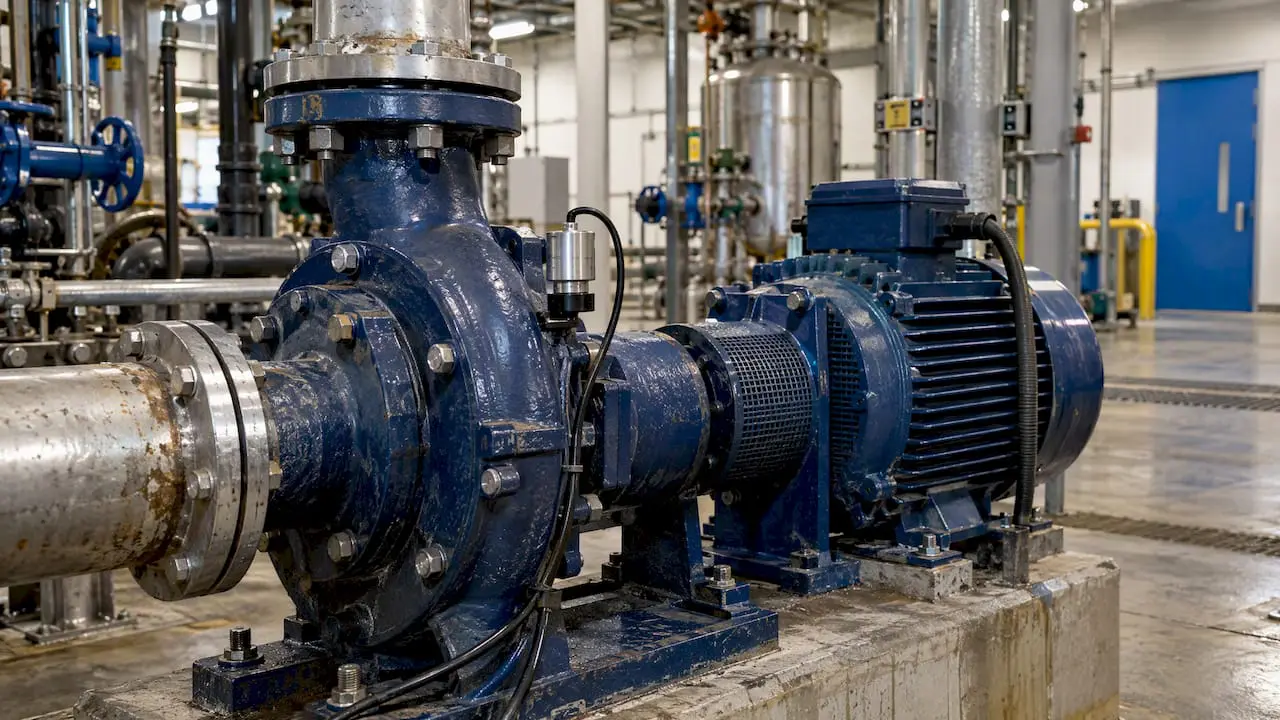
IoT sensors tell you that something about an asset has changed. A CMMS makes sure someone does something about it. Connected well, a vibration or temperature reading that crosses a threshold becomes a work order with an asset, a priority, a technician and a history. Connected badly, it becomes one more alarm that people learn to ignore.
This guide explains how the connection works, which sensors earn their cost first, how to set alert rules that hold up, and how to run a small pilot before you commit a whole plant or campus.
TL;DR
- Sensors collect condition data. The CMMS turns it into action: work orders, parts, labor and a record for audits.
- Start with a few critical assets and two or three measurements, such as vibration, temperature and run hours, not every machine you own.
- Alert rules decide whether the program works. Tie each threshold to a specific work order template and a named owner.
- Wireless sensors lower installation cost and reach places that wiring cannot, but they need a gateway plan and security review.
- Run a 60 to 90 day pilot, measure avoided downtime and false alerts, then expand.
Table of Contents
- What IoT sensors add to a CMMS
- Why condition data is worth the effort
- How data travels from a sensor to a work order
- Choosing sensors: start with the failure you are trying to prevent
- Setting alert rules that people trust
- Condition-based maintenance inside the CMMS
- Our perspective
- A 60 to 90 day pilot plan
- What results look like in practice
- Security and network considerations
- Questions to ask before you buy a CMMS for sensor data
- Where MPulse fits
- Frequently asked questions
- Sources
What IoT sensors add to a CMMS
A traditional preventive maintenance program runs on calendars and meters: inspect the pump every 90 days, change the filter every 500 hours. That works, but it treats a lightly used asset and a heavily stressed one the same way.
IoT sensors add the missing input, the actual condition of the equipment. Temperature, vibration, pressure, current draw, humidity and cycle counts can all be measured continuously and sent to software. The U.S. Department of Energy describes wireless sensors as useful in industrial equipment and processes where wired instrumentation was previously impractical, which is where much of the unmonitored equipment in a typical facility sits.
The sensor alone does not fix anything. It produces data. The CMMS is where that data meets the rest of your maintenance operation:
- Asset records show what the machine is, where it sits and what has been done to it.
- Work orders assign the response and capture what the technician found.
- Inventory confirms the bearing or belt is on the shelf.
- Scheduling puts the job on a calendar at a time that does not stop production.
- Compliance records prove the inspection and the repair happened.
That last point matters in healthcare, food production, education and other regulated settings. A reading on a dashboard is not documentation. A closed work order is.
Why condition data is worth the effort
The case for moving beyond calendar-only maintenance is documented. A NIST study of manufacturers found that plants relying more heavily on predictive maintenance than on preventive maintenance had 18.5% less unplanned downtime, and that the plants leaning most on predictive and preventive methods had up to 52.7% less unplanned downtime than those that depended mostly on reactive repair.
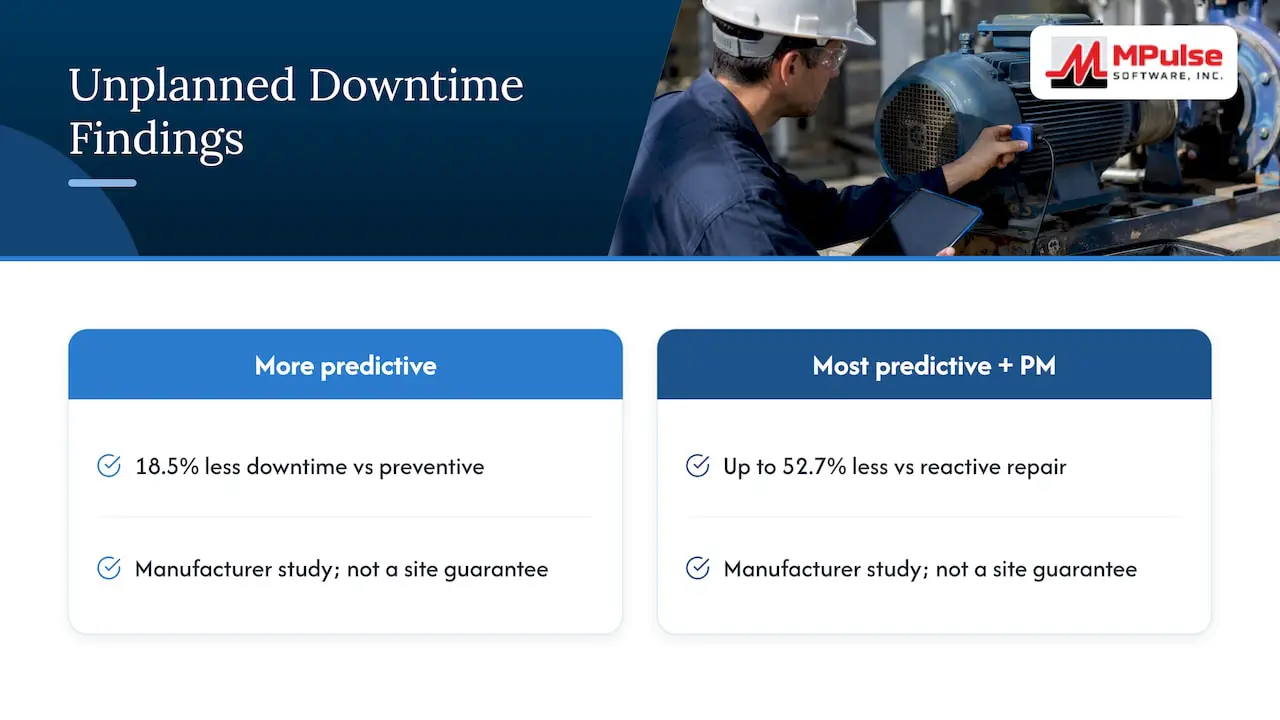
Two cautions for how you read those figures. They describe groups of manufacturers, not a guaranteed result for your site. And the gain comes from acting on condition information, not from owning sensors. A plant that collects data and does not route it into maintenance work will not see the same effect.
That is also the argument we make in our piece on why predictive maintenance data alone is not enough: data needs a workflow behind it.
How data travels from a sensor to a work order
Every integration follows the same loop, whatever the brands involved.
- Sensing. A sensor on the asset measures a value at a set interval.
- Transmission. The reading travels over a wired or wireless network, often through a gateway, to a platform that receives it.
- Evaluation. Rules compare the reading with a limit, a trend or a pattern.
- Handoff. When a rule trips, the platform passes a message to the CMMS through an integration, an API or a data adapter.
- Action. The CMMS creates or updates a work order, assigns it and tracks it to completion.
- Feedback. The technician records what was found, and that finding improves the rule next time.
Steps 3 and 4 are where most projects succeed or fail. Some teams evaluate rules in the sensor platform and send only exceptions to the CMMS. Others send readings to the CMMS and let it decide. Both can work. The first keeps the CMMS clean of raw data. The second keeps every rule and its history in the system your maintenance team already lives in.
Where the platform layer fits
If you run on a large cloud ecosystem, you will meet IoT platforms that handle device identity, secure messaging and rules. Market analysis suggests these platforms increasingly supply the building blocks, such as compute and storage, and leave the maintenance application to specialist software. The same source advises choosing the IoT cloud based on the enterprise stack you already use rather than building a custom application from scratch.
For a maintenance manager, that means you rarely need to build anything. You need a CMMS that can receive events and a sensor setup your IT team can support.
Choosing sensors: start with the failure you are trying to prevent
Buy for the failure mode, not for the technology. Ask which failures have cost you the most in downtime, repair or compliance exposure, then choose the measurement that gives early warning of that failure.
| Asset type | Common failure | Useful measurement | Typical CMMS response |
|---|---|---|---|
| Motors, fans, pumps | Bearing wear, imbalance, misalignment | Vibration, temperature | Inspection or lubrication work order |
| Air handlers, rooftop units | Filter loading, belt wear, coil problems | Differential pressure, temperature, current | Filter change or belt check |
| Compressors, chillers | Overheating, pressure loss | Temperature, pressure, run hours | Condition inspection, parts request |
| Refrigeration and cold storage | Temperature excursion | Temperature, door status | Urgent work order with a logged response time |
| Conveyors and packaging lines | Motor overload, jams | Current, cycle count | Scheduled inspection by usage |
| Water and boiler systems | Leaks, pressure drift | Flow, pressure, leak detection | Priority repair order |
A few practical points:
- Use existing signals first. Many modern machines, building controls and PLCs already expose data. Reading it costs less than installing new hardware.
- Pick wireless where trenching and conduit are the cost. The Department of Energy document cited above notes that wired installations can run from $50 to $2,000 per foot, which is why wireless sensors are attractive for retrofits and hard-to-reach locations.
- Match battery life to access. A sensor with a three-year battery on a rooftop unit is a very different maintenance burden than one that needs replacing every few months on a high ceiling.
- Do not start with everything. Ten well-chosen assets teach you more than three hundred poorly configured ones.
Setting alert rules that people trust
Alert fatigue is the most common reason sensor programs stall. If the first twenty alerts include fifteen false ones, technicians stop opening them.
Build rules in layers:
- Baseline first. Collect readings for a few weeks in normal operation before you set limits. A motor that always runs warm should not trigger an alert for running warm.
- Use two levels. A warning level creates a scheduled inspection. A critical level creates an urgent work order and notifies a supervisor.
- Require persistence. A single spike is often noise. Trigger on a reading that stays above a limit for a defined period, or on a rising trend.
- Attach a response. Every rule should point to a work order template with the checklist, safety steps and likely parts. If nobody can say what the technician should do when the alert fires, the rule is not ready.
- Name an owner. Each asset group needs a person responsible for tuning the rule.
- Review monthly. Count alerts, confirmed findings and false positives, then adjust.
The goal is not the most alerts. It is the highest share of alerts that lead to a real finding.
Condition-based maintenance inside the CMMS
Most teams reach the sensor question after they already run preventive maintenance in a CMMS. That is a good order. Condition-based triggers are an addition to a schedule, not a replacement for it.
In MPulse, condition-based maintenance is part of scheduled maintenance, and the documentation on condition based maintenance explains how it works. Teams can keep time and meter-based PM for assets where it is enough, and use condition triggers where a measurement says more than the calendar does. If you are still tightening the basics, our note on how simple preventive maintenance can boost PM effectiveness is a good place to start.
Our perspective
We talk with maintenance teams that already own sensors and teams that are only considering them. The pattern is consistent: the hardware is rarely the hard part. The hard part is deciding who responds, in what time, with which parts, and how that is recorded.
For that reason we recommend putting the CMMS first. Get asset records clean, preventive maintenance running on a calendar your team can see, parts tracked and work orders closed with real notes. Then add sensors to the assets where condition data changes a decision. A sensor feeding a CMMS with weak asset data produces alerts about equipment nobody can identify.
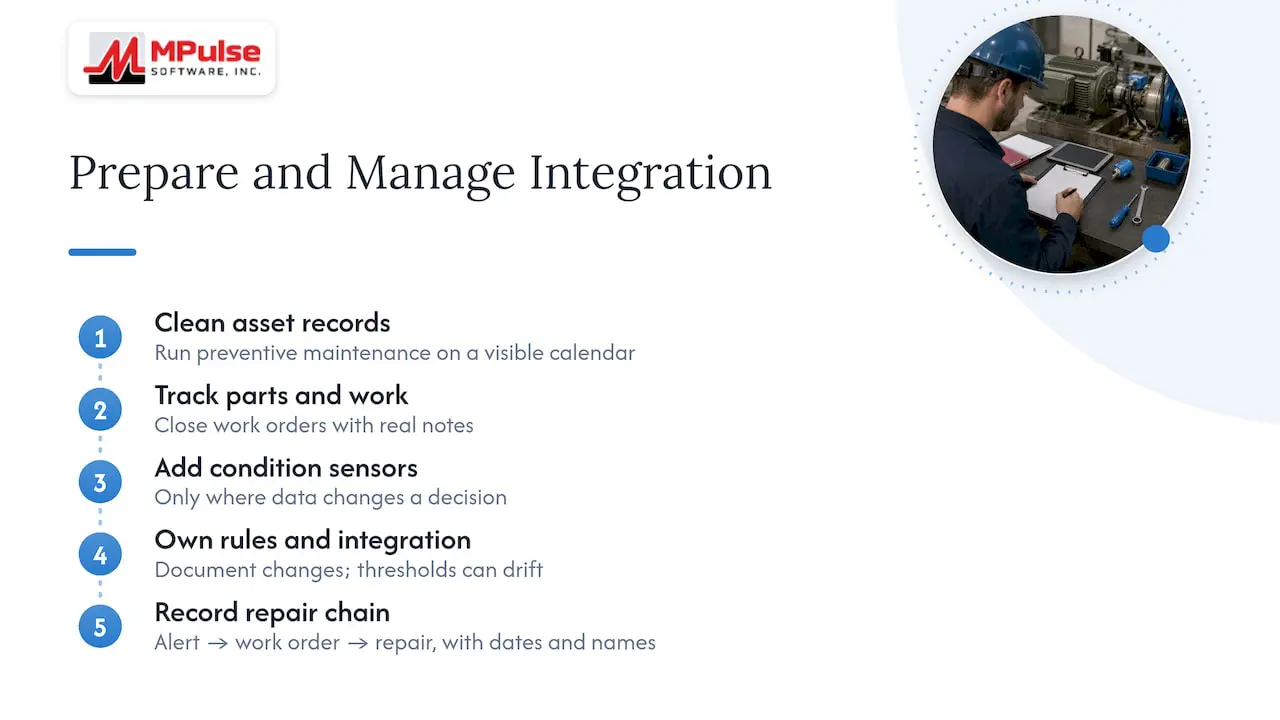
We also advise against treating integration as a one-time project. Thresholds drift, equipment is replaced and processes change. Plan for someone to own the rules, and keep the integration documented so a change in IT or vendors does not break it silently.
Finally, keep compliance in view. If your site is audited, the useful record is the chain from alert to work order to completed repair, with dates and names. A CMMS produces that chain as a by-product of normal work.
— Mark
A 60 to 90 day pilot plan
A short, bounded pilot reduces risk and gives you numbers to support a wider rollout. We describe a fuller version in our guide to a 60 to 90 day CMMS-first IoT sensor pilot. The outline:
Weeks 1 to 2: choose and prepare
- Pick five to ten assets with a known downtime or repair history.
- Confirm each has a complete record in the CMMS: location, model, parts list and past work orders.
- Define one or two measurements per asset.
Weeks 3 to 6: baseline and connect
- Install sensors and gateways. Check signal strength in the real location, not on the bench.
- Collect readings without triggering work orders so you learn what normal looks like.
- Build the work order templates the alerts will use.
Weeks 7 to 12: go live and tune
- Switch on warning and critical rules.
- Track every alert: was it confirmed, what was found, how long did the response take?
- Adjust limits weekly at first, then monthly.
At the end, report:
- Alerts raised and the share confirmed by a technician
- Unplanned stops on pilot assets compared with the previous period
- Planned versus emergency labor hours
- Parts used and whether they were on hand
- Time from alert to work order closure
If those numbers are clear, you can justify the next group of assets. If the false alert rate is high, you have learned that cheaply.
What results look like in practice
Published evidence from different settings points the same way: structured maintenance software plus connected data changes response times.
- In a study of a CMMS rollout in Burundi’s health system, monthly maintenance interventions rose from 4 to 350, and the average delay for corrective maintenance fell from 106 days to 26 days.
- A Seoul education office report on IoT-based maintenance of school heating and cooling units cites a 50% reduction in maintenance cost per event, with 75% of issues resolved within 2 days. The page is in Korean.
Both are specific programs in specific settings, not forecasts for your facility. They do show where the gain tends to appear: faster response, more completed work and less cost per event once problems are visible early.
Security and network considerations
A CMMS sits between operational equipment and business systems, so adding sensors creates a new path for data. Bring IT in early.
- Device identity. Each sensor or gateway should authenticate with its own credentials rather than a shared password. Platform documentation, such as the comparison of major cloud IoT services, describes per-device certificates and encrypted messaging as standard features to look for.
- Network separation. Keep sensor traffic on a segment that is separate from corporate systems where your policy requires it.
- Least privilege. The integration account should be able to create work orders and read asset records, and nothing more.
- Single sign-on and access control. Decide who can edit alert rules and templates.
- Updates. Assign responsibility for firmware and battery replacement.
Questions to ask before you buy a CMMS for sensor data
- Can it receive events from sensors or a platform through an API or an integration adapter?
- Can condition-based triggers sit alongside time and meter-based PMs?
- Can it create work orders automatically and attach checklists and parts?
- Does it work on mobile devices, so technicians can respond and record findings at the machine?
- Can it scan barcodes for parts and assets?
- Does it keep an audit-ready history for compliance?
- Is the pricing clear enough to budget for the number of users who will act on alerts?
Where MPulse fits
MPulse CMMS covers the maintenance side of this loop: preventive maintenance automation, work orders, asset tracking, calendar scheduling, parts inventory, mobile access, barcode scanning and condition-based maintenance, with integration to ERP and sensor systems. The DataLink Integration Adapter and other add-ons are designed for connecting MPulse to other systems, and our implementation and training services help teams set up workflows before they connect anything.
The published pricing is $29 per month per user for Professional and $79 per month per user for Advanced. Technician licenses and add-ons are quoted separately. If you want to discuss a sensor integration, start with the assets and failure modes you identified above, and bring them to the conversation.
Frequently asked questions
What does a CMMS do with IoT sensor data?
A CMMS uses sensor data to trigger and prioritize maintenance work. A reading beyond a limit can open a work order, assign it to a technician and link it to the asset’s history. The CMMS also records parts used, labor and findings for later analysis and audits.
Do I need a separate IoT platform?
Not always. Some sensors send data directly to a CMMS through an integration, while larger deployments use a platform to manage devices, security and rules. The right choice depends on how many sensors you have and what your IT team already supports.
Which sensors should I start with?
Start with the equipment whose failure costs you the most. Vibration and temperature sensors on rotating equipment are common first choices, with pressure or current added where those signals match the failure mode. Keep the first group small enough to tune properly.
Will sensors replace preventive maintenance?
No. Preventive maintenance still covers inspections, lubrication, calibration and regulatory tasks that sensors cannot do. Sensors add condition-based triggers, so you can adjust timing on assets where the calendar is a poor guide.
How do I avoid alert overload?
Baseline normal operation first, use warning and critical levels, require readings to persist before triggering, and link every alert to a defined work order. Then review false positives monthly and adjust the limits.
Sources
- NIST: Maintenance Costs and Advanced Maintenance Techniques in Manufacturing
- U.S. Department of Energy: Wireless Sensor Technology
- IoT Integration Platforms Compared: AWS IoT vs Azure IoT vs GCP IoT
- Evaluating a computerized maintenance management system in a low resource setting (PMC)
- Seoul Metropolitan Office of Education: IoT-based school facility maintenance