
People Skills in the Maintenance Profession

Maintenance professionals are known for their technical skills—it’s at the top of the list for any job posting. But another skillset might be almost as important. For employees who spend a lot of time with machinery and equipment, people skills contribute significantly to success in the maintenance field. Why Do Maintenance Professionals Need People Skills? People skills are related to interpersonal communication—including the ability to actively listen, explain issues in a way someone else can understand, build trust, show patience, make suggestions, work with others, and display empathy. [related-content] Sooner or later, everyone needs the maintenance team—from the operator on the phone calling about an emergency breakdown, to the vendor working on a warranty job, to the manager asking for an update on a repair. These are a maintenance team’s “customers,” whether they are people paying for services (like building tenants) or internal departments that need something done (that’s everyone, from accounting to production to the executive team). And people skills are key to working with customers. Sometimes these interactions are challenging, because maintenance professionals often work in highly stressful situations where they need to discuss unpleasant information. They also typically need to explain details to other people who might not have the same technical background, as well as educate users about the assets in their care. So, it’s important that maintenance professionals prepare by developing—and refining—people skills to work in this demanding environment. How Can I Help My Team Develop People Skills? Some people are naturally good at people skills. And others need training. Just like you train your people to repair equipment, you need to make sure they have the training and support to develop these “soft” skills. It’s also vital to give your team the tools they need to make communication effective. For example, CMMS software enables maintenance teams to improve customer service by streamlining communication and increasing access to information. Those two things make it easier for your maintenance team to provide quick response times and detailed answers to questions and/or problems. Technical skills will always be a priority for maintenance technicians. But don’t overlook the importance of people skills as well. What’s your experience? What have you found that works? Leave a comment or contact us.
CMMS Helps Improve Capital Planning

Capital planning is an extension of two other key elements of maintenance management—creating and monitoring budgets. Like any budgeting process, accurate information significantly improves the ability to plan. And CMMS software gathers maintenance information with every work order, inventory item, or subcontracted repair—making it a treasure trove of data when you need it. With CMMS data, you’re basing your plan on hard numbers instead assumptions. That’s how CMMS software makes capital planning easier and more accurate, helping your organization stay efficient and competitive. What’s Capital Planning? Capital planning typically includes physical assets like equipment and machinery, but can also include product expansions, research & development, property, and other major capital expenditures. While creating a capital plan usually involves multiple departments, maintenance will likely be a big part of the process because you work closely with an organization’s key assets. And that’s where CMMS software becomes essential. How Does CMMS Software Help? The first step to developing a solid capital plan is knowing what you have. You can use CMMS software to create an asset list and gather data on each of those assets. This data includes key information like purchase date, life-to-date (LTD) maintenance expenses, and other key financial details. Often CMMS data can spot potential trouble, which helps with long-term planning. For example, if your CMMS reports indicate an increasing number of emergency repairs to a key asset, it’s time to take a closer look and what’s really going on. That includes determining if it’s better to replace it, rather than repairing it. This information also helps you prioritize your organization’s capital expenditures, so you know what you should focus on first—and what can wait until later. How Can I Use My CMMS Data? CMMS data helps you verify and justify capital expenditures as well as prepare for them. The process creates better visibility into your maintenance operations, as well as the documentation to back up your plan. That’s important when you need to explain your decisions. Capital planning with CMMS software is another example of data-driven management, which means your decisions are backed by reliable data. Technological advances like CMMS software help make more and more detailed, relevant maintenance data available. You can use that to your advantage. What challenges do you face with capital planning? Contact us. We want to know.
Quick and Easy Budgeting with CMMS

Many maintenance departments create annual budgets based on prior expenses. It’s a simple process—pull all the expenditures, check to see if something unusual happened during that time, and increase the budgeted amount by other planned expenses you see coming. But CMMS data goes far beyond just showing expenses. You’ll also find valuable insights into how your department is functioning, and what you can do to improve. And that information can make your budget process easier and much more accurate. Creating Your Maintenance Budget A maintenance budget includes employee salaries and benefits, as well as direct costs such as parts, equipment replacement, vendor services, and special projects. Every maintenance manager knows that it’s hard to create a realistic budget without historical information. CMMS software tells you exactly what you’ve spent in the past, so you have a strong foundation for budget forecasting. Preventive maintenance schedules make it easy to estimate labor and inventory costs for key assets. Historical data about labor costs, special projects, and staff training are other areas where CMMS software can help you accurately estimated future costs. Unplanned maintenance is more unpredictable, of course. But again, CMMS data can provide information about emergency repairs on assets and what it took to get them running again, giving you a better idea about what to expect. Analyzing a Maintenance Budget Maintenance costs affect any organization’s bottom line in two ways: the money spent and the prevention of additional expenditures via preventive/predictive maintenance. That’s why CMMS software is vital to controlling maintenance costs—and determining where the department can improve. Real-world examples of what MPulse customers have found when they created their budgets from MPulse data include… The cost of overtime labor made it more efficient to hire another person than continue to pay overtime or outsource the work. Too much overstocked inventory was sitting on shelves, quickly becoming unusable. Expedited shipping fees were costing more than stocking certain parts. Some equipment was costing more to maintain than it was to replace. Employee productivity was improving after specific training classes. Some work was less expensive to outsource, so employees could focus on their core tasks. Next time, we’ll talk about a related topic—tracking your maintenance budget with CMMS software. In the meantime, contact us with your specific questions about how MPulse can make your maintenance budgeting process much easier.
CMMS a “Must Have” for Distribution Centers

From automated storage & retrieval systems to conveyors & sorters, modern distribution centers focus on throughput, equipment reliability, and uptime—just like any other production-oriented business. And just like other organizations, more distribution centers are turning to CMMS software for help. “In our environment, maintenance is all about keeping the company assets in like-new condition while minimizing the impact to our operation,” explained Randall, MPulse customer and facility manager for an international online retailer. More Automation, More Assets to Maintain Distribution center employees face more pressure than ever to get orders out the door, thanks in part to a surge in online sales over the past decade and high expectations for quick deliveries. Randall’s company has invested heavily in automated material handling systems to meet the growing demand—but more equipment also means more maintenance work for his team. Most distribution centers need CMMS software like MPulse to manage a wide range of equipment, from modern materials handling systems to more typical facility assets such as HVAC systems, dock doors, lighting, and plumbing. “Maintenance teams in distribution centers require diversity in their skillsets, however, some co-workers are becoming more specialized,” Randall explained. “MPulse allows you to assign a person to an asset, and so once the asset is set up, it automatically gets assigned to the proper individual with the right skill set.” And like any maintenance manager, Randall needs to track costs—particularly labor costs—as well as set benchmarks and KPIs. “It is impossible to cut costs if you don’t know where the money goes,” he said. “Uptime, extended life expectancies, and minimal operational impact is what all maintenance department should be striving for—at the lowest cost to the business.” Data Integration Distribution center maintenance teams also have discovered the benefits of CMMS software coupled with Industrial Internet of Things (IIoT) technology. The combination enables maintenance teams to gather information directly from multiple devices, which can be almost anything with a sensor—including computers, vehicles, smartphones, appliances, building automation systems, and production equipment. Maintenance teams can use that information to proactively perform maintenance and even predict asset failures—saving both time and money. The rapidly changing technology found in distribution centers means that maintenance software is no longer optional. Contact us to learn how MPulse can improve your maintenance team’s productivity and efficiency.
Give the Maintenance Department Some Credit

The maintenance department hasn’t always gotten the respect it deserves. In the past organizations were more likely to ignore the maintenance department—until something went wrong. Once overlooked, it’s time to give the maintenance department some credit! Our customers have seen it happen—like Henry, the vice president of operations for a manufacturing company. Henry has a vision for his organization. It’s simple—make high-quality products to sell at reasonable prices, and back it all up with strong customer service. Henry realized, much faster than many, that this vision rested on the shoulders of people who often don’t get the credit they deserve—the maintenance team. Maintenance Makes It Happen Henry’s factory has invested in a lot of high-tech equipment. His employees are focused, monitoring the equipment from computer screens throughout the building. His production and maintenance departments work closely together. “Most manufacturers focus on production workers—the people who are turning out the products on the line,” he said. “Not as many see that maintenance is the center of the hub, the place where everything connects. Because your production team is only as efficient as their equipment. And the maintenance crew makes it happen.” Maintenance Makes a Difference Henry’s also invested in his people to keep that equipment running smoothly. He’s had to think outside the box, he explained. “It’s hard to find good people,” Henry said. “We’ve invested in attracting younger people through our in-house training program. We’re creative about how we recruit new employees. We work closely with local high schools and colleges to find people with the right aptitude, even if they don’t have the skills right away.” And he works hard to make his company a place where people feel valued. “It’s not all about the paycheck. Today’s employees are looking for meaningful work where they feel like they make a difference,” he said. So Henry has emphasized the contributions of his maintenance team, making sure everyone understands the important role they play in the company. He believes it has helped his organization survive—and prosper—while others have struggled. Henry was an early adapter. But his perspective about maintenance is spreading—and it will continue to do so as more organizations see the light. “Maintenance keeps our organization moving forward,” he said. “A successful maintenance department contributes to our success as a company.” What’s your experience? Has your organization realized the value of investing in maintenance? Leave a comment or contact us.
Carbon Neutrality for the Maintenance Team

Carbon neutrality is a hot topic, and many organizations are working towards becoming carbon neutral certified. Can carbon neutrality for the maintenance team be a realistic goal? While many consider carbon neutrality an environmental issue, increasing energy efficiency also helps reduce operating costs—an appealing goal for any organization. Achieving carbon neutrality requires… Measuring current energy emissions Finding ways to reduce energy emissions Investing in carbon offsets to counterbalance the emissions that remain Conducting emissions audits annually and adjusting as necessary Given the maintenance team’s responsibilities, you may be asked to help with one or more of these tasks. Let’s talk about what you might expect. Measure Your Carbon Footprint Every organization has a carbon footprint—which is an organization’s energy consumption and the resulting emissions from that consumption. To begin, every organization needs a baseline by gathering energy consumption data on … Utilities Transportation systems Material and inventory usage Waste Here’s where CMMS software comes in handy. All the data you’ve been gathering in your CMMS can help you track and analyze this information, which will become part of the baseline for your organization’s carbon footprint. Reduce Your Carbon Footprint Armed with this data, maintenance managers can help identify areas where organizations can reduce energy consumption or replace fossil fuels with renewable energy where feasible. That may include everything from installing energy efficient lights to replacing key equipment with more energy efficient models to switching to bio or renewable fuels. Invest in Carbon Offsets But, of course, it’s next to impossible to reduce an organization’s carbon footprint to zero by reducing energy emissions. So, organizations balance their remaining carbon emissions by purchasing carbon offsets to achieve a net zero carbon footprint. Carbon offsets are investments in projects outside the organization that reduce emissions, such as forestry, renewable energy, etc. Organizations make up for their emission by investing in programs designed to reduce or reverse carbon emissions elsewhere. It’s a simple math equation: Remaining Carbon Emissions – Carbon Offsets = 0 Repeat Annually Once you’ve achieved carbon neutrality, you’re not done. Things change, so annual audits repeat this process to make sure your organization remains carbon neutral by adjusting as necessary. Here again, your CMMS software is a great resource for measuring key performance indicators and gathering data—making it easier when it’s audit time. Contact us to see how CMMS software can help your maintenance department improve energy efficiency.
Your Maintenance Department is a Profit Center

Traditionally maintenance was thought of a cost center—an area that does not directly add to profit, but still costs money to operate. Not anymore. Today’s organizations have discovered maintenance has a direct effect on their profitability. Your Maintenance Department is a Profit Center How? Modern maintenance technology has shown managers and accountants how maintenance generates revenue for the organization. The objective of a cost center is to minimize costs. However, a profit center’s goal is to maximize profit. It’s a subtle but important shift in perception, and it’s changing the way organizations of all sizes think about their maintenance operations. What Changed? This change started with the rapid adoption of data-driven management, which simply means making management decisions backed by reliable data instead of assumptions or perceptions. As technology has advanced, more detailed, relevant data is now available. And that data reveals some interesting things, including how the maintenance team makes major contributions to the organization’s financial viability. These contributions include… Safer operations (because accidents cost money) Higher quality product (because rework costs money) Better production efficiency (because you can produce more output in less time) Reduced downtime (because equipment that isn’t working isn’t producing) Better asset use (because increased capacity means more production capability) In other words, if your organization’s success depends on uptime, reliability, production capacity, or any other quantifiable measurement, your maintenance strategy contributes to much larger goals. How Does Maintenance Contribute to the Bottom Line? Every dollar saved by maintenance is a dollar that goes to the bottom line. Think of maintenance in its simplest form—a production line producing widgets. If the production line goes down, no widgets are made. Which means there are no widgets to sell, and your organization isn’t making money. It’s your maintenance team’s job to fix the problem—and look for ways to prevent it from happening again. Now expand that to your organization. Do you produce goods? Provide services? Rent space? Make deliveries? Every industry relies on maintenance in some form, from buildings to vehicles to production equipment. If you have assets of any kind, you need maintenance. In the past, the maintenance profession was often undervalued and sometimes unappreciated. If that’s the case in your organization, it’s time to re-evaluate how maintenance influences your operation’s productivity and profitability. We’re here to help you get started. Contact us.
Tackle Your Maintenance Backlog

Do you have a backlog of maintenance and repair tasks that feels like it’s constantly growing? You’re not alone. A long list of unclosed work orders or deferred repairs can feel overwhelming, particularly when you see more work coming down the pipeline. CMMS software is here to help. Here are five steps you can take to tackle your maintenance backlog. 1. Identify What Needs to Be Done The first step is to identify the work that needs to be done. Start with your CMMS software to easily find the status of work orders. Organize these work orders by asset, task type, location, or available resources—or a combination—depending on your preferences. Consider how important each task is to complete, asset usage, and impact of downtime or failure. 2. Prioritize Establish a prioritization system for your repairs. For example, any task related to safety should be high on your list, as well as any that might impact production or functionality while a repair is happening. Key assets are going to be a higher priority than ones that aren’t used as often or won’t affect production as much. Seasonal use may also play a part—take advantage of the time the equipment is not in service to perform repairs. 3. Determine What Resources You Need Estimate the labor time needed for each task, plus any necessary parts and inventory. CMMS calendars help with maintenance planning and scheduling upcoming tasks, making it easier to adjust things when necessary. Use your CMMS software to assign work orders to specific team members and determine if you need to outsource any tasks. You can also track each team member’s productivity, and check that parts or supplies are available. 4. Revise Your Plan As you know, things don’t always go according to plan. Pick a time (one week, one month, etc.) to evaluate how your plan to reduce the backlog is going. Use your CMMS software to identify open work orders and update schedules. Adjust your plan accordingly, working through the first three steps again as necessary. 5. Act on Your Discoveries This process will likely inspire better ways to operate your maintenance department in the future. Maybe you’ve discovered you’re understaffed or it’s more efficient to outsource certain tasks. Maybe your team members need additional training to ensure efficiency and competency in the repairs. Your maintenance team is a great resource. Ask them for their insight and get them involved. Whatever you discover, turn it into an action plan. Working through your backlog has long-term benefits, including assets that perform more efficiently, use less energy, and fail less often—extending their usable life. As a result, your organization may be able to sidestep serious problems as well as delay more expensive maintenance. Find out more about how CMMS software can help you tackle your maintenance backlog. Contact us to help.
Three Lessons for Maintenance Managers from Hurricane Harvey

MPulse customers along the Gulf Coast have experienced one of the worst natural disasters in U.S. history. It’s every maintenance manager’s nightmare—whether you’re managing facilities, manufacturing sites, office buildings… well, basically if you work for any organization that uses equipment or works in a building (i.e., everyone). Even if you’re not in the flood zone, Hurricane Harvey shows us why maintenance managers need to be prepared before catastrophe strikes—whether it’s a natural disaster like a hurricane or a man-made one like an oil or chemical spill. Here’s three lessons from our fellow maintenance managers in the eye of the storm. Lesson 1: Be Prepared The time to prepare is now. Take these key steps before disaster strikes… Have an emergency/disaster plan Define the roles and responsibilities of each staff person Create emergency checklists Review safety measures and inspection processes Plan for supply chain and/or transportation disruptions Modify at-risk areas to improve structural resistance Purchase back-ups to utilities like generators, portable pumps, etc. Keep up on preventive maintenance for grounds and landscaping, drains, gutters, etc. Secure loose items outside and make a back-up plan to store them inside when necessary Lesson 2: Stock Emergency Supplies Just like an emergency supply kit at home, your workplace needs to have key items on hand. The maintenance team will likely be on the frontline during a crisis, so you need to be prepared with a basic emergency kit that includes… First aid kit Flashlights Batteries Water Non-perishable food and can opener Tools to turn off utilities Local maps Cell phone and extra batteries Satellite phone Extra gloves, hand warmers, and blankets NOAA weather radio receiver Lesson 3: Know What You Have and What You Need to Do One of the most important things you’ll need in an emergency is information. Paper records easily become inaccessible (or destroyed) during an emergency. That’s why MPulse customers turn to their CMMS software to… Back up all data to a secure, off-site location Set up secure methods to access data off-site as necessary Maintain a list of equipment and assets Record information about manufacturers, warranties, and insurance policies Keep track of contact information for employees, vendors, emergency response personnel, etc. Support employees on shift during an event Hurricane Harvey shows us all how proactive planning makes a difference when things go wrong. Don’t wait for a disaster to strike to prepare your maintenance team for a crisis. What does your organization do to prepare for emergencies and/or disasters? Contact us.
The Preventive Maintenance Metric You Need to Know
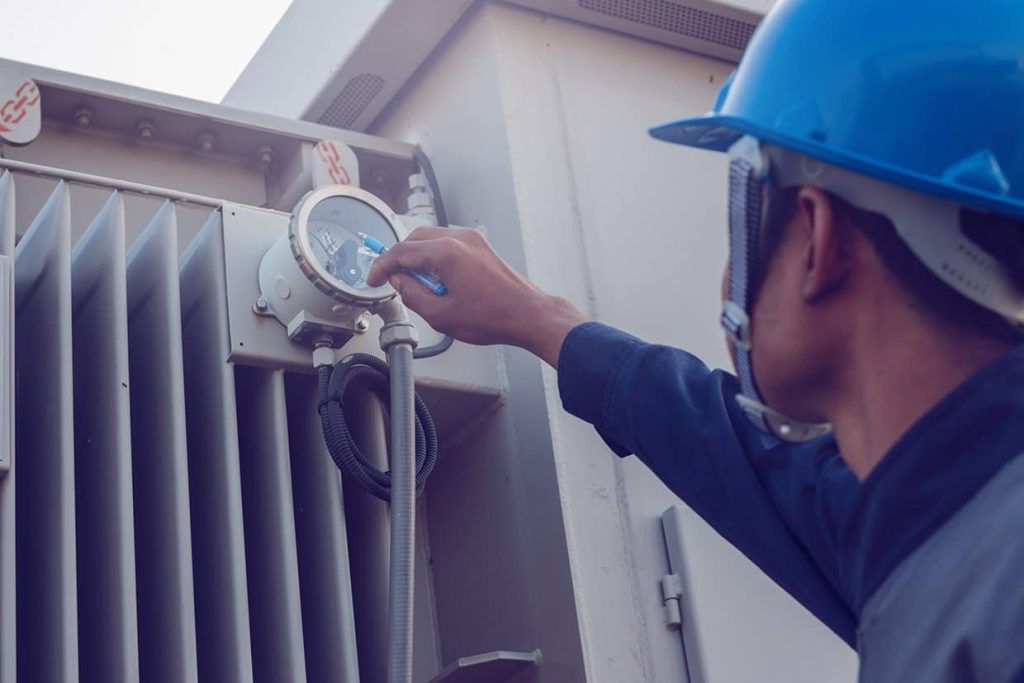
Last time, we shared Matt’s story about getting to a 100% preventive maintenance task completion rate. After he succeeded, however, Matt realized he need more information to get the full picture of his team’s productivity. When he looked at his reports, downtime had decreased, but not as much as he thought it would. With his new MPulse Preventive Maintenance Program, Matt started tracking other data so he could spot issues that may be affecting downtime. Preventive Maintenance Metric: PM Tasks Completed on Time Matt’s original metric simply measured whether or not a PM task was completed. But it didn’t show if that task was completed on time. If Matt’s team completed 50 PM tasks in a month, and 15 of those tasks were completed late (but within the same month), his PM completion rate would be 100%. But downtime could still be an issue. Maintenance benchmarks usually aim for PM tasks to be completed within 10% of the scheduled PM interval. So in Matt’s case, if a monthly PM task was completed within 3 days of the due date, it would be on time. A quarterly PM task should be completed within 9 days of the due date, etc. And you don’t get extra points for doing tasks too early either, because that can be just as problematic. This approach helps the maintenance team keep the scheduled PM intervals consistent, which in turn improves reliability. Calculating PM Completion Statistics Calculating the on time PM Completion metric is simply dividing the number of on-time PM tasks by the total number of PM tasks. So in Matt’s case, if 35 tasks out of 50 were completed on time, his PM Completed on Time rate would be 70%. And that metric does affect the rate of breakdowns. As a simple example, if Matt’s team added lubricate to assets late (or early) 30% of the time, that in turn means those assets may be running inefficiently 30% of the time, which calculates out to about 1.5 out of 5 unexpected breakdowns per month. By using the PM Completed on Time metric and comparing to unexpected breakdowns and costs, Matt could see he needed to make some more adjustments. “We had to prioritize our tasks differently,” he said. “For example, our inspections were typically performed late. Doing them on time would have helped us spot problems before they became more serious.” Matt wanted his PM Completed on Time rate to be closer to 80-90%. Using his MPulse reports, he found unexpected repairs trended downwards as his PM Completed on Time metric moved upwards. “It’s data I didn’t have before,” Matt said. “And I certainly wouldn’t have this information without our CMMS software.” What maintenance metrics do you find helpful? Contact us with questions.