The value of CMMS software lies in your data. As a result, we designed MPulse’s Global Search Navigation tool to take you right where you need to go in a flash.
This feature enables our users to search their entire database from a single search field, therefore enabling easy access to any record. That includes asset history, service requests, work orders, inventory, parts numbers, employees, vendors, purchase orders, and much more. See also: Six Advantages of Role-Based Access Control.
You can get right to your records by entering simple keywords. Or you can also use the powerful advanced search features of MPulse’s Global Search Navigation tool to get quick access to any record.
It also works with our Barcode Scanning feature. These barcode labels can be read by commonly available mobile devices—including smartphones, tablets, and barcode scanners. Just scan the barcode to search your MPulse CMMS database.
The MPulse Global Search Navigation box is located on the top navigation menu for easy access. Use it to search for information in any MPulse field, and then simply click on the searched item to go straight to that record.
Benefits of Global Search Navigation
This feature can be particularly useful for users who are less familiar with database hierarchy.
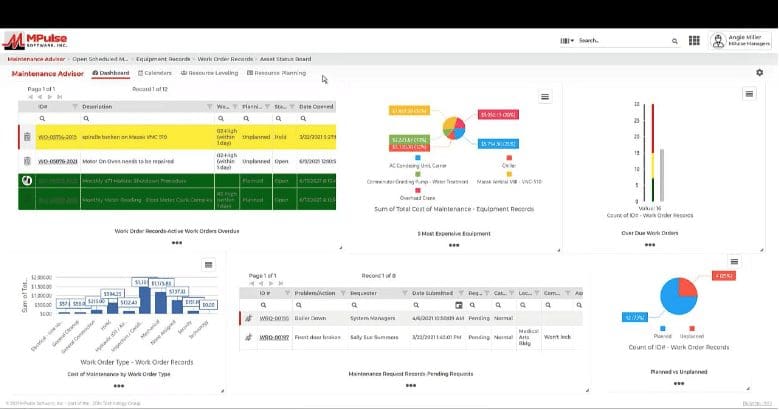
The benefits of MPulse’s Global Search Navigation tool include the ability to…
- Search for specific terms without needing to know the correct field
- Bring up related records to that term
- Narrow the scope of a search query to eliminate irrelevant information
- Reduce time needed to look through records
- Find the exact content you need.
Features
MPulse’s Global Search Navigation tool enables your team to …
- Use either a word or a phrase for searching
- Find content without knowing the exact title or name
- Read barcodes or QR codes
- Use search operators to identify and locate information
- Narrow the scope of a search query to eliminate irrelevant information.
Have questions? Want to see MPulse in action? Contact us. We’re here for you.