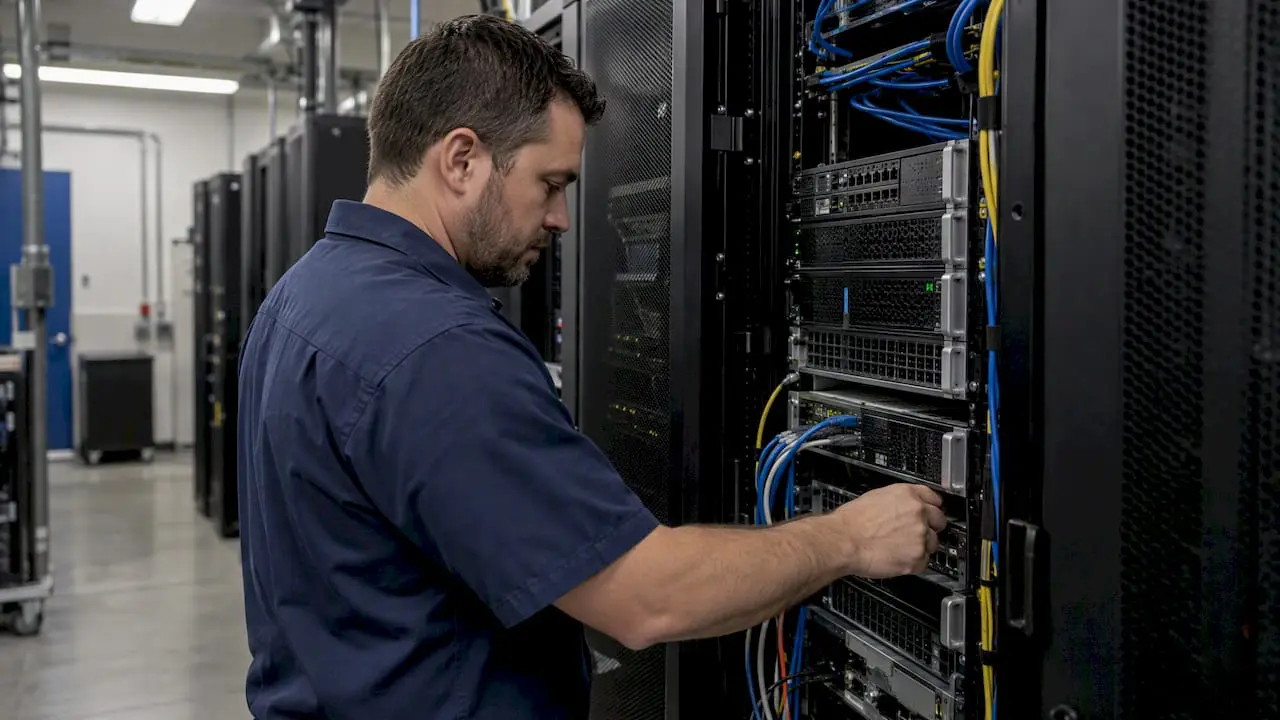
An on-premise CMMS is a sound choice when your IT team already runs virtualized servers, tests backups on a schedule, and has bandwidth to manage patching and uptime without outside help. Before moving forward, confirm three things: server and virtualization capacity sized for growth, a tested backup and restore process, and reliable network connectivity between sites and mobile users. Without those three in place, the deployment stalls before it starts.
TL;DR:
- A virtualized server with 4 to 8 CPU cores and 16 to 32 GB RAM suits medium sized deployments; plan storage for three years of projected growth.
- Remote technicians may see sluggish performance above 150 to 200 milliseconds of round trip latency, so test distant sites and support offline mobile work.
- A readiness score of 10 or higher supports implementation planning; scores below 6 favor cloud hosting until infrastructure and operating processes mature.
Table of Contents
- What Sets an On-Premise CMMS Apart From Cloud-Hosted Options
- IT Infrastructure Requirements: Servers, Virtualization, and Storage Planning
- Network, Connectivity, and Remote Access Requirements
- Backup, Restore Testing, and Data Integrity Requirements
- Security and Compliance Baseline for On-Premise Hosting
- Integration and Data Migration Requirements for ERP and Sensor Systems
- Deployment Timeline, Required Roles, and Staffing Needs
- Cost and Licensing Considerations for On-Premise Deployments
- Readiness Checklist: Assess Your Organization Today
- How MPulse Supports On-Premise CMMS Deployments
- A Practical Path Through the Decision
- How MPulse Can Help You Move Forward
- FAQ
- Sources
What Sets an On-Premise CMMS Apart From Cloud-Hosted Options
An on-premise computerized maintenance management system runs on servers your organization owns and controls, typically inside your own data center or a colocation facility you manage. A cloud-hosted CMMS, by contrast, runs on infrastructure the vendor owns and maintains, with your team accessing it over the internet. The difference sounds simple, but it reshapes who is responsible for nearly every operational detail: patching, backups, uptime, and capacity planning all shift from the vendor to your internal staff. Our explanation of cloud-based versus on-premise CMMS software walks through this comparison in more detail.
Organizations choose on-premise for a handful of consistent reasons. Data control tops the list: when maintenance records intersect with regulatory recordkeeping, proprietary process data, or sensitive facility layouts, keeping that information inside your own network perimeter satisfies internal policy and, in many industries, external audit requirements. Integration depth is another driver. Plants running legacy ERP systems, programmable logic controllers, or on-site sensor networks often find it easier to build low-latency, direct connections when the CMMS database sits on the same network. A third reason is operational continuity in environments with unreliable or restricted internet access, such as remote industrial sites or facilities with strict network segmentation. An on-premise deployment keeps work orders, asset records, and preventive maintenance schedules available even when the broader internet connection degrades.
What changes operationally is the ownership of tasks a cloud vendor otherwise absorbs. Your IT team becomes responsible for patch management on the operating system and database layer, for backup scheduling and restore verification, and for meeting whatever uptime target the maintenance organization expects. That tradeoff is worth naming plainly, because it is the single biggest operational shift between the two models, and it is the reason this guide treats infrastructure readiness as the first gate to pass through rather than an afterthought.
IT Infrastructure Requirements: Servers, Virtualization, and Storage Planning
Sizing an on-premise CMMS environment starts with the server layer. Most mid-size deployments run comfortably on a virtualized server with 4 to 8 CPU cores and 16 to 32 GB of RAM, scaling upward for organizations with several hundred concurrent users or heavy reporting loads. Virtualization is the default recommendation over bare-metal installs: a VM running on VMware, Hyper-V, or a comparable hypervisor gives your team snapshot capability, easier disaster recovery, and the flexibility to resize resources as usage grows without a hardware swap. Bare-metal still makes sense in a narrow set of cases, mainly where database performance under extremely heavy transaction volume justifies dedicating physical resources, but for the majority of facility and maintenance deployments, virtualization is the more practical starting point.
Storage sizing depends heavily on attachment volume. A CMMS that stores photos of equipment, scanned compliance documents, and PDF manuals alongside work order records grows faster than a text-only deployment. Plan initial database and file storage conservatively, then build in headroom: a common approach is to size for three years of projected growth rather than current-day usage, since storage expansion after go-live often means downtime for migration. IOPS matters more than raw capacity for most CMMS workloads, since work order creation, asset lookups, and report generation are transaction-heavy rather than throughput-heavy. Solid-state storage for the database volume avoids the latency spikes that spinning disks introduce under concurrent load.
A few infrastructure checkpoints deserve direct validation before implementation begins:
- Confirm hypervisor version compatibility and allocate dedicated vCPU and memory rather than oversubscribed shared resources.
- Size database storage for three years of growth, including attachments, scanned documents, and audit trail data.
- Enable automated snapshots on a schedule separate from backup jobs, since snapshots support fast rollback but are not a substitute for full backups.
- Plan for a high-availability database configuration or replication if the maintenance team cannot tolerate planned downtime during patching windows.
- Document baseline CPU, memory, and storage utilization during the pilot phase to catch undersized infrastructure before full rollout.
Database sizing and high availability deserve separate attention from the application server. Most CMMS platforms run on SQL Server or a comparable relational database, and for single-site deployments a standalone instance with nightly backups is often adequate. Multi-site organizations, or any facility where maintenance work orders are safety-critical, benefit from database replication or a clustered configuration that keeps a secondary instance ready to take over without a lengthy restore process.
Estimating concurrent user load is the final piece of capacity planning, and it is where many organizations underestimate requirements. Concurrent users are not the same as total licensed users: a facility with 200 technicians might have 30 to 50 logged in and actively submitting work orders during a peak shift change. Reporting adds a separate load spike, particularly if managers run large historical queries during the same window technicians are creating work orders. Building in headroom for both patterns, rather than sizing for average-case usage, prevents the slow performance that erodes technician adoption in the first few months.
Network, Connectivity, and Remote Access Requirements
A CMMS that performs well on a wired office connection can feel unusable to a technician on a loading dock with a weak Wi-Fi signal. Network planning for on-premise deployments has to account for that gap directly, rather than assuming the infrastructure that works for desktop users will work for mobile ones.
Bandwidth requirements for typical CMMS workflows are modest in absolute terms: work order creation, asset lookups, and photo uploads do not demand the throughput a video conferencing platform needs. Latency is the more common culprit behind sluggish mobile performance, particularly on remote sites connecting back to a central server over a wide area network. A round-trip latency above 150 to 200 milliseconds starts to feel noticeably slow for technicians moving between screens quickly, even when raw bandwidth is sufficient.
Secure remote access is non-negotiable for any organization with technicians working outside the primary facility network. Site-to-site VPN tunnels are the standard approach for connecting branch locations to a central on-premise server, while individual remote users typically connect through a client VPN or a reverse proxy configured with multi-factor authentication. Firewall rules need explicit attention during setup: the CMMS application server, database port, and any mobile API endpoints each require specific inbound and outbound rules, and default-deny configurations should be the starting posture rather than an afterthought added after a security review flags the gap.
A short set of network checkpoints keeps this process from slipping through the cracks:
- Map every remote site and mobile user group to a specific VPN or secure access method before go-live, not after.
- Document required firewall ports for the application server, database, and mobile sync endpoints, and restrict everything else by default.
- Test latency from the farthest remote site under realistic conditions, not just from the IT department’s own desk.
- Configure NAT and proxy settings explicitly where mobile devices sit behind a corporate proxy that could block or slow sync traffic.
- Build offline-first behavior into mobile workflows so technicians can create and update work orders without a live connection, syncing once connectivity returns.
That last point matters more than it first appears. Decision-makers often assume local hosting guarantees fast performance everywhere, but a remote site connecting over a strained wide area network link can see worse real-world responsiveness than a cloud-hosted alternative serving the same users. An offline-first mobile design, where the device caches recent work orders and asset data locally and syncs changes opportunistically, removes most of that risk and keeps technicians productive regardless of signal strength.
Backup, Restore Testing, and Data Integrity Requirements
Backups that have never been restored are a hypothesis, not a safeguard. That distinction drives nearly every requirement in this section, because an on-premise CMMS puts the full weight of data protection on your own team rather than a vendor’s infrastructure.
A sound backup strategy for an on-premise CMMS combines full backups on a regular schedule, typically weekly, with incremental or differential backups daily, and transaction log backups more frequently if the database engine supports them. Retention should extend well beyond a single backup cycle, with rolling backups maintained for an appropriate period to provide recovery options if corruption goes undetected. NIST Special Publication 800-53 directs organizations to store redundant copies of critical system software and security information in a location separate from the primary operational system, specifically to protect availability during a destructive event such as a fire, flood, or ransomware attack. An off-site or air-gapped copy of CMMS backups satisfies that guidance directly.
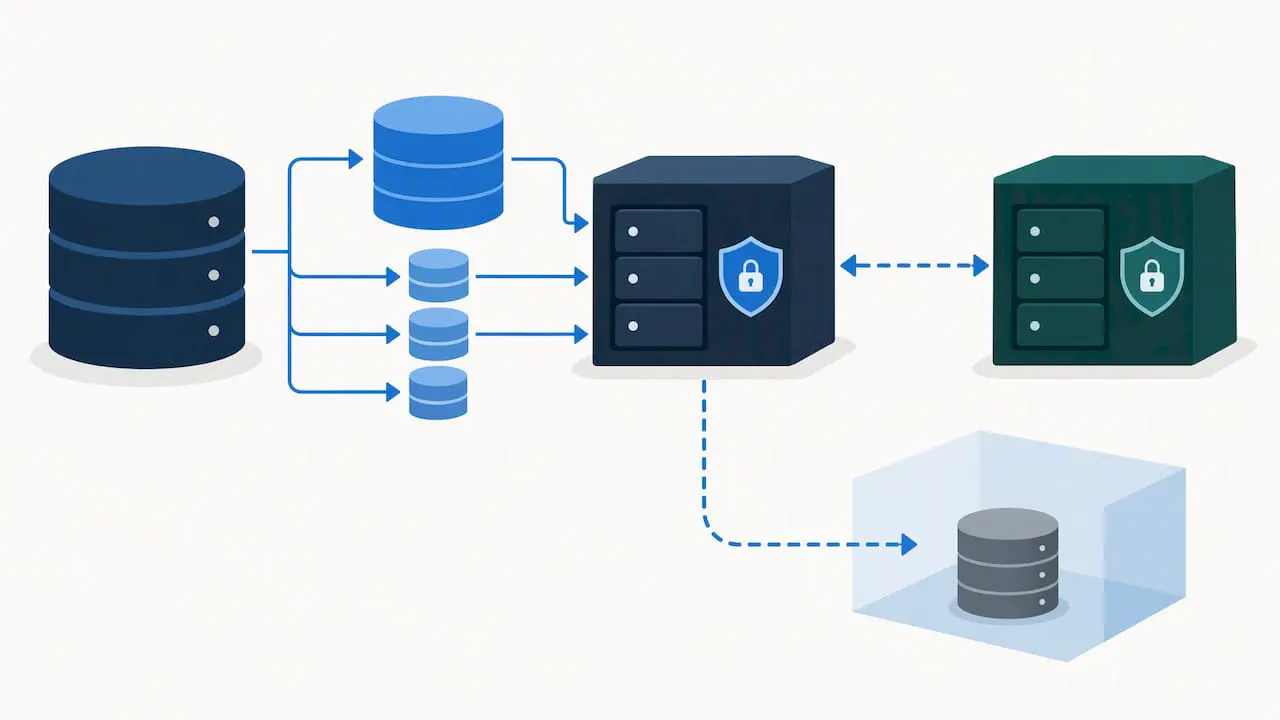
One in a recurring set of control recommendations from the NCCoE’s Data Integrity project is that file integrity monitoring, automated corruption detection, and secure logging work together, rather than any single control standing alone, to protect systems against undetected data tampering. That pairing matters for CMMS environments specifically, since a corrupted asset record or silently altered maintenance history can go unnoticed for months without active integrity checks.
Running periodic manual restore tests is the step most organizations skip, and it is the one that actually proves backups work. A practical restore test checklist:
- Restore the most recent backup to an isolated test host, never directly to production.
- Validate database consistency using checksums or the database engine’s built-in integrity check utility.
- Run application-level smoke tests: open a work order, search an asset, generate a basic report.
- Verify user authentication and role mappings restored correctly alongside the data.
- Test integration endpoints against a snapshot of production data to confirm connected systems still function.
File and database integrity tools round out the picture. File integrity monitoring software flags unauthorized changes to application binaries or configuration files, checksums catch silent data corruption in stored attachments, and database-level logging creates an audit trail of who changed what and when. The NCCoE guidance ties these practices to specific control identifiers, including PR.IP-3 for configuration change control and PR.DS-1 for data-at-rest protection, which gives IT teams a concrete mapping to present during an internal or external audit rather than a vague claim of “we have backups.”
Security and Compliance Baseline for On-Premise Hosting
Hosting a CMMS on-premise means the security posture of the application is only as strong as the controls your own team configures and maintains. There is no vendor patching layer silently closing gaps in the background.
Authentication and access control come first. Role-based access control should limit what each user type can see and change: a technician needs work order access, not administrative control over asset hierarchies or user management. Single sign-on reduces password sprawl and centralizes authentication policy, while privileged accounts, particularly database administrator and system administrator credentials, deserve separate monitoring and tighter access restrictions than standard user accounts.
Patch and change control processes need a defined cadence rather than an ad hoc approach. Operating system and database patches should follow a documented schedule, tested in a non-production environment before reaching the live system, consistent with the configuration change control principle NIST describes under PR.IP-3. Secure configuration baselines, covering everything from database permissions to network share settings, should be documented once and audited periodically rather than configured once and forgotten.
Monitoring practices close the loop. User activity logging, anomaly detection on login patterns, and integration with a SIEM platform where one already exists give IT visibility into unusual behavior before it becomes an incident. A short set of baseline controls to validate before go-live:
- Role-based access control configured and tested for every user type, not just administrators.
- Single sign-on or multi-factor authentication enabled for remote and administrative access.
- Patch management schedule documented with a test environment step before production deployment.
- User activity logs retained and reviewed on a regular cadence, not only after an incident.
Incident response readiness matters as much as prevention. Having a documented process for isolating the CMMS environment, restoring from a verified backup, and collecting evidence for an audit or investigation turns a potential outage into a contained event with a clear recovery path.
Pro Tip: Schedule restore tests and security log reviews on the same calendar cadence so neither gets deprioritized when IT workloads spike.
Integration and Data Migration Requirements for ERP and Sensor Systems
An on-premise CMMS rarely operates alone. Most deployments connect to at least one other system, and each integration class carries its own connectivity and security requirements.
ERP integration is the most common target, typically handled through API connections or a middleware layer that synchronizes purchase orders, inventory levels, and financial codes between the two systems. Direct database replication is an option for older ERP systems without a modern API, though it introduces tighter coupling between systems that complicates future upgrades. Our DataLink Integration Adapter is built for exactly this kind of connection, mapping CMMS data to ERP, accounting, and other business systems without custom-coded point-to-point links.
Sensor and IIoT feeds introduce a different pattern: high-frequency data points flowing into the CMMS to trigger condition-based maintenance rather than periodic batch updates. Barcode and asset-tagging systems are comparatively simple, usually requiring only a mobile scanning interface tied to the asset database rather than a persistent connection to an external system.
Data migration deserves its own structured process, separate from the integration work:
- Profile existing asset and work order data for duplicates, missing fields, and inconsistent naming before any migration begins.
- Clean and standardize records, particularly asset hierarchies and parts inventory, since migration surfaces years of accumulated data drift.
- Map legacy fields to the new system’s schema and document every transformation rule for future reference.
- Run a test import against a non-production environment and validate record counts and spot-check data accuracy.
- Keep a documented rollback plan in case the production migration surfaces an issue the test import missed.
Authentication and transport security apply to every integration path: API connections should use token-based authentication over encrypted transport, and any direct database link needs credentials scoped as narrowly as the integration requires, never a shared administrative account. A validation plan that tests each integration endpoint against a snapshot of production data, rather than synthetic test data alone, catches mismatches before they reach technicians on the floor.
Deployment Timeline, Required Roles, and Staffing Needs
A realistic on-premise CMMS deployment moves through five phases, and compressing any of them tends to surface problems after go-live rather than before it.
- Discovery and planning (two to four weeks): infrastructure assessment, requirements gathering, and integration scoping with IT and maintenance leadership.
- Build and configuration (three to six weeks): server provisioning, application installation, workflow configuration, and integration development.
- Data migration (two to three weeks): profiling, cleaning, mapping, and test imports, run in parallel with configuration where possible.
- Pilot (two to four weeks): a limited rollout to one department or site, surfacing issues before full deployment.
- Cutover and stabilization (two to three weeks): full rollout, close monitoring, and rapid response to early adoption issues.
Single-site deployments often complete this cycle in two to three months. Multi-site rollouts extend meaningfully, since each additional site brings its own network validation, local training needs, and staggered cutover scheduling, frequently pushing total timelines to four to six months or longer depending on site count.
Staffing the project requires a cross-functional team rather than a single owner. A database administrator handles sizing, backup configuration, and performance tuning. A systems administrator manages the server environment, patching, and virtualization layer. Network staff validate connectivity and firewall rules for every remote site. A security lead reviews access controls and monitoring configuration before go-live. A maintenance lead, ideally someone who will use the system daily, represents operational needs throughout configuration decisions and leads training once the pilot begins.
Training and change management are often underweighted in planning. Technicians who have worked from paper work orders or a simple spreadsheet need hands-on training, not a slide deck, and a pilot phase gives them a low-stakes environment to build comfort before the system becomes mandatory across the full team. Our implementation best practices guide covers this phase in more detail for teams planning their own rollout sequence.
Cost and Licensing Considerations for On-Premise Deployments
On-premise CMMS costs break down into capital and operational buckets that look different from a pure cloud subscription, and procurement teams benefit from separating the two early in the budgeting process.
Capital costs include server hardware or virtualization licensing, storage, networking equipment for remote site connectivity, and any facility upgrades needed to house the infrastructure properly, such as additional cooling or power capacity. Software licensing is typically a separate line, whether structured as a perpetual license or an annual subscription. Labor is the least visible capital cost but often the largest: internal IT time spent on implementation, configuration, and integration work rarely gets budgeted at its true cost.
Operational costs continue well past go-live. Patching, backup management, and ongoing monitoring consume IT staff time indefinitely, not just during implementation. A support contract covering the CMMS application itself, separate from internal IT labor, is worth budgeting as a recurring line rather than an occasional expense.
Licensing models vary by vendor and by how the organization plans to scale. Our Professional plan runs $29 per user per month, and our Advanced plan runs $79 per user per month, with Technician License and Enterprise Add-Ons priced on request depending on deployment scale. Add-ons such as integration adapters or single sign-on typically carry separate pricing, which procurement teams should request explicitly rather than assume is bundled.
A short TCO comparison checklist helps frame the procurement conversation:
- Total hardware, virtualization, and facility costs over a three-year horizon, not just year one.
- Internal IT labor hours required for implementation and ongoing maintenance, valued at actual cost.
- Software licensing and any add-on costs for integrations, single sign-on, or additional modules.
- Support contract costs for both the CMMS vendor and underlying infrastructure vendors.
Our guide to writing an RFP for CMMS software walks through how to structure these cost categories into a formal procurement document.
Readiness Checklist: Assess Your Organization Today
Before committing to an on-premise deployment, run through this checklist and score each item as ready, partially ready, or not ready.
- Server and virtualization capacity: confirmed hypervisor compatibility and sized for three years of growth.
- Backup strategy: full, incremental, and off-site copies configured on a documented schedule.
- Restore testing: a manual restore test completed within the last ninety days.
- Network connectivity: VPN or secure access configured and latency-tested for every remote site.
- Security controls: role-based access, single sign-on, and patch management process documented.
- Integration endpoints: ERP, sensor, or barcode connections identified and authentication method confirmed.
Score each item: two points for ready, one for partially ready, zero for not ready. A score of 10 or higher suggests your organization can move into implementation planning now. A score between 6 and 9 points to specific gaps worth closing first, often backup testing or network validation, each typically resolvable within two to four weeks. A score below 6 suggests a cloud-hosted deployment may be the more practical starting point while infrastructure and processes mature. Our checklist of questions to ask when choosing a CMMS extends this assessment into the vendor evaluation conversation.
How MPulse Supports On-Premise CMMS Deployments
We built MPulse CMMS to address the two problems that make maintenance operations expensive: unplanned downtime and workflows that depend on manual tracking. Combining preventive maintenance automation with real-time performance monitoring gives maintenance teams the visibility to catch equipment issues before they become outages, whether the deployment runs on-premise or in the cloud.
Our services map directly to the asset management process improvement checkpoints covered in this guide. CMMS Implementation Services support the infrastructure and configuration phases described above, from server sizing conversations through pilot rollout. Application Hosting Services give organizations that decide against full on-premise ownership a middle path, keeping the control benefits of a dedicated environment without carrying every infrastructure task internally. MPulse CMMS Training addresses the change management gap that derails technician adoption when it gets skipped.
For integration-heavy environments, our DataLink Integration Adapter connects to ERP and business systems without custom point-to-point coding, and our Single Sign On add-on addresses the authentication consolidation covered in the security section above.
A few starting points for teams ready to act:
- Request an implementation consultation to review your infrastructure against the readiness checklist above.
- Ask about hosting options if full on-premise ownership doesn’t fit your current IT capacity.
- Review our feature set against the integration and reporting requirements specific to your facility.
We work with more than 3,500 customers globally, and organizations using MPulse report efficiency improvements of up to 40%.
A Practical Path Through the Decision
Most organizations treat the on-premise versus cloud decision as a single binary choice, when it’s really a sequence of smaller readiness questions. Infrastructure capacity matters less than whether your team has actually tested a restore, and network bandwidth matters less than whether mobile workflows were designed for offline use from the start.
The practical path is to run the readiness checklist honestly, including the items that are uncomfortable to score low. Convene IT and maintenance leadership in the same room, since the gaps that matter most usually sit at the boundary between the two departments. Where the score is borderline, a limited pilot at one site answers more questions in a month than another round of planning meetings will.
— Mark
How MPulse Can Help You Move Forward
Getting an on-premise CMMS running well takes more than infrastructure. It takes a vendor who understands how to map your specific environment to a deployment plan, rather than handing over software and leaving the server work to you.
Our implementation team works through the infrastructure, backup, and integration checkpoints covered in this guide as part of CMMS Implementation Services, and our Application Hosting Services give you a managed alternative if full on-premise ownership doesn’t match your current IT staffing. For teams further along, our Maintenance & Support Program keeps patching, support, and system health on a predictable schedule after go-live.
A few next steps:
- Review pricing for Professional and Advanced plans to scope licensing against your user count.
- Request a technical readiness assessment focused specifically on on-premise architecture.
- Ask about training options to build technician confidence before full rollout.
Reach out through our services page to start the conversation, or explore Mpulsesoftware for a full view of what we offer.
FAQ
What does CMMS stand for in facilities?
CMMS stands for computerized maintenance management system, software that tracks work orders, assets, preventive maintenance schedules, and inventory for facility and maintenance teams. It replaces manual tracking methods like spreadsheets or paper logs with a centralized, searchable system.
Does SAP have a CMMS system?
SAP offers maintenance management functionality through its Plant Maintenance module, typically as part of a broader SAP ERP implementation rather than a standalone CMMS product. Organizations evaluating dedicated CMMS platforms often compare them against SAP’s module when a full ERP system is already in place.
Is CMMS hard to learn?
Most CMMS platforms are designed around familiar concepts like work orders, asset lists, and calendars, which makes core functions learnable within a few training sessions. Difficulty tends to come from workflow configuration and integration setup rather than day-to-day technician use, which is why structured training and a pilot phase matter for adoption.
What does MaintainX do?
MaintainX is a CMMS platform focused on work order management and digital procedures, typically delivered as a cloud-hosted mobile-first application. It falls into the same software category as other maintenance management systems, with its own feature set for work order tracking and team communication.