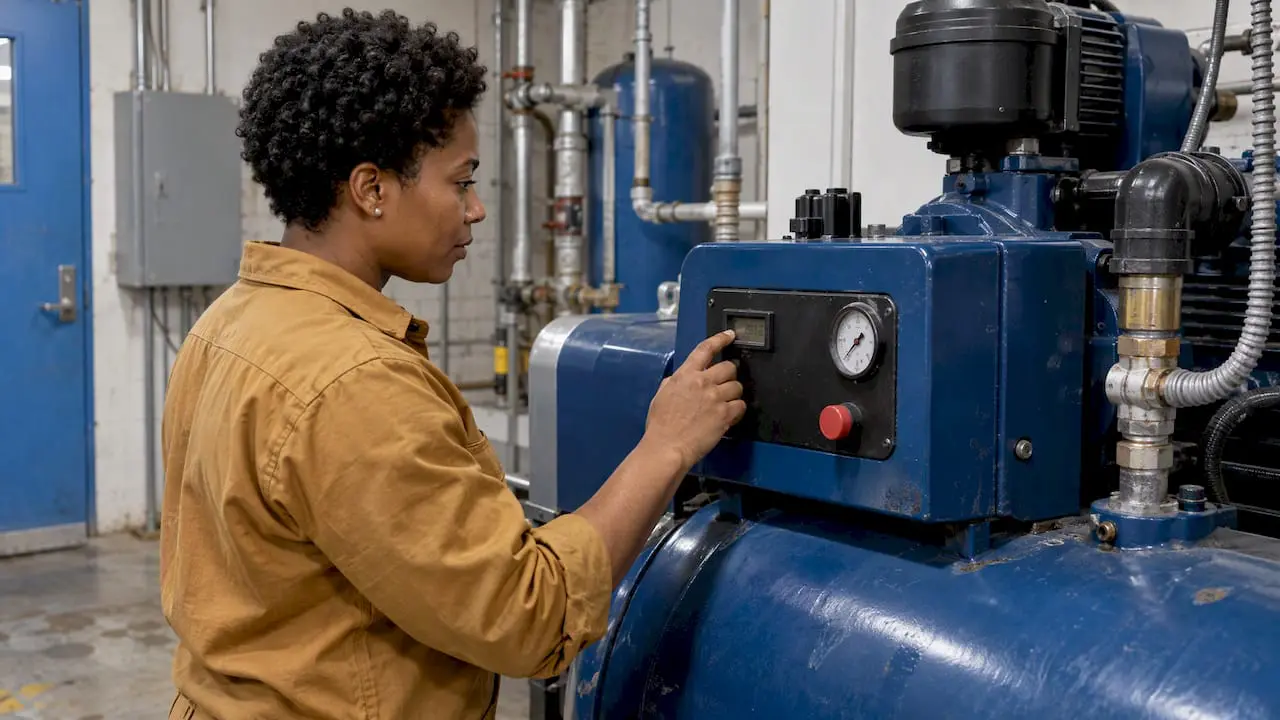
Runtime-based maintenance schedules service according to how much an asset has actually run, not how many days have passed. A pump gets its bearing check after 500 operating hours, a press gets its die inspection after 100,000 strokes, and a delivery van gets an oil change at a set mileage. The same idea goes by several names: usage-based, meter-based and counter-based maintenance. All of them are preventive maintenance driven by a reading rather than a date.
This guide explains how the approach works, how it differs from time-based, condition-based and predictive maintenance, where it fits, and how to automate it in a CMMS.
TL;DR
- Runtime-based maintenance triggers work orders from operating hours, cycles, miles or other meter readings, so service follows real use.
- It is a form of preventive maintenance. It is not condition-based or predictive maintenance, because it counts use and does not measure the asset’s health.
- It works best on equipment with steady, measurable loads, such as fans, pumps, compressors and vehicles, and on assets whose use varies a lot from week to week.
- Its weak points are inaccurate readings and thresholds based on assumptions, so validate meter data and review intervals against failure history.
- A CMMS automates it: readings come in manually or automatically, and the system generates the work order when a threshold is reached.
Table of Contents
- What runtime-based maintenance means
- How it differs from time-based, condition-based and predictive maintenance
- What about periodic maintenance?
- When runtime-based maintenance is the right choice
- Benefits and limits of scheduling by use
- How to set up runtime-based maintenance, step by step
- Automating the program in a CMMS
- How to tell whether it is working
- Our perspective
- Put runtime triggers to work in MPulse
- FAQ
- Sources
What runtime-based maintenance means
In runtime-based maintenance, the trigger for a task is accumulated use. The U.S. Department of Energy’s Operations & Maintenance Best Practices Guide describes preventive maintenance as actions performed on a time- or machine-run-based schedule to detect, preclude or mitigate degradation and to sustain or extend useful life. Runtime is one of the two classic bases for a preventive schedule. Calendar time is the other.
The terms readers use for this are close to interchangeable, with small differences in what gets counted:
| Term | What triggers the task | Typical example |
|---|---|---|
| Runtime-based | Hours the asset has operated | Change compressor oil every 2,000 run hours |
| Usage-based | Any measure of use, such as units produced or loads handled | Service a conveyor after a set tonnage |
| Meter-based | A reading on a meter, such as hours, miles or gallons | Inspect a generator at each 250-hour meter reading |
| Counter-based | A count of discrete events or cycles | Replace a clamp seal after a set number of cycles |
The logic is the same in each row: a meter or counter accumulates, a threshold is set, and reaching the threshold creates the work.
How it differs from time-based, condition-based and predictive maintenance
Maintenance strategies are often blurred together, and the differences matter when you choose software settings and budget for sensors.
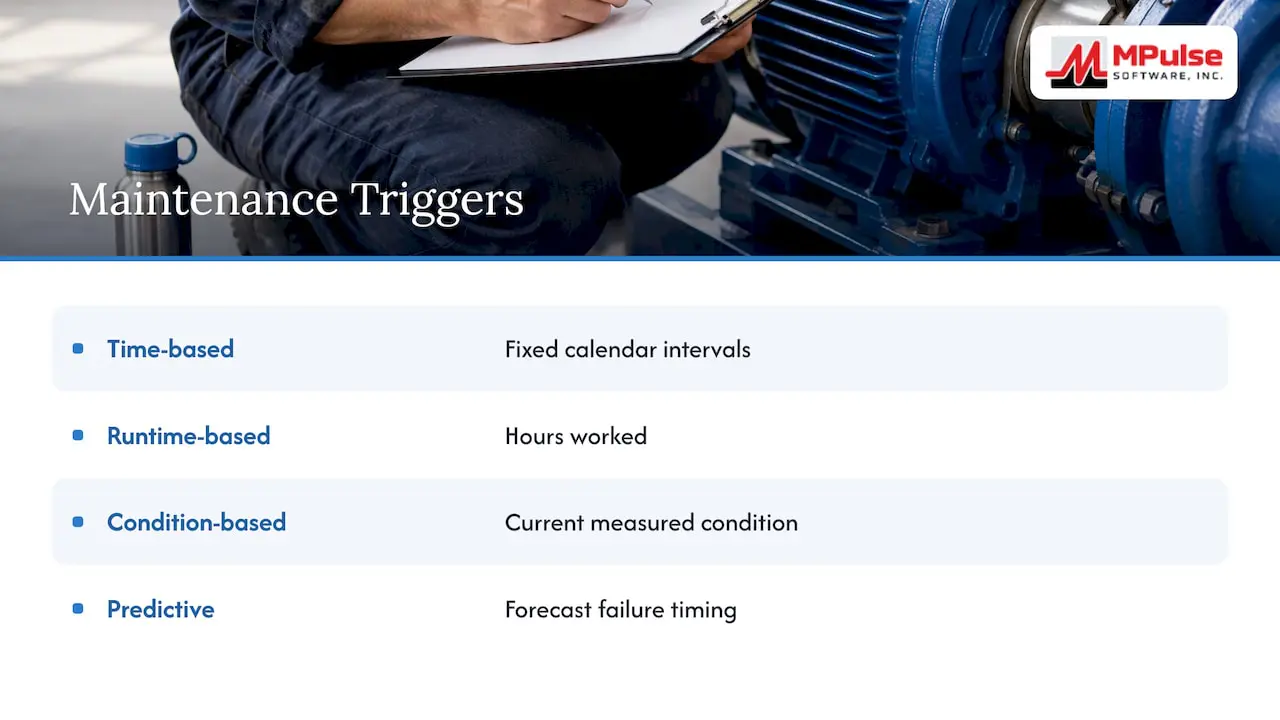
Time-based maintenance schedules tasks at fixed calendar intervals: every week, every 90 days, every year. It is simple and predictable. Its weakness is that an idle machine gets serviced as often as one running three shifts.
Runtime-based maintenance replaces the calendar with a use measure. A machine that runs 20 hours one month and 400 the next gets service in proportion to that use.
Condition-based maintenance (CBM) acts on measured condition. According to a 2025 Wiley chapter on CBM, CBM alerts users when specific parameters go out of bounds in real time, whereas predictive maintenance forecasts future failure states. Vibration, temperature, pressure and oil analysis are typical inputs.
Predictive maintenance estimates when a failure is likely, using trends in condition data. The DOE guide separates it from preventive schedules, including those based on equipment runtime, because predictive maintenance bases the need for maintenance on measurements of the machine’s actual condition.
In short, runtime-based maintenance asks how long the asset has worked. Condition-based maintenance asks how the asset is performing now. Predictive maintenance asks when it will fail. Most mature programs use all three on different assets.
If you want a closer comparison of calendar and meter triggers, our article on timed vs. metered preventive maintenance walks through the decision.
What about periodic maintenance?
Periodic maintenance is the everyday term for service performed at regular intervals. In practice it usually means calendar intervals, so it overlaps with time-based maintenance. A periodic schedule can also be expressed in operating hours, which makes it runtime-based. The difference is the unit of the interval: days or months for a calendar schedule, hours, cycles or miles for a runtime schedule. Both are planned, repeating and independent of the asset’s measured condition.
When runtime-based maintenance is the right choice
The approach suits assets where wear tracks use more closely than it tracks elapsed time. The DOE guide notes that run-time measurements are effective for constant-load devices such as fans and pumps. Good candidates include:
- HVAC fans, pumps and compressors that cycle on and off with demand, where belt, bearing and filter wear follows hours run.
- Generators and standby equipment that sit idle for weeks and then run under load during testing or outages.
- Vehicles and mobile equipment, where mileage or engine hours drive oil, tire and brake service.
- Production machinery with variable schedules, such as seasonal lines or equipment shared across shifts.
- Cycle-driven components, such as presses, valves, doors and lifts, where wear follows the number of operations.
One published guide on hour meters and event counters suggests using an hour meter when elapsed operating time drives service decisions, and an event counter when wear relates to the number of operations. That is a useful rule of thumb for choosing which reading to track on each asset.
It is a poor fit for assets where failure is driven by something other than use: corrosion in a rarely used tank, a roof exposed to weather, or a fire extinguisher whose inspection is set by code. Those stay on calendar schedules, and many carry compliance deadlines that a meter cannot satisfy.
Benefits and limits of scheduling by use
A maintenance guidebook on condition-based programs lists the benefits as precision, adaptability for variable workloads, and reduced labor and parts waste. The same source notes that shifting PM from purely time-based scheduling to scheduling by asset usage or condition can produce significant cost savings.
The DOE points to the practical advantages of run-time measurement: low cost and ease of use. It also states the disadvantages: limited application and the need for assumptions. The assumption is that the same hours always produce the same wear, which is not true when load, temperature or dust vary.
The broader preventive-maintenance caveat applies as well. The DOE guide warns that scheduled maintenance can perform unnecessary work and can still miss catastrophic failures. A runtime trigger reduces the first problem, since service no longer happens on idle machines, but it does not remove the second.
Accuracy is the main operating risk. If a meter is misread, reset or rolled over, the work order fires late or early, and a missed service can go unnoticed until the asset fails. The sections below cover how to prevent that.
How to set up runtime-based maintenance, step by step
- Pick the assets. Start with equipment where use varies and wear follows hours or cycles. Leave calendar-driven and code-driven tasks alone.
- Choose the unit. Operating hours, miles, cycles, units produced or gallons pumped. Use the unit the manufacturer’s service guidance uses, as long as you can measure it.
- Set the first threshold. Start from the manufacturer’s recommended interval, then adjust with your own failure and inspection history.
- Define the task and the lead time. Decide what work the threshold triggers, and set a warning point (for example, 90% of the interval) so parts and labor are ready before the reading arrives.
- Capture the readings. Choose manual entry by technicians, imports from controllers or telematics, or automated feeds from sensors.
- Generate the work order. When a reading crosses the threshold, the CMMS creates the work order, assigns it and records completion.
- Reset and review. After the task, the next due point is calculated from the actual reading. Review intervals each year against what technicians found.
Set up meters so the data stays accurate
Meter configuration is where many programs go wrong. KM Pierce’s guidance, published in an implementation guidebook for condition-based maintenance, advises considering significant digits and roll-over characteristics when setting up meters, so the CMMS does not store inaccurate data. A meter that rolls from 99,999 back to 0 can look like a machine that suddenly ran backward.
A few practical habits help:
- Record the meter’s maximum value and its roll-over behavior when you create the meter record.
- Require a reading at the same moment a meter is replaced or reset, and note it in the asset history.
- Set sanity limits so a reading far above or below the expected daily use is flagged for review.
- For vehicles and mobile equipment, pull mileage and engine hours from a tracker rather than relying on drivers to write them down. A practical look at fleet tracking data export shows how that data can be moved into other systems.
In MPulse, the setup is documented step by step in the help guide on scheduling maintenance using meter readings. Teams that want readings to arrive without typing can look at how to implement automated meter readings with mapping.
Automating the program in a CMMS
Doing this on spreadsheets works for a handful of assets and breaks down quickly after that. The DOE’s guidance on O&M management recommends using the CMMS to generate and track work orders on calendar or runtime schedules, and notes it can interface with energy-management and control systems. The same chapter stresses training staff, committing to implementation and sustaining use of the system over time.
A well-configured CMMS handles the following:
- Meter records per asset, with units, roll-over values and current readings.
- Threshold-based work orders created when a reading passes the interval.
- Mixed schedules, so one asset can carry a calendar task and a runtime task at once, with whichever comes first triggering the work. The MPulse help topics on fixed schedules and meter-based schedules show how the two are set up side by side.
- History and audit trails, so every completed task, reading and part used is on record for inspections.
- Parts planning, because predictable runtime lets you stock what the next several tasks will need.
Moving from runtime toward condition-based triggers
Once readings flow reliably, some assets are worth upgrading to condition-based triggers. The CBM guidebook notes that meters can be quantitative or qualitative, and that qualitative meters can represent states such as good or bad, or red, yellow and green, and generate work notifications from those states. It also recommends validating monitoring logic against historical data before automating work order creation, so the team trusts the alerts. MPulse documents this in its help topic About Condition Based Maintenance, and our page on IIoT and real-time monitoring covers sensor-fed data.
How to tell whether it is working
Track a short list of measures before the change and then at regular intervals, such as each quarter, afterward:
- Unplanned downtime hours on the assets you moved to runtime triggers, compared with the same assets before.
- PM compliance: the share of runtime work orders completed before the threshold plus the lead-time window.
- Emergency or reactive work orders as a share of all work orders.
- Maintenance cost per operating hour for each asset class, including parts and labor.
- Findings per PM: if technicians routinely find nothing wrong, the interval may be too short. If they often find advanced wear, it may be too long.
- Meter data quality: count of readings flagged, corrected or missing.
Compare like with like. An asset that changed from calendar to runtime scheduling should be measured against its own history, adjusted for how much it ran. Because the interval is based on assumptions, treat the first year as a calibration period and adjust thresholds using the findings.
Our perspective
Most maintenance teams do not have a scheduling problem so much as a data problem. They know a pump should be serviced every 1,000 hours, but nobody can say how many hours it has run.
We built MPulse so that the calendar and the meter sit in the same scheduling view. A technician or supervisor can see which tasks are due by date and which are approaching a meter threshold, without switching tools. That matters because most real facilities run both kinds of schedules at once.
Our view is that runtime-based maintenance is the most practical first step beyond calendar PM. It needs no new sensors for many assets, it responds to real use, and it creates the discipline of reliable readings that condition-based work depends on later. Our customers use automated PM, integrations with ERP and sensor systems, and compliance recordkeeping to keep that discipline in place.
Start with the assets where use varies most, validate the readings, and let the work orders follow.
Mark
Put runtime triggers to work in MPulse
MPulse CMMS is built to schedule preventive maintenance by calendar, by meter reading or by both, and to generate the work orders, track assets and keep the records inspectors ask for. Our preventive maintenance software page shows how the scheduling works across a facility.
Plans are published on our pricing page: Professional is $29 per user per month and Advanced is $79 per user per month. If you want help configuring meters and schedules, our implementation, training and hosting services are described there too.
FAQ
Is runtime-based maintenance the same as predictive maintenance?
No. Runtime-based maintenance is a preventive approach that triggers service from accumulated hours or cycles. Predictive maintenance relies on measured condition data to forecast when an asset will fail. The DOE guide draws the same line, grouping runtime schedules with preventive maintenance and basing predictive maintenance on the machine’s actual condition.
What is the difference between usage-based, meter-based and counter-based maintenance?
They are variations on one idea. Usage-based is the broad term for any measure of use. Meter-based means the trigger comes from a meter reading, such as hours or miles. Counter-based means it comes from a count of events or cycles, such as presses or door openings.
Which assets should I schedule by runtime first?
Start with equipment whose run time varies and whose wear follows hours, such as pumps, fans, compressors, generators and vehicles. Skip assets whose service intervals are set by code or by weather exposure, and keep those on calendar schedules.
What goes wrong most often with meter-based schedules?
Bad readings. Missed entries, roll-over errors and replaced meters can all push a due date out and delay service. Record each meter’s maximum value, flag unusual readings, and use automated feeds where you can.
Sources
- Operations & Maintenance Best Practices Guide, Release 3.0, chapter 5
- Operations & Maintenance Best Practices Guide, Release 3.0, chapter 8
- Operations & Maintenance Best Practices Guide, Release 3.0, chapter 4
- Condition-Based Maintenance, Wiley, 2025
- A Guidebook to Implementing Condition-Based Maintenance
- Hour Meter vs Counter: Runtime or Event Counting?