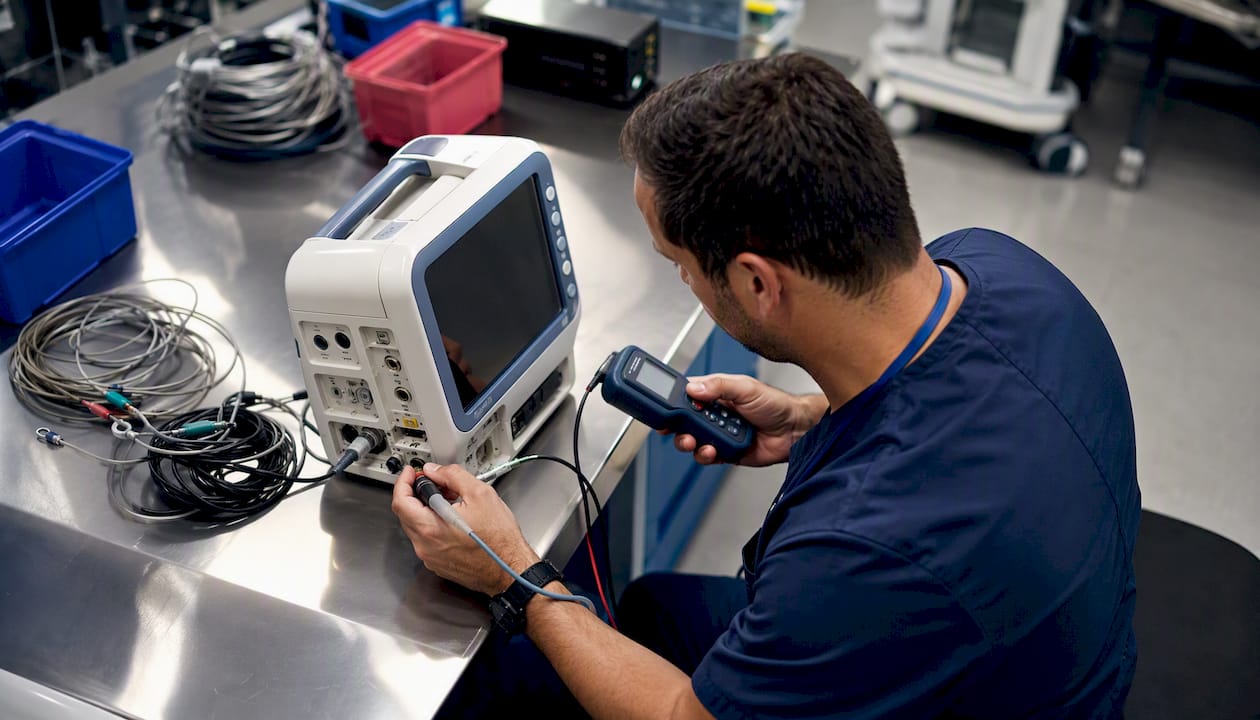
Medical facilities in the U.S. use seven core inspection schedule types: time-based (preventive), condition-based, predictive, calibration, routine rounds, run-to-failure, and event-triggered. The fastest path to audit-ready management is to map every asset by criticality in your CMMS, assign a schedule type and trigger, attach a task template, and set a documentation retention rule aligned with Joint Commission EC.02.04.01 and FDA 21 CFR Part 820 requirements.
Start with these high-risk assets:
- Ventilators: Time-based PM at standard semi-annual intervals plus daily operator rounds
- Generators: Monthly exercise run plus annual load bank test (NFPA 110)
- Infusion pumps: Calibration and time-based PM following manufacturer and regulatory recommended intervals
- Defibrillators: Routine function checks and full PM at intervals aligned with Joint Commission guidelines
- Sterilizers: Cycle verification each use day, full PM quarterly
Key Takeaways
Matching each asset to the right schedule type and configuring it in a CMMS is the single most effective way to maintain Joint Commission and NFPA compliance while reducing unplanned downtime.
| Point | Details |
|---|---|
| Seven schedule types | Time-based, condition-based, predictive, calibration, routine rounds, run-to-failure, and event-triggered cover every medical asset class. |
| Risk-based frequency | Use FDA device class, manufacturer intervals, and an ASHE/AAMI risk score to set or justify each inspection interval. |
| Documentation is the audit | A completed test with no signed record is a survey deficiency; capture photo, signature, and serial number at point of work. |
| Phased rollout works | Audit inventory, pilot one asset class, then scale; stagger PM dates to distribute technician workload evenly across the quarter. |
| MPulse Software | Supports all seven schedule types with calendar triggers, mobile checklists, condition-based inputs, and audit-ready reporting. |
Table of Contents
- What each inspection schedule type means in a medical facility
- How to decide which schedule type and frequency fits each asset
- Step-by-step: implementing inspection schedules in a CMMS
- Why MPulse CMMS fits medical-facility inspection schedules
- Ready-to-use inspection task templates for common medical assets
- KPIs and reports to monitor your inspection program’s health
- Phased rollout: pilot, training, and governance
- What actually changes when you schedule inspections in a CMMS
- MPulse Software supports every step of this process
- Sources
- FAQ
What each inspection schedule type means in a medical facility
Understanding the differences between schedule types lets you match the right approach to each asset class and avoid both over-maintaining low-risk equipment and under-maintaining life-critical devices.
Time-based (preventive) maintenance is the foundation of most medical facility audit schedules. Life-critical devices generally follow semi-annual PM intervals recommended by Joint Commission standards, while general equipment may qualify for an Alternative Equipment Maintenance (AEM) justification that extends intervals with documented risk rationale.
Condition-based maintenance relies on real-time sensor inputs. For HVAC systems in operating rooms, a differential pressure sensor crossing a set threshold triggers a filter inspection automatically, rather than waiting for a calendar date.
Predictive maintenance goes a step further, using trend analysis to forecast when a component will likely fail. It requires sensor infrastructure and data history, so it is most practical for high-value, high-consequence assets like central plant equipment.
Calibration inspections are distinct from PM: they verify measurement accuracy rather than mechanical function. FDA 21 CFR Part 820 requires documented calibration records for devices used in patient care, and a missing calibration certificate during a survey is treated as a deficiency regardless of the device’s physical condition.
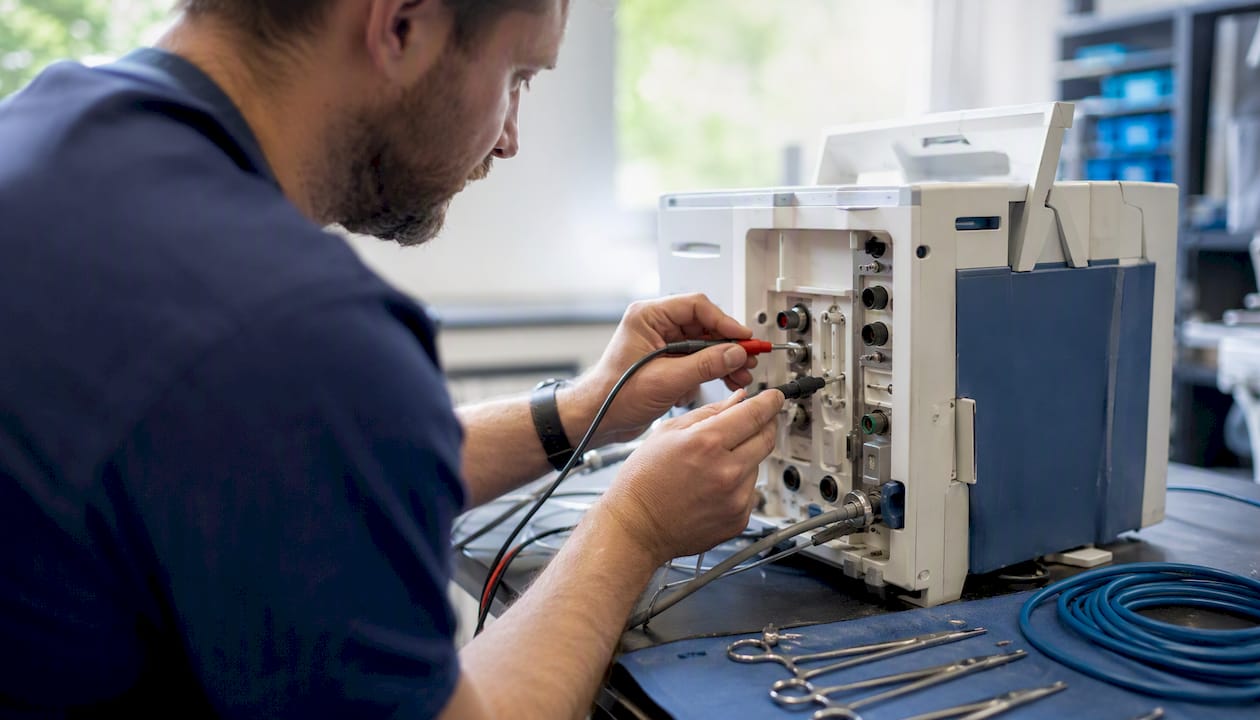
Routine rounds are the daily or weekly visual checks clinical and facilities staff perform. They catch obvious failures early and feed the event-triggered workflow when something looks wrong.
Run-to-failure is appropriate only for non-critical, easily replaceable items with no patient-safety impact. Applying it to anything in a clinical care path is a compliance and safety risk.
Event-triggered inspections activate after a repair, a patient incident, or a manufacturer recall. They require a separate workflow in your CMMS so the inspection is documented and traceable back to the triggering event.
How to decide which schedule type and frequency fits each asset
The right frequency is not a guess. It starts with the manufacturer’s recommended PM interval, then adjusts based on a structured risk assessment.
Start here:
- Pull the manufacturer’s service manual for every device and record the recommended PM interval and task list
- Tag each asset with its FDA device class (I, II, or III) in your CMMS asset record
- Apply an ASHE/AAMI-style risk score using criticality, usage intensity, failure history, and patient-safety impact
- Cross-reference NFPA-driven cadences for life-safety systems: fire alarm devices (quarterly, NFPA 72), sprinklers (quarterly, NFPA 25), emergency generators (monthly exercise plus annual load bank, NFPA 110), and medical gas alarms (NFPA 99)
Risk criteria to score each asset:
- Criticality: Does failure directly affect patient care or life safety?
- Usage: Hours per day, cycles per week
- Environment: Humidity, temperature extremes, contamination exposure
- Failure history: Mean time between failures from your CMMS work order data
- Cost-to-fail: Repair cost plus downtime cost plus patient-safety exposure
- Regulatory trigger: Is the device subject to a specific Joint Commission element or NFPA chapter?
Assets scoring high on criticality and patient-safety impact belong on time-based or calibration schedules at manufacturer-specified intervals. Lower-scoring assets can qualify for AEM justification, which allows extended intervals when you document the risk rationale and review it periodically. The maintenance scheduling optimization guide from MPulse Software covers how to apply KPI-driven frequency tuning once your baseline is established.
Step-by-step: implementing inspection schedules in a CMMS
Configuration follows a logical sequence. Skipping asset mapping and going straight to task creation is the most common mistake, and it produces schedules that don’t match what’s actually on the floor.
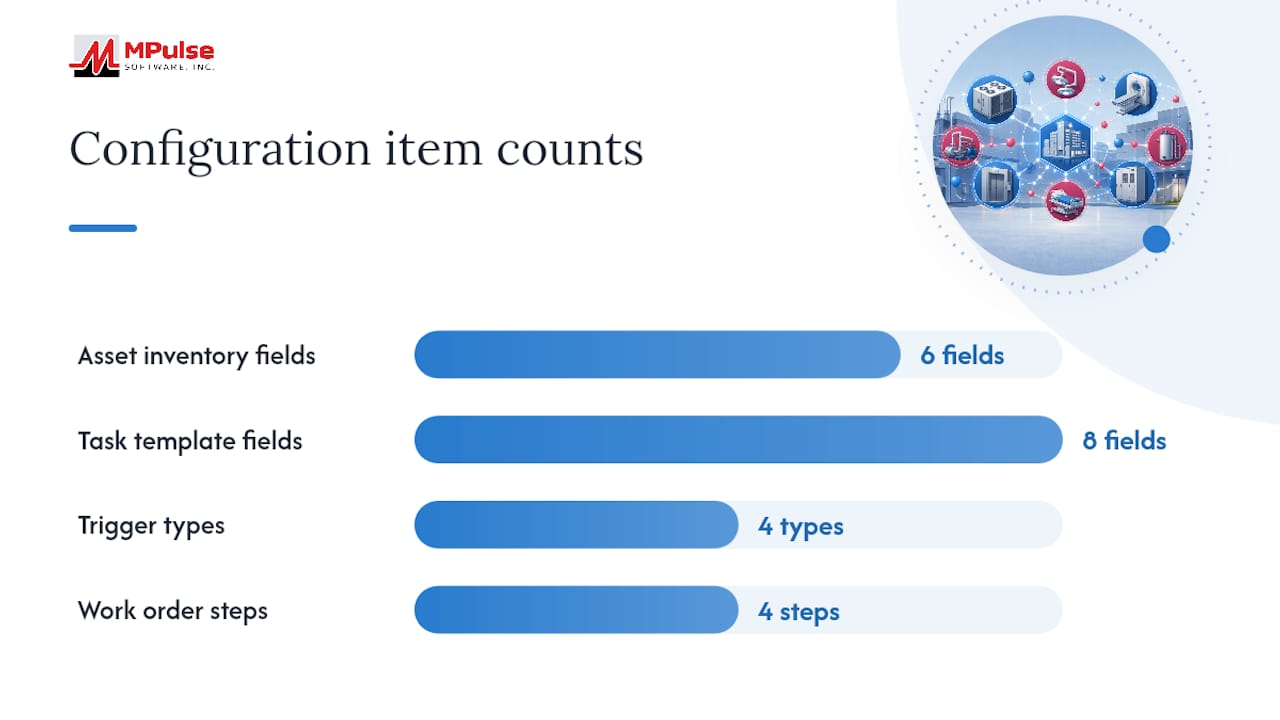
- Conduct an asset inventory. Barcode or RFID-tag every device. Record manufacturer, model, serial number, FDA device class, location, and criticality rating.
- Import manufacturer PM data. Enter the recommended interval, task list, and required qualifications for each asset class. Use your CMMS’s Datalink integration adapter to pull meter reads or sensor data where available.
- Create task templates. Each template needs: task name, schedule type, frequency, estimated time, step-by-step procedure, acceptance criteria, required technician qualification, and attachment fields for photos and signatures.
- Set trigger types. Configure calendar triggers for time-based PMs, meter/usage triggers for high-cycle devices, condition-based inputs for sensor-monitored systems, and event-triggered workflows for post-repair inspections.
- Define the work order lifecycle. Assign the work order, complete the task, capture documentation (photo, technician signature, serial number, calibration certificate reference), and close with a retention tag.
- Set retention rules. Joint Commission’s 2026 Physical Environment chapter consolidation did not reduce documentation expectations. Surveyors expect rapid access to records during unannounced visits, so retention periods and retrieval paths must be configured before go-live.
Pro Tip: Build a “mixed-trigger” calendar view that shows time-based PMs alongside condition-based alerts on one screen. Technicians who can see both types in a single queue complete more inspections per shift without missing condition-triggered work.
Why MPulse CMMS fits medical-facility inspection schedules
MPulse Software maps directly to the configuration steps above. Its calendar scheduling and condition-based triggers support all seven schedule types in a single platform, which matters when hospitals manage tens of thousands of devices across multiple asset categories.
Up to 40% efficiency improvement is the documented outcome MPulse Software reports across its customer base of over 3,500 organizations.
Key features that align to medical-facility inspection needs:
- Calendar and meter-based scheduling for time-based and usage-triggered PMs
- Condition-based trigger inputs connected via IoT/IIoT sensor integration
- Mobile checklist capture with photo and signature fields at the point of work
- Audit-ready reporting with retention filters by asset class, date range, and standard
- Task template library that maps to the Patient Safety Maintenance Checklist for Hospitals, MPulse’s published 2026 guide for hospital compliance teams
Because surveyors focus on documentation gaps rather than equipment failures alone, a completed test with no signed record is still a survey deficiency. MPulse’s mobile capture closes that gap at the point of work.
Ready-to-use inspection task templates for common medical assets
Use these templates as starting points. Paste the fields into your CMMS task template and adjust intervals to match your manufacturer documentation.
Audit evidence to capture for every task: photo of the completed work, technician signature, device serial number, and calibration certificate reference number where applicable. CMMS compliance workflows that enforce these fields at task close prevent the documentation gaps surveyors most commonly cite.
KPIs and reports to monitor your inspection program’s health
Tracking the right metrics tells you whether your program is working before a surveyor tells you it isn’t.
Core KPIs to monitor:
- Percent of scheduled inspections completed on time: Aim for high compliance rates for life-critical assets
- Overdue inspections by asset class: Filter weekly; escalate anything life-critical immediately
- Mean time between failures (MTBF) by asset class: Rising MTBF confirms PM intervals are appropriate
- Time-to-repair for inspection discoveries: Measures how quickly identified issues get resolved
- AEM justification acceptance rate: Tracks how many extended-interval requests are approved and documented
Build dashboard widgets in your CMMS filtered by standard (Joint Commission, NFPA), asset class, date range, and assigned technician. Schedule automated weekly exports to your compliance folder so the audit package is always current.
Pro Tip: Set an automated report to flag any asset with two consecutive missed inspections. One missed PM can be a scheduling error; two in a row signals a workload or staffing problem that needs attention before it becomes a survey finding.
Phased rollout: pilot, training, and governance
A phased approach reduces risk and produces a working system faster than a full-facility launch.
- Audit and inventory (Weeks 1–4). Complete asset census, tag all devices, and import manufacturer PM data into the CMMS.
- Pilot (Weeks 5–10). Select one building or one asset class (e.g., all biomedical equipment in one unit). Configure schedules, task templates, and triggers. Run one full PM cycle and review documentation completeness.
- Scale rollout (Weeks 11–20). Expand to remaining asset classes and buildings. Train technicians on mobile capture, signature workflows, and escalation rules. Train clinical users on routine rounds documentation.
- Continuous improvement (Ongoing). Review MTBF trends quarterly. Adjust frequencies based on failure data. Renew service contracts approximately three months before expiry to avoid maintenance service gaps.
Governance checklist:
- Assign a data owner for each asset class
- Document AEM justifications with risk scores and review dates
- Prepare an audit package export path in the CMMS before go-live
- Schedule a quarterly program review with the equipment committee
- Verify HIPAA-compliant handling of inspection records where documentation includes patient-adjacent device data
What actually changes when you schedule inspections in a CMMS
The shift from spreadsheets or paper logs to a CMMS-managed schedule is less about technology and more about visibility. Missed inspections stop being invisible. When every PM is on a calendar with an assigned technician and a task template, the gaps show up before a surveyor does.
Balancing technician workload with inspection frequency is the practical challenge most guides skip. Scheduling 40 PMs in the same week because they all share a quarterly interval creates a bottleneck that leads to deferrals. Stagger start dates across the quarter so the workload distributes evenly. The scheduling maintenance guide from MPulse Software addresses this distribution problem directly.
MPulse Software supports every step of this process
Facilities that have moved from reactive maintenance to a fully scheduled CMMS program report significant efficiency improvements. MPulse Software delivers that outcome through a platform built for compliance-driven environments.

- Calendar and meter triggers cover all seven schedule types in one system
- Mobile checklists with photo and signature capture close documentation gaps at the point of work
- Condition-based and IoT-connected triggers automate alerts for HVAC, generators, and critical systems
- Audit-ready reports export by asset class, standard, and date range in minutes
- Over 3,500 customers trust MPulse Software to manage their maintenance programs
MPulse Software serves facilities ranging from single-site clinics to multi-building hospital systems. Request a demo of MPulse CMMS to see how calendar scheduling, task templates, and audit reporting map to your specific asset inventory.
Sources
- Healthcare Facility analytics & Compliance Guide
- Guidelines on Equipment Maintenance, Calibration and Testing
FAQ
What are the main medical facility inspection schedule types?
The seven types are time-based (preventive), condition-based, predictive, calibration, routine rounds, run-to-failure, and event-triggered. Each maps to a different asset class and risk level.
How often should life-critical devices be inspected?
Joint Commission requires defined PM intervals; life-critical devices such as ventilators and defibrillators typically require semi-annual preventive maintenance at a minimum.
What is an AEM justification and when can you use it?
An Alternative Equipment Maintenance justification allows a facility to extend PM intervals beyond manufacturer defaults for lower-risk equipment, provided the decision is documented with a risk score and reviewed periodically.
How does a CMMS help with inspection documentation for surveys?
A CMMS captures photo, signature, and serial number at the point of work and stores records with retention tags, so audit packages can be exported quickly during an unannounced survey. MPulse Software supports this workflow with mobile checklists and audit-ready reporting.
What happens if a calibration record is missing during a regulatory review?
Under FDA 21 CFR Part 820, missing calibration records can escalate to a formal observation or Warning Letter, even if the device itself is functioning correctly.