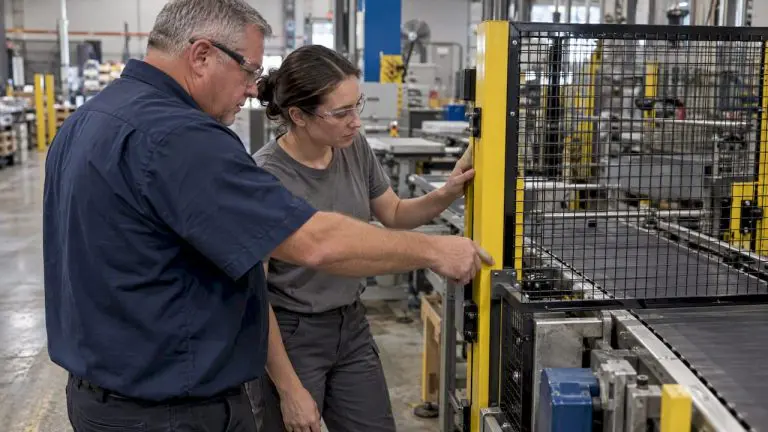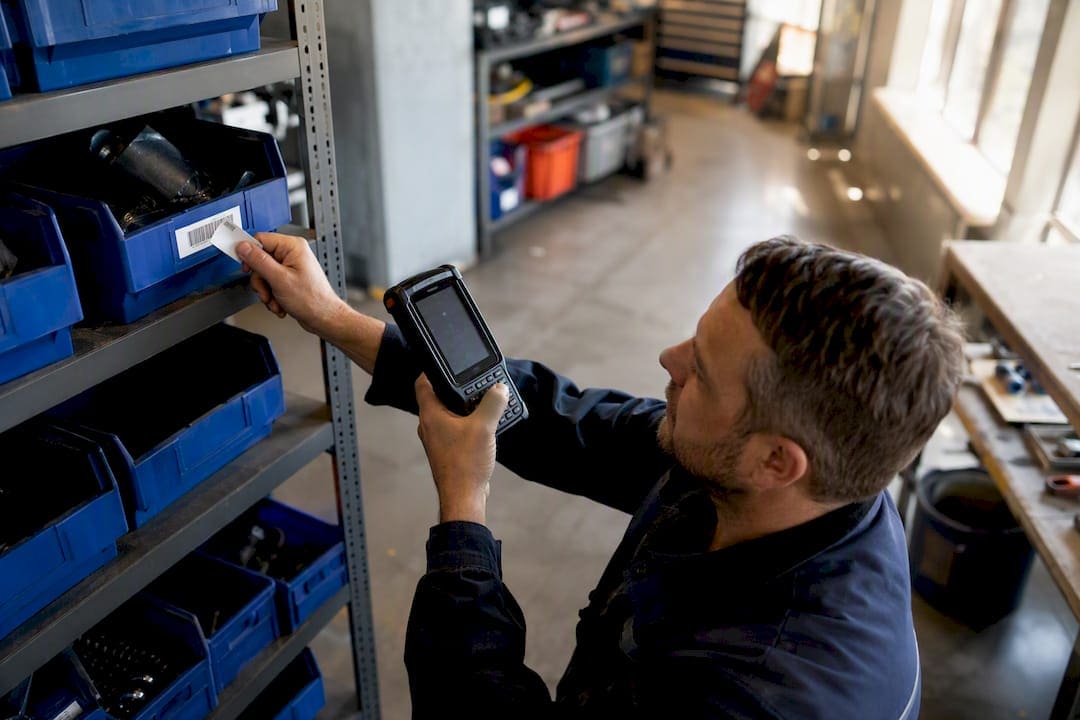
For bulk, hands-free reads and unit-level serialization, choose RFID. For low-cost single-item verification and point-of-sale scans, barcodes win. Most established operations end up running both, using RFID where automation pays for itself and barcodes everywhere it doesn’t. The trade-off comes down to infrastructure spending versus operational simplicity, not which technology is objectively “better.” For the MRO fundamentals, see MRO best practices for maintenance teams.
TL;DR:
- RFID offers bulk, hands-free reading and precise unit-level serialization, making it ideal for inventory accuracy and automated tracking.
- Barcodes remain the cost-effective choice for low-volume, point-of-sale verification and applications requiring manual, visual scans.
- Deployment success relies heavily on proper site surveys, interference mitigation, and careful system tuning, especially when using RFID near metal or liquids.
- The total ownership cost for RFID infrastructure is significantly higher than barcodes, with payback periods ranging from 9 to 36 months depending on industry and volume.
- A hybrid approach that combines RFID for bulk automation and barcodes for verification typically yields the best results, especially in mature or high-value operation environments.
Table of Contents
- What Is RFID and How Does It Actually Work?
- What Is a Barcode and How Are Different Types Scanned?
- What Are the Key Technical Differences Between Barcode and RFID?
- Advantages and Disadvantages of Each Technology
- What Does Barcode vs. RFID Cost Comparison Look Like?
- How Do You Decide Between Barcode, RFID, or Both?
- Deployment Pitfalls That Sink RFID Projects
- Where Hybrid Barcode and RFID Approaches Work Best
- MPulse’s View on Barcode-First CMMS with RFID as the Next Step
- A Barcode-Enabled CMMS You Can Deploy Without RFID Infrastructure
- Sources
- FAQ
What Is RFID and How Does It Actually Work?
Radio frequency identification identifies objects using radio waves instead of light, which is the core reason it doesn’t require a scanner to see the tag. An RFID system has four working parts: tags attached to the item, readers that broadcast and capture radio signals, antennas that shape the read field, and middleware that translates raw reads into usable inventory data.
Tags come in two basic types. Passive tags carry no battery and draw power from the reader’s signal, making them cheap and disposable but limited in range. Active tags carry their own power source, broadcast continuously, and can be read from much farther away, though at a higher per-unit cost that usually only makes sense for high-value or long-lifecycle assets.
Frequency band matters more than most buyers expect going in:
- Low frequency (LF), around 125 to 134 kHz, handles animal tracking and access control at short range.
- High frequency (HF), at 13.56 MHz, covers library systems and NFC-style applications.
- Ultra-high frequency (UHF), the RAIN RFID standard built on the EPC Gen2 protocol (also known as ISO 18000-63), dominates enterprise inventory and supply chain work.
- Active RFID, often in the 433 MHz or 2.4 GHz range, tracks high-value equipment across large facilities or yards.
RAIN RFID tags carry an Electronic Product Code, a serialized identifier that distinguishes one physical unit from every other unit of the same SKU. That serialization, not the radio signal itself, is what lets RFID answer questions barcodes structurally cannot.
What Is a Barcode and How Are Different Types Scanned?
A barcode is a printed pattern that encodes data optically, read by bouncing light off the pattern and decoding the reflected contrast. The technology splits into two families that solve different problems.
One-dimensional (1D) barcodes, like the UPC and EAN symbologies used at retail checkout, store a short numeric string, typically 8 to 13 digits, in a linear pattern of bars and spaces. They’re built for one job: identifying a product category at the point of sale, governed by standards maintained through ISO/IEC and GS1.
Two-dimensional (2D) codes, including QR codes and Data Matrix, encode data in a grid rather than a line, which is why they hold dramatically more information. QR codes built to the ISO/IEC 18004 standard can store thousands of characters and include built-in error correction, so a partially damaged or dirty code still scans clean.
Scanning technology has evolved alongside the codes themselves:
- Laser scanners read 1D barcodes by sweeping a beam across the pattern, fast and cheap but blind to 2D formats.
- Camera-based imagers capture the full code as an image, which is required for any 2D symbology.
- Smartphone cameras now handle both 1D and 2D scanning without dedicated hardware, which is why QR codes exploded in consumer-facing workflows.
Data Matrix codes get chosen over standard QR codes when space is extremely tight, as with medical device labeling or small electronic components, since Data Matrix packs data into a smaller physical footprint.
What Are the Key Technical Differences Between Barcode and RFID?
The differences that actually change how a warehouse or maintenance shop operates come down to four things: line-of-sight, range, identification depth, and durability.
Line-of-sight and orientation. A barcode has to be visible and roughly aligned to the scanner. That means someone (or a fixed scanning arm) has to position the item correctly, every time. RFID tags don’t require a direct line of sight at all, since radio waves pass through cardboard, plastic, and most non-metallic packaging. That single distinction is why RFID enables bulk reads that barcodes structurally cannot.
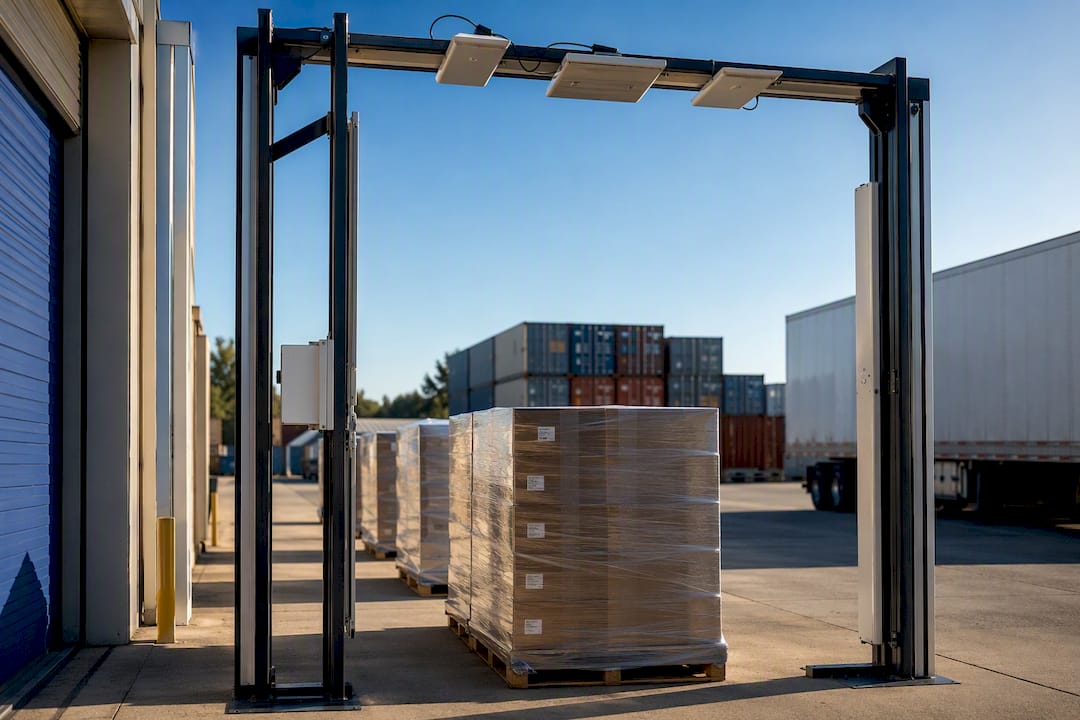
Range and throughput. A handheld barcode scanner reads one code at a time, typically within a few feet, and someone has to aim it. RAIN RFID readers can capture hundreds to over a thousand tags per second in optimized fixed-portal setups, with UHF read ranges extending up to roughly 10 meters under ideal conditions. Walk a pallet through an RFID-equipped dock door and every tagged unit registers in one pass. Do the same with barcodes and someone has to scan each box.
Serialization versus SKU identification. This is the difference operations teams underestimate most. A barcode typically identifies a product type, not the individual unit, so every can of the same soup shares one code. RFID’s EPC scheme assigns a unique serial number to every single tagged item. That distinction changes what’s possible during a recall: instead of pulling every unit of a SKU off the shelf, a business can trace the exact batch, lot, or even individual item affected.
Durability and environment. Barcodes fail when the label tears, fades, or gets covered in grease, which is common in industrial settings. RFID tags survive dirt and grime better since nothing needs to be visually legible, but they have their own weakness: metal and liquids interfere with radio signals, degrading read reliability unless the deployment uses on-metal tags or tuned antennas. Neither technology is universally tougher. Each has an environment where it struggles.
- Barcode failure mode: physical label damage, poor print quality, misalignment during scanning.
- RFID failure mode: signal interference near metal shelving, liquid-filled containers, or dense stacking.
Advantages and Disadvantages of Each Technology
Every identification decision comes down to trading capital cost against operational speed and accuracy. Here’s where each technology earns its keep, and where it falls short.
RFID’s biggest advantage is what it removes from a process: manual scanning labor. Bulk reads let a single portal or handheld sweep replace what used to take a team an entire shift. Unit-level serialization also means RFID naturally supports lot tracing and compliance documentation that barcodes handle only with heavier manual process controls.
- RFID advantages: automated bulk reads, no line-of-sight requirement, unit-level serialization, faster cycle counts.
- RFID disadvantages: higher capital cost per tag and per reader, susceptibility to metal/liquid interference, more complex deployment and tuning.
- Barcode advantages: near-zero per-unit cost, universal POS and retail compatibility, simple hardware, decades of standardized infrastructure.
- Barcode disadvantages: requires manual scanning and line-of-sight, slower for bulk counts, identifies SKU rather than individual unit.
Statistic Callout: Field studies tracking warehouses and retail floors before and after RFID adoption report inventory accuracy climbing from roughly 63 to 75 percent with manual barcode counting to 95 to 99.5 percent after item-level RFID deployment. That gap is the reason RFID gets budgeted at all: an accuracy jump of that size changes replenishment timing, reduces stockouts, and shortens the time a physical inventory count takes from days to hours.
Barcodes aren’t losing ground because they’re bad technology. They’re losing ground only in the specific workflows where bulk, hands-free reads justify the added infrastructure. For a small parts room doing occasional counts, that math rarely favors RFID.
What Does Barcode vs. RFID Cost Comparison Look Like?
Total cost of ownership is where most technology decisions actually get made, and it’s also where buyers most often compare the wrong numbers. A printed barcode label costs fractions of a cent. A paper UHF RFID label runs roughly $0.03 to $0.08 at high volume, and encapsulated industrial tags built to survive harsh environments cost meaningfully more than that.
Reader hardware follows the same pattern of widening gaps. A basic barcode scanner costs a fraction of what a single RFID reader costs, and a full fixed-portal RFID installation, the kind used at dock doors, ranges from low thousands of dollars for a single lane to tens of thousands for a multi-door facility with tuned antennas and middleware integration.
Line items to model into any RFID business case:
- Tag cost per unit, scaled by expected annual volume.
- Reader and antenna hardware, plus portal installation labor.
- Middleware and software integration with existing inventory or CMMS systems.
- Ongoing labor savings from eliminated manual scanning.
Payback windows vary sharply by industry. Apparel retailers, where daily cycle counts and reduced out-of-stocks drive real incremental sales, often see RFID payback in 9 to 18 months. Industrial distribution centers, where unit values and scan frequency are lower, tend to run 18 to 36 months before RFID infrastructure pays for itself. Unit value and how often an item gets scanned, what practitioners call scan cardinality, matter more to that payback timeline than sticker price on the tags themselves.
How Do You Decide Between Barcode, RFID, or Both?
Skip the vendor pitch and start with your own numbers. A repeatable framework beats a gut call, and it only takes four steps.
- Profile your assets. List what you’re tracking, its unit value, and how often it physically moves or gets counted.
- Quantify scan volume. Estimate how many scans happen per day or per cycle count. High-frequency, high-volume counting is where RFID’s bulk-read advantage starts paying for the hardware.
- Map required visibility. Decide whether you need SKU-level tracking or unit-level serialization. Recall-sensitive industries (food, pharma, medical devices) usually need the latter.
- Estimate unit economics. Multiply tag cost by volume, then weigh it against labor hours saved on counting and reduced shrinkage or stockouts.
As a rough threshold, RFID tends to become cost-effective once you’re counting the same high-value inventory daily or weekly rather than monthly, and once manual scan labor is eating a meaningful chunk of a full-time role. Below that frequency, barcodes usually win on total cost.
Ask any integrator directly about portal design experience, service-level agreements on read accuracy, and how the system scales past your pilot’s footprint.
Pro Tip: Don’t tag your entire SKU catalog for a pilot. Pick one high-value, high-frequency category, run it through 90 days of real operations, and let the read-rate data tell you whether to expand.
Deployment Pitfalls That Sink RFID Projects
Most RFID disappointments trace back to skipping the site survey, not a flaw in the technology itself; professional safety services ensure proper surveying and integration for emergency readiness and effective deployments. A proper survey maps metal shelving, liquid inventory, and existing wireless infrastructure before a single tag gets ordered, since interference from metal and liquids is the single most common cause of poor read rates.
Common pitfalls and fixes:
- Interference near metal: use on-metal tag variants or reposition antennas rather than fighting signal bounce after the fact.
- Poor tag placement: standardize placement rules per product category during packaging, not after items reach the floor.
- Underestimated portal engineering: achieving 99%+ read accuracy typically requires engineered dock-door arrays and iterative tuning, not a single reader bolted to a doorframe.
- Skipped process training: a technology swap without retraining staff on new exception-handling steps stalls adoption fast.
Pro Tip: *Run your pilot’s success metric on read rate and interference scenarios first, tag volume second.
Where Hybrid Barcode and RFID Approaches Work Best
Mature operations rarely pick one technology exclusively. Industry guidance consistently points to hybrid models in which RFID handles bulk automation and barcodes handle deliberate, verified actions, like checkout or a technician confirming a specific part before installation.
- Apparel retail: RFID for daily floor counts and loss prevention, barcodes at the register.
- Distribution centers: RFID at dock-door portals for pallet verification, barcodes for pick-and-pack accuracy checks.
- Maintenance and CMMS environments: barcodes cover the majority of parts-room and work-order scanning, with RFID added only where high-value rotating assets need automated, unattended location tracking.
A sensible hybrid pilot scope: pick one receiving dock or one parts category, run both technologies in parallel for a full cycle, and compare labor hours and accuracy before expanding either one.
MPulse’s View on Barcode-First CMMS with RFID as the Next Step
Most maintenance organizations MPulse Software works with start with barcode scanning, and that’s usually the right call. MPulse CMMS supports barcode scanning across work orders, parts inventory, and asset records, which closes the accuracy gap that comes from technicians hand-keying asset IDs during a rushed shift.
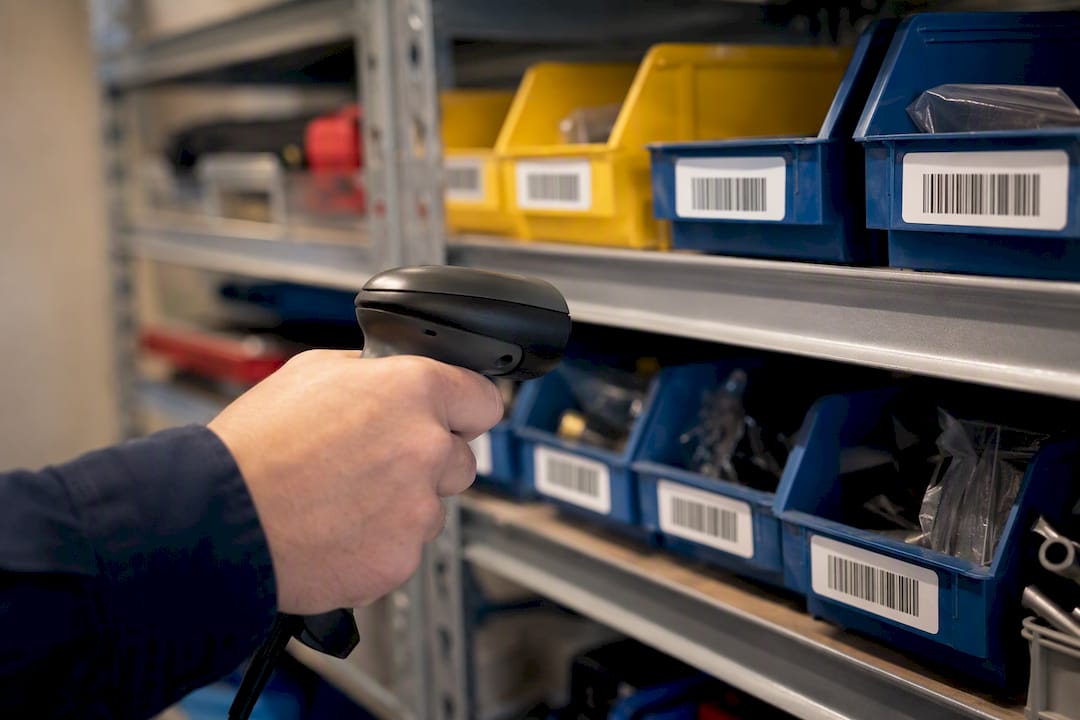
Preventive maintenance schedules, parts reorder points, and audit trails all depend on scans that match the physical asset every time. Barcodes handle that reliably at a cost any facility can absorb immediately.
RFID becomes worth a pilot once an organization is tracking high-value rotating equipment across a large footprint, like a hospital’s mobile medical devices or a plant’s tool crib, where unattended, automated location tracking saves more labor than the added infrastructure costs. Until that threshold, extending barcode workflows delivers more return per dollar spent.
— Mark
A Barcode-Enabled CMMS You Can Deploy Without RFID Infrastructure
MPulse Software gives maintenance teams the accuracy gains of unit-level identification without the dock-door portals, tag tuning, or interference mapping that a full RFID rollout demands.

The platform’s barcode scanning feature ties directly into work order management, parts inventory, and preventive maintenance schedules, so a technician’s scan updates records in real time instead of waiting for end-of-shift data entry. For teams thinking beyond scanning, MPulse’s IIoT and real-time monitoring capabilities add sensor-driven condition data on top of barcode-tracked assets, a practical middle step before any organization commits to full RFID infrastructure. If your facility runs a mix of high-value rotating equipment and standard parts inventory, barcode-first with IIoT augmentation typically covers more ground per dollar than jumping straight to RFID.
Request a demo to see how barcode scanning maps onto your existing asset list and work order flow before you budget for anything more complex.
Sources
For deeper technical grounding, GS1 and ISO/IEC maintain the barcode and QR code standards referenced throughout this piece, while the EPC Gen2/ISO 18000-63 protocol governs RAIN RFID interoperability. Field-tested ROI figures and deployment complexity guidance come from practitioner sources cited throughout, useful starting points for anyone scoping a pilot.
- RFID vs. Barcodes: Pros, Cons, and How They Work Together – Impinj
- RFID vs. Barcode: The Ultimate Guide Updated for 2026 | CYBRA
- RFID vs Barcode — Which to Choose for Tracking | Proud Tek
- RFID vs Barcode deployment complexity (Modern Materials Handling)
FAQ
Is It Better to Use RFID Than Barcode?
Neither is universally better. RFID wins for bulk, hands-free reads and unit-level tracking; barcodes win on cost and simplicity for single-item verification and point-of-sale work.
Will RFID Replace Barcodes?
No. Barcodes remain the standard for retail checkout and low-cost identification, and most enterprises run both technologies for different steps in the same process rather than replacing one with the other.
Why Is RFID an Advancement Over Barcodes in Some Applications?
RFID doesn’t require line-of-sight and can read hundreds of tags per second in a single pass, which barcodes cannot do since each code needs individual scanning. That capability drives the inventory accuracy jump from roughly 63 to 75 percent up to 95 to 99.5 percent seen in field deployments.
Is Barcode Scanning the Same as RFID?
No. Barcode scanning reads printed optical patterns using light and requires the code to be visible to a scanner, while RFID reads radio signals from a tag with no visual contact required. MPulse CMMS supports barcode scanning specifically because it fits the low-cost, line-of-sight workflows most maintenance teams already run.