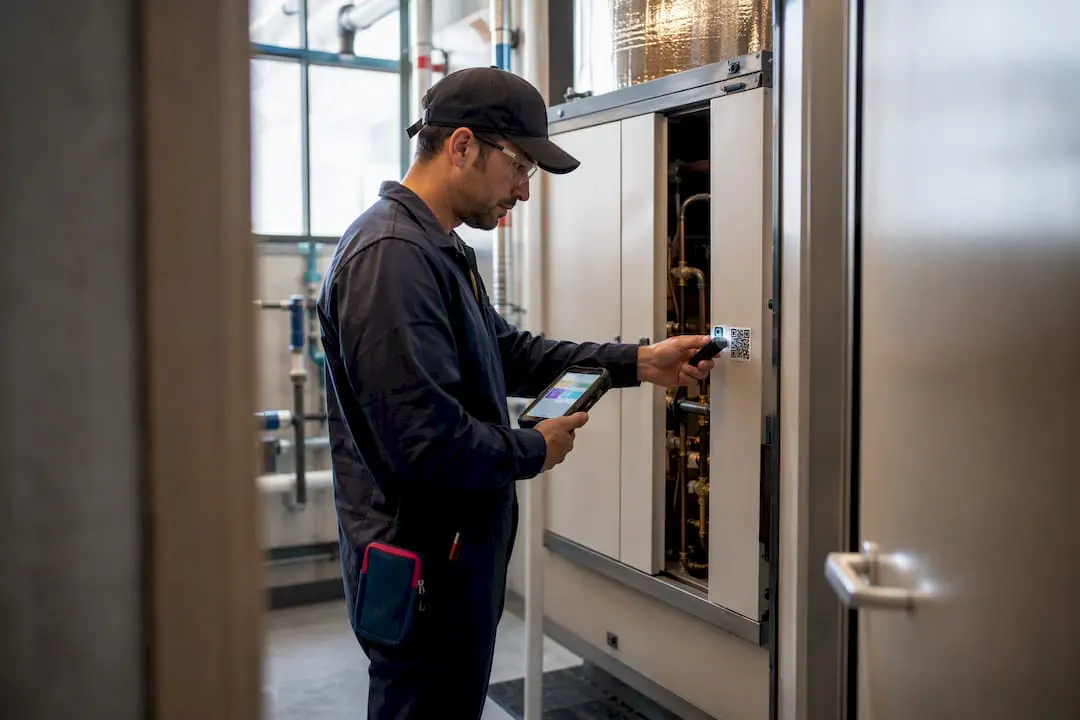
Electronic maintenance logs replace paper logbooks with digital records that capture what work was done, when, by whom, and with what parts. They give maintenance teams searchable histories, timestamped audit trails, and faster compliance checks than any binder ever could. The recommended move for most teams is straightforward: pilot a mobile, offline-capable system with one crew, map your existing paper records, and expand once the workflow has proven itself.
TL;DR:
- Electronic maintenance logs enable instant searches, automatic timestamps, and real-time reporting, reducing repair turnaround times and administrative effort.
- Mobile, offline-capable systems with QR or barcode asset scanning, immutable timestamps, and export options are essential features for effective digital logs.
- Compliance requires timestamps, work descriptions, parts used, and verified signatures, with digital records recognized as equivalent to paper by regulators like the EPA.
- A staged migration, starting with asset inventory and parallel testing, minimizes risks and helps technicians adapt to digital logging practices.
- Platforms like MPulse support offline use, asset linking, and export capabilities, aiding maintenance teams in transitioning from paper logs to a connected, efficient system.
Table of Contents
- What Are Electronic Maintenance Logs?
- Why Switch From Paper: Benefits and ROI
- Key Features Your Electronic Log System Needs
- Compliance, Auditability, and Data Integrity
- How to Migrate From Paper: A Practical Rollout Plan
- How MPulse CMMS Supports Electronic Maintenance Logs
- A Maintenance Manager’s Perspective on Rollout Realities
- How MPulse Can Help You Move Off Paper Logs
- Sources
- FAQ
What Are Electronic Maintenance Logs?
A paper logbook records what happened once, on one page, in one location. An electronic maintenance log records the same event but stores it in a searchable database, tags it to a specific asset, and makes it retrievable from any device with the right permissions. That difference sounds small until an auditor asks for three years of work orders on a single pump and you’re either pulling a filing cabinet apart or running a two-minute query.
Maintenance teams generally work with three types of digital records:
- Preventive maintenance logs, which document scheduled inspections and servicing tied to a calendar or meter reading.
- Work-order histories, which track repairs from request through completion, including parts consumed and labor hours.
- Event and fault logs, which capture unplanned failures, downtime causes, and corrective actions.
These logs show up across very different operations. A facilities team uses them to track HVAC servicing across a building portfolio. A fleet operation logs inspections and repairs per vehicle. A plant runs condition-based logs tied to sensor thresholds. Aviation maintenance organizations rely on a version of the same concept, often called electronic logbooks, to document airworthiness work with the same rigor a facilities manager applies to a rooftop unit.
Why Switch From Paper: Benefits and ROI
The case for switching comes down to three things paper can’t do: search instantly, timestamp automatically, and report in real time.
Downtime drops when technicians can find equipment history in seconds instead of digging through a filing cabinet. A digital record also eliminates the lag between a repair happening and someone logging it, since entries get created at the point of work rather than transcribed later from a clipboard.
The measurable gains tend to cluster around a few areas:
- Faster turnaround on repairs, since technicians pull prior fault history before they even reach the asset.
- Less administrative time spent re-entering handwritten notes into spreadsheets.
- Audit prep that takes hours instead of days, because records are already timestamped and organized by asset.
- Trend reports that surface recurring failures, which paper logs simply can’t aggregate on their own.
Digital maintenance log explainer resources consistently point to faster inspections and consolidated equipment histories as the practical payoff of migrating off paper, particularly for teams managing recurring preventive tasks across many assets.
Key Features Your Electronic Log System Needs
Not every maintenance log software platform is built the same, and the gap usually shows up in the field, not the demo. Before you commit to one, check it against this list:
- Mobile-first, offline-capable design. Crews working in basements, remote yards, or steel-frame buildings lose signal constantly. A system that only works online is a system technicians will abandon.
- QR or barcode scanning for asset identification. Scanning a tag takes two seconds and eliminates the typos that come from manually searching an asset list.
- Immutable timestamps and a full audit trail. Every entry needs a record of who created it, when, and whether it was later edited.
- Attachment support. Photos of a failed part or a torque reading matter more than a text description alone.
- Export and integration options. CSV and PDF exports for auditors, plus API or ERP connectors for teams that need data flowing into finance or procurement systems.
Pro Tip: Ask any vendor to demonstrate their offline mode on an actual mobile device before you sign anything. A feature that only exists in marketing copy won’t help a technician standing in a basement with no signal.
Practitioner reporting on electronic logbook rollouts backs this up directly: QR-code asset linking and offline-first mobile interfaces reduce the data-entry friction that causes crews to quietly revert to paper.
Compliance, Auditability, and Data Integrity
Auditors and regulators care about a short list of things, and every electronic maintenance log system should be built to satisfy them without extra work at audit time.
A defensible record needs, at minimum:
- A timestamp that can’t be silently altered after the fact.
- Identification of who performed the work.
- A description of the work performed and parts used.
- A sign-off, whether that’s an electronic signature or a verified user login tied to the entry.
The EPA already treats electronic preventive maintenance logs as acceptable documentation for drinking water systems, which signals that federal agencies overseeing regulated infrastructure recognize digital records as equivalent to paper, provided the audit trail holds up. Retention and export practices matter just as much as capture: keep records exportable to PDF or CSV for procurement reviews, and check Regulations periodically for rule changes that might affect how long records need to be kept or what fields they must include. Emerging efforts like digitally signed, portable maintenance credentials point toward where recordkeeping is heading, particularly for equipment that changes hands or needs verifiable history at resale.
How to Migrate From Paper: A Practical Rollout Plan
Switching an entire maintenance operation over in one weekend is how rollouts fail. A staged approach protects you from data loss and gives technicians time to build new habits.
- Inventory your existing records first. Walk through paper logbooks, spreadsheets, and any legacy software to identify which assets have the most complete history worth migrating.
- Map your data fields before importing anything. Decide how paper fields (equipment ID, technician initials, date) translate into your new system’s structure.
- Run a parallel pilot. Pick one crew or one site and log everything twice, on paper and digitally, for 30 to 90 days. This staged, parallel-run approach validates data mapping and gives you a safety net if the digital side has gaps.
- Equip the pilot crew with QR-tagged assets and offline-capable mobile devices, then measure completion rates and time-to-close on work orders against the old paper baseline.
- Train for speed, not comprehensiveness. The habit you want technicians to build is logging at the point of work, not writing detailed notes later from memory.
- Set clear success metrics before expanding, such as percentage of work orders closed same-day or reduction in average time to locate an asset’s history.
Pro Tip: Resist the urge to migrate every historical paper record on day one. Prioritize the assets with active compliance requirements or frequent failures, and digitize the rest as time allows.
How MPulse CMMS Supports Electronic Maintenance Logs
Some CMMS platforms build their software around capabilities that separate a working electronic log system from a frustrating one. Preventive maintenance automation schedules recurring work automatically, while an intuitive calendar interface keeps technicians and managers looking at the same timeline instead of competing spreadsheets.

Mobile support lets crews log work from the field, and condition-based monitoring can tie log entries to real equipment triggers rather than fixed intervals alone. Some platforms also offer integration capabilities and customized service options built for industries carrying compliance requirements, which matters if your logs eventually need to satisfy an outside auditor.
Before choosing any vendor, including MPulse, ask these questions directly:
- Does the mobile app work fully offline, or only with intermittent connectivity?
- What export formats are supported for audits and procurement reviews?
- Is the audit trail immutable, and can it show edit history?
- Does the vendor provide migration assistance for existing paper or spreadsheet records?
A Maintenance Manager’s Perspective on Rollout Realities
Expect adoption to take longer than the software demo suggests. The technical migration is the easy part. What actually changes behavior is a crew seeing that logging on a phone saves them time on the very next call. Start there, not with a mandate.
— Mark
How MPulse Can Help You Move Off Paper Logs
If unplanned downtime and siloed paper records are costing you audit time and repair speed, effective maintenance software can help close that gap by pairing preventive maintenance automation with mobile logging and intuitive scheduling views, enabling teams to work more efficiently.

MPulse has supported many customers globally, with documented efficiency improvements reported by some teams once they move their records off paper and into a connected system. If you’re a maintenance supervisor or operations director evaluating a change, the most useful next step is seeing the platform against your own asset list rather than a generic demo. Start with a free trial or explore the full maintenance software platform to map its features against your current logbook gaps.
Sources
For readers doing their own compliance research, these federal resources are worth bookmarking:
- Electronic Preventive Maintenance Logs (EPA)
- Electronic logbook updates reduce friction with QR/Offline workflows (Aviation Today)
- Regulations
FAQ
What should be included in a maintenance log?
A complete entry needs a timestamp, the technician’s identity, a description of work performed, parts or materials used, and a sign-off or verified electronic signature.
What is the best app for tracking maintenance logs?
The right choice depends on your industry’s compliance needs, but look for mobile-first design, offline capability, QR scanning, and export options. Platforms like MPulse CMMS build these into a single system alongside preventive maintenance scheduling.
Do airlines accept electronic logbooks?
Aviation maintenance organizations increasingly use electronic logbooks, and industry reporting on adoption shows QR-linked, offline-capable systems reducing the friction that once slowed acceptance.
What is a maintenance log?
A maintenance log is a record documenting maintenance work performed on an asset, including when it happened, who did it, and what was done. An electronic maintenance log stores that same information digitally, making it searchable and timestamped rather than handwritten and filed away.