For most procurement teams, the right answer is a mix: use REST APIs for near-real-time purchase order sync with suppliers and downstream systems, use file-based imports like FBDI for high-volume batch loads, and keep EDI where long-standing trading-partner agreements already depend on it. The immediate next step is to scope a pilot around one supplier group and one integration mode before expanding further.
TL;DR:
- Rest APIs are ideal for real-time purchase order updates, especially for approvals and exception handling, while file-based imports are better for bulk processing with overnight latency.
- Accurate field mapping of header, line, and financial data, along with thorough master data validation, is critical to prevent integration errors and reconciliation failures.
- Different integration patterns—such as inbound, outbound, or event-driven—depend on the origin of purchase orders and how quickly related systems require updates.
- Starting with a focused pilot on one supplier group and one integration mode helps identify edge cases and reduces risk before full deployment.
- Data quality and master data reconciliation are the primary risks, requiring ongoing validation, least-privilege access, and version control to ensure a smooth, reliable integration.
Table of Contents
- Which integration methods move purchase order data?
- What to map: PO header, line, and master data fields
- How inbound, outbound, and event-driven patterns differ
- A step-by-step checklist for your integration project
- How do you test and monitor a live integration?
- What risks and best practices should you plan around?
- Where MPulse fits in a purchase integration strategy
- A pragmatic view on scoping your pilot
- Get integration support built around maintenance purchasing
- FAQ
- Sources
Which integration methods move purchase order data?
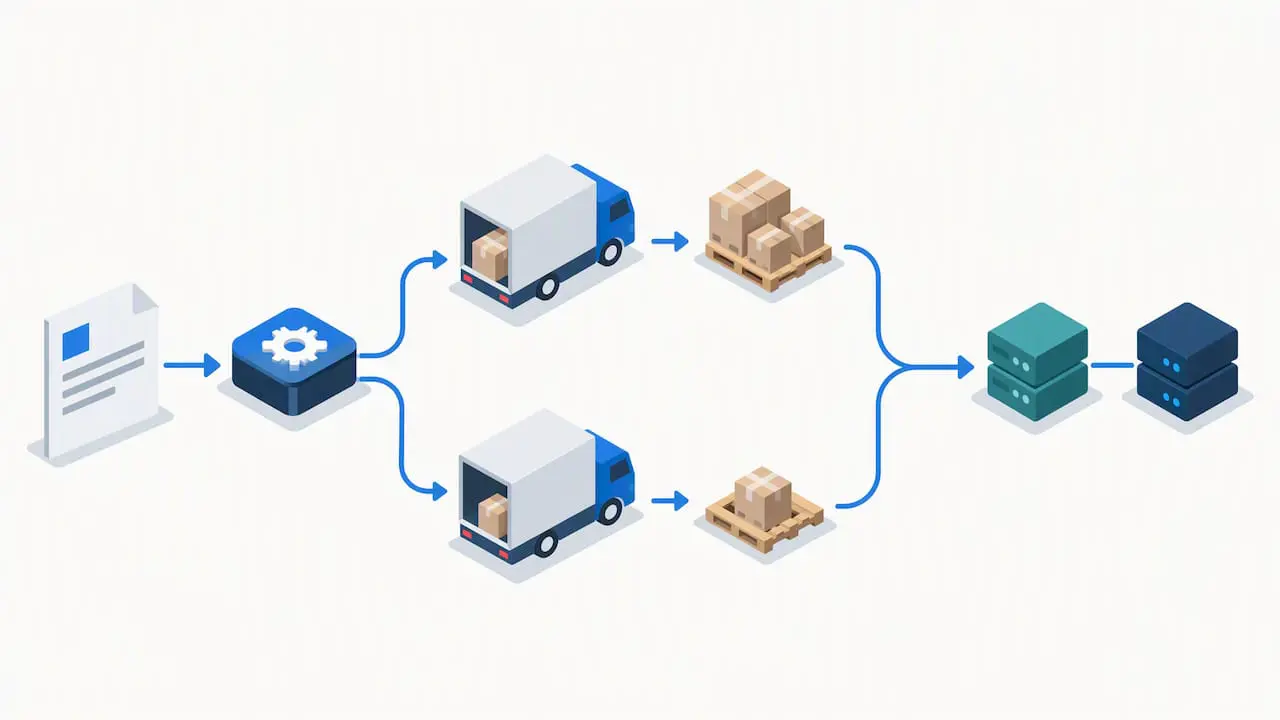
Four technical approaches cover nearly every ERP purchase integration scenario, and most mature implementations end up using more than one.
REST APIs handle near-real-time exchanges, which matters when a purchase order needs to reach a supplier portal or warehouse system within minutes rather than hours. Oracle’s integration playbooks for procurement describe REST as the standard choice when update frequency and latency requirements are tight.
File-based imports such as FBDI or CSV templates suit high-volume batch processing: large numbers of purchase orders loaded overnight, for example, where a few hours of latency is acceptable in exchange for lower operational cost.
EDI remains the backbone of many long-term trading-partner relationships, moving standardized documents like 850 purchase orders and 855 acknowledgments between systems that were never designed to talk to each other directly.
Middleware and event-driven platforms (integration platform as a service, message queues) sit between these methods, translating data into a canonical model so a single change doesn’t ripple into dozens of point-to-point mappings.
- REST APIs: near-real-time, lower volume per call, best for approvals and exceptions.
- FBDI/CSV: high volume, scheduled batches, best for bulk creation.
- EDI: standardized, partner-specific, best for established supplier relationships.
- Middleware/iPaaS: reduces mapping sprawl when multiple systems and methods coexist.
What to map: PO header, line, and master data fields
Every purchase order integration lives or dies on field mapping accuracy. Microsoft’s Dynamics 365 purchase order guidance shows that header fields capture vendor, delivery location, receipt date, and default financial dimensions, while line-level fields cover item, quantity, unit, and unit price, often inheriting defaults from the vendor record or the originating requisition.
- Header: vendor ID, currency, delivery site, receipt date, PO number, status.
- Line: item code, quantity, unit of measure, price, account coding, delivery location.
- Financial dimensions: typically copy from vendor setup, sometimes override from requisition lines.
- Master data: vendor IDs, remit-to addresses, and site codes must reconcile before any PO can post cleanly.
The most common mapping error is a mismatched unit of measure between the source system and the ERP, followed closely by missing or stale vendor IDs that cause receipts to fail reconciliation.
Pro Tip: Validate master data (vendor records, unit of measure tables, account codes) before building field mappings, not after the first failed batch.
How inbound, outbound, and event-driven patterns differ
Choosing a pattern depends on which system originates the purchase order and how quickly downstream systems need to know about it.
- Inbound integration: external procurement tools or supplier systems push purchase requisitions or orders into the ERP, common when buying happens outside the core system first.
- Outbound integration: the ERP publishes approved purchase orders to warehouse systems, supplier portals, or third-party logistics platforms once a status change occurs.
- Process integration (dual-write): two systems stay synchronized in near-real-time, useful when both procurement and finance teams actively edit the same purchase order record.
- Event-driven orchestration: business events like PO created, PO changed, PO cancelled, or receipt posted trigger downstream actions automatically, reducing the need for scheduled polling.
Most organizations start with simple inbound or outbound integration and add event orchestration once the volume of change orders and cancellations makes manual monitoring impractical.
A step-by-step checklist for your integration project
A disciplined sequence prevents the most common cause of failed go-lives: scope creep mid-build.
- Define scope: which purchase order types, which sites, and which approval rules apply.
- Decide integration mode per object (API for approvals and exceptions, batch for bulk creation, EDI for existing partners).
- Design field mappings and transformation rules, including a canonical data model if middleware is involved.
- Secure connectivity: API keys, VPN tunnels, or SFTP credentials, with access scoped to the minimum needed.
- Build the integration and set up reconciliation reporting alongside it, not after.
- Pilot with a limited supplier set and run both systems in parallel before full cutover.
Oracle’s own procurement integration playbooks recommend testing both simple purchase orders and edge cases, such as blanket agreements and progress payments, during this pilot phase rather than waiting for production volume to expose gaps.
Pro Tip: Run your pilot with at least one supplier that represents a “hard case,” like split shipments or partial receipts, so edge cases surface before full rollout.
How do you test and monitor a live integration?
Testing a purchase order integration means verifying three layers: unit tests on individual field transformations, integration tests on the full message exchange, and end-to-end tests on real business scenarios like a change order that alters quantity after partial receipt.
Batch imports need particular attention to validation reports. Oracle’s guidance on importing purchasing documents notes that import tasks generate error reports listing rejected records and reasons, with resubmission expected after fixes, a routine step rather than a failure.
- Test API pagination limits before production load, since some Oracle REST endpoints cap results at 500 records per call.
- Build retry logic for transient failures rather than treating every rejection as fatal.
- Set up reconciliation dashboards that flag mismatched vendor data or missing receipts.
Some Oracle REST endpoints for purchasing limit responses to 500 records per page, which means high-volume integrations need pagination logic built in from the start rather than discovered during a production spike.
What risks and best practices should you plan around?
Data quality is the single biggest risk in any ERP purchase integration, and most failures trace back to master-data gaps rather than code defects.
- Reconcile vendor IDs, addresses, and account codes before go-live, not during it.
- Build explicit handling for approvals and change orders to avoid duplicate or ghost purchase orders.
- Apply least-privilege access, encrypt data in transit, and keep audit trails on every integration run.
- Version your mapping documents and maintain a rollback plan for every release.
- Use batching and queuing to absorb volume spikes without overwhelming downstream systems.
Where MPulse fits in a purchase integration strategy
Maintenance-driven purchasing has its own pressure points: parts need reordering fast, and purchase requisitions often originate outside the core ERP. MPulse CMMS supports purchase requisitions directly inside its calendar and work order interface, and the DataLink Integration Adapter connects those requisitions to ERP systems including Oracle databases, as outlined in our Oracle integration guidance.
- MPulse can serve as the originating inbound system when maintenance teams generate purchase requisitions.
- The DataLink adapter supports outbound sync of approved purchase data back to the ERP for finance visibility.
- Teams get a single calendar view of maintenance purchasing instead of reconciling two disconnected systems.
A pragmatic view on scoping your pilot
Success in a purchase order integration looks like less manual re-entry, fewer vendor invoice exceptions, and a shorter cycle from requisition to receipt. Track those three metrics through your pilot and into the first quarter after go-live. Assign one cross-functional owner spanning procurement and IT, because integrations that lack a single accountable owner tend to drift into unmaintained scripts within a year.
— Mark
Get integration support built around maintenance purchasing
We built MPulse CMMS to handle the purchasing side of maintenance operations without forcing teams to choose between a dedicated maintenance system and ERP visibility. Our purchase requisition feature and DataLink Integration Adapter connect maintenance purchasing directly to your ERP, and our implementation and hosting services support teams through the mapping and cutover work this article covers.
If integrating purchase orders between maintenance operations and your ERP is on your roadmap, review our pricing plans, including Professional and Advanced tiers priced per month per user, and reach out to scope a pilot.
FAQ
What is an ERP integration?
An ERP integration connects an enterprise resource planning system to other software, such as procurement tools, maintenance systems, or supplier portals, so data like purchase orders and receipts flows automatically instead of being re-entered manually. Common methods include REST APIs, file-based imports, and EDI.
What is an ERP in purchasing?
In purchasing, an ERP is the system of record that manages purchase requisitions, purchase orders, vendor data, and receipts alongside financial accounting. It centralizes approvals and accounting dimensions so purchasing activity ties directly to the general ledger.
What are the four types of ERP?
ERP systems are commonly categorized by deployment model: on-premise, cloud-based, hybrid, and industry-specific ERP built for a particular sector’s workflows. Each handles purchase order integration differently depending on available APIs and hosting constraints.
What are the five ERP modules?
Definitions vary, but a common version includes finance, procurement, inventory management, human resources, and manufacturing or production. Procurement and purchasing modules are where purchase order integration work concentrates.
Sources
- File-Based Data Import (FBDI) for Purchasing — Oracle
- Create a purchase order — Dynamics 365 Supply Chain Management