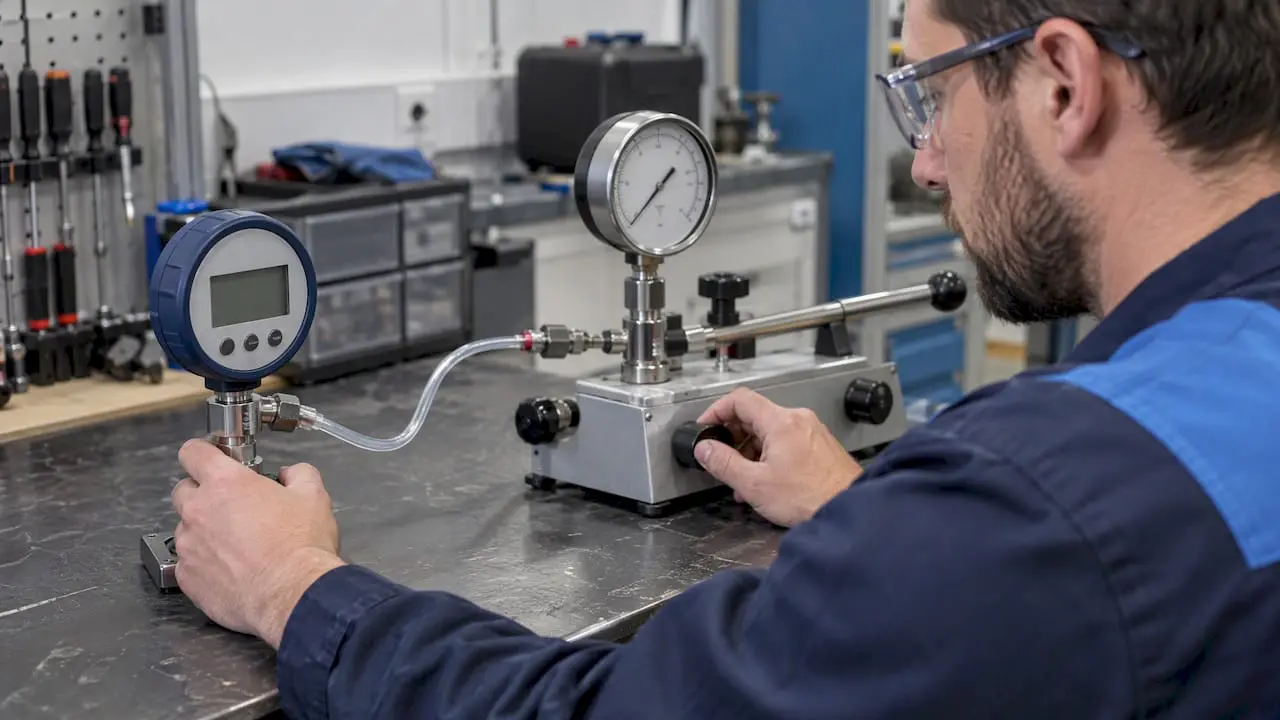
A CMMS handles calibration well when you treat it as the scheduling and evidence layer around your calibration program. It schedules recurring calibration work, flags due and overdue instruments, stores certificates and results, and triggers corrective work when an instrument is out of tolerance. It does not replace metrology expertise. Your quality or technical authority still approves intervals, tolerances and return-to-service decisions.
This guide covers what a calibration-ready CMMS needs, how to build the workflow, how to handle intervals and providers, and how to migrate records without carrying your spreadsheet problems into the new system.
TL;DR
- Link four records in your CMMS: the instrument, the recurring calibration work order, the original certificate and results, and any corrective action.
- Do not let a closed work order stand as proof that an instrument is fit for use. Use statuses such as failed, quarantined and approved, not just open and closed.
- There is no universal calibration interval in the U.S. Set intervals from accuracy needs, regulation or contract, stability and environment, and refine them with data.
- Migrate a clean, controlled register first (stable asset ID, owner, interval, last and next due dates, provider, certificate link), then add history as you verify it.
- Scheduling has to account for removal, transport and sometimes process shutdowns, not just reminders.
Table of Contents
- What calibration management means inside a CMMS
- Who needs this most
- The calibration workflow, step by step
- Setting calibration intervals the right way
- Scheduling around the real world
- Choosing and documenting calibration providers
- What to look for in a CMMS for calibration
- Our perspective: governance before automation
- Migrating calibration records without importing the mess
- Metrics worth tracking
- How MPulse fits
- FAQ
- Sources
What calibration management means inside a CMMS
Calibration is the procedure that compares an instrument against a reference. Calibration management is everything around it: knowing which instruments you have, when each is due, who does the work, what the result was, and what you did about it.
That is a maintenance workflow problem, which is why a CMMS fits. FDA laboratory procedures describe the schedule and requirements for maintenance, performance checks, calibration and verification of testing equipment, and they expect records for each. The same logic applies in a plant, a hospital or a campus. If a pressure gauge, torque wrench or temperature probe affects quality, safety or a regulated result, you need to show its status on demand.
A CMMS gives you:
- A single asset record per instrument, with location, owner and history.
- Recurring work orders generated from a schedule.
- Attachments for certificates, procedures and results.
- Dashboards and reports for due, overdue and failed work.
- A trail of who did what and when.
What it cannot do is decide whether a result is acceptable. NIST’s traceability guidance defines metrological traceability as an unbroken documented chain of calibrations to a reference, with each link contributing to measurement uncertainty. A green status in software is not that chain. The software should preserve the evidence so a qualified person can judge it.
Who needs this most
Calibration programs show up in more places than a metrology lab:
- Manufacturing: gauges, scales, sensors and torque tools tied to product quality.
- Healthcare facilities: patient-care and environmental monitoring equipment, where audit readiness matters.
- Facilities and education: building-system sensors, lab equipment and safety devices across many sites.
- Contractors: client-owned instruments you service under an agreement and must document.
In each case the pain is the same: due dates tracked in spreadsheets, certificates in a shared folder, and a scramble when an auditor or customer asks for proof.
The calibration workflow, step by step
The research behind this guide, drawn from FDA laboratory procedures and ISA guidance, points to a practical sequence. Build it in this order.
- Inventory and uniquely identify instruments. Give each a stable asset ID, and label or tag it. Barcode identification speeds this up and reduces misidentified instruments.
- Define the requirements per instrument. Record the procedure, tolerance, owner, location and approved interval.
- Create recurring work orders. Tie each to a schedule so the next one generates automatically.
- Assign the work. Use internal staff or a provider qualified for that measurement scope.
- Capture as-found and as-left results. Attach the certificate to the work order and the instrument.
- Evaluate out-of-tolerance impact. If the as-found reading was outside tolerance, someone must assess what was measured with it since the last good calibration.
- Issue repair or corrective action. Link it to the original work order.
- Approve return to service. A named, authorized person signs off.
- Report. Track overdue items, failures and certificate completeness.
FDA laboratory procedures require records for calibration, verification, service, maintenance, results, adjustments, acceptance criteria and the next calibration date, and expect equipment status to be identifiable by label, code or associated record. Your CMMS fields should mirror that list.
Use statuses that tell the truth
A CMMS should not close a calibration exception just because a technician typed a result. In FDA laboratory practice, verification can lead to restoration, adjustment, repair, downgrade or obsolescence, and the written decision stays part of the instrument record.
Configure statuses beyond open and closed:
| Status | Meaning |
|---|---|
| Due | Scheduled work is approaching or past its date |
| In progress | Work is under way |
| Failed | As-found result outside tolerance |
| Quarantined | Instrument removed from use pending review |
| Under review | Quality or technical authority assessing impact |
| Repaired | Corrective work complete, not yet released |
| Calibrated | Calibration done and certificate attached |
| Approved | Released to service by an authorized person |
| Retired | Permanently out of service |
Connect four records
The most useful design links the instrument, the recurring calibration work order, the original certificate and results, and the corrective action. When these sit together, an audit or investigation takes minutes instead of days. It also prevents a completed work order from being mistaken for proof that the measurement system was acceptable.
Setting calibration intervals the right way
The most common mistake is treating the interval as a software setting. NIST says it does not require or recommend a set recalibration interval for measuring instruments in general. Its guidance says intervals depend on accuracy requirements, contract or regulation, instrument stability and environmental factors. Where no external interval applies, organizations should use measurement-assurance data and control charts to establish and refine it.
NIST’s GMP 11 adds that periodic recalibration detects growth in uncertainty, and that changing an interval requires adequate data, technical or statistical analysis, and documentation.
For your CMMS, this means:
- Store the approved interval and the reason for it on the instrument record.
- Do not adopt a provider’s suggested due date as your approved interval without justification.
- Let history inform changes. If an instrument repeatedly drifts out of tolerance, shorten the interval. If it is stable across many cycles, a documented extension may be justified.
- Require approval for interval changes, so they cannot be edited casually.
The ISA also notes the cost of getting this wrong in both directions: failing to calibrate hurts performance, while calibrating too often wastes time and money.
Scheduling around the real world
A reminder email is not a schedule. ISA’s plantwide approach points out that calibration may require removal, transport, reinstallation and sometimes a process shutdown. Good scheduling coordinates:
- Production or patient-care windows.
- Spare or loaner instruments.
- Parts and consumables.
- Contractor and provider availability.
A calendar view helps here, because planners can see calibration work next to other preventive maintenance and shutdown windows. Grouping instruments by area or provider visit reduces downtime and travel.
Choosing and documenting calibration providers
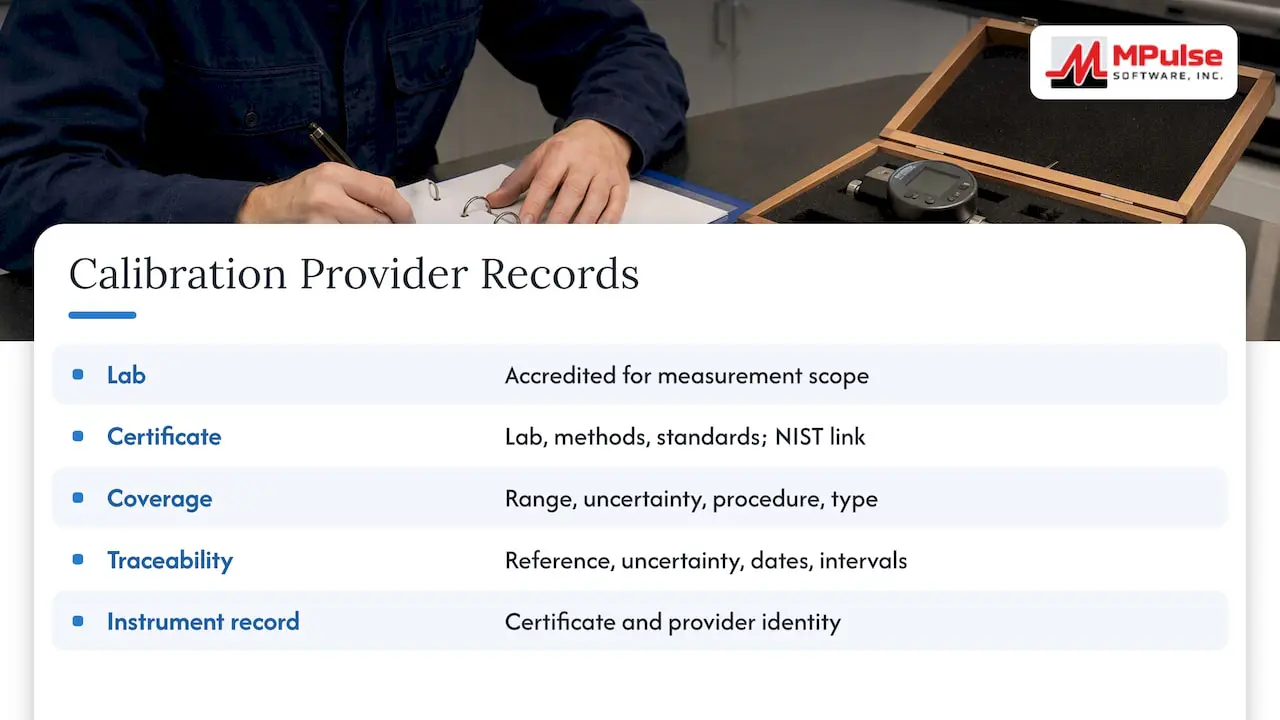
When work goes outside, verify competence for the specific measurement scope. A generic claim of accreditation is not enough. FDA guidance says reference standards should be calibrated by an accredited laboratory able to provide certificates linked to NIST or an equivalent national reference, and the certificate should identify the laboratory, methods and standards used.
In practice, check that each certificate covers the required range, uncertainty, procedure and measurement type. Then keep the certificate and provider identity with the individual instrument record. Also remember that NIST makes the point that calibration at NIST alone does not make every resulting measurement traceable. The reference standard, procedure, uncertainty, dates and intervals all belong in the evidence.
Vendor tracking and purchase records in the CMMS help here. Tying provider performance and service terms to work orders gives you a basis for reviewing turnaround and quality. Our guide to vendor management and service level agreements in a CMMS covers that side.
What to look for in a CMMS for calibration
Use this checklist when you evaluate software:
- Recurring schedules for preventive maintenance and calibration, with flags for due and overdue items.
- Asset and location hierarchy, so instruments are traceable to a site, line or room.
- Mobile or barcode identification, so technicians pull up the right record at the instrument. See how mobile CMMS supports this.
- Document attachments for certificates, procedures and results.
- Workflow approvals for out-of-tolerance disposition and return to service.
- Vendor and purchase tracking for outside calibration and replacement instruments.
- Inventory and spare-equipment planning.
- Dashboards and reports for due, overdue, failed and certificate-completeness status.
- Integrations with ERP or sensor systems.
Dedicated calibration software can go deeper on uncertainty budgets and metrology-specific calculations. If your main need is to schedule the work, keep the evidence together and connect it to maintenance, a CMMS is usually the more practical home, and it avoids splitting maintenance history from calibration history across two systems.
Our perspective: governance before automation
We see calibration go wrong when teams automate before they decide who owns the decisions. The software is good at the repetitive parts: generating the next work order, keeping the certificate with the asset, showing what is overdue. It should not be configured to decide on its own that an instrument is fine.
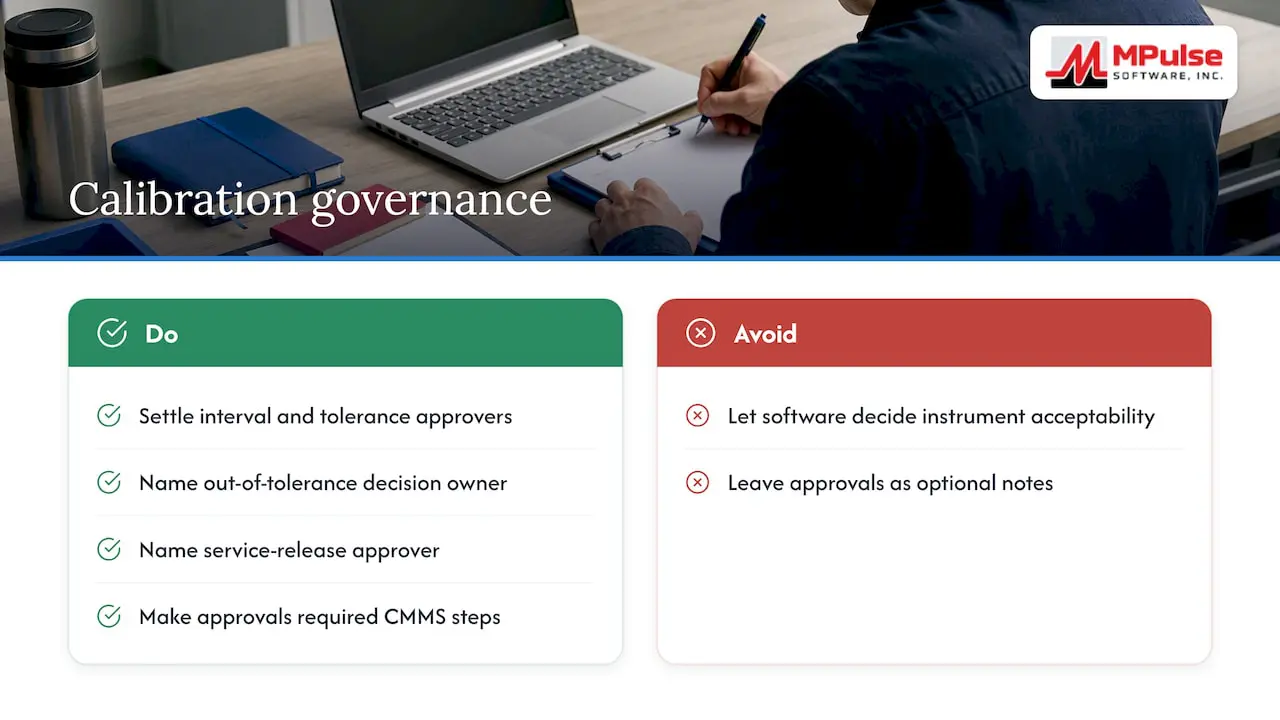
Our advice is to settle three things before configuration begins. First, who approves intervals and tolerances. Second, who dispositions an out-of-tolerance result. Third, who releases an instrument back to service. Then build the CMMS so those approvals are required steps, not optional notes.
We also encourage teams to start narrow. Pick one site or one instrument class, get the register clean, run a full cycle, and then expand. MPulse is built around preventive maintenance automation, work order management, asset tracking, calendar scheduling and compliance recordkeeping, and teams in compliance-heavy industries use those same building blocks to keep calibration evidence audit-ready. Our CMMS and compliance guide explains how we think about the link between software and practice.
— Mark
Migrating calibration records without importing the mess
Do not import every spreadsheet row. ISA’s guidance on starting with a plantwide assessment suggests recording each instrument’s description, location, operating conditions, working range, history, spare parts, drawings, original calibration data and certificates in asset or maintenance-management software.
A safer sequence:
- Build a controlled current register. Include a stable asset ID, description, owner or location, interval, last calibration, next due date, provider and certificate link.
- Clean it. Duplicate IDs and ambiguous dates are common causes of failed rollouts. Resolve them before loading.
- Load and verify. Spot-check against the physical instruments and tags.
- Add history gradually. Bring in past results and certificates as you verify them.
- Run one full cycle before you retire the old spreadsheet.
If you want help with this phase, implementation, training and consulting services are available from us to get data structure, workflows and users set up correctly.
Metrics worth tracking
Once the system is live, a short set of reports tells you whether the program is healthy:
- Instruments overdue, by site and owner.
- Calibrations completed on time versus late.
- Out-of-tolerance rate by instrument type, which feeds interval reviews.
- Certificates attached versus required.
- Average days from failure to return to service.
- Open corrective actions linked to calibration failures.
Review these monthly with the quality or technical owner. Trends in out-of-tolerance rates are the evidence you need to justify interval changes later.
How MPulse fits
MPulse CMMS gives facility, manufacturing, healthcare, education and contractor teams the maintenance backbone a calibration program needs: preventive maintenance automation, work order management, asset tracking, calendar scheduling, barcode scanning, mobile access, inventory for parts and supplies, graphical reporting and customizable workflows. Requesters are unlimited and free, and add-ons such as DataLink connect to ERP and other systems.
Published pricing on our pricing page is $29 per month per user for Professional and $79 per month per user for Advanced. A Technician License and Enterprise Add-Ons are also listed there. If you want to see how your calibration register would map into the system, start there or talk with our team through the MPulse site.
FAQ
How often should lab equipment be calibrated?
There is no single U.S. answer. NIST says intervals depend on accuracy requirements, contract or regulation, instrument stability and environmental factors. Where no external interval exists, use measurement-assurance data and control charts to set and refine it, and document every change.
Can a CMMS replace dedicated calibration software?
For many teams it can handle the scheduling, certificate storage, exception workflow and reporting that make up most of the day-to-day work. Programs that need specialized metrology calculations, such as detailed uncertainty analysis, may add dedicated tools. Either way, your quality or technical authority still owns the decisions.
What should a calibration record contain?
At minimum: instrument identity, calibration dates, results, adjustments, acceptance criteria, next due date, maintenance history and supporting certificates. For regulated laboratory use, also keep the provider identity, reference standard, procedure and uncertainty with the record.
What happens when an instrument is found out of tolerance?
Remove or quarantine it, and have a qualified person assess what was measured since the last good calibration. Then repair, adjust, downgrade or retire it as appropriate, and record the decision. The CMMS should link that corrective action to the original calibration work order.
Sources
- Recommended Calibration Interval, NIST
- GMP 11: Assignment and Adjustment of Calibration Intervals for Laboratory Standards, NIST
- Metrological Traceability: Frequently Asked Questions and NIST Policy, NIST
- FDA laboratory equipment maintenance and calibration procedure
- FDA laboratory equipment records procedure
- FDA guidance on reference standard calibration
- Setting up an instrument calibration plan, ISA