
The best way to connect a CMMS with your ERP is a phased pilot that starts with MRO inventory and purchasing, preceded by a workflow audit. Pair that pilot with an API or adapter connection, a named internal champion, and a clean data map. Success looks like one trusted record for parts and costs, fewer stockouts, and faster work order closeouts, proven before you scale.
TL;DR:
- Audit workflows and clean duplicate parts, units, and vendor codes first; assign a master data owner and document which system owns each identifier.
- Pilot MRO inventory and purchasing at one site; set baseline measures for inventory accuracy, stockouts, preventive maintenance compliance, and work order closing time before launch.
- Use APIs for real time transactions, middleware when several endpoints need transformation or retries, and an adapter for a straightforward CMMS to ERP link.
- Use token based access, least privilege, rotated keys, retries, and traceable logs; monitor failed and waiting messages so outages or bad records surface quickly.
- Do not expand until the pilot meets its metrics; rising reconciliation exceptions or user workarounds signal that the first phase needs stabilization.
Table of Contents
- What disconnected systems cost you on the floor and in finance
- What to measure in a pilot and what payoff to expect
- Plan the pilot: governance, metrics and a phased roadmap
- APIs, middleware or adapters: choosing the connection
- Data hygiene and mapping before you connect anything
- Security and compliance: build it in from the start
- Testing, validation and rollback before cutover
- Change management and keeping the value after go-live
- What we have seen go wrong, and how to head it off
- Where we can help with CMMS integration
- FAQ
- Sources
What disconnected systems cost you on the floor and in finance
When maintenance and finance run on separate records, the damage shows up in small daily frictions that add up. Technicians cannot trust the stock count, planners cannot see what a repair really cost, and finance cannot tie spend to a specific asset.
Here is how it typically appears:
- Parts exist twice, once in the CMMS and once in the ERP, with different descriptions, units or vendor codes.
- Stockroom counts drift from what the system says, so a technician finds the shelf empty or finds parts nobody needs.
- Work orders stay open for days after the job ends because someone must re-key parts and labor by hand.
- Labor cost never reaches the asset record, so lifecycle costing rests on guesses.
- Purchase requests wait on email chains instead of flowing from a work order to procurement.
The consequences are concrete. Missing parts extend downtime. Duplicate and misspelled records inflate inventory because buyers reorder what they cannot find. Incomplete cost history pushes repair-or-replace decisions toward whoever argues loudest rather than toward the data.
None of these problems is exotic. They are the ordinary result of two systems that were never told to agree. That is why we treat inventory and purchasing as the first integration target: the pain is visible, the data is bounded, and the payoff arrives quickly.
What to measure in a pilot and what payoff to expect
A pilot earns support only if you can show a before and after. Set your targets early, and tie each one to a number you already collect or can collect within weeks.
The outcomes worth tracking:
- A single source of truth for parts and costs, so planners, buyers and accountants read the same record.
- Fewer stockouts, driven by automated reorder cycles tied to real consumption.
- Better PM adherence, because parts are on hand when scheduled work comes due.
- Faster work order throughput, since parts and labor post without re-keying.
- Linked CapEx and OpEx, so lifecycle decisions rest on total cost per asset.
These are not exotic expectations. DOE/FEMP operations guidance lists the capabilities a mature CMMS should deliver, including calendar-based PM generation and parts inventory control with automated reorder.
The same guidance also names the failure mode to plan against: lack of commitment and weak sustainment processes, not missing software features.
Pick a baseline for each metric before go-live. Without it, even a good result looks like opinion.
Plan the pilot: governance, metrics and a phased roadmap
A pilot works when its scope is narrow enough to finish and important enough to matter. Inventory and purchasing for one plant, one storeroom or one production line usually fits. It touches real money and real downtime, yet involves a limited set of records and users.
Follow this sequence:
- Select the pilot. Favor high impact and limited scope: one site, one parts category, one purchasing workflow.
- Audit the process first. Review how work, inventory and purchasing actually run today. Emerson’s guidance stresses that processes for work management, inventory, purchasing and sustainment must be developed and reviewed before go-live to realize the system’s value.
- Define a set of success metrics. Good choices are inventory accuracy, PM compliance, time to close work orders, stockout count and duplicate part records.
- Assign roles. You need an executive sponsor, an internal champion who owns adoption, a steering committee, and a liaison between the vendor and IT.
- Run the phases. Pilot, refine, expand, then stabilize. Do not start the next phase until the current one meets its metrics.
- Review on a schedule. Hold a short weekly check during the pilot and a monthly review after.
Pro Tip: Write the success metrics and their baselines on one page and have the sponsor sign it before any configuration starts. It prevents scope creep and ends later debates about whether the pilot worked.
For a fuller implementation checklist, our guide to CMMS implementation planning walks through early-stage setup in more detail.
APIs, middleware or adapters: choosing the connection
Your connection choice shapes how fast you launch, how easy the interface is to monitor, and how much it costs to change later. Several patterns can suit CMMS and ERP projects.
- API-first connections. REST endpoints and webhooks suit real-time flows such as posting a part issue the moment a technician records it. They are also easier to observe and test.
- Middleware or an integration platform. Choose this when you have several endpoints, heavy data transformation, or a need for built-in retries and queuing.
- A purpose-built adapter. When the job is a straightforward CMMS to ERP link, an adapter is often the faster, lower-risk path. Our DataLink Integration Adapter is designed for this case, and the DataLink datasheet describes the tools in detail.
Whichever pattern you pick, build for failure. Networks drop, ERPs go down for patching, and records arrive malformed. These resilience patterns keep one bad message from corrupting your data:
- Idempotency. Design each message so that receiving it twice produces the same result as receiving it once.
- Retry with backoff. Retry failed calls at widening intervals instead of hammering a struggling system.
- Dead-letter queues. Park messages that keep failing so someone can inspect them without blocking everything behind them.
- Robust logging. Record each transaction with an ID you can trace from the CMMS to the ERP and back.
Operational guidance from DOE/FEMP expects a mature CMMS to integrate with energy and property systems, which means your interface design should anticipate more than one endpoint from the start.
Think about who will watch the interface after launch. An integration nobody monitors fails silently, and you learn about it when a buyer notices an order that never arrived. Build a simple health view into the pilot: messages sent, messages failed, messages waiting. If the maintenance team can read it without calling IT, the interface is easier to sustain.
Keep the first release small. Move one flow, such as part issues from work orders to the ERP, before adding receipts, requisitions and cost postings. Each added flow is another thing to test, so let the pilot metrics tell you when you have earned the next one.
Data hygiene and mapping before you connect anything
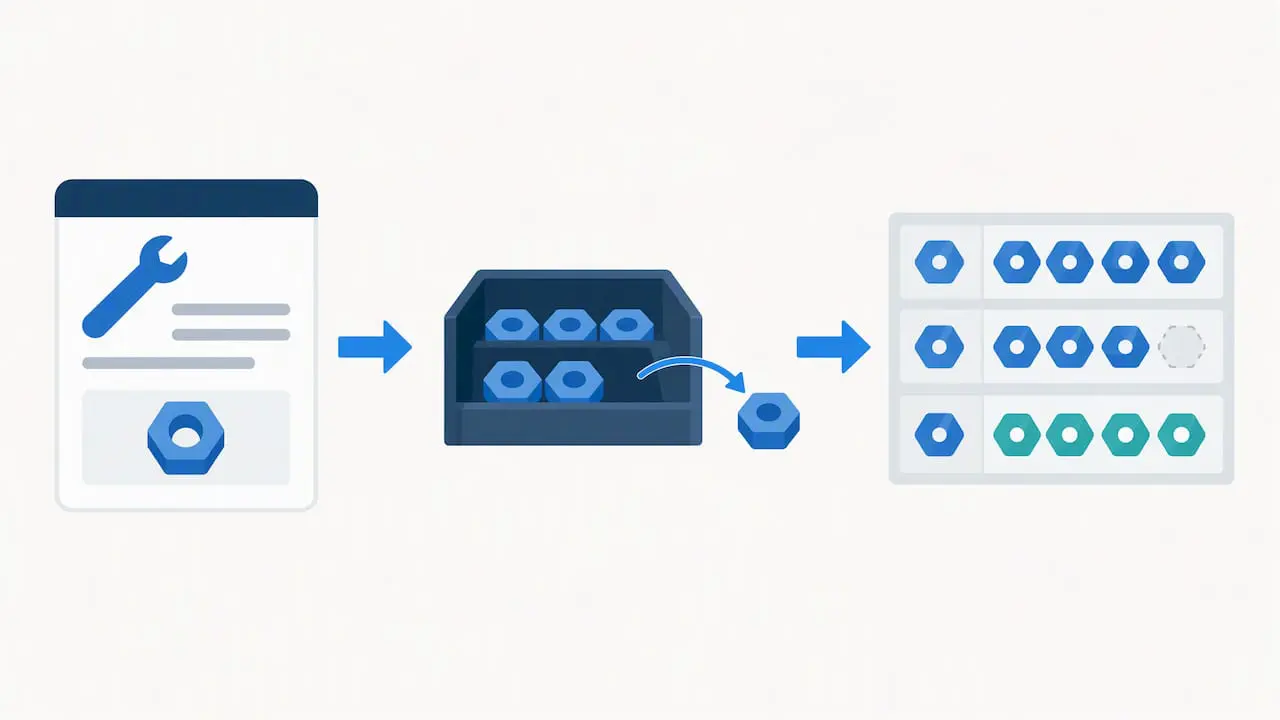
Integration does not fix bad data. It moves bad data faster. Spend real time here before you switch anything on.
- Audit what you have. Pull asset records, parts lists and vendor codes from both systems and look for duplicates, blanks and inconsistent units.
- Create canonical identifiers. Choose one ID scheme for assets, parts and locations, and decide which system owns each.
- Name a master-data owner. One person decides when two records are the same item and approves changes. Without an owner, duplicates return within months.
- Map field by field. Document how each CMMS field corresponds to an ERP field, including units of measure and status codes.
- Handle the legacy mess. Common patterns include one part with three vendor spellings, missing vendor codes, and assets named after the person who installed them. Decide a rule for each and apply it consistently.
- Automate reconciliation. Schedule a report that compares counts and values across systems, daily during the pilot and weekly after.
Pro Tip: Reconcile a small sample by hand before automating anything. A dozen parts checked against the shelf, the CMMS and the ERP will reveal mapping errors that a script would only hide.
Remember that clean data is a habit, not a project. Assign someone to review the reconciliation report and close each discrepancy within a set time.
Security and compliance: build it in from the start
Connecting maintenance systems to business systems widens your attack surface, so treat security as a design input rather than a final review. NIST and NCCoE practice guidance recommends a risk assessment and controls such as application allowlisting, anomaly detection, file integrity monitoring, and user authentication and authorization.
Put those ideas into practice with these controls:
- Use OAuth or an equivalent token-based flow instead of shared passwords.
- Rotate API keys on a schedule and grant each integration only the permissions it needs.
- Stream integration logs to a SIEM and watch for unusual volumes, failed logins and odd timing.
- Decide early which data must stay on-premises for compliance and which can live in the cloud.
- Segment networks so a problem on the business side cannot reach operational equipment.
NIST SP 1800-7 adds a useful point: situational awareness across OT, IT and physical access systems improves detection and response, and its modular example solutions can be tailored to the tools you already own.
Finally, assign post-launch ownership. Someone must own interface uptime, patching and incident response, with a service level everyone has agreed to.
Testing, validation and rollback before cutover
A cutover is safest when you have already rehearsed it. Treat testing as a staged process, and write down what must be true before you proceed.
- Unit-test each mapping and message type with normal and deliberately broken records.
- Run end-to-end tests in a sandbox that mirrors production, following a part from purchase request to receipt to issue to cost posting.
- Validate with shadow traffic. Let the new interface process live transactions in staging and compare its output against what the current process produces.
- Enforce validation rules for inventory quantities, work order status changes and cost postings. Reject anything that fails rather than letting it through.
- Define rollback triggers in advance, such as a set error rate or a posting mismatch, and name who has authority to call it.
- Plan communication. Tell technicians, planners and buyers what will change, when, and who to call.
- Watch closely after go-live. Keep an elevated monitoring window and review error counts, queue depth and reconciliation results each day.
A rollback plan you have never practiced is a hope, not a plan. Run it once in staging.
Change management and keeping the value after go-live
Technology carries only part of the load. Adoption decides whether the integration keeps paying off after the project team moves on.
- Train by role. Technicians, planners, procurement staff and finance each need to know what changes in their own daily work, not a generic overview.
- Use pilot metrics to hold support. Share the before and after numbers with executives and use them to secure ongoing funding.
- Schedule sustainment. Plan interface reviews, a patching cadence and data stewardship as recurring tasks with named owners.
- Engage stakeholders early. Our guidance on working with your stakeholders covers how to keep them involved.
- Audit before you automate. Automating a broken process only makes it fail faster, so fix the workflow first.
Emerson’s white paper on CMMS processes makes the related point that process design determines how effective technology will be, and that technology should match organizational maturity.
Pro Tip: Ask your internal champion to hold a short monthly review of three numbers: reconciliation exceptions, failed messages and open work orders older than your target. Small, regular attention prevents slow decay.
What we have seen go wrong, and how to head it off
The surprises are rarely dramatic. They are naming inconsistencies, such as the same bearing entered with a dash in one system and a space in the other, and missing vendor codes that stop a purchase order from posting. A short mapping rule and a cleanup pass before launch fix most of them.
Early wins matter more than most teams expect. When a planner sees a stockout disappear early on, skepticism fades faster than any presentation can manage it. Aim your first phase at a result people can feel.
My firmest advice is about timing. Expansion is tempting once the pilot looks good, but pause when reconciliation exceptions are still rising or when users are working around the system. Stabilize first. A second site built on an unsteady first site simply doubles your problems.
— Mark
Where we can help with CMMS integration

Our tools and services can support the phased approach described here. Our team can help you move from audit to pilot to scale with less friction:
- The DataLink Integration Adapter supports integration between our CMMS and your ERP.
- CMMS Implementation Services guide planning, configuration and data mapping.
- Application hosting and CMMS training keep your pilot supported.
- The Maintenance & Support Program covers ongoing sustainment.
A pilot can help you identify mapping issues and establish ownership after launch. To see how this fits your site, review our pricing or contact our services team to request a demo.
FAQ
How long does a CMMS and ERP integration take?
It depends on scope and data condition, so there is no single answer. A narrow inventory and purchasing pilot is typically quicker than a full multi-system rollout, and clean data shortens it further. Plan the schedule around your pilot metrics rather than a fixed calendar date.
Which integration should we pilot first?
Start with MRO inventory and purchasing for a single site or line. It involves real cost and downtime, yet the record set is limited enough to finish and measure. Work order cost posting is a sensible second flow.
How do we keep a CMMS integration secure?
Begin with a risk assessment, then apply least-privilege access, token-based authentication, rotated keys and centralized log monitoring. NIST and NCCoE guidance lays out these controls for operational environments.
Who owns the data after integration?
Name a master-data owner for assets, parts and locations, and document which system is the source of record for each. That person approves changes and resolves duplicates so the two systems stay aligned.
What does CMMS integration cost?
Cost depends on the connection method, data cleanup effort and services needed. Our published license pricing is on our pricing page; current details about integration services are available from our services team.
Sources
- Operations & Maintenance Best Practices Guide: Release 3.0
- Protecting Information and System Integrity in Industrial Control System Environments: Cybersecurity for the Manufacturing Sector
- Where do we start? Guidance for technology implementation in maintenance management for manufacturing
- SP 1800-7, Situational Awareness for Electric Utilities | CSRC