
CMMS Success: Porocel Goes From Zero to 60
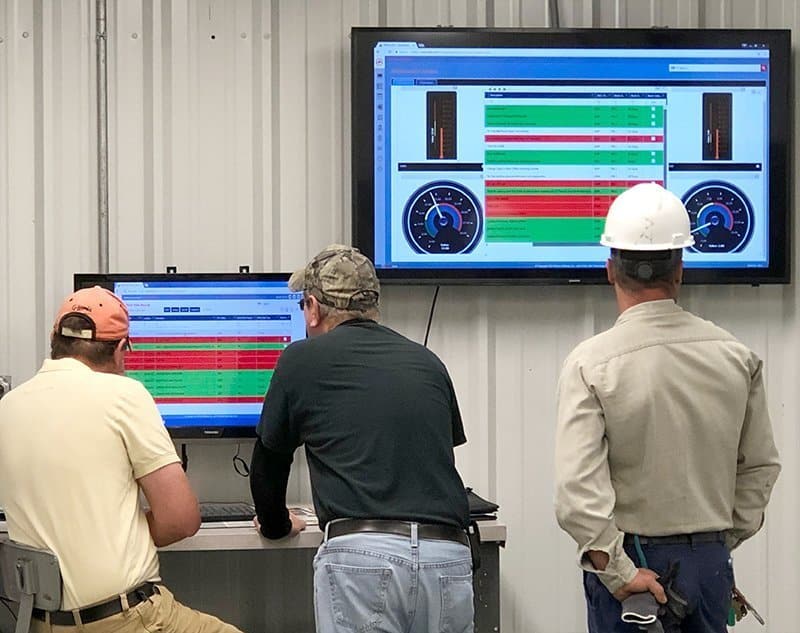
Today, we bring you a CMMS success story. Maintenance professionals often need to hit the ground running. That was certainly the case when Mike Goldman, Porocel maintenance planner, started his job with the company in late 2017. Mike quickly realized maintenance processes at his location hadn’t kept pace with the company’s rapid growth. Porocel’s 16-person maintenance team at the company’s Little Rock, Arkansas, site was primarily reactive—and it wasn’t working for the techs or the company. “They were like Indiana Jones running in front of that stone,” Mike explained. “If you’re small company, you can run maintenance off someone’s clipboard. That doesn’t work as things get bigger. They didn’t know what they didn’t know.” Mike was hired to help Porocel figure what they needed to know. His former work with a high-tech defense contractor meant he understood how to create a more structured maintenance environment. His first step was assessing how the maintenance department was currently run—the who, what, when, where, and why. His next step was finding the way forward. In what he describes as “divine intervention,” he discovered the solution on the company’s server: MPulse Gold. And in the next 60 days, he got the Little Rock plant on and using MPulse to effectively and efficiently manage their maintenance workload. Solution Porocel bought MPulse 7 Gold in 2011, and it was used by some of the company’s other sites. But the Little Rock plant had never fully implemented it, and it was left mostly unused on the local servers. Mike started experimenting with MPulse to see what it could do. He soon realized it made more sense to upgrade for free to the faster, more full-featured MPulse 8. He also decided to take advantage of MPulse’s free cloud hosting, where the software would run in a dedicated, professionally managed environment and he didn’t have to worry about hardware. After getting buy-in from other Porocel sites and his IT team, Mike made the changes. “I called MPulse and asked them how quickly we could make it happen,” said Mike. “When I came in the next morning, it was done. I put in my login and password—and it worked.” But Mike wasn’t done yet. He also needed buy-in from his techs, about a quarter of whom were uncomfortable with computers. Using MPulse 8’s Advanced Customization features, Mike designed his MPulse work orders so it took techs just a few clicks to enter information, thanks to the custom fields, nested fields, and custom prompts. “I created form view and record view layouts that had everything the guys need to see—and nothing they don’t need to see,” Mike said. “The latter is as just important, or more so.” Benefits Using resources from MPulse’s support portal and a few calls to MPulse phone support, Mike got MPulse working the way he wanted. After working through some internal training with his techs, he saw immediate benefits: Work Order Management Work order management is the heart of Mike’s new strategy. Before, the company’s work assignments were physically handed out after morning meetings, which delayed the maintenance team’s ability to start work as soon as possible. Now Porocel’s operators create work orders directly in MPulse, and they’re assigned electronically. Mike estimates each tech gains about 30-60 minutes of work time each day using this process. Preventive Maintenance Schedules Mike also wanted to move his team from 100% reactive to a more balanced reactive/proactive strategy. With help from Porocel’s operators and maintenance techs, Mike set up PM schedules in MPulse for key assets. “Our first automatically generated work orders occurred last weekend,” he said. “I checked MPulse on my phone and could track them through from issued to completed and closed.” ISO Certification Porocel is ISO 9000 certified, and Mike knew from experience that he needed to track the details of the manufacturer’s increasingly complex maintenance operation to maintain that certification. He’s started the process with MPulse by setting up a PM program that will help the company pass inspections and audits—and avoid a last-minute rush to set things in order. Inventory Another big item in Mike’s plan is inventory management for consumables—filters, belts, etc. Mike plans to manage inventory and assign locations in MPulse. “We’ll be able to use MPulse to see if we have filters and where they are,” he said. “And it’s more likely that filters will actually be on the shelf when we go look.” From Zero to 60 Mike and Porocel have come a long way in just 60 days. Mike believes more companies need help from a CMMS analyst like him, but they don’t know it—and some don’t even know it’s possible. “It’s the art of marrying the tool with the process,” he explained. “In the end, you need documentable and repeatable processes to use tools most effectively to support the assets you want to maintain.” Want to know how MPulse can jump start your maintenance operations? Contact us.
CMMS Software Checklist

When you’re researching CMMS software, a demo from the vendor is a great way to get direct answers to your questions about how their software works—and how it would work for your maintenance team. For a side-by-side view of the market, see the best CMMS software. Take advantage of this opportunity. Below are five questions you should ask in every CMMS demo. Before the demo, build your requirements list with what to look for in maintenance software. 1. Will the Software Meet Our Needs? Before you’ve made it to the demo process, you’ve probably made a list of your pain points and “must have” features. Here’s your chance to get specific with vendors. Have them walk you through a sample workflow so you can see the steps firsthand. Ask what can be customized to meet your needs, and if the software is scalable as your maintenance operations change. 2. Can Our Users Work with It Comfortably? CMMS software that is never used is wasted money and time. Involve all the stakeholders early in the process and include key users in the demos so they can see it firsthand. Encourage them ask questions that relate to how they’ll use the software. 3. What Are the Specifications? Find out what hardware and system requirements are required. This process will likely involve your IT department or technology support staff. Go through each requirement and make sure it works for you. If you’re moving towards mobile maintenance, don’t forget to include the type of devices—such as desktops, tablets and smartphones. Also, ask questions about how the CMMS software integrates with other organizational software, like accounting or financial software. 4. What Implementation, Support and Training Options Are Available? It takes a lot more than installing software to get your CMMS software up and running. The best way to make your CMMS software a success is investing in the right resources to get you to “Go Live” day. Ask for specifics about a vendor’s services—including implementation, training and support. Determine what you will be responsible for versus the vendor. 5. What Does It Cost? You’ve probably already gotten a ballpark number to determine if the software is in the realm of possibility. Now it’s time to get specific about your needs, so vendors can be accurate with their price quote. You may realize you need to refine some of your requirements… and that’s okay. Use your CMMS demo time wisely, and you’ll be that much farther along in getting the right software for you. More questions? We have answers. Contact us.
Carbon Neutrality for the Maintenance Team

Carbon neutrality is a hot topic, and many organizations are working towards becoming carbon neutral certified. Can carbon neutrality for the maintenance team be a realistic goal? While many consider carbon neutrality an environmental issue, increasing energy efficiency also helps reduce operating costs—an appealing goal for any organization. Achieving carbon neutrality requires… Measuring current energy emissions Finding ways to reduce energy emissions Investing in carbon offsets to counterbalance the emissions that remain Conducting emissions audits annually and adjusting as necessary Given the maintenance team’s responsibilities, you may be asked to help with one or more of these tasks. Let’s talk about what you might expect. The trade-offs between approaches are covered in choosing the right mix of maintenance types. Measure Your Carbon Footprint Every organization has a carbon footprint—which is an organization’s energy consumption and the resulting emissions from that consumption. To begin, every organization needs a baseline by gathering energy consumption data on … Utilities Transportation systems Material and inventory usage Waste Here’s where CMMS software comes in handy. All the data you’ve been gathering in your CMMS can help you track and analyze this information, which will become part of the baseline for your organization’s carbon footprint. Reduce Your Carbon Footprint Armed with this data, maintenance managers can help identify areas where organizations can reduce energy consumption or replace fossil fuels with renewable energy where feasible. That may include everything from installing energy efficient lights to replacing key equipment with more energy efficient models to switching to bio or renewable fuels. Invest in Carbon Offsets But, of course, it’s next to impossible to reduce an organization’s carbon footprint to zero by reducing energy emissions. So, organizations balance their remaining carbon emissions by purchasing carbon offsets to achieve a net zero carbon footprint. Carbon offsets are investments in projects outside the organization that reduce emissions, such as forestry, renewable energy, etc. Organizations make up for their emission by investing in programs designed to reduce or reverse carbon emissions elsewhere. It’s a simple math equation: Remaining Carbon Emissions – Carbon Offsets = 0 Repeat Annually Once you’ve achieved carbon neutrality, you’re not done. Things change, so annual audits repeat this process to make sure your organization remains carbon neutral by adjusting as necessary. Here again, your CMMS software is a great resource for measuring key performance indicators and gathering data—making it easier when it’s audit time. Contact us to see how CMMS software can help your maintenance department improve energy efficiency.
Is It Time to Expand Your Maintenance Operations with CMMS?

When you’re using maintenance software on a daily basis, it’s easy to learn to work within the parameters of your current system without realizing what else you might be missing. That’s what happened to Lisa, an MPulse administrator for a utility district. While things were running smoothly with their older version of MPulse, as she started researching an upgrade to the newest release, Lisa realized her organization’s needs had changed over time. “We’re not just looking for the newest release,” she explained. “We need to implement new functionality. We’re looking to capture and track additional data, increase our reporting capabilities, and add more complex features.” For a side-by-side view of the market, see CMMS comparison. Scaling Up CMMS Software In the software business, we call this scalability—which simply means your CMMS software can accommodate changes in size or volume as your needs change. So, Lisa needs not only the newest version of MPulse, but a more robust version. The good news is that MPulse is easy to scale. We designed our software that way on purpose because we know how things change in the maintenance field. It’s not uncommon for organizations like Lisa’s to start with simpler versions of our software, and then once they are up and running, see the benefits of more advanced features or enterprise management capabilities with global settings, global reporting, and enterprise-wide inventory search and transfer. That’s because when your organization grows, maintenance feels the impact. Suddenly you’ve got more equipment to maintain, additional production to support, new staff members to manage, extra inventory to store, and different safety procedures to perform. Scalability is Cost Effective From a customer’s standpoint, software scalability is cost effective because you can buy what you need when you need it. Whether it’s adding user licenses or expanding functionality, it’s more affordable to scale up your CMMS software instead of starting from scratch every time. Scalable CMMS software keeps you on top of the increased workload—whether it’s more equipment, additional production, new staff members, extra inventory, different safety procedures, etc. Things change. You can’t predict these changes, yet CMMS software scalability ensures you are prepared when they happen. Have questions? Leave a comment or contact us. We’re here to help.
How to Calculate the Total Cost of Ownership for Your Assets
When it’s time to buy or replace an asset, it’s easy to focus purely on the initial purchase price. But digging deeper could save your organization a lot of time and money in the long run. The key is to calculate both the direct and indirect costs, which is called Total Cost of Ownership (TCO). TCO is the full cost of an asset over its life cycle or “cradle to grave”—a number that might look very different from the initial purchase amount. For the business case and the numbers leadership will ask for, see the templates for justifying a CMMS purchase. Calculating Total Cost of Ownership Total cost of ownership is a simple equation. TCO = [Initial Cost] + [Operating Expenses] + [Maintenance Costs] + [Downtime Costs] + [Production Costs] – [Resale Value] Initial Cost: The amount of the initial purchase. Operating Expenses: Cost of installation, testing, and training, plus energy usage and insurance (if applicable). Maintenance Costs: Cost of repairs and maintenance, including both PMs and unexpected repairs. Downtime Costs: Labor costs of delayed work, lost production, lost revenue, etc. Production Costs: Output levels or production levels as well as environmental costs. Resale Value: The amount that could be recouped by selling the equipment after a certain timeframe. Finding TCO Data Let’s look at an example. Kai needed to buy his maintenance shop a new generator. He looked at three—and the price of one was about 20% higher than the others. It should be an easy decision, right? Pick the least expensive one. But Kai knew he had to dig deeper by looking closer at the TCO for each one. While the TCO equation seems easy, getting that information isn’t always simple. Kai had a good start within his MPulse Maintenance Software. First, he found the existing data for his current compressor. Then he could compare that information against the new compressors and estimate the operating expenses, projected downtime costs, and production costs by pulling some key reports. The maintenance costs and resale value took a little more research. After comparing the manufacturer’s recommendations, he discovered the more expensive generator required less maintenance. Additionally, its resale value was significantly higher—making its TCO lower than the others. Kai knows it would be hard to calculate the TCO without his CMMS software. His numbers would be based more on assumptions than hard data. It’s likely your purchasing or accounting department is familiar with TCO, so tap into that resource if it’s available to you. Have you found a surprising result from your TCO calculations? Contact us to learn how MPulse can help.
Get Seasonal Assets Up and Running in Time

If you needed a reminder to get seasonal assets up and running in time, here it is! It was a typical Monday morning, until Dawn sat down at her desk. She had a surprise waiting for her—a big pile of outstanding work orders. Dawn quickly realized these work orders had one thing in common—they were all PMs for assets that were unused during the winter but were in high demand as the weather warmed up. “Suddenly everyone needed their equipment up and running quickly,” she said. “We missed an opportunity to schedule this preventive maintenance work before the equipment was needed. It added to the stress of a hectic week for our technicians—and for me.” Spot Issues Before They Occur CMMS software helps prevent problems like this one. Maintenance and inspection schedules generated from CMMS can schedule the work when the equipment is not in use and the maintenance team has more time. Maintenance intervals can be scheduled based on asset or part condition, which triggers a work order just before the point when system inefficiencies or failures begin to occur. Regular preventive maintenance for seasonal equipment means getting the work done before it’s needed. With CMMS software, maintenance professionals like Dawn can… Generate a schedule of PM tasks, making it simpler to follow the manufacturer’s guidelines Create automatic work orders to ensure equipment is properly calibrated and lubricated Estimate labor hours for PM tasks, making sure staffing levels match the workload and decreasing overtime costs Help determine when it’s more efficient to add more staff members instead of paying current employees more overtime Schedule maintenance and repairs during off hours or during seasonal slowdowns by tracking equipment use time Benefits of PM Scheduling When your organization’s equipment hasn’t been maintained properly, you’re going to experience more breakdowns. That translates into lost dollars and intense pressure on the maintenance team to get production running again—adding more stress to the workday for people like Dawn. When a maintenance team establishes and regularly performs PM tasks that contribute to the upkeep of assets, an organization may be able to sidestep serious problems that arise because of neglect as well as delay more expensive maintenance. When you use CMMS software for maintenance scheduling, you’ll reduce emergency maintenance issues and unexpected production stoppages. This, in turn, cuts overtime costs for emergency repairs and reduces production losses. How do you streamline your PM schedules? Leave a comment or contact us.
Your Maintenance Department is a Profit Center

Traditionally maintenance was thought of a cost center—an area that does not directly add to profit, but still costs money to operate. Not anymore. Today’s organizations have discovered maintenance has a direct effect on their profitability. Your Maintenance Department is a Profit Center How? Modern maintenance technology has shown managers and accountants how maintenance generates revenue for the organization. The objective of a cost center is to minimize costs. However, a profit center’s goal is to maximize profit. It’s a subtle but important shift in perception, and it’s changing the way organizations of all sizes think about their maintenance operations. What Changed? This change started with the rapid adoption of data-driven management, which simply means making management decisions backed by reliable data instead of assumptions or perceptions. As technology has advanced, more detailed, relevant data is now available. And that data reveals some interesting things, including how the maintenance team makes major contributions to the organization’s financial viability. These contributions include… Safer operations (because accidents cost money) Higher quality product (because rework costs money) Better production efficiency (because you can produce more output in less time) Reduced downtime (because equipment that isn’t working isn’t producing) Better asset use (because increased capacity means more production capability) In other words, if your organization’s success depends on uptime, reliability, production capacity, or any other quantifiable measurement, your maintenance strategy contributes to much larger goals. For the full landscape of strategies, see a complete guide to maintenance types. How Does Maintenance Contribute to the Bottom Line? Every dollar saved by maintenance is a dollar that goes to the bottom line. Think of maintenance in its simplest form—a production line producing widgets. If the production line goes down, no widgets are made. Which means there are no widgets to sell, and your organization isn’t making money. It’s your maintenance team’s job to fix the problem—and look for ways to prevent it from happening again. Now expand that to your organization. Do you produce goods? Provide services? Rent space? Make deliveries? Every industry relies on maintenance in some form, from buildings to vehicles to production equipment. If you have assets of any kind, you need maintenance. In the past, the maintenance profession was often undervalued and sometimes unappreciated. If that’s the case in your organization, it’s time to re-evaluate how maintenance influences your operation’s productivity and profitability. We’re here to help you get started. Contact us.
Tackle Your Maintenance Backlog

Do you have a backlog of maintenance and repair tasks that feels like it’s constantly growing? You’re not alone. A long list of unclosed work orders or deferred repairs can feel overwhelming, particularly when you see more work coming down the pipeline. CMMS software is here to help. Here are five steps you can take to tackle your maintenance backlog. For the definitions this article builds on, see scheduled maintenance explained. 1. Identify What Needs to Be Done The first step is to identify the work that needs to be done. Start with your CMMS software to easily find the status of work orders. Organize these work orders by asset, task type, location, or available resources—or a combination—depending on your preferences. Consider how important each task is to complete, asset usage, and impact of downtime or failure. 2. Prioritize Establish a prioritization system for your repairs. For example, any task related to safety should be high on your list, as well as any that might impact production or functionality while a repair is happening. Key assets are going to be a higher priority than ones that aren’t used as often or won’t affect production as much. Seasonal use may also play a part—take advantage of the time the equipment is not in service to perform repairs. 3. Determine What Resources You Need Estimate the labor time needed for each task, plus any necessary parts and inventory. CMMS calendars help with maintenance planning and scheduling upcoming tasks, making it easier to adjust things when necessary. Use your CMMS software to assign work orders to specific team members and determine if you need to outsource any tasks. You can also track each team member’s productivity, and check that parts or supplies are available. 4. Revise Your Plan As you know, things don’t always go according to plan. Pick a time (one week, one month, etc.) to evaluate how your plan to reduce the backlog is going. Use your CMMS software to identify open work orders and update schedules. Adjust your plan accordingly, working through the first three steps again as necessary. 5. Act on Your Discoveries This process will likely inspire better ways to operate your maintenance department in the future. Maybe you’ve discovered you’re understaffed or it’s more efficient to outsource certain tasks. Maybe your team members need additional training to ensure efficiency and competency in the repairs. Your maintenance team is a great resource. Ask them for their insight and get them involved. Whatever you discover, turn it into an action plan. Working through your backlog has long-term benefits, including assets that perform more efficiently, use less energy, and fail less often—extending their usable life. As a result, your organization may be able to sidestep serious problems as well as delay more expensive maintenance. Find out more about how CMMS software can help you tackle your maintenance backlog. Contact us to help.
Rendra AS Acquired by JDM Technology Group

[related-content] MPulse Software announced its parent company, JDM Technology Group, has acquired Lysaker, Norway based Rendra AS, a leading provider of 3D Building Information Modeling (BIM) collaboration software. Rendra AS offers a platform named StreamBIM for 3D BIM collaboration throughout all stages of the construction project, from design, through construction, to as-built handover, and facilities maintenance. Users can always access the latest 3D BIM model and drawings from the field, as well as document issues, and the as-built work completed. Real-time interaction with everyone on the project reduces time sensitive delays between all parties. “We are very pleased to become a part of the JDM group,” said the CEO of Rendra AS, Kristin Omholt-Jensen. “Our strategies are aligned to help building owners, engineers, and contractors complete projects on time and with less construction errors.” By partnering with the JDM Technology Group, an owner that is known to build and grow great software companies, StreamBIM will be able to rapidly grow internationally into the various regions JDM currently operates in. Having acquired numerous companies since 2004, the JDM Technology Group has established a proven strategy for integrating acquired companies into its existing infrastructure. Rendra will continue to operate as a separate company with its existing staff out of its Lysaker, Norway headquarters. Kristin Omholt-Jensen will continue to lead Rendra and oversee day-to-day operations as Managing Director. “Acquiring Rendra reinforces JDM’s position as a market leader providing best of breed solutions to our global customer base,” said JDM Technology Group’s CEO, Jim McFarlane. “As BIM adoption increases through government regulation and various initiatives, we are solidifying our commitment to growth and stability for many years to come.” MPulse Software welcomes Rendra to the JDM family.
Does Your Outdated CMMS Software Cost Too Much?

After two decades in maintenance management, Jose had seen a lot of changes in the field. But it really hit home when he started a new job last year. For the business case and the numbers leadership will ask for, see the CMMS budget approval kit. His new employer—a state agency—had CMMS software. But it was close to a decade old, and it didn’t have many of the features he’d come to expect. “It was eye-opening to see how far technology has come in a relatively short time,” he said. “The old software just couldn’t do what I needed it to do.” The Hidden Costs of Outdated CMMS Software Perhaps the most dramatic example of the problem was when Jose discovered a fleet vehicle had gone missing—and no one knew where it was. “We actually reported it as stolen,” he said. “And then we found it a few months later, parked at another site. That should never happen. We should know who had it and when, so we’d know who to ask and where to look.” Jose soon realized the lost vehicle was just the beginning. His new maintenance team was spending a lot of time and effort trying to work around the old software’s limitations—which was costing the organization far more than the price of new software. For example, Jose found… Key data wasn’t being gathered, making it hard to spot areas where productivity and efficiency could be improved Lack of data integration capability meant entering data manually, sometimes in more than one place Paper workorders were easy to misplace or lose Reporting took far longer—and was sometimes impossible—because the data wasn’t easily available or accessible Data security wasn’t up to modern standards, putting the organization at risk for viruses, malware, hacking, etc. The original software manufacturer wasn’t supporting this version, and hadn’t for some time, so help was limited The Growing Cost of Workarounds If that wasn’t enough, Jose’s team had developed some workarounds—which helped them get the job done, but took even more time away from their work. For example, the lack of historical data meant the techs often stopped working on a job to seek out others who had worked on the asset before, so they could ask questions. “This is information we should have captured—simple things like what was done and when,” he explained. “Our techs should be able to find this at a glance in our CMMS software, not spend more time searching out coworkers to ask.” Once your organization makes the leap to CMMS software, upgrades and updates may feel like more trouble than they’re worth. But software upgrades offer more functionality as technology advances, and that helps you meet the changing needs of the maintenance field. And, as Jose discovered, once you’re spending far more time and money on working around their software than the cost of the upgrade, it just makes sense. What’s changed in CMMS software? Leave a comment or contact us. We’re here for you.