An organized maintenance storeroom cuts part retrieval to under two minutes and shrinks emergency purchases within a single quarter. Five moves drive most of that gain:
- Rezone shelving around equipment families instead of supplier groupings
- Assign every bin a fixed location code and label it clearly
- Apply ABC placement so high-velocity parts sit closest to the counter
- Start cycle counts on your top parts this month
- Link every part to its work order in your CMMS
Do these consistently and you’ll see fewer rush orders, tighter schedule compliance, and technicians who spend more time fixing equipment than hunting for a bearing.
TL;DR:
- Accurate bin labeling and zoning by equipment or function can reduce search times and improve retrieval speed during maintenance tasks.
- Connecting inventory to work orders and employing automated min/max reorder levels with a CMMS minimizes stockouts and emergency purchases.
- Cycle counts should be scheduled based on parts velocity, with monthly counts for high-use items and regular reconciliation to maintain high accuracy.
- Proper storage ergonomics, including vertical solutions and safety measures, help protect staff and prevent damage or loss of critical parts.
- Consistent accountability, ownership, and routine audits uphold storeroom discipline, leading to faster part retrieval and more reliable inventory management.
Table of Contents
- What Does Good Maintenance Storeroom Organization Look Like?
- How Should You Label Bins and Classify Parts?
- How Does a CMMS Improve Storeroom Inventory Accuracy?
- What Are the Steps for Receiving and Issuing Parts?
- What Safety Rules Protect Storeroom Staff and Parts?
- How Do You Measure Storeroom Performance?
- Who Owns the Storeroom, and How Do You Keep It Organized?
- How Does MPulse Software Support Storeroom Organization?
- Key Takeaways
- Sources
- FAQ
What Does Good Maintenance Storeroom Organization Look Like?
A well-organized storeroom mirrors how technicians actually work, not how a supplier catalog is arranged. That distinction drives everything else on this list.
1. Map high-use parts to the equipment they serve. Pumps, motors, and conveyor components used most often on a specific line belong on shelving near that line’s work zone, not buried three aisles from where the job happens.
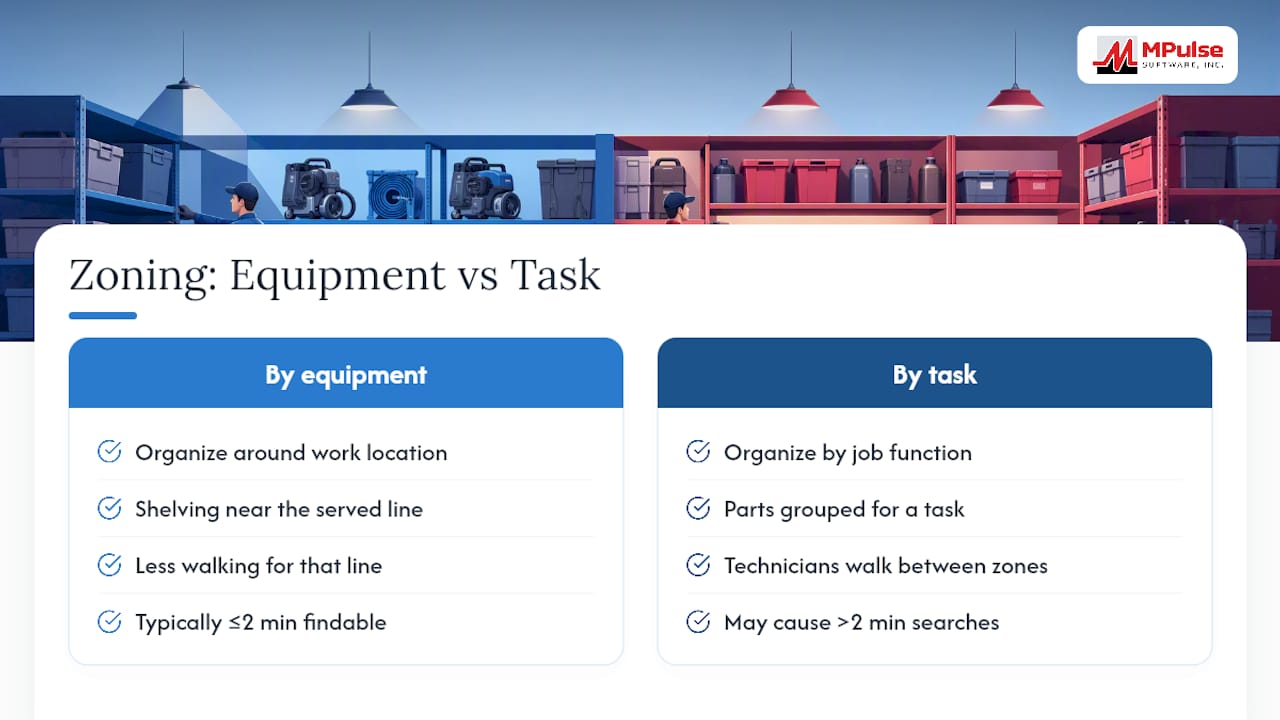
2. Zone by function, not by vendor. Grouping every bearing supplier’s inventory together looks tidy but forces technicians to walk between zones for a single job. Zone by task instead: bearings, seals, and lubricants for a rotating-equipment job stay together.
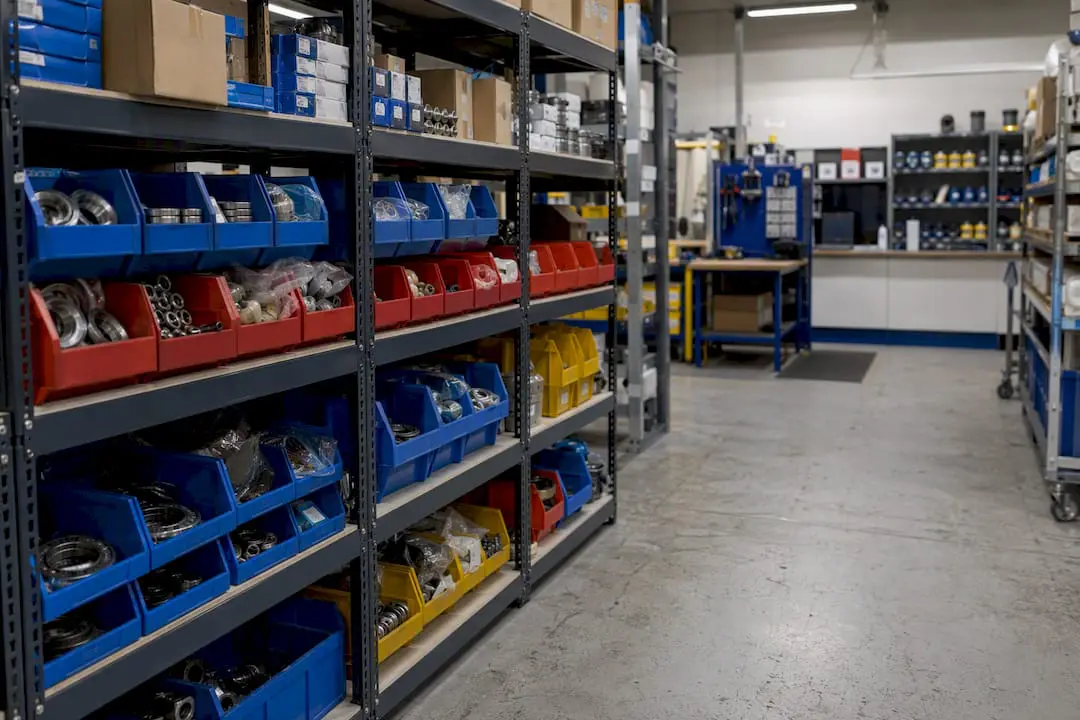
3. Set ergonomic shelf heights and aisle widths. Heavy items belong between knee and shoulder height, aisles need enough clearance for cart access, and kitting stations should sit near the issue counter so staged jobs move fast. A mix of boltless shelving, small-parts bins, and secured cages, laid out with proper CAD planning, prevents damage and shrinkage while keeping search time low.

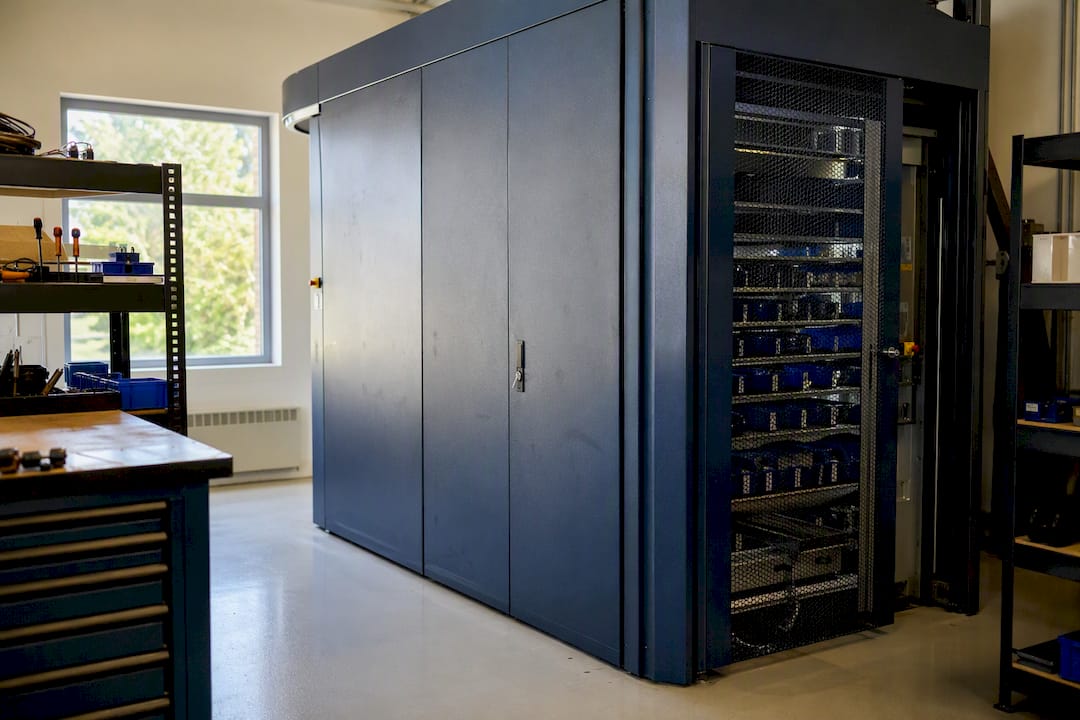
4. Consider vertical storage for space-constrained rooms. A vertical lift module or vertical carousel can double storage density, but weigh the safety trade-off of moving parts and the training required before installing one.
Pro Tip: Walk your storeroom with a stopwatch and a technician’s eyes. If it takes more than two minutes to find a common bearing, your zoning needs work before your labeling does.
How Should You Label Bins and Classify Parts?
Labeling and classification are what turn a stocked room into a searchable one. Get the naming conventions wrong and even the best layout falls apart.
- Use a consistent location code format: aisle, section, shelf, bin (e.g., A3-S2-B14), printed on labels rated for warehouse conditions so they don’t fade or peel.
- Classify every part by ABC or velocity, placing A-items (your fastest movers) closest to the issue counter and C-items farther back.
- Standardize part naming with manufacturer, model, and description fields, and audit your item master regularly to eliminate duplicate SKUs that inflate counts and hide true usage.
- Design labels for mobile barcode or QR scanning from day one. A code that’s clear to a human eye but blurry to a phone camera defeats the purpose.
Data hygiene matters as much as the physical label. A duplicate SKU for the same gasket, entered under two slightly different names, will throw off your reorder points no matter how clean your shelving looks.
How Does a CMMS Improve Storeroom Inventory Accuracy?
A computerized maintenance management system turns storeroom control from a manual guessing game into a tracked, auditable process. That shift is where most of the sustained accuracy gains come from.
Cycle counts should run on a schedule tied to velocity class. Count your A-items monthly, B-items quarterly, and C-items every six months, reconciling any variance immediately rather than letting it accumulate into a year-end surprise. Min/max levels need to be set from real data: historical usage, supplier lead time, and how critical the part is to uptime. A $40 filter with a two-day lead time needs a very different reorder point than a $4,000 gearbox with a twelve-week lead time.
A capable maintenance software platform enforces this discipline automatically. Look for:
- Parts reservation tied directly to work orders, so a technician can’t accidentally issue a part earmarked for a scheduled job
- Automated reorder triggers when stock crosses the min threshold
- Reporting that flags slow-moving or dead stock before it clutters your shelves
The mobile scan flow matters just as much as the back-end logic. Receiving, put-away, issue, and cycle counts should all happen with a phone or handheld scanner at the shelf, not on a clipboard that gets transcribed hours later.
Pro Tip: If your team is still reconciling counts from memory at the end of a shift, you’ve lost the accuracy battle before it started. Scan at the point of transaction, every time.
What Are the Steps for Receiving and Issuing Parts?
Receiving, put-away, kitting, and issue form one continuous chain. Break any link and traceability disappears.
- Inspect and accept. Check every delivery against the purchase order, inspect for damage, and reject or flag discrepancies before the part touches a shelf.
- Label and log. Assign the bin location and update your system record immediately, not at the end of the day.
- Put away by velocity. Fast-moving parts go to easy-access bins near the counter; slower movers can sit farther back.
- Kit for planned work. Pull and stage parts against scheduled work orders ahead of time, and build ad-hoc kits for common emergency repairs. Kitting for planned jobs measurably cuts repair time because parts are already staged when the technician arrives.
- Control the issue. Require sign-out against a work order, hold technicians accountable for what they draw, and process returns back into inventory rather than letting unused parts pile up on a workbench.
What Safety Rules Protect Storeroom Staff and Parts?
Storeroom safety and product integrity go hand in hand. A part damaged by improper storage is as much a loss as one stolen from an unsecured cage.
- Never allow storage on top of shelving. Sloped shelf tops and clear signage remove the temptation and the hazard.
- Keep heavy items at low or mid-height, and use mechanical lifts or vertical reclaimers for anything above shoulder level.
- Segregate climate-sensitive or shelf-life-limited parts (seals, adhesives, batteries) and enforce first-in, first-out rotation with visible expiration dates.
- Restrict access to high-value or regulated items with role-based permissions and secured cages, so accountability is built into the system rather than left to trust.
How Do You Measure Storeroom Performance?
Track five numbers: inventory accuracy, stockout frequency, inventory turnover, mean time to repair, and the rate of emergency purchases. Improvement in the storeroom shows up directly in these metrics.
The benchmark that matters most: part retrieval under two minutes, with 90 seconds as the ideal target from the moment a technician enters the storeroom to the moment they exit with the correct part in hand. Miss that window consistently and you’ll see it show up in MTTR and schedule compliance long before anyone audits the shelves.
When reporting to operations leadership, frame every gain in dollars and downtime avoided, not just inventory percentages. A five-point jump in accuracy means little to a plant manager; a documented drop in emergency purchase spend gets attention.
Who Owns the Storeroom, and How Do You Keep It Organized?
Storeroom ownership should sit under maintenance or with a dedicated MRO coordinator, not procurement acting alone. Procurement and maintenance often chase different goals: cost minimization versus uptime, and a storeroom caught between the two tends to drift out of order within months.
- Run a daily sweep for misplaced items and a weekly spot-check against system records.
- Refresh technician training on labeling and sign-out procedures at least twice a year.
- Hold cycle counts on schedule: A-items monthly, B-items quarterly, C-items semi-annually, with variances reconciled the same week they’re found.
- Purge obsolete or dead stock quarterly, and revisit min/max settings whenever a part’s criticality or lead time changes.
How Does MPulse Software Support Storeroom Organization?
Every checklist above becomes far easier to sustain with the right system behind it. MPulse CMMS maps directly onto the operational tasks that keep a storeroom accurate.
- Inventory tracking ties each part record to its bin location, so counts and audits pull straight from the system instead of a spreadsheet.
- Barcode scanning covers receiving, put-away, issue, and cycle counts from a mobile device, cutting transcription errors.
- Min/max automation triggers reorders based on the usage and lead-time data your team enters, reducing the manual math behind replenishment.
- Parts reservation links directly to work orders, so kitting for scheduled jobs happens inside the same system that schedules the preventive maintenance work itself.
…
| Point | Details |
|---|---|
| Reserve parts to jobs | Tying parts to work orders in a CMMS prevents accidental issue of reserved stock. |
| Automate reorders | Min/max triggers reduce manual tracking and catch low stock before it becomes a stockout. |
| Scan at the shelf | Mobile barcode scanning at receiving, put-away, and issue keeps records accurate in real time. |
A One-Week Starter Project Worth Running
. Start with a 48-hour bin audit: walk every shelf, verify the location code matches the system record, and flag mismatches for correction. Run it consistently for a month and most teams see retrieval times drop and emergency part requests fall noticeably.
— Mark
Put Storeroom Discipline on Autopilot
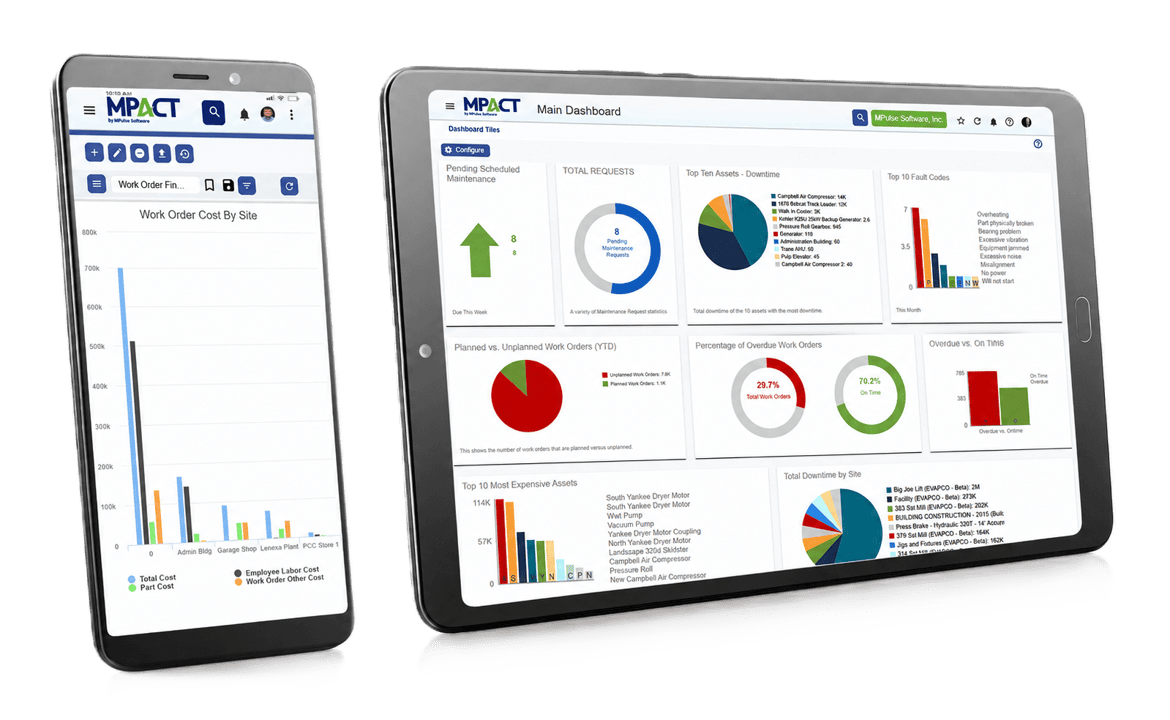
Manual spreadsheets and clipboard sign-outs work until a plant scales past a few hundred SKUs, then the cracks show up as stockouts and rush orders. MPulse Software replaces that manual tracking with automated min/max triggers, work-order-linked parts reservation, and mobile barcode scanning built for maintenance teams, not warehouse generalists.

The platform’s calendar-driven preventive maintenance scheduling connects directly to parts availability, so a technician never shows up to a scheduled job only to find the part hasn’t been staged. If your storeroom checklist above feels like more manual work than your team can sustain, schedule a demo of MPulse CMMS and see how much of it runs itself.
Key Takeaways
Organized storerooms cut part retrieval to under two minutes and reduce emergency purchases by keeping layout, labeling, and CMMS data working together.
| Point | Details |
|---|---|
| Zone by workflow | Group parts by equipment area or task, not by supplier, to cut walking and search time. |
| Classify by velocity | Place A-items near the issue counter and set cycle count frequency by usage class. |
| Target 90-second retrieval | Aim for under two minutes, ideally 90 seconds, from entry to exit with the correct part. |
| Assign clear ownership | Report the storeroom to maintenance or a dedicated MRO coordinator, not procurement alone. |
| Automate with a CMMS | MPulse Software links parts reservation, barcode scanning, and min/max reorders to work orders. |
FAQ
What Is MRO in Inventory Management?
MRO stands for maintenance, repair, and operations. It refers to the parts, tools, and supplies (bearings, filters, lubricants, fasteners) that keep equipment running rather than items sold to customers.
How Do You Organize Your Storeroom?
Zone shelving around the equipment it serves, label every bin with a consistent location code, classify parts by ABC velocity, and connect inventory records to a CMMS for tracking and reorder automation.
What Are the Three P’s of Maintenance?
The three P’s commonly refer to people, parts, and procedures, the core resources that determine whether a maintenance program runs smoothly or breaks down under pressure.
What Are the Seven Elements of Maintenance?
Definitions vary by organization, but a common version includes planning, scheduling, work order management, parts and inventory control, preventive maintenance, reliability analysis, and continuous improvement.
How Often Should You Cycle Count Storeroom Inventory?
Count A-items monthly, B-items quarterly, and C-items semi-annually, reconciling any variance the same week it’s discovered to keep inventory accuracy high year-round.