
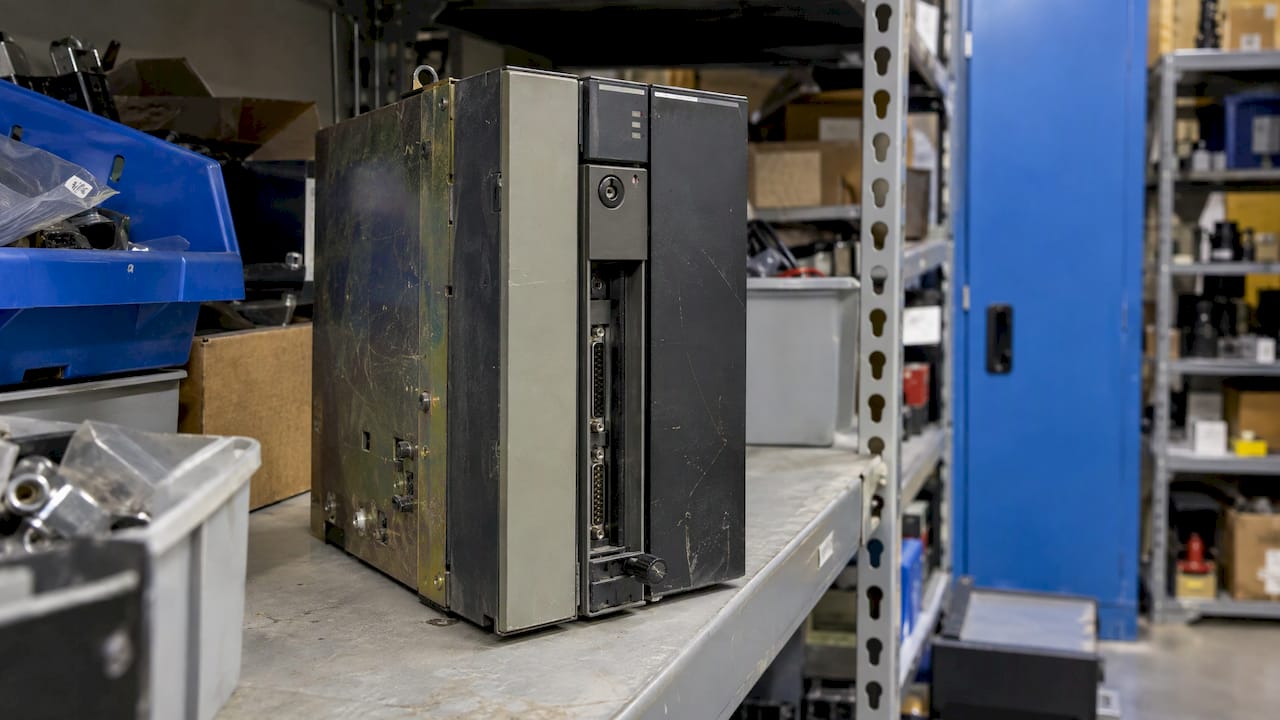
Spare parts obsolescence happens when a part your equipment depends on can no longer be bought new through normal channels. The fix is not a bigger storeroom. It is knowing, asset by asset, which parts are at risk, how long they take to replace and what each one would cost you in downtime. That takes parts, asset and work order data in one system, which is what a CMMS (computerized maintenance management system) like MPulse keeps together for maintenance teams.
This guide explains how obsolescence happens, how to score the risk, what to do with parts that are already obsolete and how to buy them safely when you have no other choice.
TL;DR
- A part is obsolete when the vendor stops selling it new or when you retire the equipment that used it. Both create cost, and only the first creates downtime risk.
- Build an installed-base inventory, then score every part for criticality and likelihood of obsolescence. Act first on the high scores.
- Treat lifecycle status as a trigger: a part that is “not recommended for new designs” still ships, which is why teams miss it.
- Obsolete stock has four exits: keep it, move it to another site, sell it or write it off. Review it on a schedule.
- A CMMS ties part numbers to assets, usage and preventive maintenance schedules, so you see the exposure before a failure does.
Table of Contents
- What spare parts obsolescence means
- Step 1: Know what you actually have
- Step 2: Score risk by criticality and probability
- Step 3: Watch lifecycle status
- Step 4: Plan maintenance around the risk
- What to do with parts that are already obsolete
- Buying obsolete parts safely
- Does the manufacturer have to keep supplying parts?
- Promo: put parts, assets and schedules in one place
- Perspective
- FAQ
- Sources
What spare parts obsolescence means
Obsolescence arises in two ways, according to National Provisioner’s overview of the topic. In vendor-led obsolescence, the manufacturer stops selling the item as a new part and may offer a substitute with a different part number. In owner-led obsolescence, you replace the equipment and no longer need the part in stock.
The first type is a supply problem. The second is an inventory problem. Most facilities have both.
Two terms are often confused. An end-of-life part is simply worn out and needs replacement. An obsolete part has been discontinued by the manufacturer, often because newer technology replaced it or because it became unprofitable for anyone to keep making it.
Obsolete does not always mean unavailable. In industrial automation a component is generally considered obsolete once its maker withdraws it from sale, yet repairs, support and spares may remain available for a while. The part is not unsuitable. The supply around it has changed.
A realistic example
Rockwell Automation discontinued the remaining Allen-Bradley PLC-5 processors in 2017 and lists several SLC 500 processors as discontinued, as TS Controls notes in its PLC spare parts review. Many plants still run that hardware. If a card in one of those racks fails, the only question that matters is whether a tested spare is on your shelf.
Why it keeps happening
Vulcanus lists the usual triggers: end-of-life discontinuation, manufacturer insolvency, technology change, missing documentation and long machine lives. Machines often run 30 years or more while the electronics inside them age faster. The dangerous situation is a system that works perfectly but has no spare for a critical component, so one defect can stop a line.
The cost goes beyond the purchase price. EU Automation points out that limited availability raises prices, and where no direct replacement exists you may need engineering, software changes, commissioning and validation.
Step 1: Know what you actually have
You cannot manage obsolescence for equipment you have not catalogued. Forge Reliability’s practical guide starts with a verified installed-base inventory: every asset, its components and the exact part numbers, with hardware and firmware revisions where they apply.
Where this goes wrong: spreadsheets drift. Nameplates are replaced, a motor is swapped for an equivalent and nobody updates the list. Within a year the “inventory” describes a plant that no longer exists.
In MPulse, asset tracking and parts inventory live in the same system as work orders, so the part numbers on an asset record reflect what technicians actually installed. Our parts inventory management software keeps stock of parts and supplies tied to the equipment that uses them. Barcode scanning and mobile access let the record be updated at the machine rather than later from memory.
Step 2: Score risk by criticality and probability
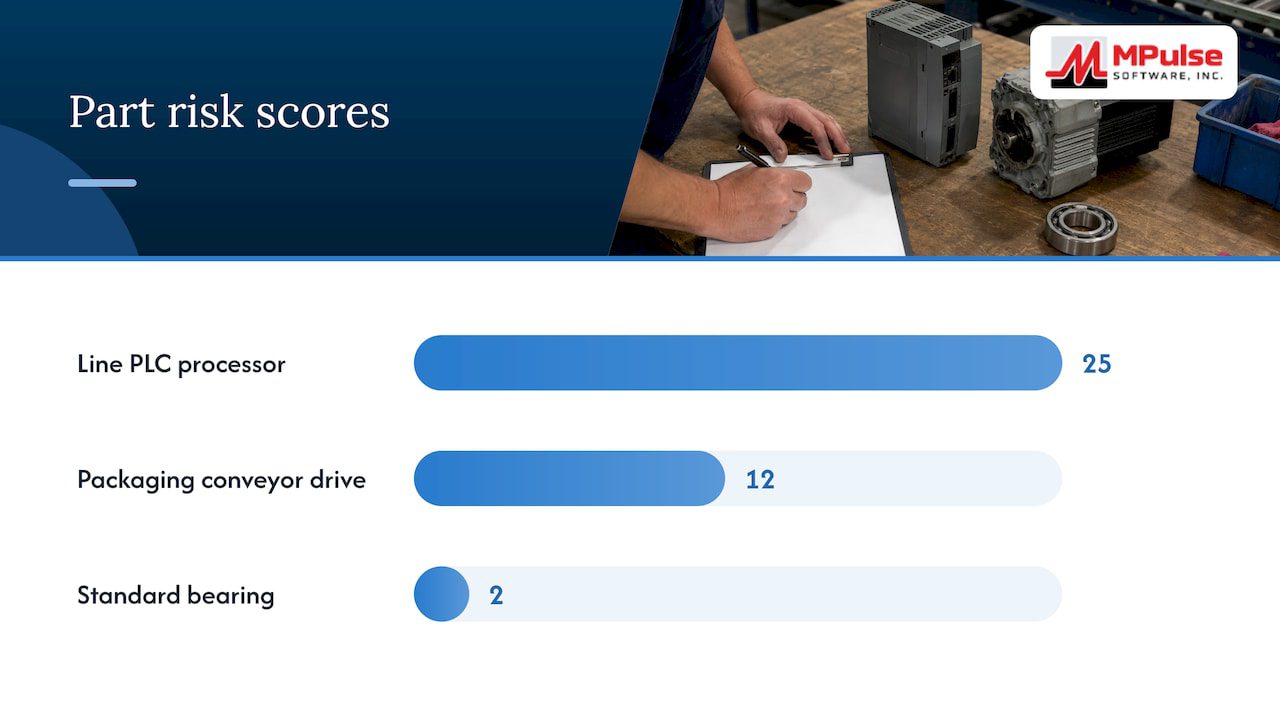
A list of every part that might someday go obsolete is useless. You need a ranking. Forge Reliability recommends two scores multiplied together: criticality from 1 to 5, and obsolescence probability from 1 to 5. Its example is a main compressor PLC processor scoring 5 × 5 = 25, which triggers a controlled retrofit plan.
Other sources add useful dimensions to the same idea. New England Marine Engineering suggests scoring criticality (impact on operations), rarity (single-supplier items) and lead-time sensitivity, with a bill-of-materials review each year or whenever equipment changes.
Here is a simple worked example:
| Part | Criticality (1–5) | Obsolescence probability (1–5) | Score | Action |
|---|---|---|---|---|
| Line PLC processor | 5 | 5 | 25 | Retrofit plan, secure spares now |
| Packaging conveyor drive | 3 | 4 | 12 | Identify equivalent, set minimum stock |
| Standard bearing, multiple suppliers | 2 | 1 | 2 | Normal reorder |
Where teams go wrong is probability. They score it from gut feeling. Use the manufacturer’s lifecycle status instead (see Step 3) and the part’s lead time.
Slow-moving stock is normal, not a signal
Version 1 reports that as much as 90% of MRO (maintenance, repair and operations) inventory can be slow-moving. A part that has not been used in two years is not necessarily surplus; it may be your only protection against a long outage. The utility Version 1 describes combined recency and frequency of use with SKU value into a criticality index, then looked at downtime impact and workarounds for each non-moving spare. That is the right order: consequence first, usage second.
Lead time belongs in the same conversation. If a replacement takes months to arrive, the spare matters more. This overview of lead times shows how long waits compound when supply is tight, and why planning ahead beats expediting.
Step 3: Watch lifecycle status
Obsolescence rarely arrives without warning. Automa’s obsolescence guide lays out four stages and what to do at each:
| Lifecycle status | Meaning | Action |
|---|---|---|
| Active | In normal production | Monitor |
| NRND (not recommended for new designs) | Still ships, but the maker is steering buyers away | Plan a last-time buy or a successor transition |
| EOL (end of life) | Production ending | Place the last-time buy, then line up surplus or independent sources |
| Obsolete | No longer sold new | Run the full plan: repair, alternative, surplus or retrofit |
The same guide notes that NRND is the status most teams miss, because the part still ships and nothing looks wrong. Defense and naval programs call the stage before discontinuation DMSMS (Diminishing Manufacturing Sources and Material Shortages).
A last-time buy means purchasing enough units, before production ends, to cover the remaining life of the equipment. The quantity depends on how many years the asset has left, its failure rate and a safety margin. Buying too many ties up cash. Buying too few brings the problem back.
ASEA-style annual reviews help. ABB recommends an annual audit of parts management because inventory conditions and lifecycle status change. Its Parts Fingerprint service ranks each part high, medium or low risk using criticality, lifecycle stage and obsolescence.
Step 4: Plan maintenance around the risk
Obsolescence is a planning problem, so it belongs in your preventive maintenance schedule. Two sources from the U.S. power sector show the discipline.
The California Public Utilities Commission’s Sullivan Ruling on generation maintenance calls for policies on early identification and timely procurement of parts. It also calls for a design-change process that updates spare-part needs, removes outdated material from stock and reviews like-for-like replacements with technical evaluation.
EPRI’s obsolescence-management guidance for nuclear plants describes a proactive program in three parts: identify what is installed and what is already obsolete, prioritize by criticality and likelihood of need, and implement replacement solutions in time. It also describes forecasting, using planned maintenance data (parts, quantities, scheduled dates, frequencies) to project when stock of an obsolete part will run out, over five, ten and twenty years. A 2007 survey cited there found 22.2% of responding nuclear plants were experiencing or risking outages from equipment obsolescence.

You do not need a nuclear budget to use the idea. If your preventive maintenance plan calls for six filters a year and you hold twelve of a discontinued model, you know you have two years before you must change something.
MPulse automates preventive maintenance schedules and shows them on its calendar interface, so planned parts consumption is visible rather than buried in individual work orders. With condition-based maintenance and sensor integration, you can also replace parts based on measured condition instead of a fixed interval, which stretches the life of scarce spares.
Forge Reliability reports that a heavy-industry automation study found about a 70% reduction in reactive obsolescence replacements and a 24% reduction in unplanned downtime from part failure after a major upgrade. Track the same measures in your own plant: issues resolved before operations were affected, average replacement lead time, workarounds in service and unplanned downtime caused by part failure.
What to do with parts that are already obsolete
Every plant has a shelf of parts for equipment that is gone. SparePartsKnowHow lists four options: do nothing, write off and dump, use the part at another site, or sell it. Using it at another location is usually best because it avoids buying something you already own.
A formal disposal procedure, such as this inventory disposal policy, sets a monthly review of obsolete items and picks the most cost-effective route: return to the supplier for credit, transfer to another facility at cost, sell to a third party or scrap. Accounting then writes the stock off under company policy.
For energy facilities, CPCON suggests flagging spare parts for review within 90 days of equipment retirement. That habit works for any plant. When equipment is retired, close the asset record and flag its parts in the same step.
This is where a CMMS earns its keep. With parts linked to assets, retiring an asset immediately shows which parts lost their purpose, and whether another asset still uses them. You see the transfer option instead of writing off stock you could have reused.
Buying obsolete parts safely
Sometimes the only route left is surplus or independent suppliers. The risk is counterfeit, damaged or mislabeled parts. Before you buy, EU Automation advises confirming:
- the exact part number and any hardware or firmware revision
- the condition and history of the part, and what testing was done
- compatibility with your equipment and the delivery timeframe
- the supplier’s testing procedures, warranty and traceability
- whether to inspect and validate the part before installation, for critical applications
The Sullivan Ruling’s procurement controls add practical discipline: verify supplier reliability through audits, inspections or surveillance, segregate nonconforming items, keep traceability records, and define an acceptable-substitution process for parts the original supplier no longer offers. It also calls for emergency procurement with clear need dates and predefined blanket orders.
Identify the part by dimensions, materials and ratings rather than by name, and cross-reference equivalents by specification, as SpareCompare recommends. It also gives Siemens’ published lifecycle as an example: a phase-out announcement starts a ten-year spare-parts obligation, with shorter periods for PC products.
For regulated facilities such as hospitals, record the substitution decision, the supplier and the test results against the asset. MPulse supports compliance and regulatory recordkeeping, and asset history in our compliance guide shows how that record is built.
Does the manufacturer have to keep supplying parts?
In the U.S., usually not for a fixed period. There is no federal right-to-repair statute. Daptic’s summary of U.S. rules says duties come from state laws, most of which set no fixed parts-availability period, while California sets periods by price band and Connecticut sets three or five years. These rules target specific product categories, so they rarely help with industrial controls. Plan on the manufacturer’s published lifecycle policy, and write the dates into your asset records.
Promo: put parts, assets and schedules in one place
MPulse CMMS combines work order management, asset tracking, inventory management for parts and supplies, preventive maintenance automation and graphical reporting. Over 3,500 customers worldwide use it. Plans are listed on our pricing page: Professional is $29 per month per user and Advanced is $79 per month per user. Implementation, training, hosting and consulting are on our services page.

If your obsolescence list currently lives in a spreadsheet, moving it into the system that already holds your assets and schedules is the first practical step.
Perspective
Every part becomes obsolete eventually. What separates a calm plant from a frantic one is whether the maintenance team saw it coming.
We built MPulse around that idea. When parts inventory, asset records, preventive maintenance schedules and work history sit together, a risky part is visible months before it fails. Technicians scan the part, the record updates and the planner sees the consequence.
We would start with your ten most critical assets. Confirm their part numbers, score them and set minimum stock for the top scorers. That one exercise usually shows where the real exposure is. Our Maintenance & Support Program and consulting services are there to help teams set this up and keep it current.
Mark
FAQ
What is an example of obsolete spare parts?
A discontinued PLC processor is a common one. Rockwell Automation stopped making the remaining PLC-5 processors in 2017, yet many plants still run them. Any part its maker no longer sells new, and that your equipment still needs, qualifies.
How often should we review parts for obsolescence?
At least annually, and whenever equipment changes. Review critical assets more often if their parts are single-source or have long lead times. Tie the review to your preventive maintenance calendar so it does not slip.
Should we replace equipment when a part goes obsolete?
Not automatically. Replacing one part, or sourcing remaining stock, can keep dependable machinery in service. Weigh criticality, remaining asset life and the cost of a last-time buy against a planned upgrade.
How does a CMMS help with obsolete spare parts?
It links each part to the assets that use it, shows stock levels and scheduled consumption, and keeps purchase and work history. You can see which assets depend on a scarce part and when stock will run out.
Sources
- Managing obsolescence, National Provisioner
- Locating Obsolete Parts for Equipment and Machinery, ATS
- Why Obsolete Doesn’t Always Mean Unavailable, CJS Automation
- PLC Spare Parts & Obsolescence Review, TS Controls
- Spare Parts Obsolescence: Causes & Solutions, Vulcanus
- How to source obsolete automation parts, EU Automation
- Equipment Obsolescence Management: A Practical Guide, Forge Reliability
- Best Practices for Maintenance Managers to Manage Parts Obsolescence, NEMES
- MRO Inventory Management, Version 1
- Additive Lead Times: What to Expect and How to Shorten Them
- Obsolete Spare Parts: Obsolescence Management Guide, Automa
- ABB Parts Fingerprint
- Sullivan Ruling, California Public Utilities Commission
- Obsolescence Management: Program Guidance, EPRI
- Options for Excess and Obsolete Spare Parts, SparePartsKnowHow
- Inventory Disposal and Investment Recovery policy
- Spare Parts Management for Energy & Nuclear, CPCON
- Obsolete Spare Parts: What to Do When the OEM Discontinues a Part, SpareCompare
- Right to repair rules in the EU and US, Daptic