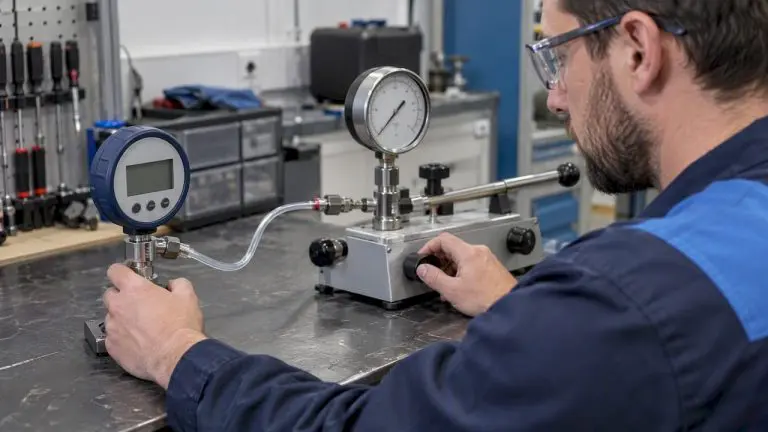
Automated meter readings send condensed, prefiltered equipment meter or sensor events into your CMMS so meter fields update automatically and condition-based work orders are created without manual entry. The goal isn’t raw data collection. It’s turning a sensor signal into a triaged, correctly prioritized work order inside a system like MPulse CMMS, delivered through REST or MQTT, with no technician re-keying a single reading.
TL;DR:
- Properly mapping sensor identifiers to asset records using composite keys prevents work order misassignment and minimizes integration failures.
- Using high-confidence thresholds for automatic work order creation reduces false positives and maintains planner trust in automated alerts.
- Conducting small pilot tests on five to ten assets with KPIs like triage time and false-positive rates ensures threshold accuracy and system reliability before full deployment.
- Middleware filtering high-frequency data into meaningful events avoids overloading the CMMS and improves system scalability at larger volumes.
- Securing integration accounts and encrypting data in transit are essential to protect sensitive asset information and maintain compliance.
Table of Contents
- How Automated Meter Readings Actually Flow Into a CMMS
- Building the Integration: A Step-by-Step Checklist
- Why Data Mapping Makes or Breaks the Integration
- Setting Thresholds That Trigger the Right Work Order
- Testing and Rolling Out Your Meter-Reading Integration
- How MPulse CMMS Supports Condition-Based Automation
- Data Security and Privacy in Meter Reading Integrations
- Keeping Meters and Your CMMS in Sync
- Scaling Meter Data Ingestion Without Overloading Your CMMS
- What the Data Actually Tells You to Prioritize
- Next Steps: Piloting Automated Meter Readings With MPulse
- Sources
- FAQ
How Automated Meter Readings Actually Flow Into a CMMS
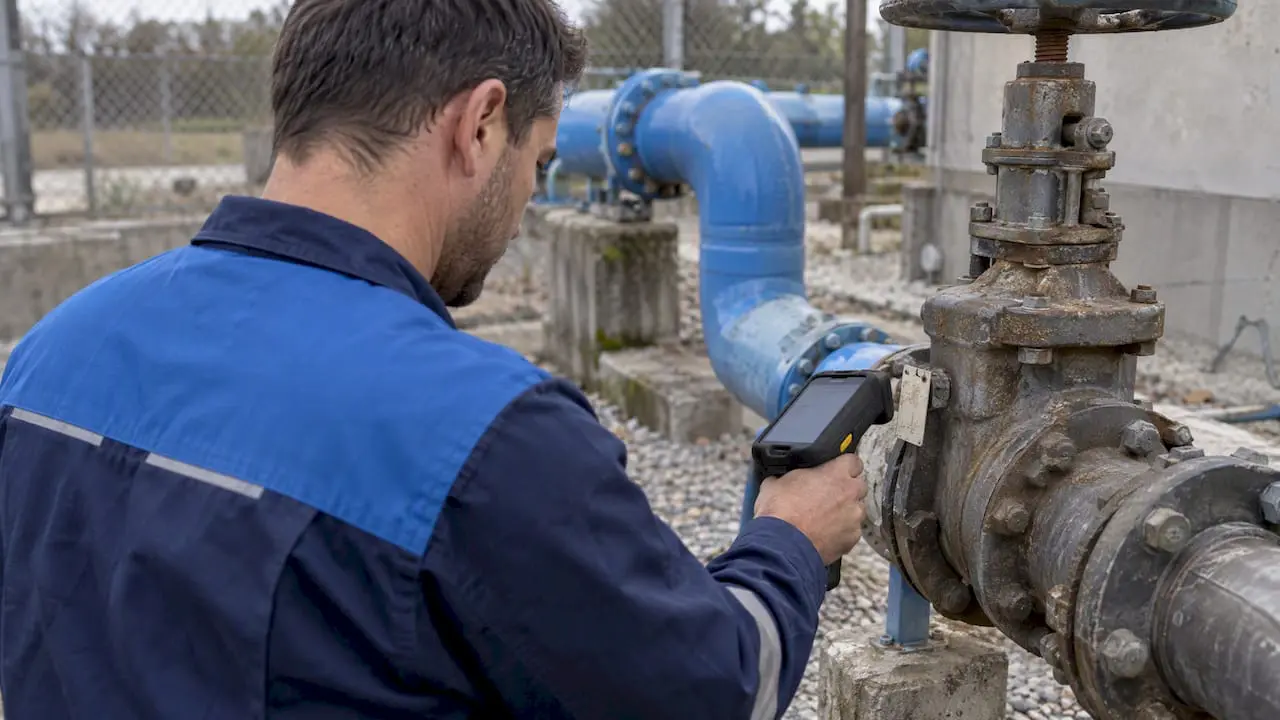
Every reliable setup follows the same basic path: a sensor or connected piece of equipment generates a reading, an edge device or gateway collects it, a prescreening layer filters the noise, and only the meaningful event reaches your CMMS. Skipping that middle step is the single most common design mistake facility teams make.
Raw high-frequency timeseries data, the kind IIoT sensors generate every few seconds, was never meant to live inside a maintenance system. Oracle’s documentation on connected equipment is explicit about this: the CMMS should receive a discrete meter-event type, not a continuous stream. Your CMMS needs to know a vibration threshold was crossed, not every micro-fluctuation that led up to it.
There are two canonical patterns for getting readings into the system:
- Periodic push: the connected asset or gateway sends readings on a schedule (hourly, daily, per shift) regardless of whether anything changed.
- Requested on demand: the CMMS asks for a fresh reading at the moment a work order is created, giving technicians current context before they walk out to the asset.
Some platforms even expose this as a configurable option. Oracle’s system, for instance, includes a “Get Meter Readings” checkbox on operational rules that pulls a live reading the instant a work order opens. Choosing between the two patterns (or running both) depends on how volatile the asset’s condition is and how much that volatility matters between scheduled checks.
Building the Integration: A Step-by-Step Checklist
Before any code gets written, map the terrain. Integration failures almost never come from a missing API. They come from mismatched assumptions about what data means and where it belongs.
- Inventory every asset and sensor first. Build an asset-ID mapping table that ties each physical sensor or meter to its corresponding CMMS asset record before you touch a protocol. Monitory’s integration research found that mapping semantics, not missing endpoints, are the leading cause of failed predictive-maintenance integrations.
- Choose your protocol deliberately. REST API works well for discrete, event-driven actions like creating a work order the moment a threshold is crossed. MQTT fits high-frequency streaming and continuous condition monitoring. iFactory’s guidance on CMMS-IoT integration notes many facilities run both, with middleware handling translation between systems that speak different data dialects.
- Define the meter-event payload schema. Every event should include a
source_flagfield identifying which sensor or system generated the reading. Provenance matters when three different data sources feed the same asset record. - Set operational rules inside the CMMS. Map incoming meter events to priority levels, failure codes, and work-order types before you go live, not after the first flood of alerts arrives.
- Configure service accounts and audit logging. Integration accounts need scoped privileges, not admin-level access, and every automated action needs a traceable log entry.
Pro Tip: Build your asset-ID mapping table in a spreadsheet first and validate it manually against 10 to 15 assets before writing a single line of integration code. Catching a mismatched identifier on paper costs minutes; catching it after go-live costs a week of bad work orders.
Why Data Mapping Makes or Breaks the Integration
The mapping table between sensor identifiers and CMMS asset keys is the least glamorous part of this project and the part most likely to break it. When a sensor’s serial number doesn’t cleanly match an asset tag, or when one physical asset has three sensors reporting under different naming conventions, automated work orders start landing on the wrong equipment record.
Composite keys solve part of this. Instead of relying on a single sensor ID, combine location, asset type, and sensor ID into one translation key that’s less likely to collide with another asset’s identifier.
A second discipline matters just as much: never overwrite historical CMMS fields with incoming sensor data. Append new meter fields alongside a source_flag so a planner can see exactly which system populated which value and when.
Mapping tables also need version control. When a sensor gets swapped, replaced, or renumbered during a hardware refresh, the mapping entry has to update with it, ideally through an automated process rather than a manual edit someone forgets to make. Manual mapping maintenance is one of the most persistent hidden costs in long-running integrations. Facility teams that skip versioning often discover the drift only after a replaced sensor starts feeding readings to a decommissioned asset record. Running a synthetic test alert immediately after any hardware swap catches this before it produces a bad work order.
- Use composite keys (location + asset type + sensor ID) to reduce mapping collisions.
- Append, never overwrite, when new meter data reaches an existing asset record.
- Version every mapping change and log the date, reason, and technician who made it.
- Run a synthetic test alert after every sensor replacement to confirm the mapping still resolves correctly.
Setting Thresholds That Trigger the Right Work Order
Not every sensor reading deserves a work order, and treating every anomaly as urgent is how facility teams end up training planners to ignore CMMS alerts entirely. The fix is a tiered confidence model.
- High-confidence events auto-create a work order immediately, with priority, failure code, and recommended parts populated from the template.
- Medium-confidence events route to a review queue where a planner confirms before a work order is generated.
- Low-confidence events log quietly for trend analysis without triggering any action.
This tiering matters because meter-based triggers only work when the thresholds behind them are trustworthy. UpKeep’s guidance on conditional maintenance stresses that consistent reading schedules and correctly linked meter-to-asset relationships are what make threshold-based automation reliable in the first place.
Keep recommended parts and estimated labor hours embedded in each work-order template tied to a given failure code. That way, when the threshold fires, the technician isn’t starting from a blank ticket.
The loop closes when completed work-order outcomes feed back into your analytics layer. If a “high-confidence” bearing failure alert turns out to be a false positive three times in a row, that threshold needs recalibrating, not the technician’s trust in the system.
Pro Tip: *Review your review-queue volume weekly for the first two months.
Testing and Rolling Out Your Meter-Reading Integration
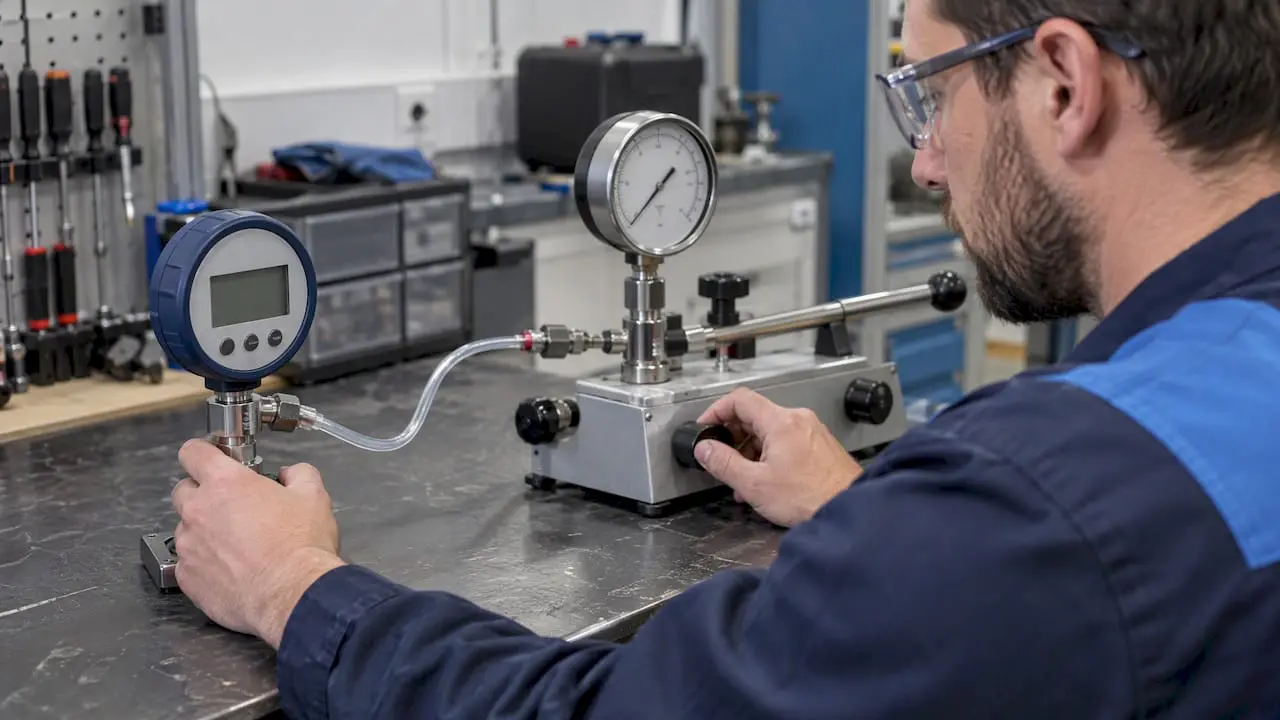
Test before you trust. For each priority level in your rule set, generate a synthetic alert and walk it through the full chain: does it map to the right asset, assign the correct priority, populate the recommended parts list, and link back to the original sensor reading?
- Run synthetic alerts across every priority tier and confirm end-to-end accuracy before touching live sensors.
- Pilot on a small, well-understood asset group, five to ten units, and measure false-positive rate and average triage time.
- Expand scope only after the pilot data shows the thresholds are holding and planners trust the alerts.
| KPI | What it tells you |
|---|---|
| Mean time to triage | How fast a meter event becomes a resourced work order |
| Percent of condition-based WOs accepted | Whether planners trust the automation or keep overriding it |
| False-positive rate | Whether thresholds need recalibration |
| Feedback loop completion rate | Whether outcome data is actually reaching analytics |
How MPulse CMMS Supports Condition-Based Automation
MPulse CMMS is built to receive exactly the kind of prescreened meter events this integration approach produces. The platform supports condition-based maintenance workflows, connects with IIoT sensor feeds, and pairs that with an intuitive calendar interface for scheduling teams managing both timed and metered PM in parallel.
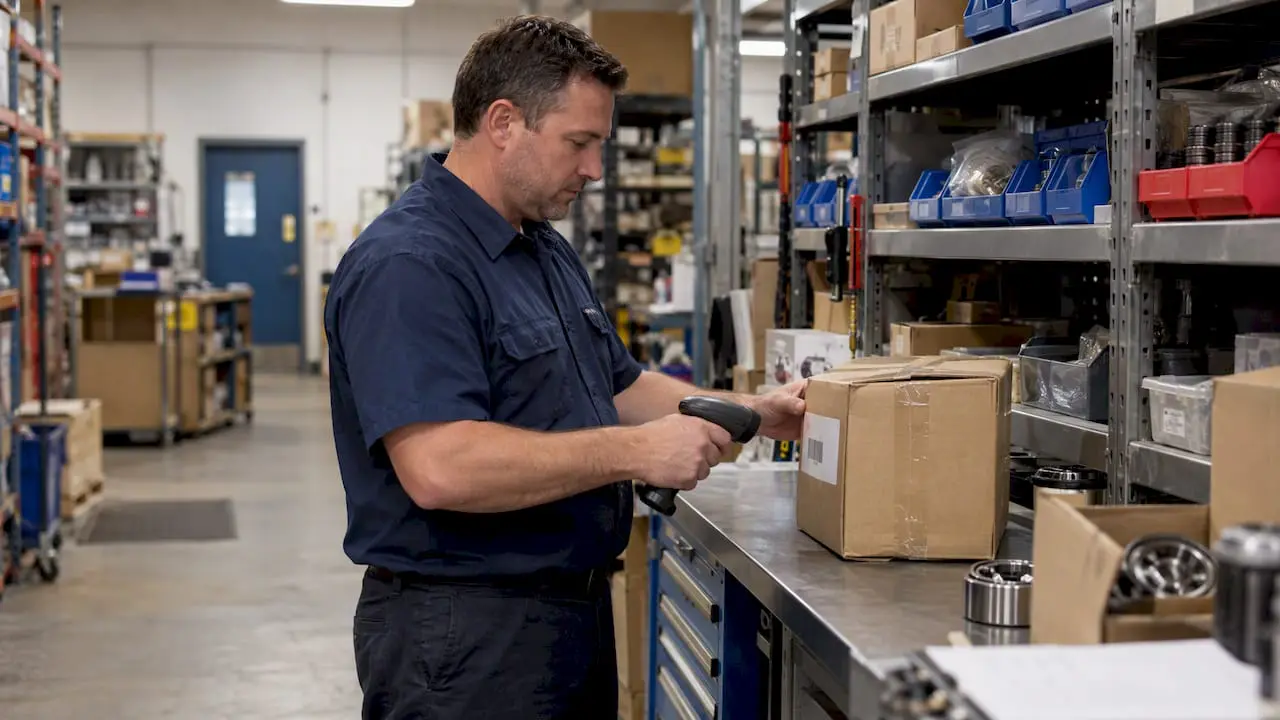
For teams planning an integration, MPulse’s real-time monitoring and IIoT capabilities handle the operational-rule side: mapping incoming events to priorities and failure codes. Barcode scanning speeds field validation once a technician arrives on-site, and compliance-friendly workflows keep the audit trail intact for regulated environments.
The practical next step is small: pick a pilot asset group, plan the integration around your existing sensor infrastructure, and review MPulse’s resources on creating clean asset records before deciding between timed and metered PM strategies.
Data Security and Privacy in Meter Reading Integrations
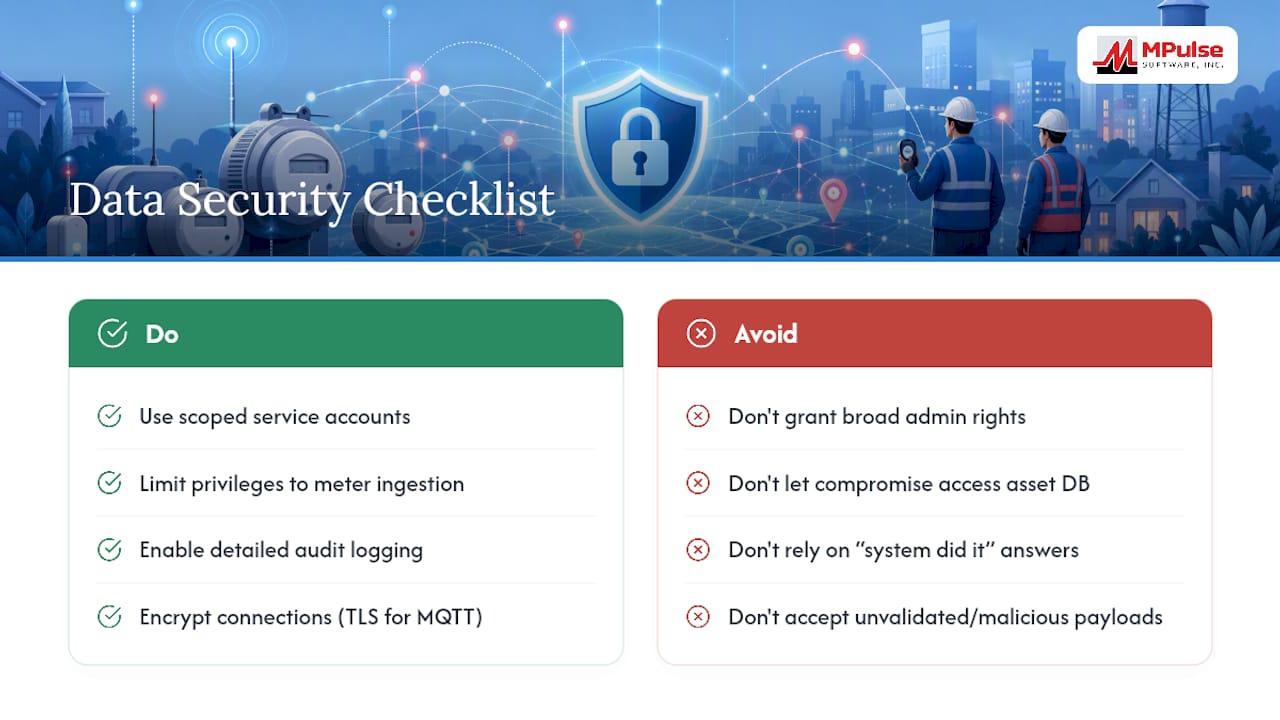
Every automated meter reading that reaches your CMMS travels through at least one network hop, often three or four, between the sensor, the gateway, edge processing, and the platform itself. Each hop is a point where credentials, payloads, or asset data can leak if it isn’t secured.
Service accounts used for integration should carry scoped privileges tied specifically to meter-event ingestion, never broad administrative rights. If that account is compromised, the blast radius should be limited to meter data, not your entire asset database or user records.
Audit logging matters more here than in almost any other CMMS workflow, because automated actions happen without a human clicking “submit.” Every meter-triggered work order needs a traceable record showing which sensor generated the reading, which rule fired, and which account processed it. When a compliance auditor asks why a work order was created, “the system did it automatically” isn’t a sufficient answer without the underlying log trail. Reference this the same way you would for CMMS compliance workflows tied to connected equipment.
Encryption in transit is table stakes for any sensor-to-gateway and gateway-to-CMMS connection, particularly over MQTT, which wasn’t originally designed with strong security defaults and needs TLS layered on deliberately. Payloads should also be sanitized before they hit the CMMS. A malformed or malicious sensor payload shouldn’t be able to inject unexpected fields into an asset record.
Keeping Meters and Your CMMS in Sync
Synchronization problems surface in quiet, frustrating ways: a work order shows a reading from six hours ago, a sensor goes offline and nobody notices until a planner asks why an asset hasn’t triggered maintenance in weeks, or two systems disagree on an asset’s current meter value.
The fix starts with timestamping every event at the source, not at ingestion. If a sensor reading is timestamped when it arrives at the CMMS rather than when it was actually taken, a network delay or queue backlog silently distorts your maintenance history.
Idempotency matters just as much. If a gateway retries a failed transmission, the CMMS needs to recognize a duplicate event and discard it rather than logging the same meter reading twice and skewing thresholds. Building a unique event ID into every payload, tied to the sensor, timestamp, and reading value, solves this cleanly.
Offline periods need explicit handling too. When a sensor goes dark, the CMMS should flag the gap rather than silently carrying the last known reading forward as if it were current. A stale reading treated as fresh data is worse than no reading at all, since it can suppress a work order that should have fired.
Reconciliation checks on a regular cadence, comparing the sensor’s last reported value against the CMMS asset record, catch drift before it compounds. Teams that skip this step often discover sync issues only after a technician arrives on-site and finds a reading that doesn’t match what the CMMS displayed.
Scaling Meter Data Ingestion Without Overloading Your CMMS
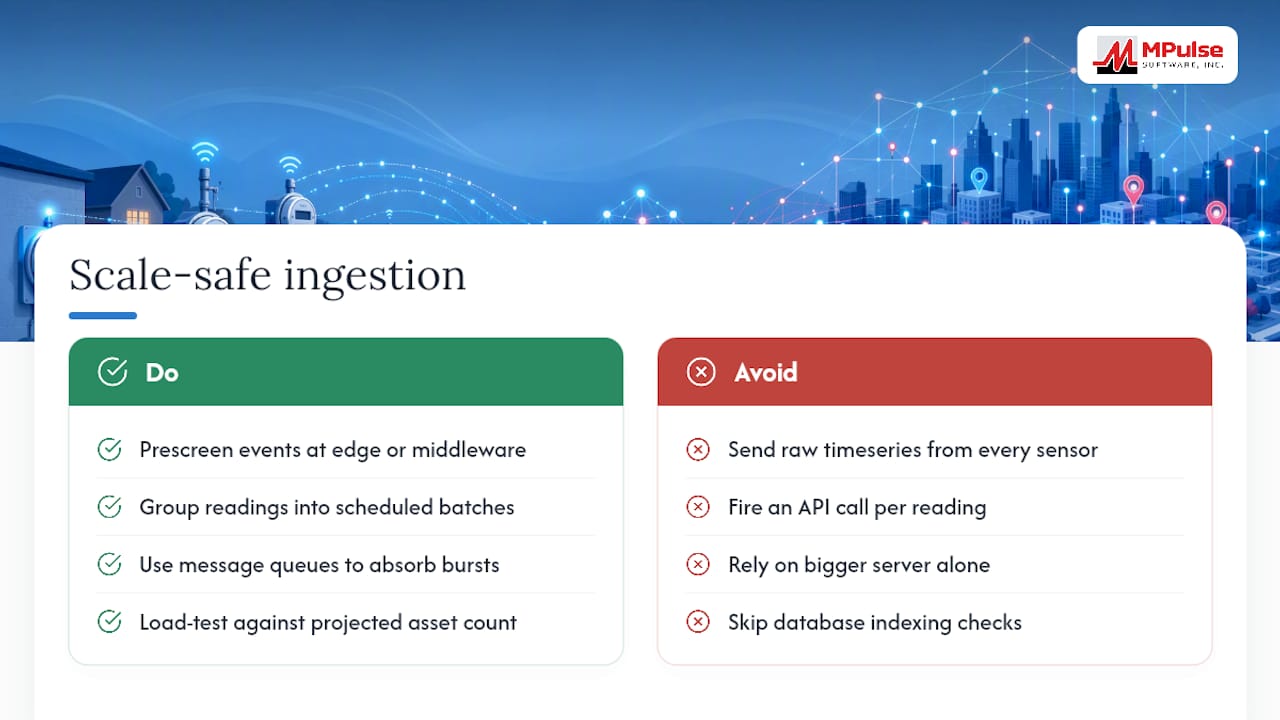
A pilot running ten assets behaves nothing like a rollout running two thousand. What worked cleanly at small scale, sending every meter event directly to the CMMS, starts to strain the system once volume climbs, and the fix isn’t a bigger server. It’s smarter filtering before data ever reaches the platform.
This is where the prescreening layer earns its place in the architecture. Middleware or an edge processing tier should absorb the high-frequency noise and forward only condensed, meaningful events, the same principle behind the periodic-push and on-demand patterns described earlier, just applied at volume. A CMMS asked to ingest raw timeseries from thousands of sensors will slow down for every user, not just the integration.
Batching matters at scale too. Instead of firing an API call per reading, group readings into scheduled batches during low-usage windows where the ingestion pattern allows it, particularly for periodic-push scenarios that don’t need instant delivery.
Queue-based architectures help absorb bursts. When hundreds of sensors report simultaneously after a network restoration, a message queue lets the CMMS process events at a sustainable rate instead of getting hit with a spike it can’t absorb.
Database indexing on the CMMS side deserves attention as volume grows. Asset-ID lookups that ran fine against a few hundred records can slow considerably against tens of thousands, and that lag shows up directly in triage time. Load-testing the integration against your projected two- or three-year asset count, not just your pilot count, avoids a rebuild down the road.
What the Data Actually Tells You to Prioritize
Most advice on this topic treats meter-reading automation like a plumbing problem: connect the API, map the fields, done. That framing undersells the real work. The integrations that succeed treat mapping and threshold design as governance decisions, not technical footnotes, because a wrong asset match or a poorly tuned threshold doesn’t just create a bad data point. It creates a work order a technician has to physically chase down, and enough of those erode trust in the whole system.
The conventional advice also overweights protocol selection, REST versus MQTT debates that generate a lot of discussion but rarely determine whether an integration succeeds. What actually determines success is whether someone sat down and built the asset-ID mapping table correctly before writing any code, and whether the threshold-to-work-order rules got tested against synthetic alerts before real sensor data hit them.
If you take one thing from this into your own rollout, make it the pilot discipline: five to ten assets, tight KPI tracking, and a willingness to recalibrate thresholds based on what the feedback loop actually shows rather than what the vendor spec sheet promised.
— Mark
Next Steps: Piloting Automated Meter Readings With MPulse
If you’re ready to move past planning and into a real pilot, keep the scope tight: five to ten critical assets, clear KPIs like mean time to triage and false-positive rate, and a threshold model you’re willing to adjust after the first month of data.

Certain CMMS platforms provide facility teams a practical path into condition-based maintenance without building an integration layer from scratch. The platform’s IIoT and real-time monitoring capabilities are built specifically for the sensor-to-work-order flow this article walks through, and the core CMMS platform handles the operational rules, priority mapping, and audit logging that keep an automated pilot from turning into an alert-fatigue problem. Teams already running MPulse can also review the component and integration options available before scoping a technical conversation.
A practical next step: reach out for an architecture review and ask specifically about provisioning options for your sensor count and integration protocol. That single conversation usually clarifies whether REST, MQTT, or a mixed approach fits your facility’s existing infrastructure.
Sources
- Record Meter Readings Automatically When Using Connected Equipment
- CMMS Integration Best Practices for AI-Powered Maintenance | Monitory Resources
- API Integration: Connecting CMMS to IoT Platforms
- Ask the Expert: Conditional Maintenance & Meter-Based Triggers | UpKeep
FAQ
What Is the Difference Between Automated Meter Readings and Utility AMR?
In a CMMS context, automated meter readings refer to equipment and sensor data feeding your maintenance system to trigger work orders. This is unrelated to utility Automated Meter Reading, which measures water, gas, or electricity consumption for billing.
Should I Use REST API or MQTT for My Integration?
Use REST for discrete, event-driven actions like creating a work order when a threshold fires, and MQTT for continuous, high-frequency condition monitoring. Many facilities run both with middleware handling translation between them, as iFactory’s integration guidance recommends.
How Do I Prevent False-Positive Work Orders From Automated Meters?
Route medium-confidence sensor events to a human review queue instead of auto-generating a work order, and reserve automatic creation for high-confidence events only. Track your false-positive rate during a pilot and recalibrate thresholds based on what the feedback loop shows.
Does MPulse CMMS Support Automated Meter Readings?
Yes. MPulse CMMS supports condition-based maintenance workflows and integrates with IIoT sensor feeds to route meter events into prioritized work orders, backed by an operational rule engine and compliance-friendly audit logging.
How Many Assets Should a Meter Reading Pilot Include?
Start with five to ten critical assets rather than a facility-wide rollout. A small pilot lets you tune confidence thresholds and measure triage time before scaling to the full asset inventory.